
Bit Flows
Free
Connect Tutor LMS to hundreds of platforms with Bit Flows and automate your LMS workflows using no-code automation and AI agents.
About
Bit Flows is a no-code workflow automation plugin that lets you automate Tutor LMS events such as course enrollments, lesson completions, quiz attempts, and course completions.
You can trigger workflows from Tutor LMS and perform actions across WordPress, SaaS tools, CRMs, email platforms, and AI tools. For example, you can send notifications when a course is completed, add students to a CRM, or generate AI-based feedback automatically.
You can use Tutor LMS events as triggers and run multiple actions in the same workflow. This helps you manage students, instructors, and courses in a more organized way.
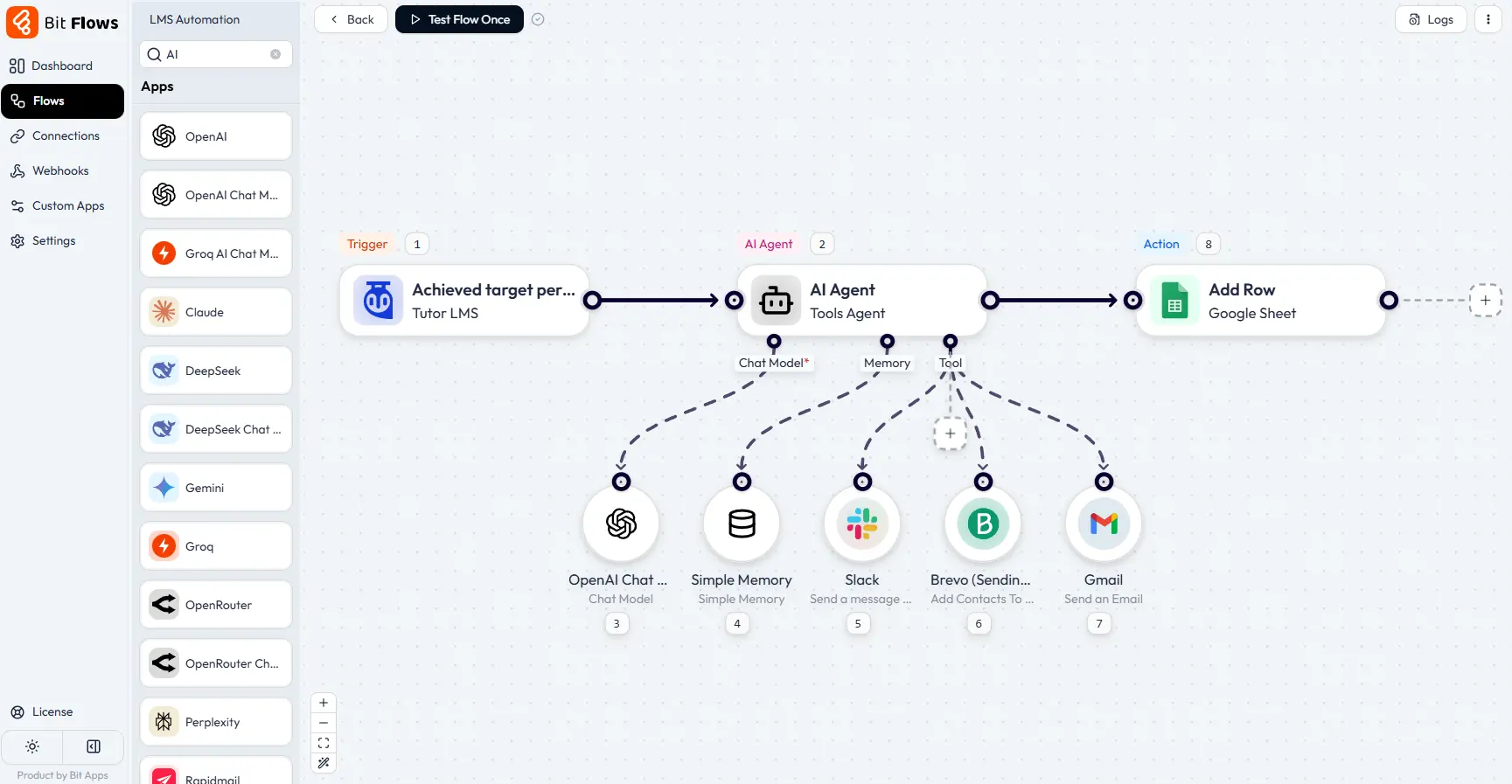
To build workflows, simply connect Tutor LMS triggers with Bit Flows actions. You can also use webhooks, APIs, conditions, routers, and AI agents to create advanced decision-making workflows.
FAQs
Does Bit Flows support Tutor LMS natively?
Yes. Bit Flows includes built-in Tutor LMS triggers for key LMS events. You can start workflows instantly without any complicated setup.
Can I use AI with Tutor LMS automation?
Yes. Bit Flows supports AI tools like OpenAI, Gemini, Claude, and more. You can generate feedback, summaries, and messages using LMS data.
What is an AI Agent in Bit Flows for Tutor LMS?
An AI Agent can analyze student actions and make decisions automatically. It can choose what action to take based on performance or behavior.
Can AI agents make decisions using quiz scores or progress?
Yes. AI agents can evaluate quiz scores, completion status, and conditions. Based on logic, they can route students to different workflows.
How does decision-making work in Tutor LMS workflows?
Bit Flows uses conditions, routers, and AI logic for decision-making. Each workflow follows the best path based on real LMS data.
Can I automate different actions for different students?
Yes. You can segment students using conditions and AI analysis. High performers, struggling learners, and inactive users can be handled separately.
Is coding required to use AI and AI agents with Tutor LMS?
No. AI workflows and agents are fully no-code and visual. You control everything through simple settings and field mapping.