First Look into Tutor LMS 4.0: A Complete Reinvention of the Learning Experience
For the past twelve months, things have been a bit quiet on our end.
But behind that silence, our R&D, design, and development teams have been deeply engaged in rethinking the psychology, structure, and flow of how students experience learning through Tutor LMS.
After a year of deep research and design, we’re finally ready to show you what we’ve been up to.
Now it’s time to share the first look at Tutor LMS 4.0. But first, let’s walk through how you can download the latest version and start testing it.
How to Access Tutor LMS 4.0 Beta
To try out the latest improvements, start by downloading Tutor LMS 4.0 and installing it on your website. We recommend using a staging or test environment so you can safely explore the new features without affecting your live site.
- Free Version:
The free version of Tutor LMS 4.0 is available on the official GitHub repository. Download the latest release from there and install it on your site like any other plugin. - Pro Version:
The Pro version of Tutor LMS 4.0 can be downloaded from the Tutor LMS releases page. Log in to your account, download the latest Pro version, and install it to your staging site to test the new features.
Once you’ve installed the latest version, take some time to explore the updated interface and new features. If you notice anything unexpected or have suggestions, feel free to share your feedback. Your input helps us refine the experience and make the final release even better.
A Learner-First Redesign
Across the LMS ecosystem, most major updates traditionally revolve around expanding features for admins and instructors.
For years, we did the same, and rightfully so. You needed tools to build, scale, and manage your academy.
But with 4.0, we’ve shifted our lens entirely to the learner and rebuilt the UX structure from the ground up. As a Tutor LMS user, your success is tied to your students. When their experience improves, your business stands out, and your revenue grows.
So, we stepped back and re-evaluated the entire learning journey through four critical lenses
- Cognitive Load – How much mental effort does it take to navigate?
- Attention Flow – Does the interface protect focus?
- Discoverability – Can students find what they need instantly?
- Emotional Experience – Does learning feel rewarding?
- Contextual Learning (Mobile-First by Nature) – Where does learning actually happen today?
Today’s learner learn on the commute, between meetings, late at night in bed, during short breaks throughout the day, and almost always – on their phone.
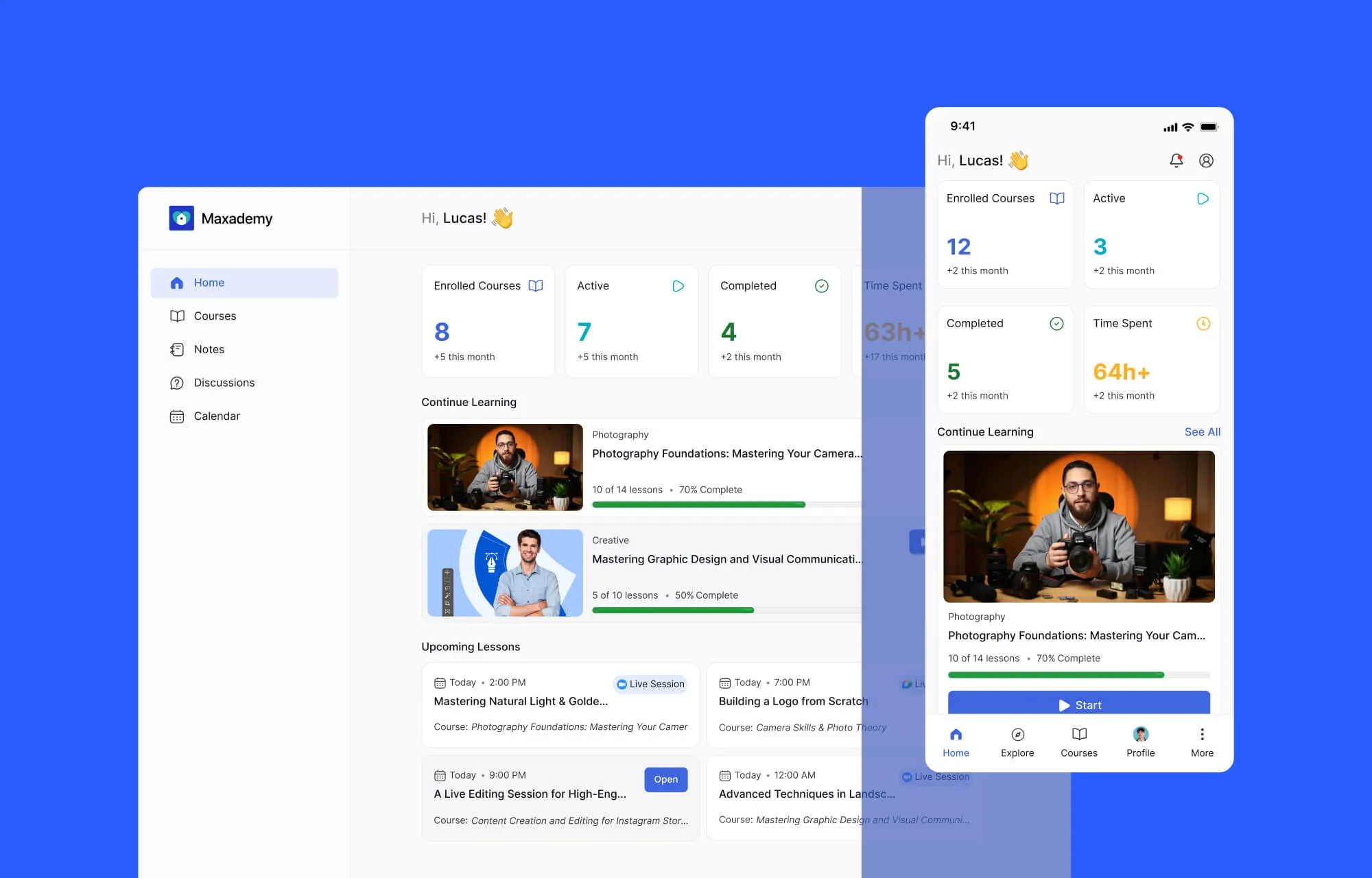
So with 4.0, we didn’t just redesign around student psychology. We designed with a mobile-first mindset from the ground up.
Because being learner-first today automatically means being mobile-first.
The All-New Simplified & Centralized Learner Experience
We realized that the biggest enemy of an online course isn’t a lack of information, it’s cognitive friction. When a student has to hunt for a note, struggle with a bulky menu, or feel lost in a sea of lessons, they lose their “flow.” And when the flow breaks, learning stops.
Every pixel in 4.0 was designed to protect the student’s focus.
Redefining the “Learning Flow”
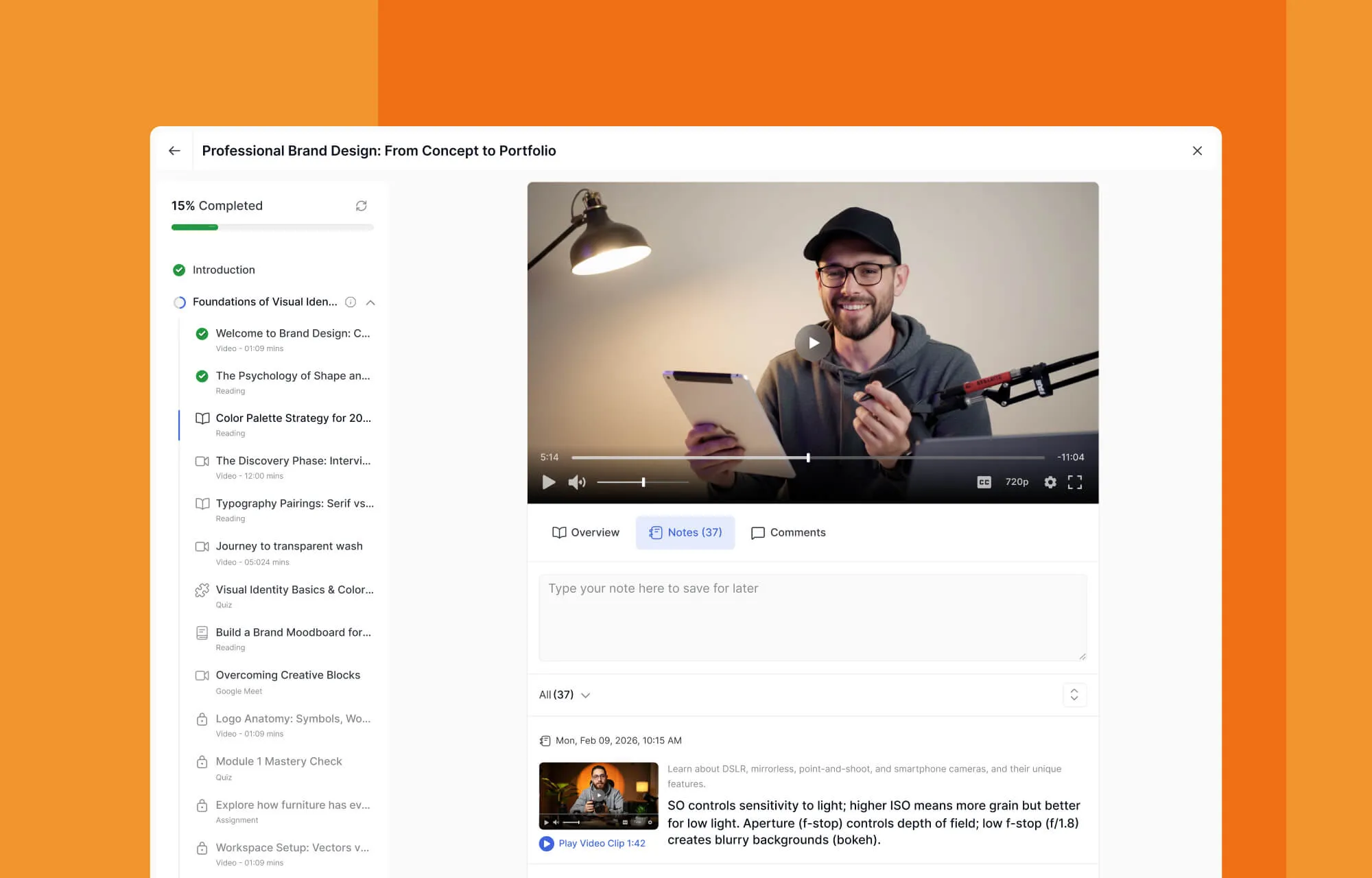
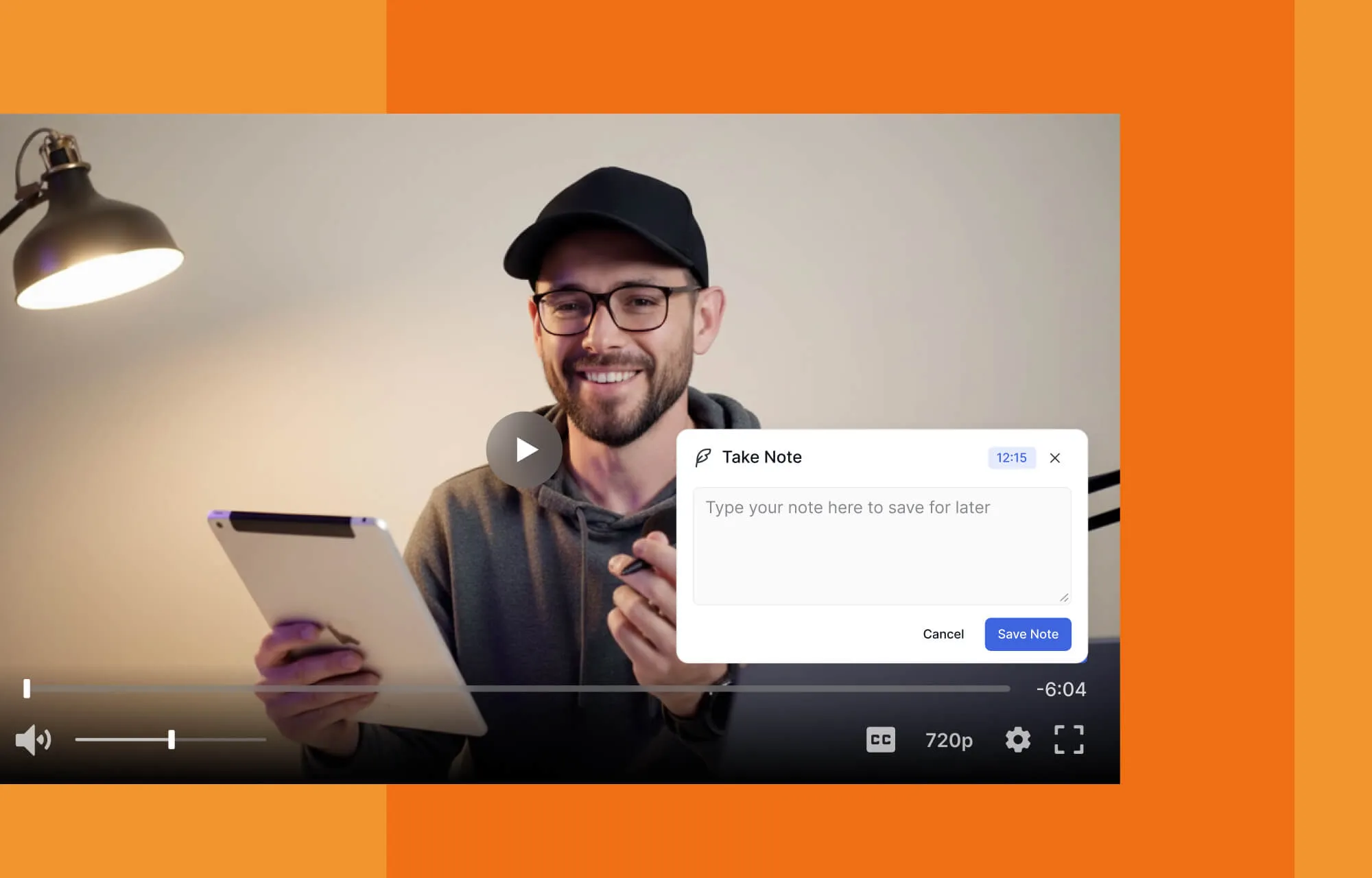
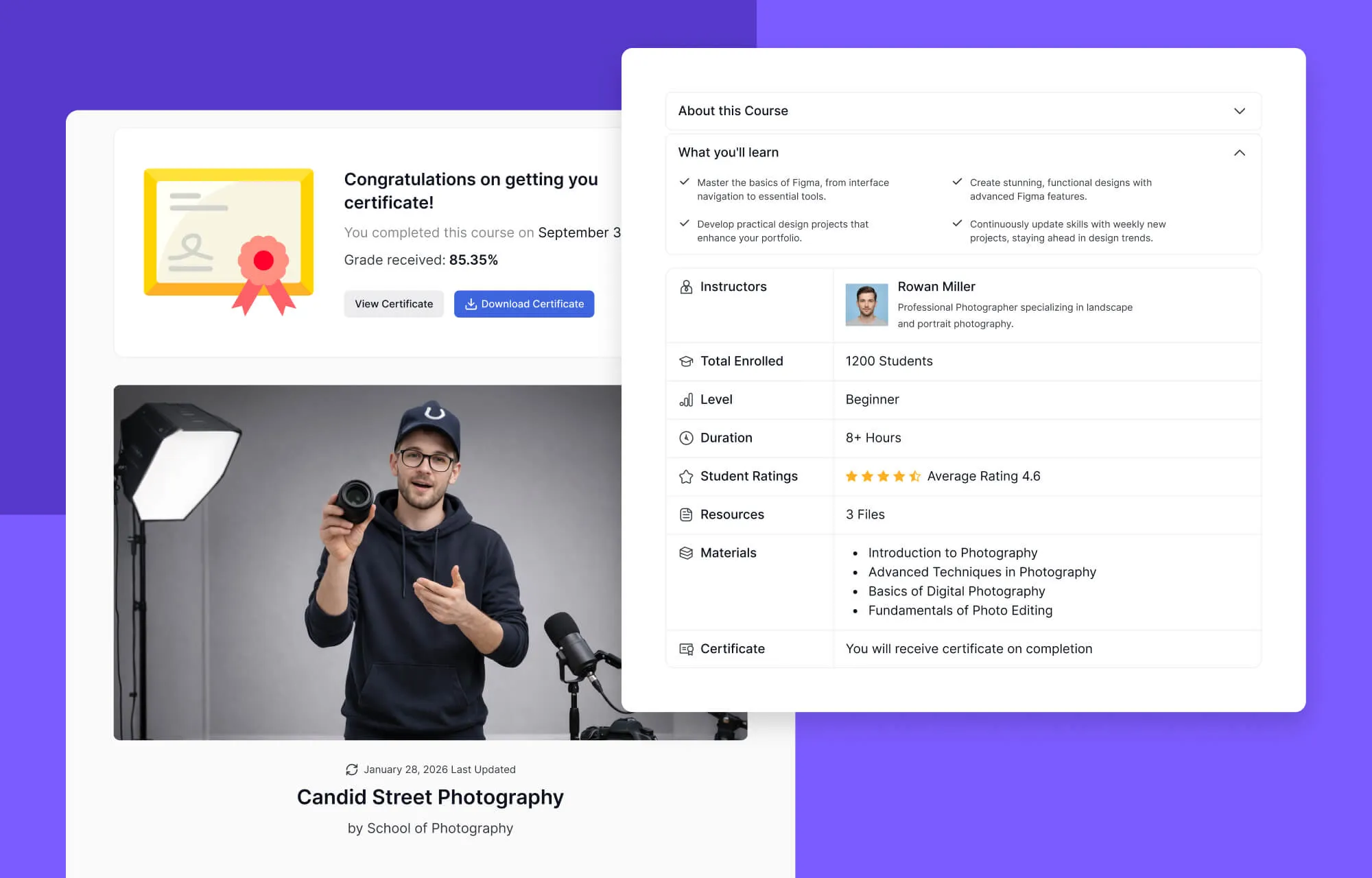
While most LMS platforms still operate as page-based dashboards, with 4.0, we moved toward a continuous learning environment instead. The moment a student clicks Start Learning, the experience shifts from browsing a website to entering a classroom.
- Students stay in the learning area after enrollment.
- Course info is accessible without disrupting the lesson environment.
- Curriculum, progress, and duration remain visible at all times.
- Navigation between lessons is fluid, not jarring.
The system no longer feels like navigating separate pages. It feels like a continuous educational space.
The Power of Centralization
We’ve moved away from fragmented data. In 4.0, everything is unified:
Centralized Notes:
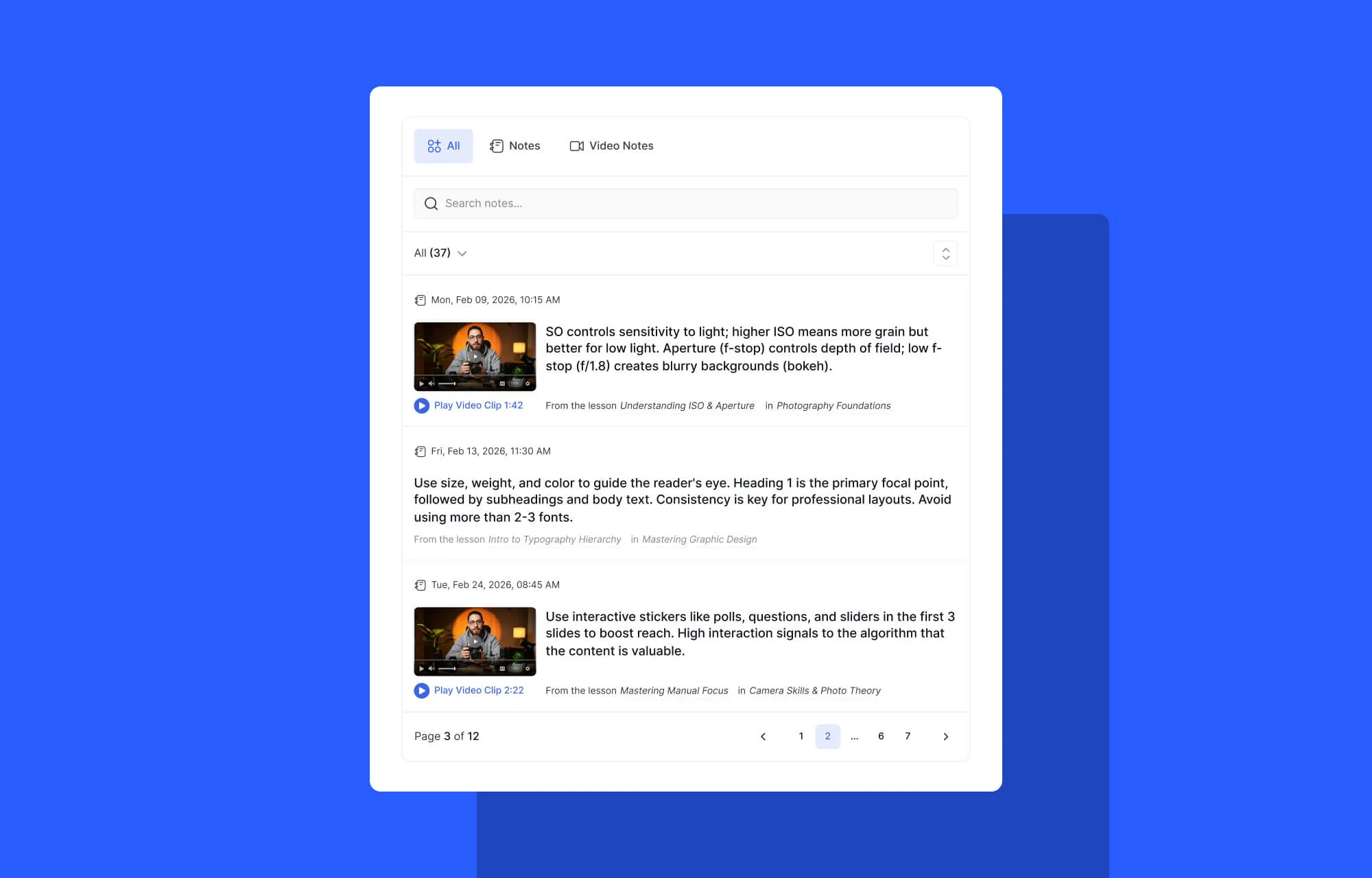
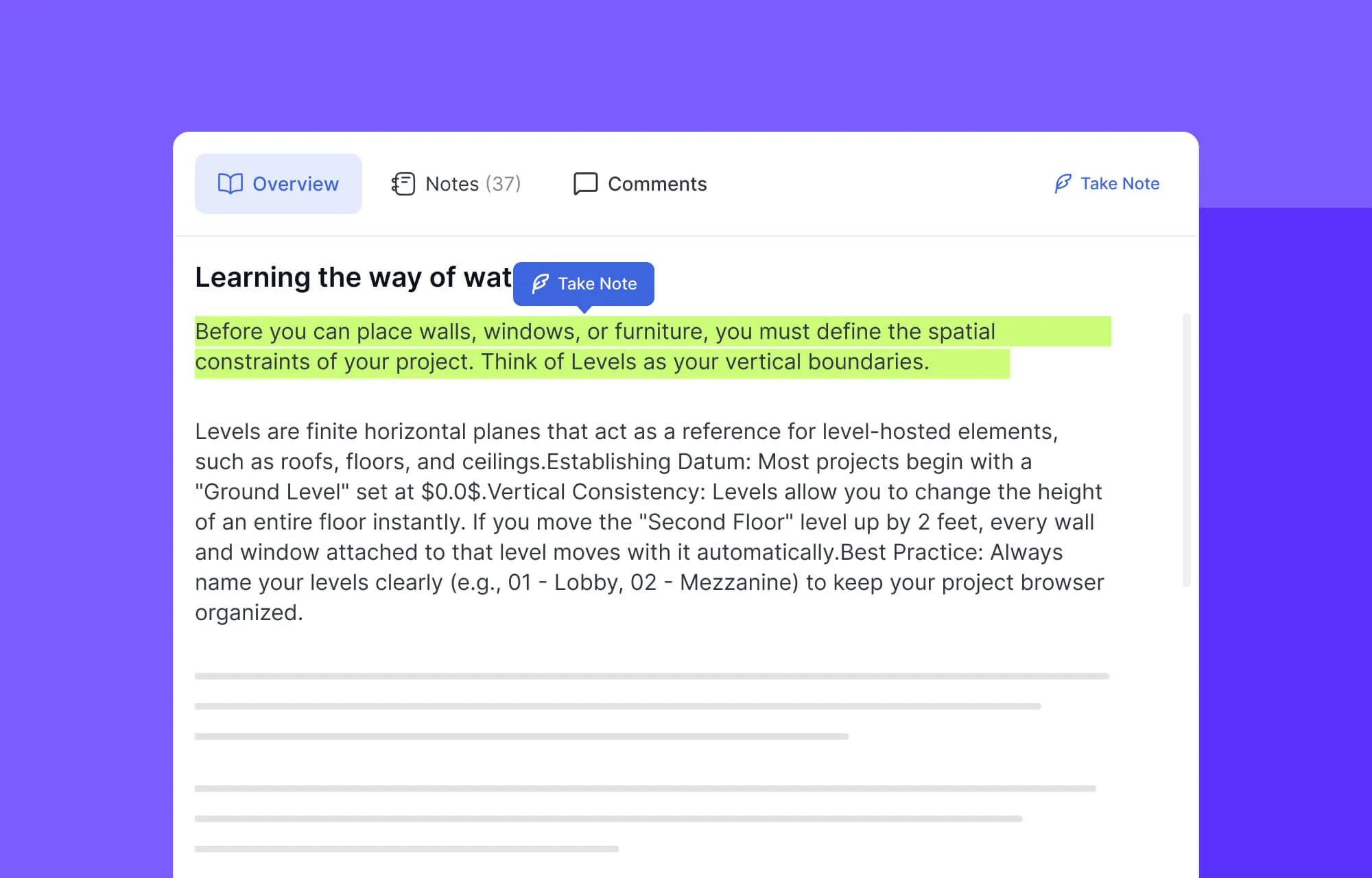
Previously, notes were scattered across lessons. Now, students can view all notes (lesson and video) in one unified space, search within their notes, and navigate instantly to referenced lessons. This encourages active learning.
Unified Discussion Q&A:
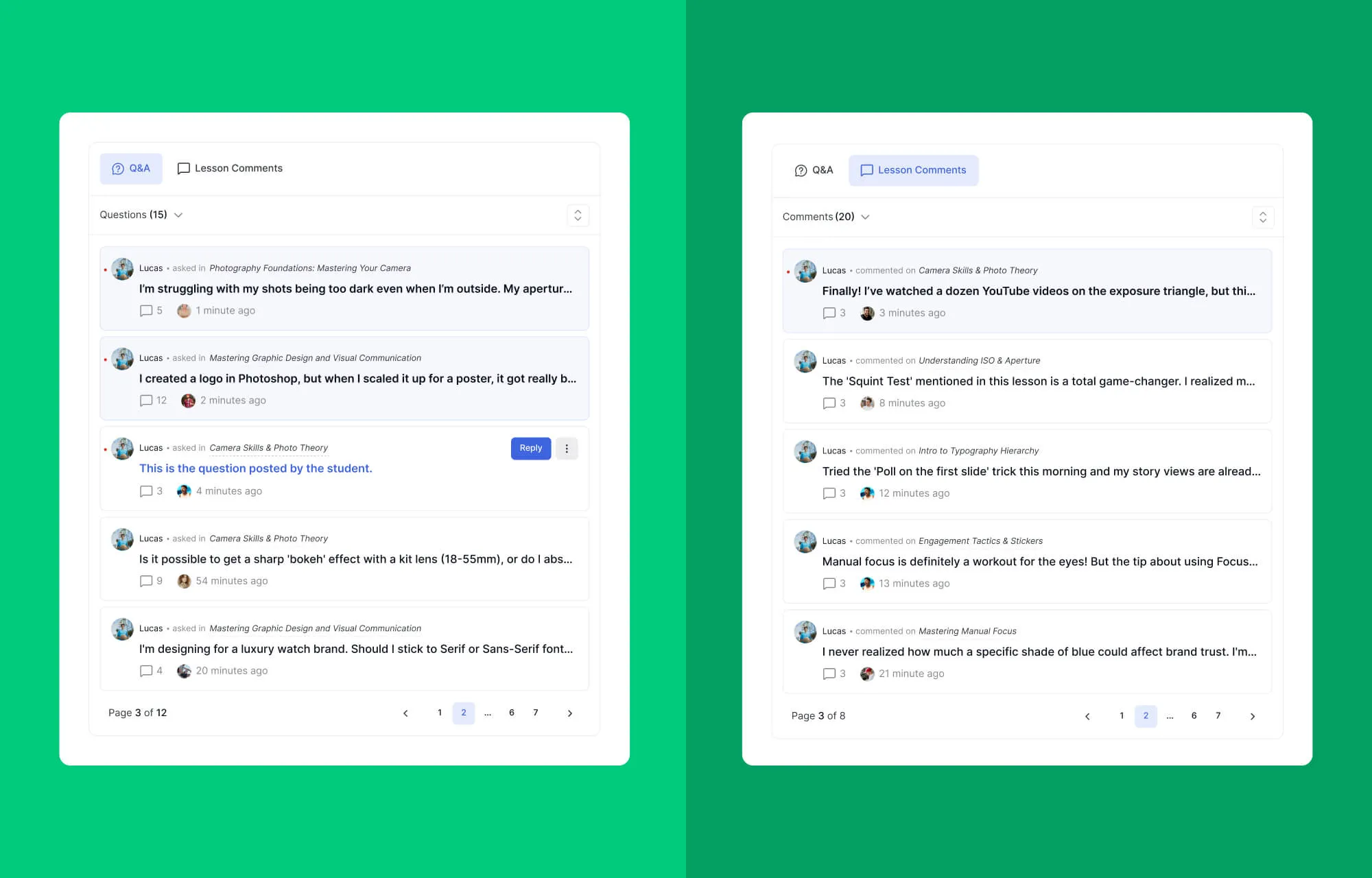
Learners can join discussions and track questions across every course from a single, streamlined interface.
Live Lesson Hub:
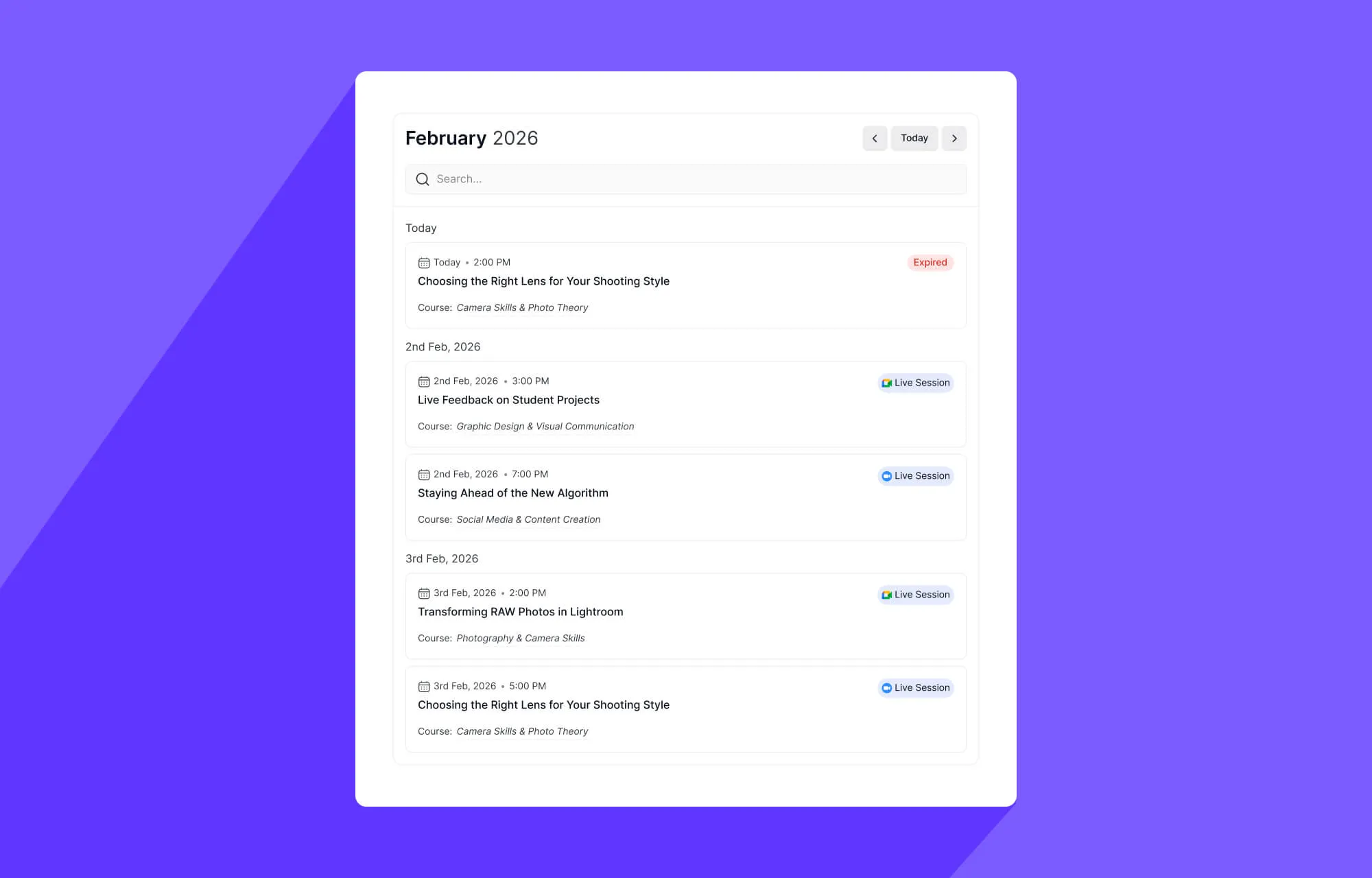
Instead of searching through individual topics, students can see a bird’s-eye view of all upcoming and past Live Lessons for the entire course.
Resource Center:
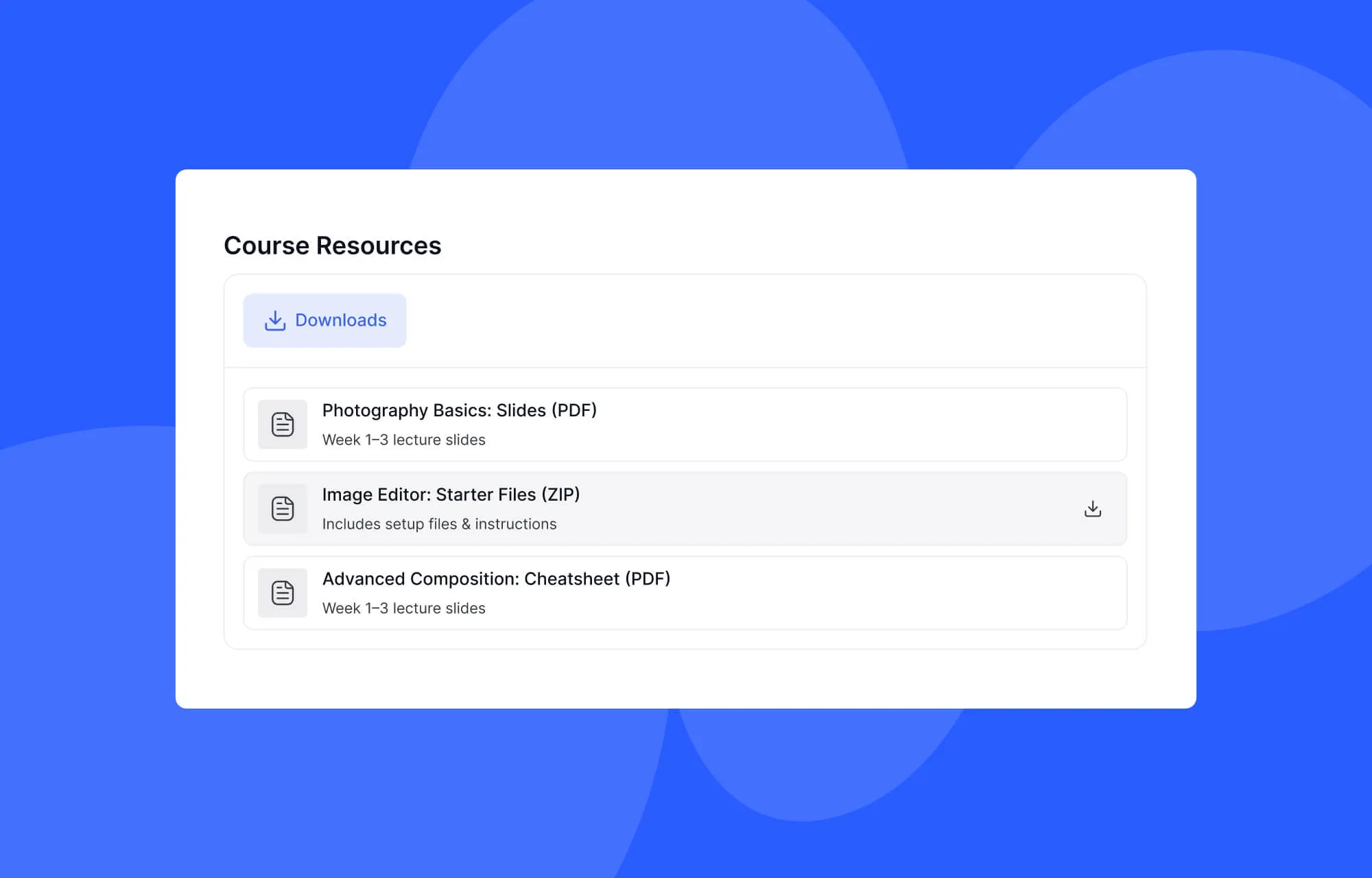
All PDFs, downloadable assets, and reading materials are now gathered in one dedicated tab.
Improved Assignment Experience
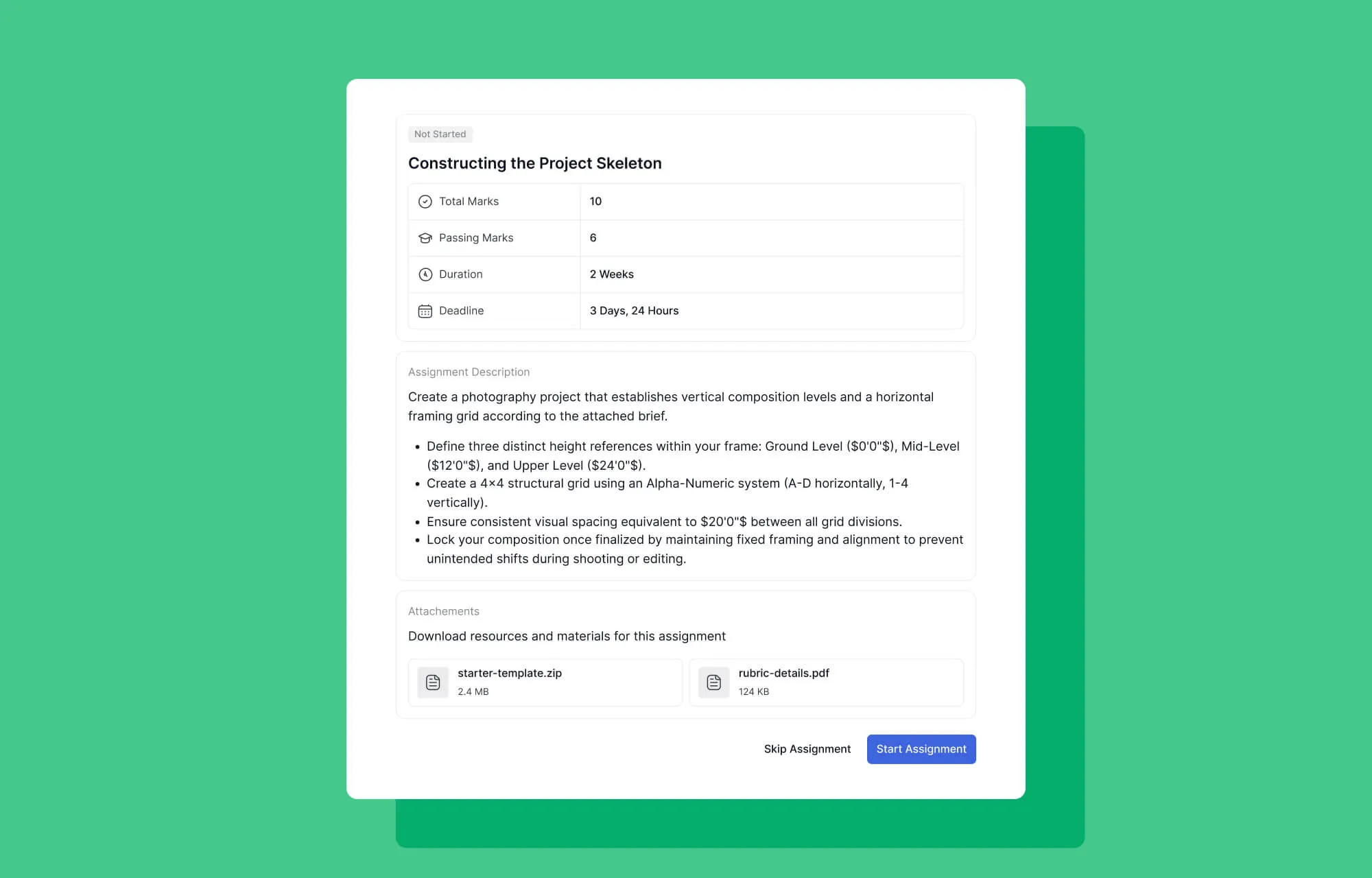
Assignments in Tutor LMS 4.0 are now more flexible and transparent for learners:
- Submit & Resubmit: Learners can submit assignments easily and, if needed, resubmit them without hassle.
- Track Attempts: All submission attempts are visible to the learner.
- View Feedback: View earned marks and whether the assignment was passed or not.
A Smarter Course Calendar
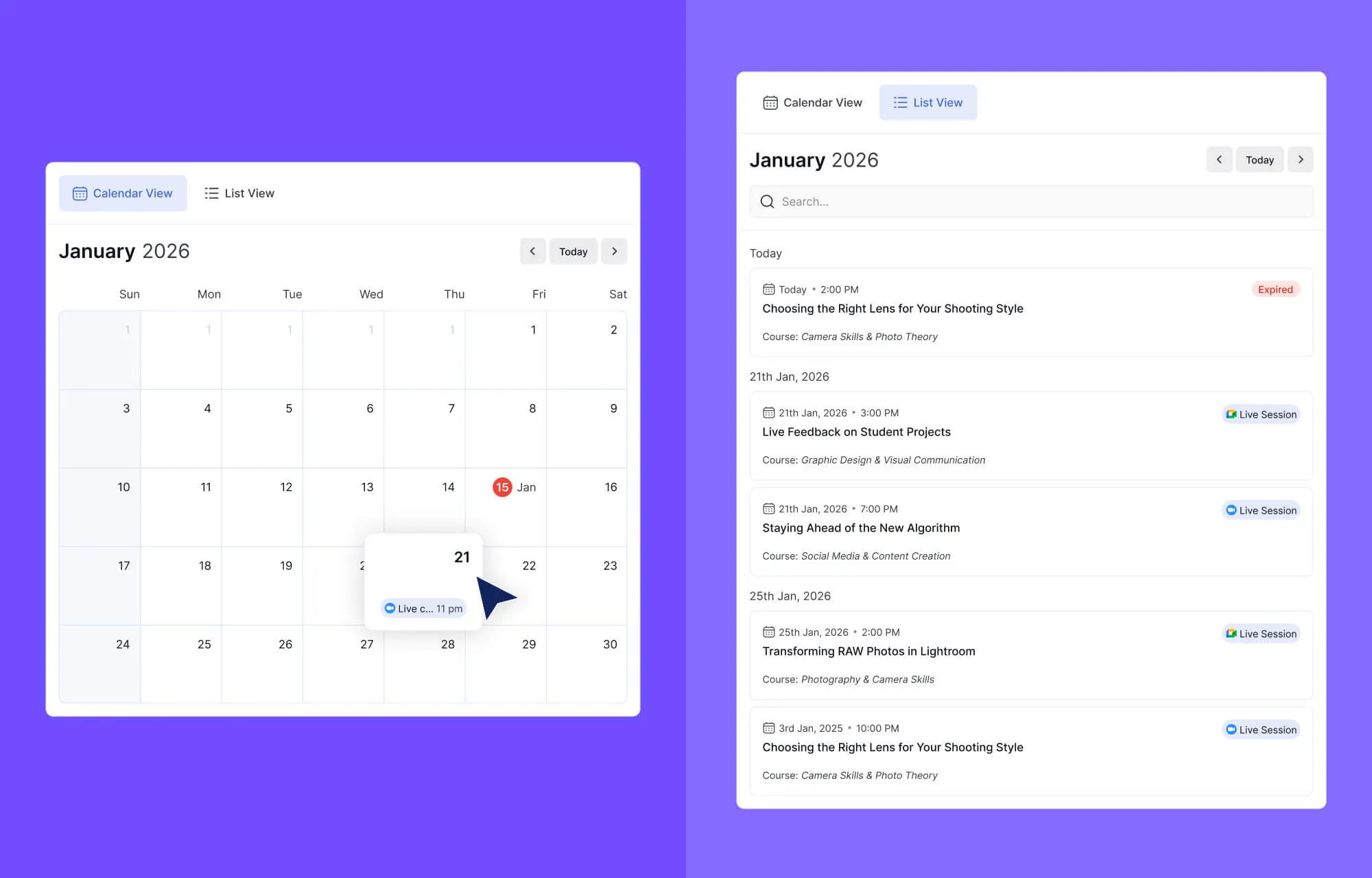
The improved Course Calendar in 4.0 is now the heartbeat of the student’s journey.
- Sync & Stay Alert: Students can see a unified view of every milestone, from live Zoom sessions to assignment due dates.
- Visual Roadmap: Each course is color-coded, allowing students who are enrolled in multiple programs to manage their time without feeling overwhelmed.
View Progress to Unlock Certificate
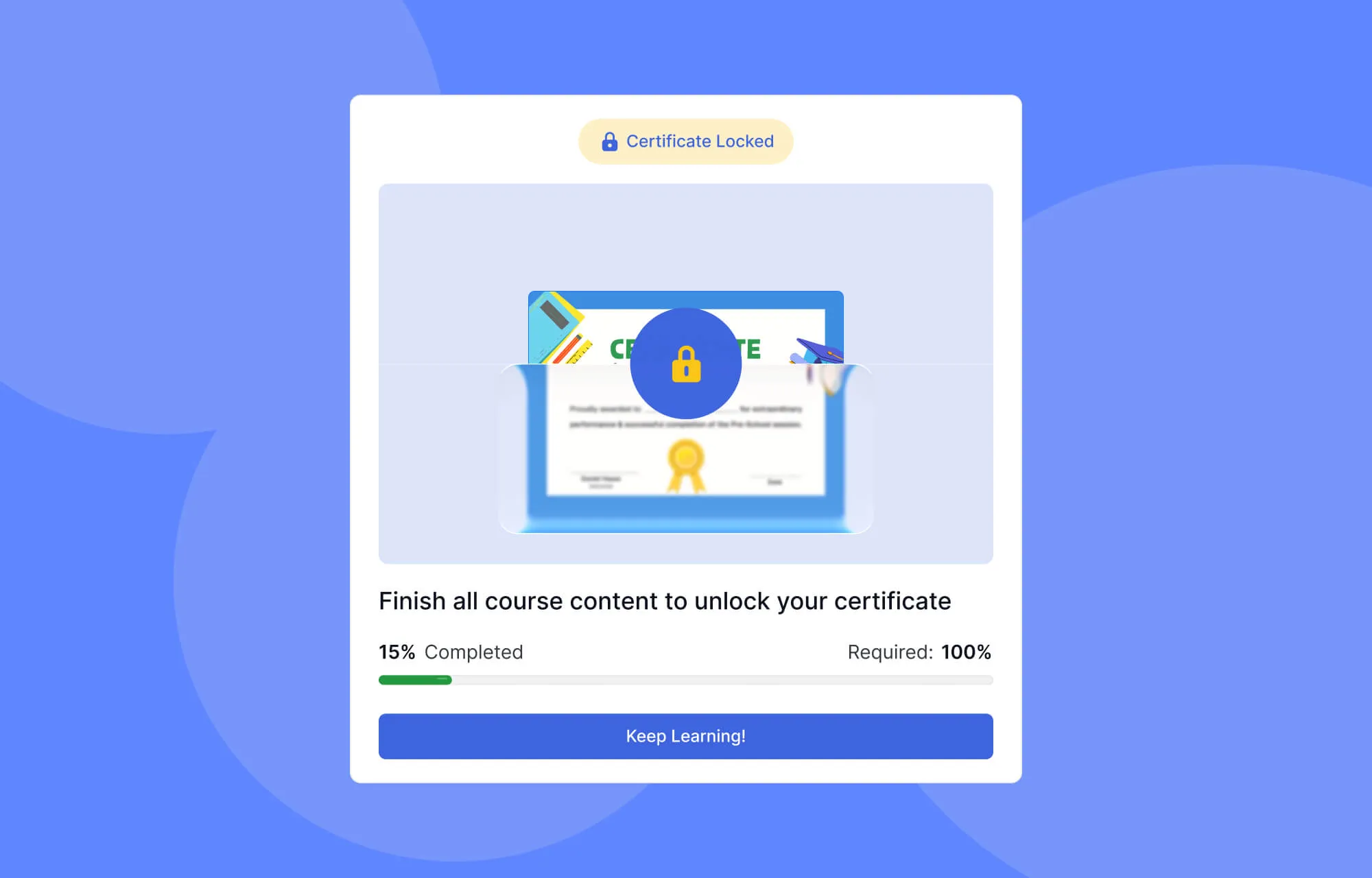
We’ve turned the “finish line” into a powerful motivational experience. In 4.0, a student’s credentials are no longer just a link in a menu; they are a goal in sight.
Students can see a beautiful, high-fidelity preview of their certificate from day one, marked with a “Locked” icon. This serves as a constant visual reminder of what they are working toward.
As lessons are completed and quizzes are passed, the progress tracker dynamically fills. The moment the final requirement is met, the certificate is generated with a celebratory animation.
Student Dashboard & Profile
We realized the old dashboard menus were becoming bulky, creating a “mental load” for students. We’ve stripped away the noise to create a more guided, intuitive home base.
Learner Dashboard
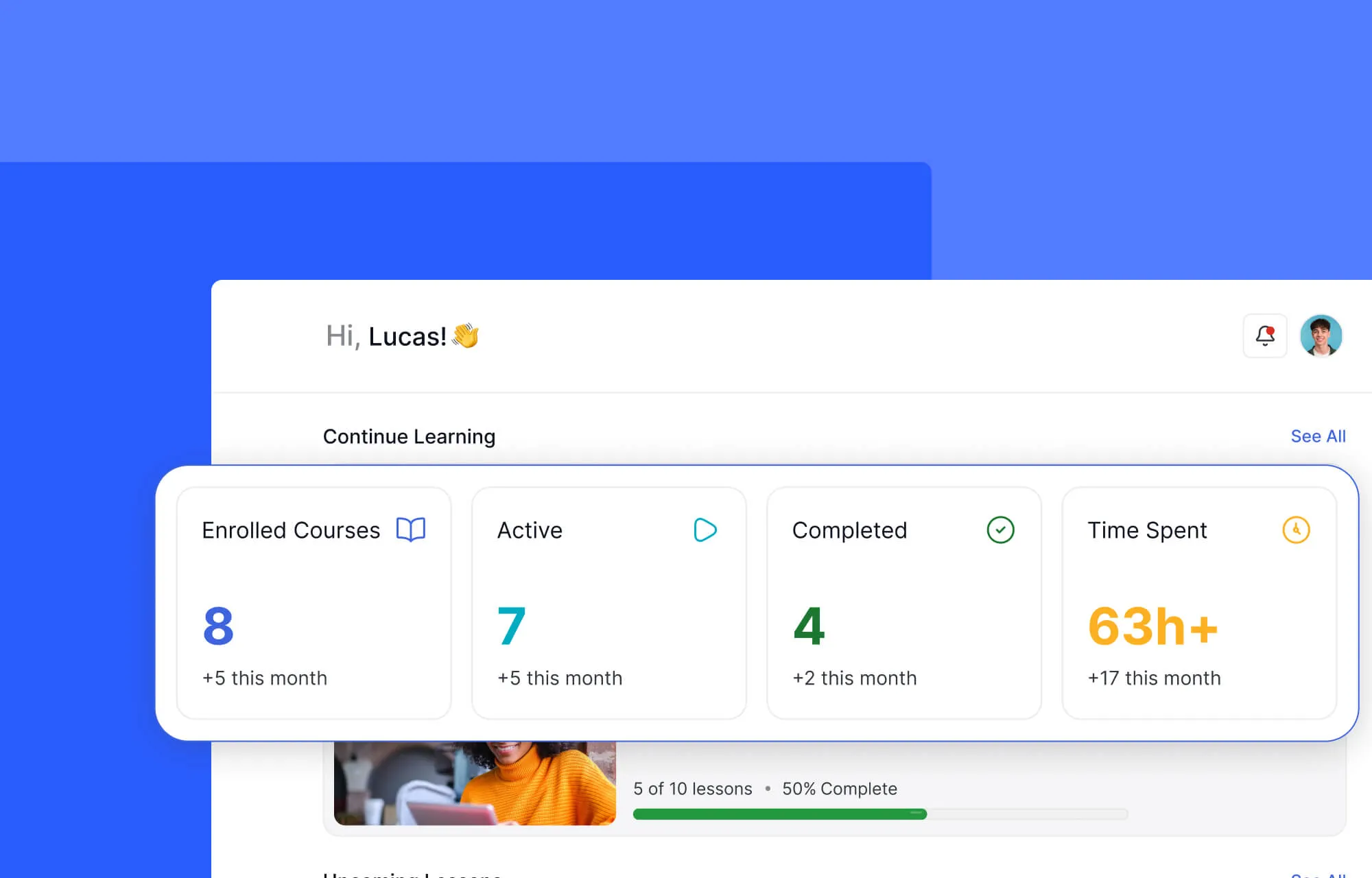
The new Dashboard acts as a true command center for a learner’s education. Instead of navigating through multiple sections to understand their progress, students can instantly view live lessons, total time spent learning, and upcoming tasks, all at a glance.
The experience is designed to keep learners oriented and motivated from the moment they log in. For example, simply hovering over a course name now reveals a quick preview, allowing students to understand course details without interrupting their flow.
Profile Management
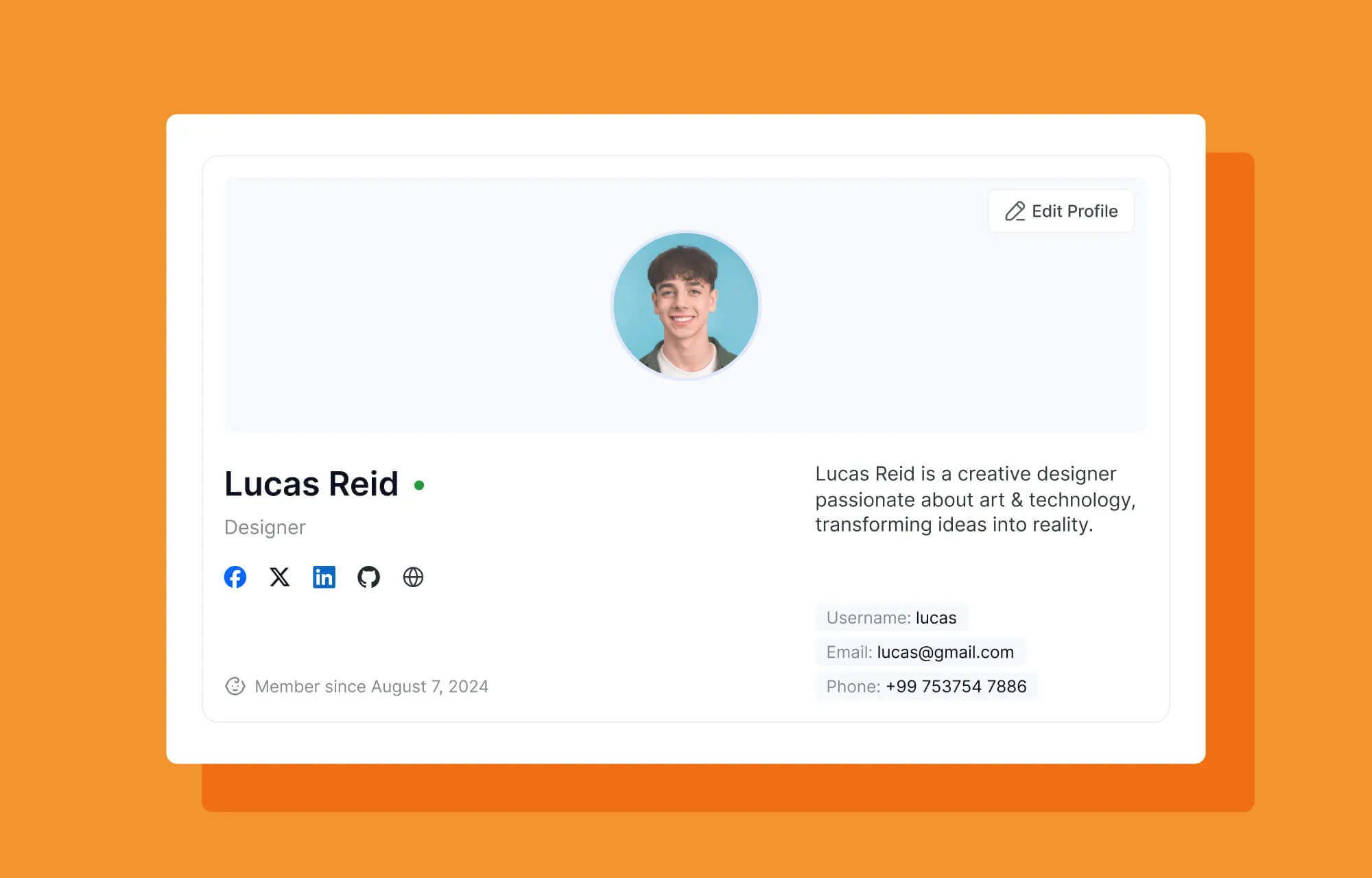
From the Profile tab, learners can easily manage and update their personal information in one place. Tutor LMS 4.0 also allows users to upload and manage their certificate signature, right from here. This small but meaningful addition helps learners maintain a seamless profile management experience.
Notifications & Preferences
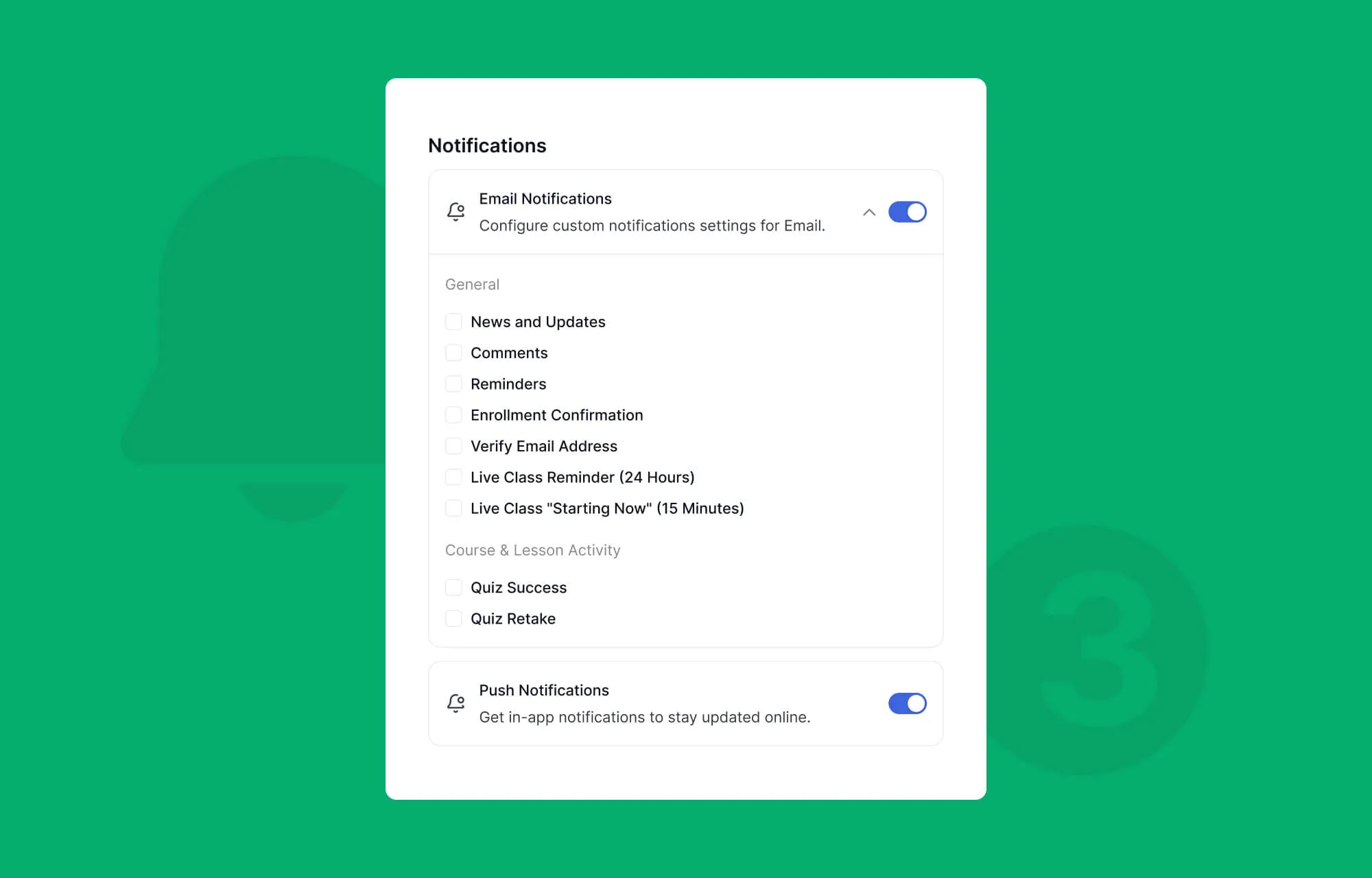
Through the Notifications tab, students can enable or disable push notifications and choose exactly which updates they want to receive, helping them stay informed without feeling overwhelmed.
The Preferences tab goes a step further by giving learners control over their learning environment. Students can enable or disable autoplay for the next lecture, manage downloads over Wi-Fi, select their preferred theme, activate high-contrast mode for improved accessibility, and personalize their learning experience.
Centralized Course Billing
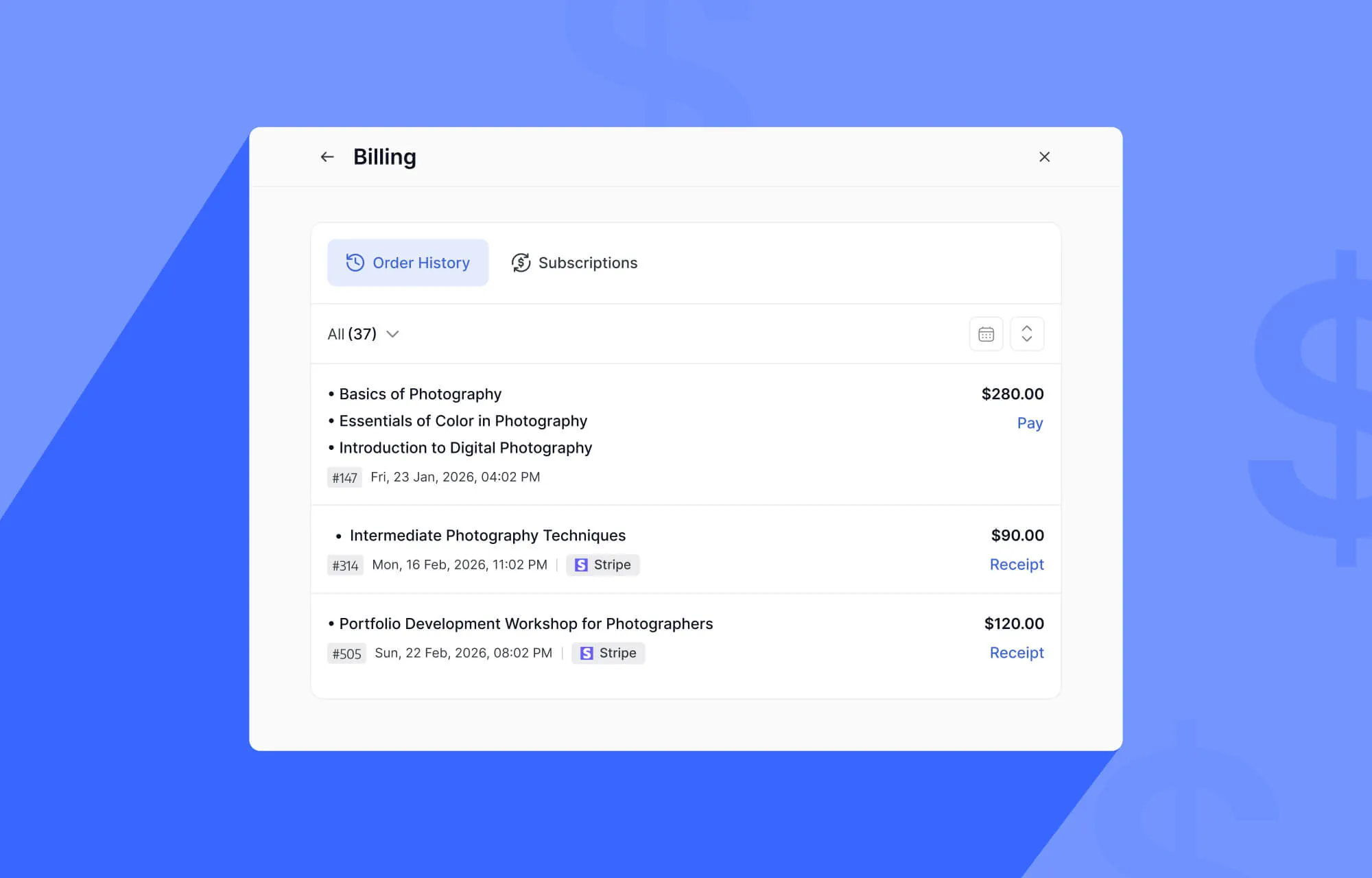
We’ve centralized all Course Billing Info into a simplified, easy-to-read interface right from the student dashboard. Students can view active subscriptions, purchase history, and handle renewals in seconds.
Completely Reimagined Quiz Experience
With Tutor LMS 4.0, we set out to transform quizzes into engaging learning experiences.
The entire quiz interface has been redesigned to feel clearer, more interactive, and easier to navigate for both learners and instructors.
Track Quiz Attempts & Progress
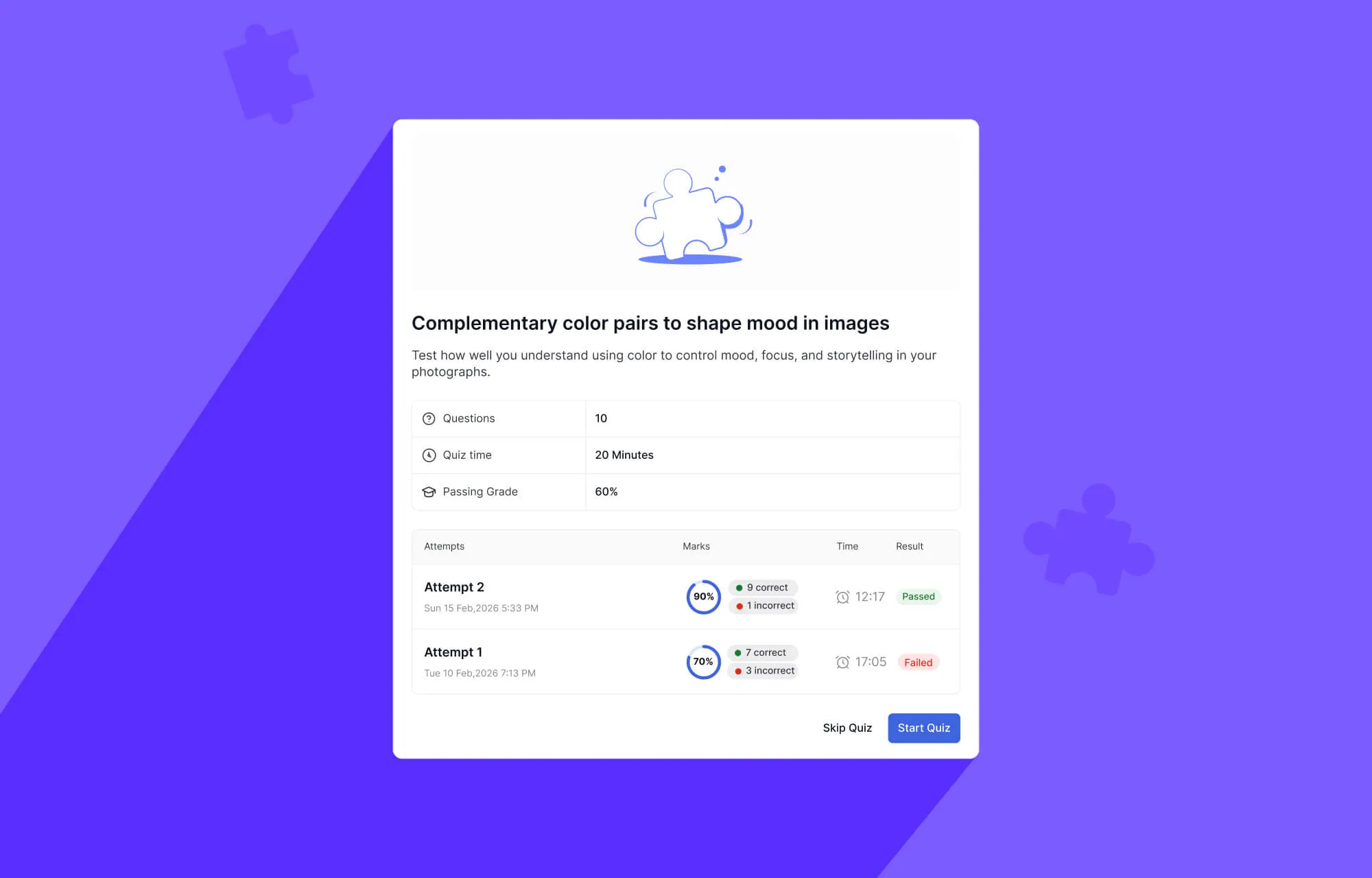
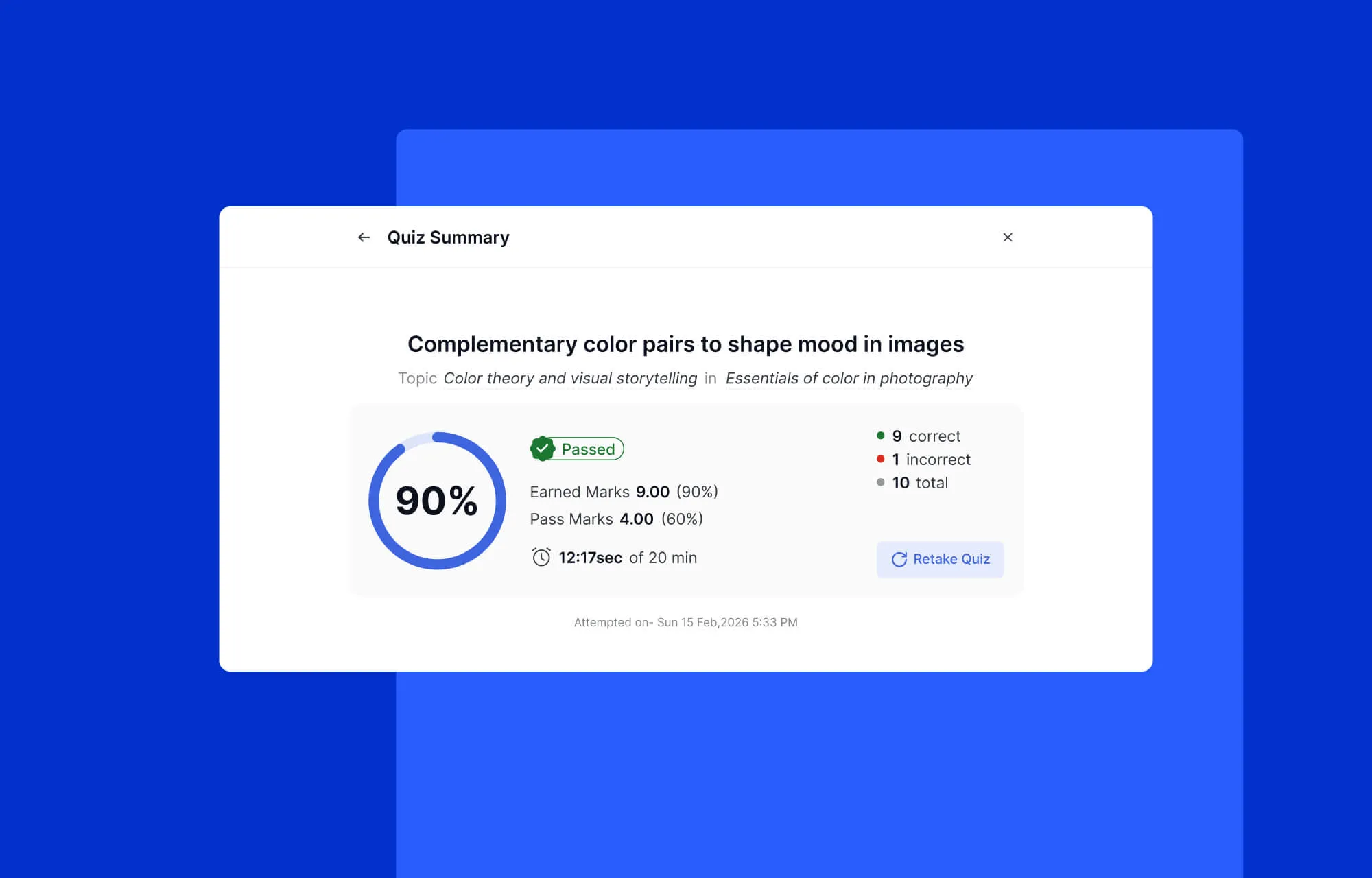
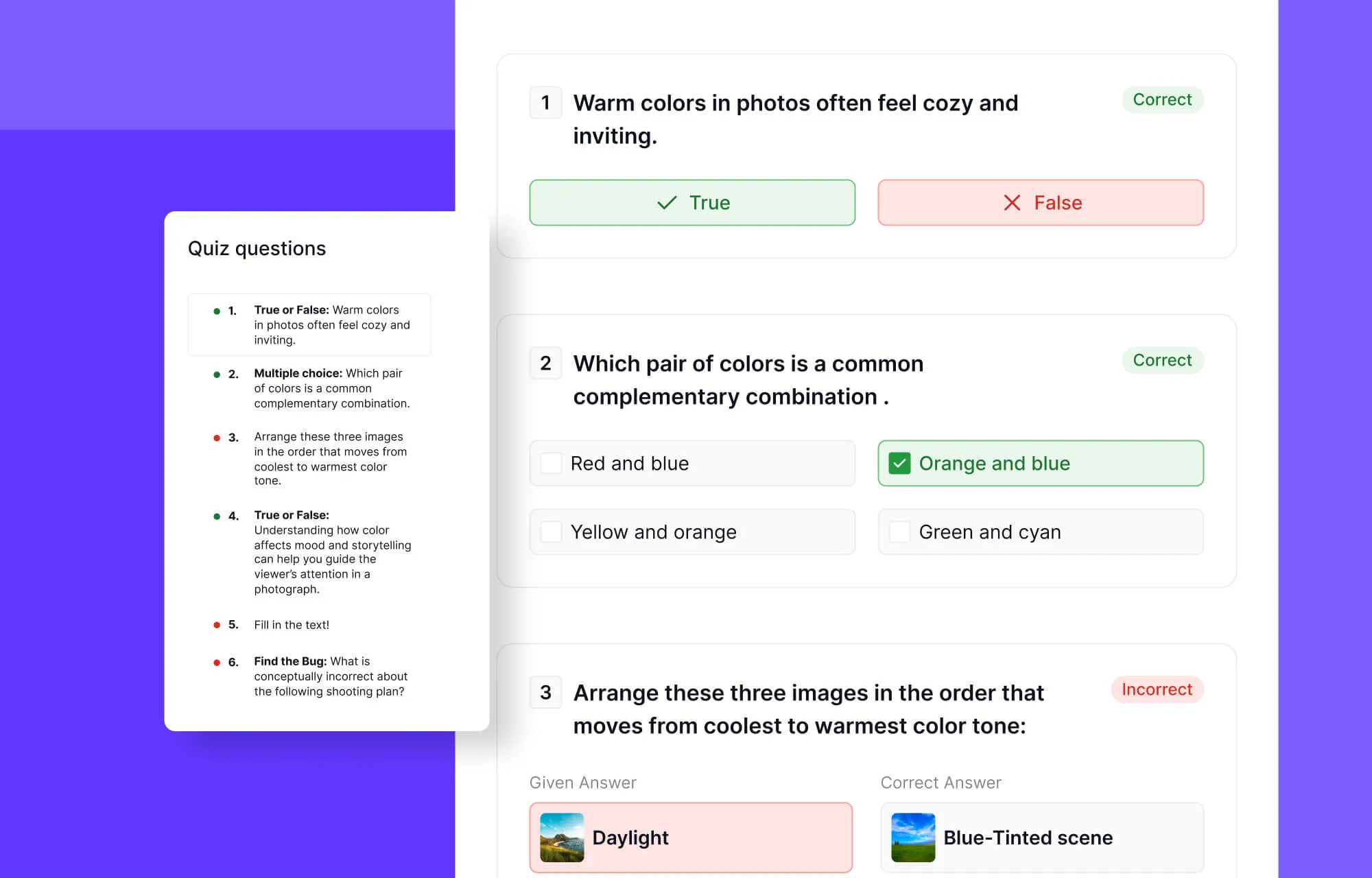
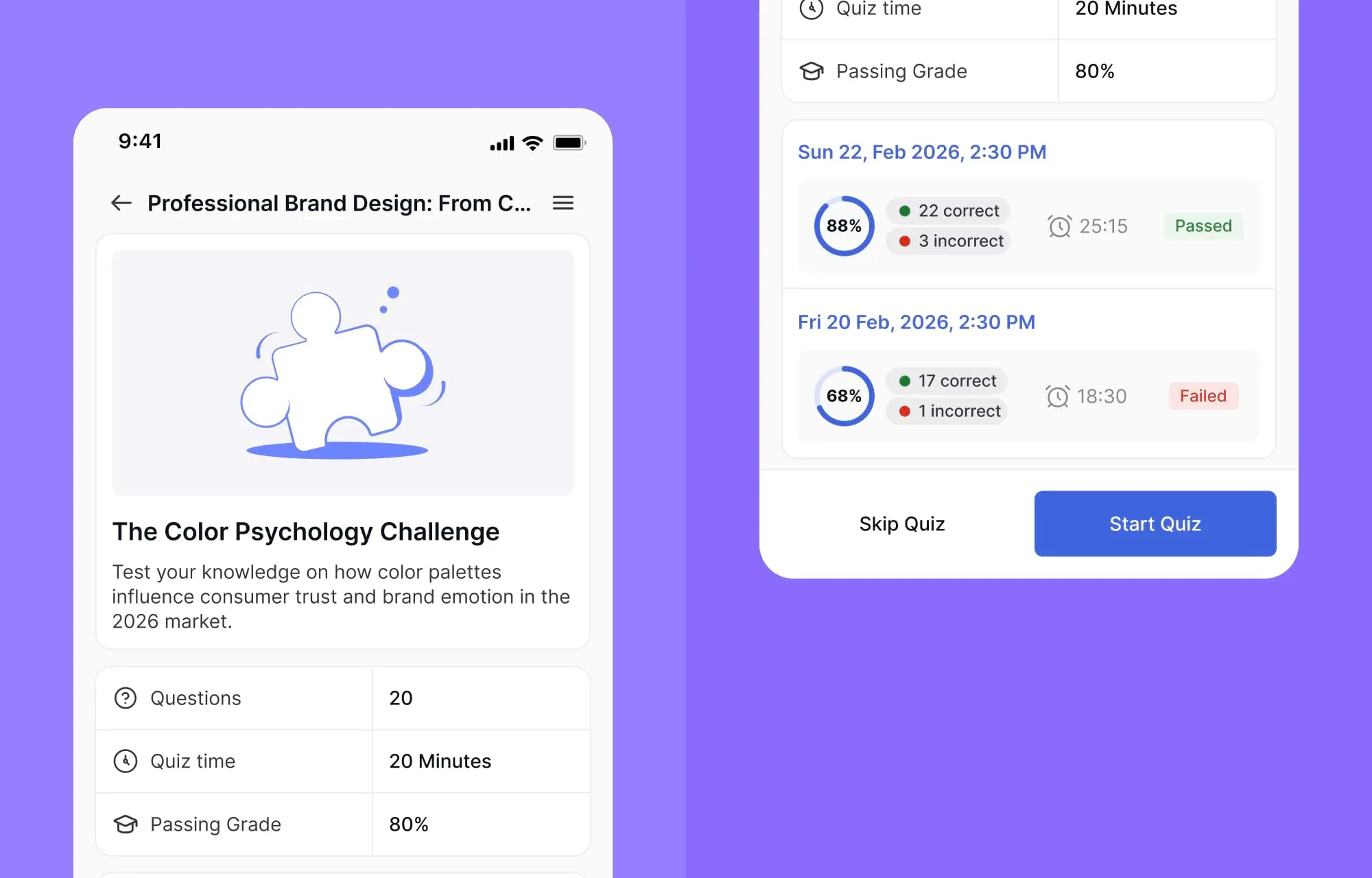
The quiz experience in Tutor LMS 4.0 has been completely revamped to make assessments more transparent and insightful. Students can now conveniently view their previous quiz attempts in a structured and easy-to-access format. A circular mark indicator shows the score as a percentage, with color-coded highlights indicating which questions were answered correctly, incorrectly, or are pending review for open-ended responses.
Students can also review a comprehensive quiz summary and results for every attempt, and retake quizzes if that option is enabled.
More Interactive Quiz Types
Tutor LMS 4.0 also introduces five new highly visual quiz types designed to make assessments more engaging and participation-driven.
Scaling
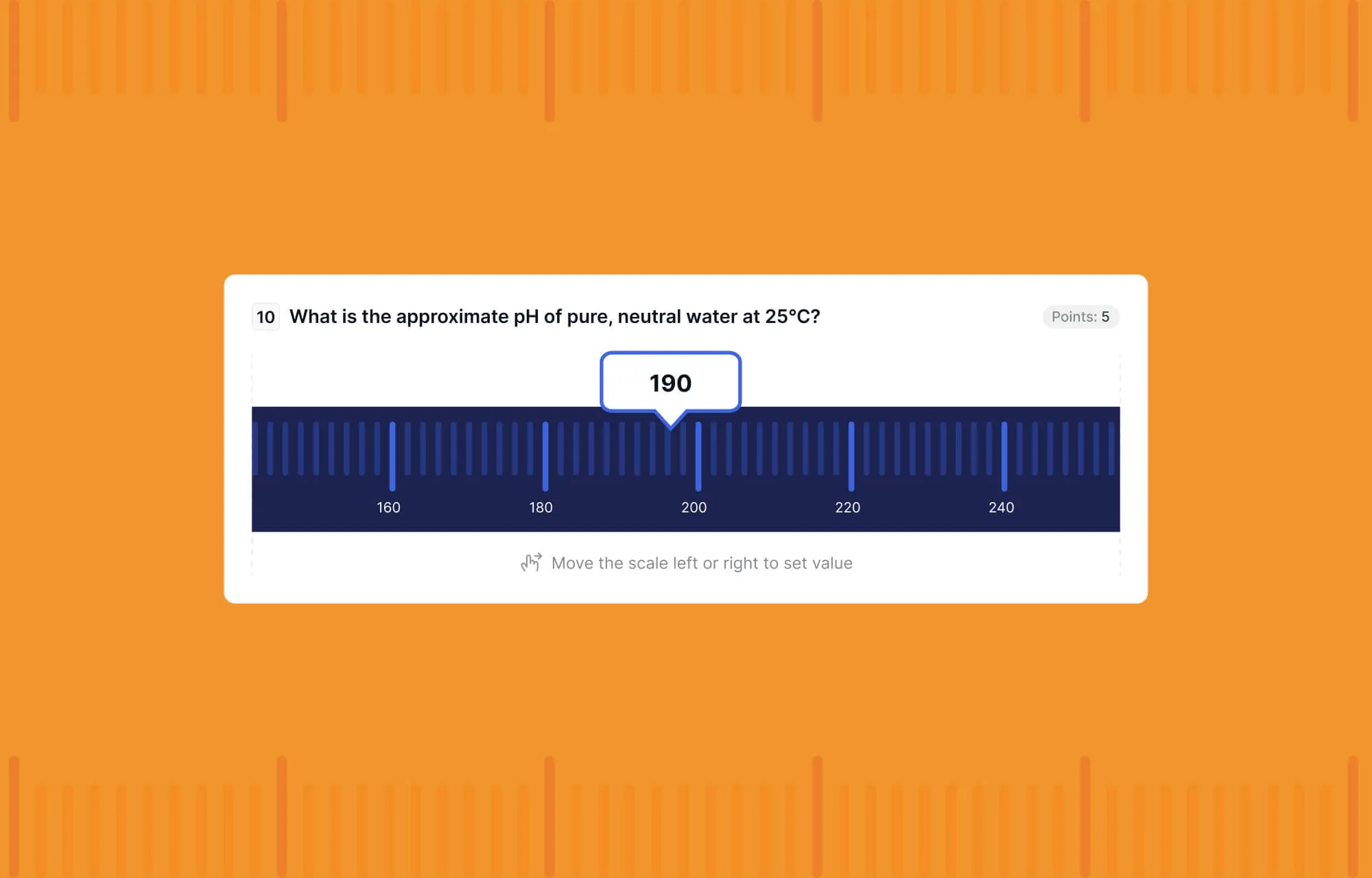
With the Scaling question type, learners can move a slider left or right to set a value along a scale.
Draw Image
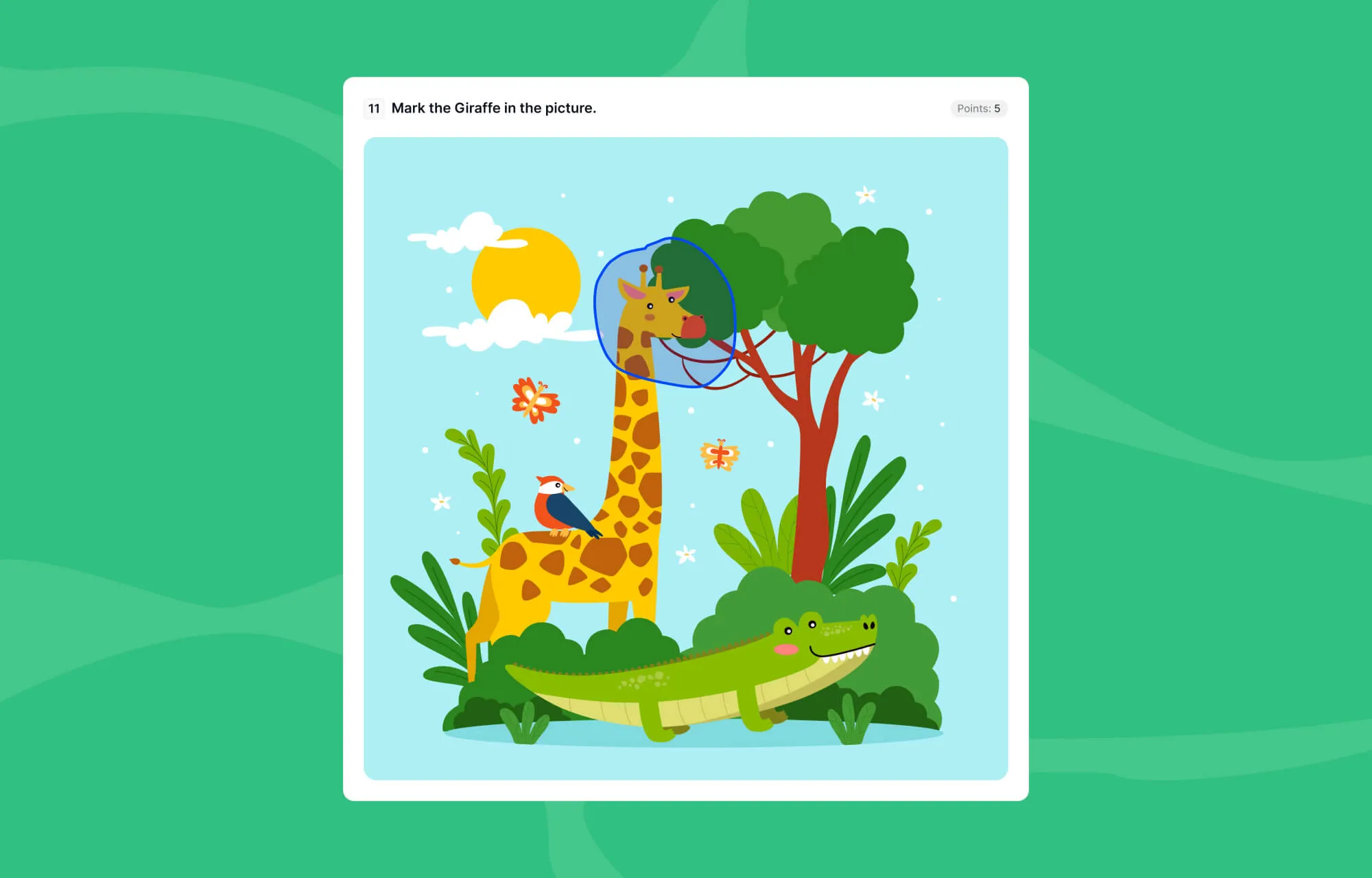
The Draw Image quiz type allows students to interact directly with images. For example, a learner might be asked to mark the giraffe in a picture by drawing a circle around it.
Pin (Map)
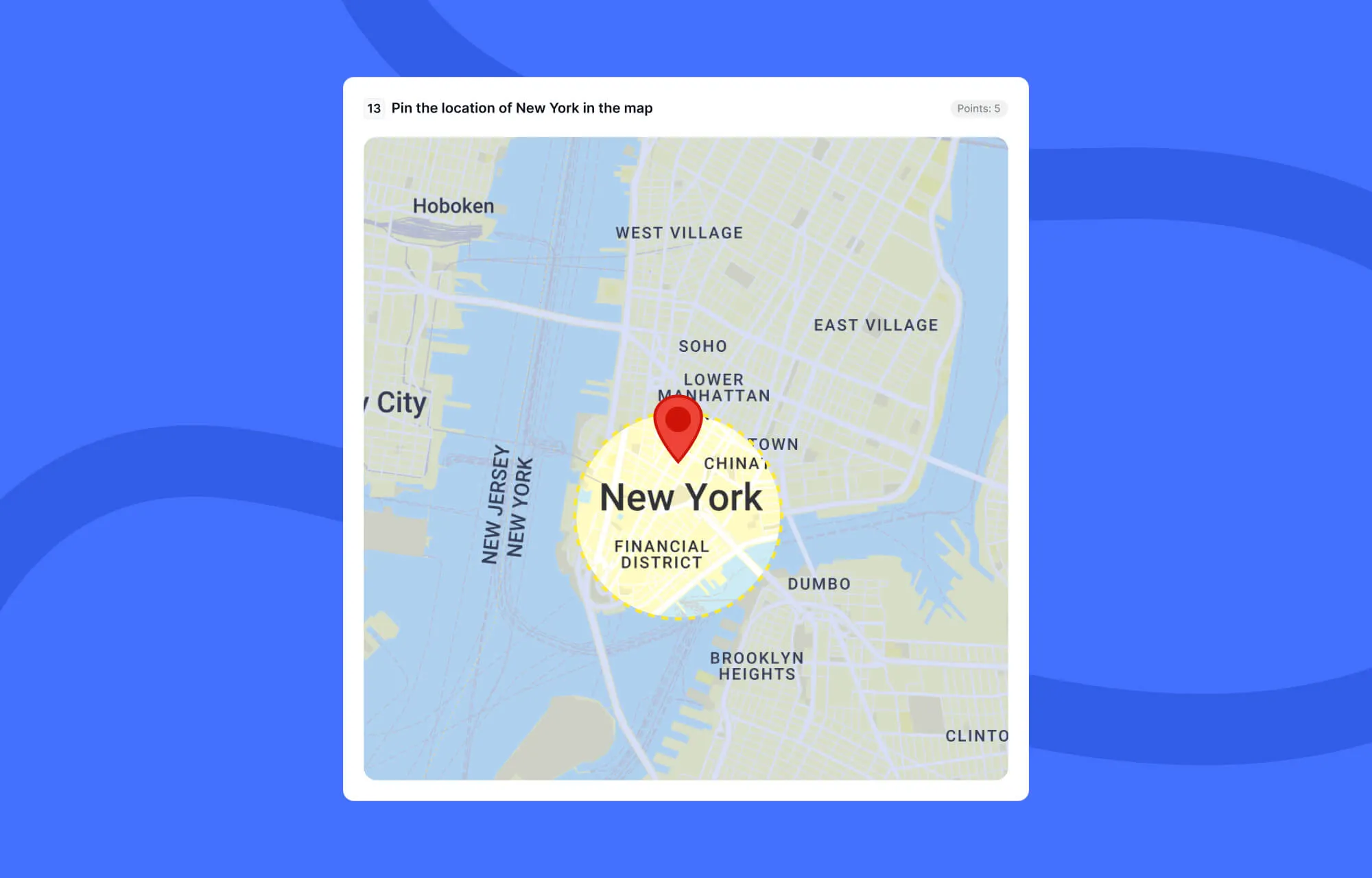
Using Pin (Map) questions, learners can place a pin at a specific location on a world map. This format is ideal for geography, diagrams, or location-based learning.
Puzzle
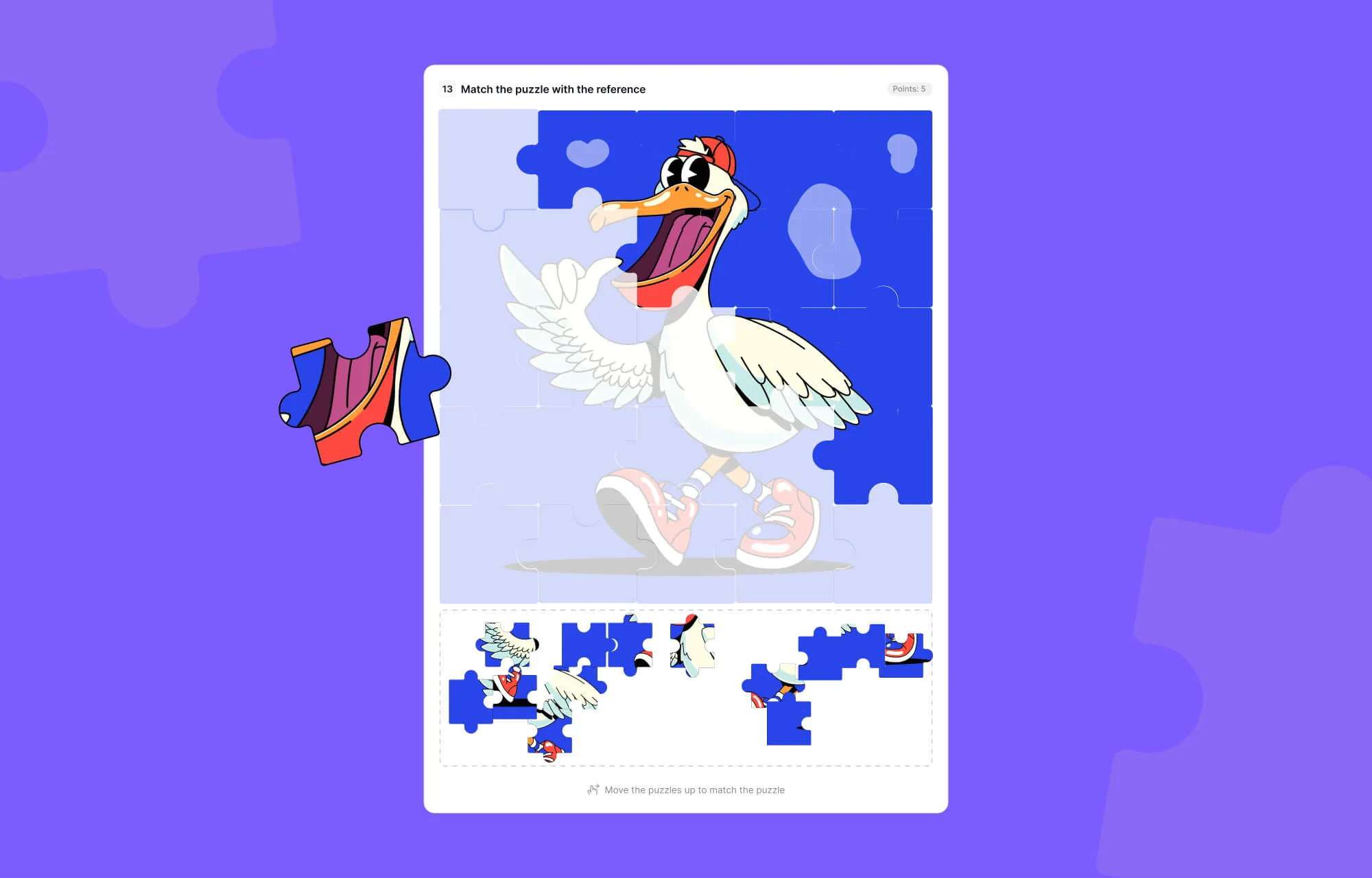
The Puzzle quiz type transforms assessment into problem-solving, where students arrange pieces correctly to complete an image.
Graph
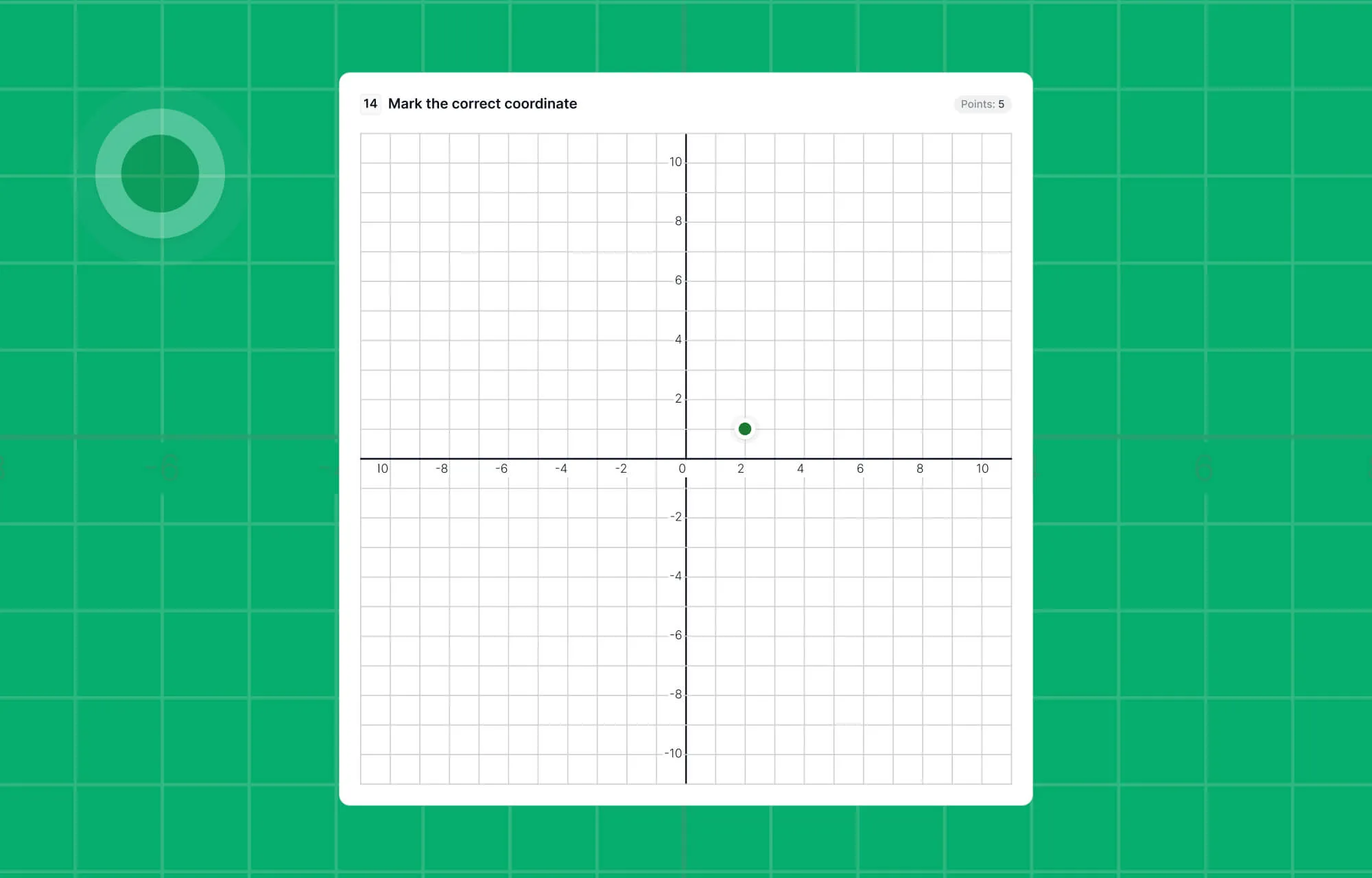
With Graph questions, learners can mark the correct coordinate or position directly on a graph, making data interpretation and analytical learning far more engaging.
Smarter Quiz Settings
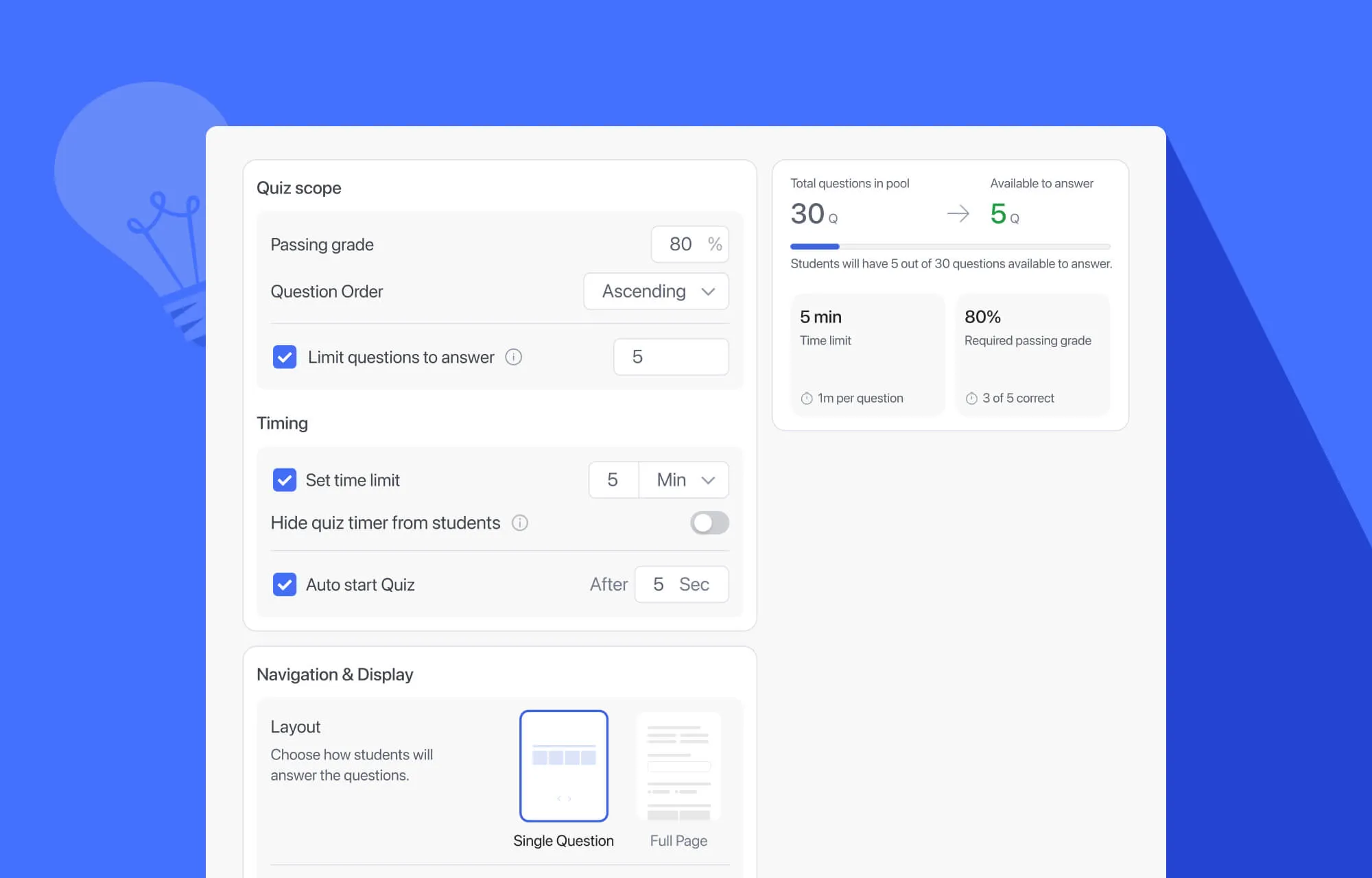
Quiz creation in Tutor LMS has always been powerful, but in earlier versions, the experience wasn’t as intuitive as it could be.
In Tutor LMS 4.0, quiz settings have been completely reorganized into a single, unified experience. Now, instructors can immediately see the impact of their choices while configuring a quiz.
Whether you choose to display one question per page or multiple questions on a single page, you can see a visual layout, helping you understand exactly how the quiz will appear to learners.
There’s a line-based indicator now that shows how many questions exist in your question pool and how many questions learners are required to answer. This makes the quiz setup more transparent and eliminates guesswork during configuration.
We’ve also made Character Limits and Prerequisites in the quiz settings context-aware.
Character Limits shows up only if the quiz contains essay or open-ended questions, while Prerequisites appears only if Prerequisites are enabled. Otherwise, the options remain hidden, keeping the quiz settings interface simple and focused.
Enhanced Instructor Experience
Tutor LMS 4.0 doesn’t just improve learning for students. It also refines how instructors manage, monitor, and interact with their courses.
Seamless Role Switching
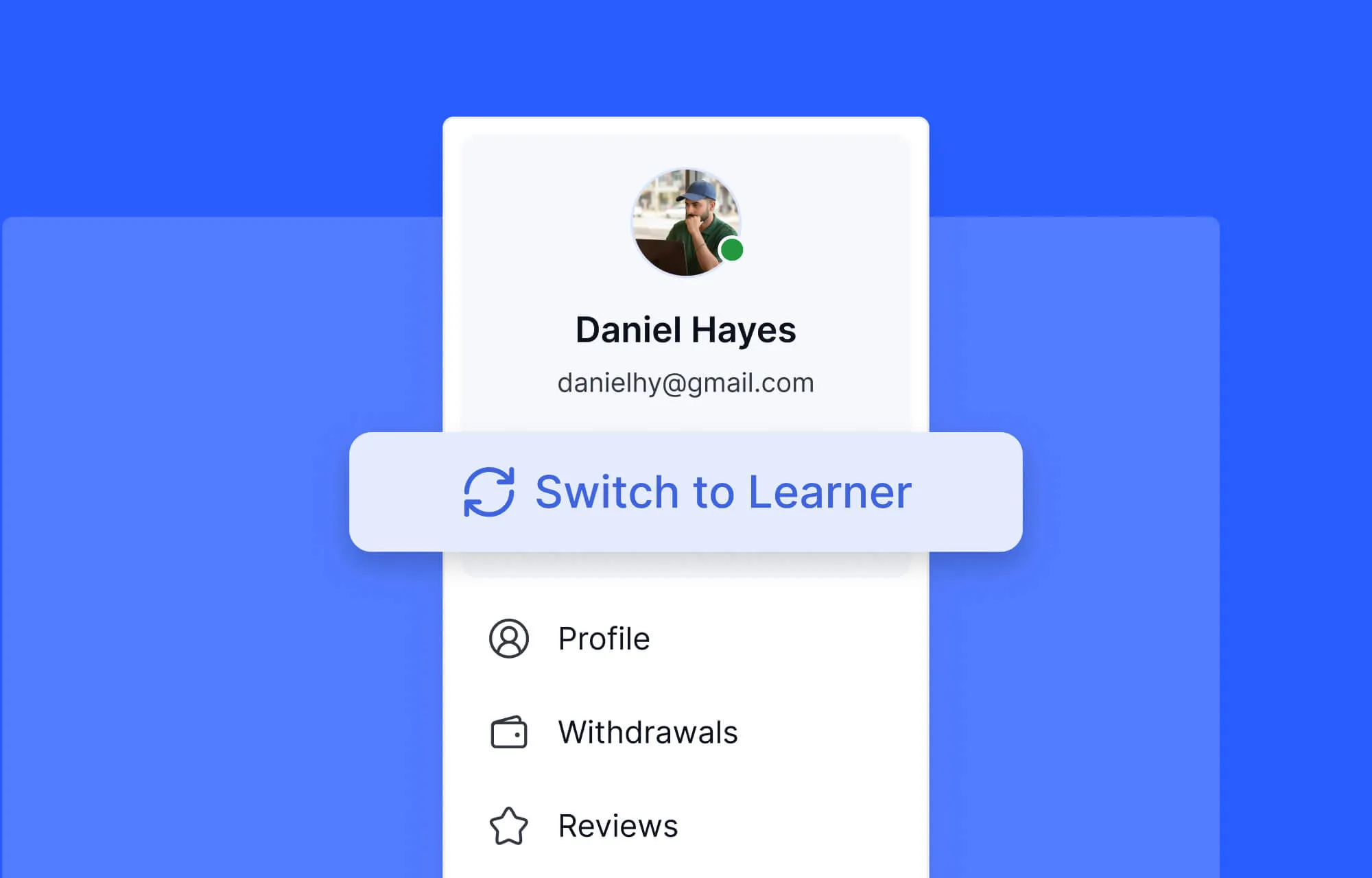
Many Tutor LMS users are both learners and instructors on the same platform. Previously, dashboards showed menus for both roles at the same time, which could feel cluttered and confusing.
Now, by switching modes, users see only the menus and tools relevant to that role, whether instructor or learner.
Improved Instructor Dashboard
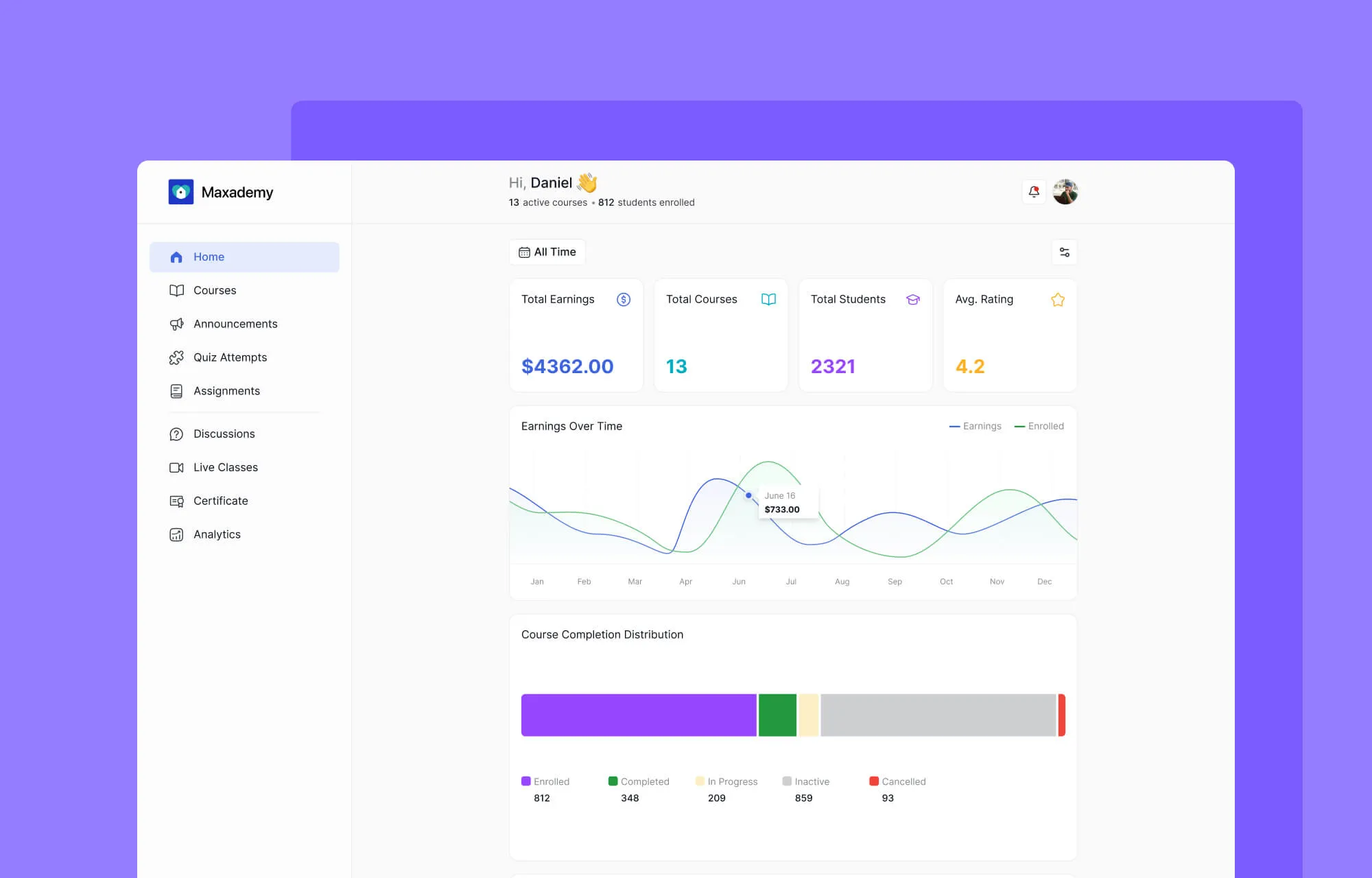
From a single, unified dashboard, instructors can get a complete bird’s-eye view of their academy. At a glance, they can see their earnings over time, active and top-performing courses, recent activity, student reviews, and more.
Streamlined Instructor Workflow
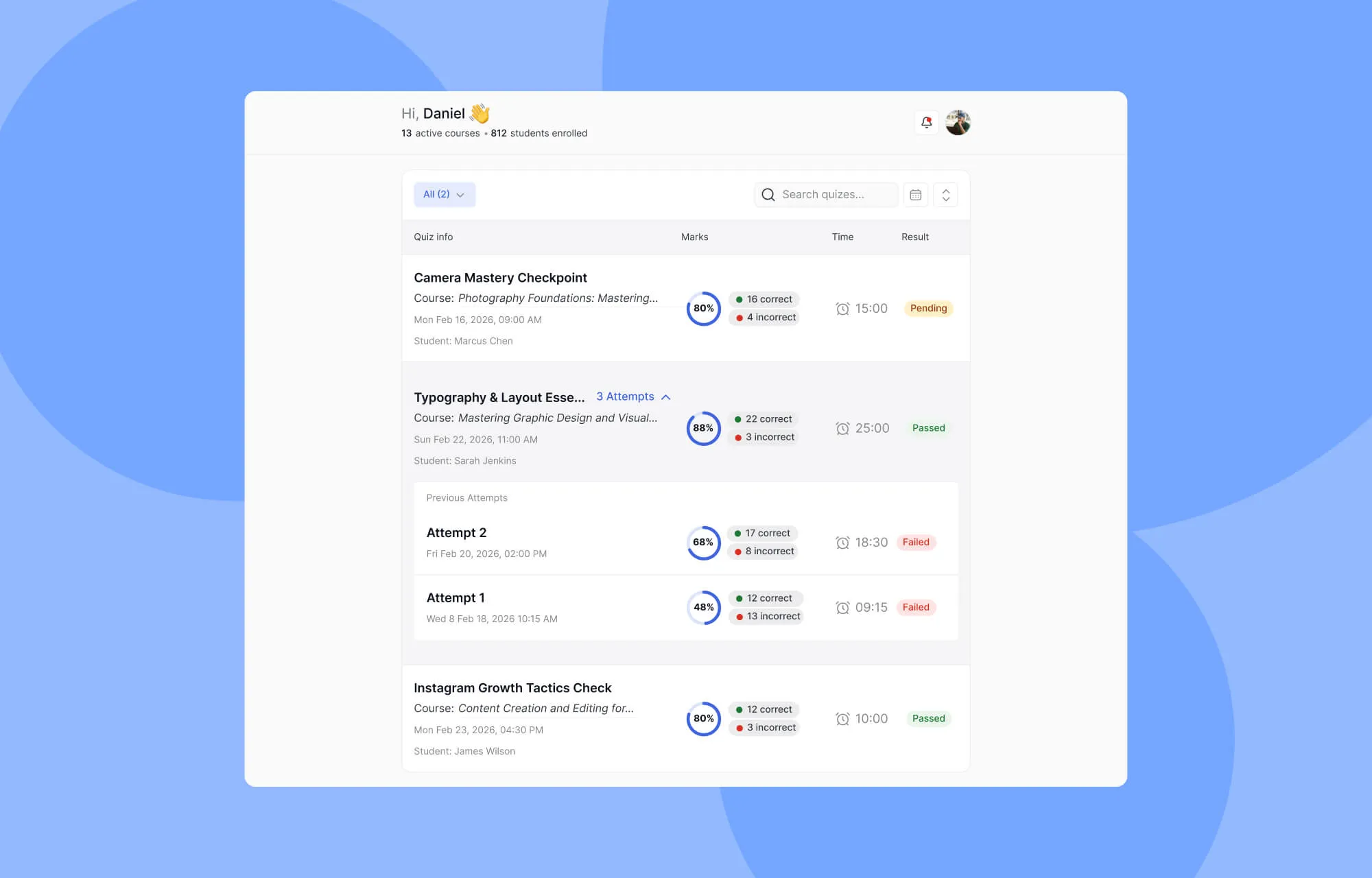
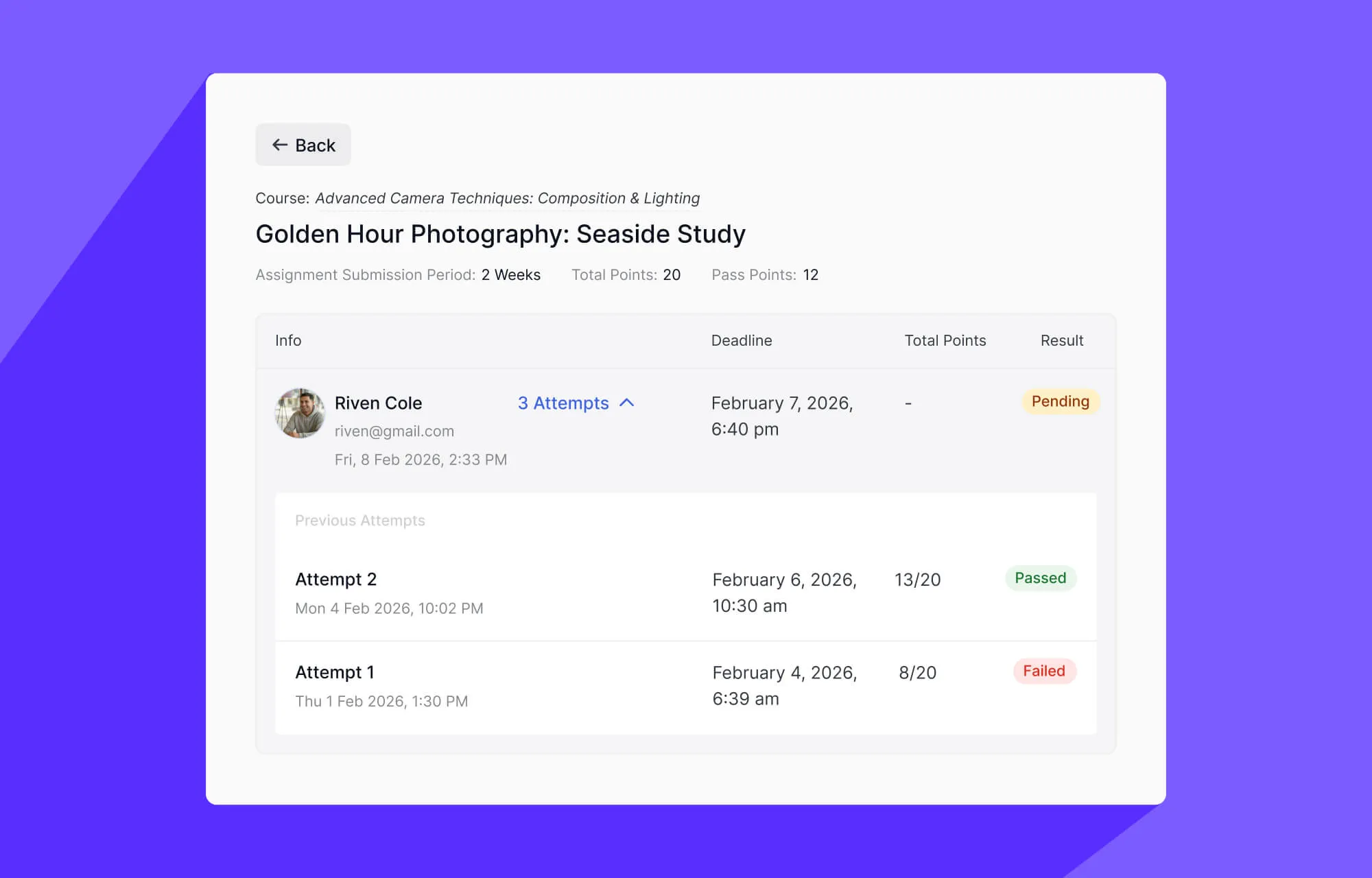
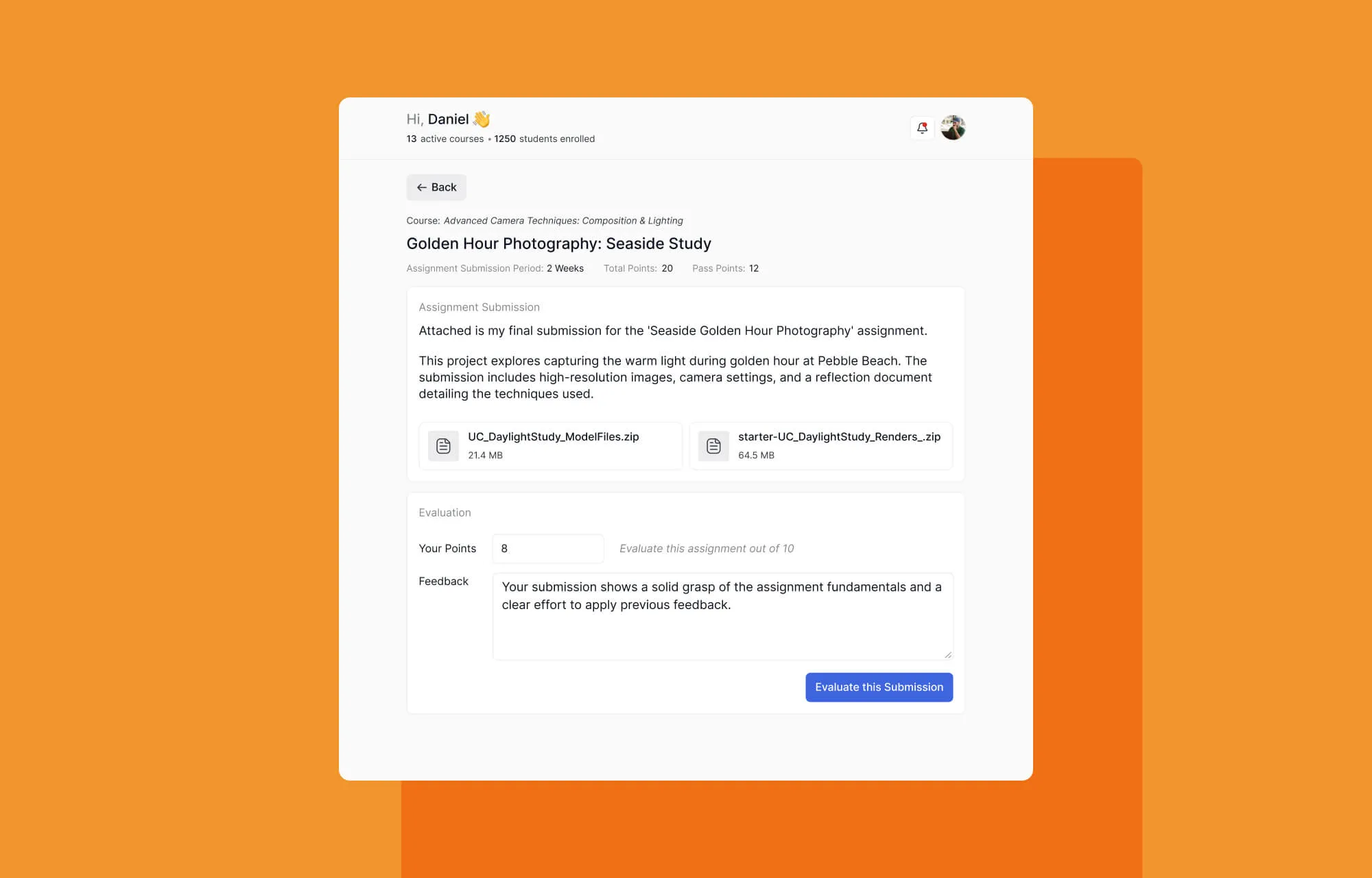
Student quiz attempts, assignment submissions, and course-wise announcements are now easier to access and manage without jumping between multiple sections. This centralized approach saves time and helps instructors respond to learners more efficiently.
Clearer Analytics
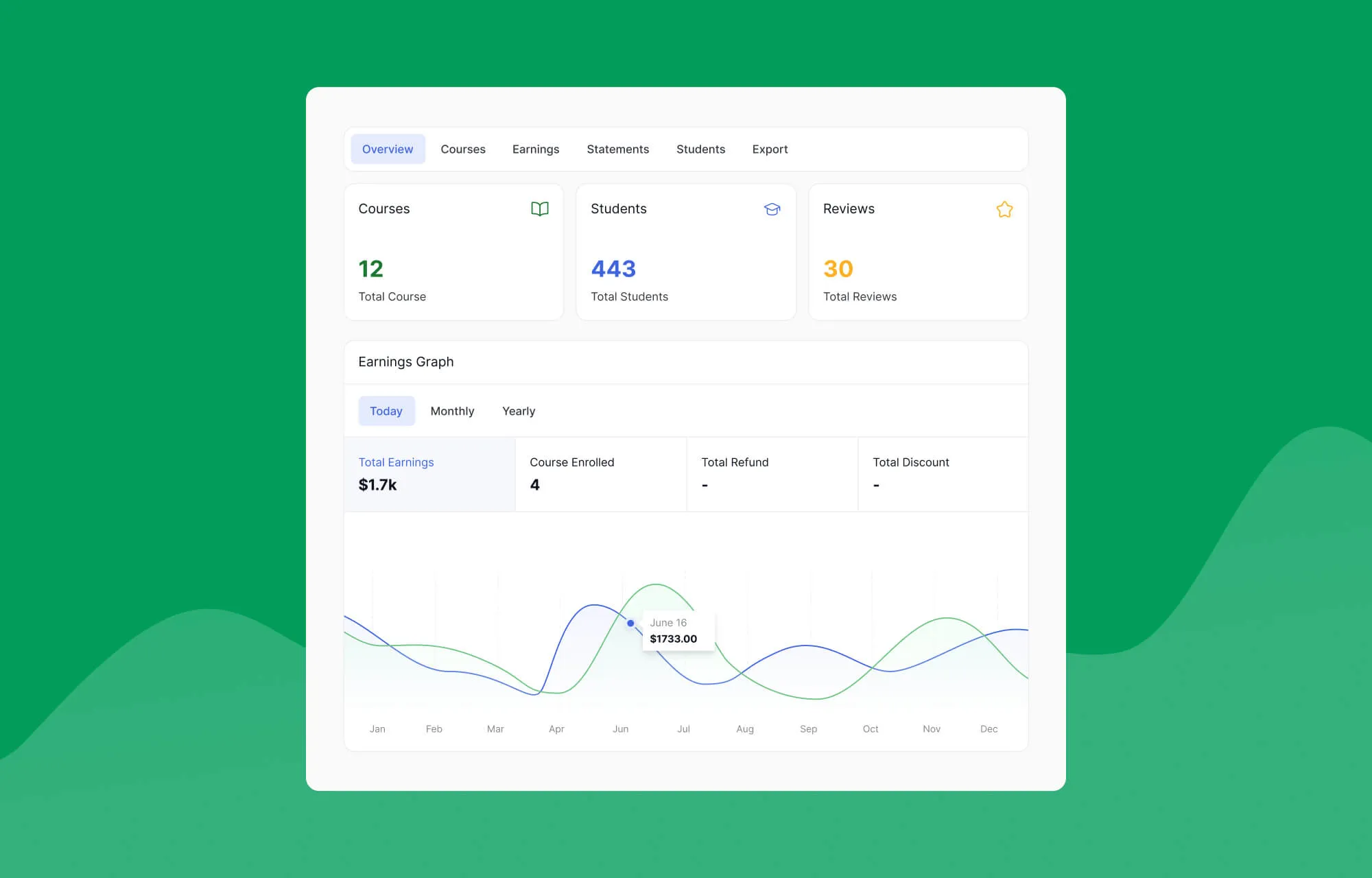
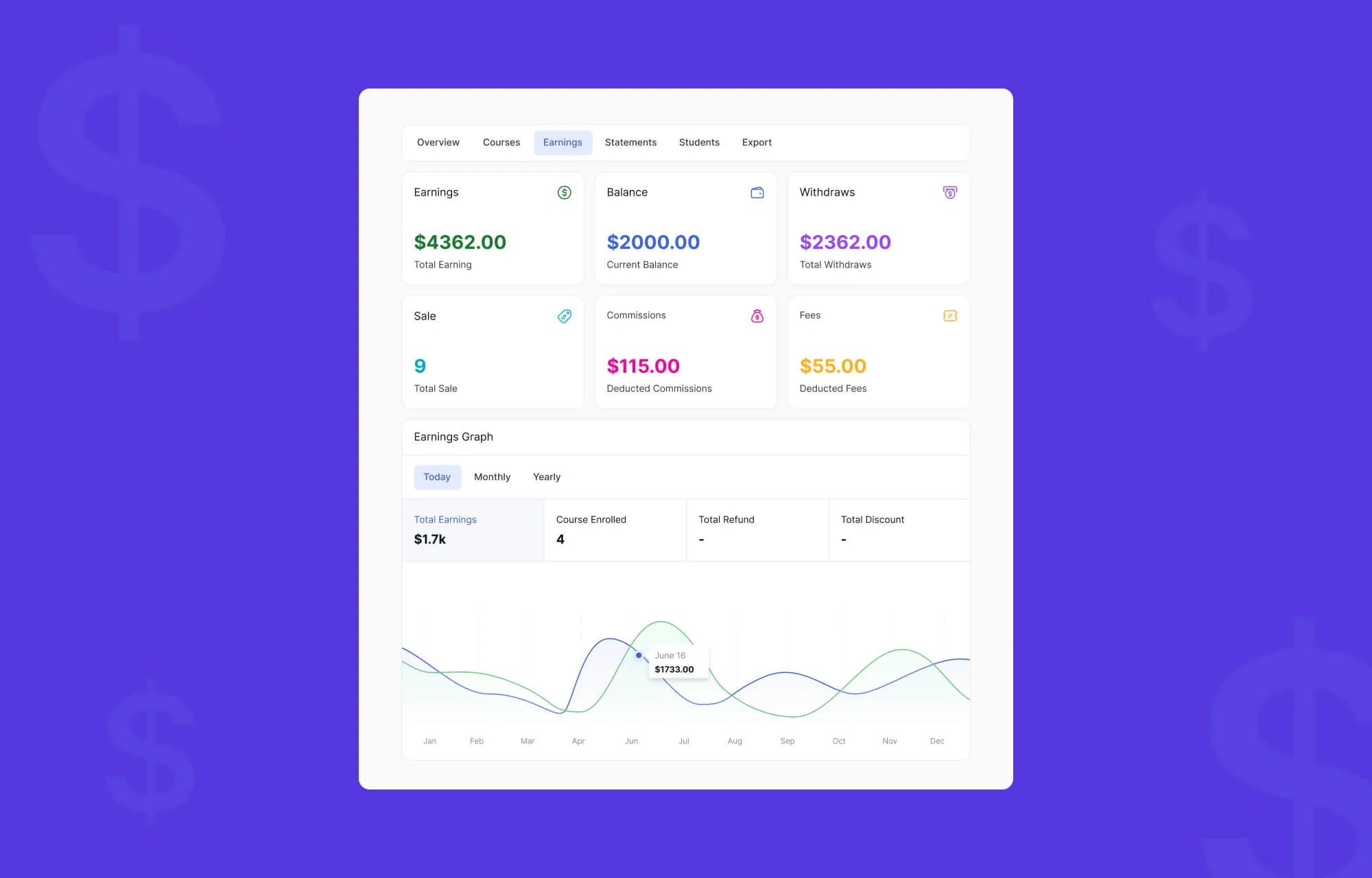
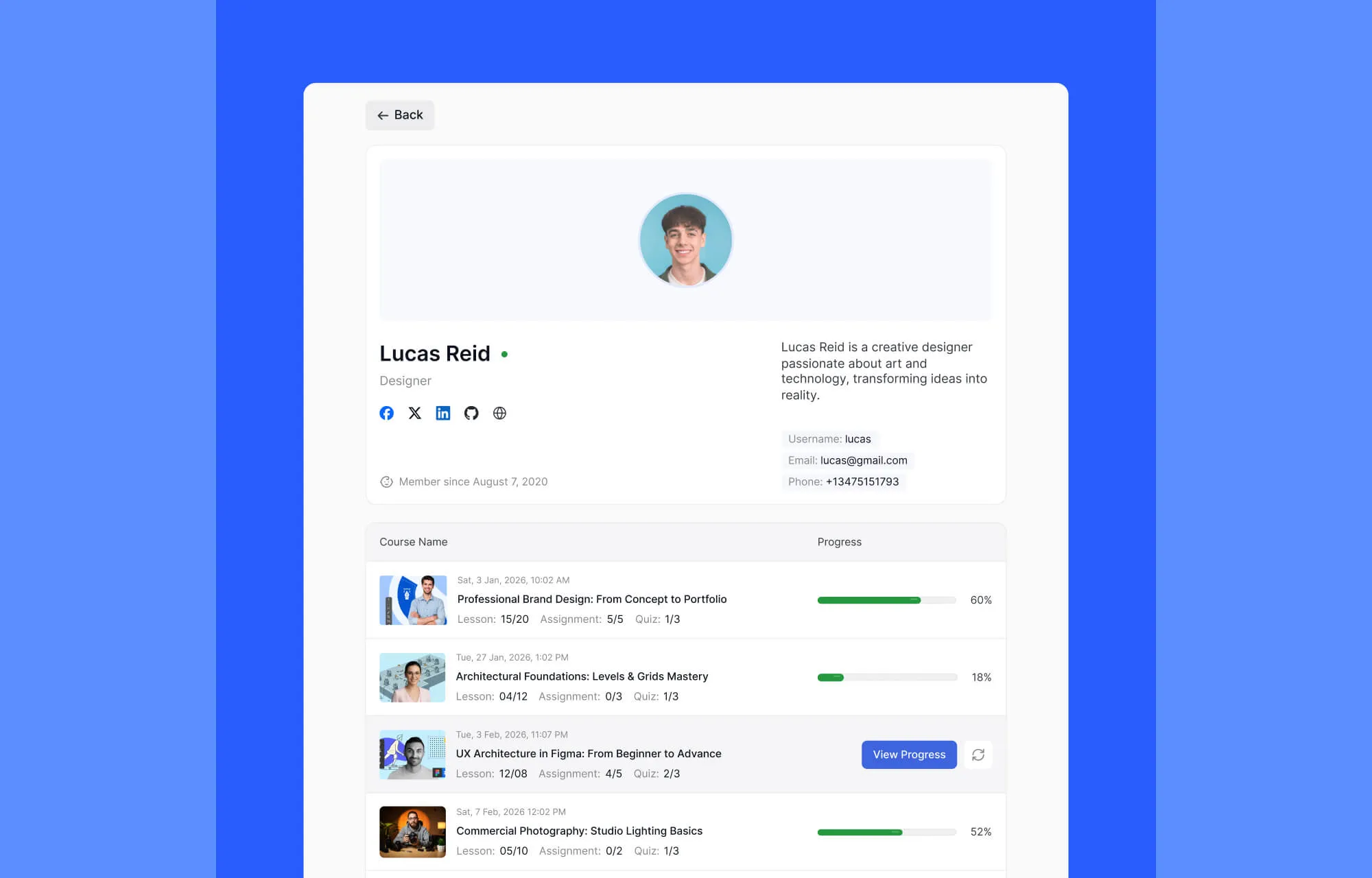
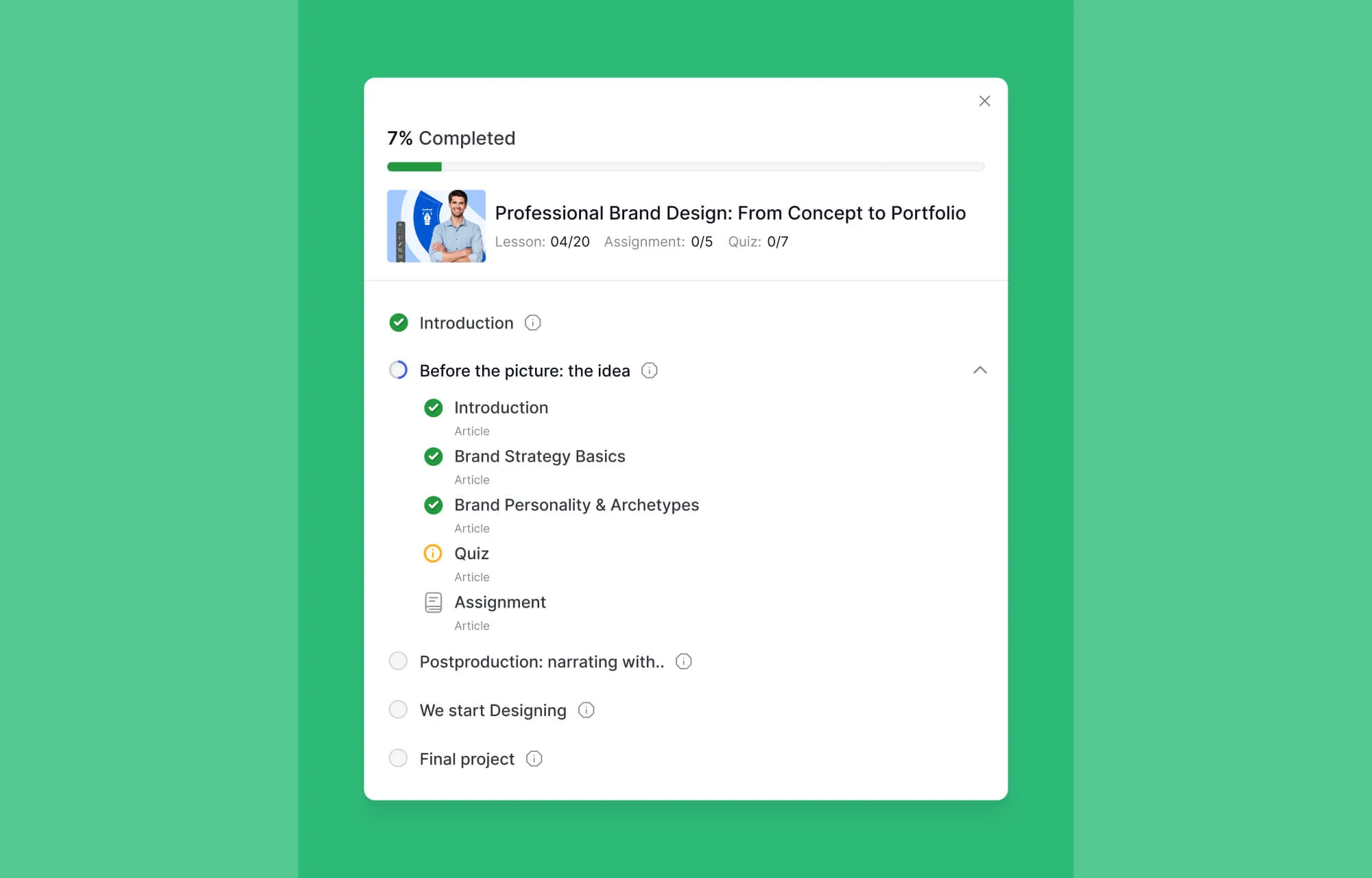
Data is now easier to interpret, helping instructors understand learner progress, engagement patterns, and overall course performance with less effort.
Modernized Instructor Profile
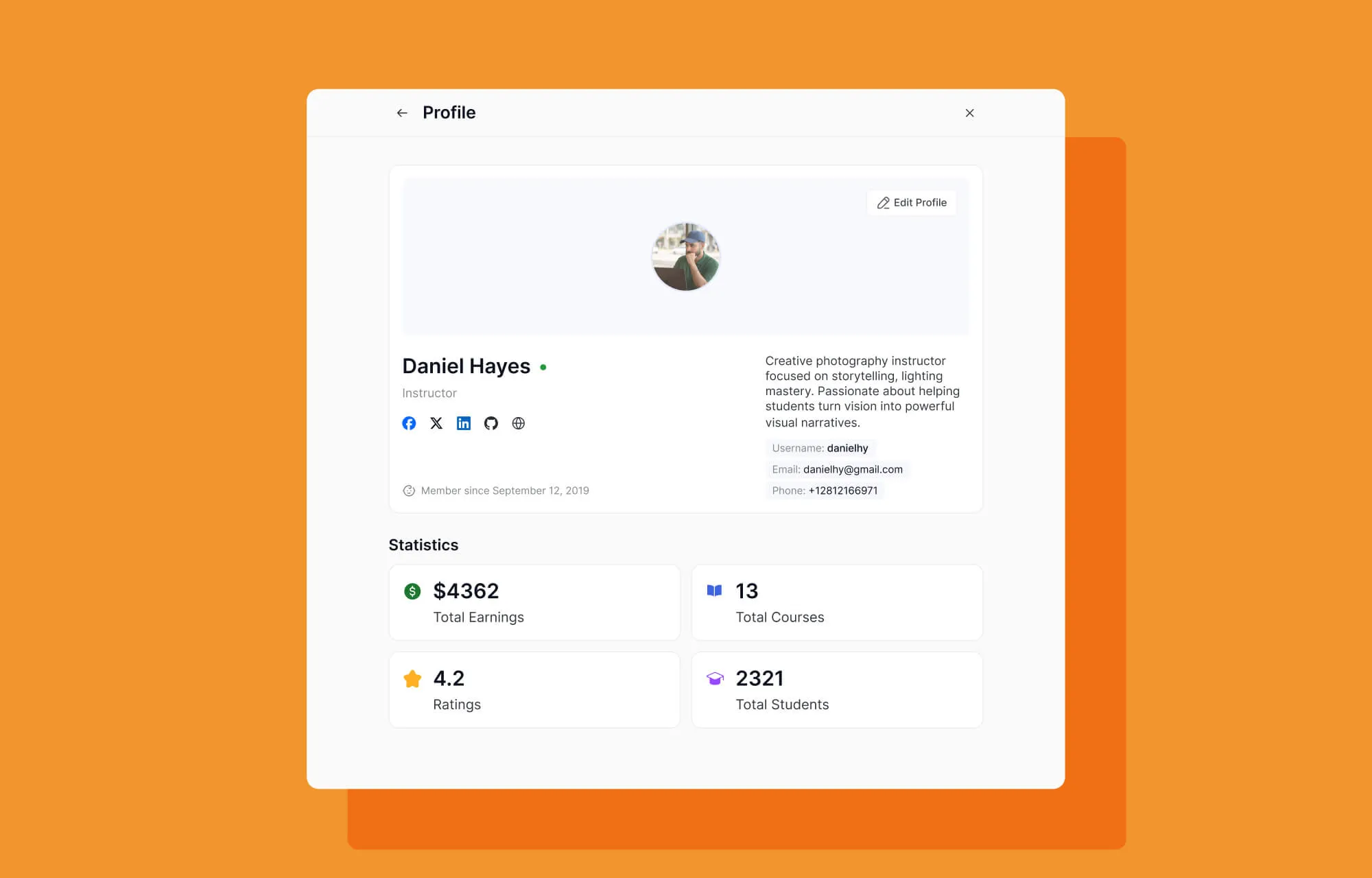
The instructor profile experience has also been modernized, offering a cleaner and more professional presentation.
Device Management
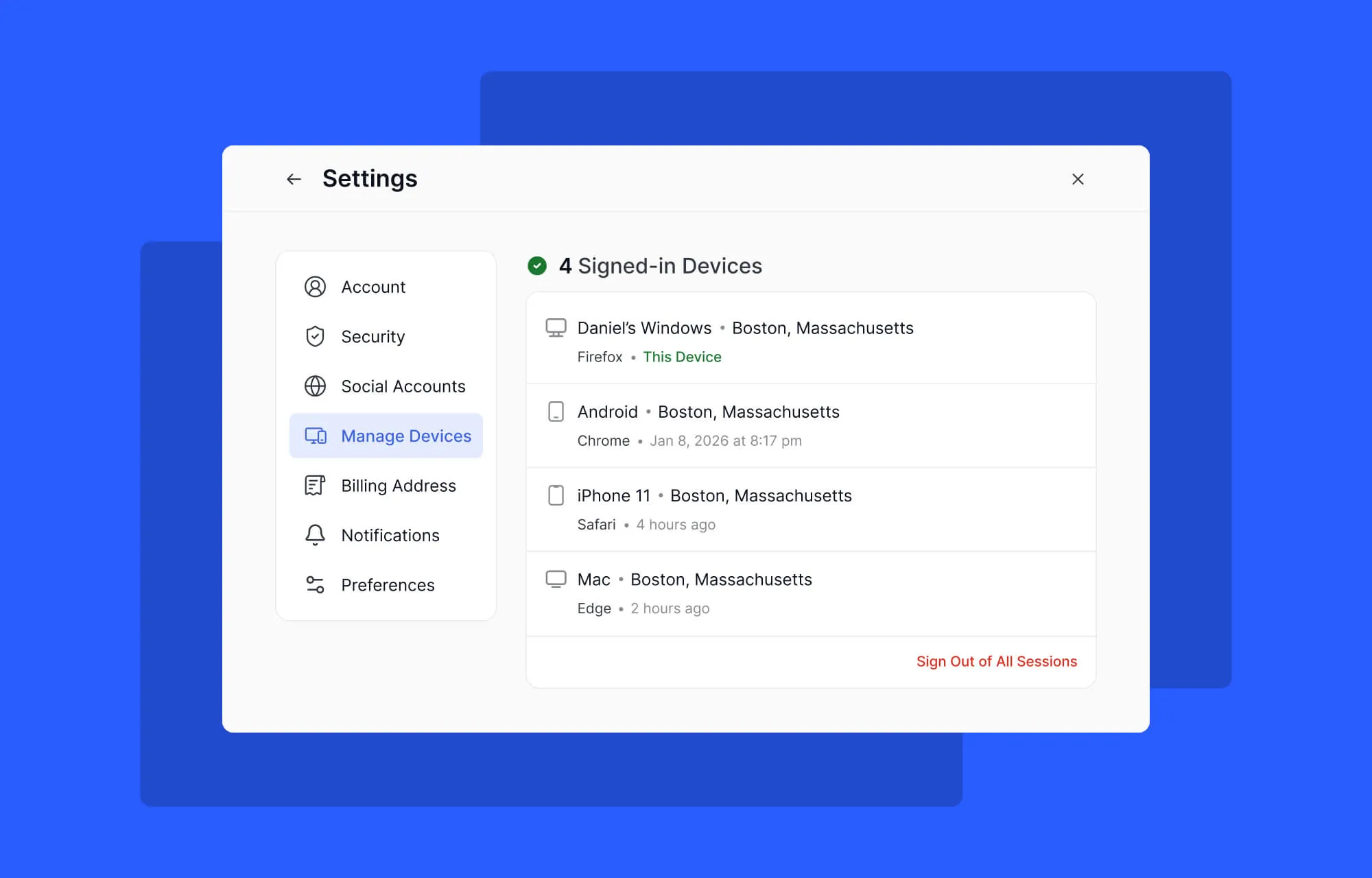
Tutor LMS 4.0 brings device management to the Instructor dashboard, allowing instructors to view and manage logged-in devices connected to their accounts. This adds an extra layer of control and security while giving instructors better awareness of their account activity.
Familiar Admin Experience with More Control
While your main Admin interface remains familiar to keep your workflow stable, we’ve reorganized the settings to be more compact.
Global Design Settings
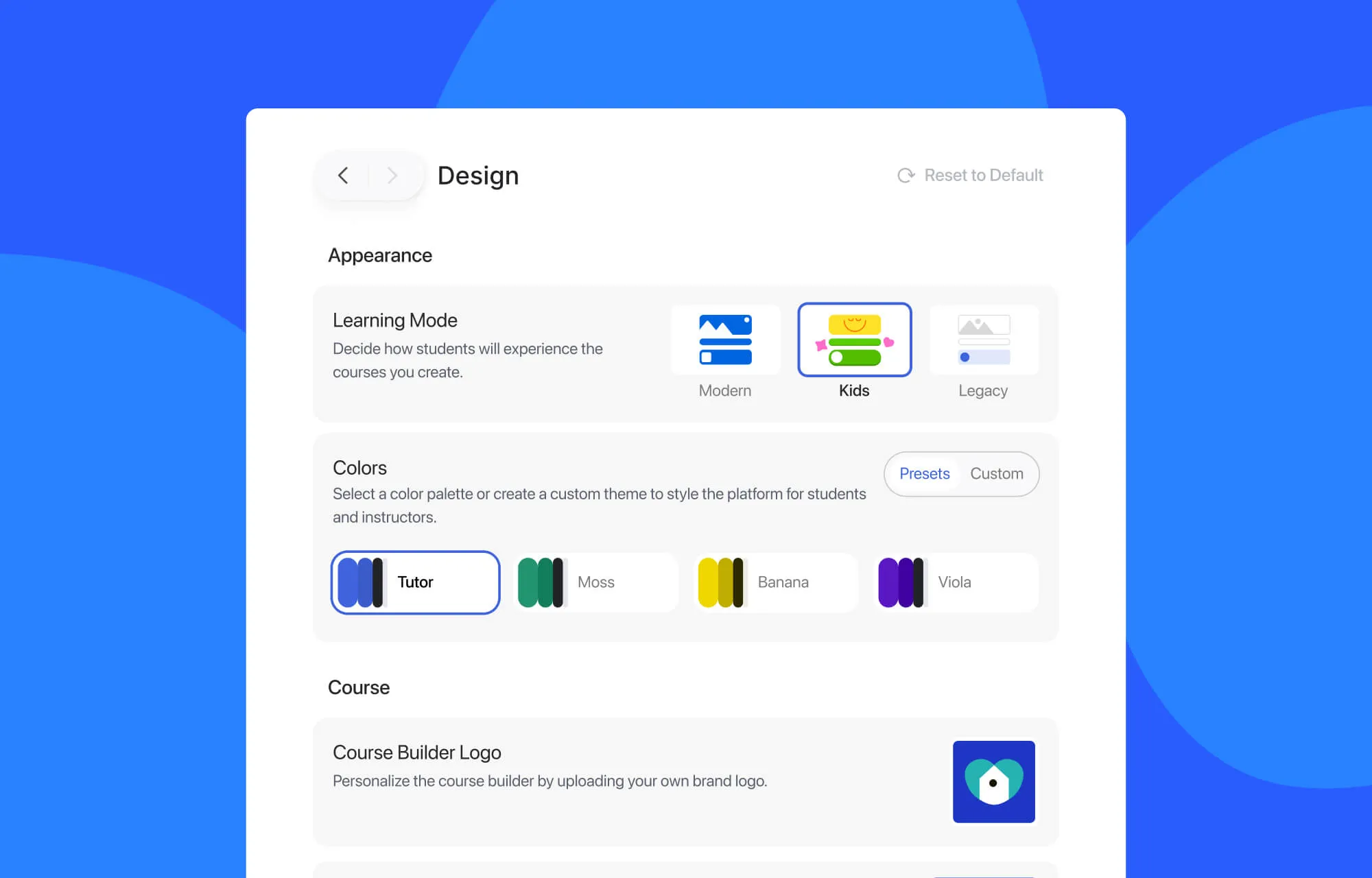
Tutor LMS 4.0 will give administrators greater control over how the learning environment appears across the platform.
From a single location, you can now choose between Modern, Kids, or Legacy modes and apply the design experience globally. This will allow your LMS platform to instantly adapt the visual environment to your audience.
Introducing Kids Mode
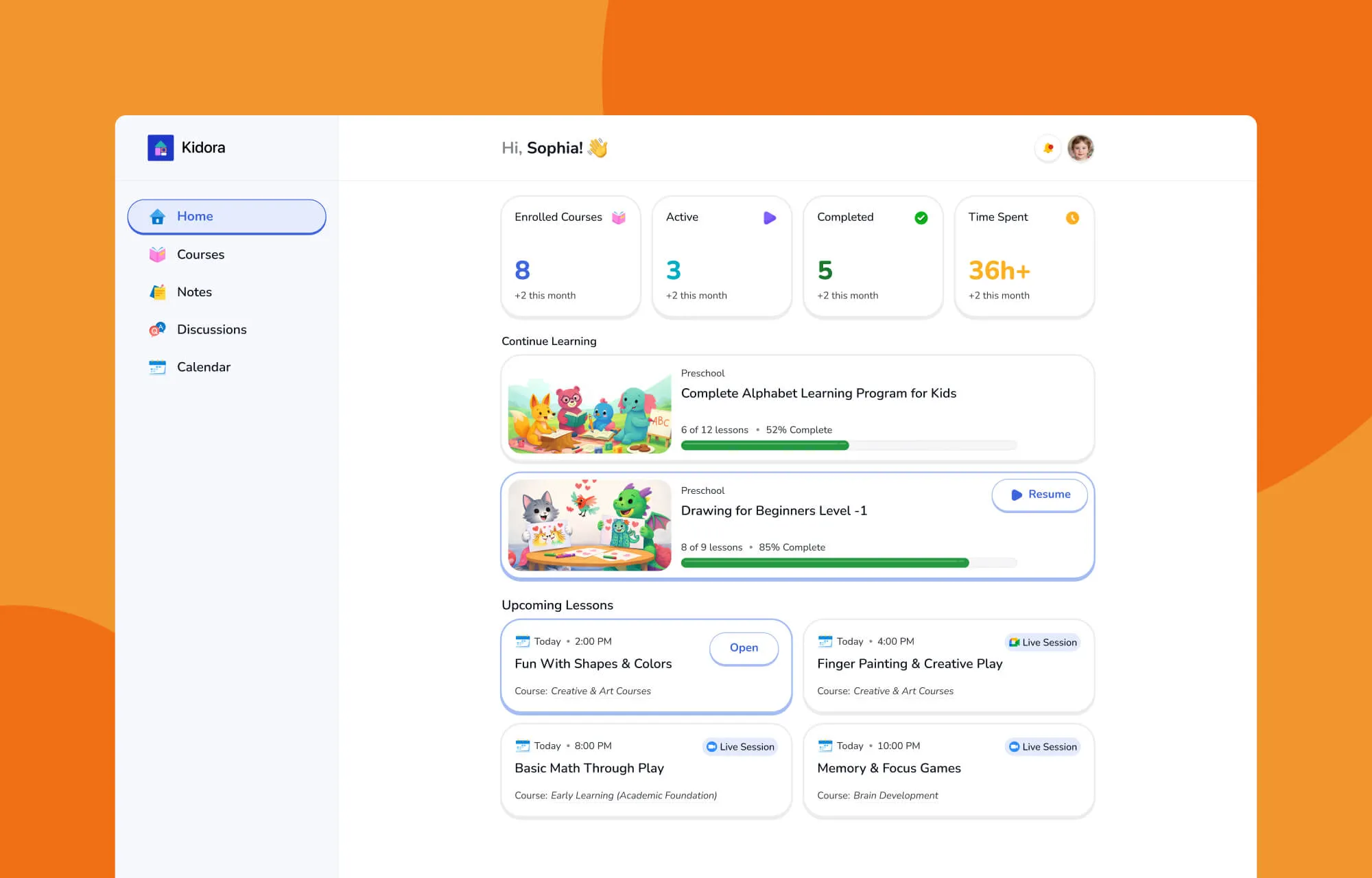
Tutor LMS 4.0 introduces Kids Mode, a thoughtfully designed interface created specifically for younger learners.
Instead of a traditional academic layout, Kids Mode brings a jolly, colorful environment filled with playful icons and friendly visuals that make learning feel welcoming and fun. When the learning space feels approachable, younger students are naturally more willing to explore, participate, and stay engaged.
This makes Tutor LMS an even stronger solution for schools, tutoring platforms, and educators working with children.
Designed for Comfort and Accessibility
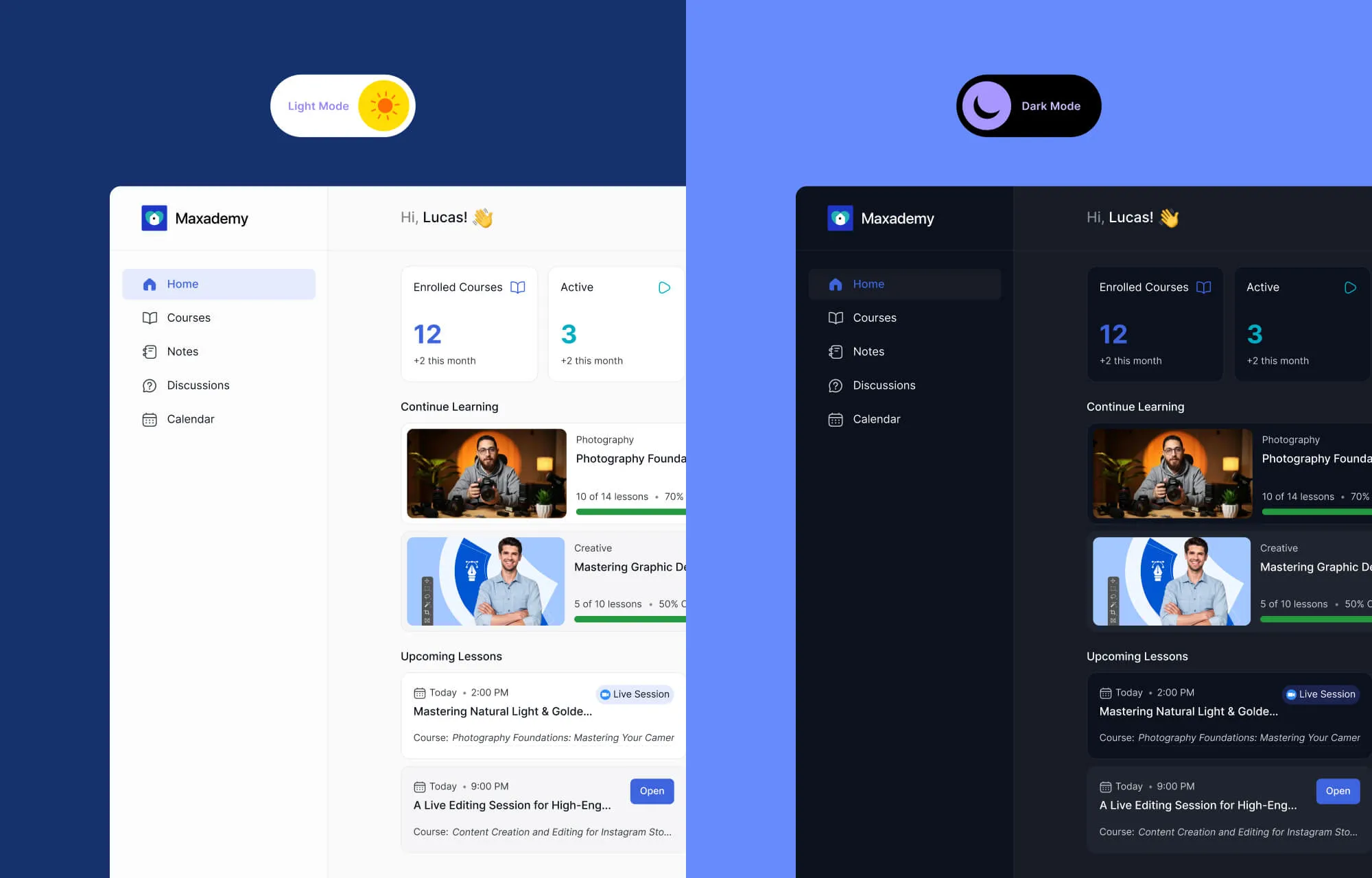
Comfort plays a significant role in learning. Students and instructors now have the flexibility to toggle between Light Mode and Dark Mode based on their preference or environment.
In addition, eye contrast controls help improve readability and accessibility, ensuring learners can adjust the interface for better legibility during long study sessions.
Micro-Interactions That Keep Learners Engaged
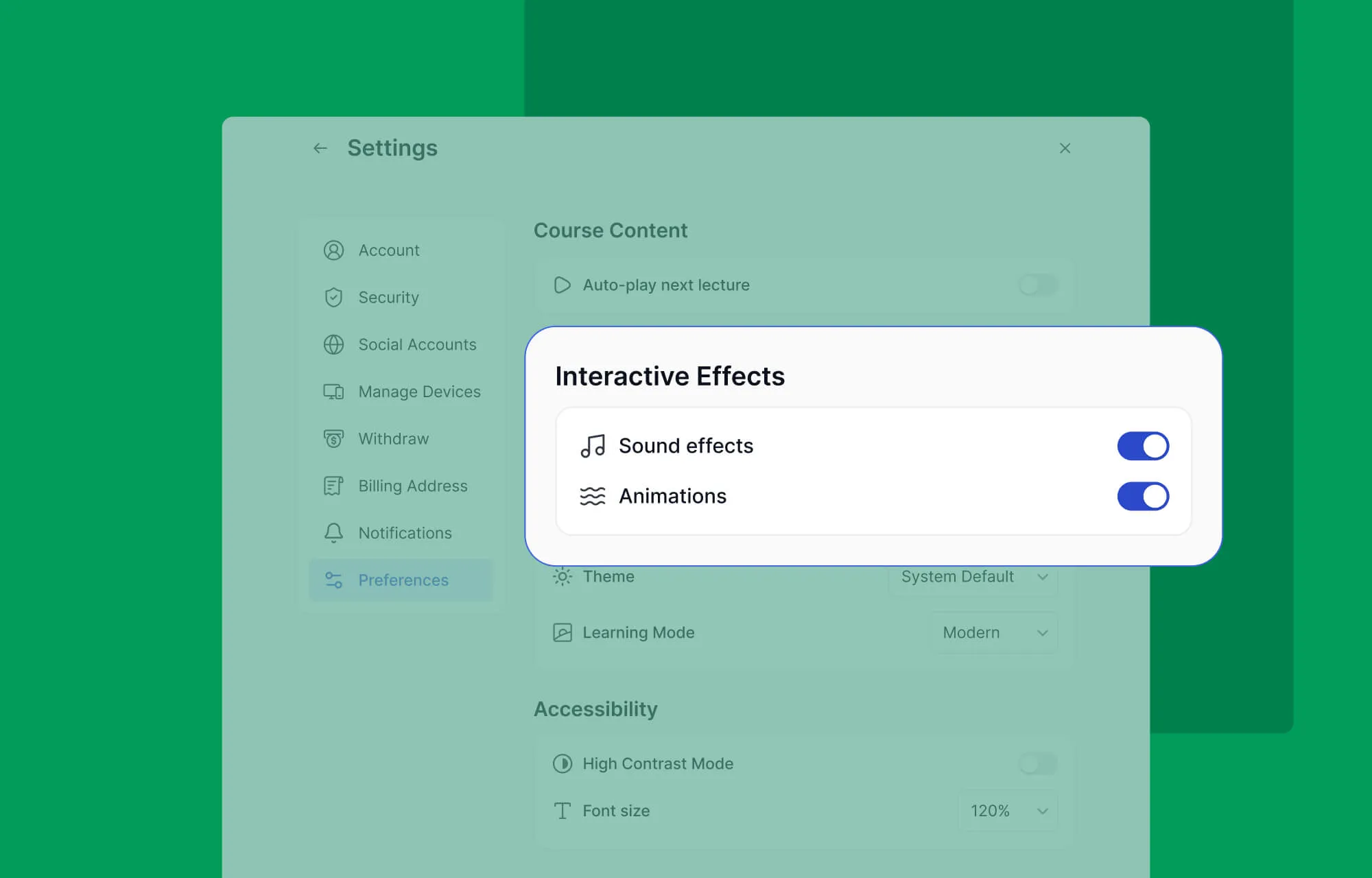
Engagement often comes from small moments of feedback. Tutor LMS 4.0 introduces subtle sound effects and animations throughout the lesson experience to make learning feel more responsive and rewarding.
These micro-interactions acknowledge progress and create a more dynamic learning flow.
A Mobile First Experience (Without the App Price Tag)
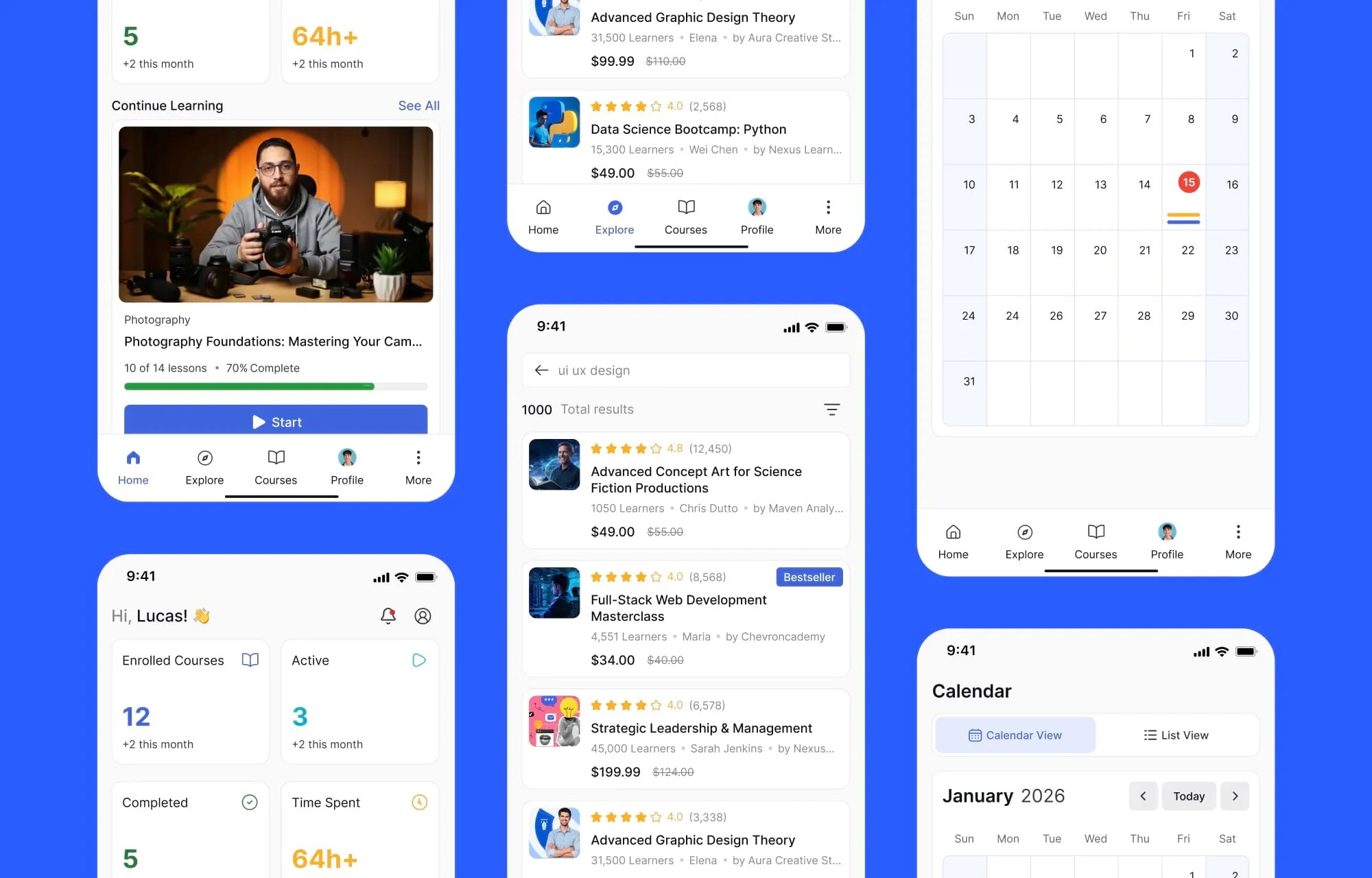
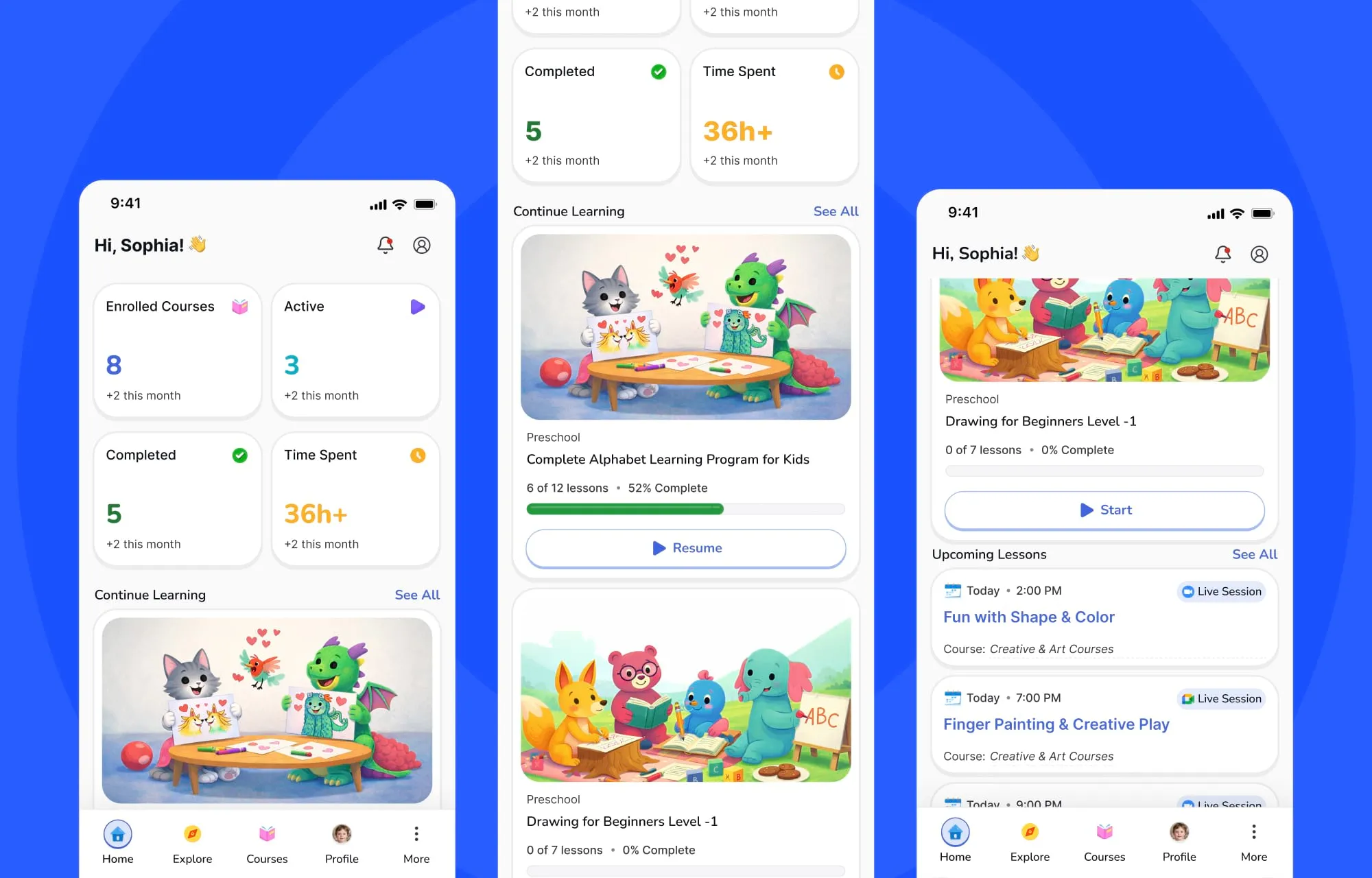
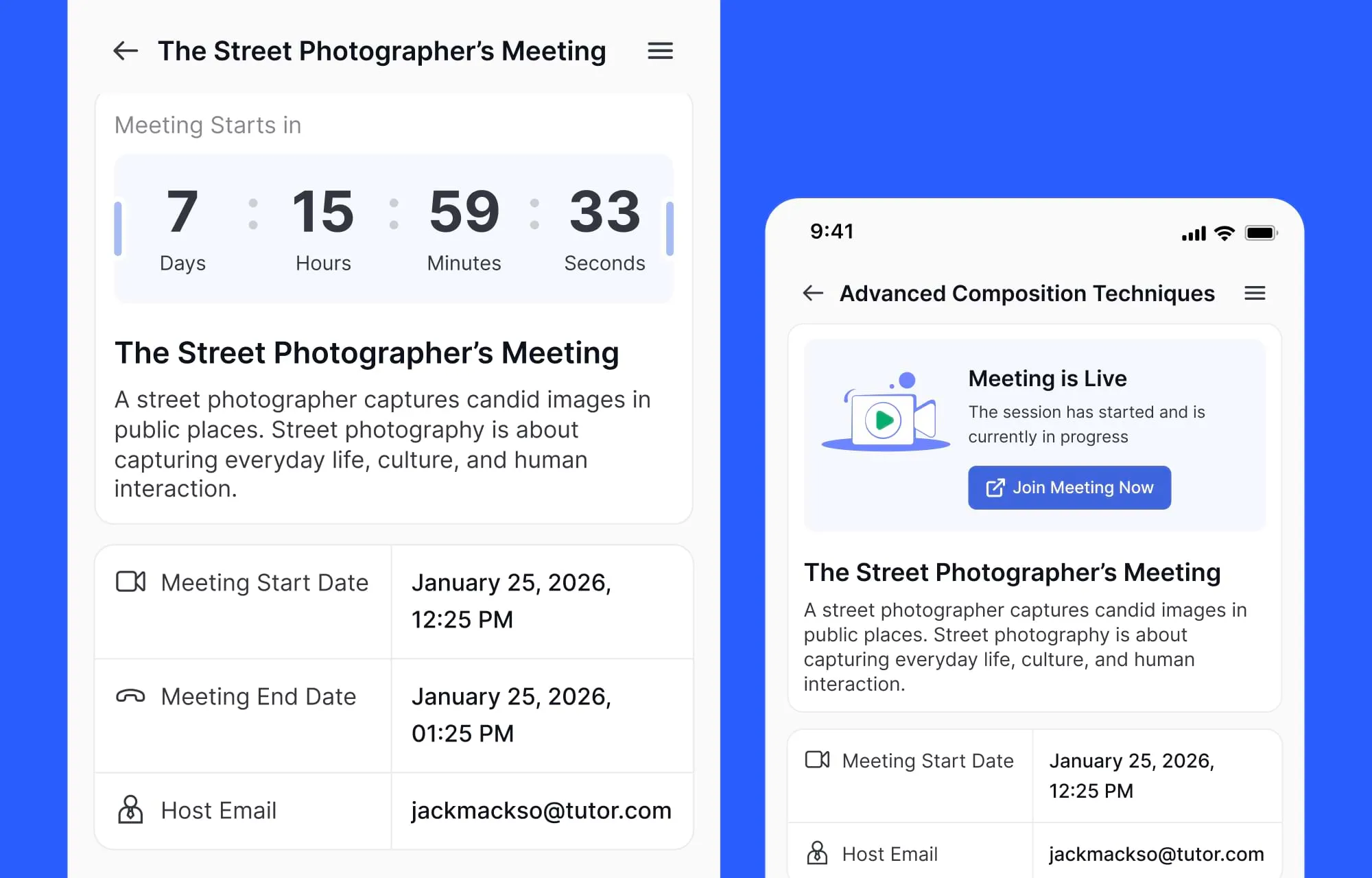
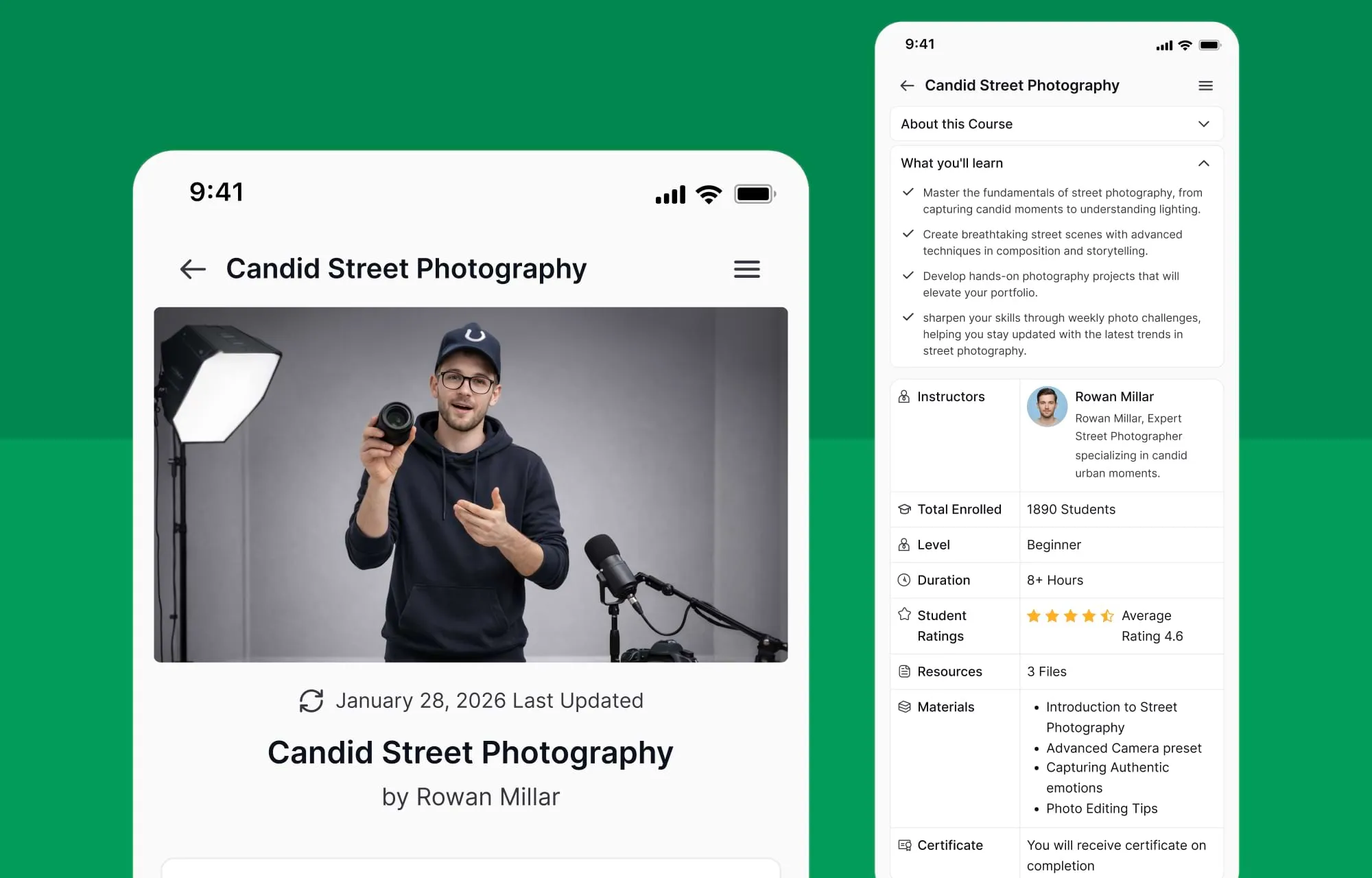
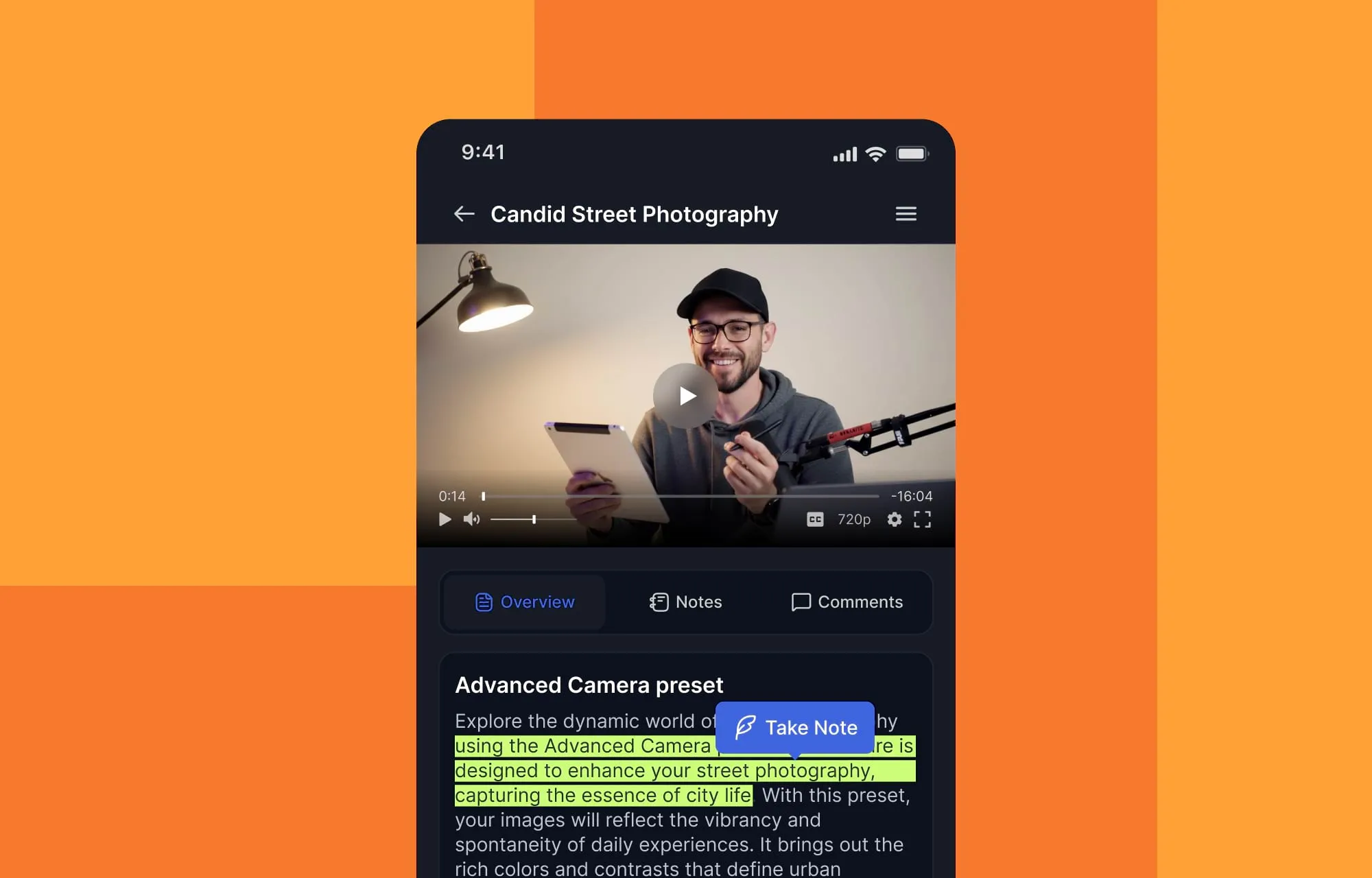
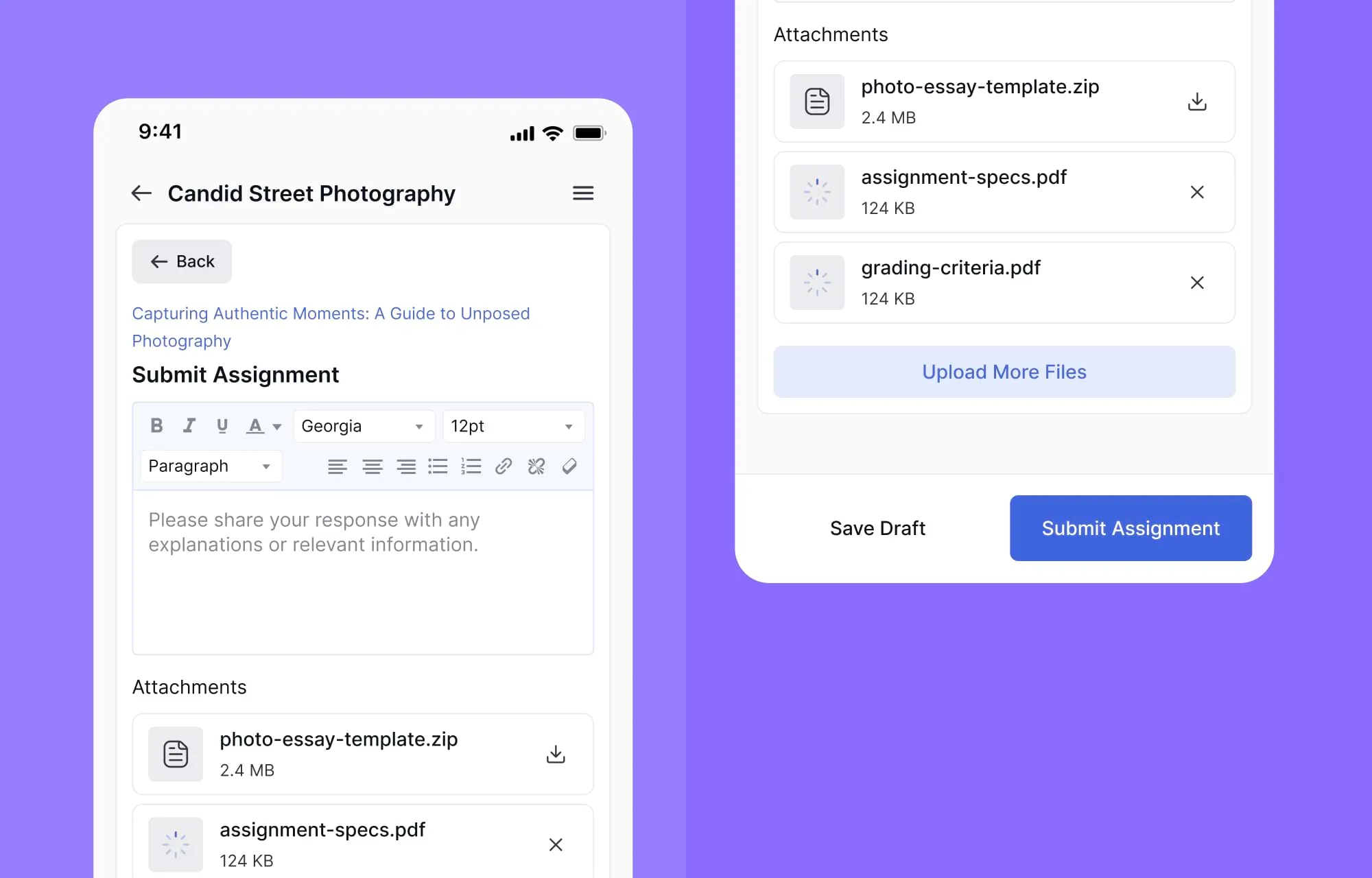
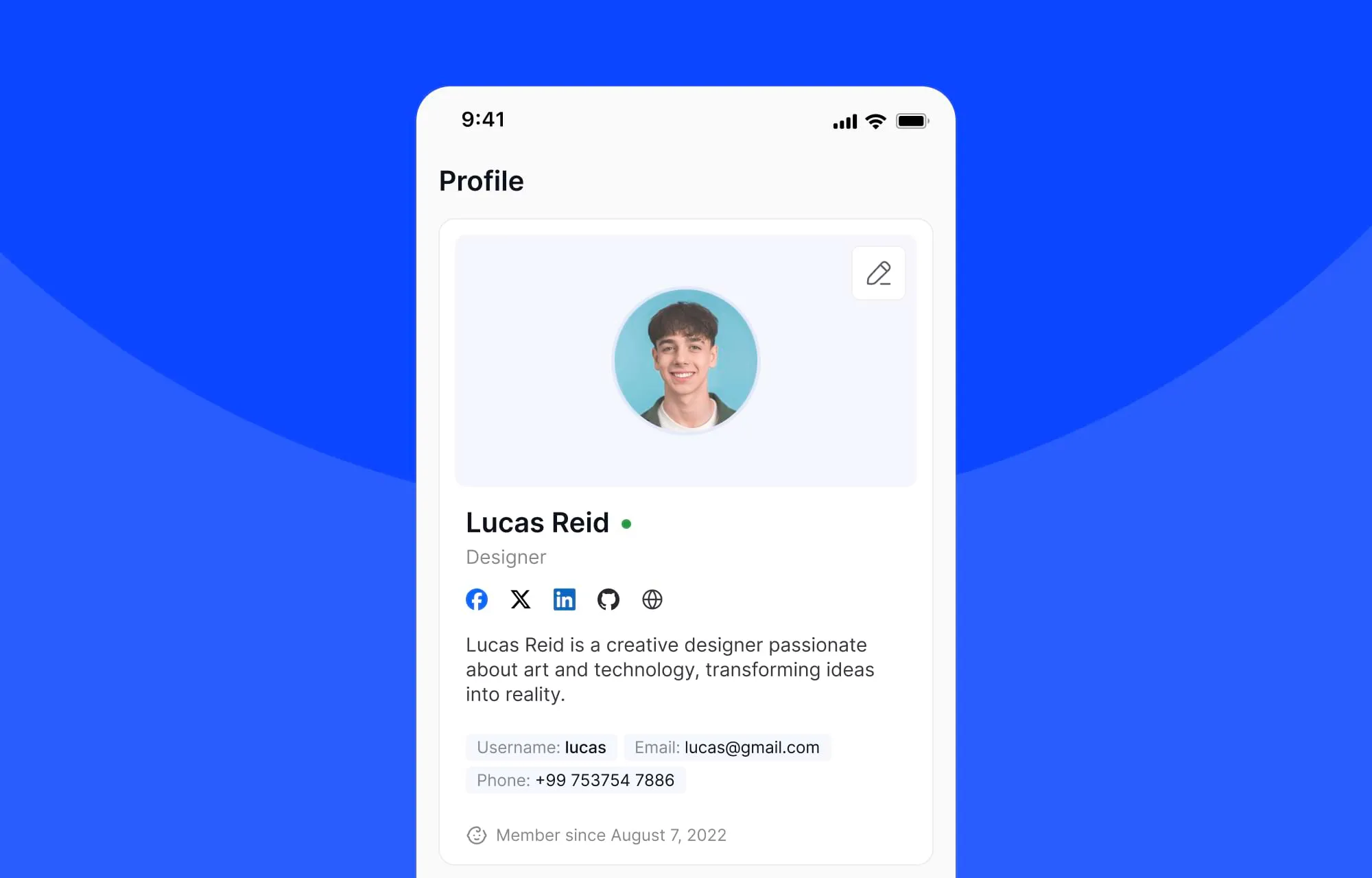
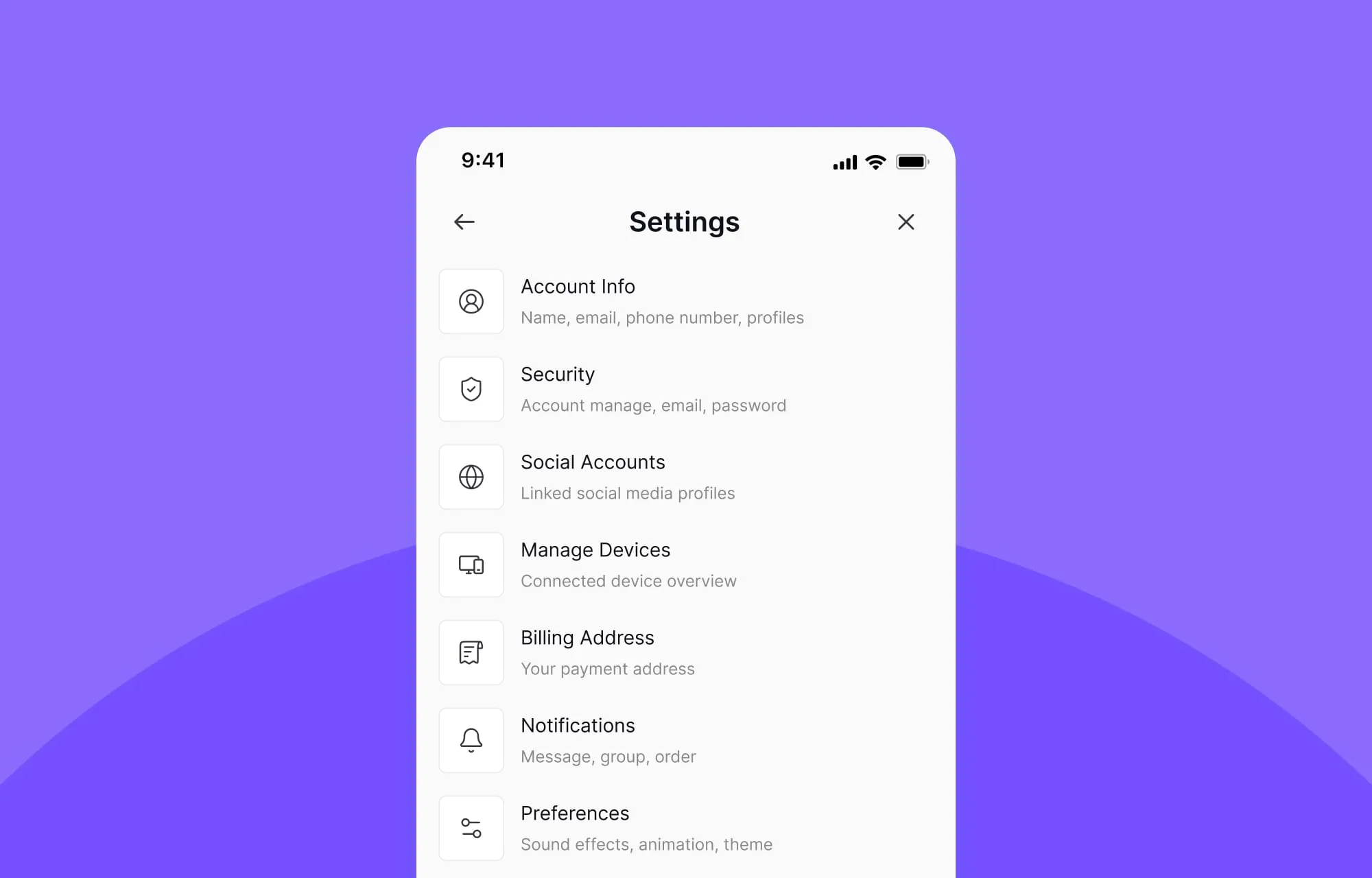
A significant portion of today’s learners don’t just access courses on mobile, they live there. We realized that while our previous mobile interface was functional, it wasn’t yet experiential.
For v4.0, our R&D team spent months obsessing over the “thumb-zone” and micro-interactions to ensure the mobile interface feels like a high-end native application in the student’s hand.
By optimizing touch-friendly interactions, thumb-driven navigation, fluid transitions between lessons and quizzes, and context-aware UI logic, we’ve made sure students can now learn comfortably from anywhere.
Road to Launch
We know that was a long read, but thanks for sticking with us!
Tutor LMS 4.0 is the most significant structural update yet, built after a year of research. Every redesign has been done with the goal of making the platform more scalable for educators and making learning more enjoyable for learners.
We believe Tutor LMS 4.0 will not only enhance the learning experience but also support higher course completion rates and, ultimately, stronger business outcomes for your academy.
It’s expected to launch at the end of March, and we can’t wait for you and your students to experience it first-hand!

Start Using Tutor LMS Today
Ready to take your online courses to new heights? Download Tutor LMS now and enjoy a journey of eLearning excellence.