Tutor LMS 4.0 is officially here!
This has been a long time coming. After a year of R&D, multiple beta releases, and a round of RC testing, Tutor LMS 4.0 is finally here. And while it feels like a finish line, it’s really more of a starting point for the beginning of a new era of Tutor LMS.
The team poured everything into this one. Every design decision, every rebuilt flow, every new feature was made with one goal in mind: to give you a platform that actually feels as good as it performs.
A big part of what shaped 4.0 was you. Every bug report, every suggestion, every piece of feedback from the community during testing made a real difference. Thank you all for that.
Tutor LMS 4.0 isn’t just an update. It’s a complete rebuild of how learning feels inside Tutor LMS, for learners, instructors, and platform owners alike. So grab a coffee and let’s get right into it.
A Learner-First Redesign
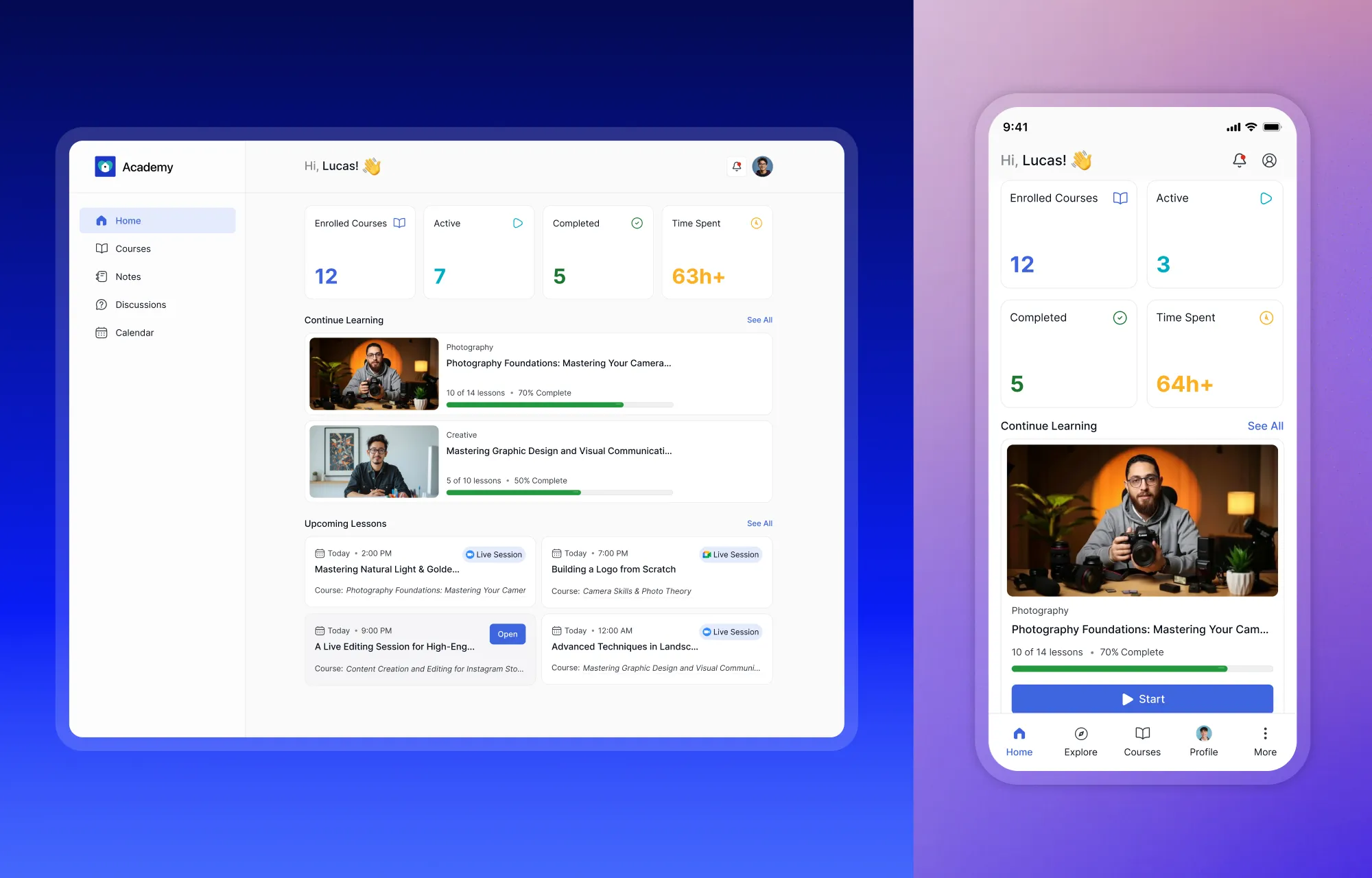
Most major LMS updates are built around the people running the platform, admins, instructors, course creators. With 4.0, we shifted the lens entirely to the learner.
That might sound like a subtle change in priority, but it isn’t. Learners who can stay focused, find what they need, and feel a genuine sense of progress are learners who finish courses, come back for more, and recommend your platform to others. The experience drives all of that, and for a long time the experience was an afterthought.
So we spent a year asking what was actually getting in the way of that. The answers touched everything: the learning environment, the dashboard, the quizzes, the mobile experience. What you’re getting with 4.0 is what happened when we took all of those answers seriously.
Built for the Screen in Your Hand
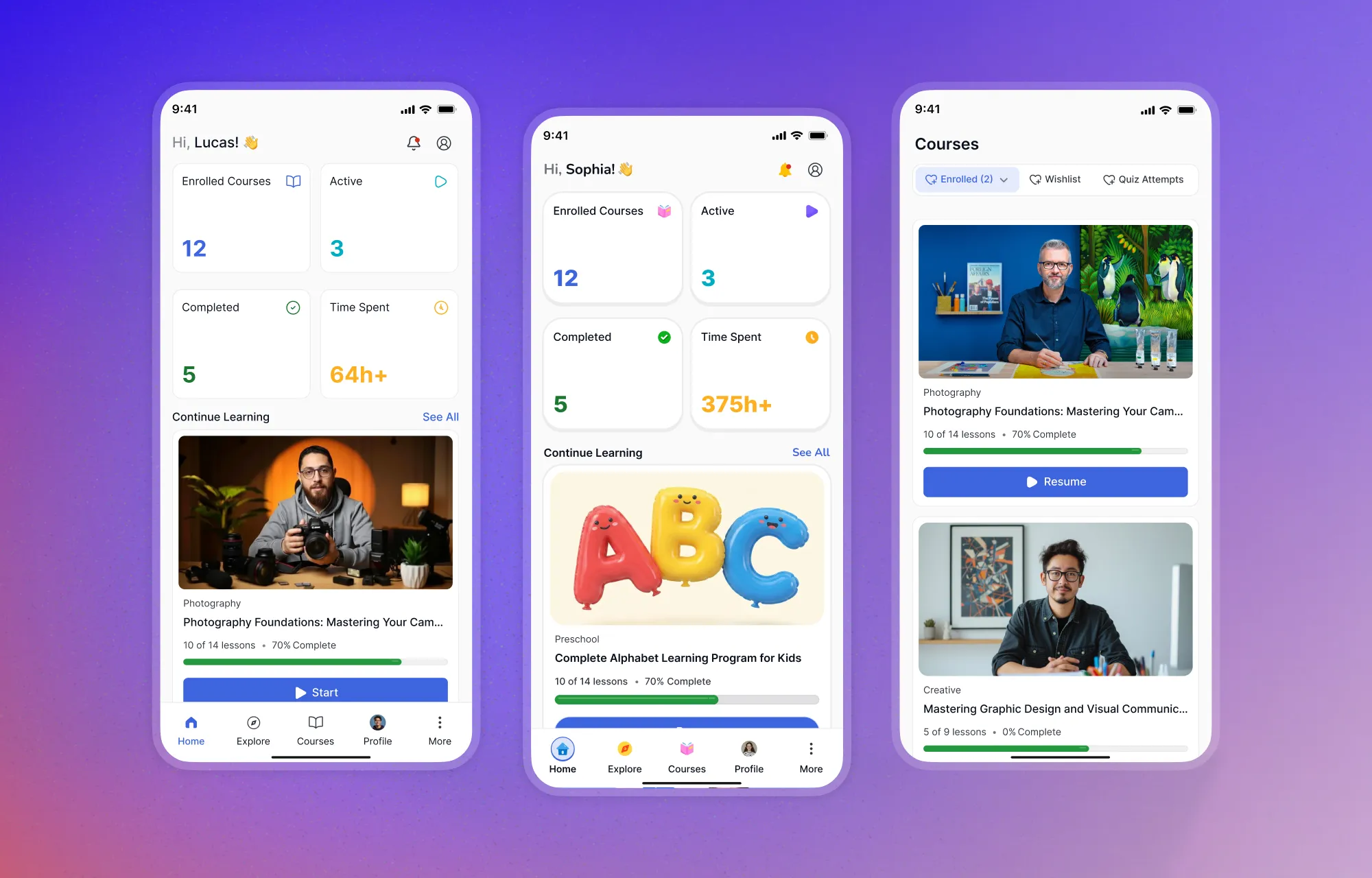
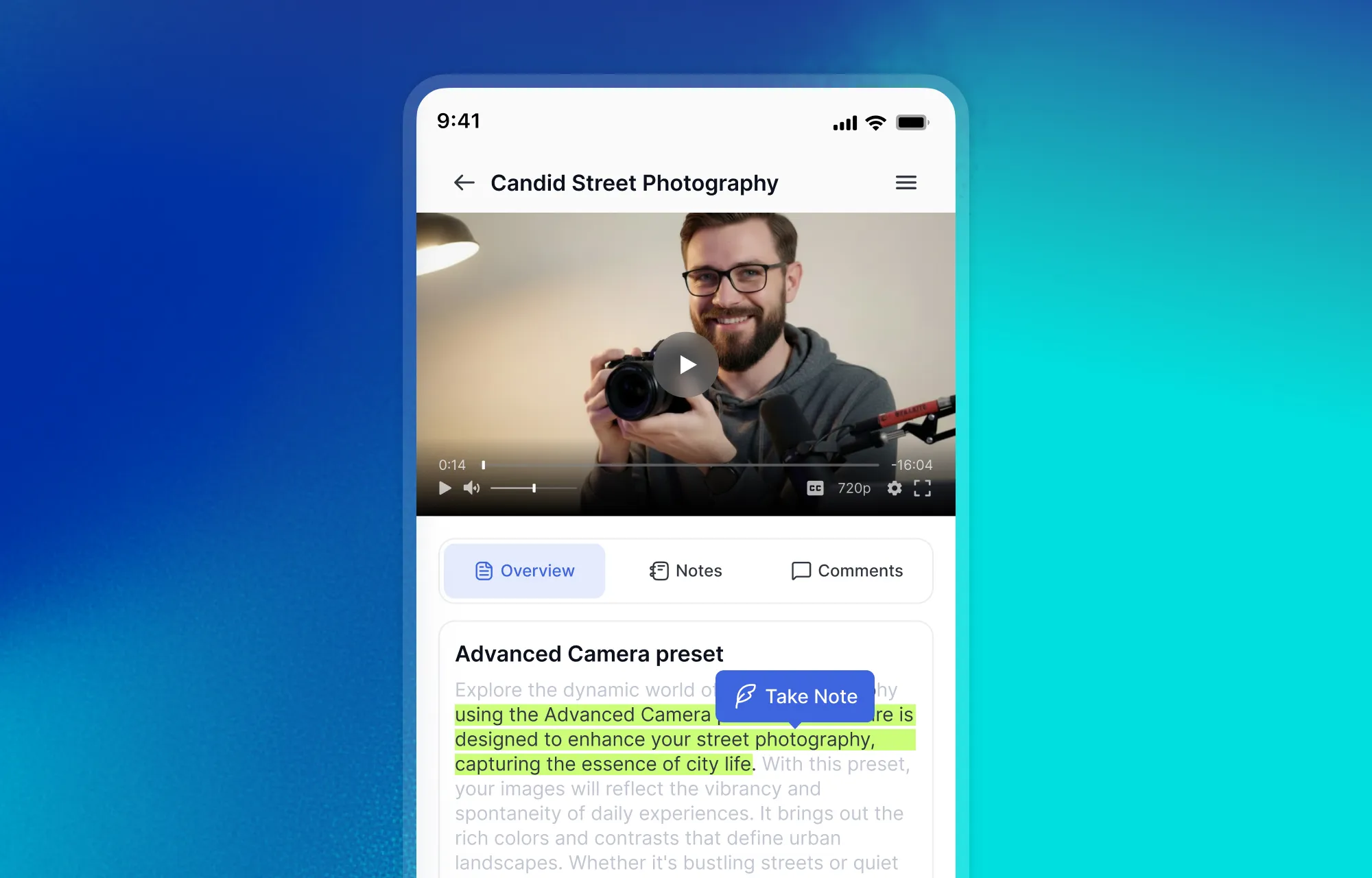
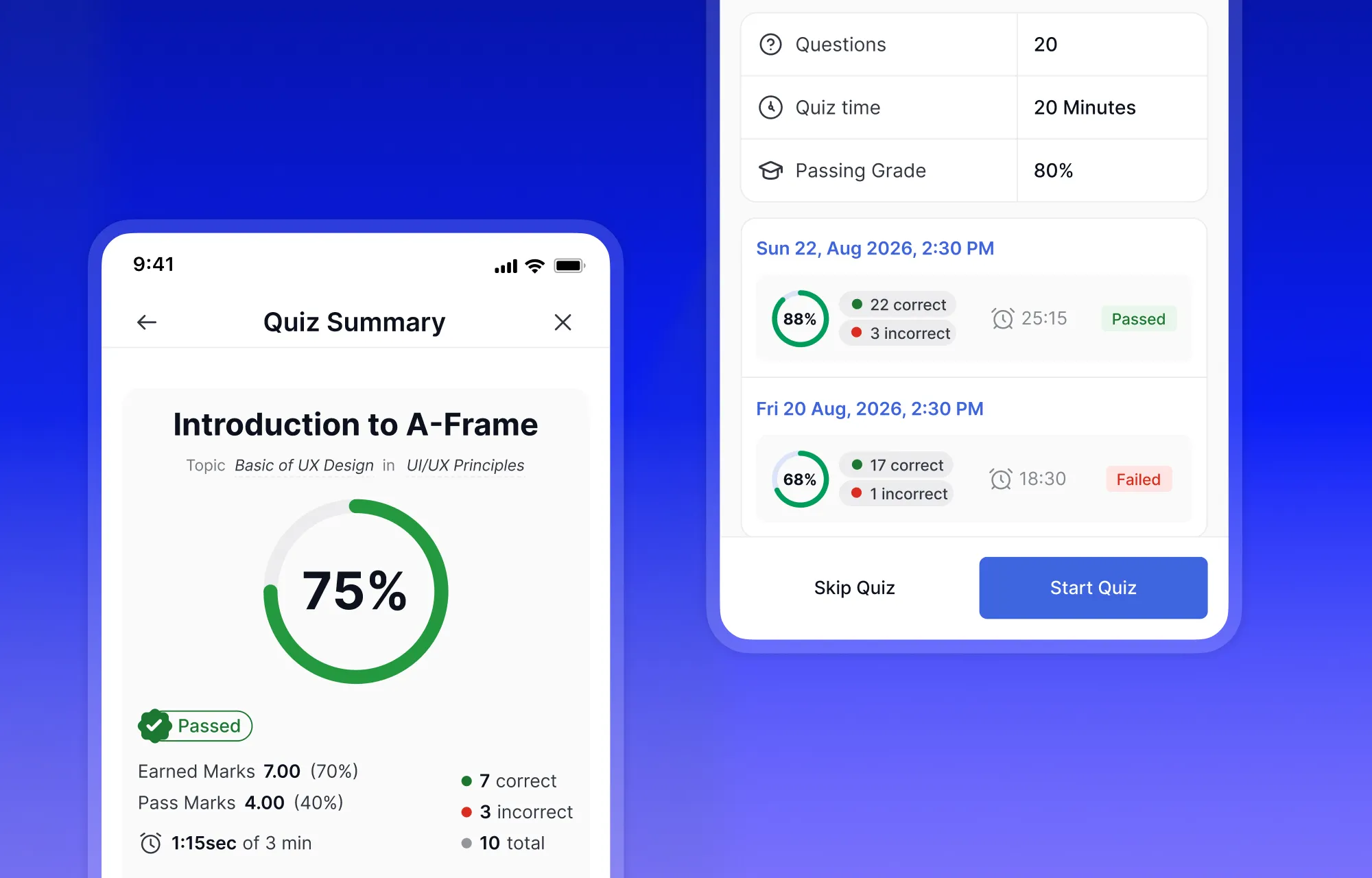
Being learner-first in 2026 means being mobile-first. That’s not a design philosophy statement, it’s a practical reality. A significant portion of your learners aren’t sitting at a desk for every session. They’re learning on a commute, between meetings, or late at night with their phone.
Every part of the 4.0 redesign was built with that in mind. Navigation is optimized for thumb zones so learners aren’t stretching across the screen to reach controls. Touch interactions are deliberate and responsive. Lesson and quiz transitions are fluid on mobile, not just tolerable. The UI adapts contextually based on what the learner is doing, so the experience never feels like a shrunken desktop version of itself.
And all of this works without a native app. No downloads or separate installs needed to enjoy just the platform, working the way it should on whatever device your learners are using.
A Learning Environment, Not Just a Page
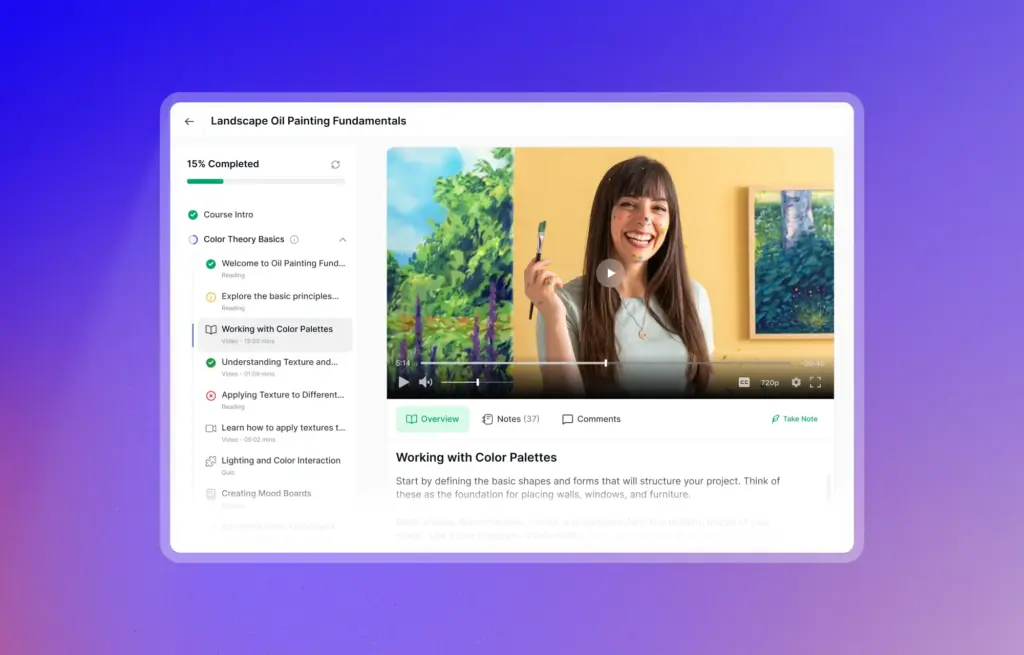
Let’s start with the thing students interact with the most: the learning experience itself.
Moving through a course in most LMS platforms means a lot of clicking around. You open a lesson, it loads a new page, you finish it, you navigate to the next one, and so on. It gets the job done, but the constant back and forth makes it harder for students to stay in the zone.
With 4.0, that changes the moment a learners clicks Start Learning. They enter a dedicated learning environment that stays consistent throughout the entire course. The curriculum is always visible, progress and lesson duration are always in frame, and course info is accessible without ever leaving the lesson. Moving from one lesson to the next is fluid, without losing your place at all.
It’s the kind of thing that’s hard to describe but immediately obvious the first time you experience it.
All Notes, In One Place
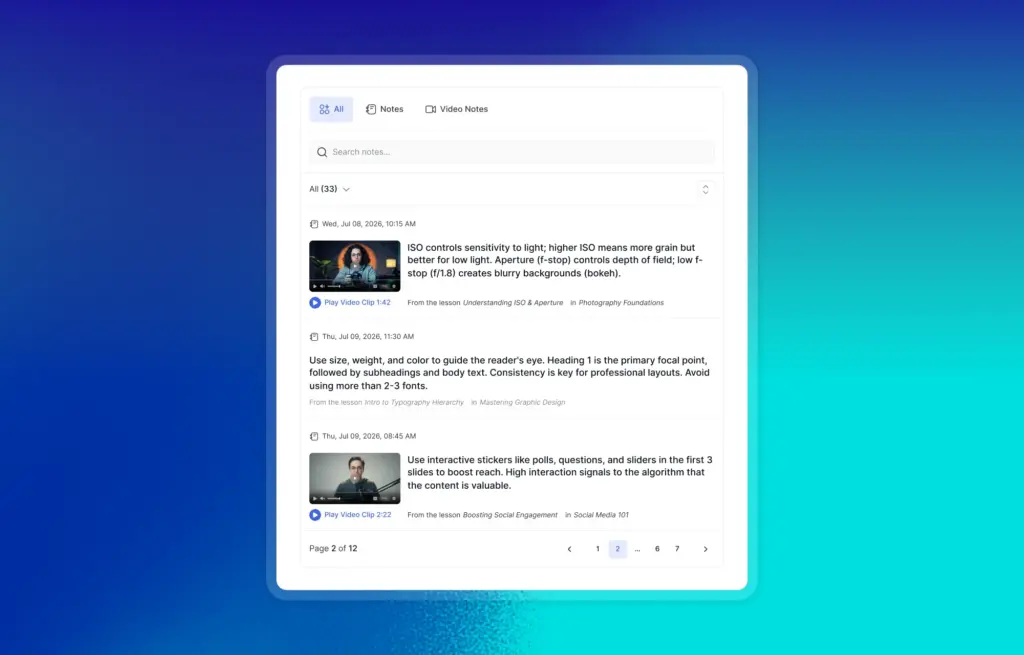
While a learner is in a lesson, they can take notes directly from the text or capture a timestamped note from the video player at any specific moment. That part isn’t new. What’s new is what happens to those notes afterward.
Previously, notes were tied to individual lessons. Finish a course and your notes were scattered across dozens of separate pages — useful in theory, frustrating in practice.
In Tutor LMS 4.0, every note a learner takes, from any lesson, from any video, lives in one centralized panel. It’s searchable, and each note links back to the exact lesson it came from. One click and they’re right back where they were.
It’s a small change in where data lives, but it completely changes how useful note-taking actually is.
Course Discussions That Don’t Get Lost
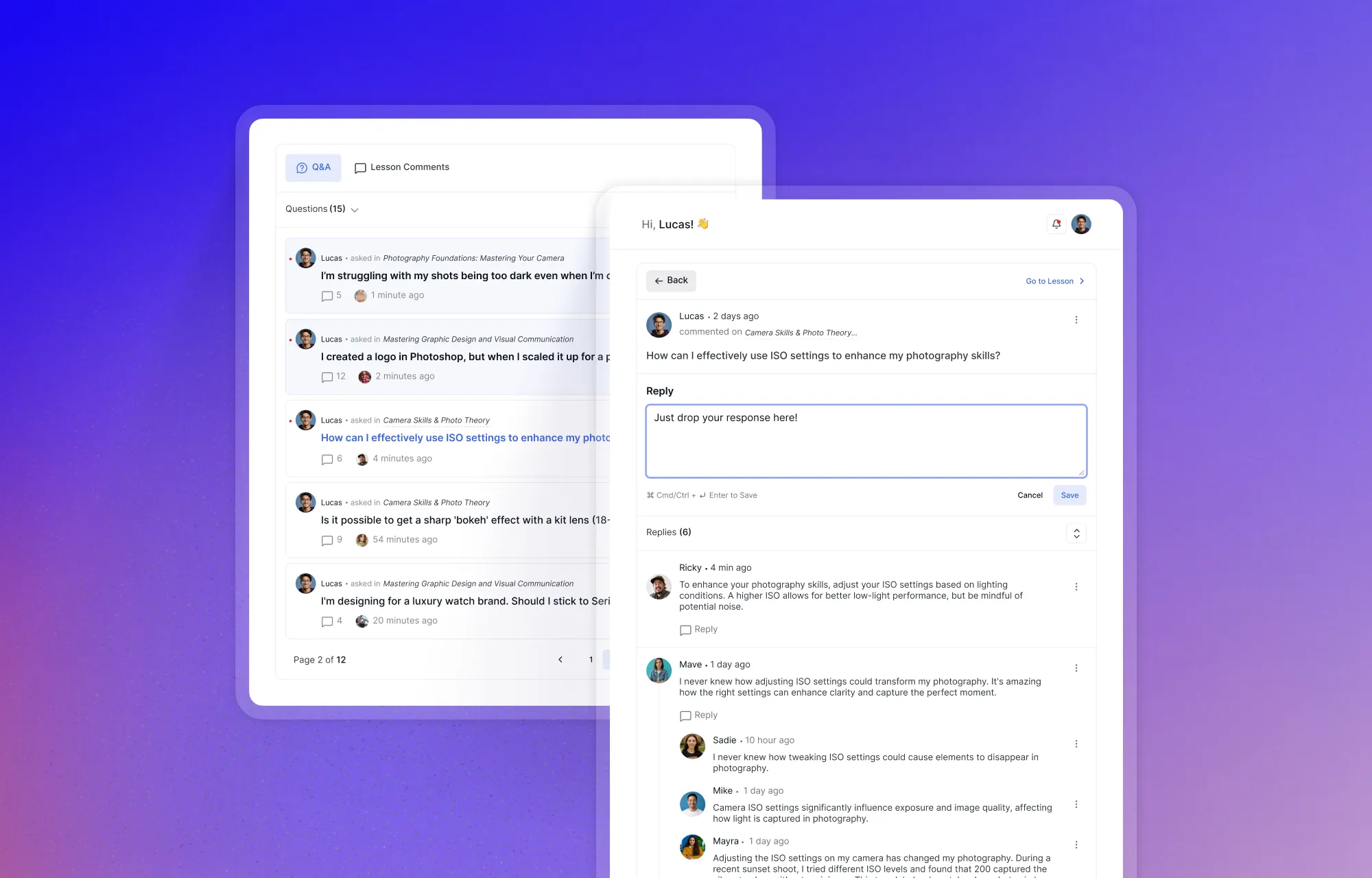
The same problem existed with course discussions. When every lesson has its own Q&A thread, keeping track of your questions across a full course becomes its own job. Learners would ask something in lesson 3, get a reply days later, and have no straightforward way to find it again.
With Tutor LMS 4.0, all discussions across the entire course are unified into a single interface. Learners can ask questions, follow threads, and track every conversation they’re part of — without digging through individual lessons to find them. It keeps the back-and-forth alive and makes it far more likely that learners actually engage with it.
Stay Upto Date With Live Lessons
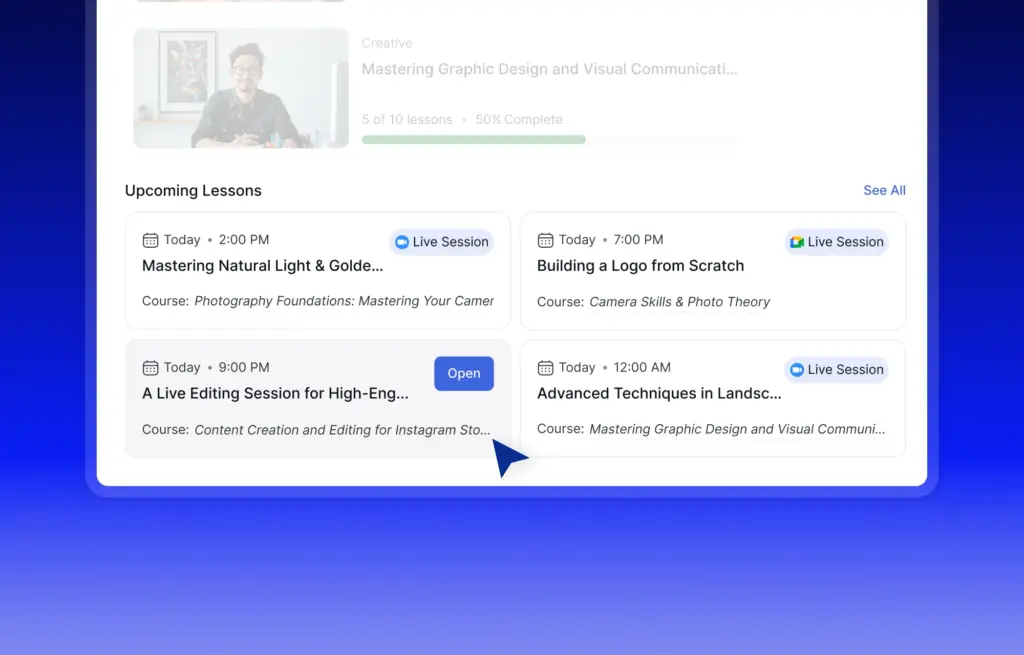
The same logic applies to live lessons. Previously, learners had to search through individual course topics to find upcoming sessions which is not ideal when you’re trying to plan your week around a live Zoom call.
In 4.0, there’s a dedicated Live Lesson Hub that gives learners a bird’s-eye view of every upcoming and past live session for the entire course. Joined, missed or scheduled, it’s all visible in one place, so learners always know what’s coming and never miss a session because they didn’t see it.
Course materials organized and always accessible
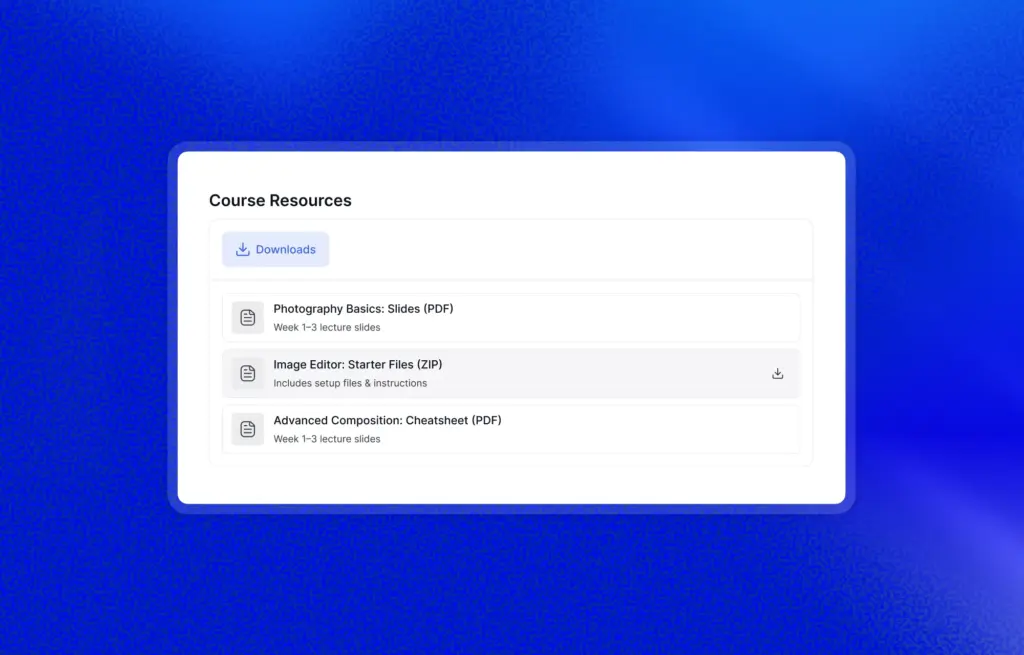
And rounding out the centralization picture — course resources. PDFs, reading materials, downloadable assets. In earlier versions of Tutor LMS these were buried inside individual lessons, easy to miss and harder to revisit. In 4.0, everything lives in a dedicated Resource Center tab. One place, always accessible, regardless of which lesson it was originally attached to.
Taken together, these four changes — notes, discussions, live lessons, and resources — solve the same underlying problem. Learning shouldn’t require learners to remember where everything is. It should just be there when they need it.
Clearer Assignment Submissions and Faster Feedback
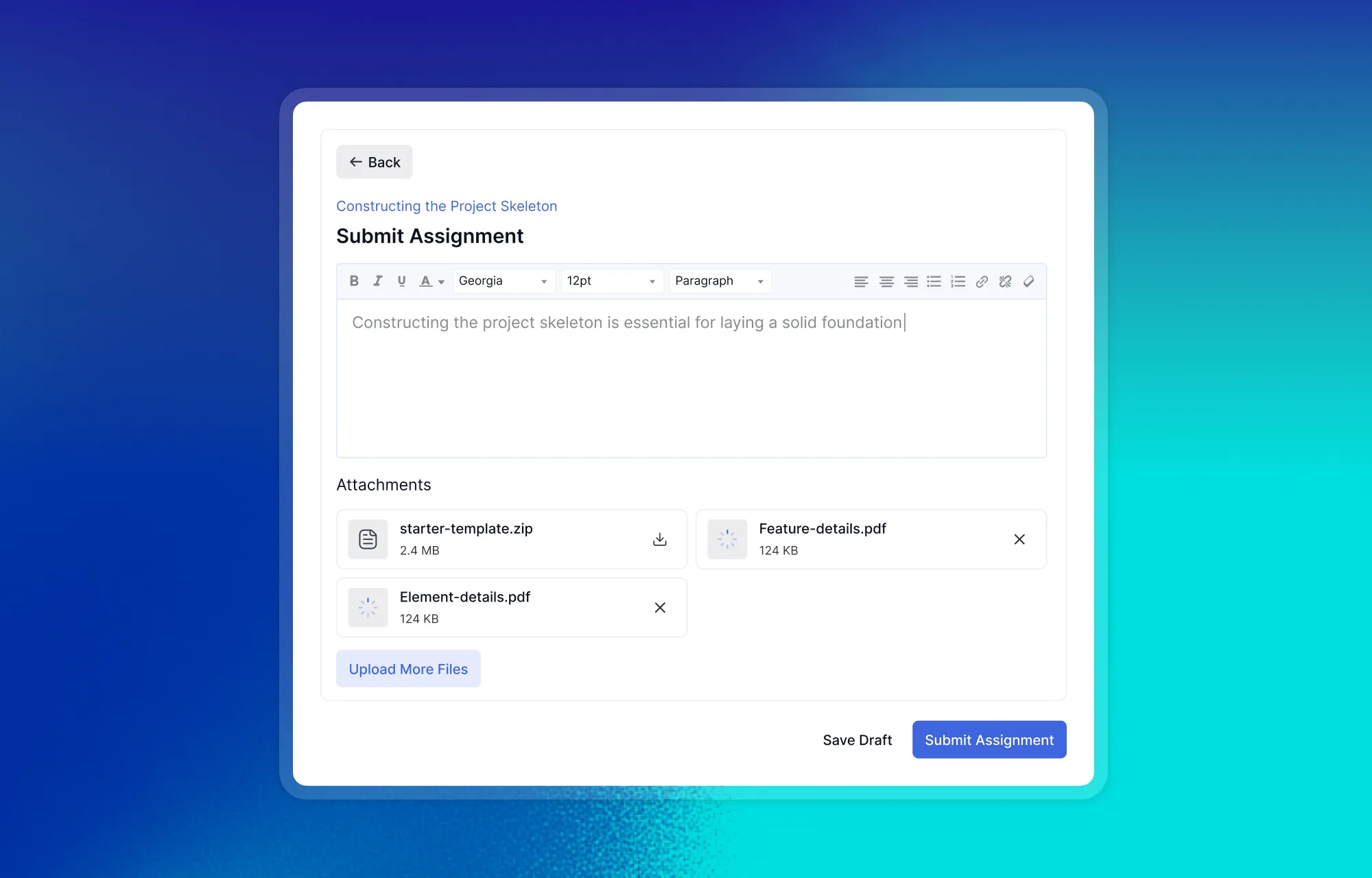
In 4.0, the assignment experience for learners gets a meaningful upgrade. Submitting is straightforward as always, but now everything that happens after submission is just as clear. Learners can resubmit if needed, every attempt is logged and visible, and feedback from the instructor like earned marks, pass/fail status, is all surfaced in one place without having to hunt for it.
For a learner waiting on feedback for work they’ve put effort into, having that information easy to find makes a real difference.
One Calendar View for Every Course Obligation
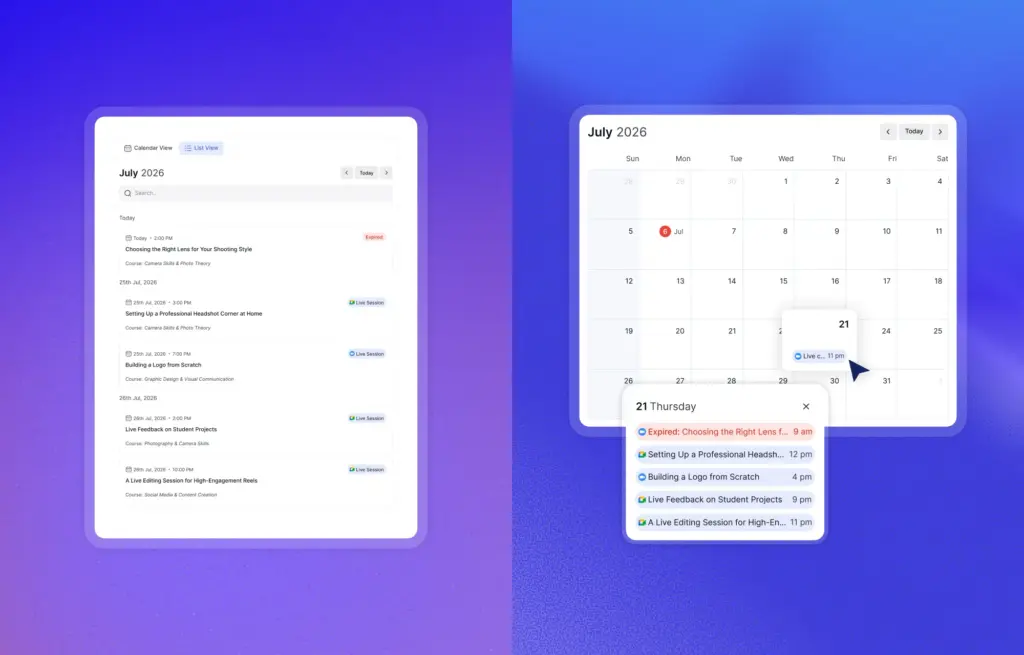
Staying on top of deadlines across multiple courses is one of those things that sounds manageable until it isn’t. A quiz here, a live session there, an assignment due at the end of the week, when everything lives inside individual course pages, it’s easy for things to slip through.
The new Course Calendar brings it all into one unified view. Deadlines, live class sessions, assignment due dates — color-coded and laid out so learners can see exactly what’s coming up across every course they’re enrolled in. Planning a study schedule around a busy week becomes a lot less painful when you can see everything at a glance rather than piecing it together yourself.
A Reason to Keep Going From Day One
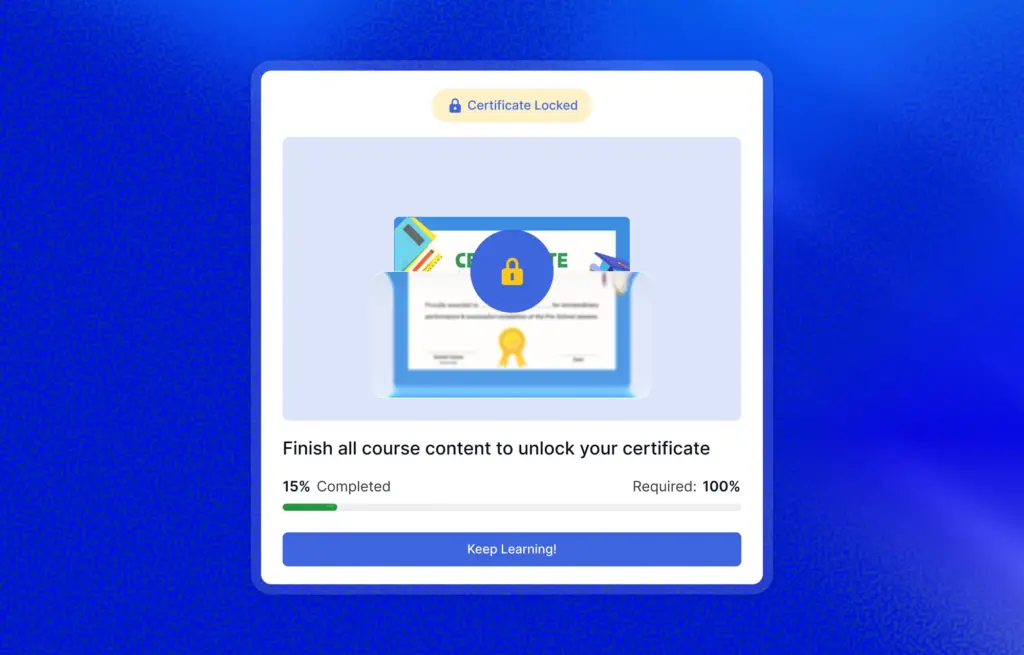
One of the more quietly impactful changes in 4.0 is what happens to certificates before a learner earns them.
Previously, certificates were essentially invisible until the moment they were awarded. In 4.0, learners see a locked preview of their certificate from the very first day of the course. As they complete lessons and pass quizzes, a progress tracker fills in real time. The certificate is always there, becoming a constant, tangible reminder of what they’re working toward.
When the last requirement is finally met, the certificate unlocks with a celebratory animation. It’s a small moment, but it’s the kind of thing that makes completing a course feel like an actual achievement rather than just reaching the end of a checklist.
Certificate Credentials Worth Sharing
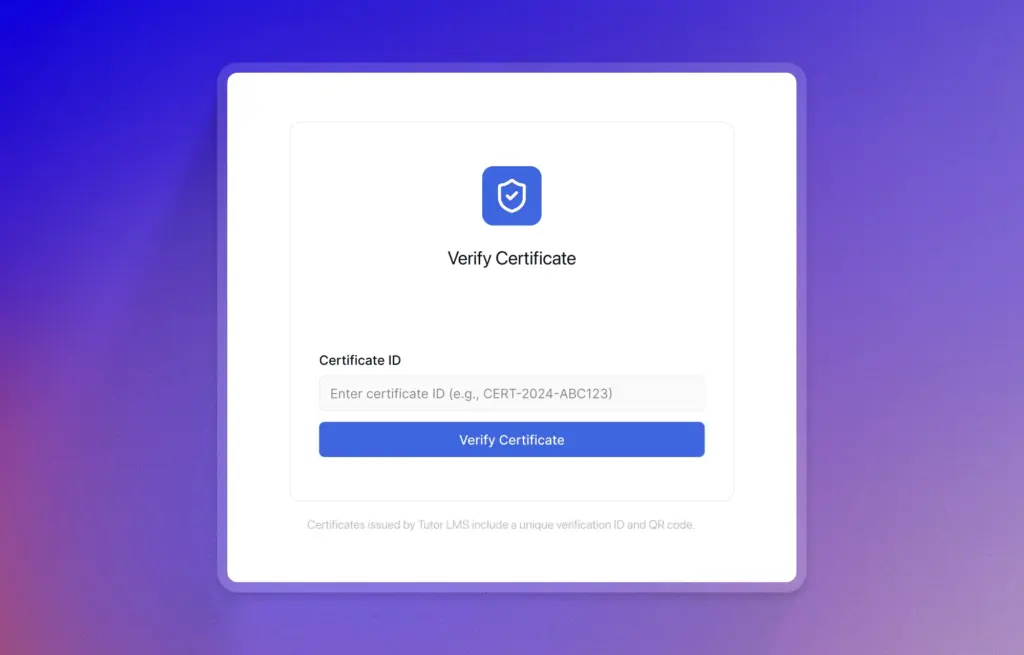
Every certificate issued through Tutor LMS 4.0 now carries a unique certificate ID that can be independently verified. Learners can share their credentials with employers, clients, or institutions, and anyone on the receiving end can verify the certificate is legitimate without having to take their word for it.
This matters more than it might seem. A certificate that can be verified is a credential. One that can’t is just a PDF.
Note: Certificate verification requires Certificate Builder v1.3.2.
A Completely Reimagined Quiz Experience
If there’s one area of 4.0 that represents the biggest single leap forward, it’s quizzes. Not just in what’s possible, but in how the entire experience is built, for learners taking them, for instructors creating them, and for admins managing them at scale.
5 New Interactive Quiz Types
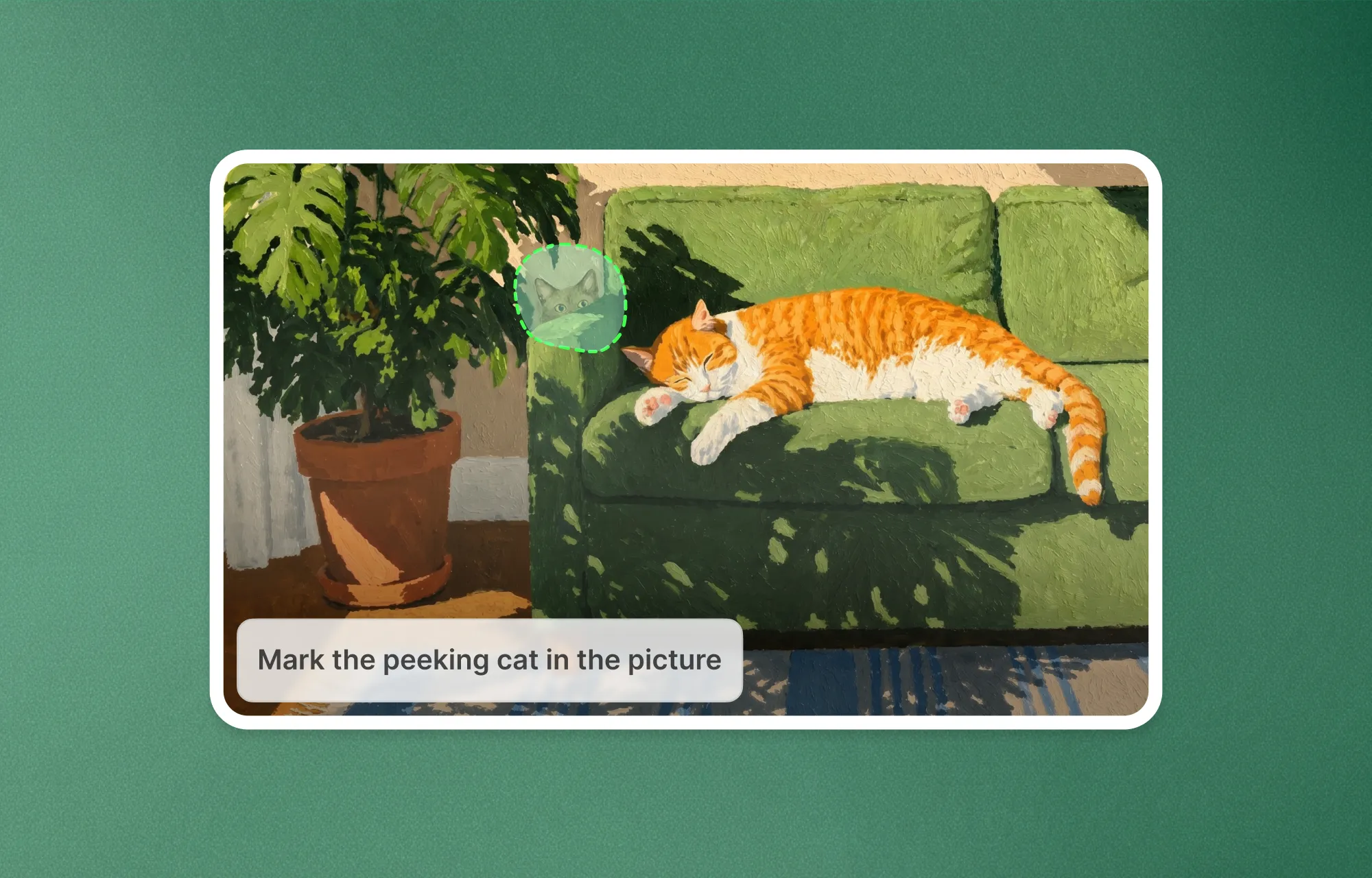
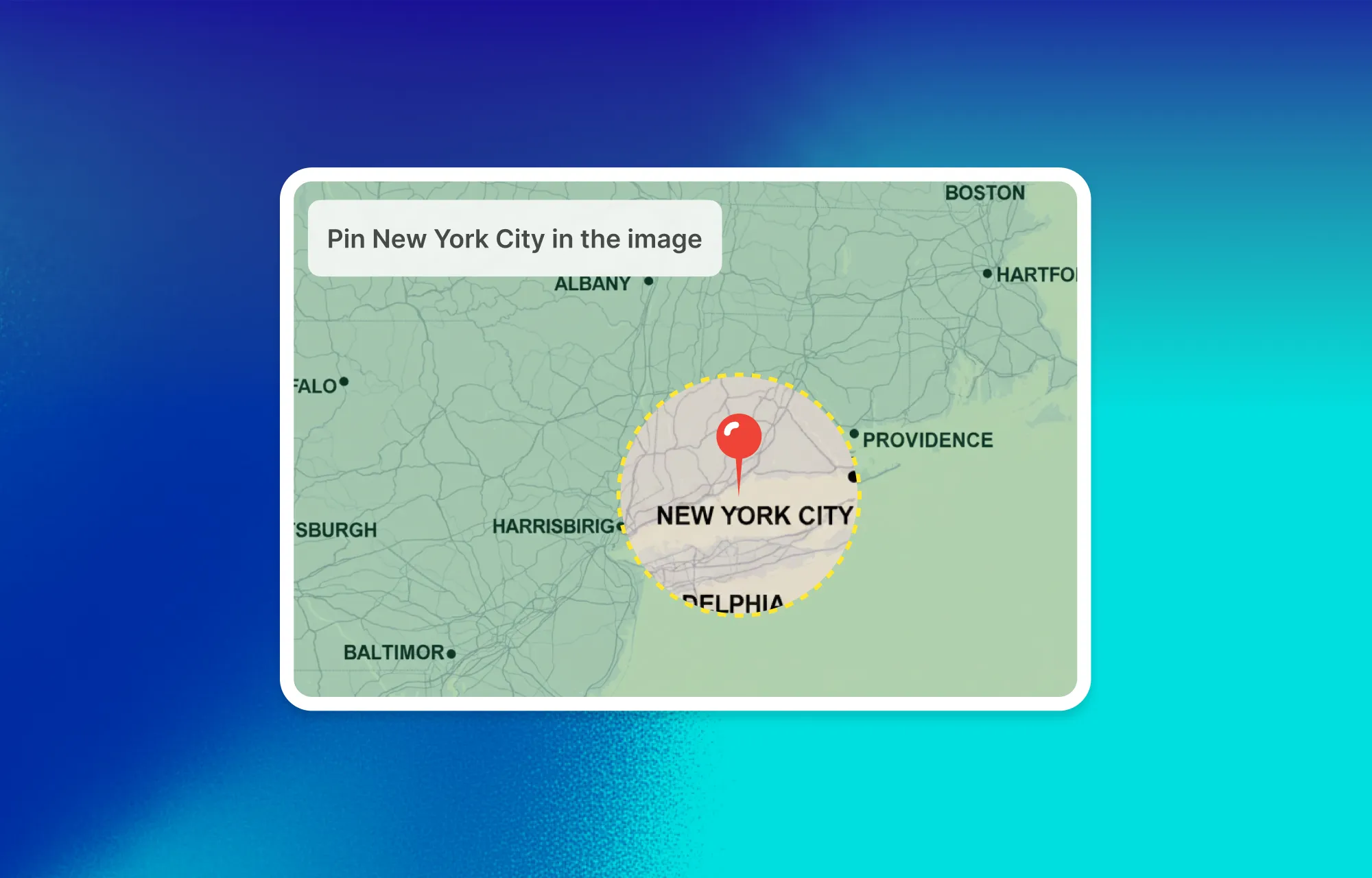
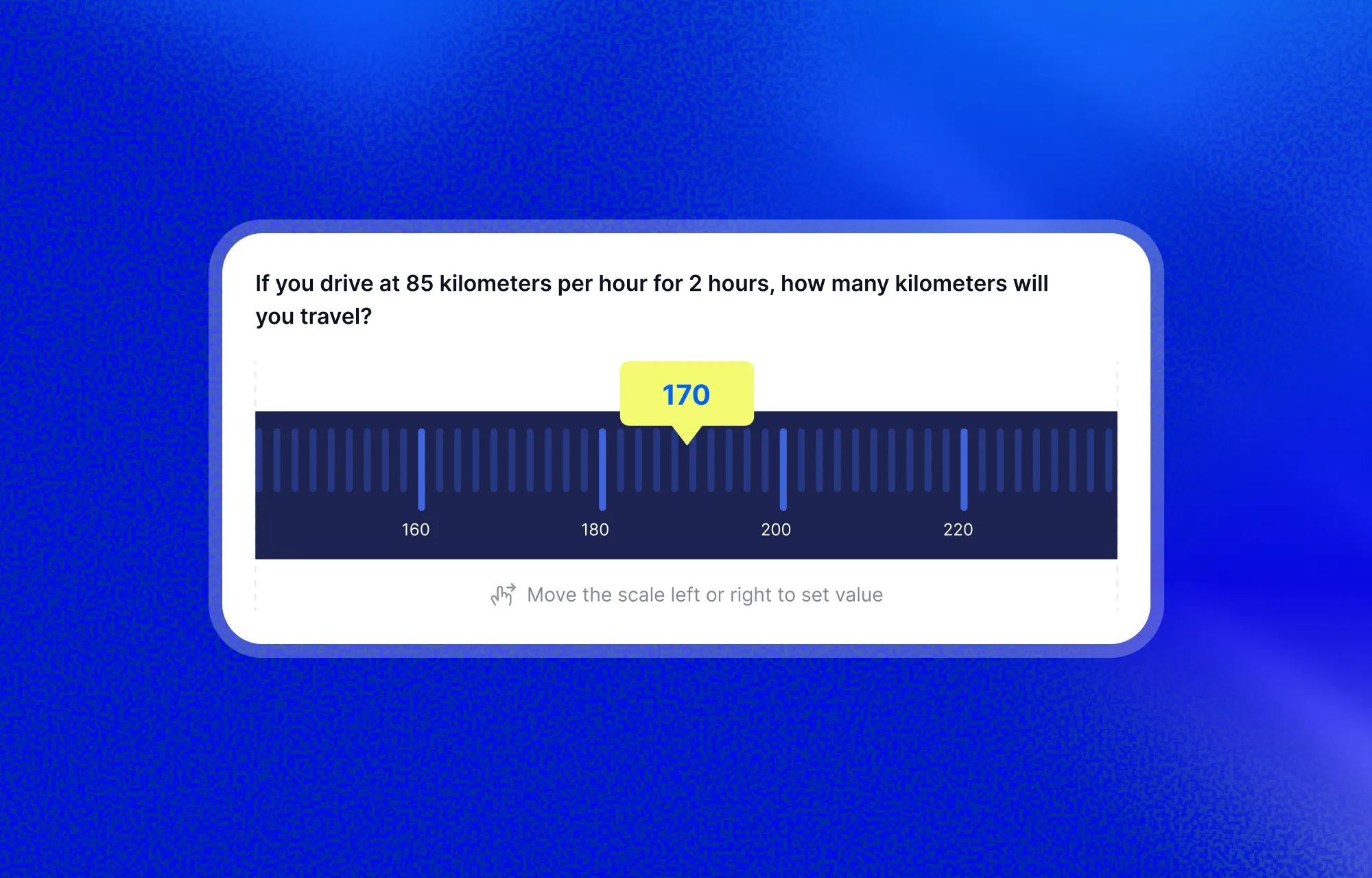
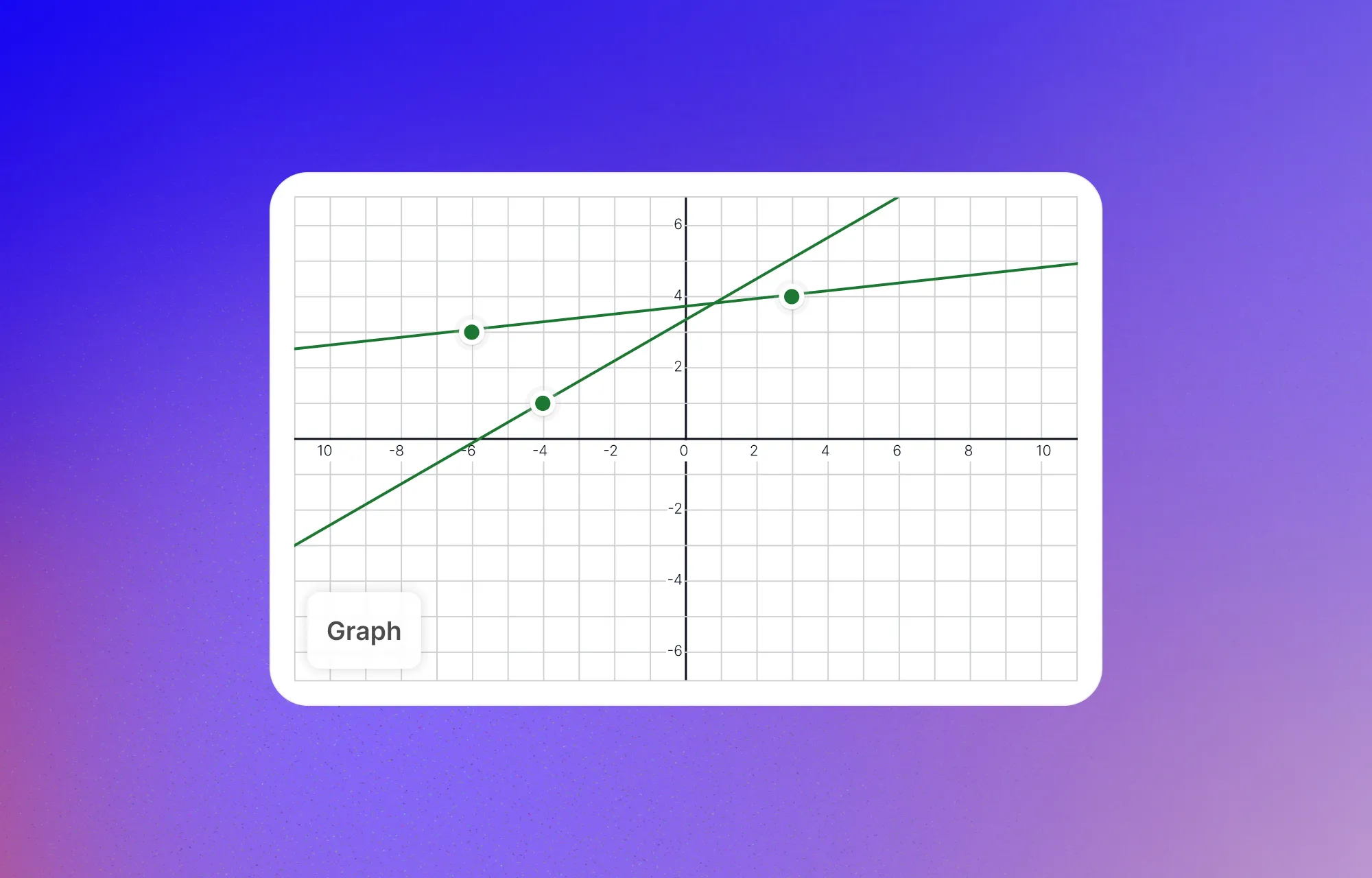
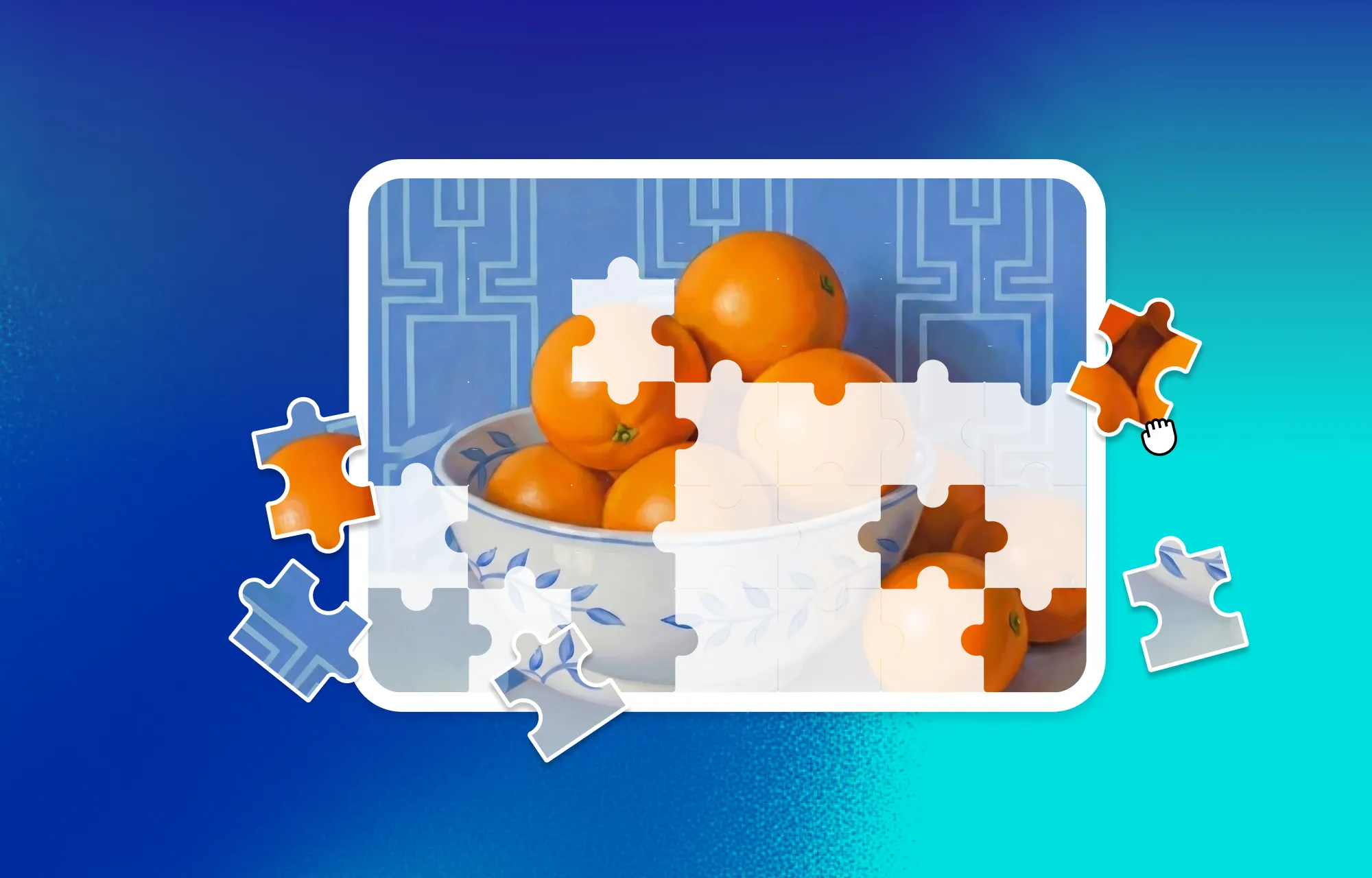
Tutor LMS has always supported a solid range of question types. With v4.0, five entirely new ones join the lineup and these aren’t minor variations on what was already there. They’re genuinely different ways to assess understanding. Heres the new quiz types that are here:
Draw Image — Learners draw directly on an image to answer. Circle an object, annotate a diagram, mark a specific region. Useful for science, anatomy, engineering, any subject where pointing at something is part of the answer.
Pin Image — Learners drop a pin on a specific spot in an image. Great for geography, maps, architectural diagrams, or anything where location is the answer.
Range — A slider-based input where learners set a value along a range. Works well for opinion-based questions, self-assessments, estimations, and rating exercises.
Graph — Learners mark coordinates or positions on a graph. Built specifically for subjects that involve data interpretation, mathematics, or analytical thinking.
Puzzle — Learners arrange image pieces in the correct order. It turns assessment into a problem-solving exercise and works particularly well for process-based or sequential subjects.
Smarter Quiz Settings
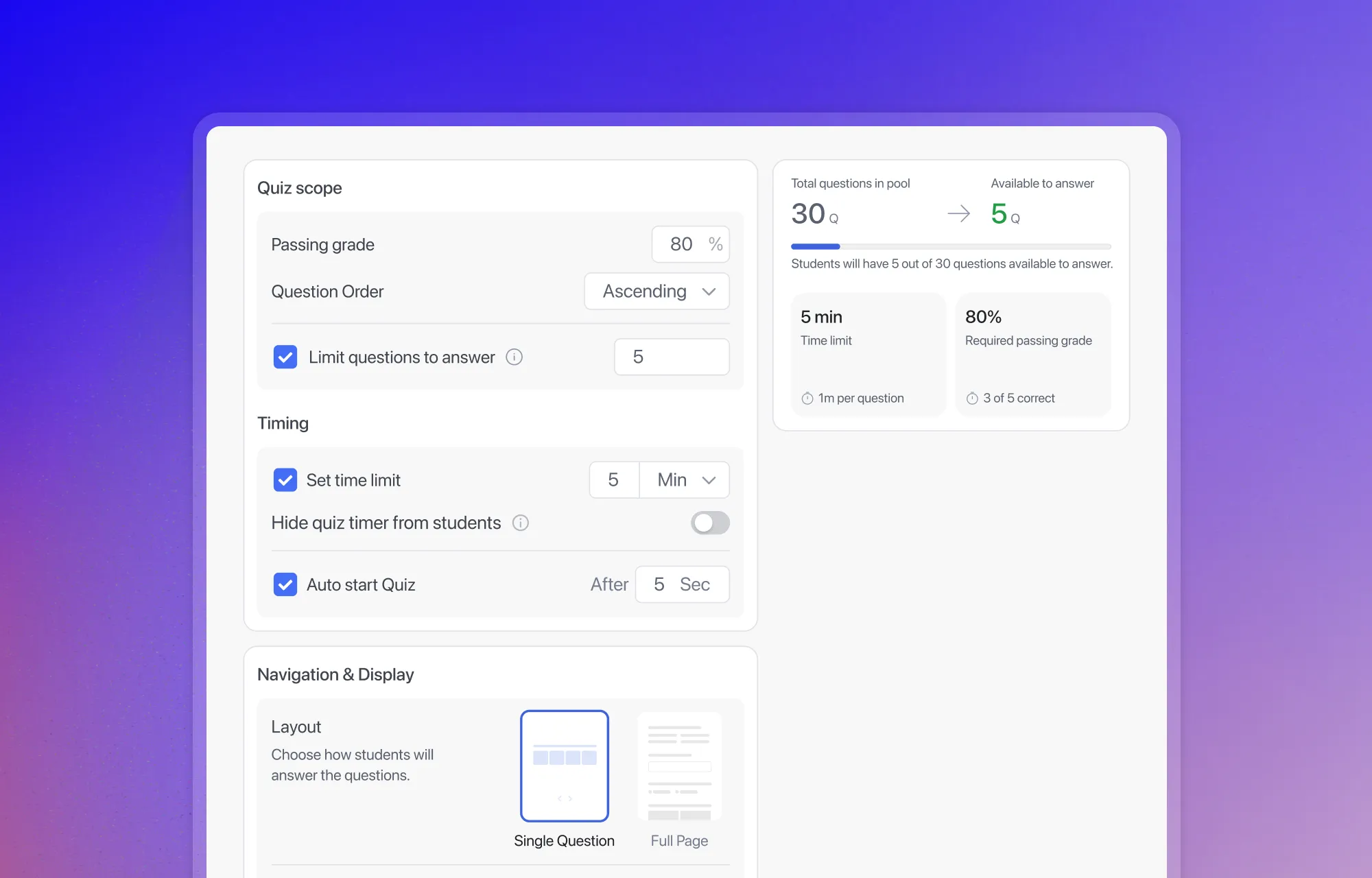
Beyond the new question types, the quiz builder itself has been significantly reworked. All settings are now reorganized into a single unified view — no more hunting through tabs. When choosing how questions are displayed, instructors get a visual layout preview so they can see exactly what learners will see before publishing.
A clear line-based indicator shows the total number of questions in the pool versus how many learners are actually required to answer. And context-sensitive options like Character Limits and Prerequisites only appear when they’re actually relevant, keeping the interface clean and focused.
Quiz Attempt Tracking
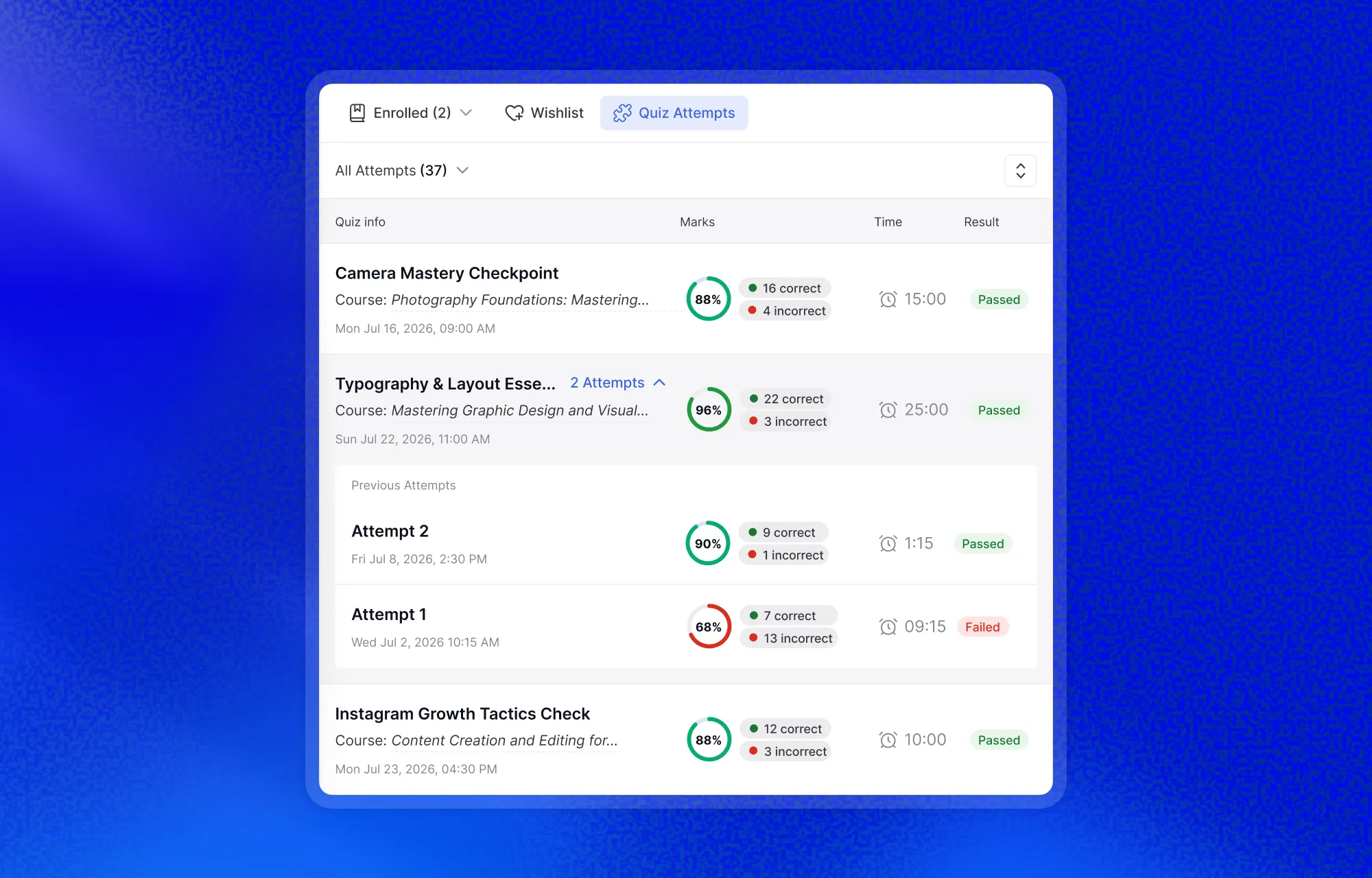
Learners can now view all of their previous quiz attempts in a structured, easy-to-read format. Each attempt shows a circular score indicator, color-coded to break down correct, incorrect, and pending answers at a glance.
Full results and question-level breakdowns are available per attempt. And when retakes are enabled by the instructor, learners can jump straight back in from the same screen.
AI-Powered Question Generation
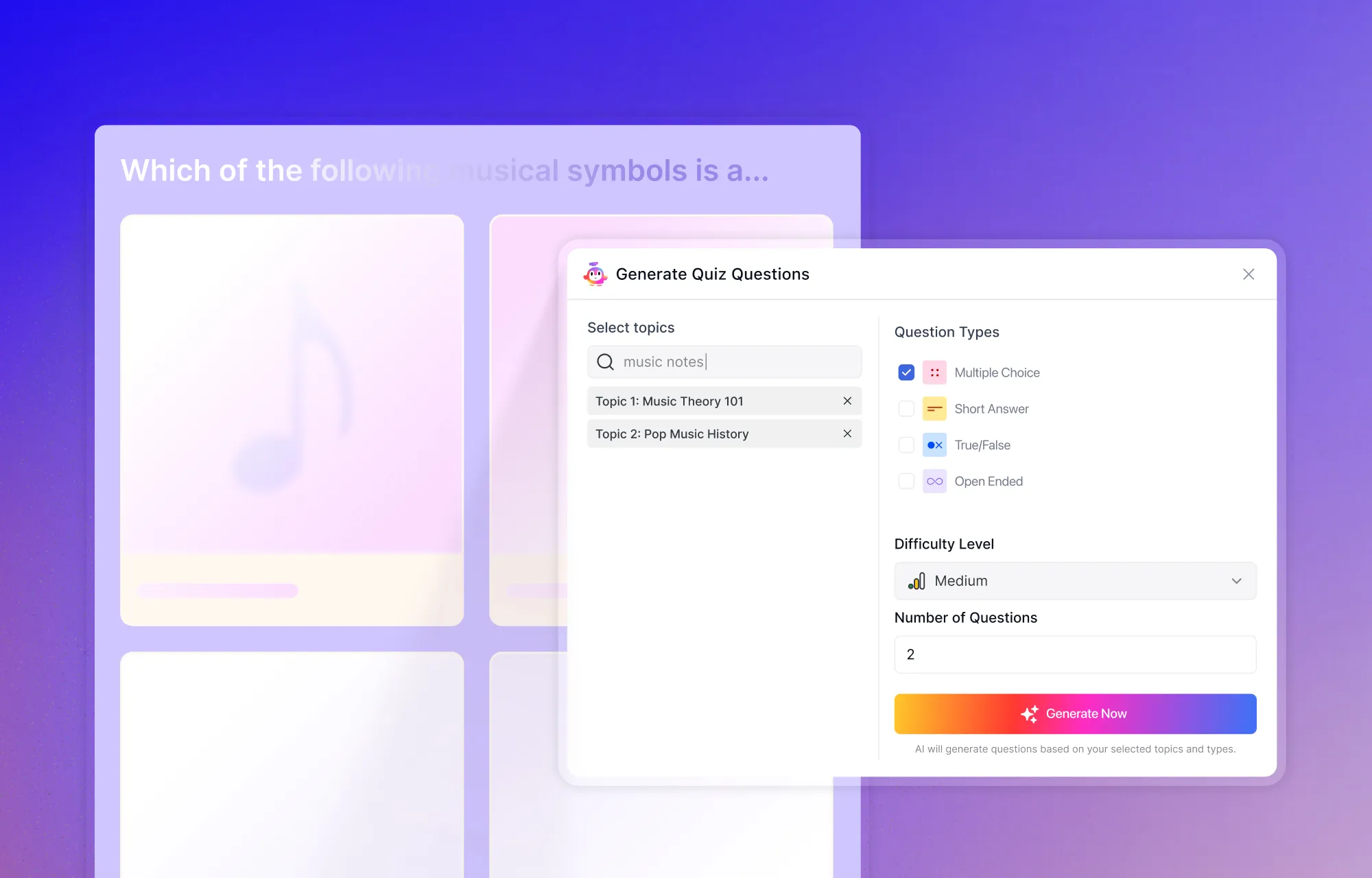
Creating a well-structured quiz from scratch takes time. With AI Studio in 4.0, instructors can now generate ready-to-use questions in seconds. Pick a topic, choose the question types you want — True/False, MCQ, Short Answer, Open-Ended — set a difficulty level and a count, and AI Studio handles the rest. The questions come out structured and ready to publish, with room to edit before going live.
A Home Base for Every Learner
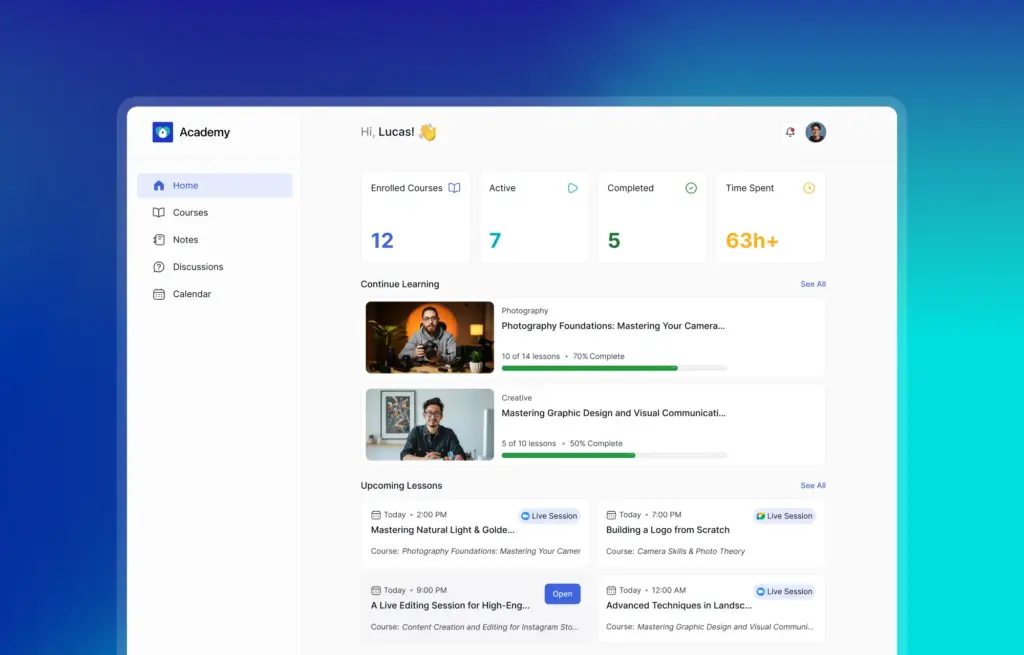
We’ve also made major changes to how learners view their profile and interact with the platform beyond courses.
The learner dashboard in 4.0 is built around one idea: when a learner logs in, they should immediately know where they stand. Upcoming live lessons, total time spent learning, pending tasks are all visible without scrolling or navigating away. Hovering over any course name brings up a quick preview card showing progress and where they left off, without pulling them out of the dashboard view.
Personal Details Managed With Ease
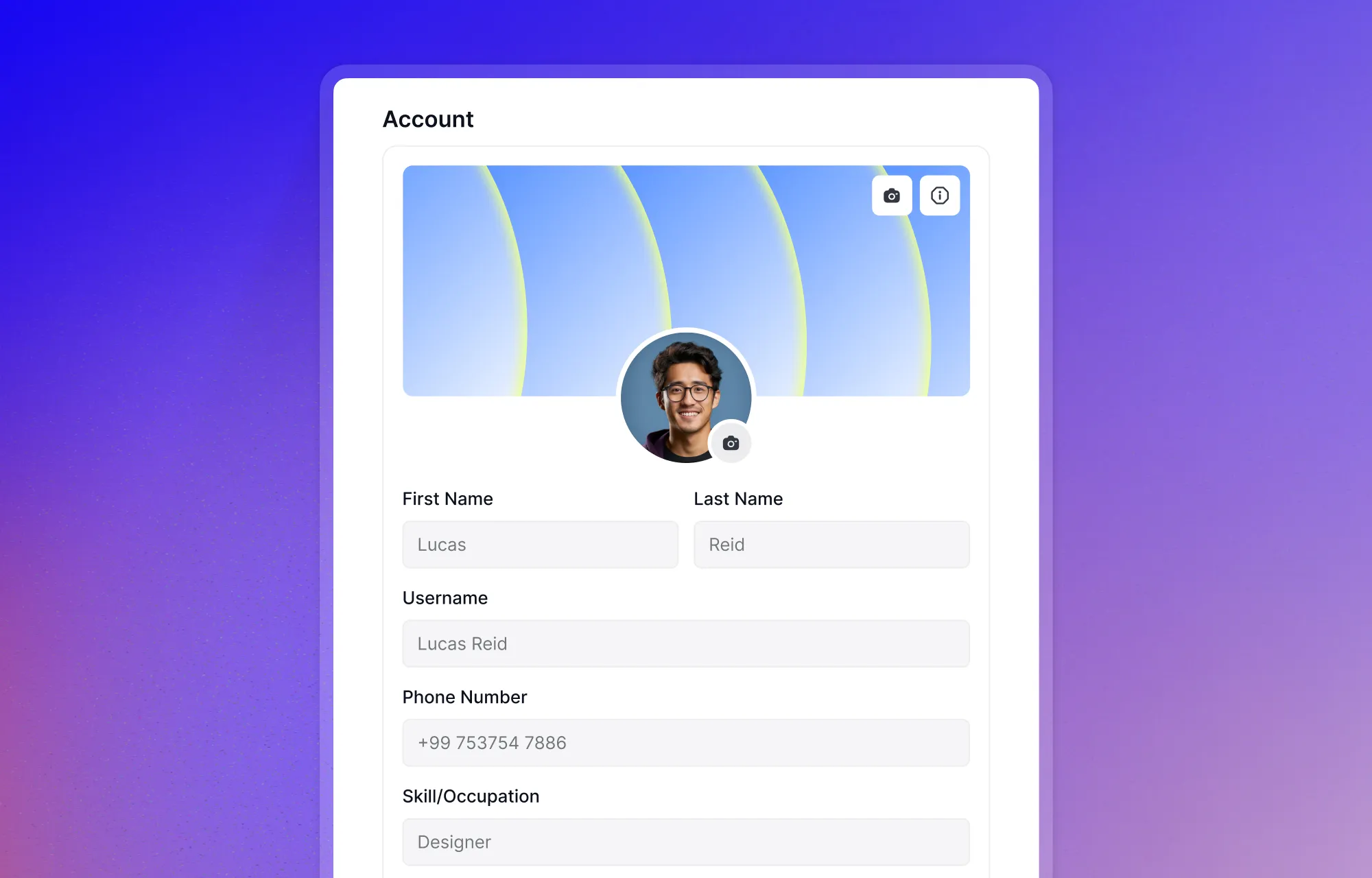
Learners can manage all of their personal information and upload a certificate signature from one unified profile tab. Clean, straightforward, no unnecessary friction.
Full Control Over How the Platform Communicates
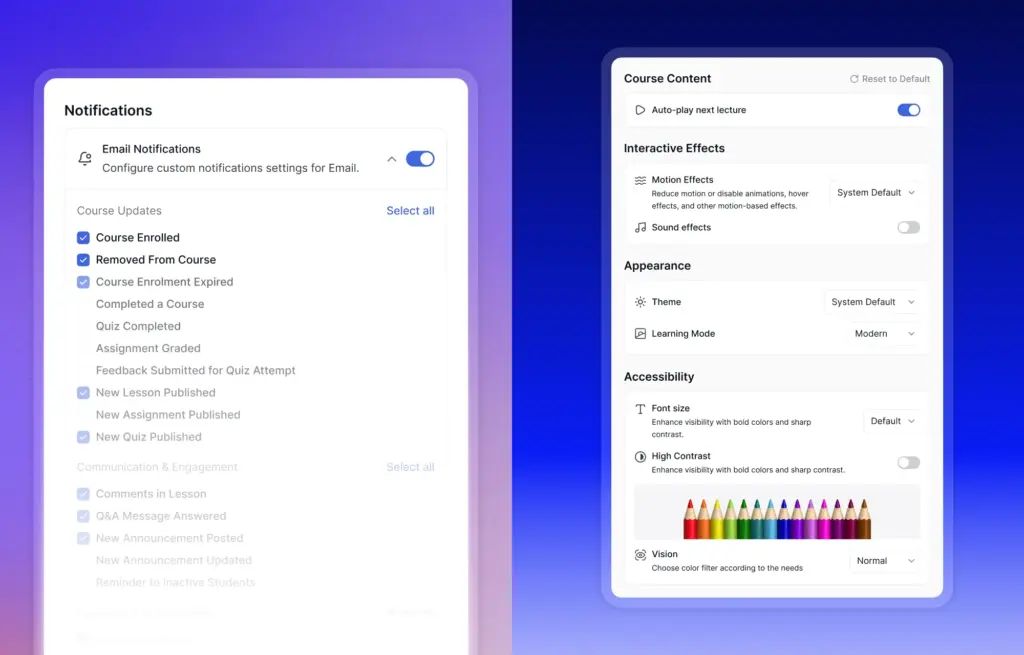
Learners have full control over which push notifications they receive, so the platform communicates with them on their terms rather than constantly interrupting. The Preferences tab goes a step further — autoplay toggle, Wi-Fi download setting, theme selection, and high contrast mode are all managed from one place.
Truly Enhanced Instructor Experience
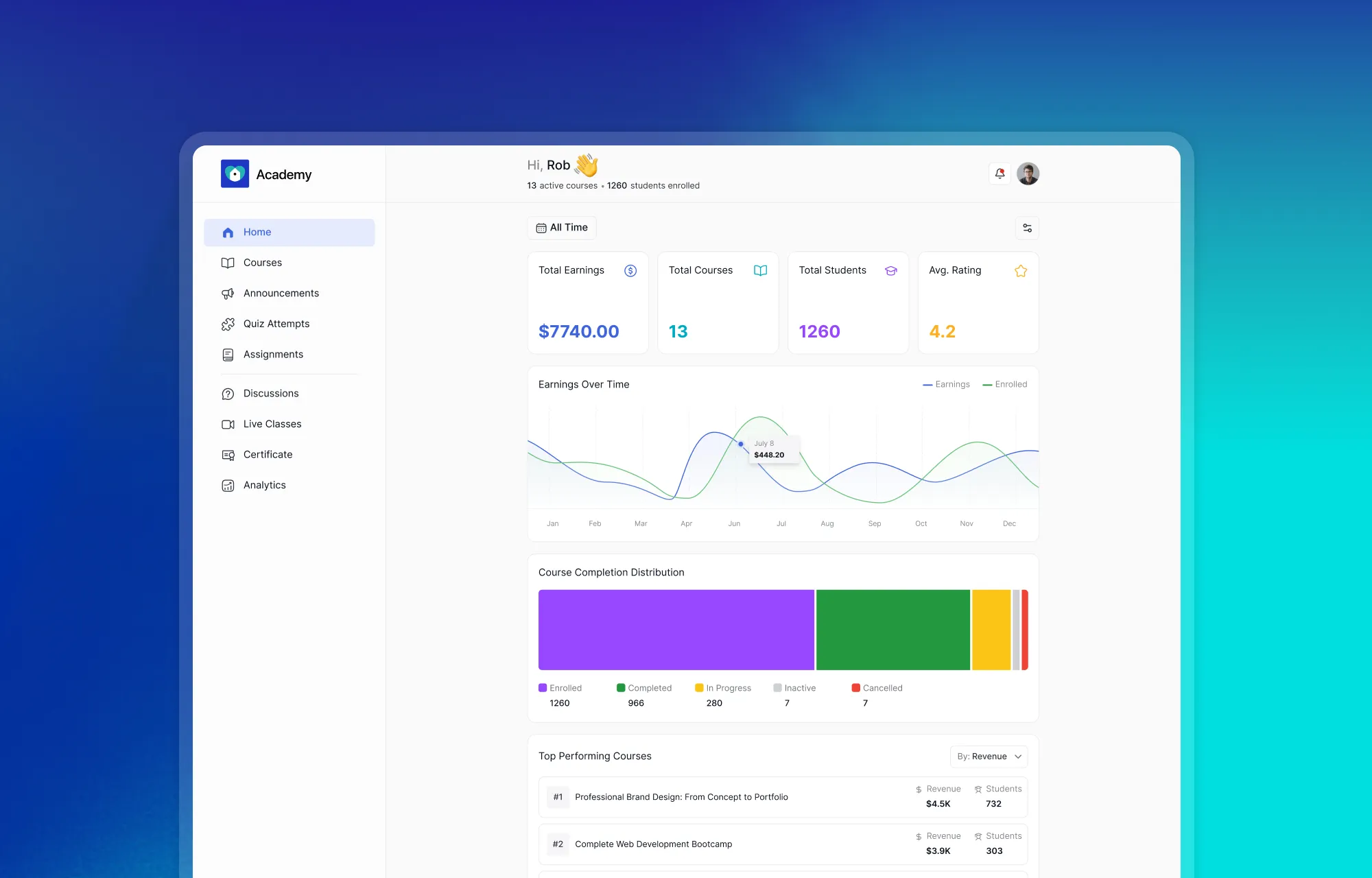
The instructor dashboard in 4.0 gives a complete, at-a-glance overview of everything happening across the academy. Earnings over time, active and top-performing courses, recent learner activity, and reviews — all surfaced clearly without having to pull separate reports.
Switch Between Instructor and Learner View Instantly
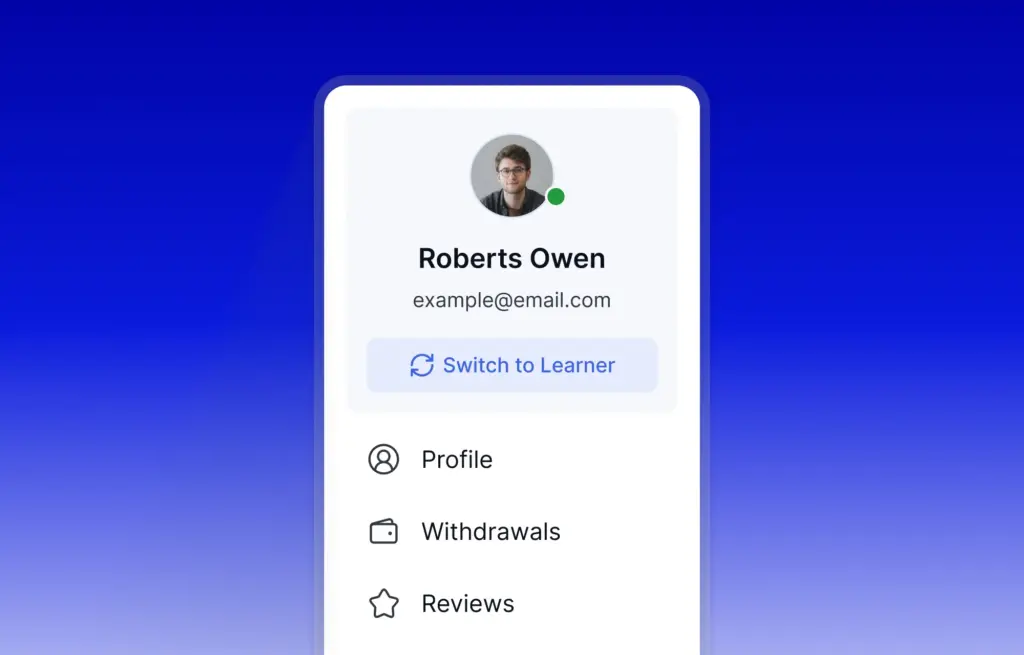
Instructors who are also learners on the platform can now switch between roles cleanly. Each mode shows only the menus and tools relevant to that role, so the experience on either side stays focused and uncluttered.
Managing a Course Just Got a Lot Simpler
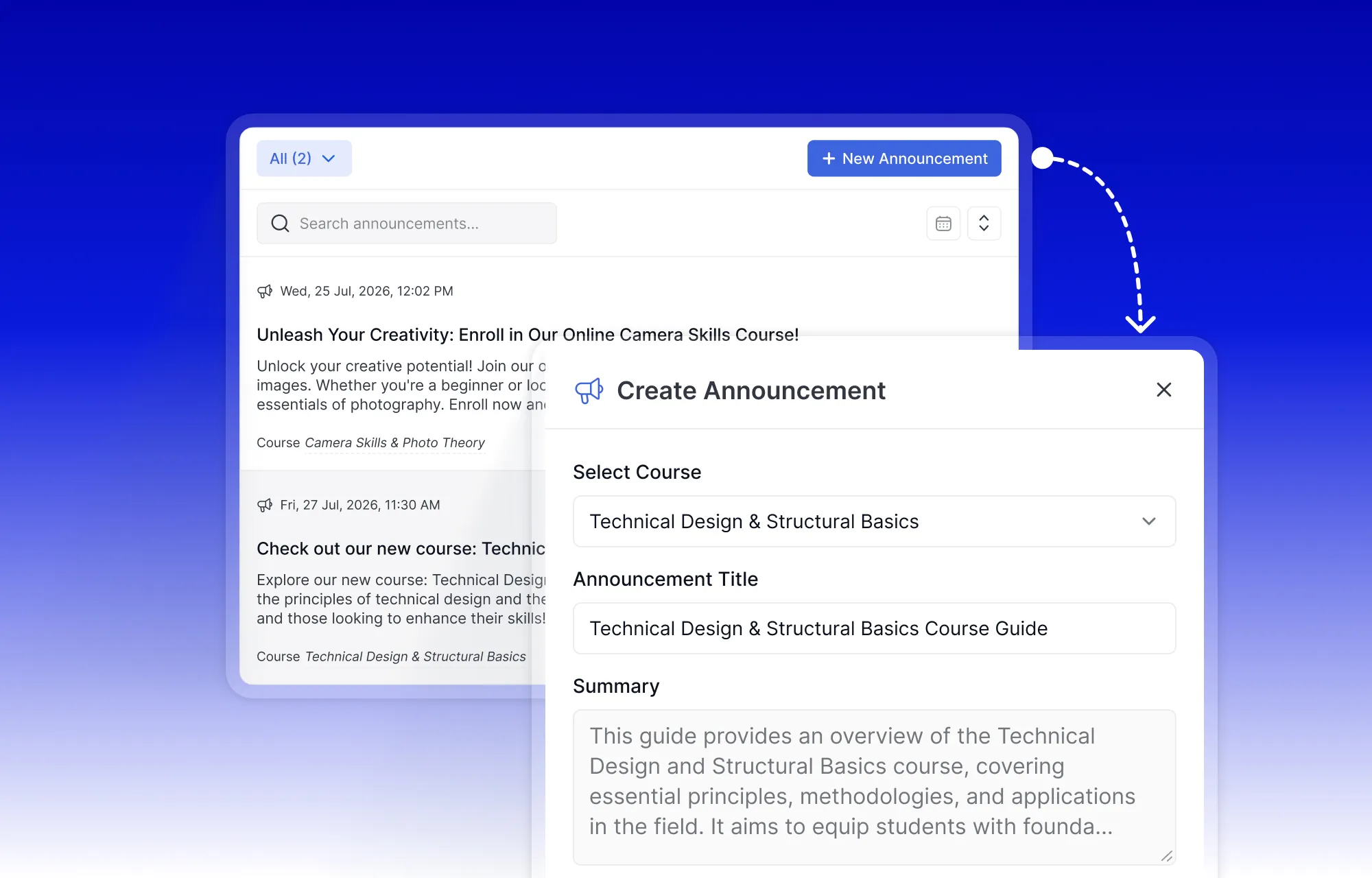
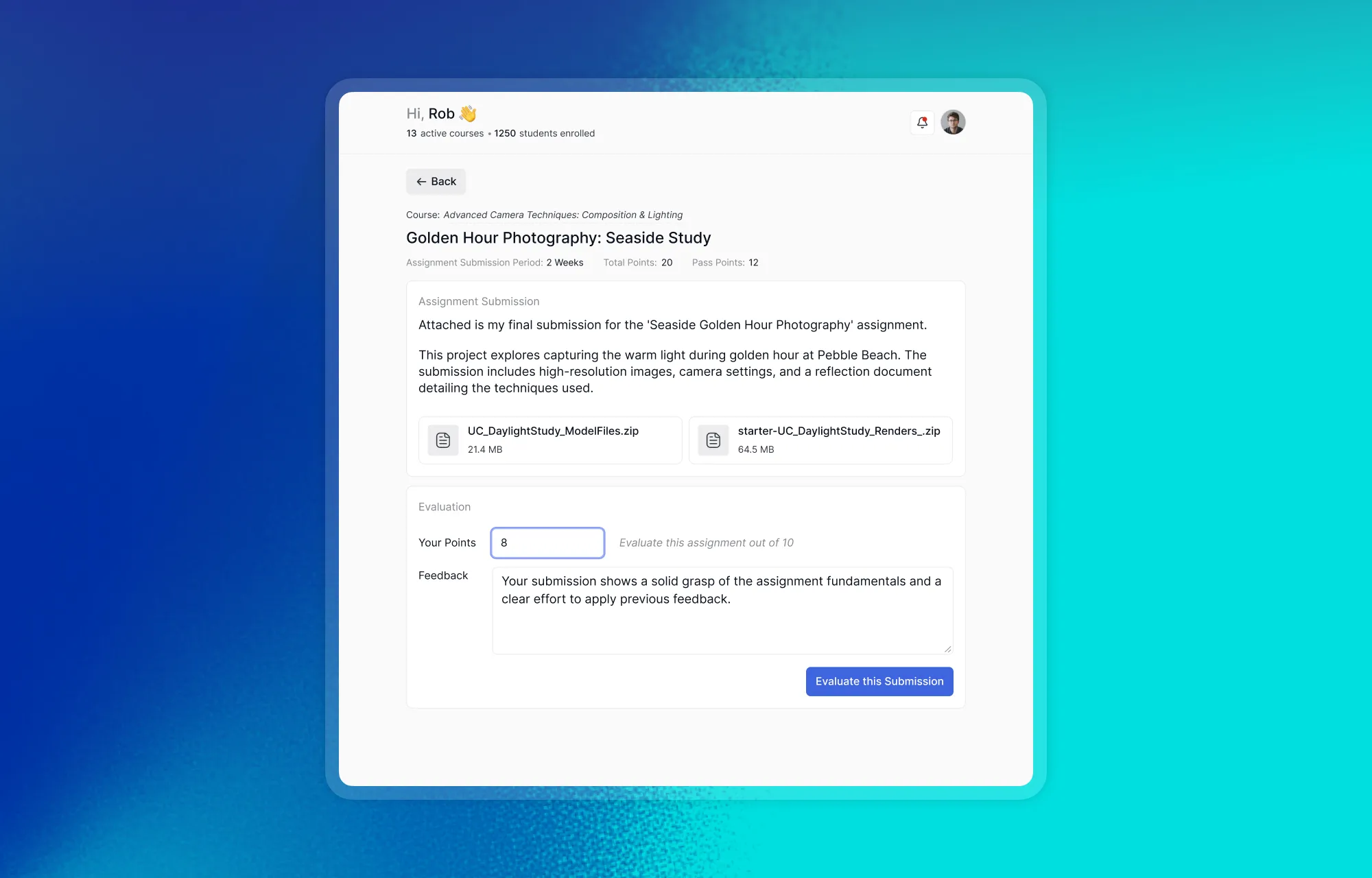
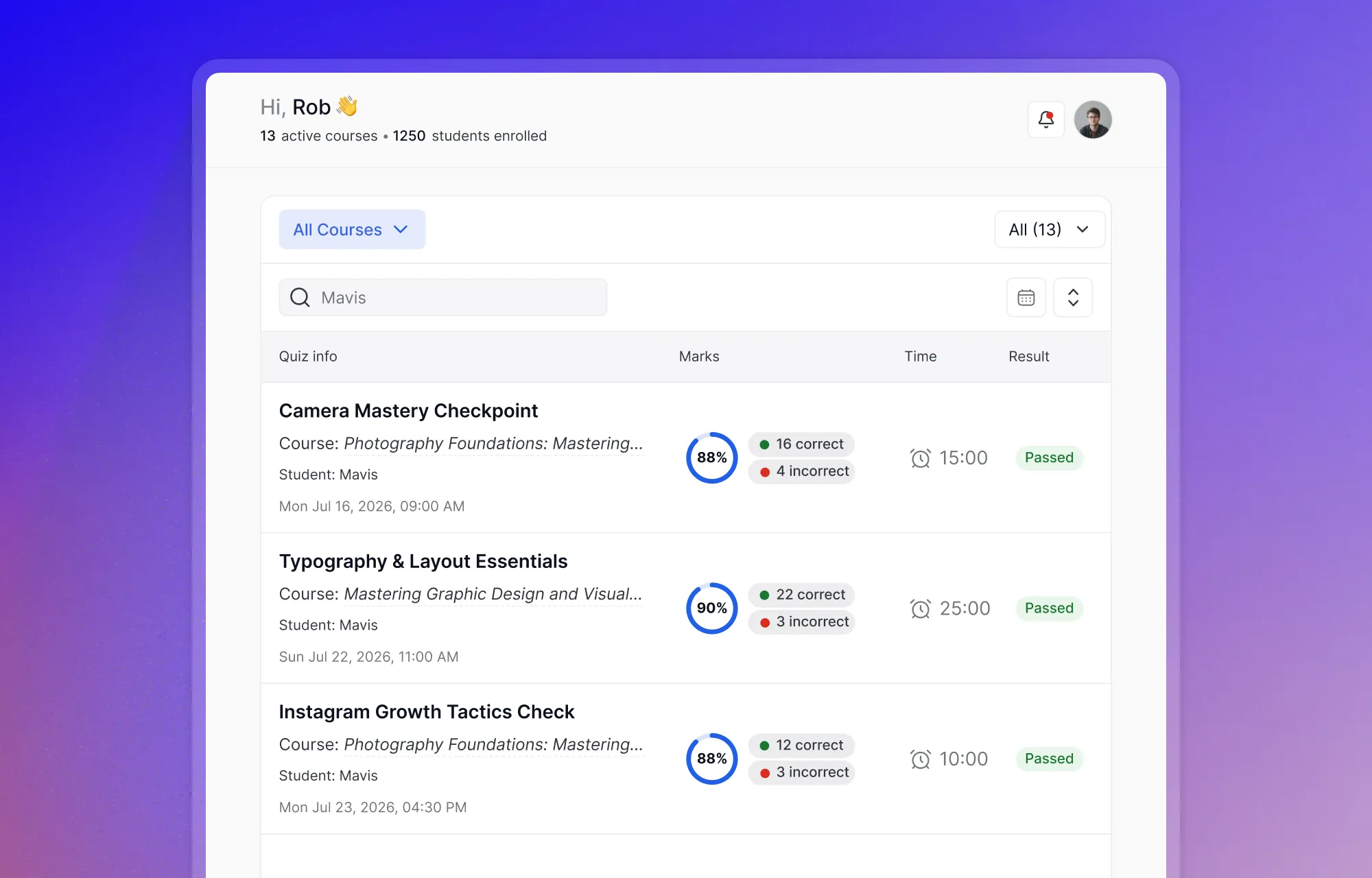
Quiz attempts, assignment submissions, and course announcements are all easier to reach without jumping between sections. The day-to-day of managing a course is noticeably less click-heavy.
Deeper Insight Into How Things Are Doing
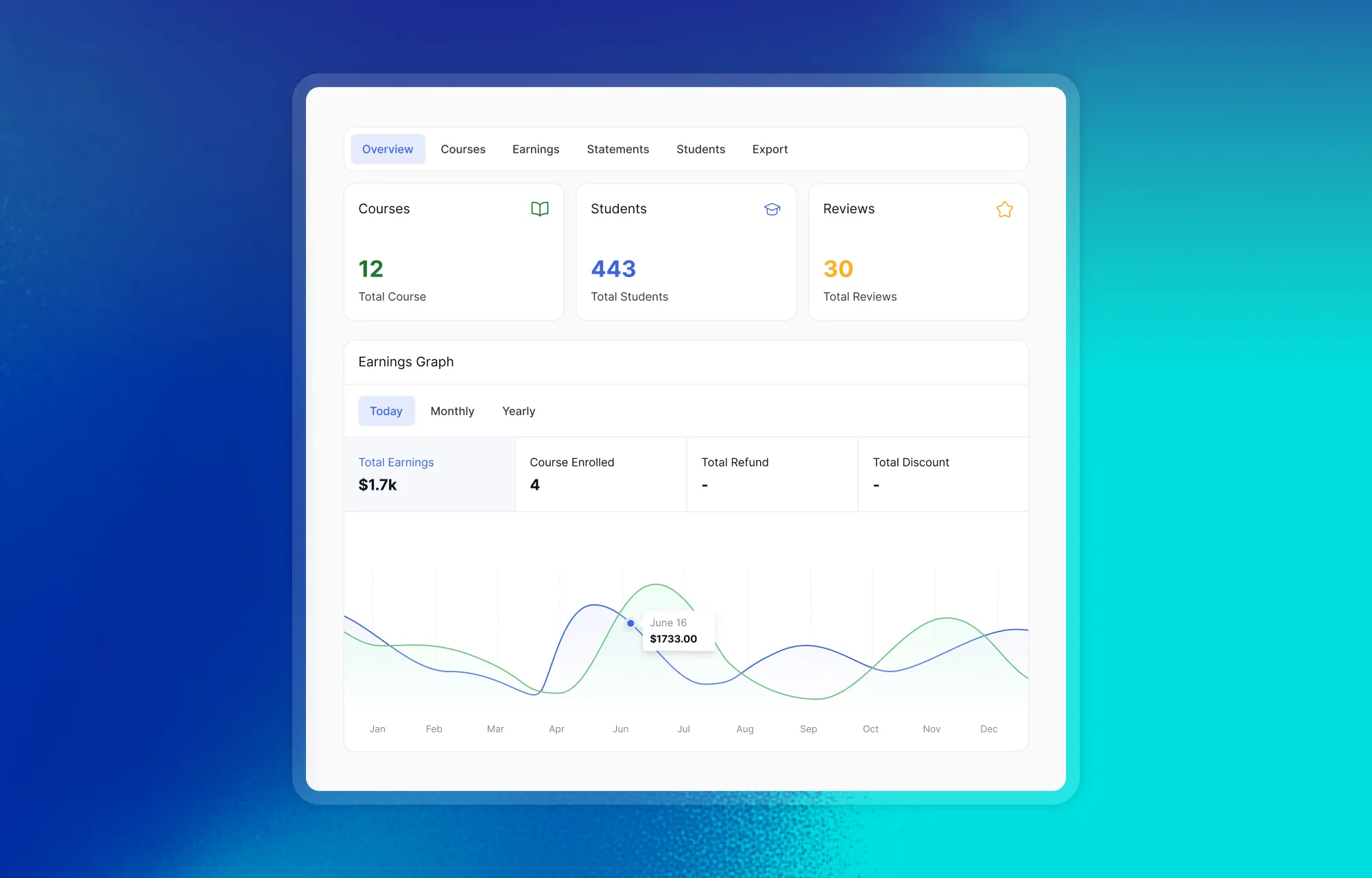
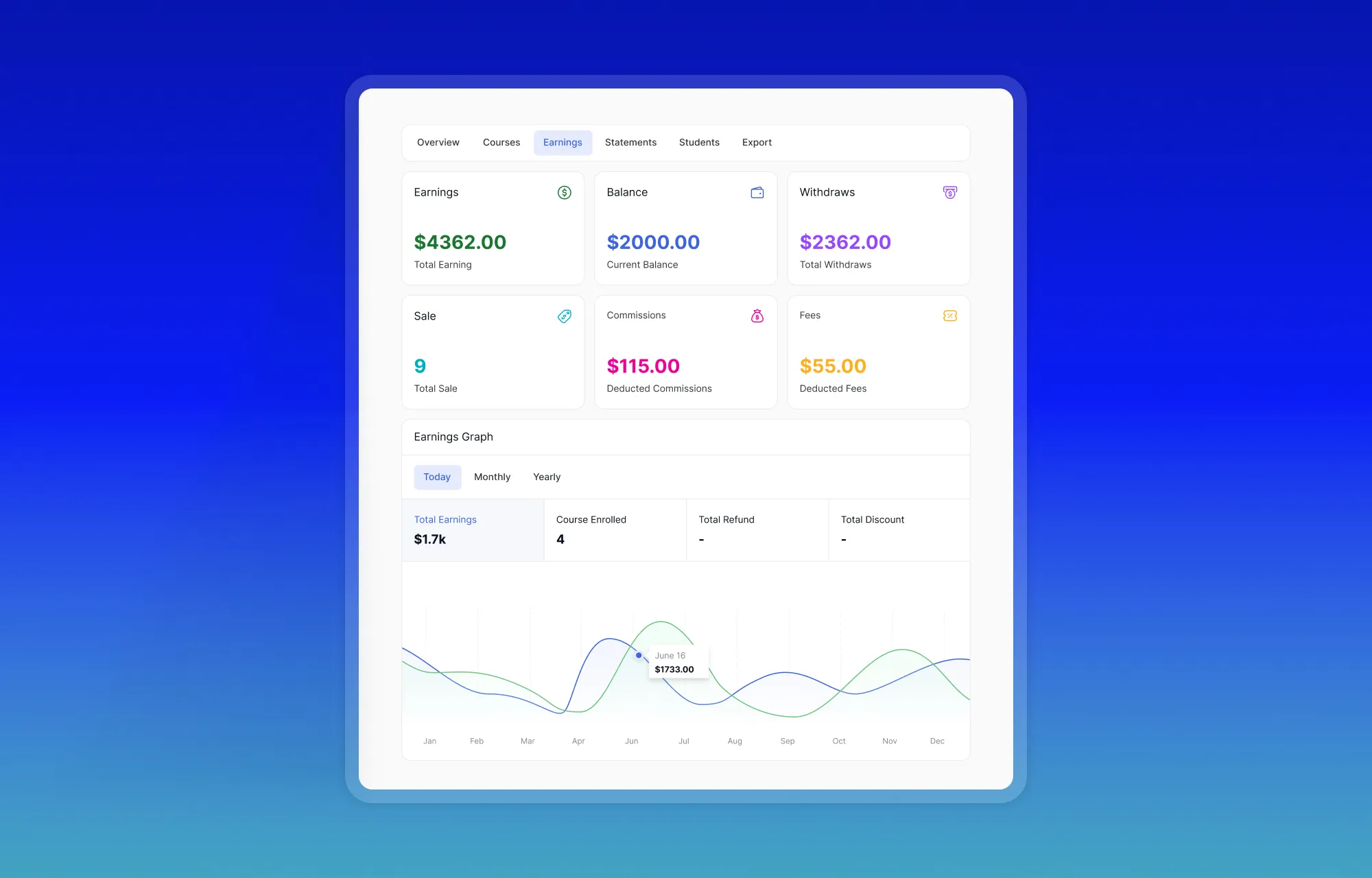
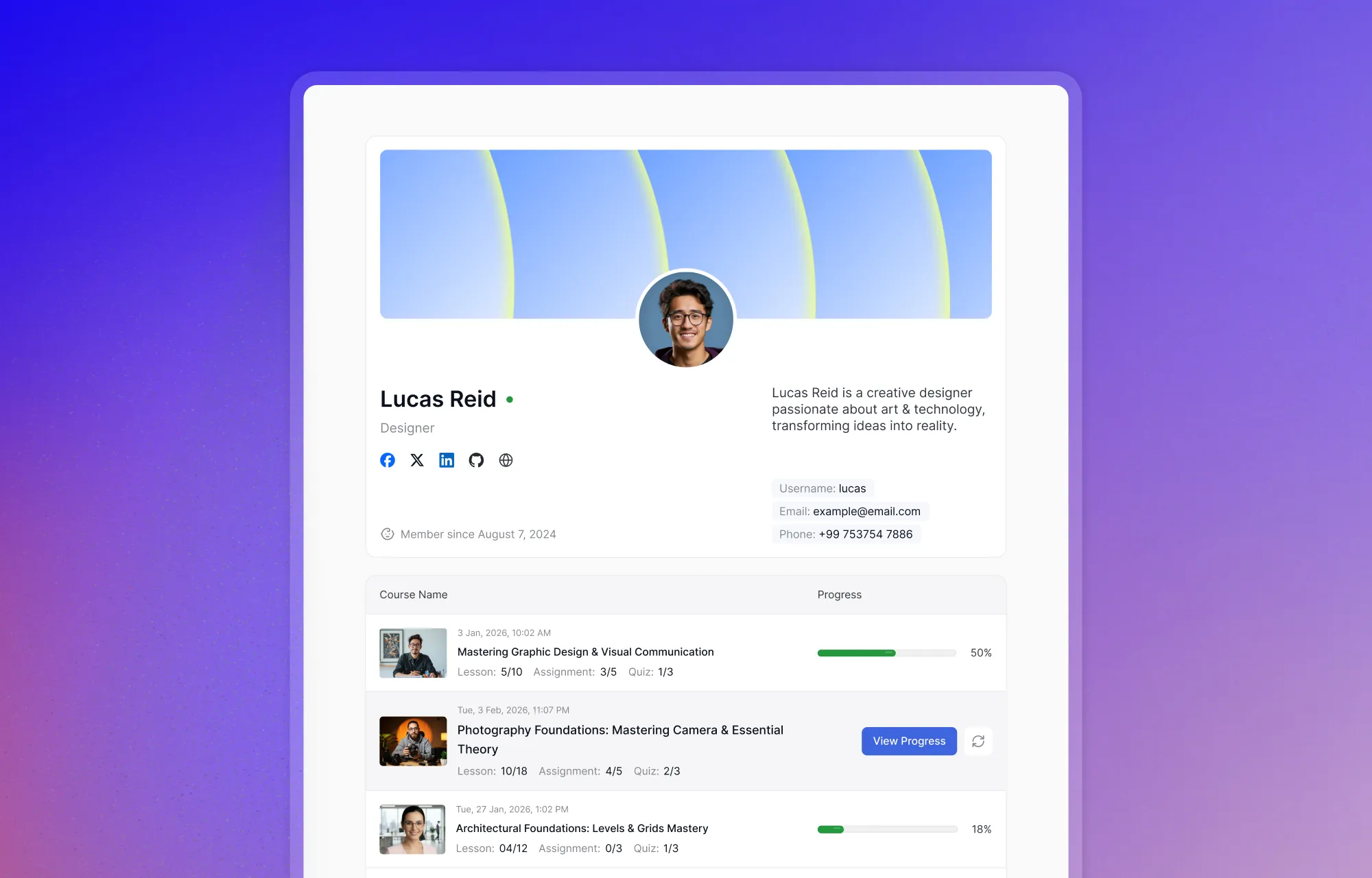
The analytics experience has been reworked to be more visual and easier to interpret. Learner progress, engagement patterns, earnings, and learner-level details are all presented in a way that makes it easier to actually act on what you’re seeing.
A Cleaner More Professional Presence
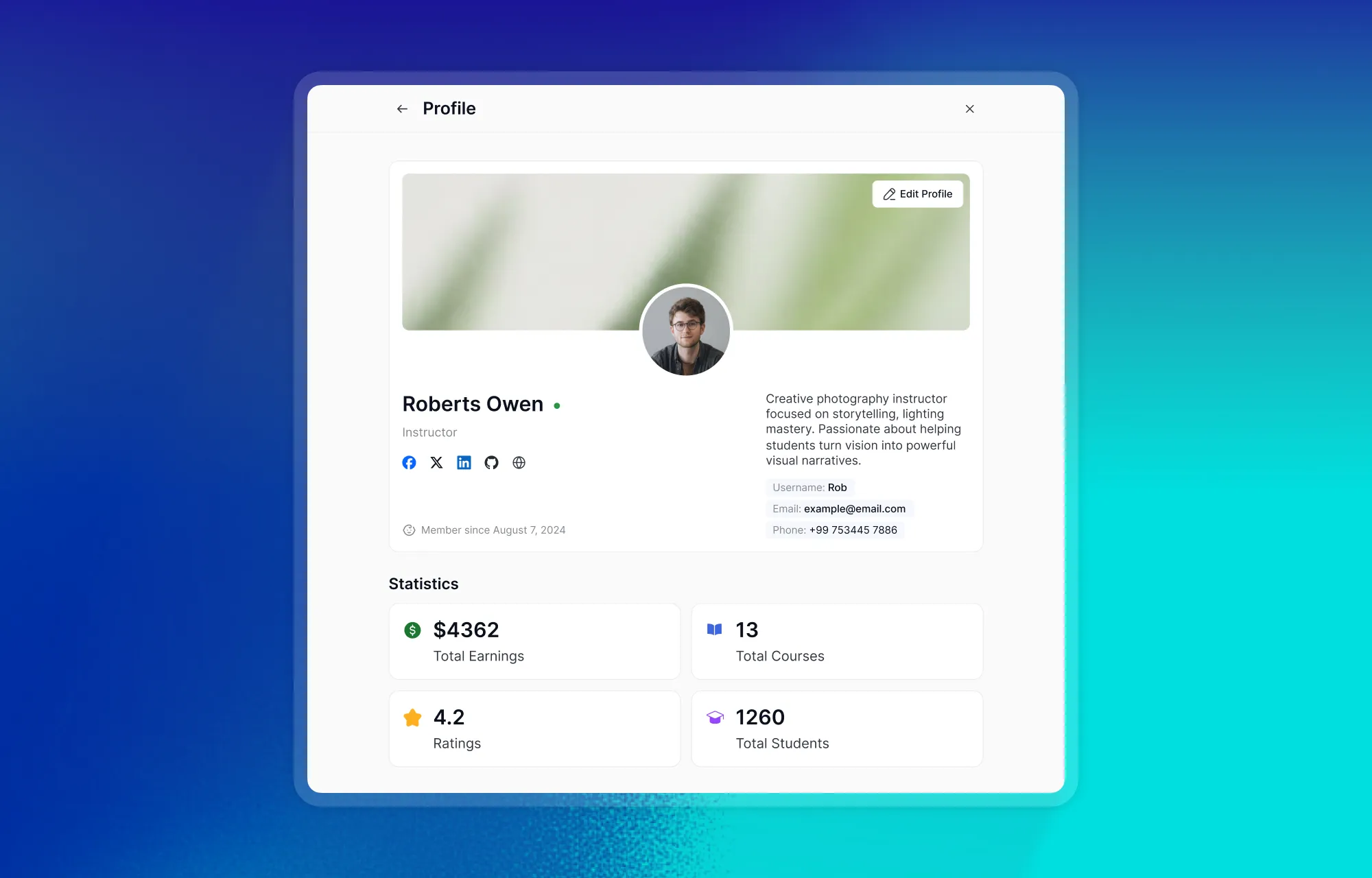
The instructor-facing profile has been cleaned up and given a more professional presentation — a better reflection of the people teaching on the platform.
Admin Controls: More Power, Less Clutter
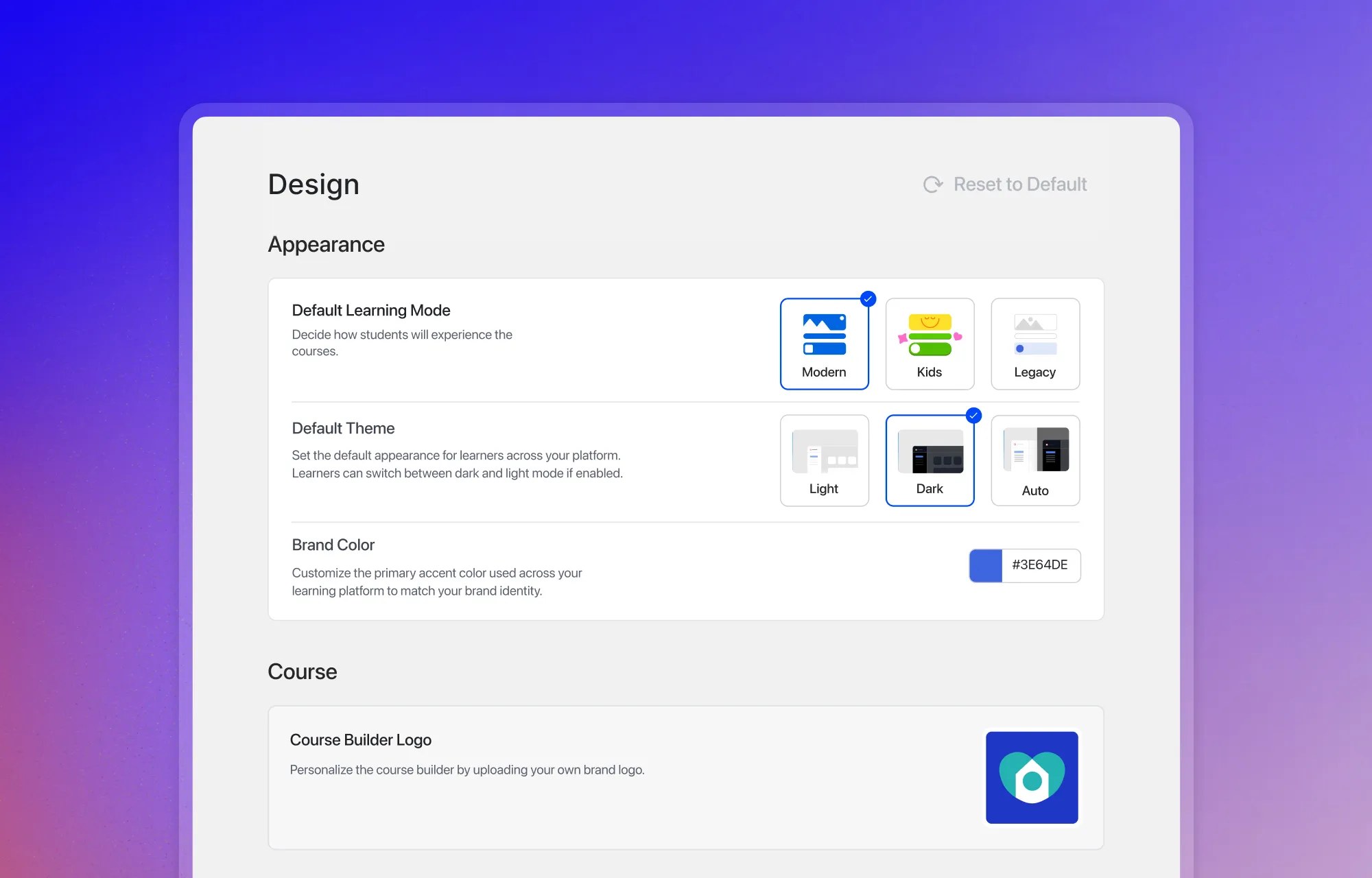
In the pursuit of enhancing the learner experience, admins weren’t left behind. 4.0 brings meaningful improvements to how administrators manage and customize their platform, giving them more control and more flexibility than ever before.
From one place, you can switch between Modern, Kids, and Legacy modes and apply it globally. The whole platform updates instantly to match whatever experience fits your audience best.
Consent Management Without the Headache
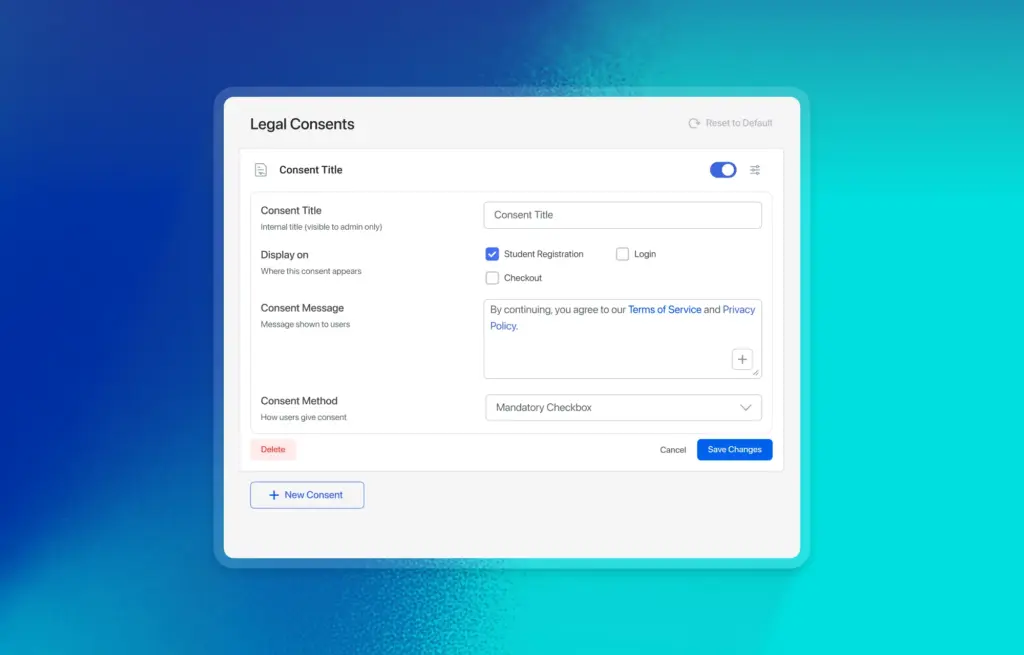
GDPR compliance used to mean installing a separate plugin and hoping it covered everything you needed. In 4.0, it’s built directly into Tutor LMS.
Admins can create unlimited consent rules and configure when and where they appear across the platform. Every time a learner accepts a consent rule, Tutor LMS logs it — who accepted, and when. Those logs can be exported as a CSV at any time, making compliance reporting straightforward rather than something you have to piece together manually.
A Whole New World for Young Learners
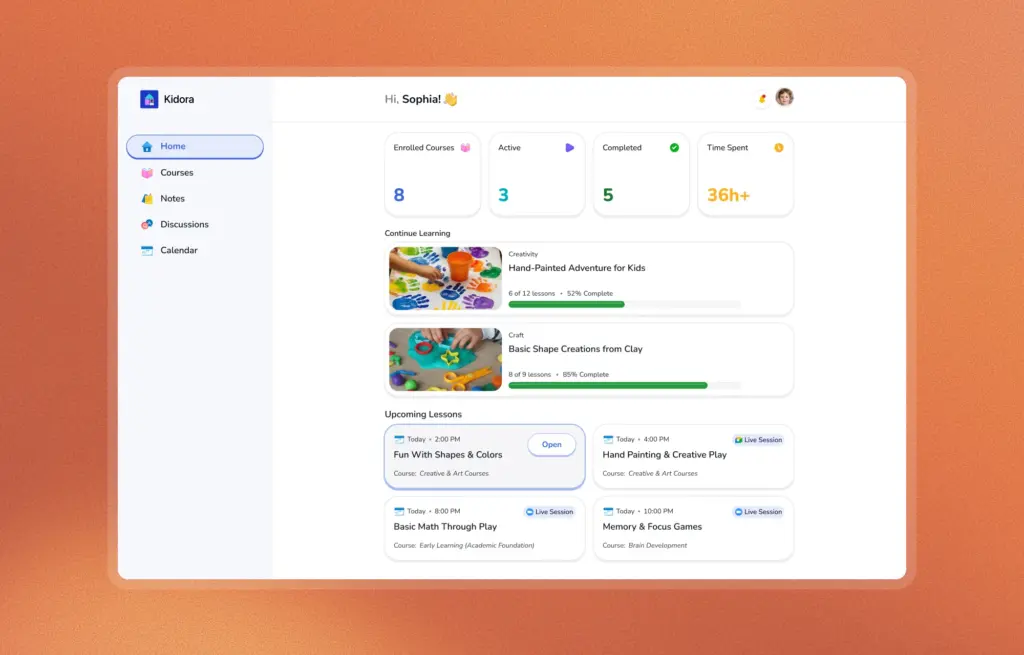
Kids Mode is a purpose-built interface for platforms serving younger learners. Playful colors, friendly icons, and a layout designed to make learning feel approachable and fun rather than clinical. If your platform runs courses for children, this is a meaningful upgrade to how the experience feels for your audience.
Accessibility Without Compromise
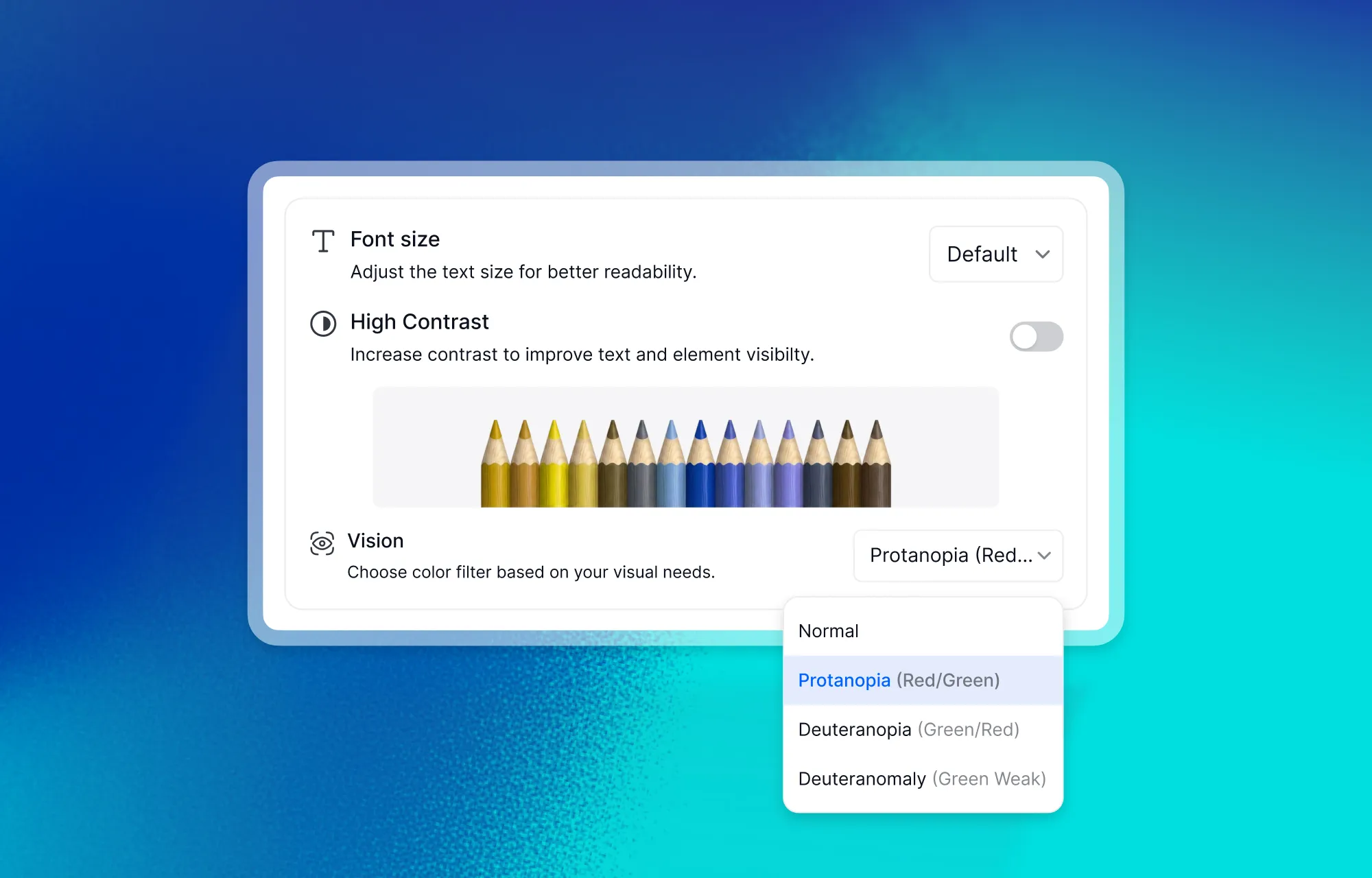
4.0 introduces CVD filters for Protanopia and Deuteranopia, alongside a High Contrast mode for learners who need sharper visual distinction across the interface. All of these options work in both Light and Dark mode, so no one has to choose between comfort and accessibility.
Comfortable Learning in Any Environment
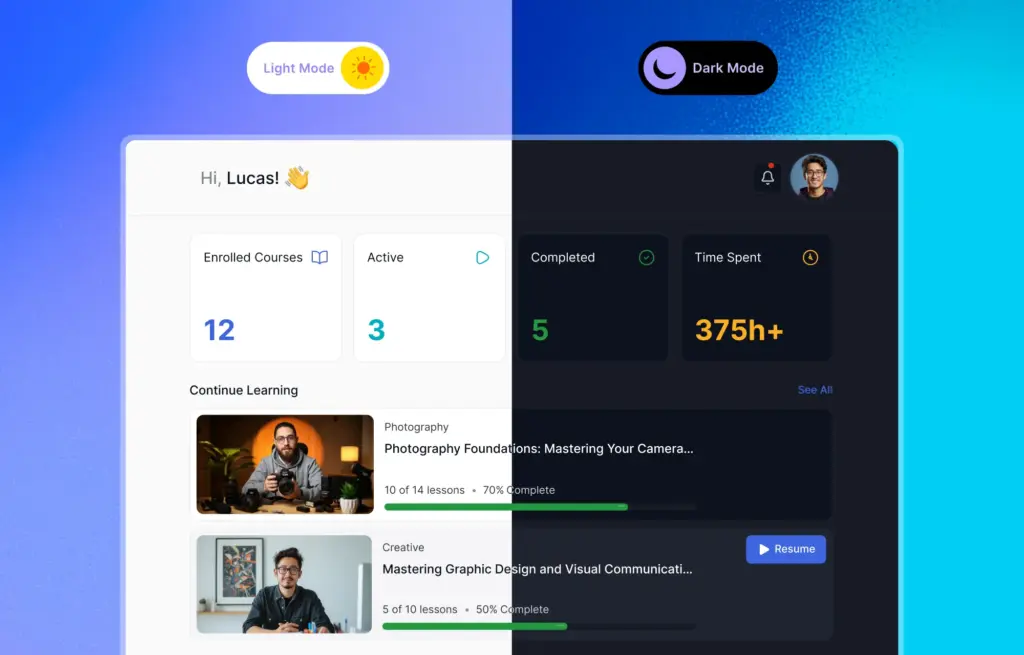
Anyone on the platform can now easily toggle between Light and Dark mode based on preference or environment. Eye contrast controls give additional flexibility for long study sessions where screen fatigue is a real concern.
How to Update to Tutor LMS 4.0
To try out the latest improvements, make sure both the free and pro versions of Tutor LMS are updated to 4.0 and active on your site. Running mismatched versions (one on 4.0, the other on an older version) can cause the new features to not show up properly or behave unexpectedly. Heres how to get both the versions:
- Free Version:
The free version of Tutor LMS 4.0 is available to update straight from your WordPress dashboard. - Pro Version:
The Pro version of Tutor LMS 4.0 can be downloaded from your Tutor LMS dashboard. Log in to your account, download the latest Pro version, and install it to your site to try the new features.
Note: If something isn’t working as expected after the update, try resetting your permalinks (go to Settings, then Permalinks, and just click Save without changing anything) and clearing any caching plugins or server-level cache you have active. This resolves most post-update display or functionality issues.
For Those Who Want the Full Picture
4.0 is a big release, and not everything made it into the sections above. Here are a few more changes that are worth calling out. For the complete detailed rundown checkout our releases page.
Student Experience
- Resource Center for PDFs and downloadable assets
- Student Dashboard showing live lessons, progress, and tasks at a glance
- Profile management with certificate signature and personal info updates
- Preferences for lesson autoplay, downloads, themes, and accessibility settings
- Micro-interactions with animations and sound effects
- Kids Mode with a playful, colorful interface
Instructor Experience
- Instructor Dashboard with earnings overview, course stats, and student activity
- Clearer analytics for engagement, progress, and course performance (Pro)
Quizzes & Assessments
- 5 new quiz types: Draw Image, Pin Image, Graph, Puzzle, and Scale (Pro)
- Redesigned quiz interface with detailed tracking and review options
- Question preview added to the Quiz Builder
- AI Studio can now generate quiz questions independently
Platform & Monetization
- Centralized course billing with subscriptions, history, and renewals
- Certificate verification feature (Pro)
- Course bundle expiry functionality (Pro), later enhanced in Beta 2
- Order history list added for PMPro monetization (Pro)
- GDPR compliance support for improved data handling
What 4.0 Means for What Comes Next
Tutor LMS 4.0 is the most significant thing we’ve shipped since Tutor LMS launched. But more than what’s in the release, what excites us is what it makes possible going forward. A platform built around the learner experience — one that actually feels good to use, is a platform that educators can build real businesses on, and that learners actually want to come back to.
Thank you to everyone who tested the betas, filed issues, sent feedback, and stuck around through the process. This release has your fingerprints on it.
Now go build something great with it.

Start Using Tutor LMS Today
Ready to take your online courses to new heights? Download Tutor LMS now and enjoy a journey of eLearning excellence.