The Alpha gave you an early look. The Beta is where things start coming together.
With Tutor LMS 4.0 Beta 1, we’re adding new features on top of the foundation we laid in the Alpha, fixing issues reported by early testers, and continuing to refine the overall experience before the final release.
If you haven’t tried 4.0 yet, this is a great time to jump in on a staging environment and see what’s changed.
⚠️ Important: Tutor LMS 4.0 Beta 1 is still a pre-release build and may contain bugs. Do not install it on a live site. Always test on a staging environment and back up your site before proceeding.
Here’s What Changed in Beta 1
Before we get into the details, here’s the full changelog for Tutor LMS 4.0 Beta 1:
- New: Introduced 3 new quiz types: Draw Image, Pin Image, and Scale. (Pro)
- New: Added certificate verification feature. (Pro)
- New: Added course bundle expiry functionality. (Pro)
- New: Added forgot password email template. (Pro)
- Update: Learning area updated to now show Gradebook. (Pro)
- Update: Improved translation compatibility.
- Update: Lesson Note enable/disable option added in admin settings.
- Update: Improved overall assignment functionality.
- Fix: Enrolment email not triggered when enrolment occurs via Tutor REST API. (Pro)
- Fix: Resolved critical errors affecting Quiz Submit and Quiz Quit actions.
- Fix: Fixed dashboard subpages showing “not found” without permalink reset.
- Fix: Resolved issue where account page information was missing in specific cases.
- Fix: Fixed assignment search and filtering issues.
- Fix: Fixed Hide Quiz Time feature not working.
- Fix: Fixed Retake Quiz button not working on the Quiz Summary page.
- Fix: Fixed security issue where unauthenticated users could access invoices. (Pro)
- Fix: Fixed database error in the report admin panel when monetization is disabled.
- Fix: Resolved 2FA login nonce error. (Pro)
- Fix: Fixed error when deleting quiz attempts.
- Fix: Fixed blank billing page when WooCommerce or EDD is active.
- Fix: Fixed issue where YouTube videos would not play when Tutor Player is disabled.
Now let’s walk through the highlights.
Three New Quiz Types to Make Assessments More Interactive
We gave a sneak peek at some new quiz types in the 4.0 first look, and Beta 1 is where they actually land. Three new interactive quiz types are now available for Pro users: Draw Image, Pin Image, and Scale. Each one is designed to make assessments more visual and hands-on for learners.
Draw Image
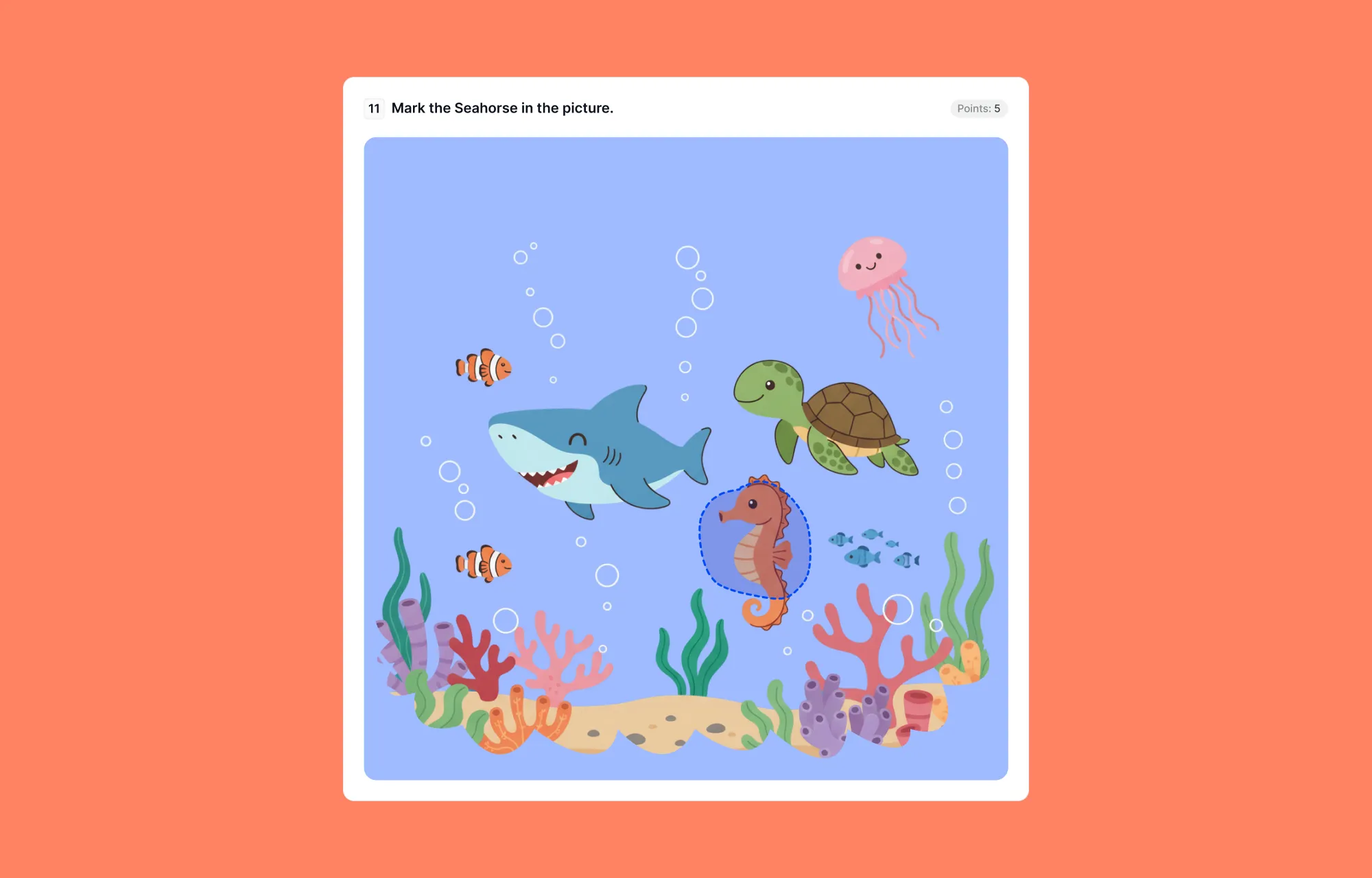
The Draw Image quiz type lets students draw directly on an image as their answer.
For example, an instructor can ask learners to circle a specific object, highlight an area, or mark a region. This opens up new possibilities for subjects that rely on visual identification.
Pin Image
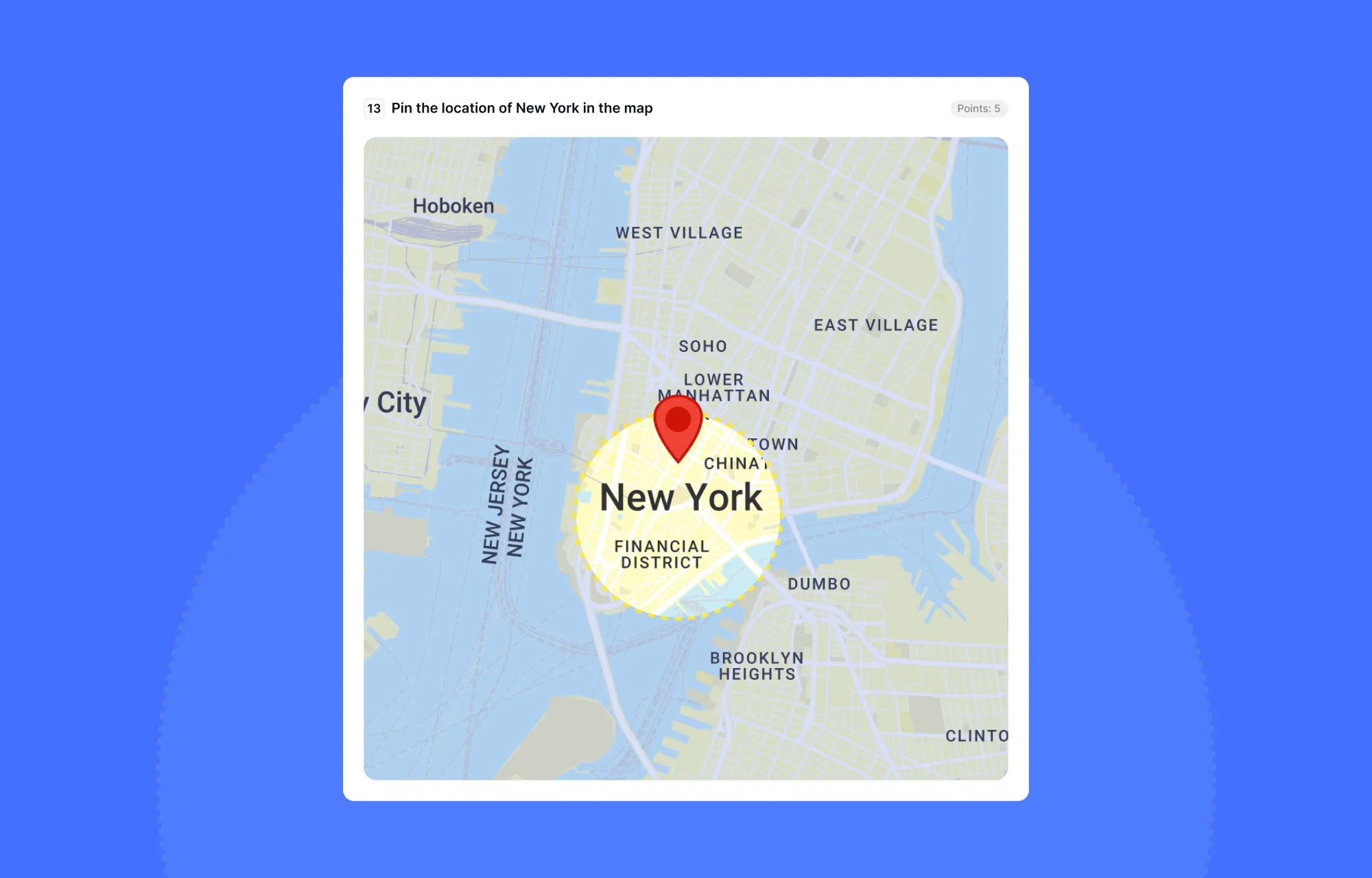
With Pin Image questions, students tap or click to drop a pin on a specific spot in an image. For example, a teacher can show a world map and ask students to mark where a country is located. It is great for geography, diagrams, or any lesson where location matters.
Scale
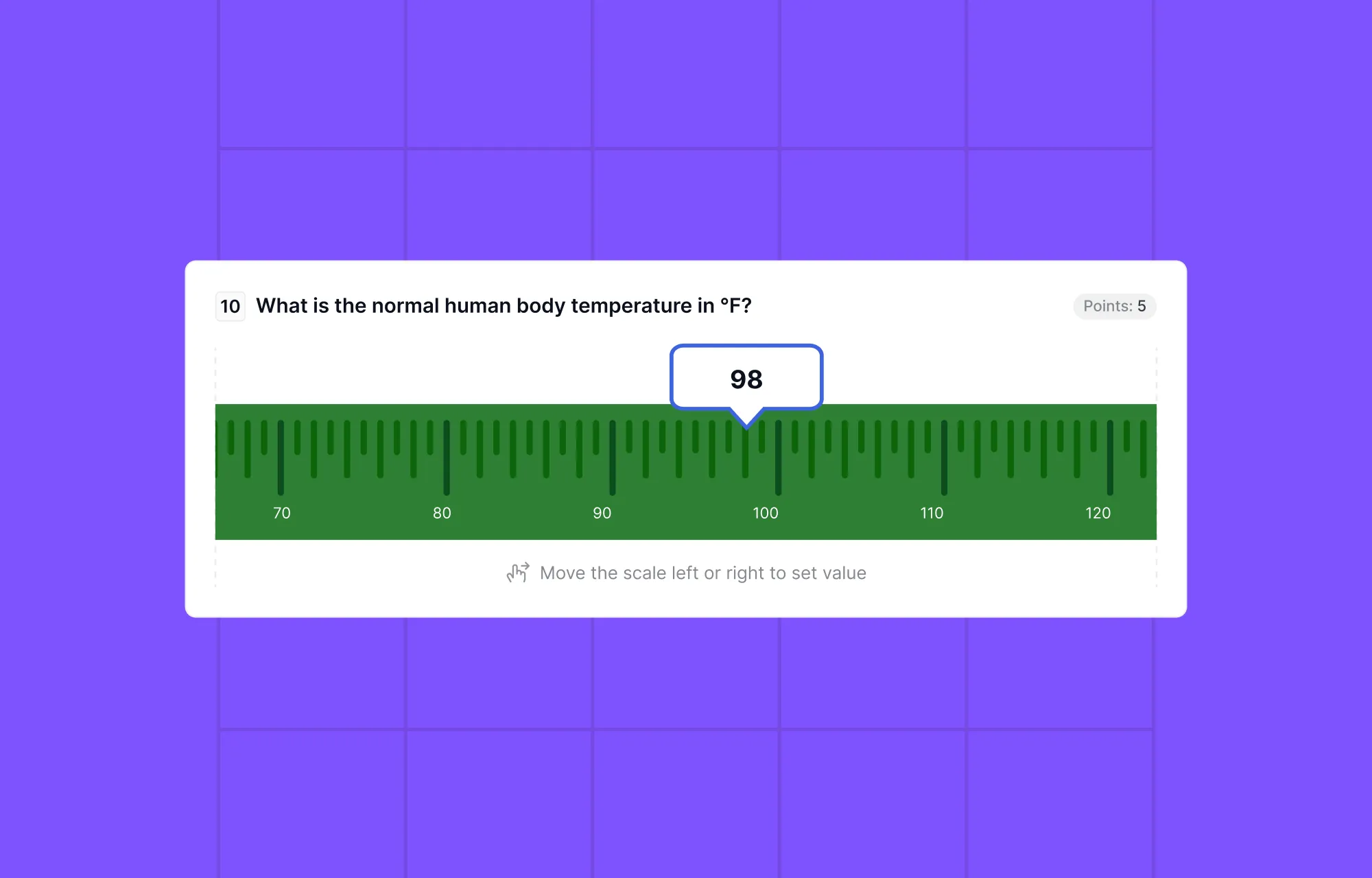
The Scale quiz type introduces a slider-based interaction. Learners can move a slider along a range to indicate their answer.
This is particularly useful for:
- Rating-based questions
- Estimation or approximation
- Opinion-based inputs
Together, these quiz types significantly expand how instructors can design assessments inside Tutor LMS.
Certificate Verification Is Now Live
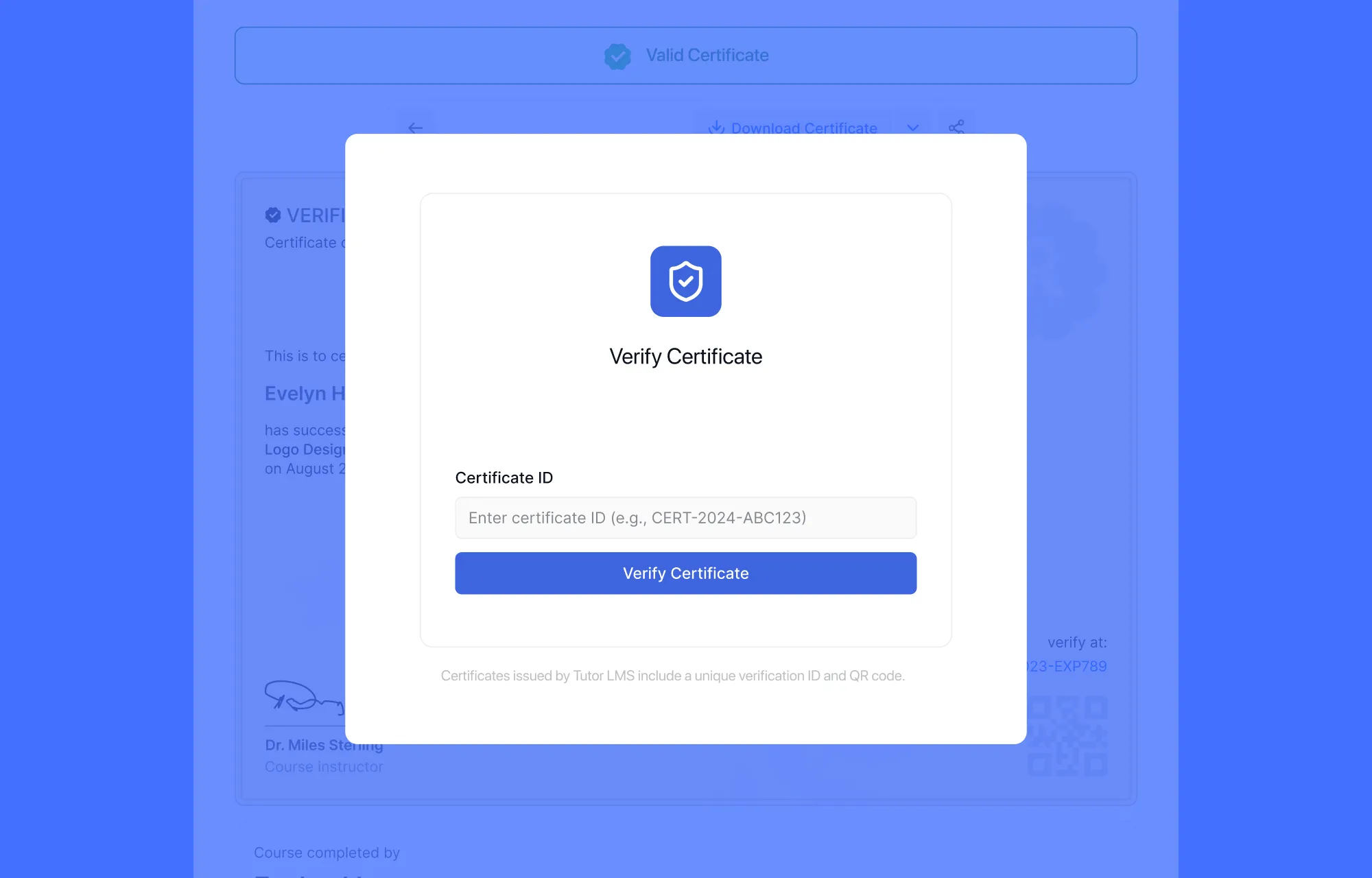
Certificates in Tutor LMS 4.0 already look great. Now they carry more weight.
With the new certificate verification feature, each certificate issued through Tutor LMS can be independently verified. The verification is done by each certificate receiving a unique certificate ID.
This is a meaningful addition for learners who want to share their credentials professionally, and for instructors and institutions who want their certificates to hold real credibility outside the platform.
Note: This feature requires the latest version of the Certificate Builder (v1.3.1 onwards) to work.
A Brand New Email Template
A small but practical addition. Tutor LMS now includes a dedicated email template for “forgot password” requests, giving you more control over how that communication looks and feels when it reaches your students.
Other Notable Updates
A few more changes in this release worth knowing about:
Gradebook now visible in the learning area (Pro): Students can now see their Gradebook directly inside the learning environment, without having to navigate away. This keeps performance data right where it should be, close to the learning itself.
Course bundle expiry (Pro): You can now set an expiry date on course bundles, giving you more control over how long access is granted after purchase.
Lesson Note toggle in admin settings: Admins can now enable or disable the Lesson Note feature directly from the admin settings panel, without needing to touch any code.
Aside from these updates this release also addressed a solid round of bugs that were reported during the Alpha phase.
How to Download Tutor LMS 4.0 Beta 1
The Tutor LMS 4.0 Beta is your opportunity to explore its new features, test out improvements, and provide us with valuable feedback. Before you dive in, ensure that you’re working in a test environment to avoid any disruptions. Be sure to take a backup of your entire site before proceeding.
1. Download the Free version
Here is the process of downloading the free version of Tutor LMS 4.0 Beta:
- Visit the Tutor LMS GitHub repository.
- Download the Tutor-4.0.0-beta1.zip file from the Assets section.
- Install and activate it on your staging site.
Alternatively, you can also download the Tutor LMS 4.0 Beta free version directly using the button below:
2. Download the Pro version
If you’re a Tutor LMS Pro user, follow these steps to get the Pro version:
- Sign in to your Tutor LMS account first.
- Navigate to the Release notes page.
- Click the Download button under the release note to get the zip file of the Tutor LMS 4.0 Beta Pro version.
⚠️ Note: You will need an active subscription of Tutor LMS Pro to download the pro version of Tutor LMS 4.0 Beta.
Help Us Keep Improving
Beta 1 is a meaningful step forward, but there’s still work to do before the final release. If you run into any bugs or issues while testing, we want to hear about it. Your feedback from the Alpha was genuinely useful, and the same goes here.
Click the button below to send us your feedback on our Tutor LMS 4.0 feedback form!
Wrapping Up
Tutor LMS 4.0 Beta 1 brings new quiz types, certificate verification, better bundle management, and a plethora of bug fixes, all building toward a stable, polished final release. Check out the complete sneak peek into Tutor LMS 4.0.
Try it out in your staging environment, explore what’s new, and let us know how it goes.

Start Using Tutor LMS Today
Ready to take your online courses to new heights? Download Tutor LMS now and enjoy a journey of eLearning excellence.