After launching Tutor LMS 4.0 Beta 1, we received lots of fantastic feedback from the Tutor LMS community. That feedback helped us move quickly, identify rough edges, and improve the overall experience.
Thank you to everyone who reported issues, shared suggestions, and tested different scenarios. We carefully reviewed every single piece of feedback we received and worked through them one by one.
After resolving all of that feedback, we’re excited to announce the release of Tutor LMS 4.0 Beta 2.
This version focuses on refining usability, resolving reported issues, and making the platform more stable while continuing to expand new capabilities.
Let’s take a look at what’s included in this update.
Introduced the New Graph Type Quiz
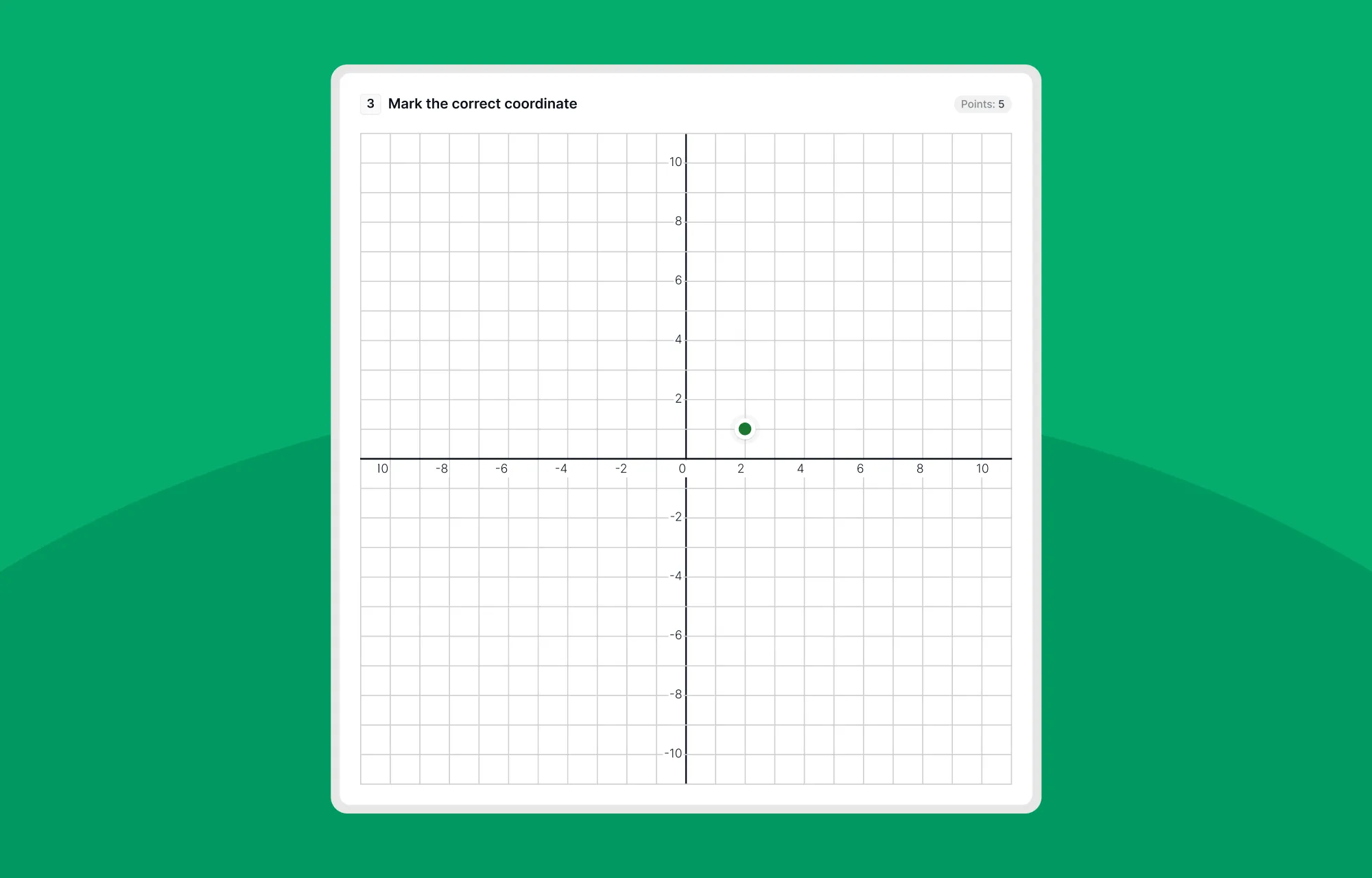
Tutor LMS 4.0 Beta 2 brings an exciting addition, the all-new Graph quiz type.
This new quiz type introduces a smarter way to create questions that depend on visual data. It is especially useful when the subject requires visual interpretation of data. For example, in mathematics, statistics, physics, or any topic where understanding trends, curves, or plotted values is important, this feature makes the question much easier to represent.
With this update, instructors can now create graph-based questions directly inside the Quiz Builder. It helps turn static quizzes into more interactive assessments where learners can interpret and respond to visual information more naturally.
Added Question Preview Functionality in the Quiz Builder
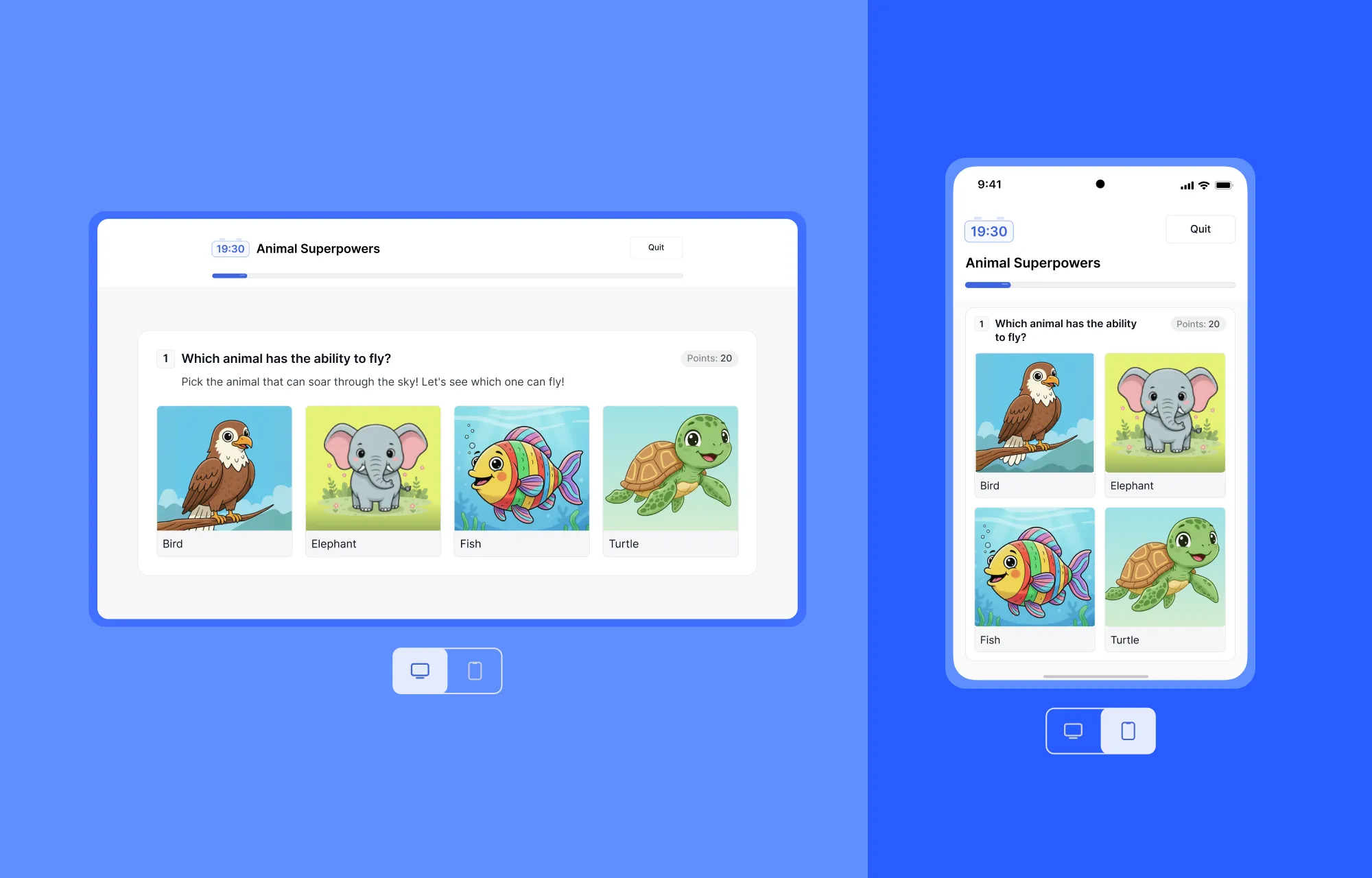
One of the most-requested additions to the Quiz Builder is included in the Tutor LMS 4.0 Beta 2. Instructors can now preview questions exactly as learners will see them without ever leaving the quiz builder.
This makes reviewing content faster and helps instructors ensure everything looks appropriate before publishing. It’s a small addition, but it significantly improves instructors’ daily workflow when building courses with multiple quizzes.
Refined the Instructor Quiz Attempts View
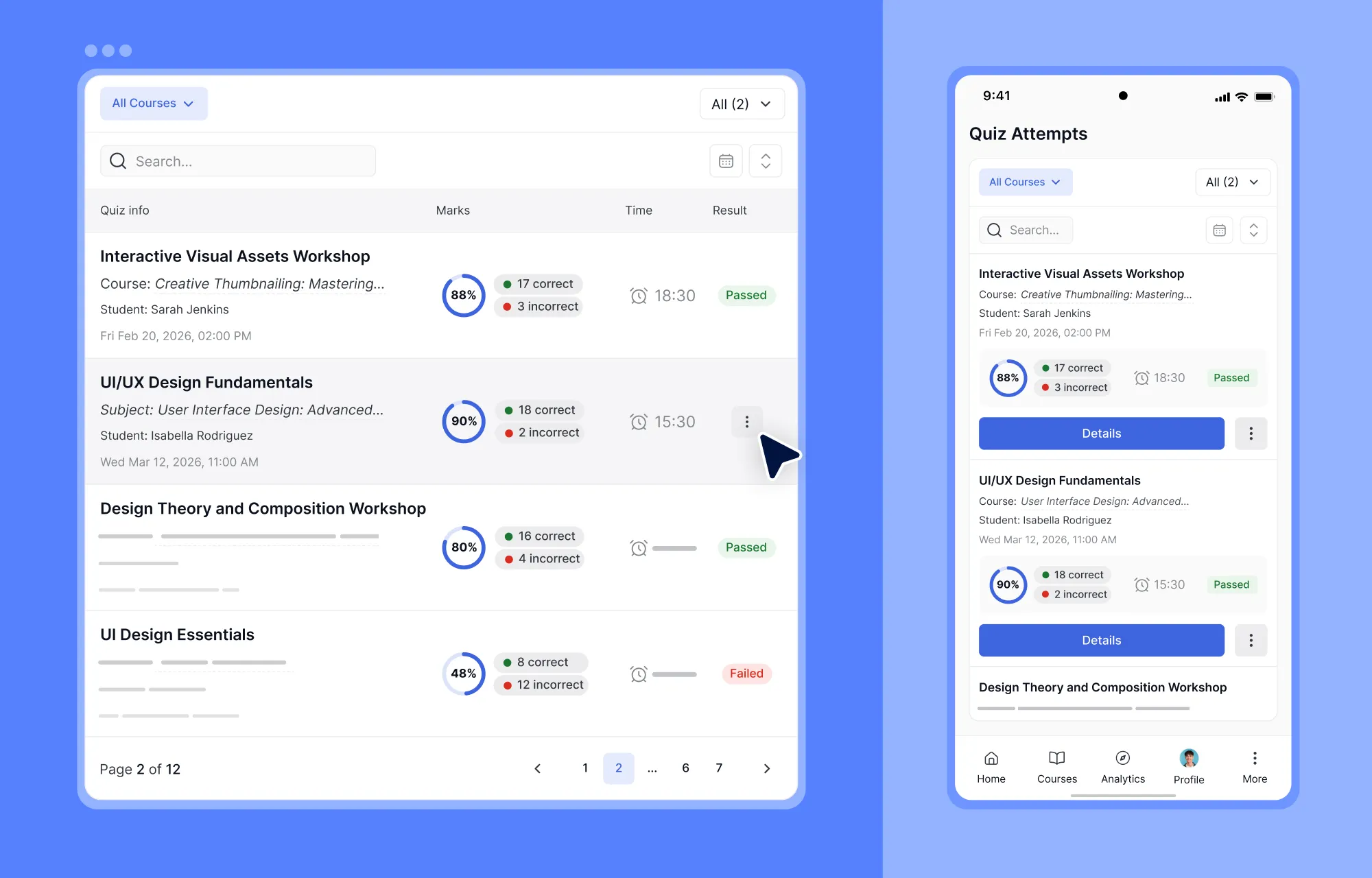
We’ve improved the Instructor Quiz Attempts view to make reviewing student submissions clearer and more convenient.
Based on user feedback, we refined the layout and presentation to make important information easier to locate. This helps instructors spend less time searching for details and more time reviewing performance.
Other Improvements Based on User Feedback
A major focus of Beta 2 was responding directly to the feedback shared during the Beta 1 testing phase.
We listened carefully, reviewed every report, and worked through each issue to improve reliability and usability across different parts of the system. Here are some of the most notable areas that were improved.
- Improved WooCommerce integration
WooCommerce integration was one of the key areas highlighted during Beta 1 testing, and we gave it careful attention in this release.
We fixed the issue that was causing duplicate orders during checkout, along with several payment flow inconsistencies. We’ve also resolved subscription-based enrollment issues to ensure that subscription purchases and access handling work more reliably.
If your courses use WooCommerce or subscription-based enrollment, this update should provide a smoother and more consistent purchasing experience overall.
- Quiz accuracy and attempt tracking fixes
A few more improvements were made to ensure quiz results and attempt data behave correctly and stay consistent across your full eLearning platform. We corrected inaccurate total quiz mark calculation, resolved missing student quiz attempt list data, fixed layout issues on the Quiz Attempt Details page, and much more.
These fixes also address issues affecting quiz mark calculation and incomplete attempt data, helping maintain accurate student records and more reliable reporting for instructors. Overall, quiz workflows should now feel more stable, predictable, and easier to trust during both teaching and evaluation.
- Reporting and course visibility fixes
We’ve made some improvements in the course reports section too. The Report page now correctly displays both individual and bundle courses to ensure that instructors can get a complete overview without missing entries. We also restored missing information on the “Course Info” page to improve clarity and consistency when reviewing course details.
In addition, the course creation quick link issue has been fixed. So instructors can now create courses directly from front-end pages without interruption. These improvements make reporting and course navigation more reliable and easier to work with in day-to-day use.
- UI and Dashboard fixes
While reviewing the user feedback, we’ve noticed a few feedback about UI inconsistencies across different areas of the platform. So, we’ve resolved them to improve overall usability and consistency. We fixed the missing ‘Edit Profile’ button on instructor profiles, resolved tooltip hover issues in the Student Progress modal, corrected the “Become an Instructor” button appearing issue, etc.
Along with these, we also addressed other UI inconsistencies, such as missing buttons and dashboard display issues, to ensure a cleaner and more reliable experience across the interface. These small visual and interaction fixes collectively improve everyday navigation and make the platform feel more polished and predictable to use.
- Performance and display fixes
Tutor LMS 4.0 Beta 2 also includes several improvements focused on visual stability and overall interface performance across the platform. We fixed the white flash screen in Dark Mode, resolved the notification icons rendering issue, updated the password reset emails, resolved the inaccurate Calendar meeting counts, etc.
These updates ensure smoother page transitions and a more consistent visual experience across different parts of the platform.
How to Download Tutor LMS 4.0 Beta 2
You can now download Tutor LMS 4.0 Beta 2 from the links below:
We recommend installing Beta versions on a staging or test environment rather than a live production site. This helps you explore new features and updates safely while providing valuable feedback.
Share Your Feedback
Your feedback played a huge role in shaping Beta 2, and we’d love to hear from you again. If you notice anything unexpected, have suggestions, or want to share your testing experience, please reach out via the feedback form below.

Full Changelog
Here’s the complete list of changes included in Tutor LMS 4.0 Beta 2:
- New: Introduced the new Graph Quiz type. (Pro)
- New: Added question preview to the Quiz Builder.
- Updates: Enhanced the Course Bundle expiry feature. (Pro)
- Updates: Refined the Instructor Quiz Attempts preview for better usability.
- Updates: Displayed the subscription expiry date for WooCommerce Subscription enrollments. (Pro)
- Fix: Fixed the issue of the default lesson comment appearing on new sites.
- Fix: Fixed lesson comment replies not updating instantly.
- Fix: Resolved an issue where total quiz marks were displayed incorrectly.
- Fix: Fixed the layout breaking on the Quiz Attempt Details page.
- Fix: Resolved the missing student quiz attempt list data issue.
- Fix: Resolved the Become an Instructor button appearing even when disabled in settings.
- Fix: Restored the missing Edit Profile button on the instructor profile page.
- Fix: Resolved the course creation quick link issue.
- Fix: Fixed the Report page showing only bundle courses instead of all individual and bundle courses.
- Fix: Restored missing information on the Course Info page.
- Fix: Fixed payment gateways not appearing when media was added to Payment Instructions on custom payment gateways.
- Fix: Fixed the duplicate order creation issue during WooCommerce checkout.
- Fix: Fixed the Add to Cart button not responding under certain scenarios.
- Fix: Fixed the Gift Course feature not functioning properly.
- Fix: Prevented the Gift Course button from appearing for already-enrolled subscription courses.
- Fix: Resolved the missing logo issue in password reset emails.
- Fix: Fixed notification icons not rendering correctly.
- Fix: Resolved the tooltip not appearing on hover in the Student Progress modal.
- Fix: Resolved inaccurate Calendar meeting counts.
- Fix: Fixed the white flash occurring during page reload in Dark Mode.
What’s Next for Tutor LMS 4.0
Tutor LMS 4.0 Beta 2 is another step forward to the final version. But we’re not done yet. We’re getting closer to the stable release of Tutor LMS 4.0 with every beta. Your continued testing and feedback are helping us deliver the best possible update yet.
Stay tuned for more updates as we move toward the final launch. Thank you once again for being an amazing part of the Tutor LMS community!

Start Using Tutor LMS Today
Ready to take your online courses to new heights? Download Tutor LMS now and enjoy a journey of eLearning excellence.