Most course bundles have a shelf-life problem. They sell well during launch week, then gather dust for the rest of the year. When your bundle is frozen in time, past buyers have no reason to return, and hesitant prospects feel zero urgency to buy today.
A growing course bundle (also called an expanding or dynamic course bundle) flips that model by treating your bundle as an evolving learning track rather than a clearance bin. With the Course Bundle builder in Tutor LMS, both administrators and instructors can add new courses to live bundles. You can automatically enroll existing students across one-time, subscription, and membership plans, or schedule timed enrollment windows.
TL;DR: Expanding a live course bundle lets you reward early buyers with free course additions while raising the bundle price for future students. You can monetize this growing curriculum in three ways: a price-escalating one-time purchase, a low-churn recurring subscription, or a sitewide or category membership plan. To manage access and urgency automatically, use the Options > Enrollment panel in Tutor LMS to configure Enroll Existing Students in New Courses, Bundle Enrollment Period, Maximum Students, and Pause Enrollment.
What Is a Growing Course Bundle?
A growing course bundle is an evolving collection of courses that you continuously expand over time instead of publishing once and closing the project.
| Feature | Static Course Bundle | Growing Course Bundle |
|---|---|---|
| Content | Fixed group of static courses | Growing catalog with scheduled updates |
| Buyer Value | Immediate access to existing assets | Ongoing library expansion and future additions |
| Pricing Story | Discounted clearance of old inventory | Price increases as new courses join the track |
| Maintenance | One-time manual user mapping | Automated background student enrollment |
In Tutor LMS 4.1, the course bundle engine provides native automation rules that replace manual CSV exports. Instructors can push new modules directly to past buyers, set cohort enrollment windows, and pause signups while revising lessons.
Why Is a Growing Course Bundle Worth Building?
A growing course bundle stops the post-launch sales slump by rewarding students who buy early. When learners know future courses will land in their dashboard automatically at no extra cost, they have a concrete reason to buy today at the current price instead of waiting for a discount.
You also get to launch faster. Instead of spending six months filming a massive ten-course curriculum before making your first dollar, you can launch a three-course starter bundle today and add new courses as you finish them. For subscription and membership academies, each new release gives active members a reason to stay subscribed and gives you a natural hook to email prospects who skipped your first launch.
How Do You Choose the Right Pricing Model Before You Start?
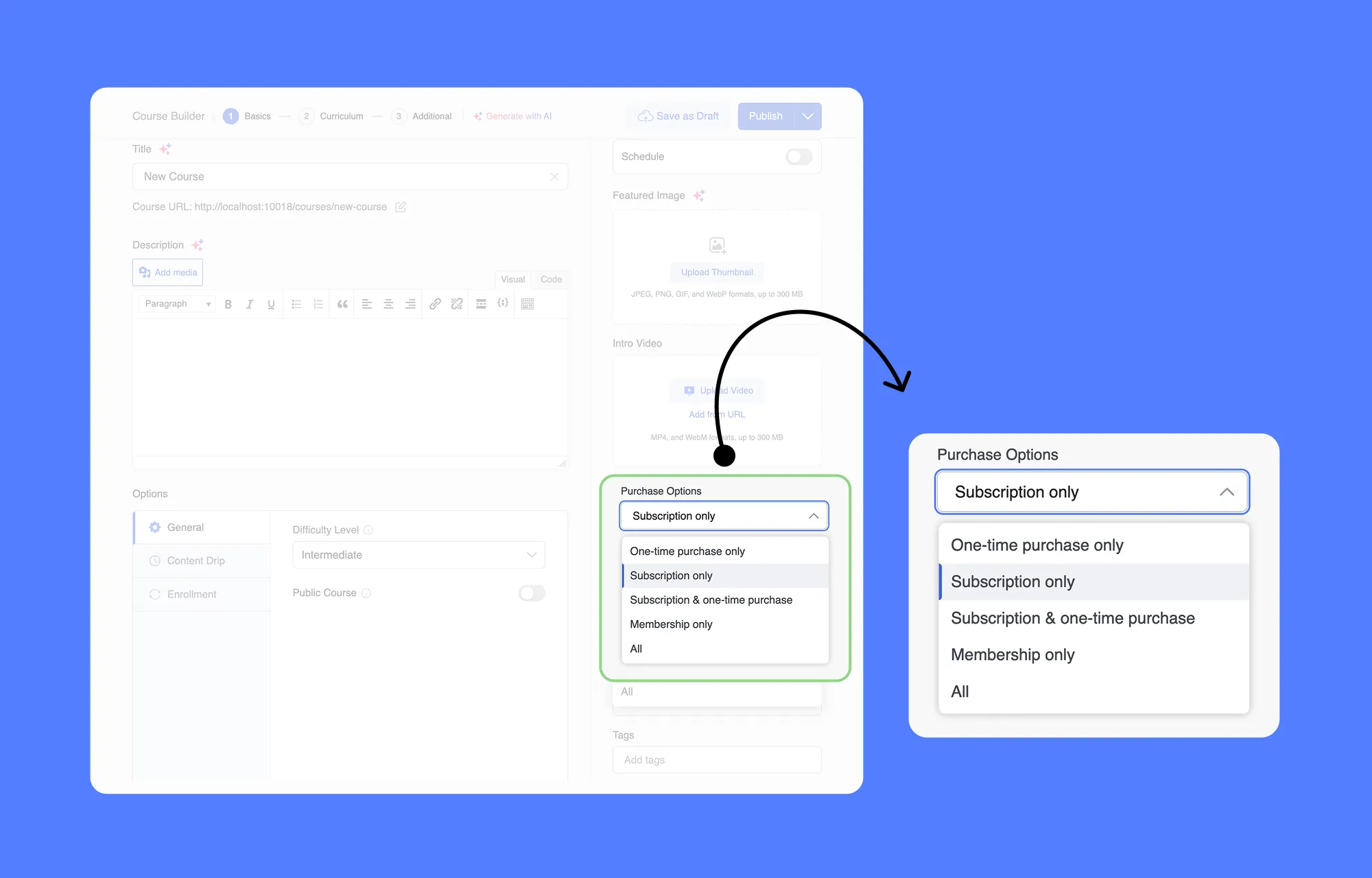
Selecting your pricing model before you build your bundle determines how you manage student expectations and recurring revenue. Under Purchase Options, Tutor LMS gives you three ways to charge for an expanding curriculum: One-time purchase only, Subscription only (or Subscription & one-time purchase), and sitewide or category Memberships.
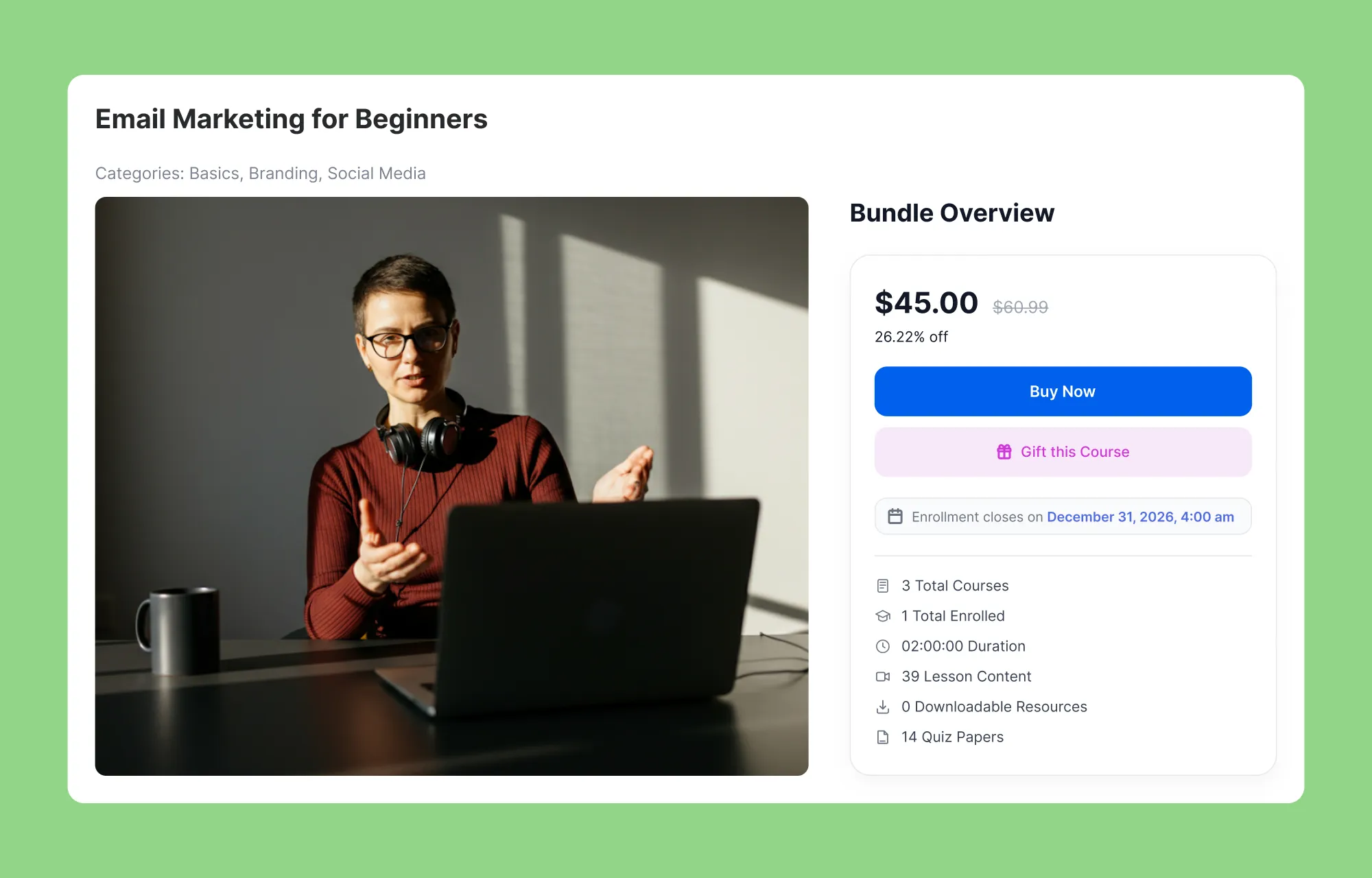
1. One-time purchase
Buyers pay a single upfront fee and receive every course you add to the bundle later. For example, you sell a three-course photography bundle for $44.99 today, and early buyers get your fourth lighting course free. Because those students never pay again, you must calculate whether free additions remain sustainable and state your update promise clearly.
2. Subscription Only (or Hybrid)
Recurring billing is the most natural fit for a dynamic course bundle because scheduled course releases justify continued payment. Selecting Subscription only or Subscription & one-time purchase lets you attach plans directly inside the bundle, each with its own price, billing interval, and number of billing cycles.
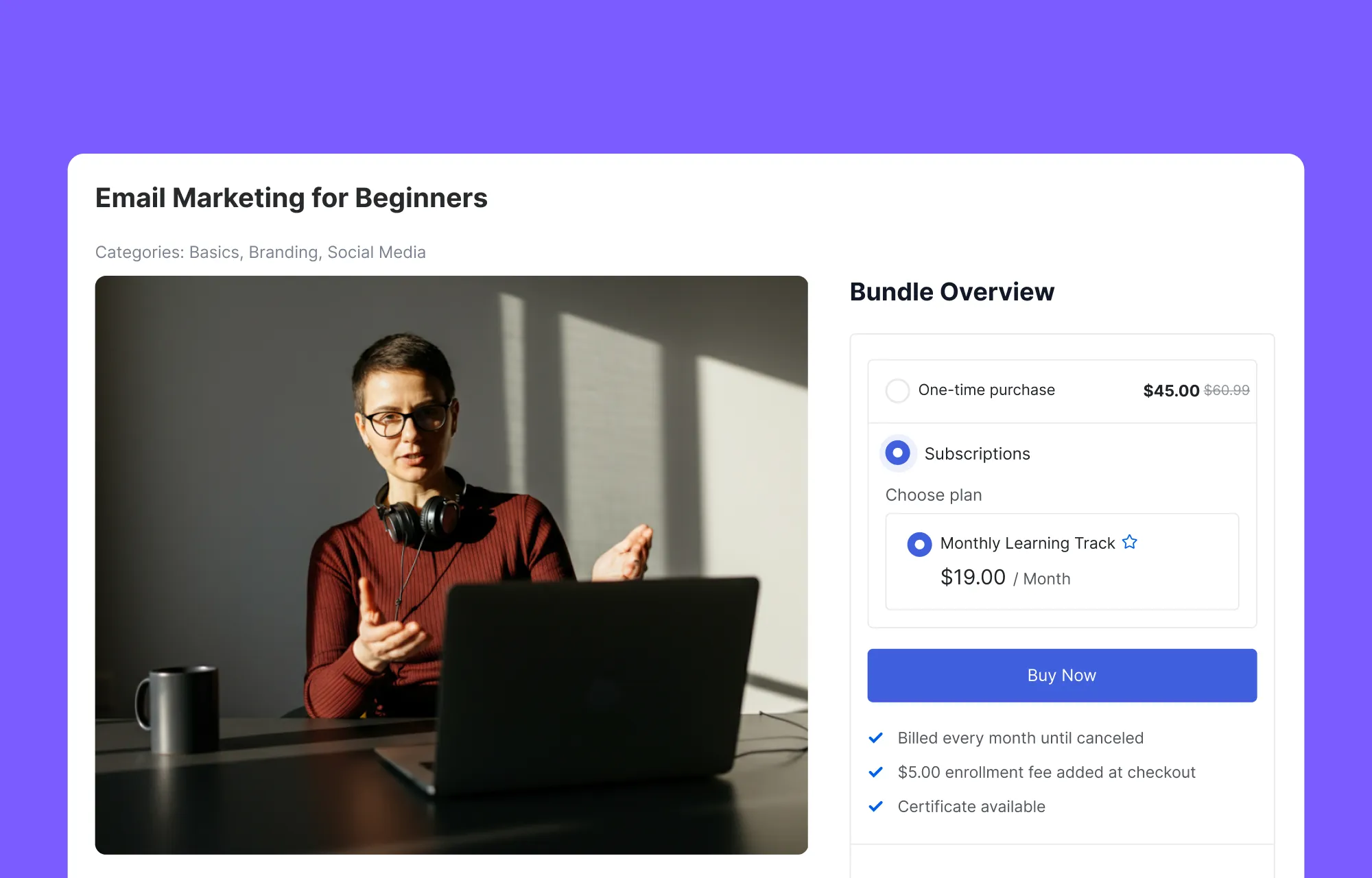
An optional enrollment fee can be added too. New courses give subscribers a fresh reason to keep paying, so cancelling starts to feel like a loss.
3. Sitewide or Category Memberships
In Tutor, a membership plan controls pricing at the site or category level rather than inside a single course bundle. You can cover your Full Site or Specific Categories (such as Digital Marketing and Marketing & Sales), and the bundle card displays a View Pricing button for the membership package. This suits academies where one plan covers several bundles.
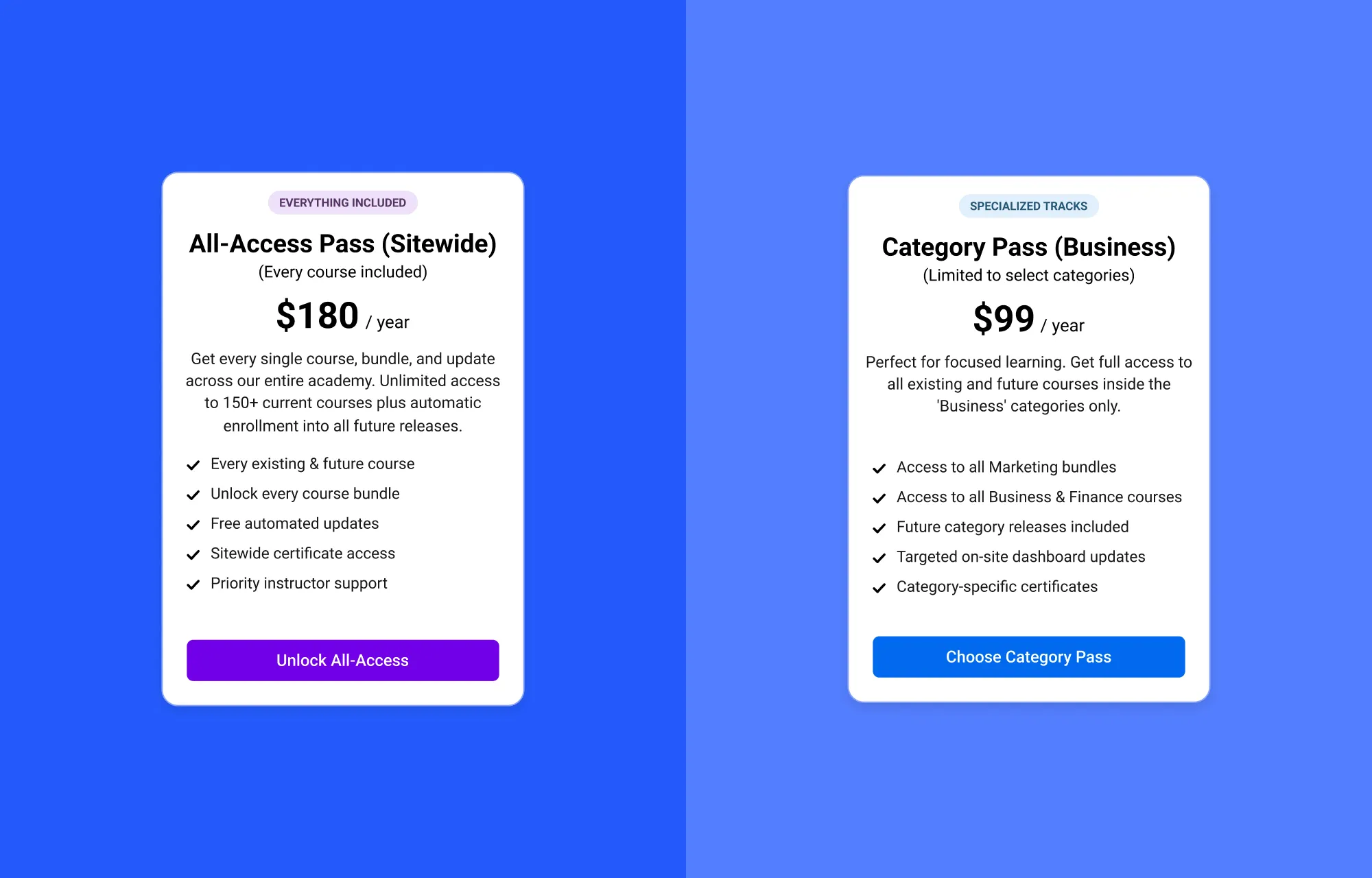
Whichever model you choose, state on your sales page how long free course additions last so early buyers know exactly what their purchase covers.
How Do You Add a New Course to a Live Bundle?
As your course library grows, a living bundle lets you expand an existing learning package instead of creating a new offer for every additional course. Adding a new course to an active living bundle takes less than a minute and pushes fresh material directly to your students’ dashboards.
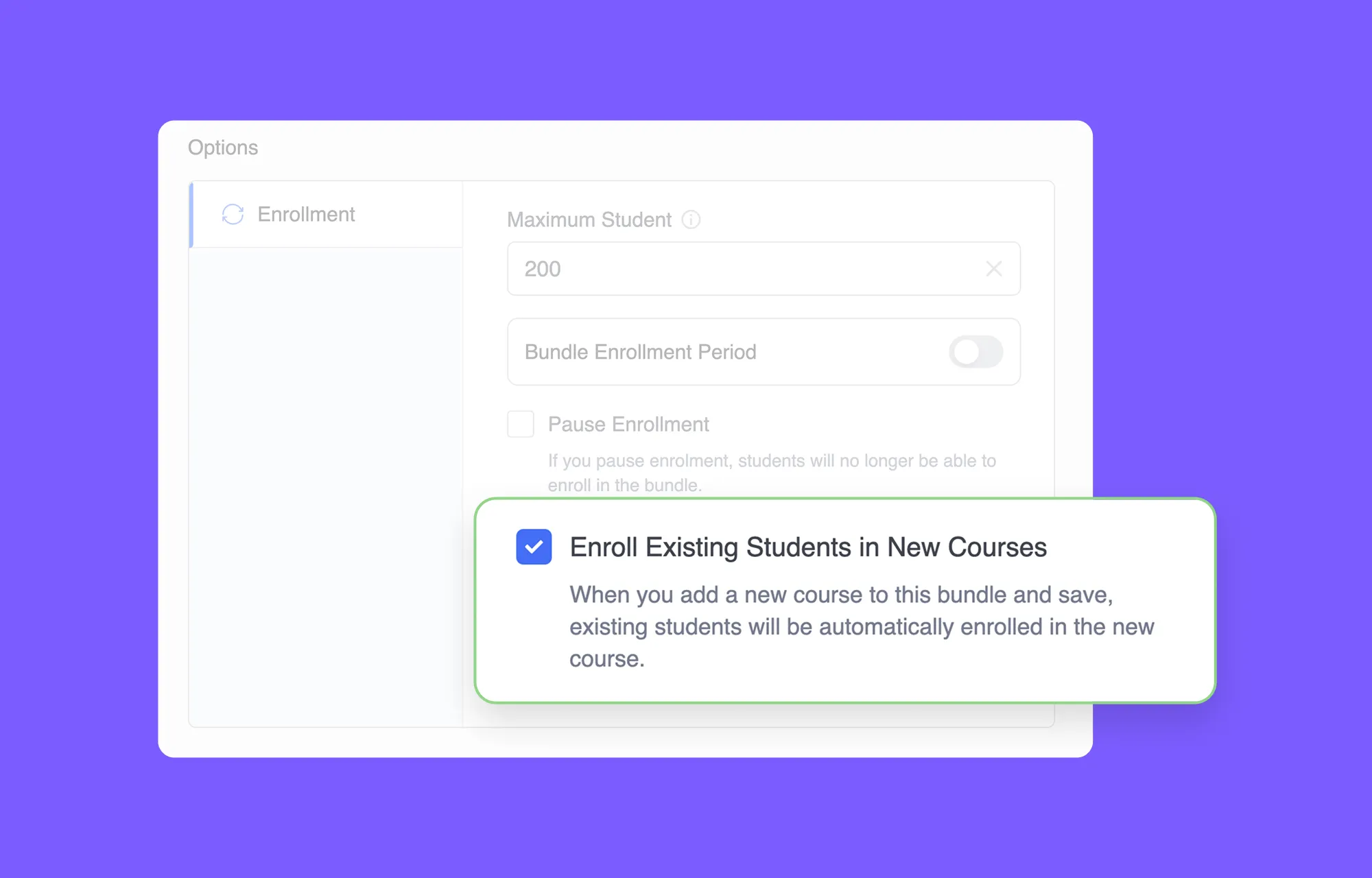
- Open your live bundle and verify auto-enrollment. In the bundle editor, scroll to Options > Enrollment and confirm Enroll Existing Students in New Courses is checked.
- Select your new release. Scroll to the Courses section, click + Add Courses, search for your newly published course in the popup modal, check the box beside its title, and click Add.
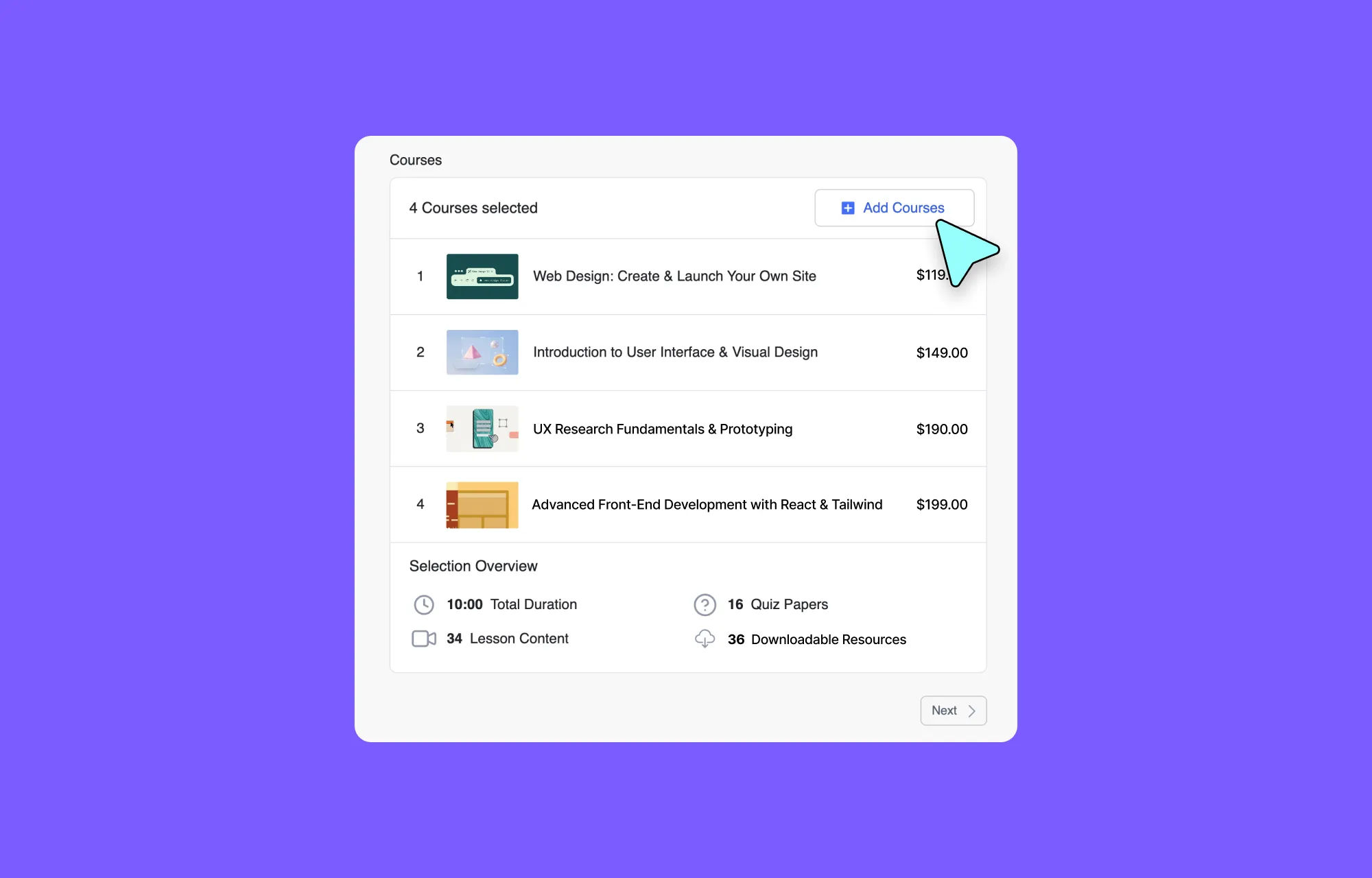
- Adjust your pricing for new buyers. Adding a paid course automatically increases the bundle’s combined Regular Price (for example, adding a $37.50 course raises the total accordingly). If you use a discounted Sale Price or a subscription plan, update those numbers manually in the right sidebar before saving so future buyers pay for the expanded value.
- Sequence and save. Drag the six-dot handle beside the course thumbnail to place it in the right learning order, then click Update in the top bar.
The moment you finalize the new addition, a short chain of events runs automatically:
- The Selection Overview panel recalculates the bundle’s Total Duration, Lesson Content, Quiz Papers, and Downloadable Resources on the storefront.
- Tutor LMS enrolls every current bundle student into the new course in the background with zero manual CSV work.
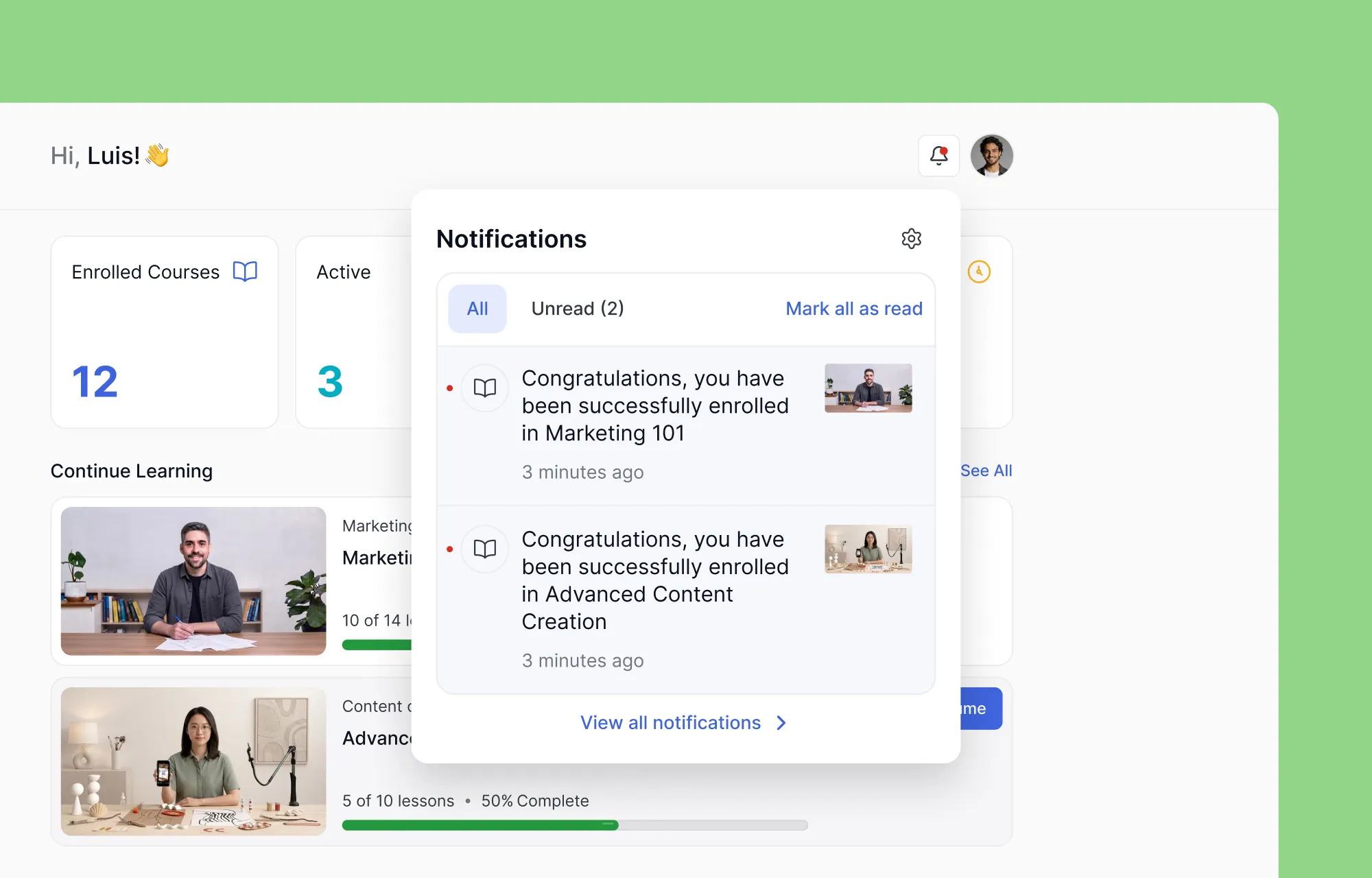
- Learners see the bundle’s course count badge increase in their dashboard (for example, jumping from 3 Courses to 4 Courses) and receive an on-site bell notification and an automated enrollment email (when Notifications are enabled).
You can also retire outdated courses using the “X” icon beside any course row to keep your storefront focused for new buyers.
Note: Removing a course from the bundle never revokes access for existing students, so early buyers keep their full learning history and progress without interruption.
How Do You Avoid Common Growing Bundle Mistakes?
Expanding a live bundle only works when your course releases are finished, relevant, and properly announced. Avoid these five setup mistakes so every new course feels like a planned upgrade rather than an accidental change.
Five Growing Bundle Mistakes to Avoid:
- Forgetting to check the auto-enroll box: The Enroll Existing Students in New Courses checkbox under Options > Enrollment is opt-in. If you leave it unchecked when you click the Update button, past buyers will not receive your new course automatically.
- Adding unfinished courses: Because Tutor LMS enrolls existing students the moment you save the bundle, adding a half-built course sends learners straight into empty modules. Publish all lessons and quizzes before linking the course to a live bundle.
- Diluting the bundle focus: Grouping unrelated topics into one package confuses buyers. Keep your growing course bundle centered on a single learning path, such as Digital Marketing Essentials.
- Promising unlimited updates without a financial plan: Guaranteeing free lifetime courses on a low one-time price can hurt your margins. Set a clear update window or use recurring subscriptions with fixed billing cycles.
- Overlooking progress recalculation and certificates: Adding a new course changes the completion percentage of a bundle immediately, such as adjusting a student from 1 of 3 courses (33% Complete) to 1 of 4 courses (25% Complete) when a fourth course joins the track. Test how your bundle certificates and access expiry rules behave before pushing a live update.
How Do You Start Building Your First Growing Course Bundle?
Building a growing course bundle lets you launch your academy faster without waiting months to finish an entire curriculum. Start with two or three foundational courses, state your update promise clearly on the checkout page, and add new modules on a steady schedule. Each addition rewards your earliest buyers and gives hesitant prospects a clear reason to enroll today.
Ready to turn your static catalog into an expanding learning track?
Yes, you can add new courses to an active bundle at any time by checking Enroll Existing Students in New Courses and clicking Update.
Yes, students with active bundle subscriptions or qualifying category memberships receive newly added courses in their dashboards automatically.
No, existing one-time buyers and active subscribers within their billing cycle receive newly added courses without paying extra.
Removing a course hides it from the bundle storefront for future buyers, but previously enrolled students keep full access to that course and their learning progress.
Tutor LMS automatically sends an enrollment email and a dashboard bell notification to every active bundle student as soon as you click Update.
Yes, checking Pause Enrollment under Options > Enrollment stops new visitors from buying the bundle while allowing current students to study uninterrupted.
Adding a paid course recalculates the combined Regular Price automatically, while you control the Sale Price and subscription tiers manually.
Tutor LMS recalculates the bundle completion percentage immediately across the new total course count, such as adjusting 1 of 3 courses (33%) to 1 of 4 courses (25%).

Table of Contents
Start Using Tutor LMS Today
Ready to take your online courses to new heights? Download Tutor LMS now and enjoy a journey of eLearning excellence.