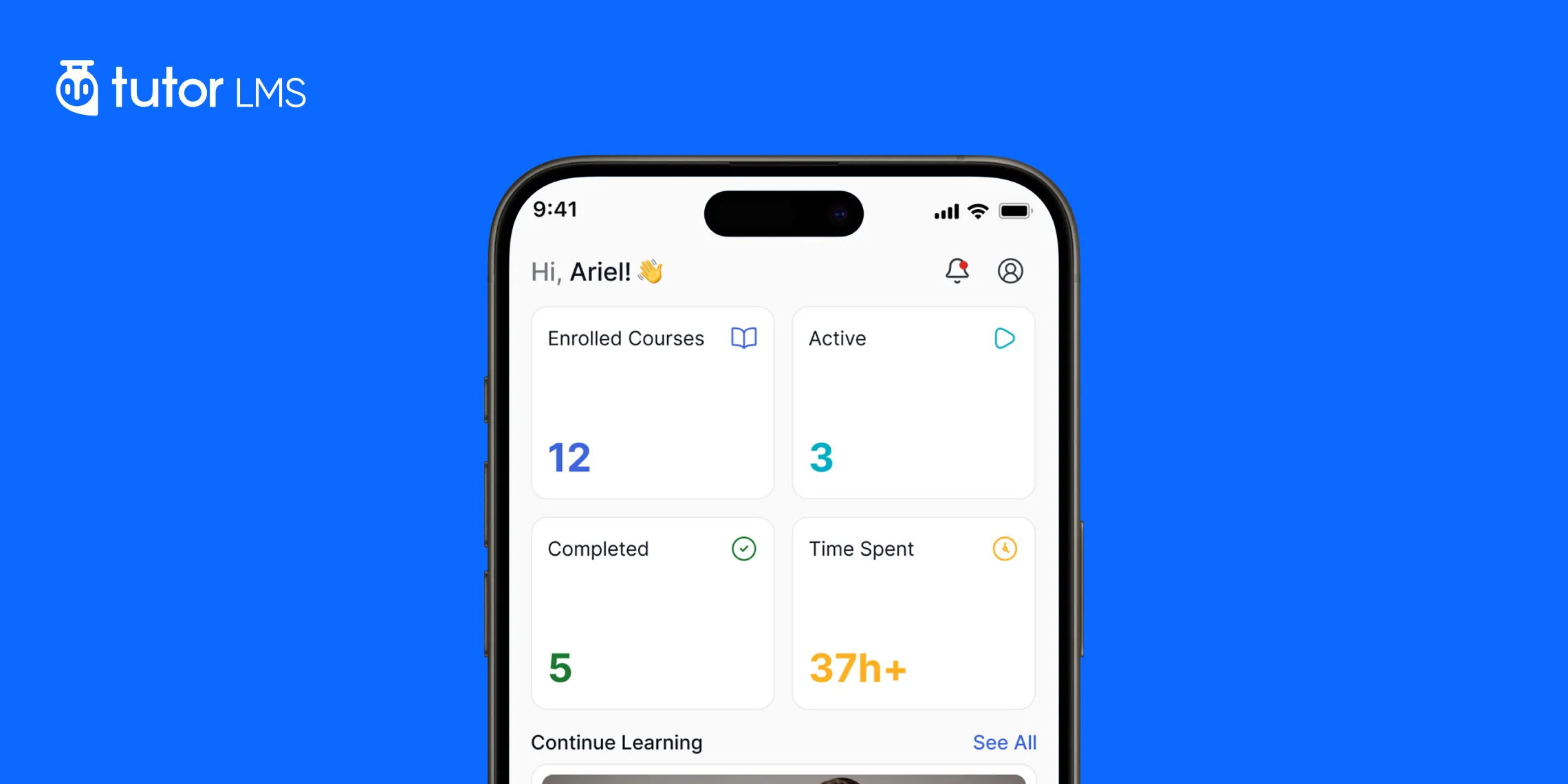
A few minutes before a meeting. A seat on the train. A quiet corner at a café. For many learners, these small gaps in the day can become valuable learning time.
The phone is already in their hand, so opening a course can feel more natural than reaching for a laptop. But being able to open an LMS on a phone is only the beginning. Learners still need to find their course, resume a lesson, navigate the curriculum, take notes, complete quizzes, and track their progress without fighting the interface.
That is where the difference between a mobile-friendly LMS and a truly mobile-first learning experience becomes clear.
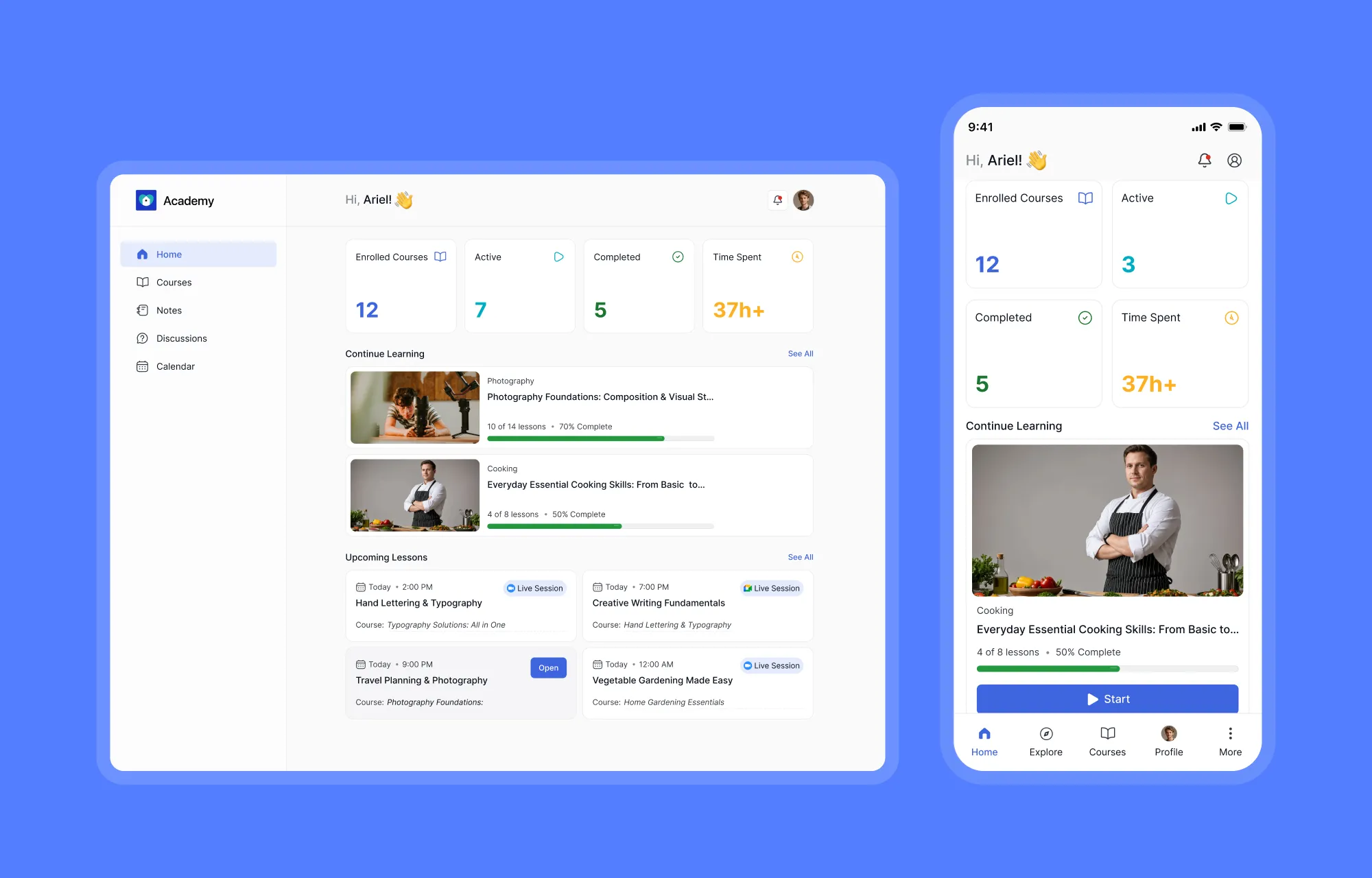
Tutor LMS provides an app-like experience to mobile browsers, with touch-friendly navigation and a learner-focused interface designed for smaller screens. There is no separate native app to install. The same learning environment simply adapts to the device your learners are already using.
So, what does the Tutor LMS mobile experience actually look like when learning moves from the desk to the phone? Let’s take a closer look.
TL;DR: The Tutor LMS mobile experience makes the core learning journey available on phones and tablets without requiring a separate native app. Learners can open their courses in a browser, resume where they left off, and move through lessons with a touch-friendly interface. A persistent bottom navigation bar keeps the Home, Explore, Courses, and Profile buttons within easy reach. Lessons also include tools such as timestamped notes, discussions, and an expandable curriculum drawer, while interactive quizzes make assessments more natural on touchscreens. The learner dashboard keeps progress, completed courses, learning time, and other useful information close at hand.
Why Mobile Learning Matters for Modern Online Courses
Mobile is no longer the “second screen.” For many learners, it is simply the screen that is already within reach.
A course may be opened during a commute, between meetings, or in a few spare minutes before the day moves on. That makes convenience important, but convenience alone does not make an LMS mobile-friendly. A page can fit a phone screen and still feel awkward to navigate.
That is where the difference between responsive design and mobile-first learning becomes important. Responsive design makes a page adapt to different screen sizes. A mobile-first LMS goes further by considering how learners actually interact with a smaller screen, where touch replaces a mouse and simple tasks need to remain easy to reach.
For learners, the difference is noticeable in everyday actions: finding a course, resuming a lesson, navigating a curriculum, taking notes, or completing a quiz.
That is the thinking behind the mobile experience in Tutor LMS.
Tutor LMS: Designed for the Screen in Your Hand
Tutor LMS doesn’t take the desktop learner dashboard and compress it into a phone-sized window. The mobile experience was built with an app-like interface in mind, with touch-friendly interactions, a compact information hierarchy, and navigation patterns that make sense on smaller screens.
Built for Thumbs: Mobile Navigation That Feels Natural
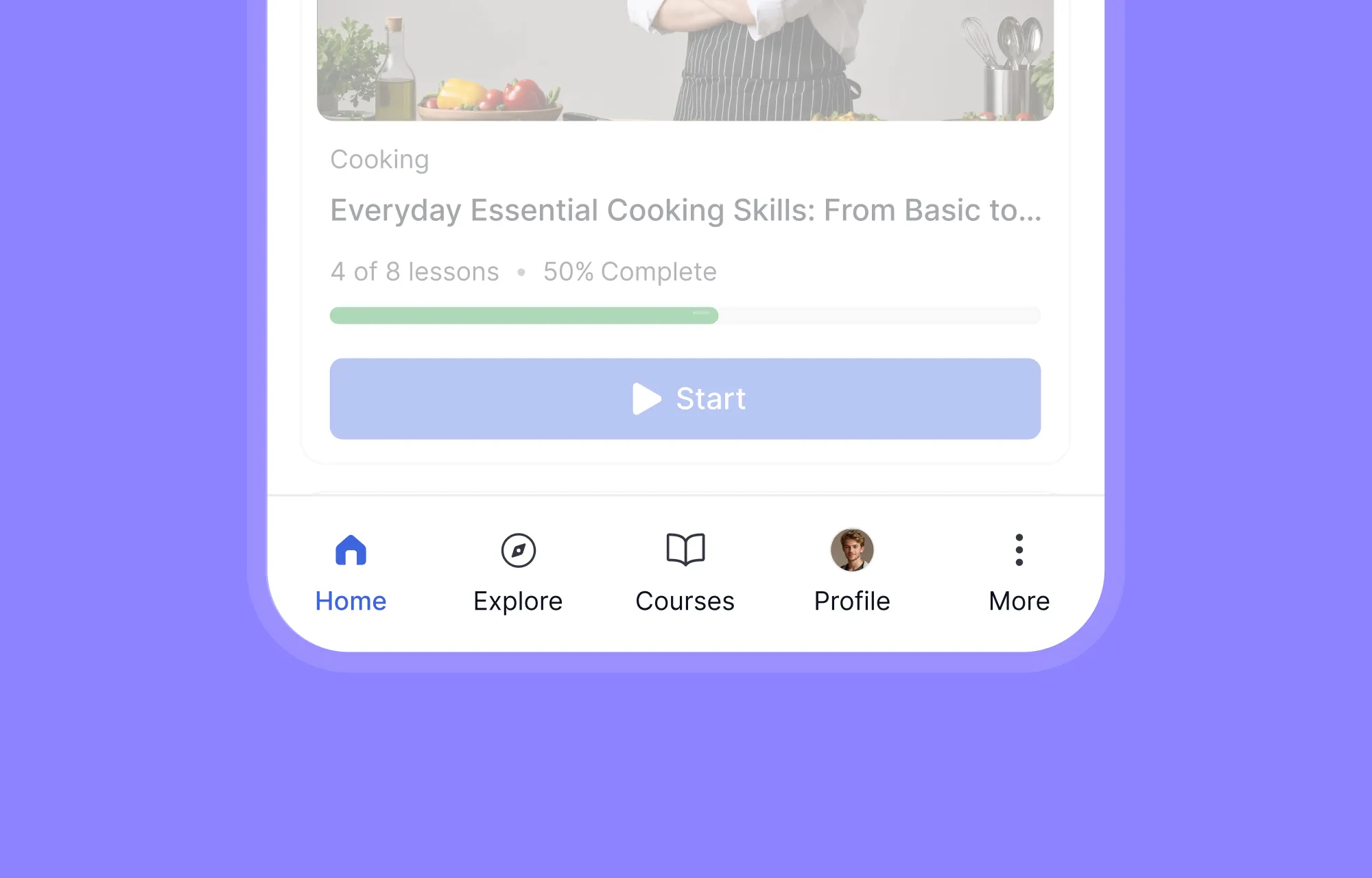
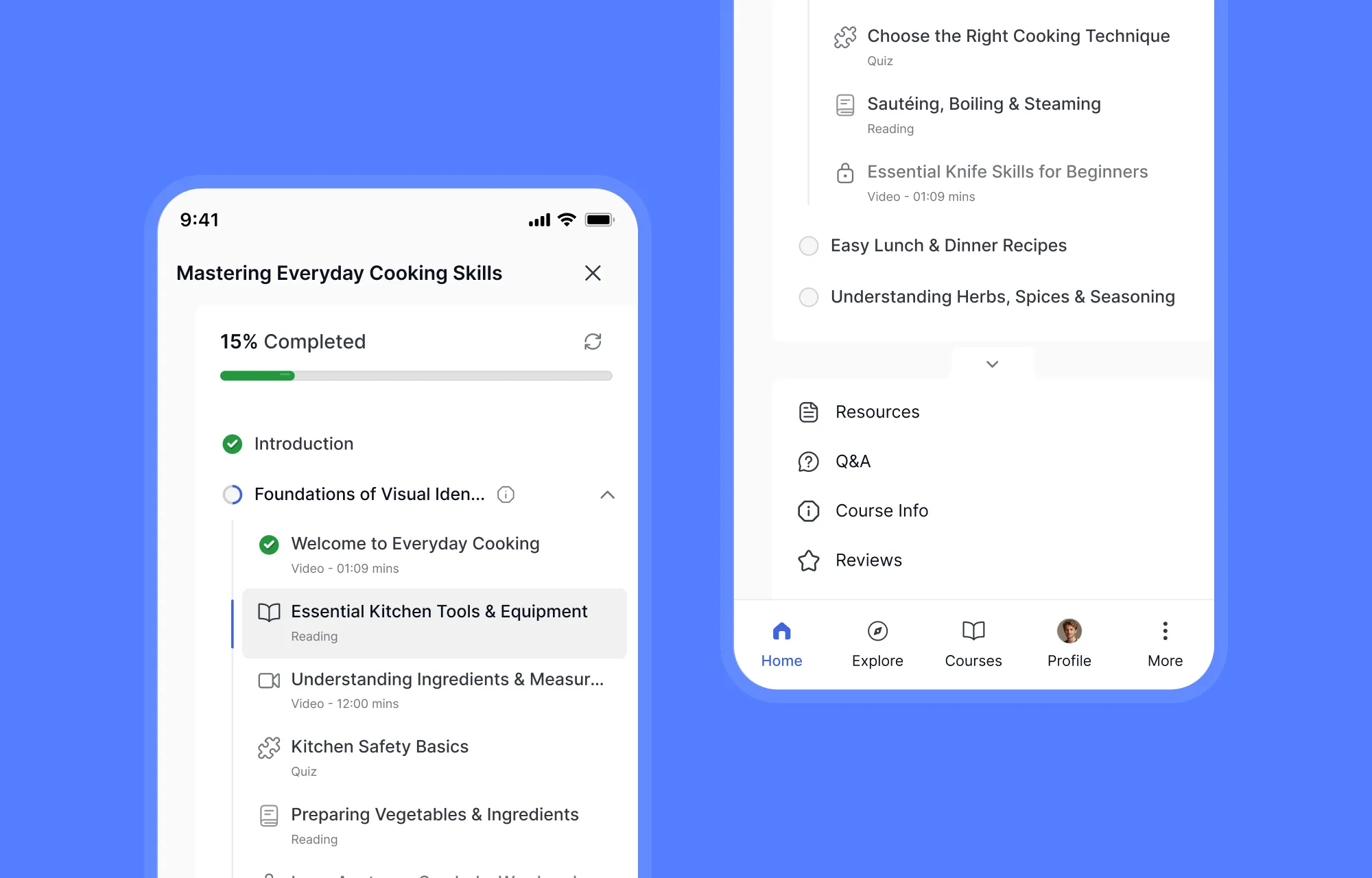
On a phone, the top of the screen is the hardest place to reach. Tutor LMS places its primary navigation at the bottom of the screen, exactly where your thumb already rests. Home, courses, and key actions stay persistently accessible without stretching or shifting your grip.
Start Learning Without Searching for Where You Left Off
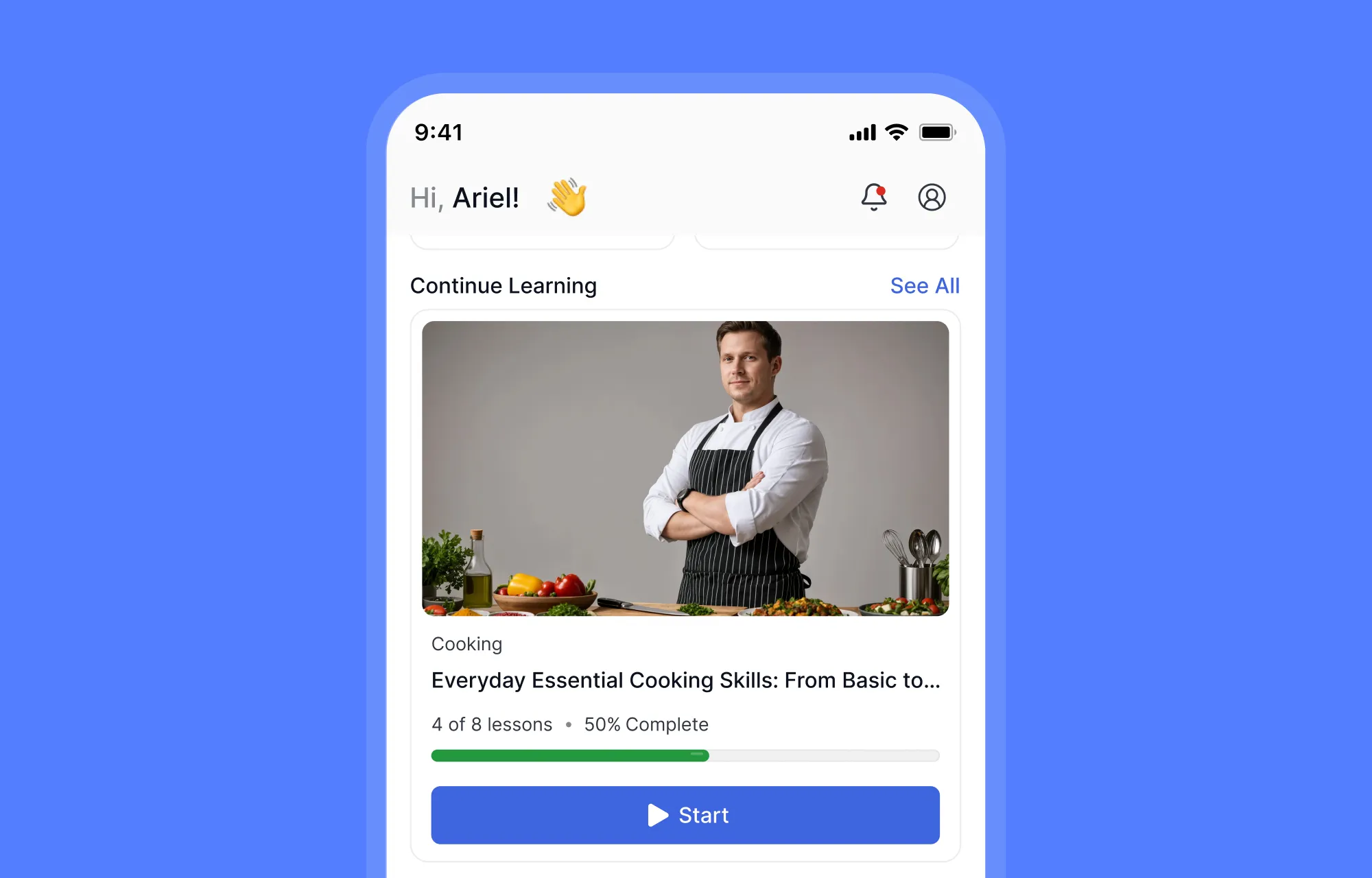
Open Tutor LMS on your phone, and the first thing you need isn’t buried inside a menu. Your learning is right there. Active courses, current Progress, and the option to continue where you left off are immediately visible on the mobile dashboard.
The Continue Learning section puts your most recent course front and center; one tap, and you’re back in the lesson. Below that, your enrolled courses show completion percentages at a glance. Completed courses, learning statistics, and your overall progress are all accessible without navigating away from this single view.
Discover and Navigate Courses Without the Desktop Clutter
Finding a course on a phone should feel simple. Learners should be able to scan their options, understand what each course offers, and start learning without wrestling with a layout designed for a much larger screen.
Tutor LMS keeps course discovery focused with a vertically stacked mobile layout. Course cards give each item enough space for important details such as the thumbnail, title, category, and learning progress, while clear actions make it easy to start or resume a course.
Move Through the Curriculum Naturally
Once inside a course, the curriculum needs to make sense without a wide desktop sidebar. Tutor LMS organizes sections and lessons in an expandable, vertically stacked hierarchy. Tap a section to reveal its lessons. Each lesson shows its type and completion status. The structure stays clean even in courses with dozens of lessons.
The Real Test: What Is It Like to Take a Lesson?
Finding a course is only the beginning. The real test of mobile learning comes when the learner actually starts a lesson.
Tutor LMS keeps the core learning flow focused on the content. Video, lesson details, notes, discussions, and navigation stay close together, so learners can focus on learning instead of figuring out the interface.
Watch the Lesson Without Losing Context
The lesson video takes center stage, while the supporting tools remain within easy reach. Overview, Notes, and Comments are organized alongside the lesson, keeping related information together instead of sending learners through separate screens.
Take Timestamped Notes While You Learn
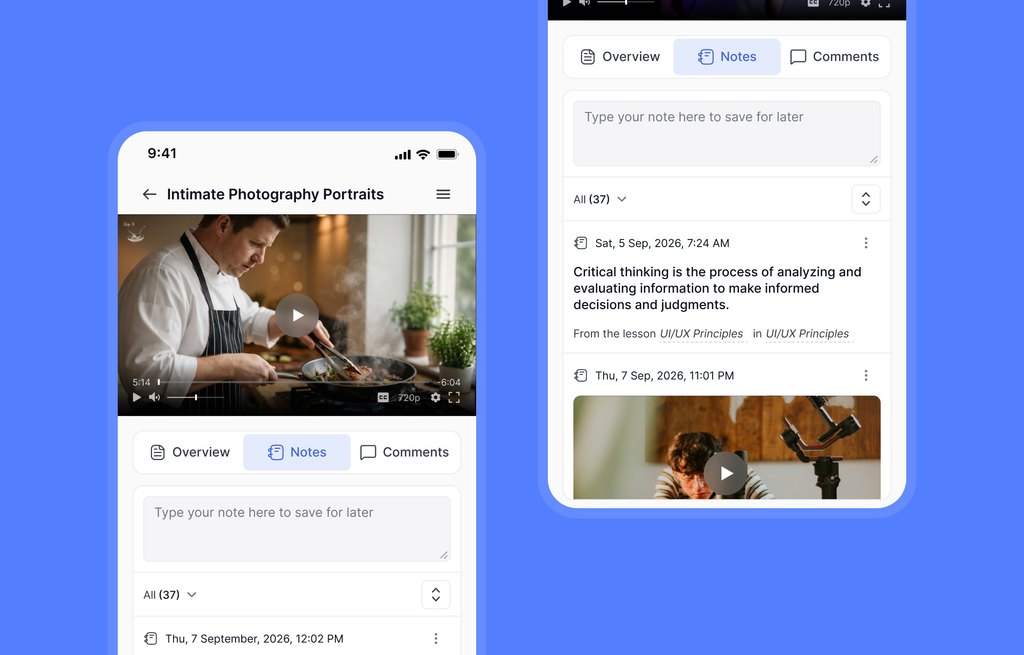
Useful ideas often appear in the middle of a lesson. Tutor LMS lets learners add notes while watching and connect them to the lesson context.
For video content, notes can include timestamps, making it easier to return to the exact moment later. That makes mobile course notes more useful than simply typing reminders in a separate app.
Join Discussions Without Leaving the Lesson
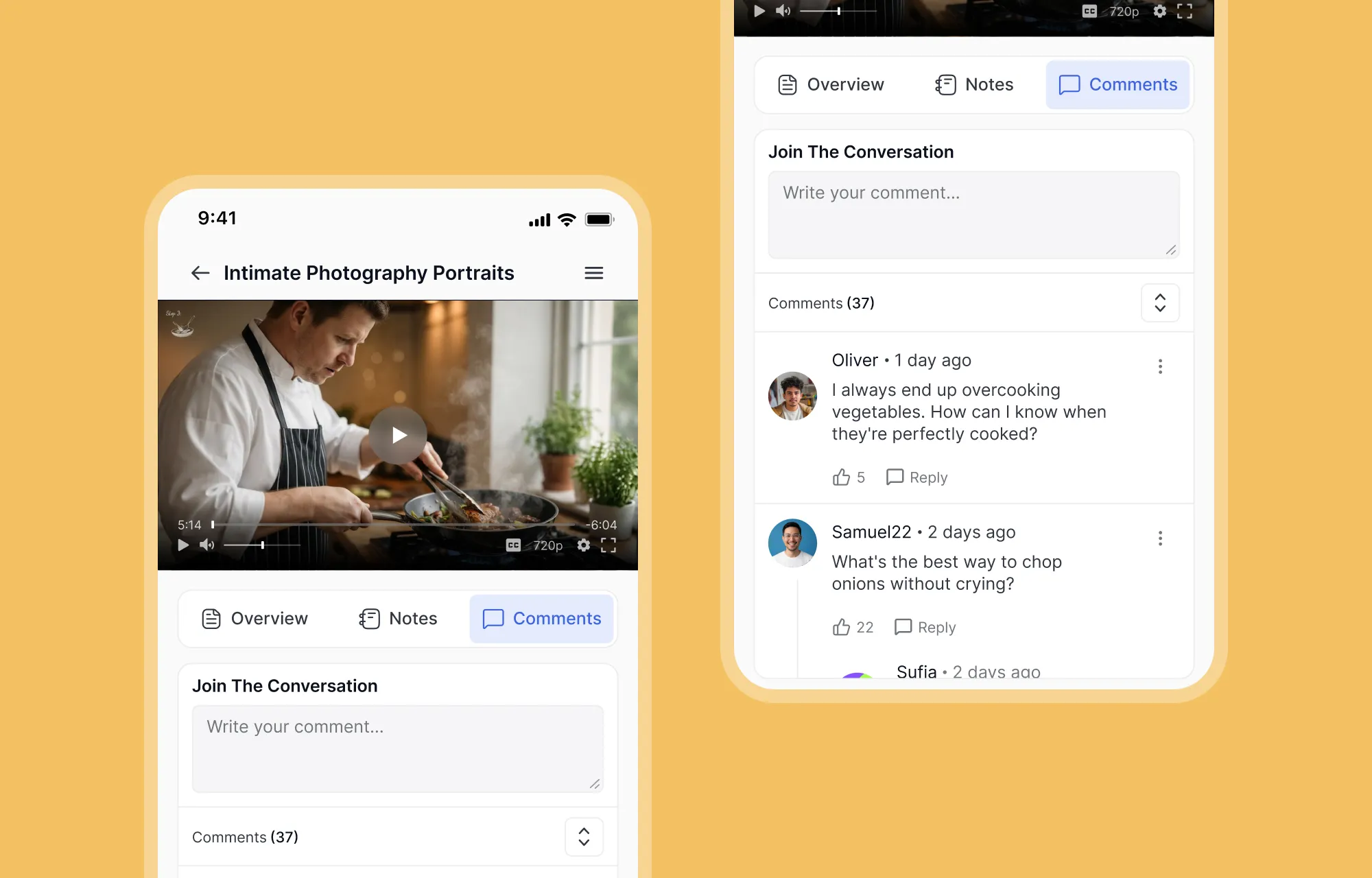
Questions are a natural part of learning. The Comments or discussion area keeps that interaction close to the lesson, so learners can ask questions, read responses, and follow the conversation without losing their place.
This keeps discussion connected to the content rather than treating it as a separate destination.
Complete the Lesson and Keep Moving
The final step should be just as simple as the first. Clear Previous, Mark as Complete, and Next control buttons help learners move through the course without returning to the main curriculum each time.
The result is a smooth rhythm: watch, take notes, participate, complete, and continue. On a phone, that continuity can make the entire lesson experience feel much more natural.
Quizzes Still Fit Into the Mobile Learning Journey
Assessment should feel like part of the course, not a separate experience. Tutor LMS keeps quizzes within the same mobile learning flow, with a redesigned interface for navigating questions, attempts, and results.
The experience also supports more interactive ways to answer. Tutor LMS 4.0 adds Pin, Image Marking, Puzzle, Range, and Graph question types, giving learners touch-friendly ways to identify locations, mark images, arrange pieces, set values, or plot points.
Learners can also review previous attempts, scores, and detailed results from the redesigned quiz experience. That makes mobile assessment feel like a natural extension of the lesson rather than an afterthought.
Your Learning Progress Goes With You
Learning does not end when a lesson does. The Tutor LMS learner dashboard keeps important progress information accessible from mobile, including courses, learning activity, and progress at a glance.
That broader view makes the phone more than a place to watch lessons. Learners can return to their courses, check their progress, and keep track of their learning journey without switching to another device.
Does Tutor LMS Have a Mobile App?
Tutor LMS provides an app-like mobile experience through the browser, so learners do not need to download a separate native app to access their courses.
For course creators, that keeps the mobile journey connected to the same LMS. Learners use the same courses, account, and learning environment while moving between devices.
The important distinction is simple: Tutor LMS offers the feel of a mobile app without requiring a separate native app installation.
That makes this approach different from LMS platforms that rely on dedicated iOS or Android applications.
Why an App-Like Mobile Experience Matters for Course Creators
A strong mobile-friendly LMS benefits course creators as much as learners. Students may move between a laptop, tablet, and phone throughout the day, so a consistent experience matters.
Tutor LMS brings that experience into the same WordPress LMS rather than treating mobile as a separate product.
That can mean:
- Less complexity: No separate native app workflow is required for learners.
- One learning environment: Courses, progress, notes, and discussions remain connected.
- More flexible access: Learners can study from the device that suits the moment.
- A more consistent journey: The interface changes with the screen, but the learning path remains familiar.
For course creators, the bigger benefit is simple: mobile learning becomes part of the LMS itself, rather than another platform to manage.
Conclusion
Learners do not always choose their learning environment based on convenience for the course creator. They learn where they have time, and increasingly, that means on a phone or tablet.
Tutor LMS 4.0 treats mobile as a core part of the learning experience. From thumb-friendly navigation and mobile course discovery to lessons, interactive quizzes, notes, discussions, and progress tracking, the experience is designed to feel natural on a smaller screen.
The goal is not simply to make an LMS responsive. It is to make learning feel at home on the device already in the learner’s hand.
Frequently Asked Questions
Yes. Tutor LMS 4.0 introduced a redesigned, mobile-first learning experience with thumb-friendly navigation and touch-focused interactions.
Tutor LMS does not require a separate native mobile app. Its learner experience works through the browser and is designed to provide an app-like mobile experience.
Yes. Students can access courses, navigate lessons, take quizzes, view progress, use notes, and participate in discussions through the mobile experience.
All Quiz format question are supported, including the five new interactive questions introduced in v4.0: Pin, Image Marking, Puzzle, Range, and Graph.
Yes. Tutor LMS centralizes notes across lessons and videos, allowing learners to access their notes from a unified space and return to the related lesson.\
The Tutor LMS 4.0 mobile-first experience is designed for smaller screens and touch interaction, making it suitable for mobile devices such as phones and tablets.

Table of Contents
- Why Mobile Learning Matters for Modern Online Courses
- Tutor LMS: Designed for the Screen in Your Hand
- Start Learning Without Searching for Where You Left Off
- Discover and Navigate Courses Without the Desktop Clutter
- The Real Test: What Is It Like to Take a Lesson?
- Quizzes Still Fit Into the Mobile Learning Journey
- Your Learning Progress Goes With You
- Does Tutor LMS Have a Mobile App?
- Why an App-Like Mobile Experience Matters for Course Creators
- Conclusion
- Frequently Asked Questions
Start Using Tutor LMS Today
Ready to take your online courses to new heights? Download Tutor LMS now and enjoy a journey of eLearning excellence.