Course Bundle
The Course Bundle feature in Tutor LMS allows you to create and sell multiple courses together as a package. This feature is ideal for creating structured learning paths and boosting revenue by offering discounts on bundled courses.
Here’s a step-by-step guide on how to create course bundles in Tutor LMS:
1. Activate the Course Bundle Addon
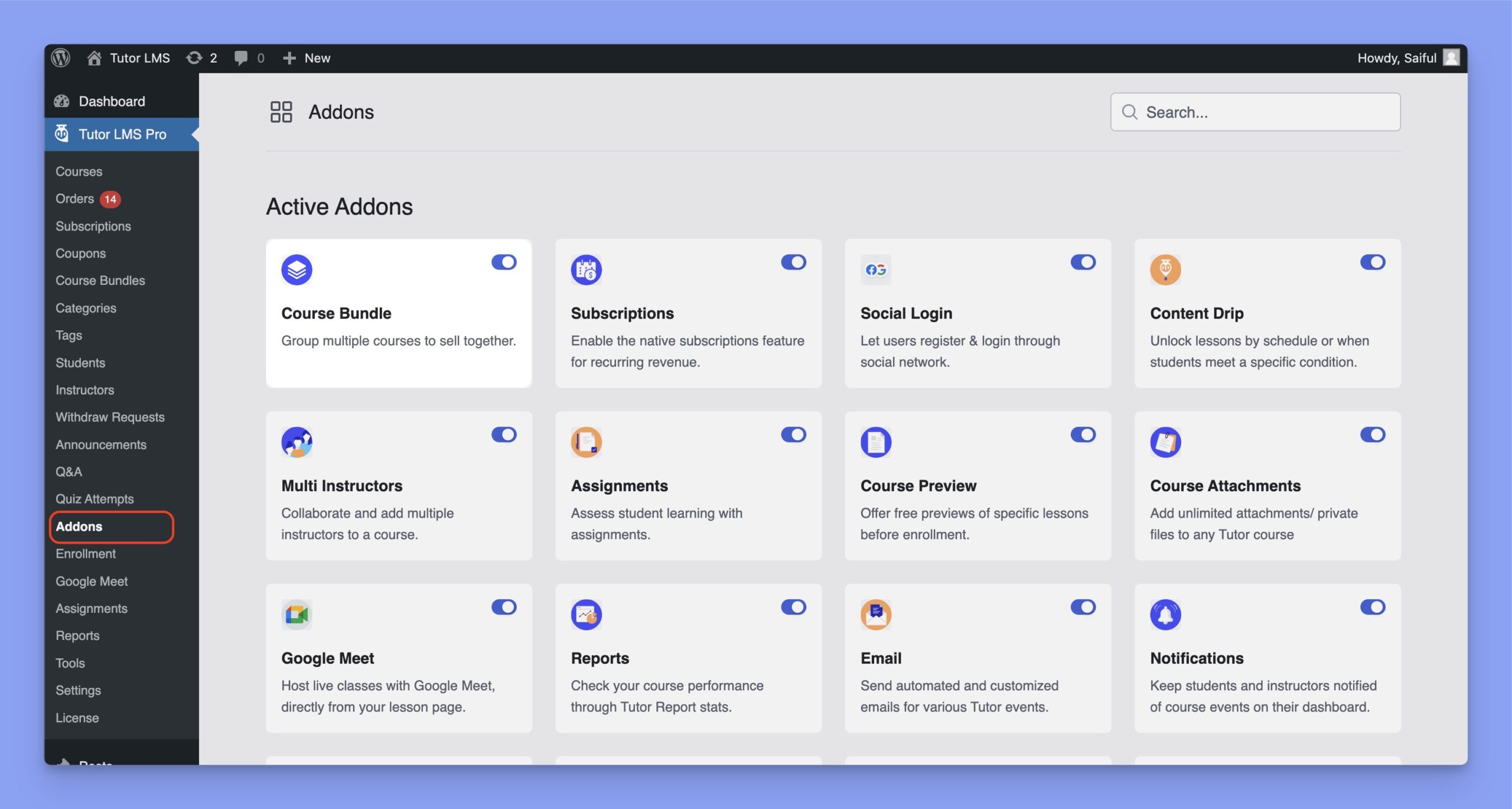
You need to enable the Course Bundle addon to create course bundles in Tutor LMS. To do so, navigate to Tutor LMS Pro > Addons and enable the Course Bundle from there.
2. Create a Course Bundle
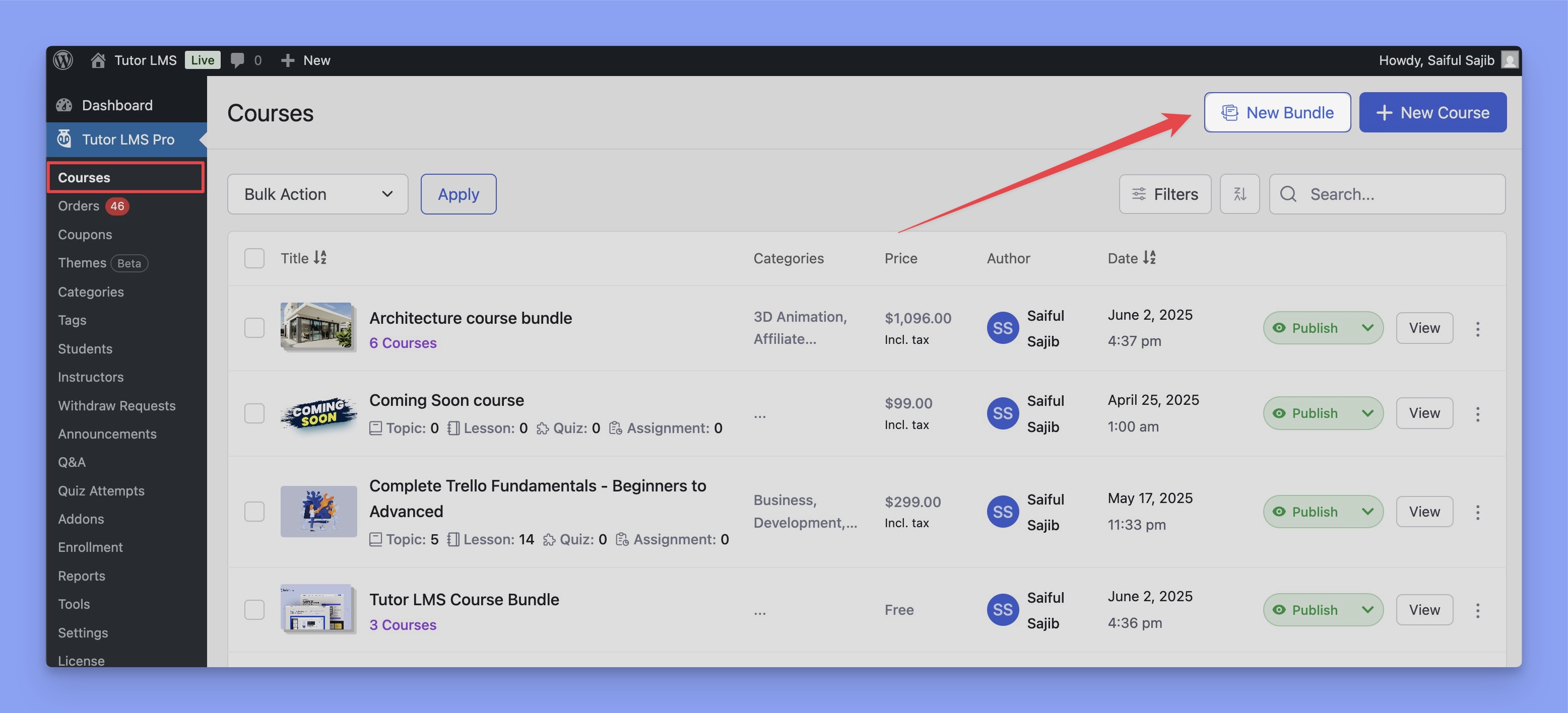
Go to Tutor LMS Pro > Courses and click the New Bundle button to create a new course bundle.
In the following screen, you’ll get the Course Builder to create your bundle course. Here’s the builder:
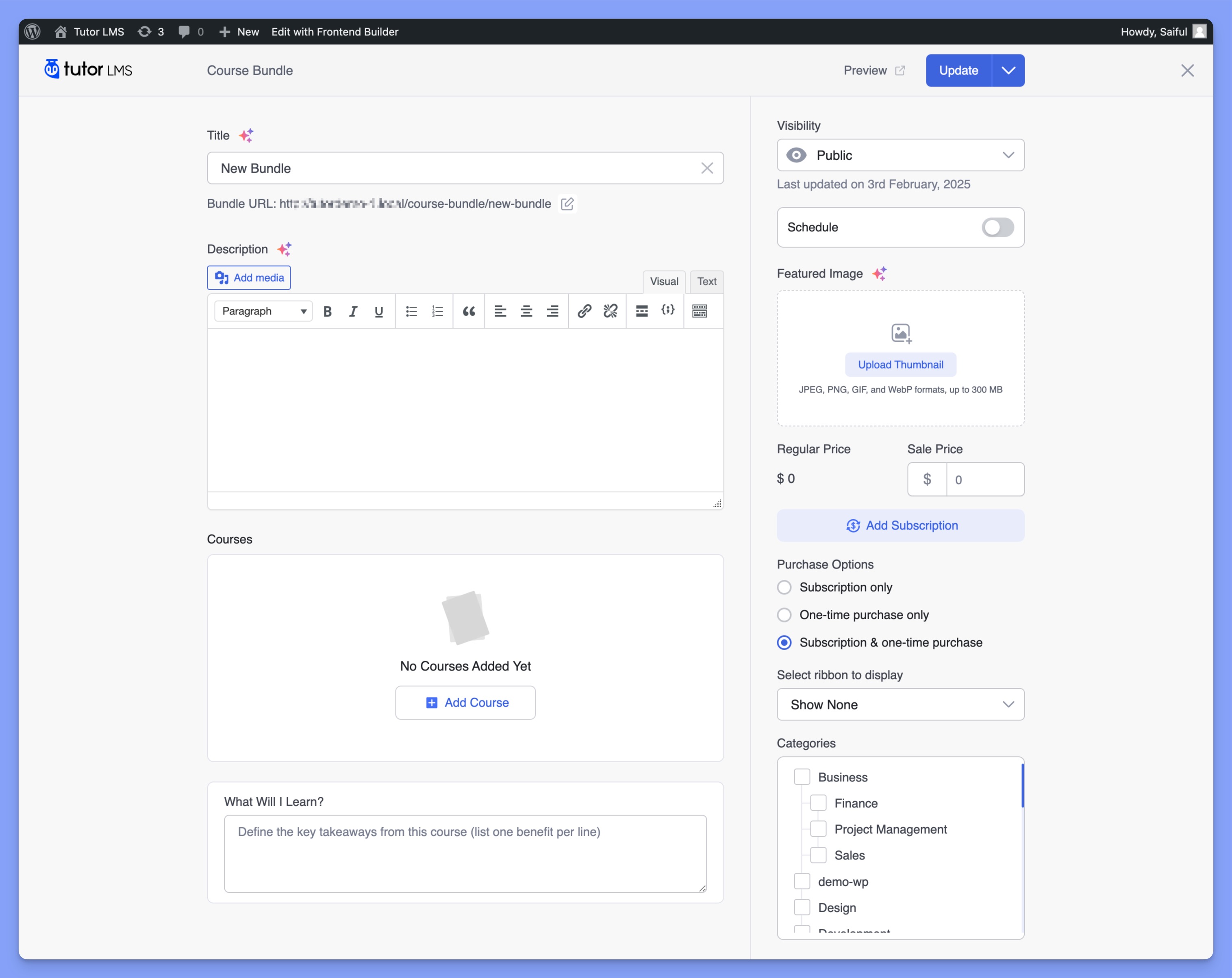
Here, you have to enter the following data:
- Title: Set a title for the course bundle, ensuring it accurately describes the bundle’s courses.
- Bundle URL: Set the URL of your course bundle by clicking on the edit icon.
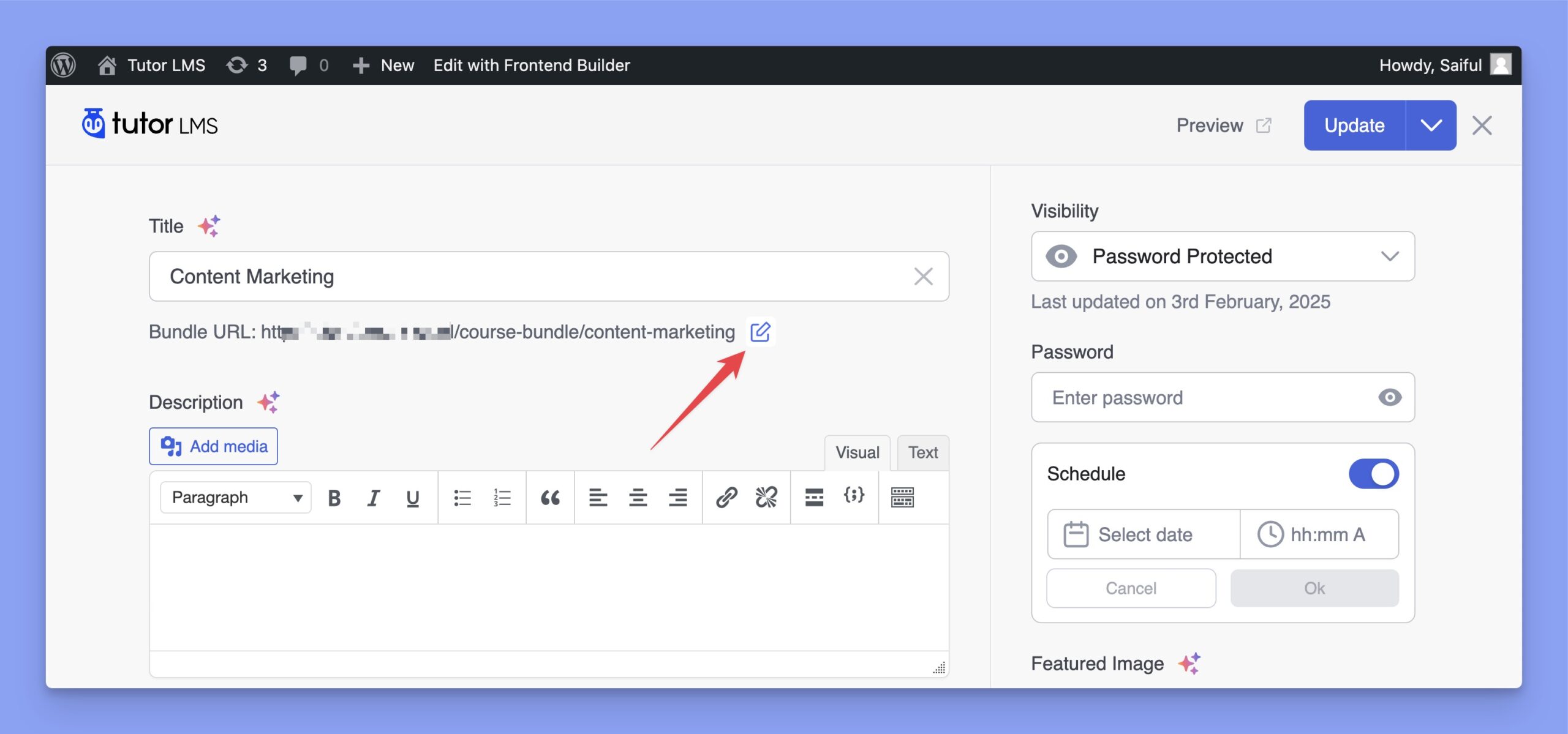
- Description: Provide a description that gives an overview of what the bundle offers to the enrolled students.
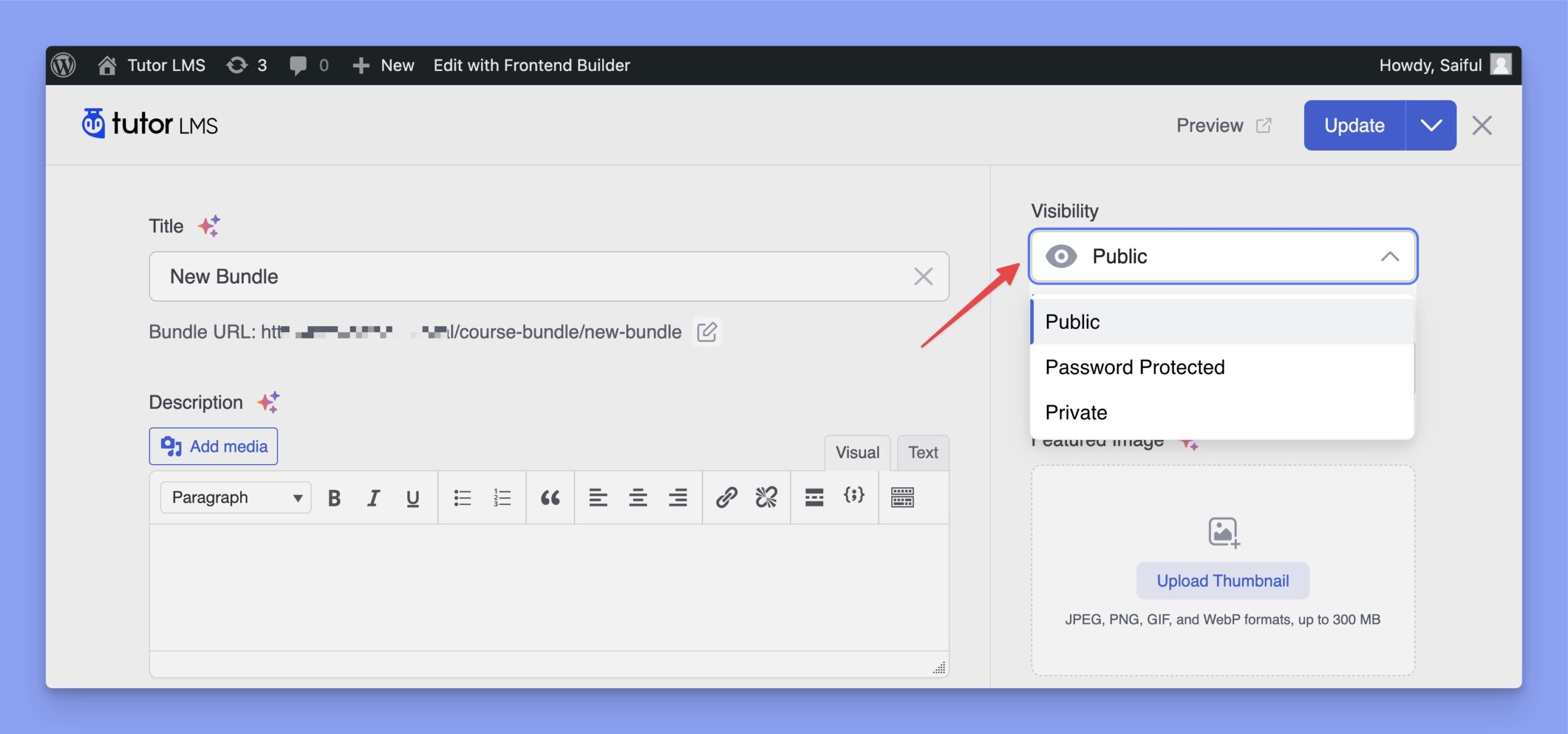
- Visibility: Set the visibility status of your course bundle. You’ll get three different options here:
- Public: Public courses are visible to everyone, and students can access the bundled courses after successful enrollment.
- Private: Private courses are not visible on the course listing page. Admins or instructors must manually enroll students, after which they can access the course from their dashboard.
- Password Protected: Students must enter a password to access the course. However, these courses remain visible on the course listing page.
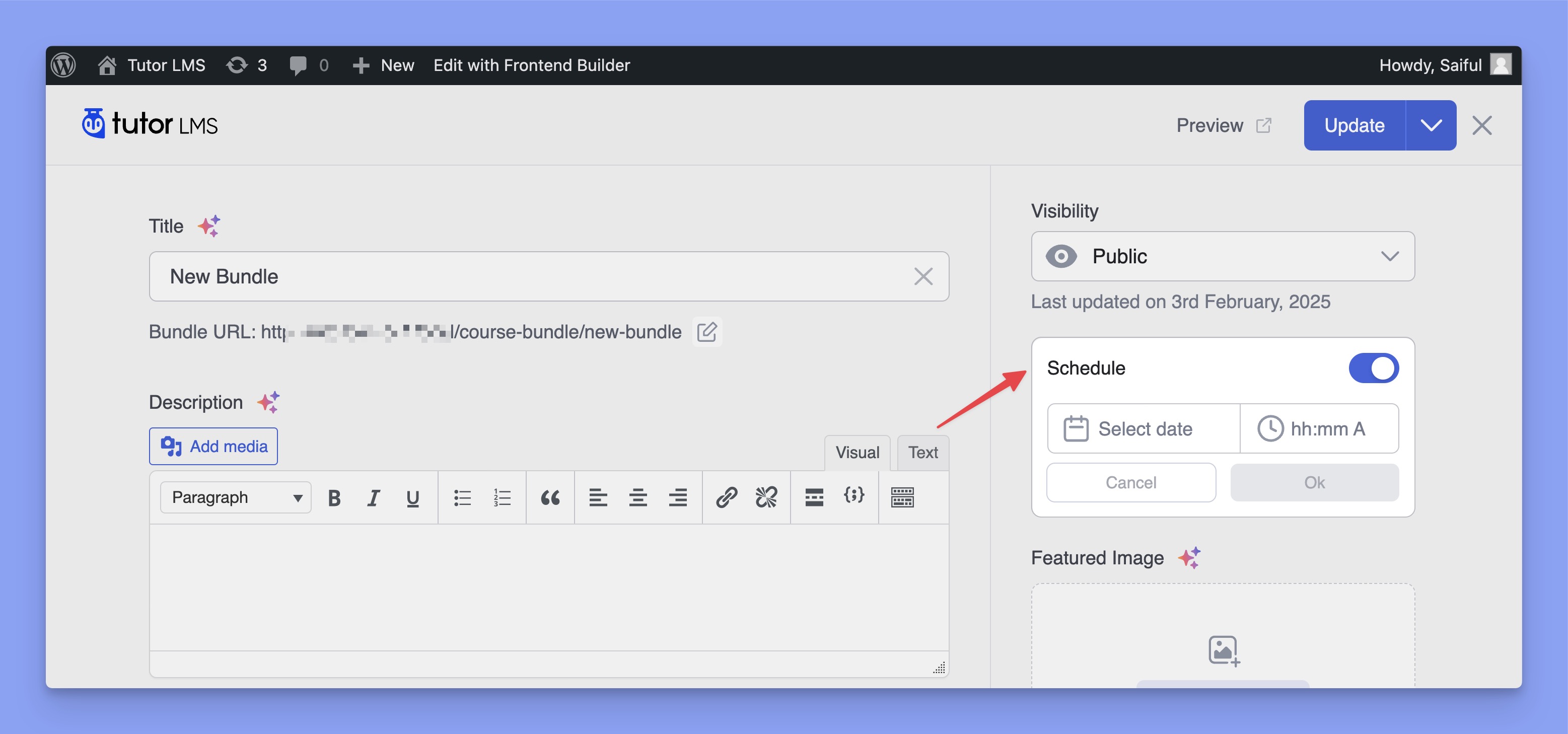
- Schedule: Set a specific time for the course bundle to be published.
- Featured Image: Set a featured image for this course bundle.
- Course Price: The price is automatically calculated based on the total cost of the courses included in this bundle.
- Select Ribbon to Display: If you offer a discount on the course bundle, choose whether to display the discount percentage or the exact discount amount as a ribbon on the course banner image.
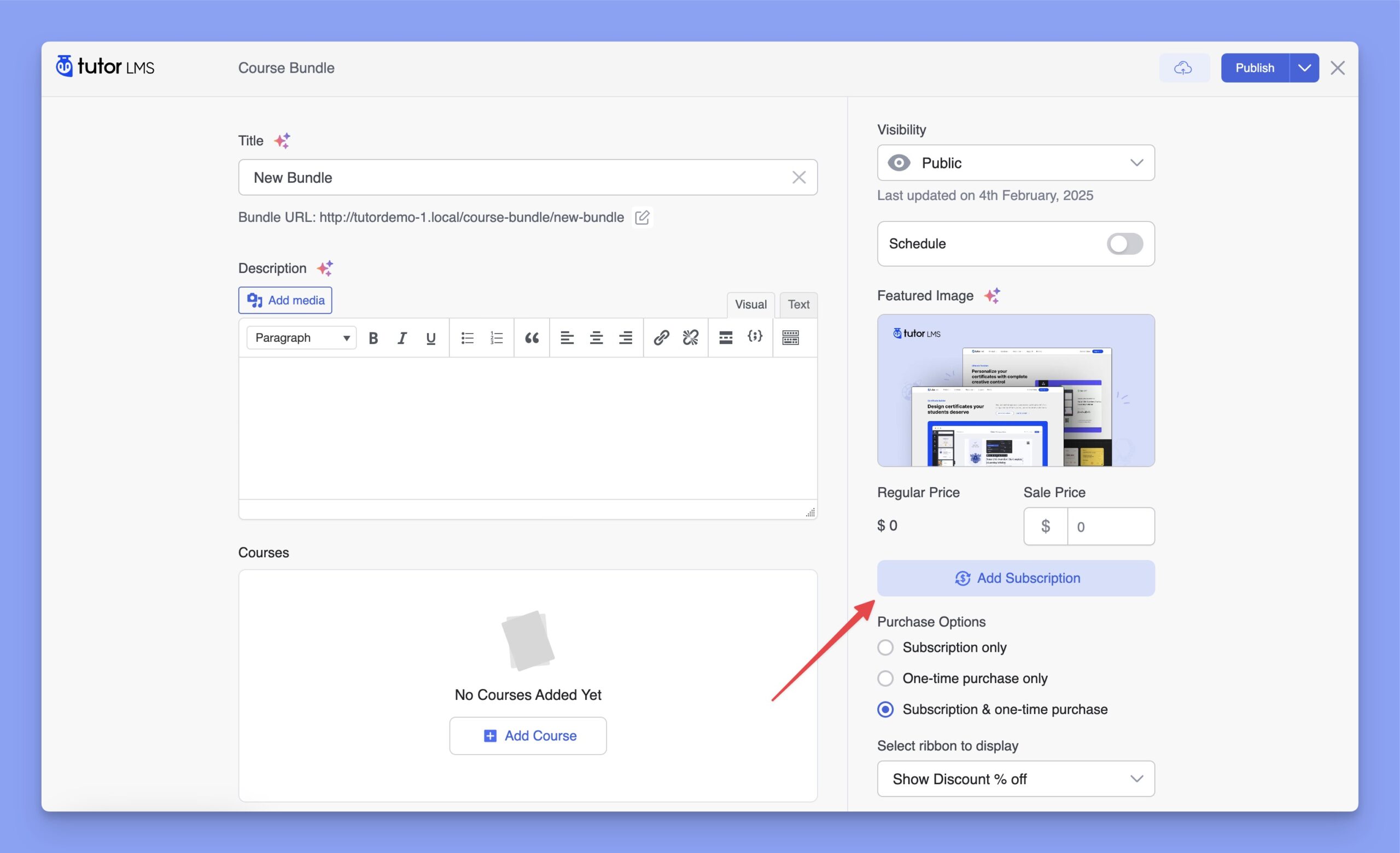
- Subscriptions: The ‘Add Subscription’ button allows you to include this course in a subscription package. For detailed information on adding subscriptions and configuring purchase options, refer to our dedicated Subscriptions documentation.
- Categories: You can assign your course to one or more categories in the Categories section. This helps organize your courses within your Tutor LMS site.
Note: Prerequisites and Enrollment Expiration are not applicable for course bundles.
3. Adding Courses to the Bundle
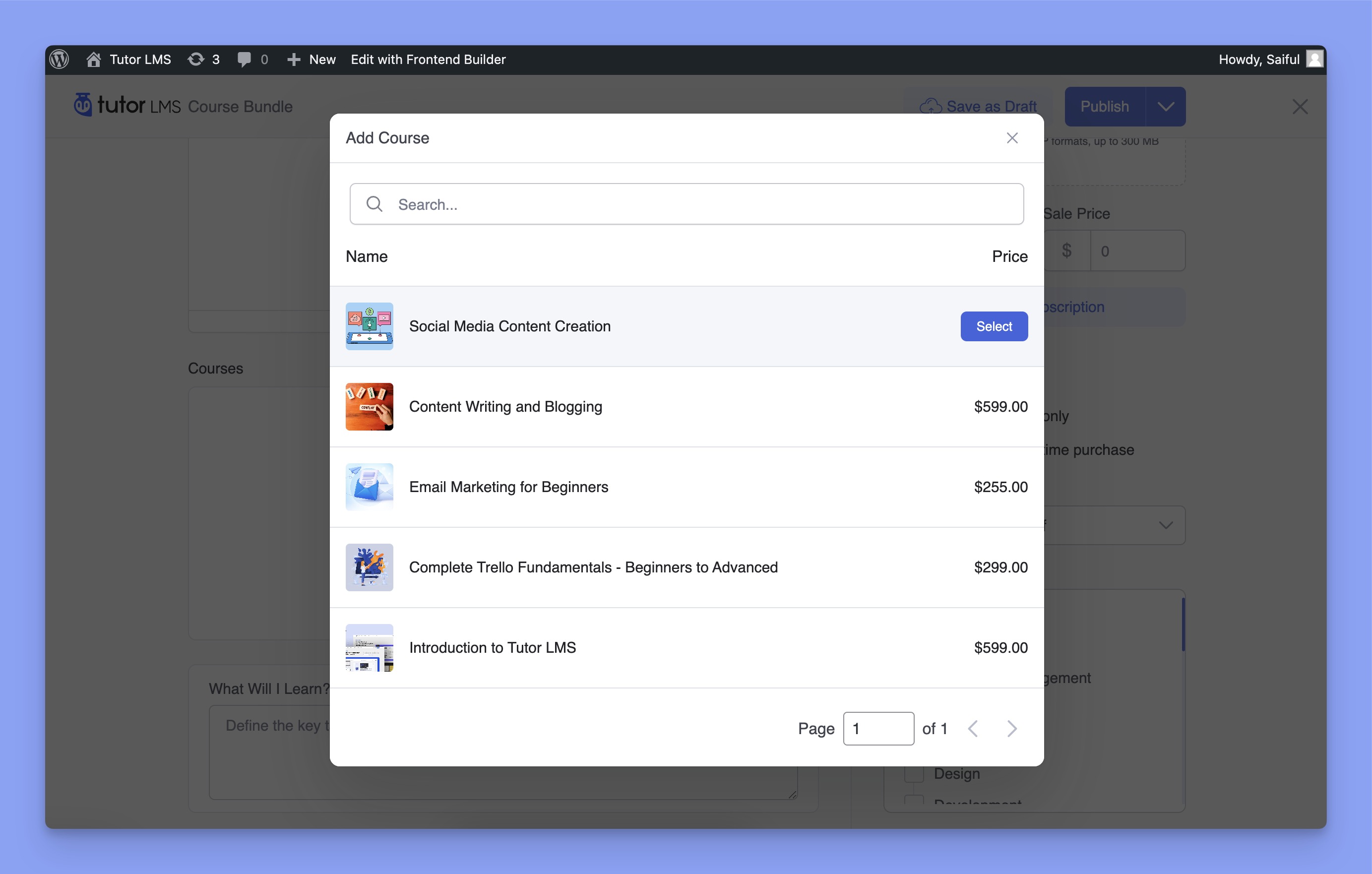
Scroll down to the Courses section and click on the Add Course button.
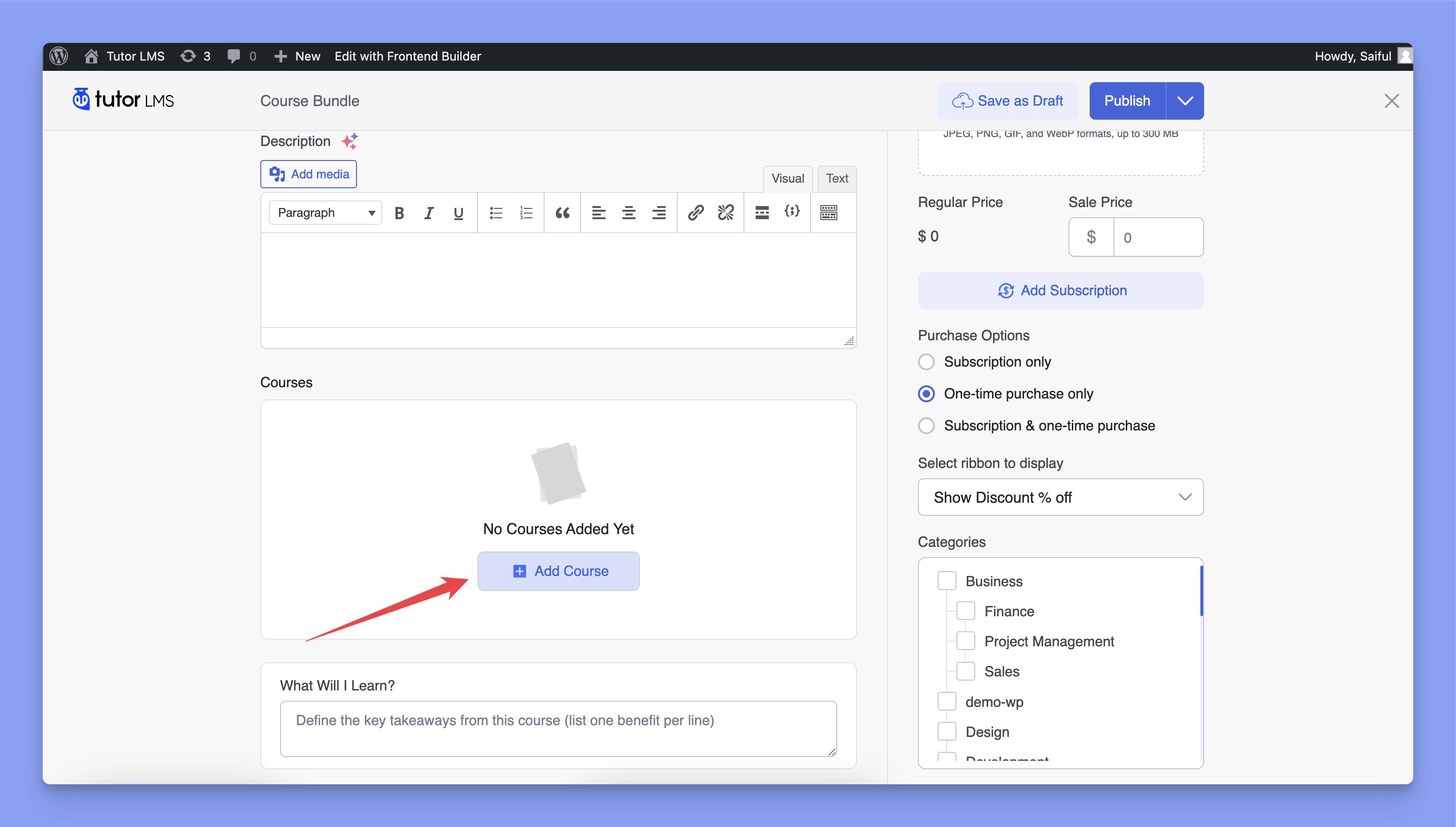
It will open a pop-up modal displaying a list of all courses on your website, along with their prices. You can select the courses you want to add to this bundle or use the search box to find a specific course.
Once added, you can preview an overview of the selected courses, including the number of course contents, price, overall course duration, and more.
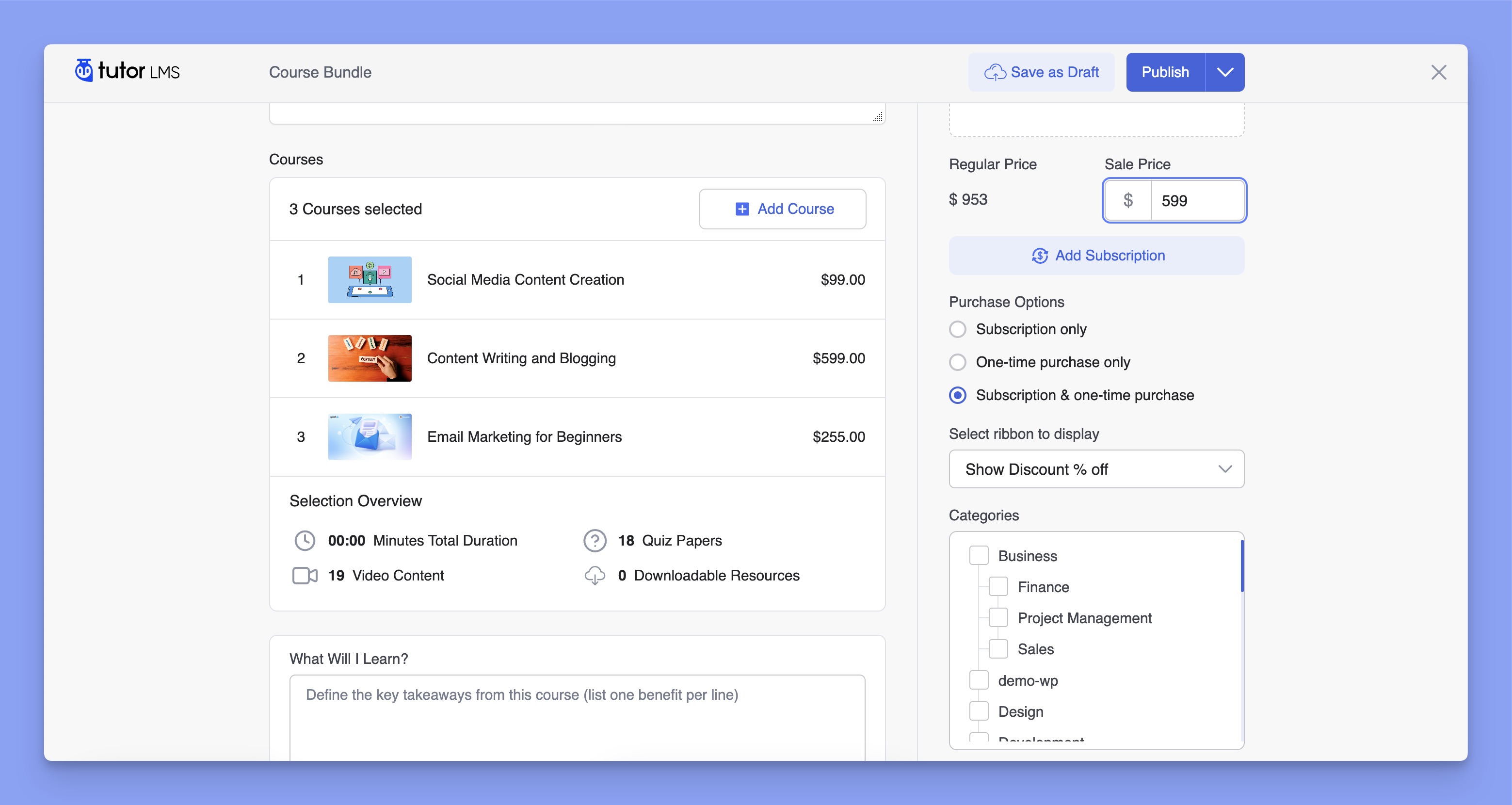
On the right side, you’ll find the regular price and sale price fields. The regular price is automatically calculated by summing the prices of all courses within the bundle. If you’d like to offer discounts, input the discounted price in the Sale Price field.
If everything looks good, go ahead and publish the course bundle.
Note: If student(s) are already enrolled in a course bundle, you cannot add or remove course(s) from a bundle.
4. Preview the Bundle Course
Here’s the frontend preview of the course bundle: