Course Curriculum
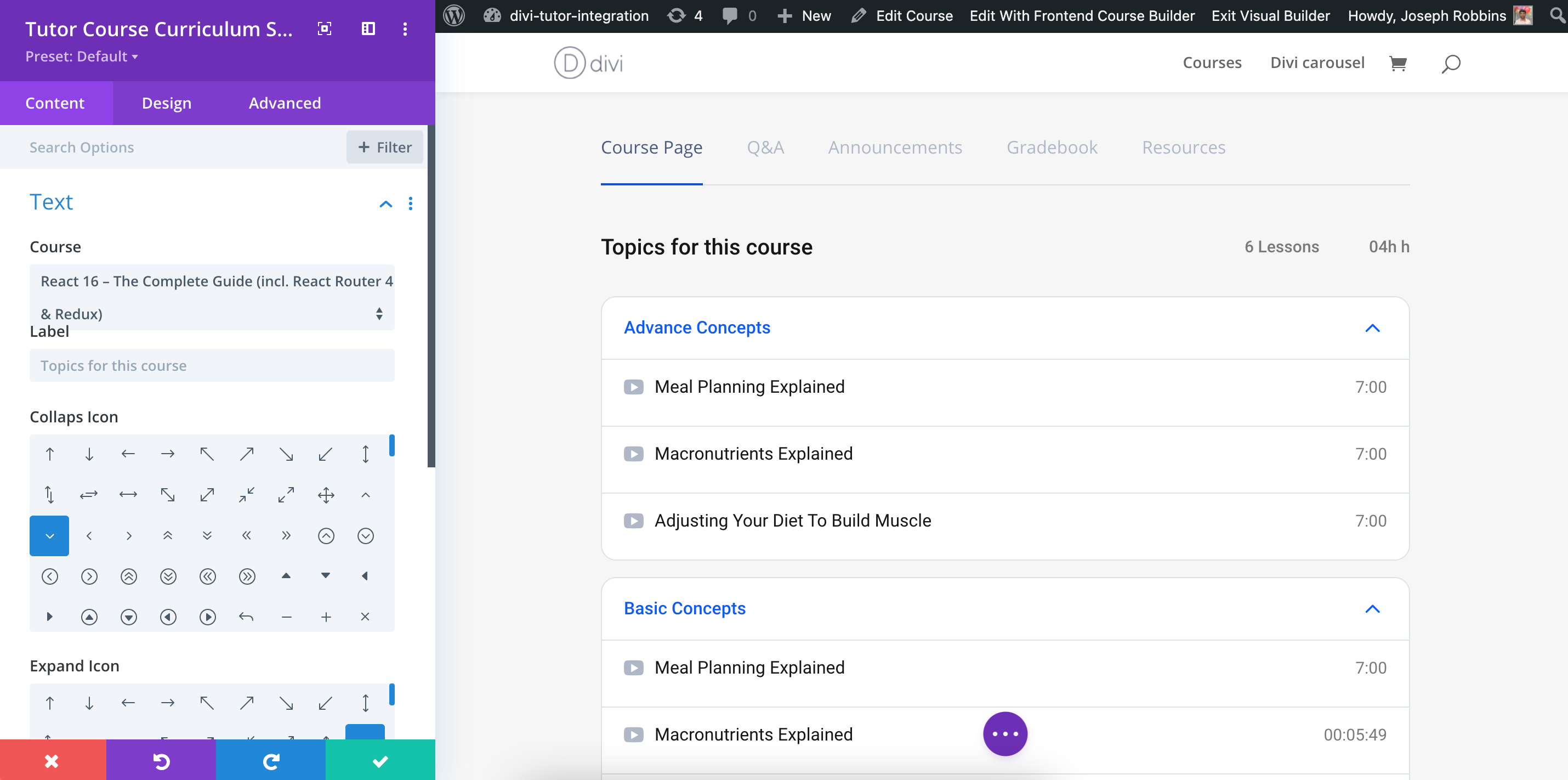
Students will want to know what they are getting into while enrolling in a course. Use this specific module to show what a course will cover in the overall course learning path. It is great marketing to provide students with the Course Curriculum.
Content
Content: In the Content section, you can customize the following attributes.
Content
- Course – You can Select which course you want to import the content for.
- Label – Set what the label describing the Course Curriculum will say.
- Collapse Icon – Determine which icon will be used to show to collapse.
- Expand Icon – Determine which icon will be used to show to expand.
- Icon Position – Set the position of the icon.
Link
- Module Link URL – When clicked the module will link to this URL.
- Module Link Target – You can set whether or not your module link opens in the same window.
Admin Label
- Admin Label – This will change the label of the module in the builder for easy identification.