BunnyNet
BunnyNet CDN offers bufferless high-speed streaming from anywhere in the world. This is accomplished by Bunny Stream, their premium streaming solution. Bunny Stream uses a state-of-the-art CDN to store and deliver your videos whenever and wherever you need them. It offers robust security, even hotlink protection, and other features, in a very affordable package.
Prerequisites for the Integration
For this integration, you will need to ensure a few plugins first. You would need to have Tutor LMS installed and activated.
The required plugins are:
- Tutor LMS v3.5.0 or later
- Tutor LMS BunnyNet Integration plugin
You would also need a subscription to BunnyNet’s Bunny Stream in order to use this integration.
Setting Up
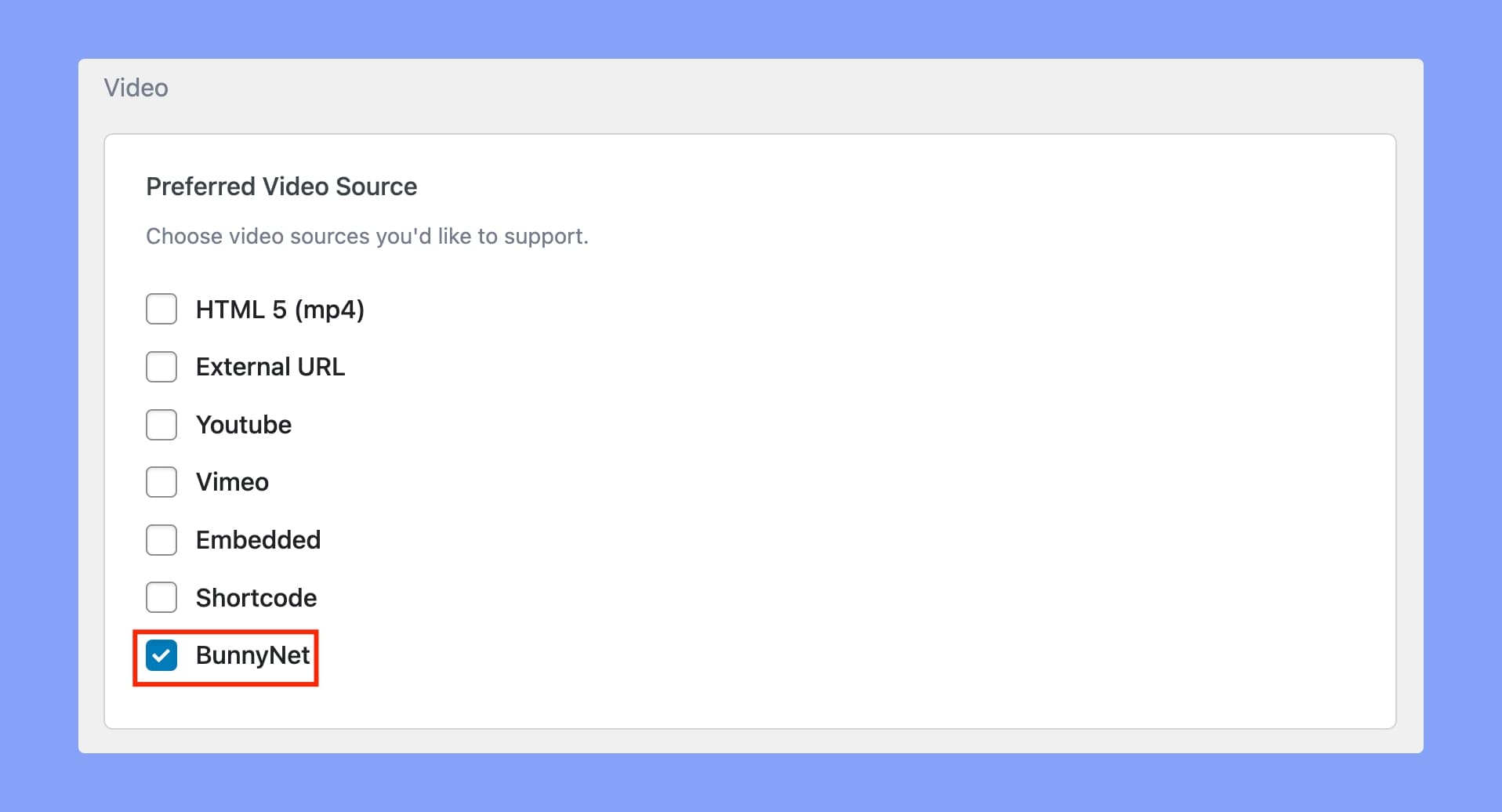
Step One: After installing and activating Tutor LMS & the Tutor LMS BunnyNet Integration plugin, navigate to Tutor LMS > Settings > Course. From there, scroll down to the preferred video source and find the BunnyNet option.
You need to toggle BunnyNet as your preferred video source.
Step Two: Then, log in to your BunnyNet account and open your video. This will bring you to the BunnyNet video setup. Here, you can set a thumbnail for your video, set a title, configure captions, and so on.
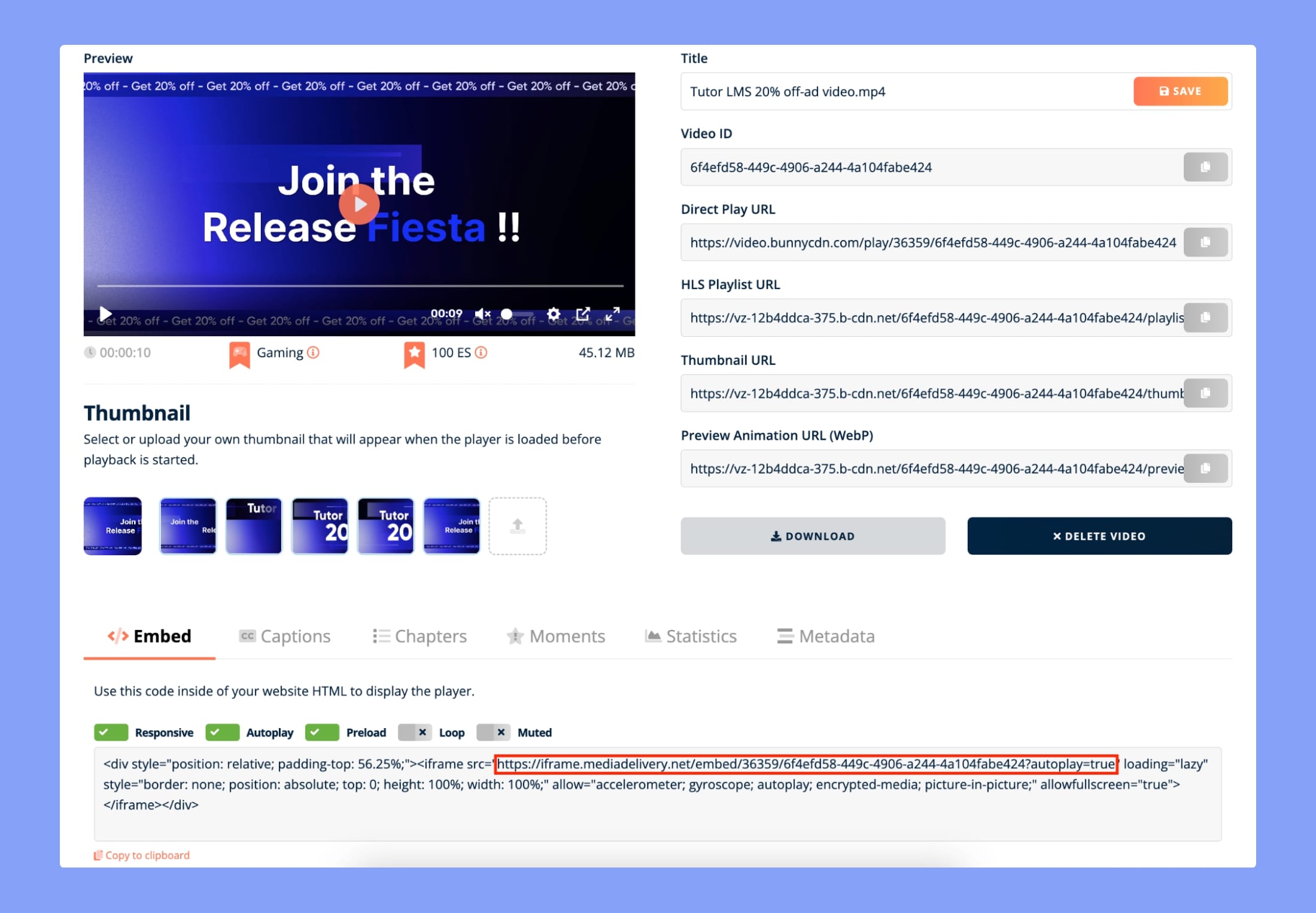
Step Three: Now you just need to copy the red-marked part from the Embed Code.
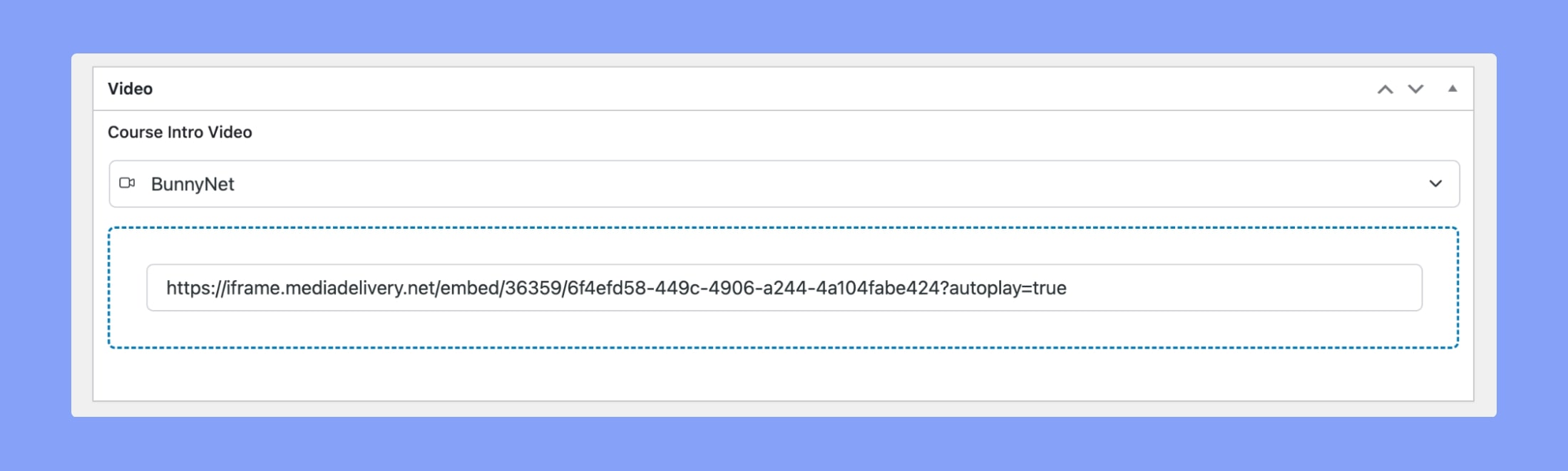
Step Four: Finally, go back to Tutor LMS, and paste the URL/link into the Course Intro or Lesson video field. Your video source will then be set to BunnyNet.