Integrations OverviewWooCommerceWooCommerce SubscriptionsPaid Memberships ProEasy Digital DownloadsKadence MembershipsBunnyNetLoco Translate
Getting StartedCourse RatingCourse TitleCourse AuthorCourse LevelCourse Social ShareCourse CategoriesCourse DurationCourse Total EnrolledCourse Last UpdatedCourse StatusCourse ThumbnailCourse PriceCourse Enrolment BoxCourse PurchaseCourse MaterialsCourse RequirementsCourse TagsCourse Target AudienceCourse AboutCourse DescriptionCourse BenefitsCourse CurriculumCourse InstructorsCourse ContentCourse ReviewsCourse CarouselCourse ListCourse WishlistBundle TitleBundle ThumbnailBundle CategoriesBundle OverviewBundle TagsBundle AuthorBundle CoursesBundle BenefitsElementor Templates for Tutor LMS Single Course Page
IntroductionCreate a Divi Template for Tutor LMS CourseCourse AboutCourse AuthorCourse BenefitsCourse CarouselCourse CategoriesCourse ContentCourse CurriculumCourse DurationCourse EnrollmentCourse InstructorCourse Last UpdateCourse LevelCourse ListCourse MaterialsCourse PriceCourse PurchaseCourse RatingCourse RequirementCourse ReviewsCourse ShareCourse StatusCourse TagsCourse Target AudienceCourse ThumbnailCourse TitleCourse Total EnrollmentCourse Wishlist
Enabling Q&ATranslating Tutor LMSInstructor SignupStudent SignupGuest PurchaseImporting Demo Course DataAdd Images in Quiz QuestionsList of Tutor LMS Email PlaceholdersRegenerate Tutor LMS PagesHow to Create reCAPTCHA KeysEdit Lessons With Page BuilderGive Feedback as an InstructorEditing Instructor Profile from FrontendLimit one course per userHow to add Video CaptionsGenerate Tutor LMS Login PageGet YouTube API KeyHow to Get Google Client IDHow to Get a Facebook App IDHow to Get X(Twitter) API KeyHow to Migrate From Zoom JWT App to Server-To-Server OAuth AppMake Sidebar Sticky for Course Details PageHow to Approve and Manage Course Reviews in Tutor LMSHow to Add Math Equations in Tutor LMS using LaTexHow to Sell Bundle Course as a SubscriptionHow to Embed PDF Documents in Tutor LMS LessonsHow to Make Passing a Quiz Mandatory to Access Next Course ContentHow to Import and Export Tutor LMS Courses
Gradebook
Gradebook
Last updated July 14, 2026
The Gradebook section gives students an overview of their performance across all graded items in the course. It is accessible from the sidebar.
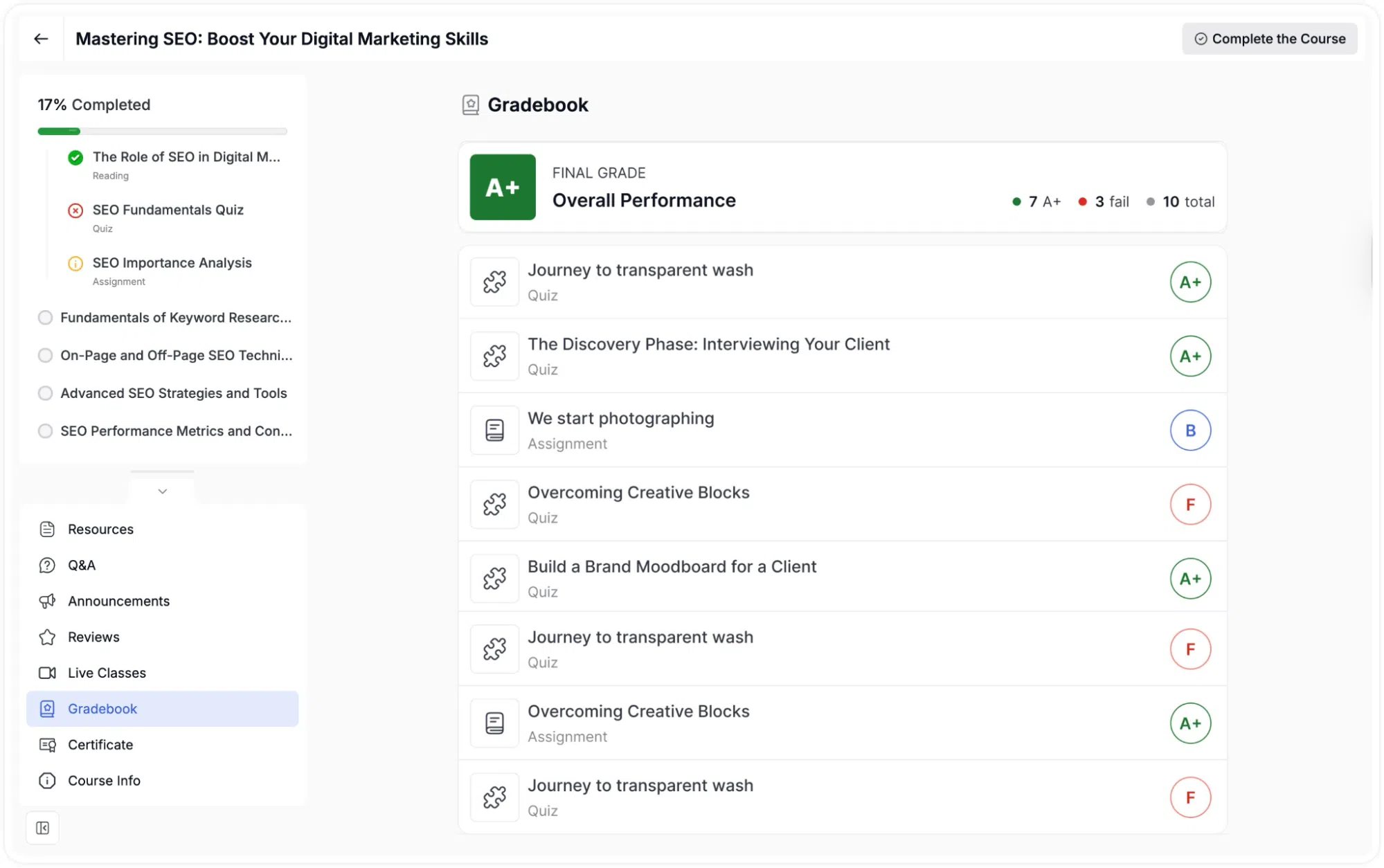
At the top, a summary shows the student’s Final Grade (for example, A+) and their Overall Performance, a breakdown such as “7 A+, 3 fail, 10 total.” Each graded item is listed below with its title, type (Quiz or Assignment), and the letter grade earned. This allows students to see exactly which assessments they passed or failed at a glance.
Note: The Gradebook requires the Gradebook add-on to be enabled.