H5P
H5P is a powerful add-on that enables you to create interactive, engaging content like quizzes, videos, and simulations. By integrating H5P with Tutor LMS, you can enhance your online courses and provide a more dynamic learning experience for your students.
Benefits of using H5P:
- Increased Engagement: Interactive elements capture learners’ attention and encourage active participation.
- Improved Knowledge Retention: Active learning with H5P activities helps students retain information more effectively.
- Versatile Content Types: H5P offers a wide range of content types to cater to diverse learning styles and preferences.
Installing and Enabling the H5P Add-on
To use H5P with Tutor LMS, you will need to install the H5P plugin and enable the H5P add-on. To do so simply follow these steps:
Install the H5P Plugin:
- Go to “Plugins > Add New” in your WordPress dashboard.
- Search for “H5P.”
- Click “Install Now” and then “Activate.”
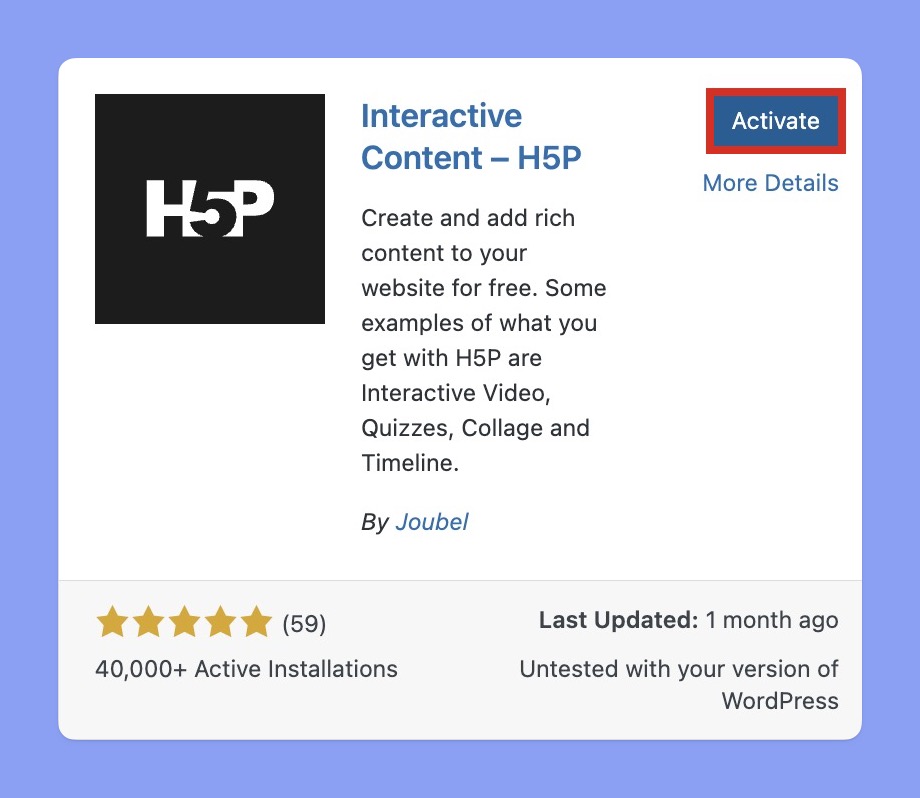
Enable the H5P Add-on in Tutor LMS:
- Go to “Tutor LMS Pro > Add-ons.”
- Locate the “H5P” add-on and click “Activate.”
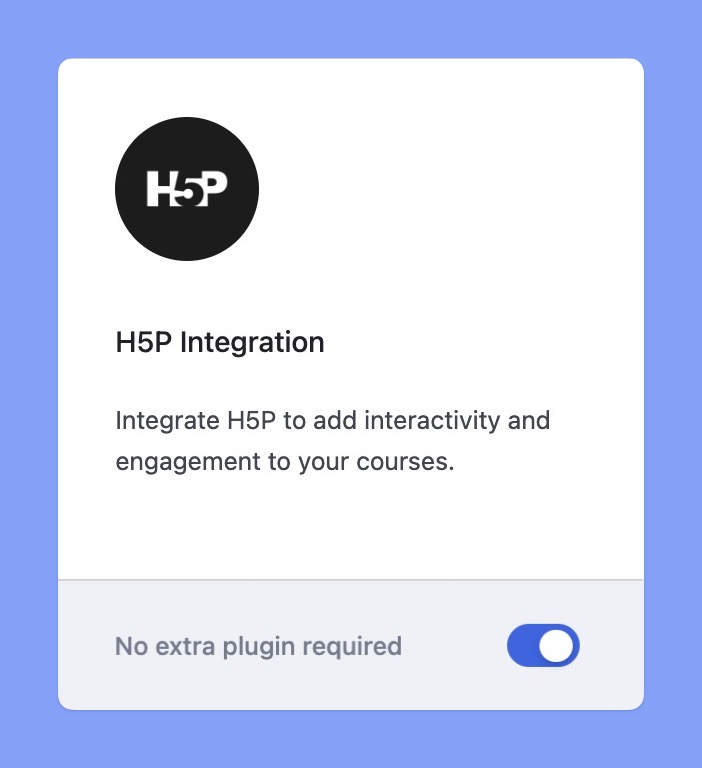
Once you’ve completed these steps, you’ll be able to create and add interactive H5P content to your Tutor LMS courses.
Creating H5P Content
H5P offers a wide range of interactive content types that you can create and add to your Tutor LMS courses. To create new H5P content for Tutor LMS simply follow these steps:
Access the H5P Content Creator:
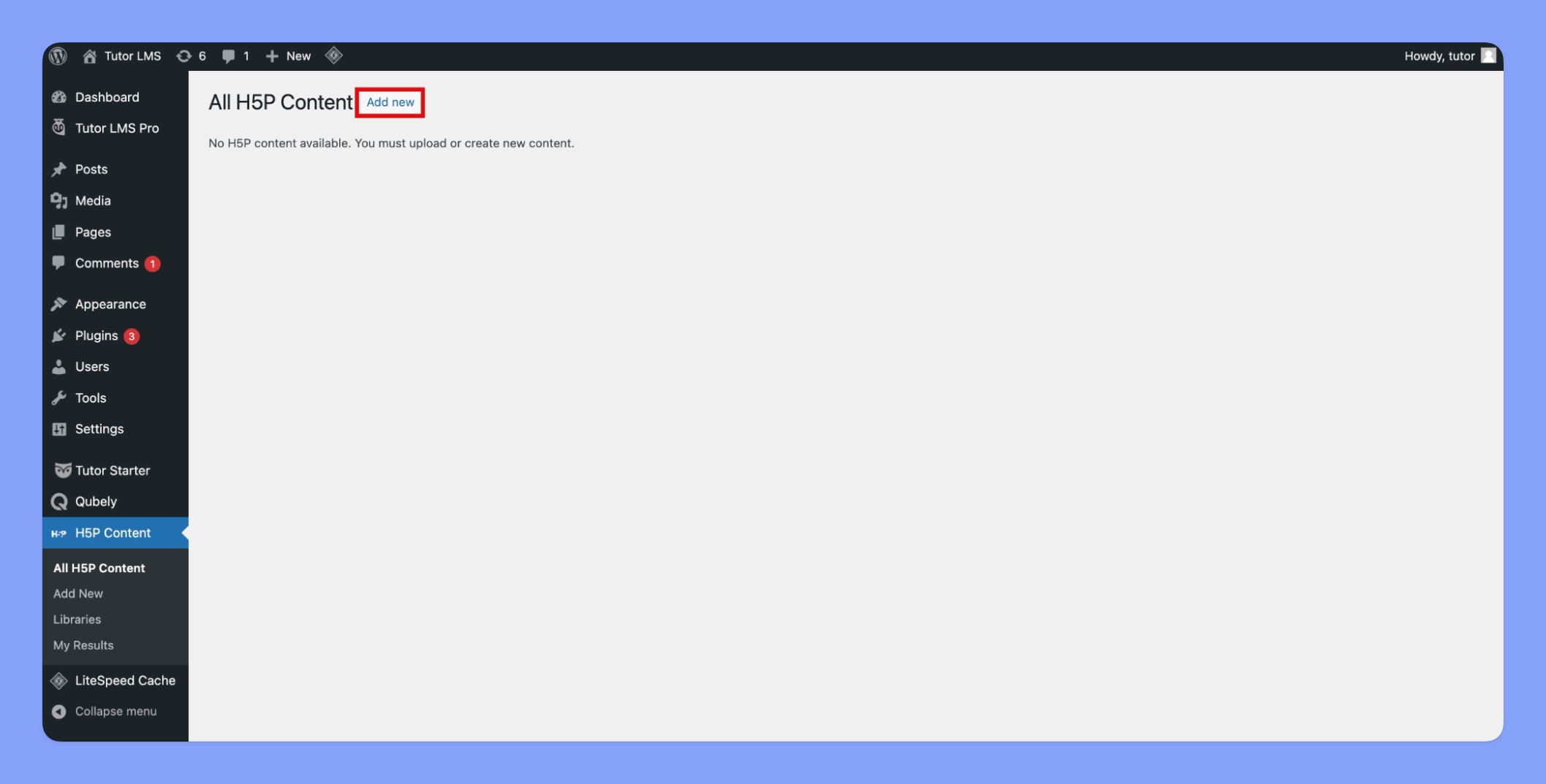
- Navigate to H5P Content in your WordPress dashboard.
- Click Add New.
Select a Content-Type:
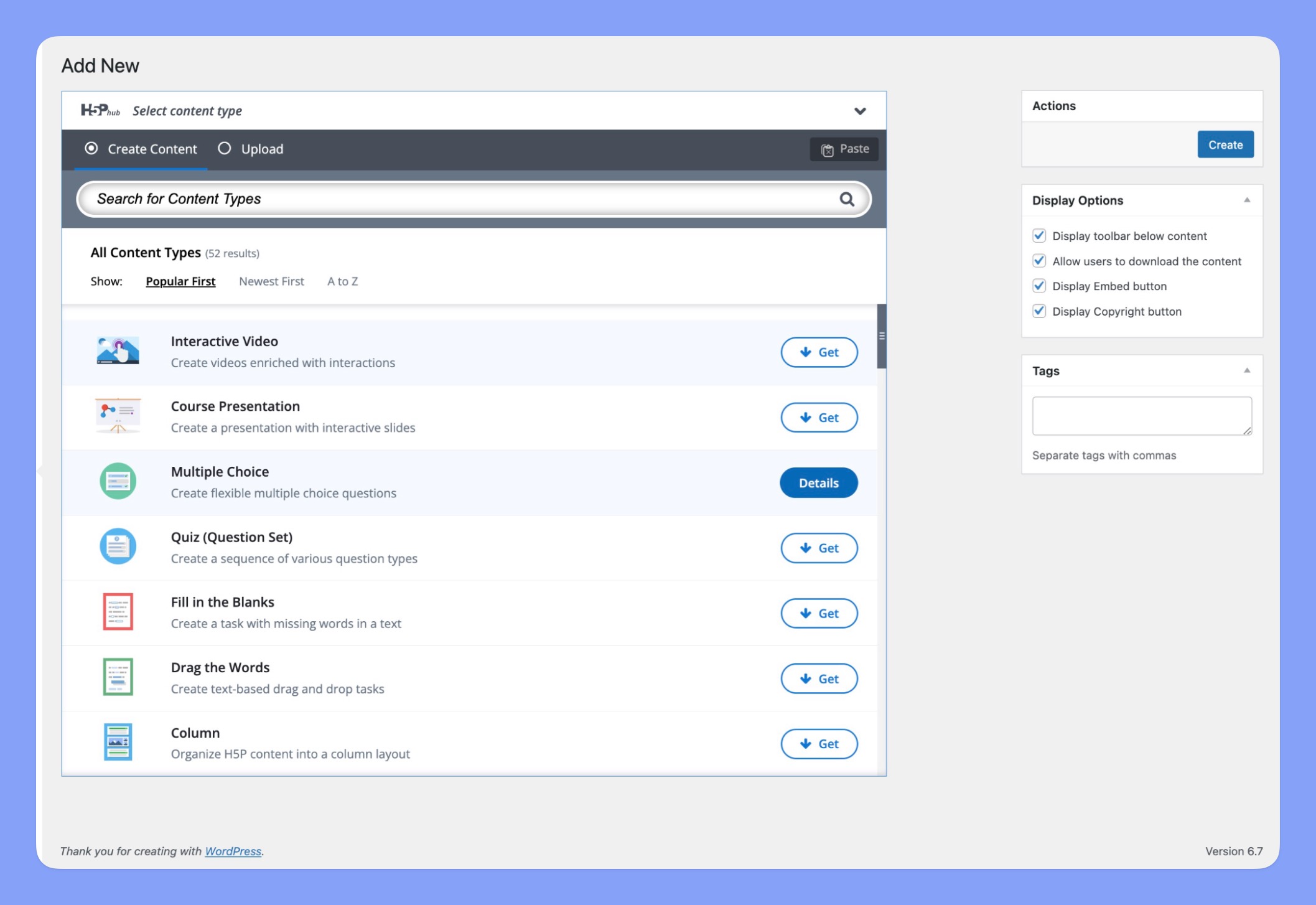
- Use the “H5Phub” dropdown menu to browse available H5P content types.
- Alternatively, use the Search bar to find specific content.
Download and Create:
- Click “Get” to download the chosen content type.
- Once downloaded, click “Details” to open the content creator.
- Click “Use” to start creating your H5P content
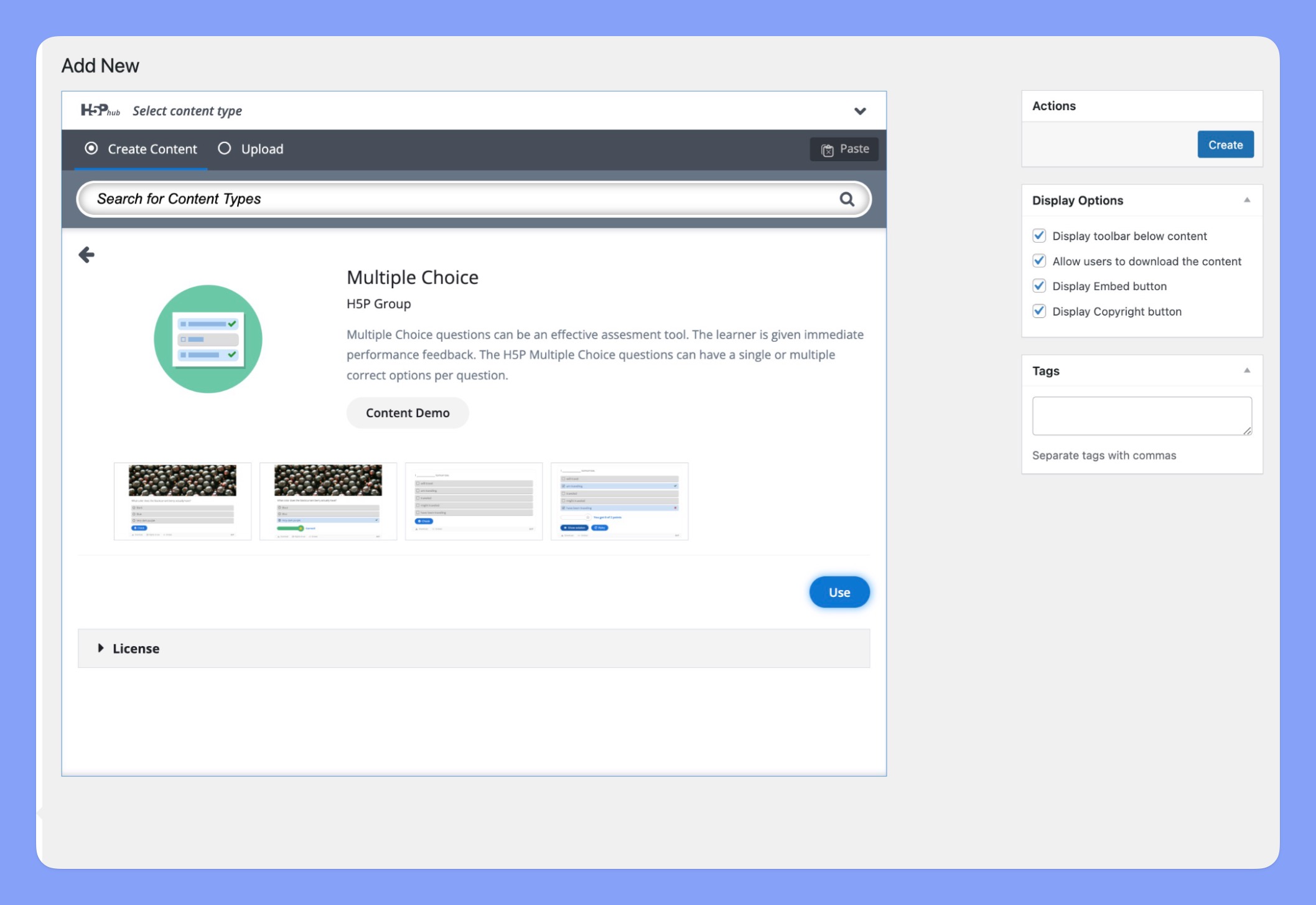
Add to Your Course:
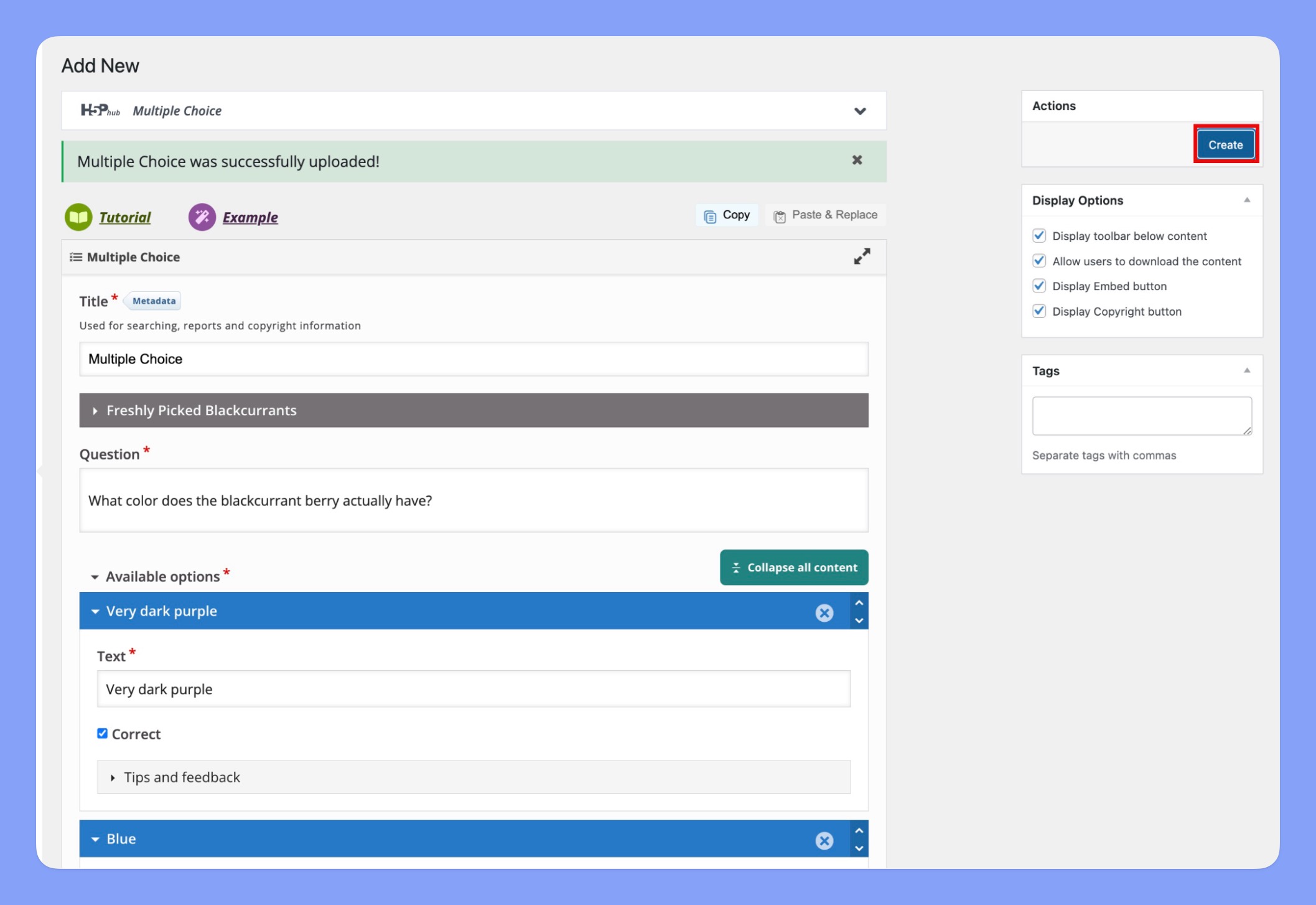
- Once your H5P content is complete, click the “Create” button to save.
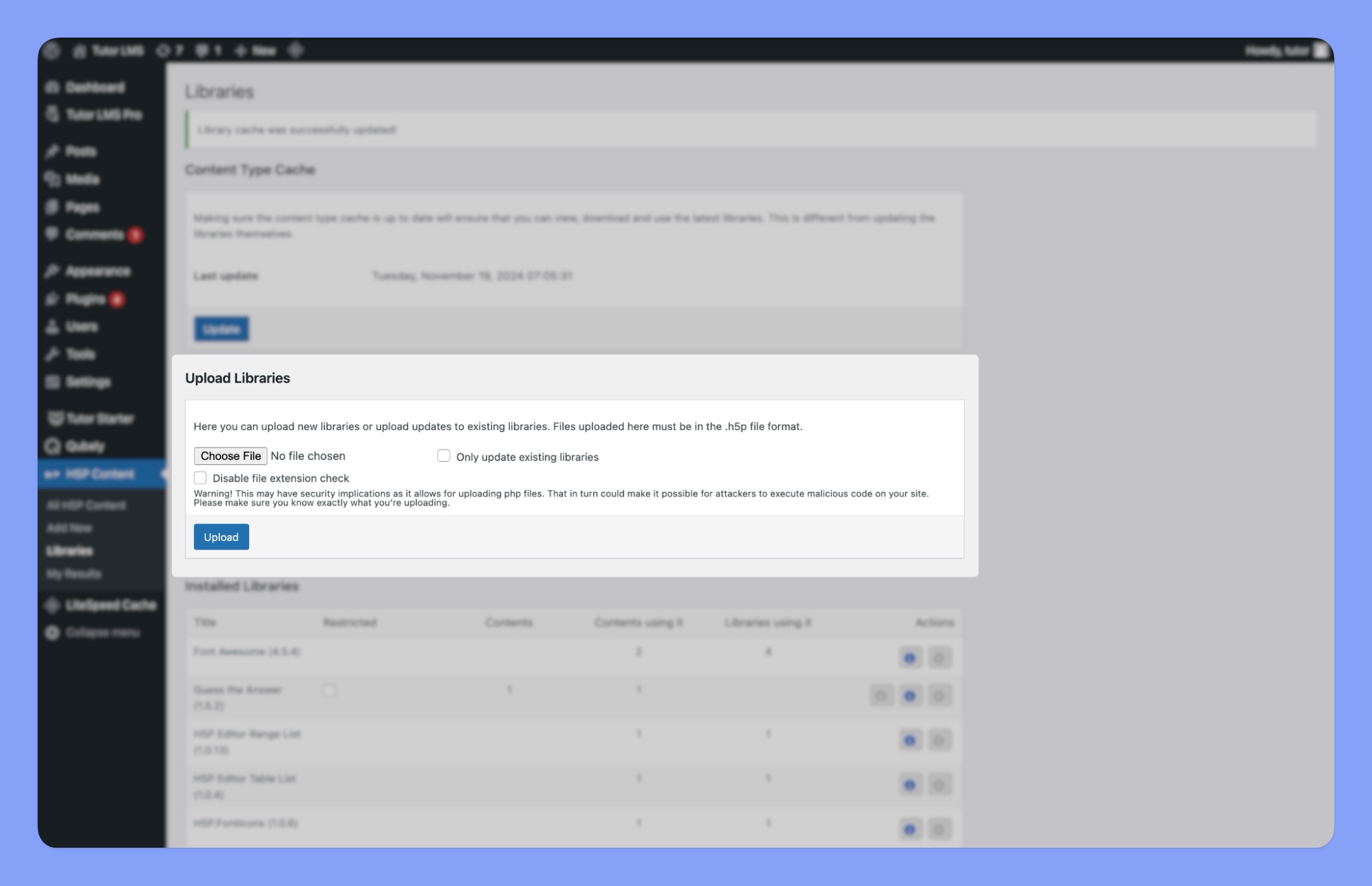
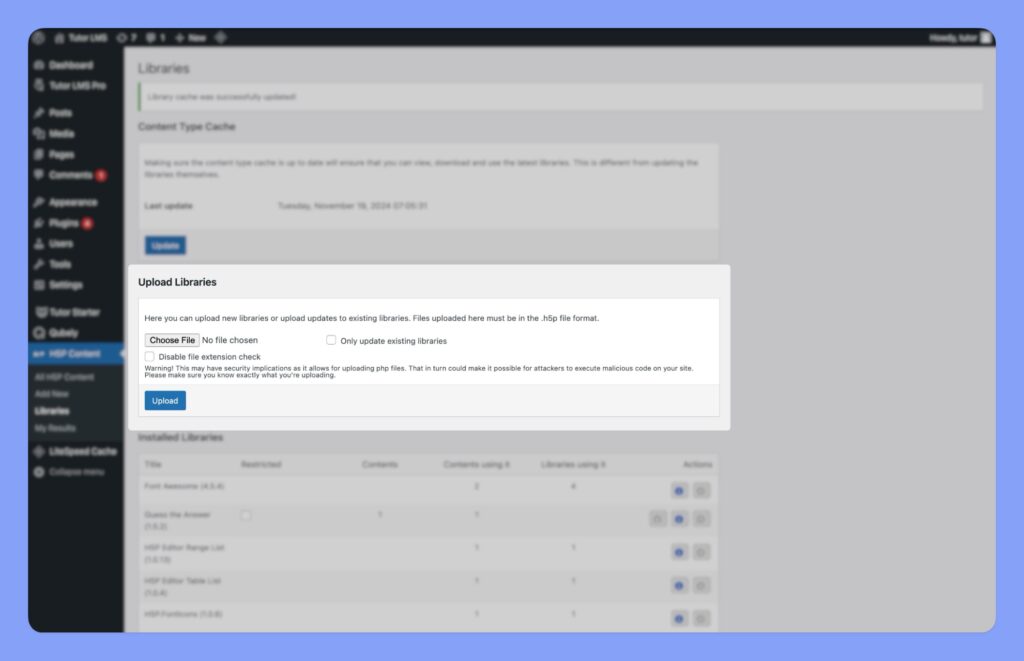
- All H5P content will be readily available in “WP dashboard> H5P Content> Libraries”
Leveraging H5P’s Knowledge Base
H5P offers a range of resources to help you create interactive content. Each content creation tool includes “Tutorial” and “Example” buttons that provide specific guidance and tips tailored to the content type you’re working on.
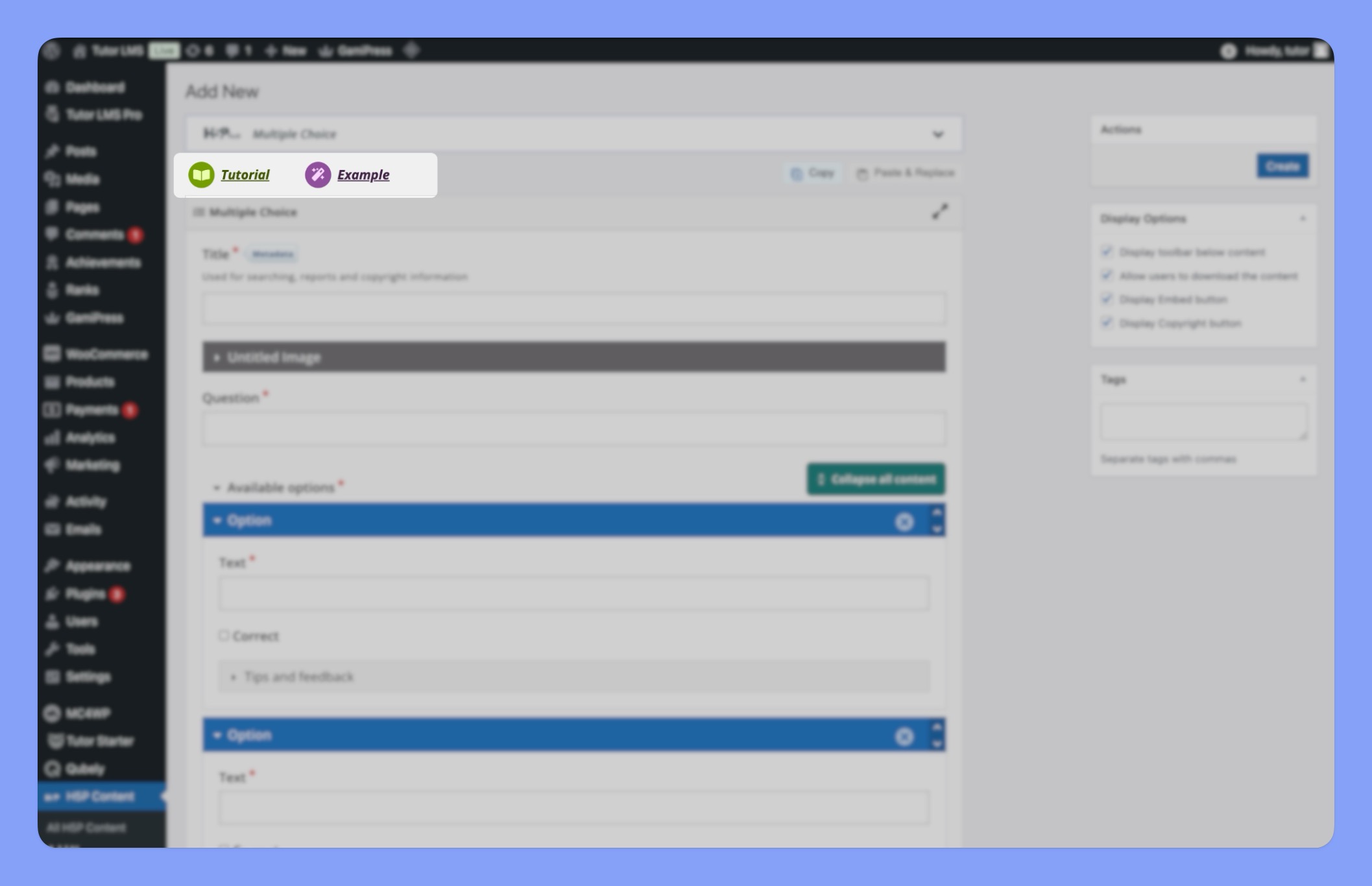
Additionally, you can download the provided examples and reuse them in your own courses or customize them to suit your specific needs.
For comprehensive, step-by-step instructions on creating interactive content using H5P, you can also visit the official H5P documentation, Tutorials for authors.
H5P Display Options
H5P content creator also offers a variety of display options to customize the appearance and functionality of your content. These options often include features like:
- Display Toolbar Below Content: Controls whether the toolbar, containing buttons for tutorials, examples, and more, is displayed above or below the content.
- Allow Users to Download the Content: Enables learners to download the content for offline access or further customization.
- Display Embed Button: Allows users to embed the content into their own websites or blogs.
- Display Copyright Button: Shows copyright information to protect your work.
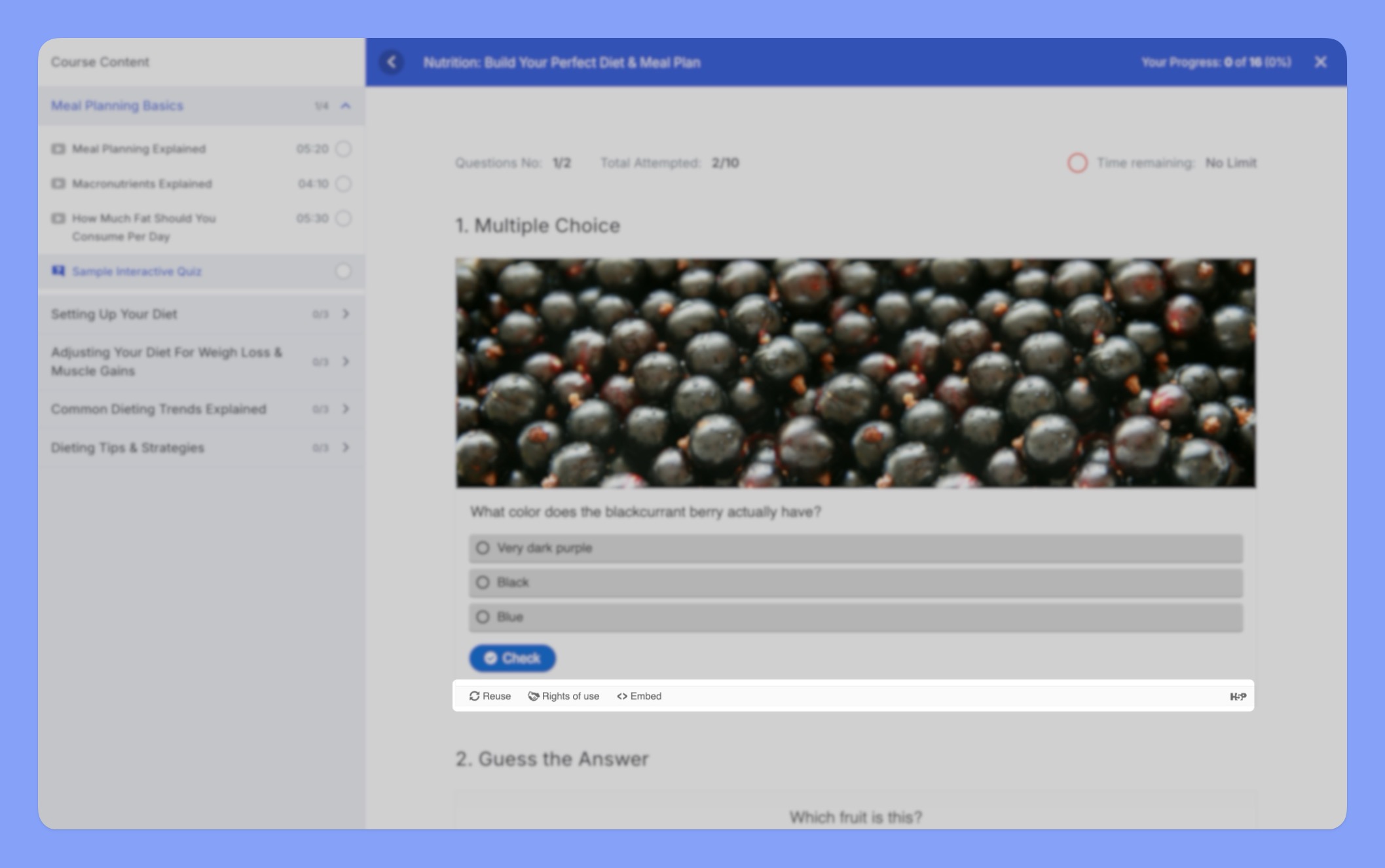
By carefully selecting these display options, you can tailor the H5P content to your specific learning objectives and audience needs.
Using H5P Content in Tutor LMS
To seamlessly integrate interactive H5P content into your Tutor LMS courses, you will need to have the H5P content already created and accessible within your H5P “Libraries.” Once your H5P content is ready, you can follow these steps to incorporate it into your Tutor LMS courses.
Here are the steps to use H5P content in Tutor LMS courses:
Navigate to the Course Builder:
- Log in to your Tutor LMS platform.
- Navigate to the course to which you want to add H5P content.
- Click on the Course Builder button.
Open the Curriculum:
- In the Course Builder, click on the Curriculum tab.
Select a Topic:
- Choose the topic within your course where you want to add the H5P content.
Add an Interactive Quiz:
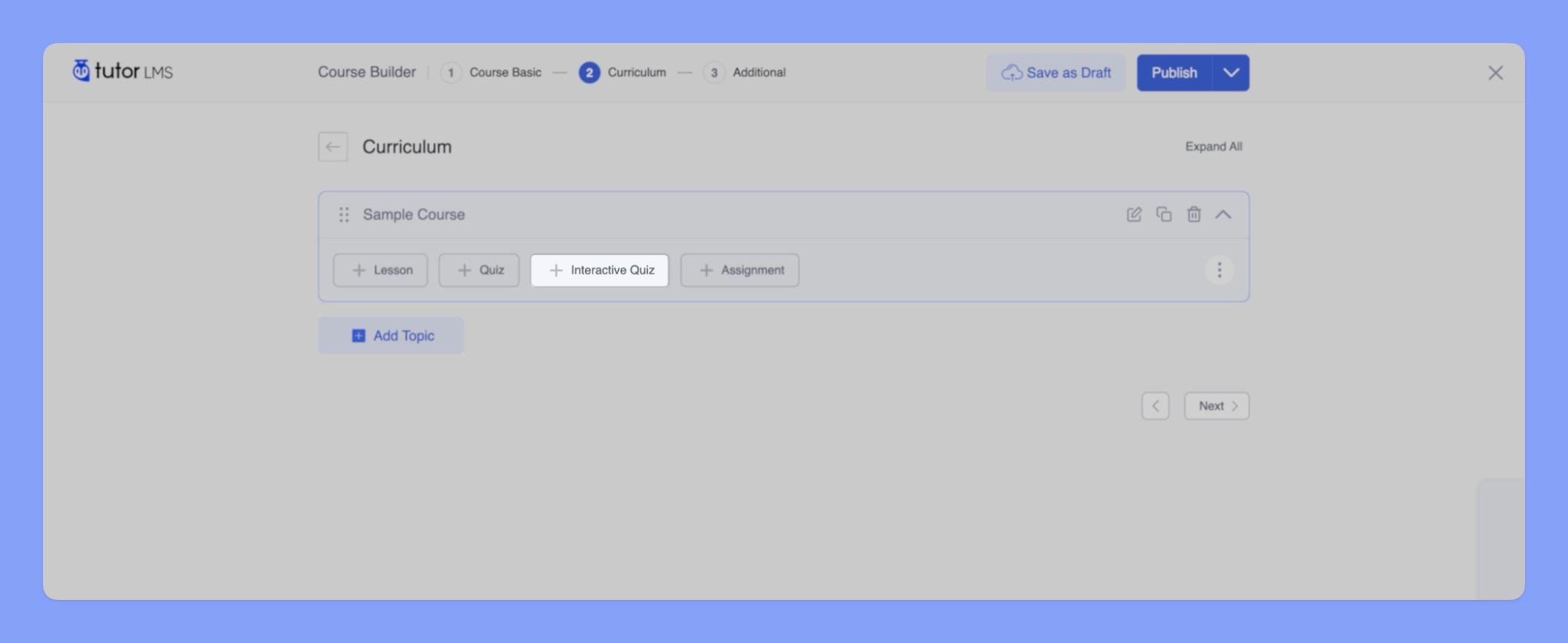
- Under the selected topic, click on the “Interactive Quiz” button.
Provide Details:
- Enter a “Title” for the interactive quiz.
- Optionally, add a brief “Summary” to describe the quiz.
- Click OK to proceed.
Add H5P Content:
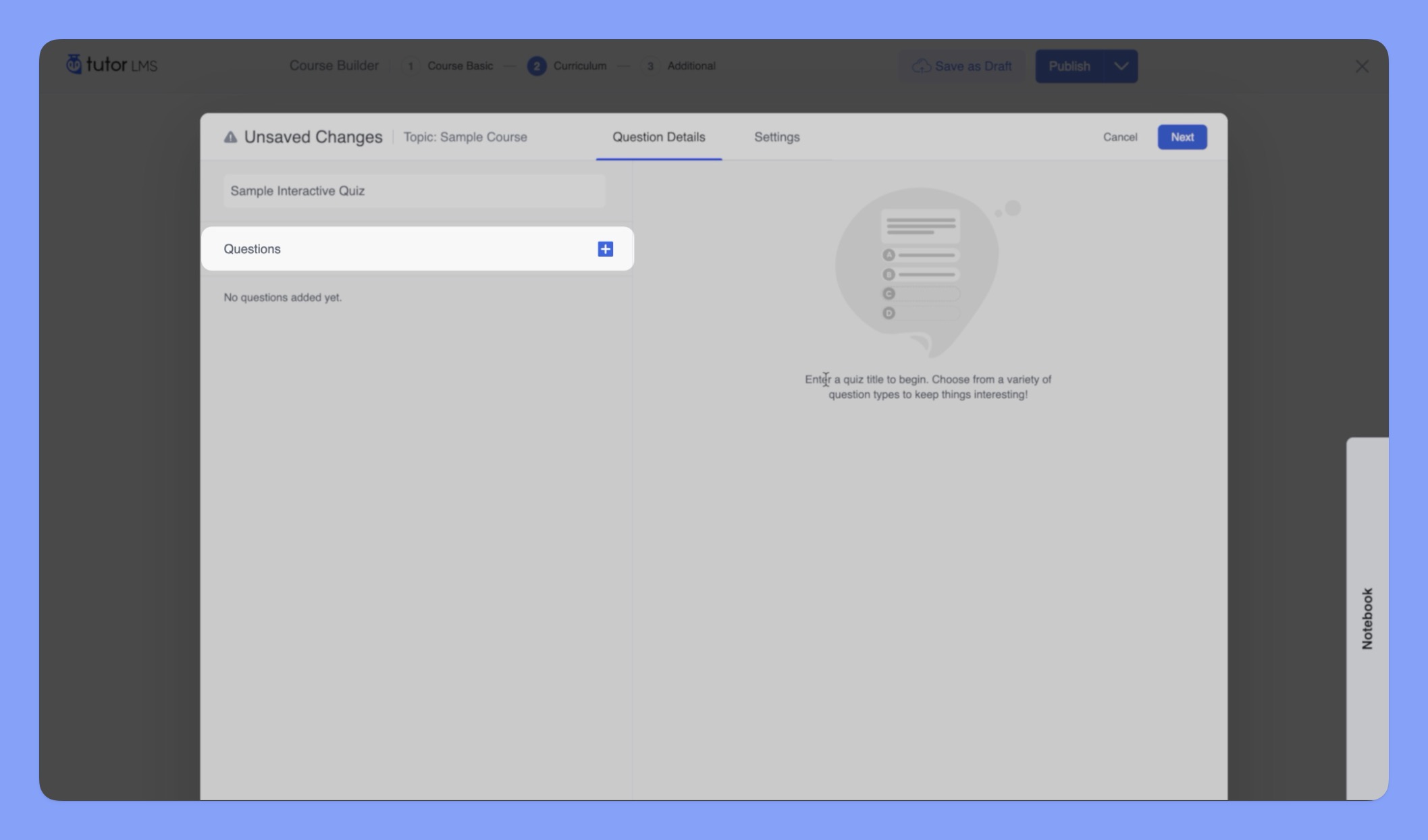
- Click on the “+” button to add H5P content to the interactive quiz.
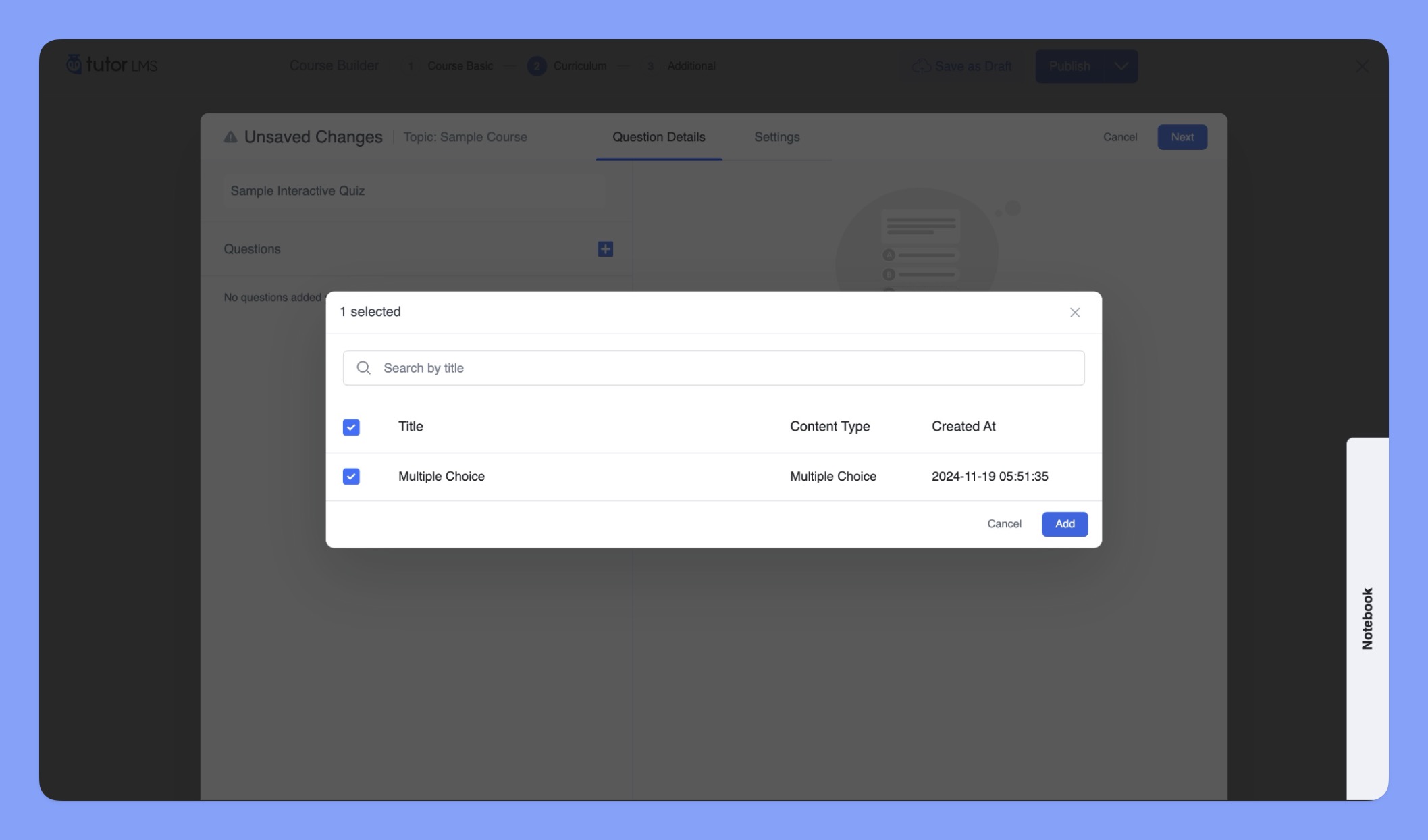
- This will open a dialog box where you can select the H5P content from your library.
Select H5P Content:
- Choose the desired H5P content from the list.
- Click to select and “Add” it to the interactive quiz.
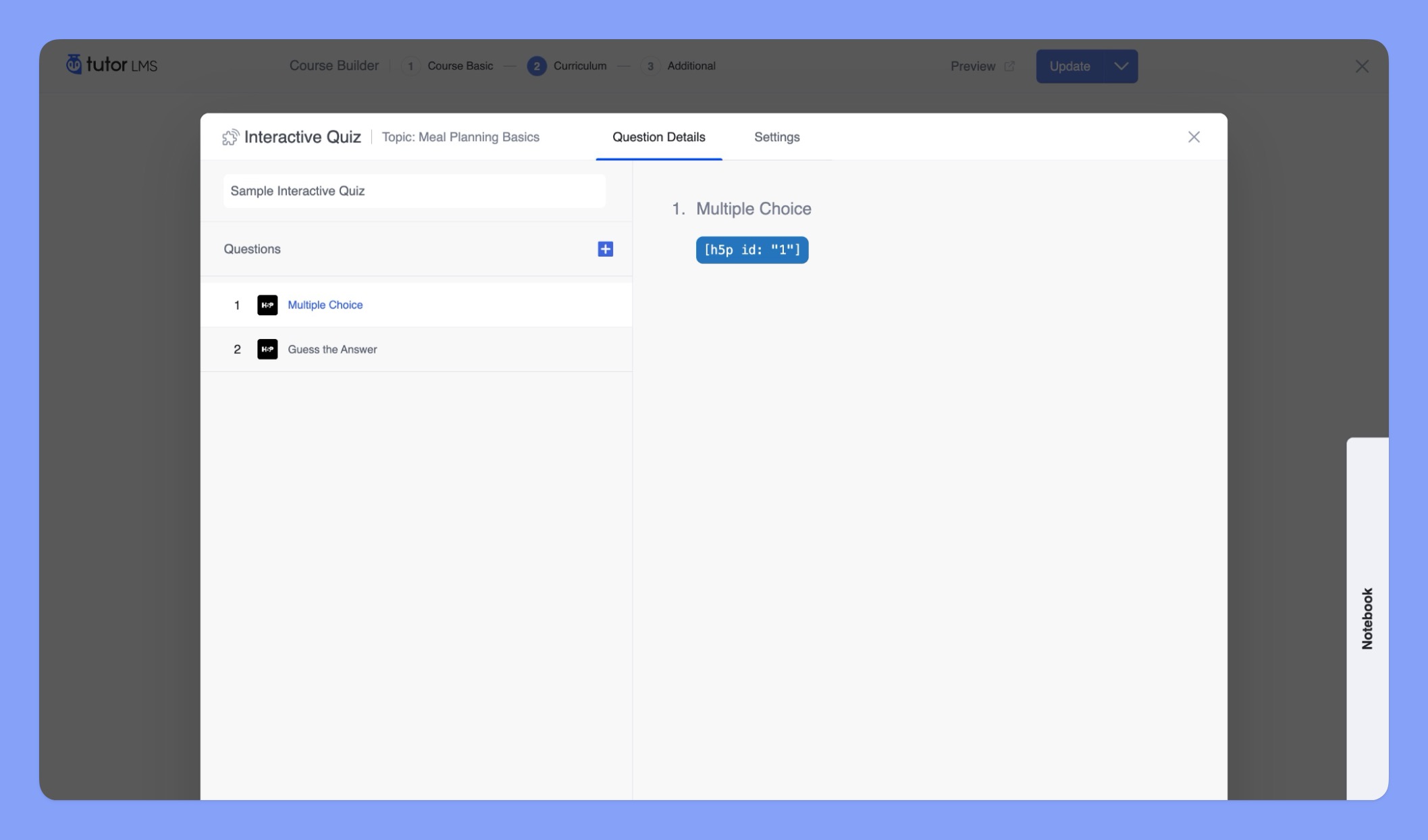
Embed H5P Content:
- Once selected, the H5P content will be embedded into the interactive quiz section of the course.
Further Optimizations:
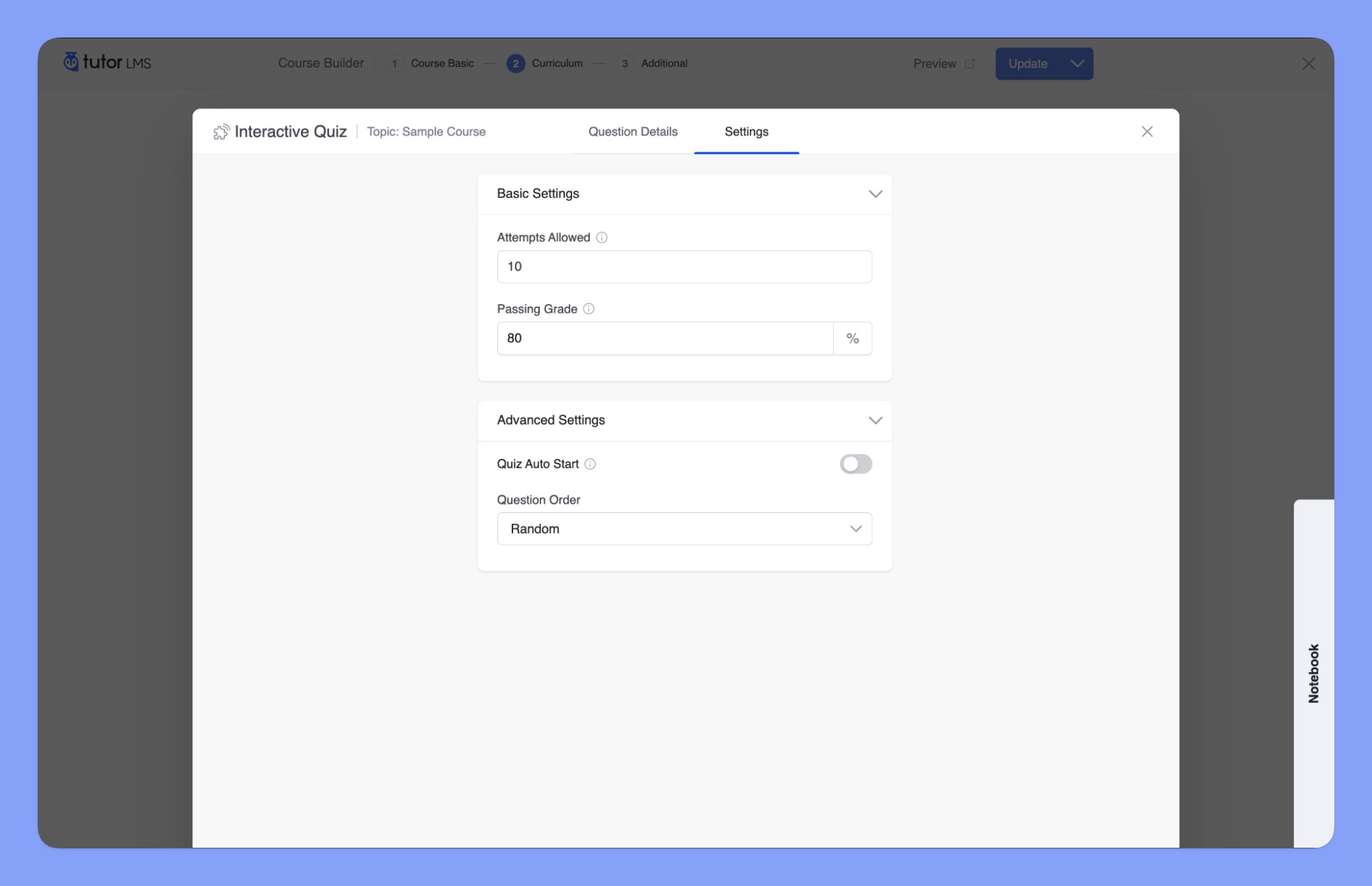
After adding H5P content to your interactive quiz, you can further customize the quiz settings to control the learner experience and assessment criteria:
Basic Settings:
- Attempts Allowed: Set the maximum number of times a learner can attempt the quiz.
- Passing Grade: Define the minimum score required to pass the quiz.
Advanced Settings:
- Quiz Auto-Start: Enable or disable automatic quiz start upon page load.
- Question Order: Choose between “Sequential,” “Random,” “Ascending and Descending” question order.
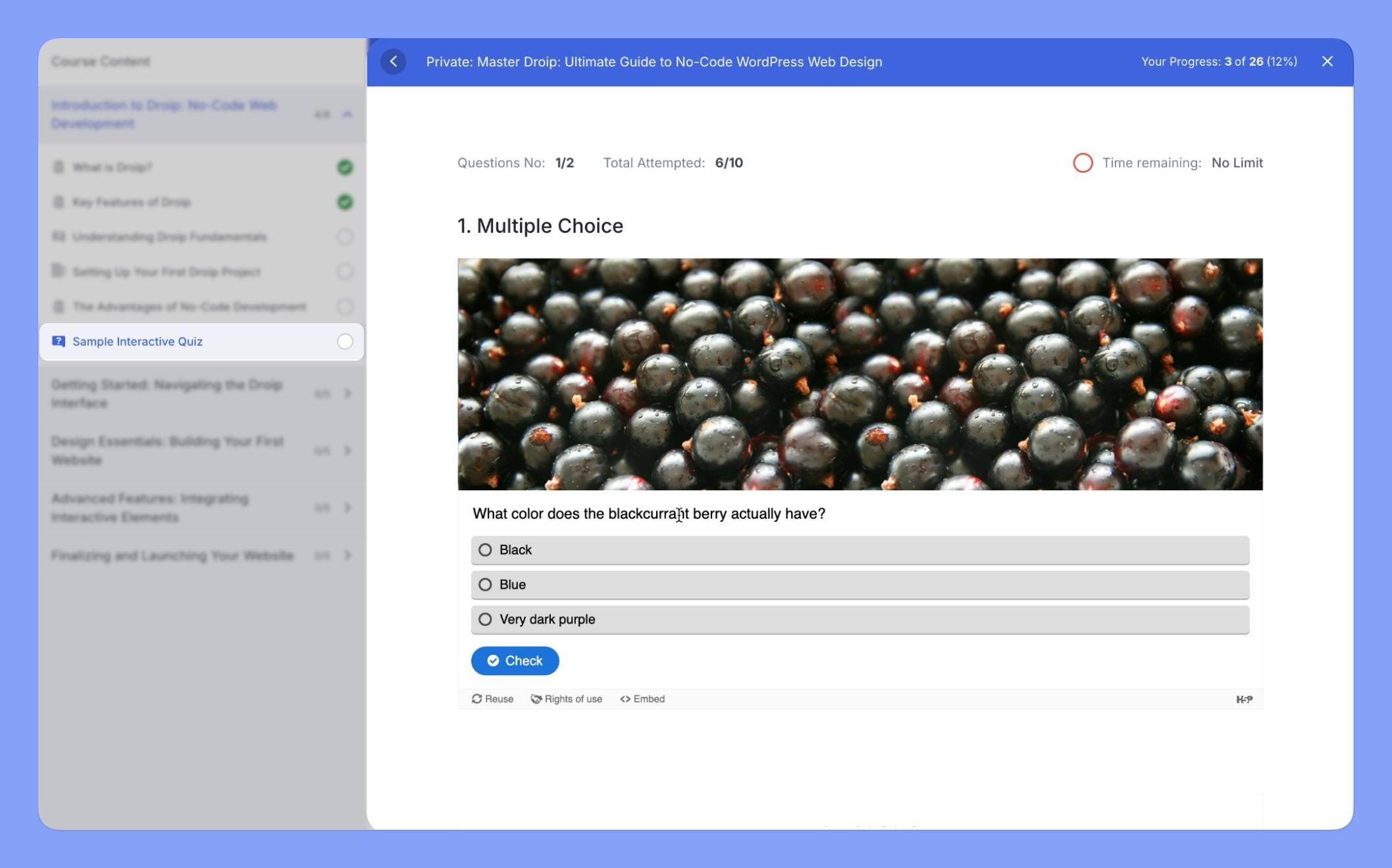
Save and Publish:
- Once you’ve added all the H5P content and configured the quiz settings, save the changes made to your course.
⚠️ Note: Tutor LMS supports a wide range of H5P content types, and we’re continuously expanding compatibility. However, some content types like Game Map, Question Set, Interactive Book, Interactive Video, Course Presentation, and Personality Quiz, aren’t supported yet.