How to Get a Facebook App ID
To get a Facebook App ID, follow these steps:
Step 1: Go to the Facebook Developers website at developers.facebook.com and log in using your Facebook account credentials.
Click on the Create App option in the top-right corner of the page.
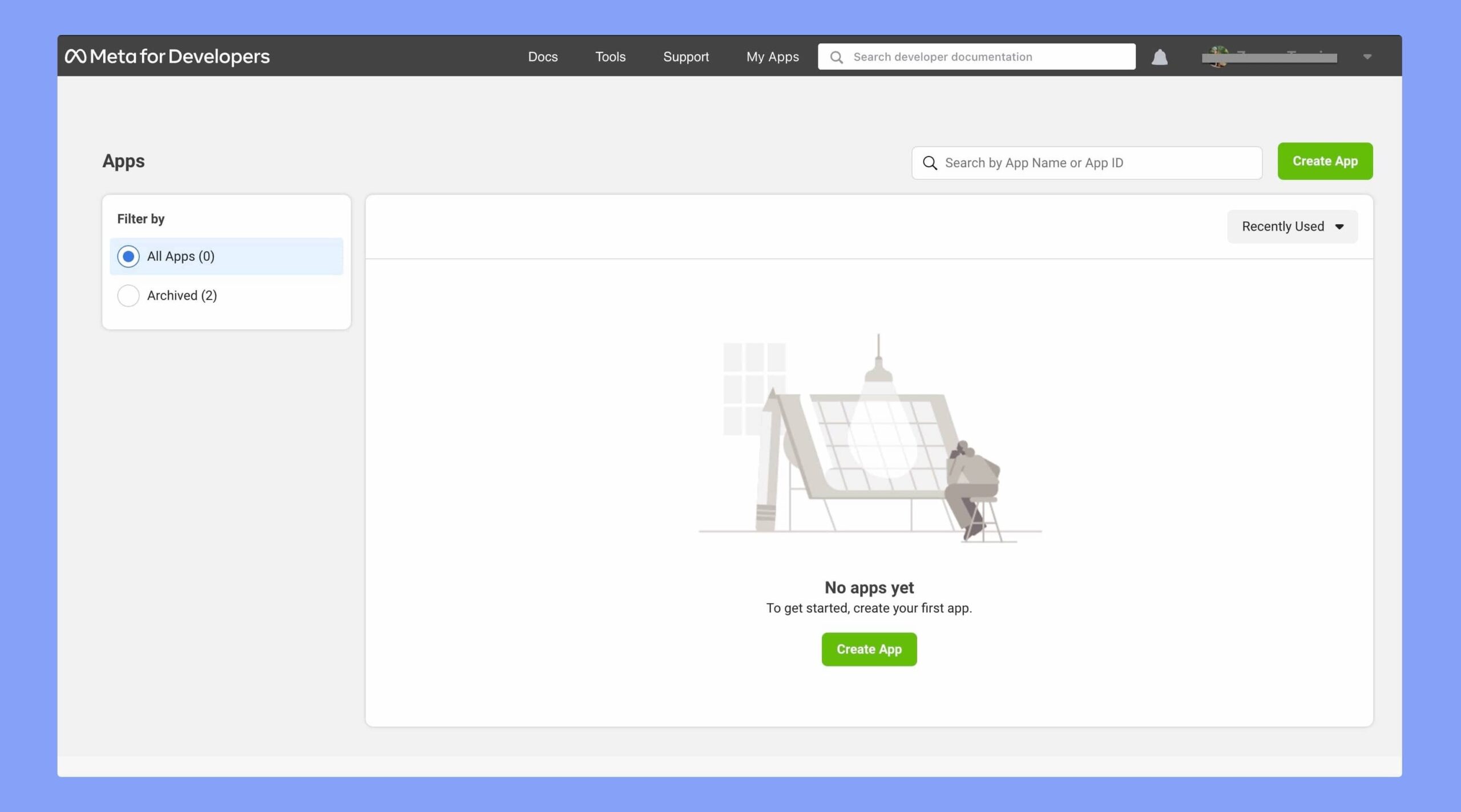
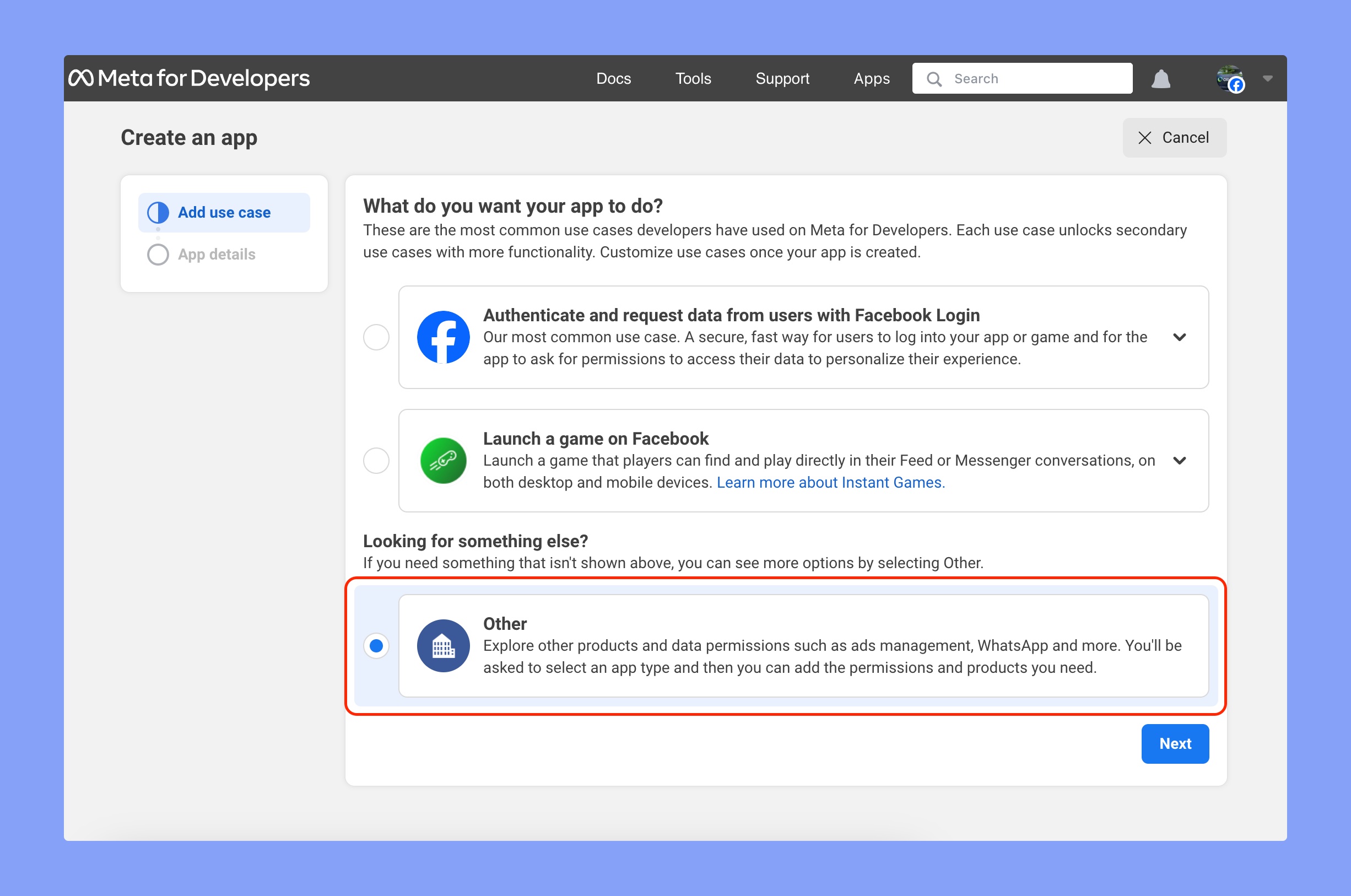
Step 2: Then you have to choose what do you want your app to do. Select Other from here.
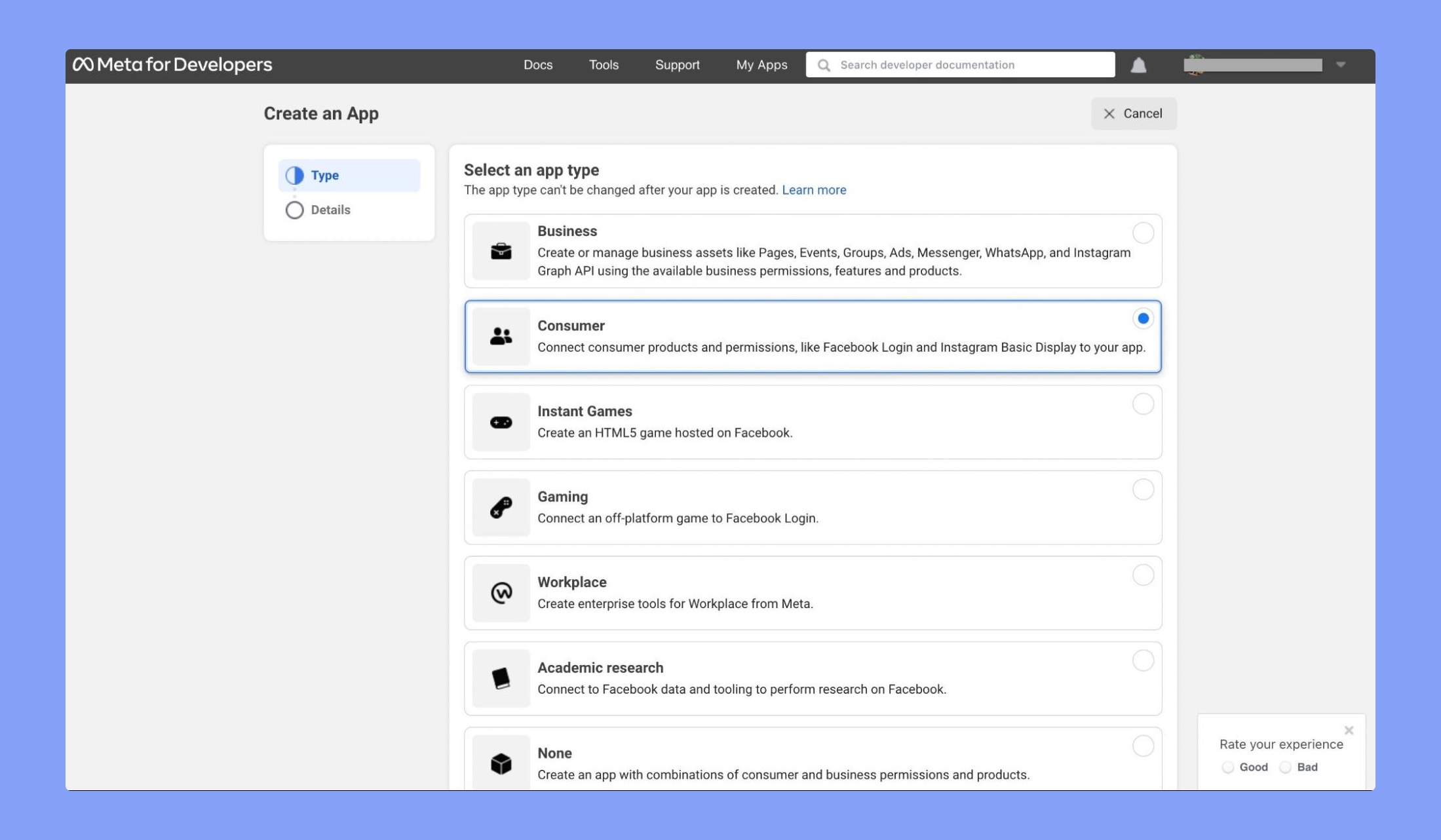
Step 3: Choose the type of app you want to create. Let’s select Consumer for our social login.
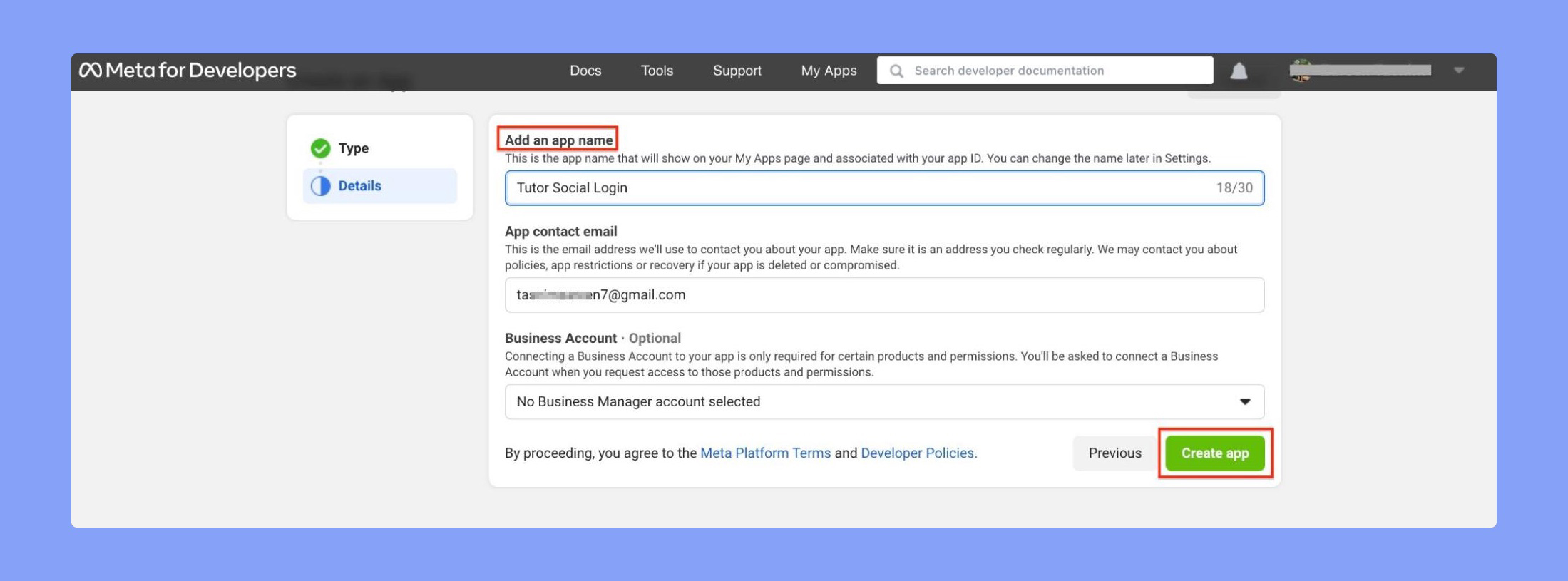
Step 4: Give your app a name and click on the Create app button.
Step 5: Up next, you have to set up the Facebook Login app. You’ll find it on the app Dashboard or access it by clicking on the Add Product button. Set it up by providing the general information there and the app will be enabled instantly.
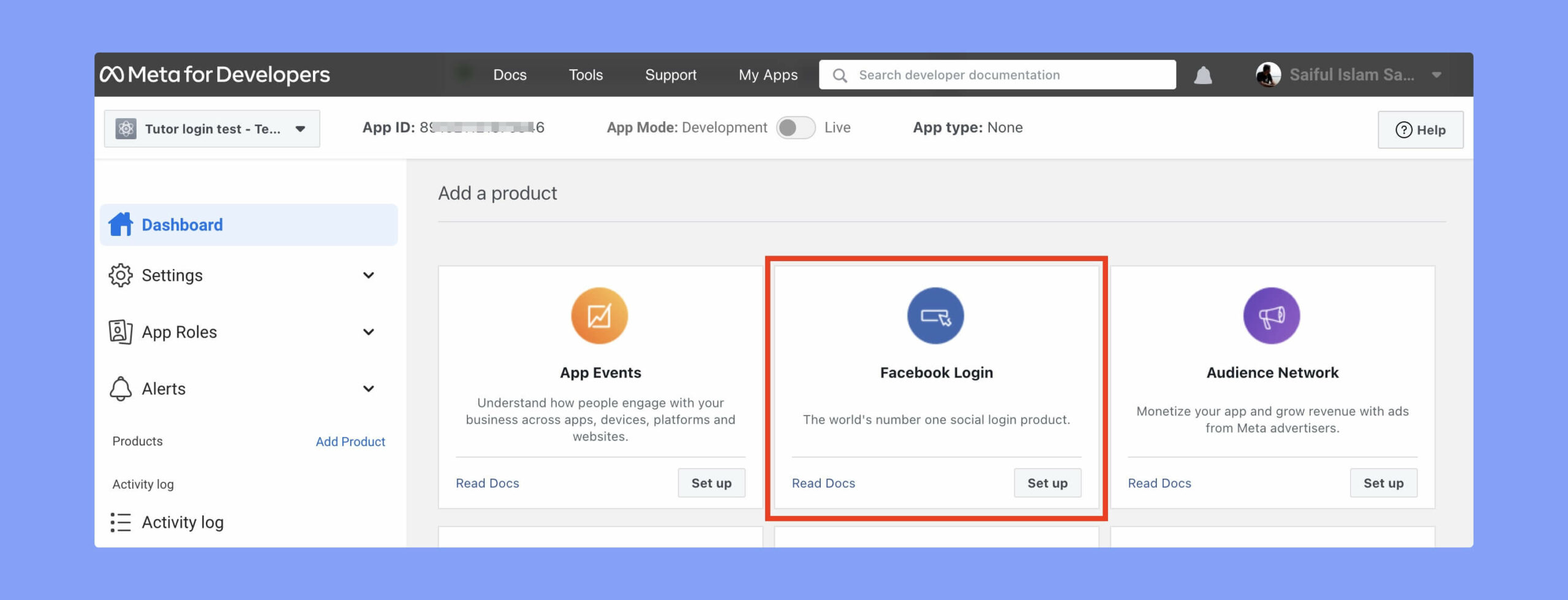
Step 6: Then choose the platform where you want to add the Facebook login functionalities. As we are setting up for a Tutor LMS website, so we will choose Web here.
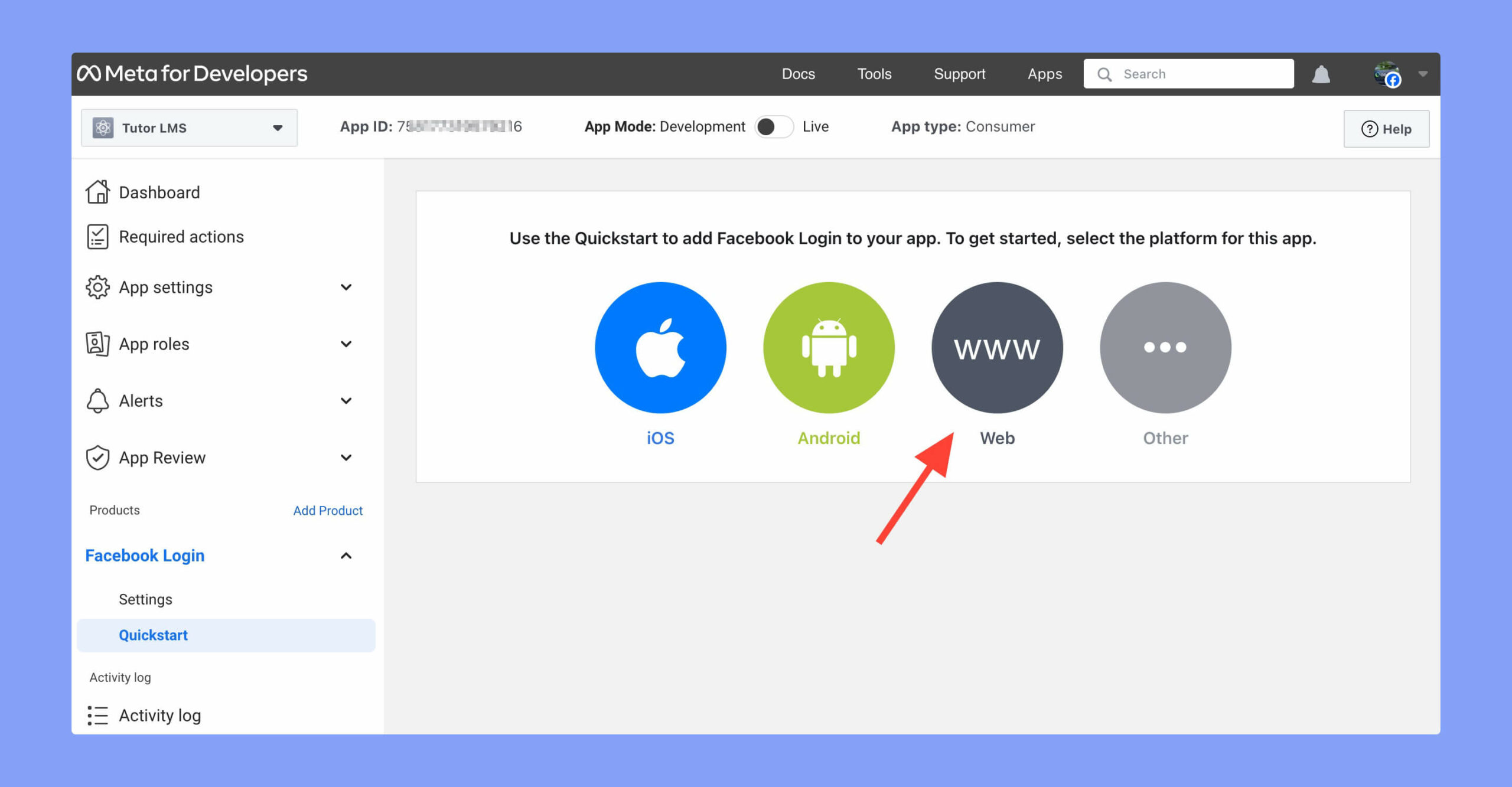
Step 7: Now, add your website URL and save the changes.
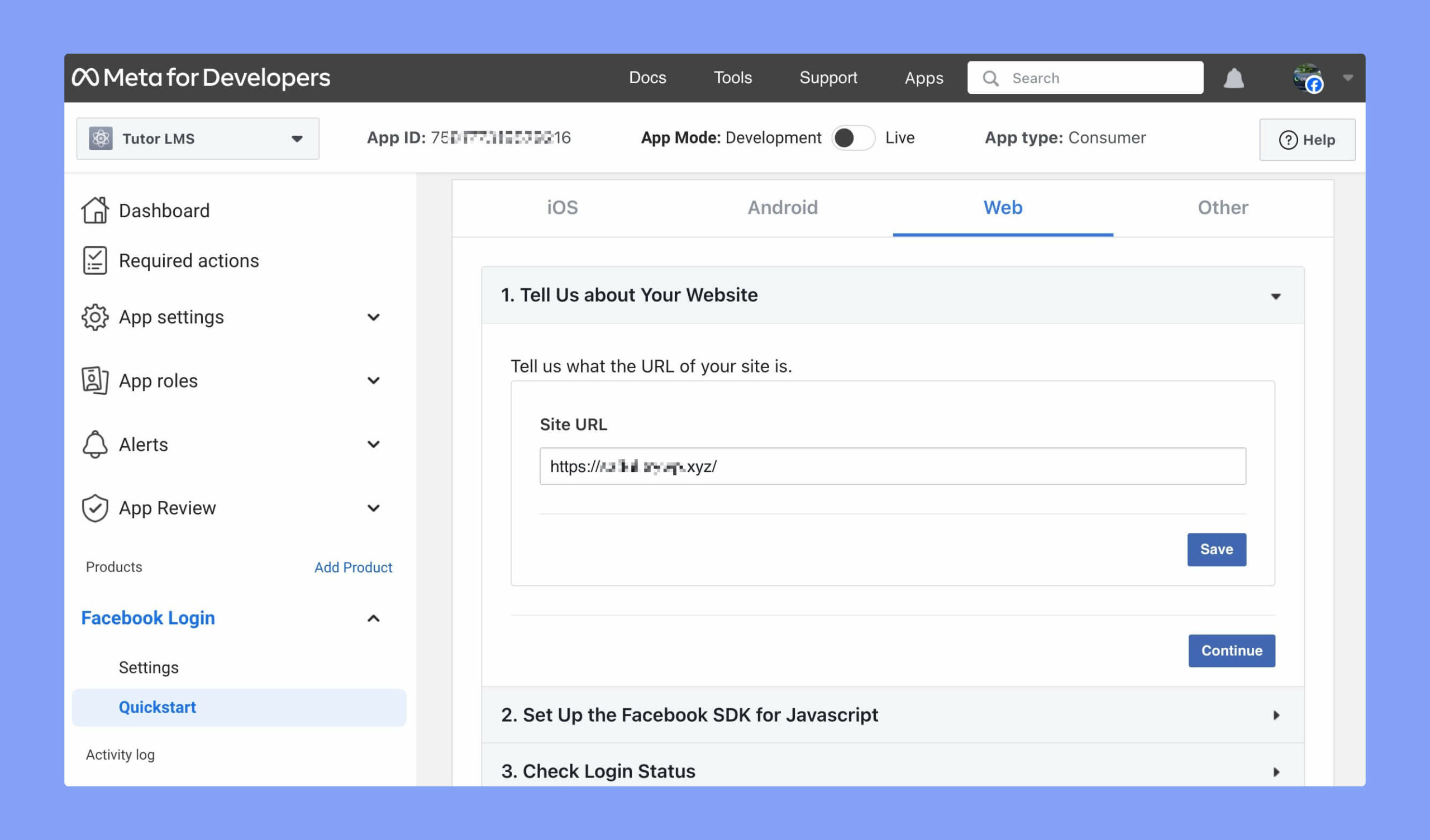
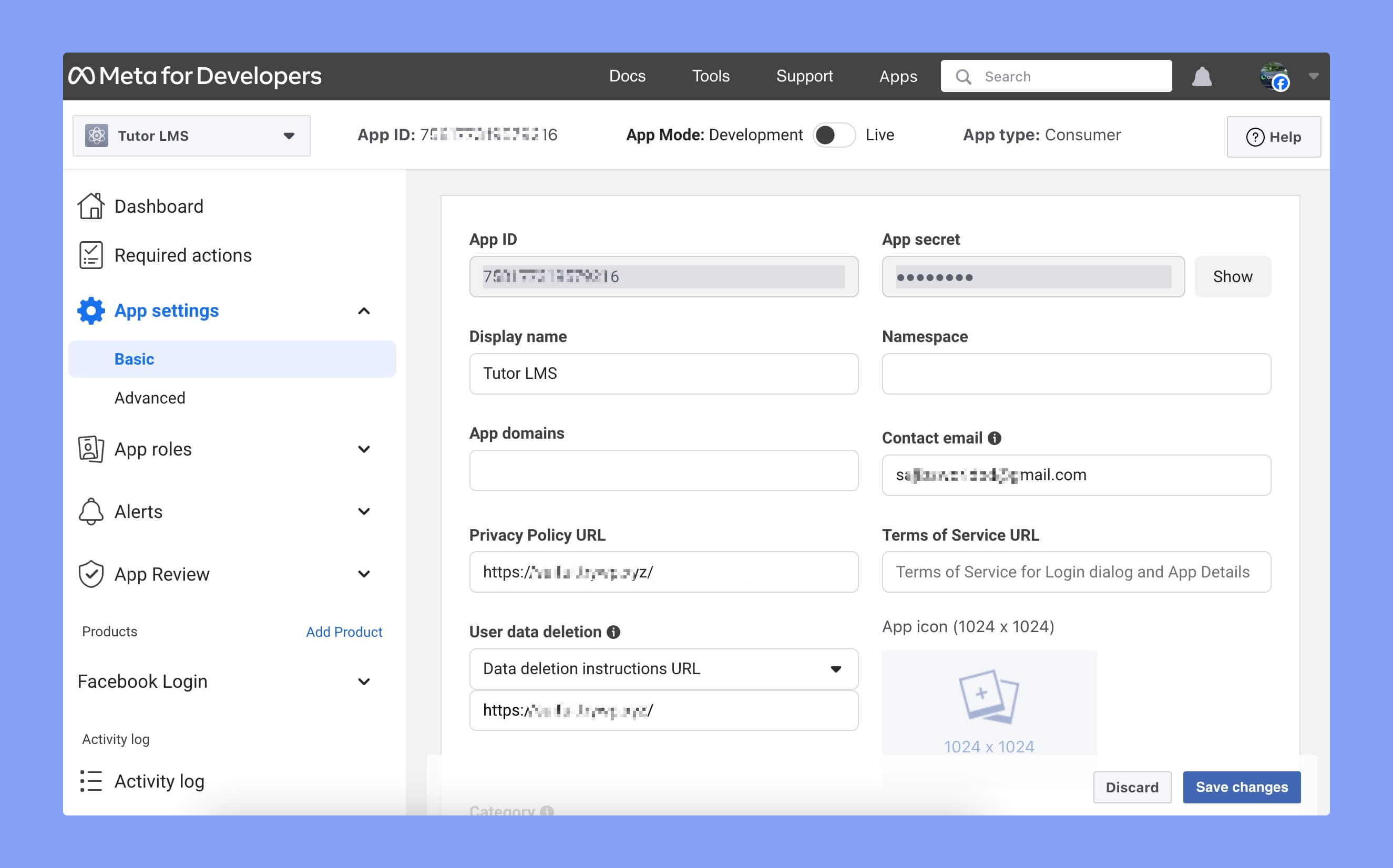
Step 8: Now, add the privacy policy URL and data deletion URL. These URLs are required to update user’s data.
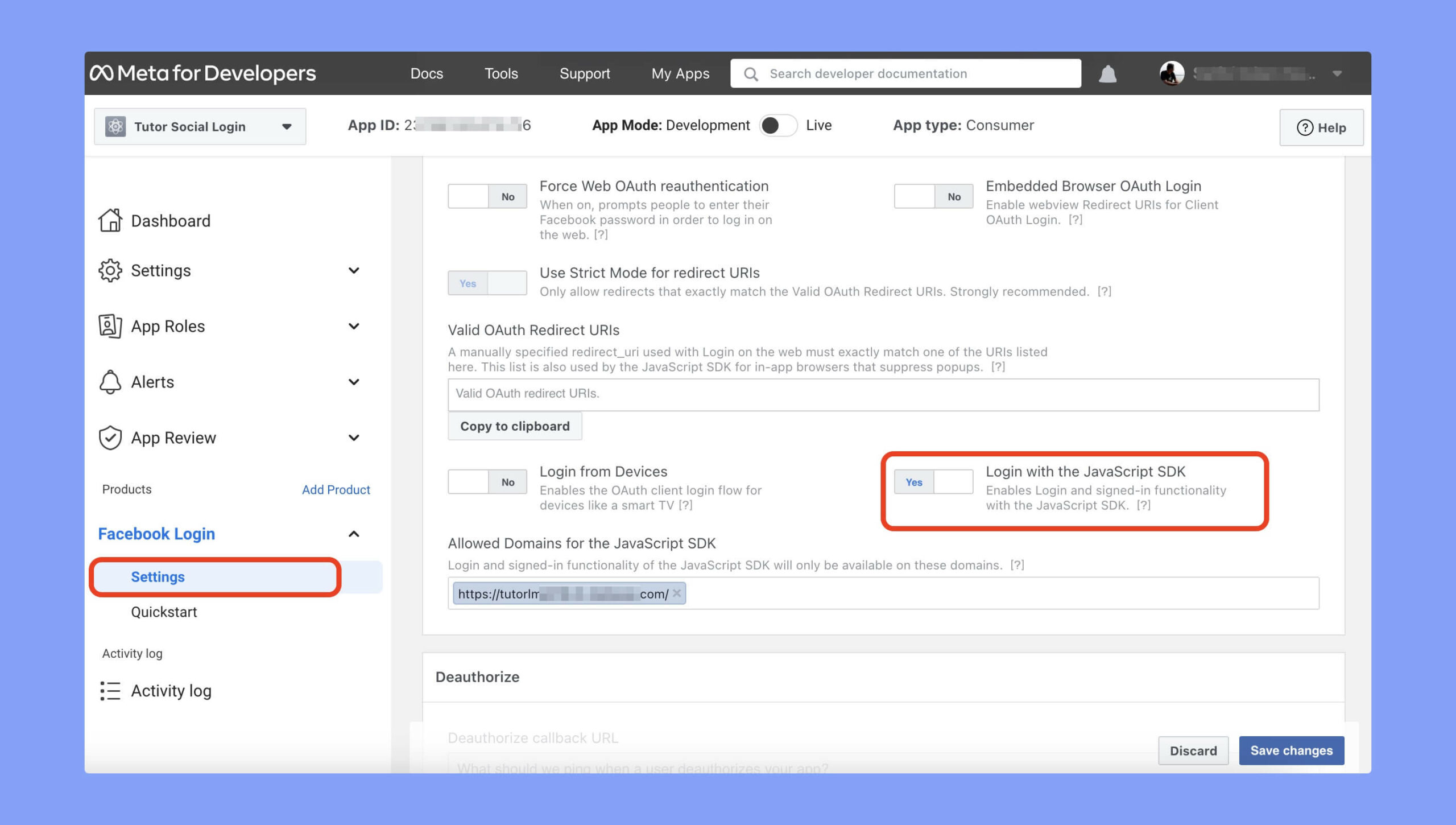
Step 9: Then go to the Facebook Login Settings page and enable the Login with the JavaScript SDK option. After that, input the allowed domains for this JavaScript SDK. Your Facebook app will be available only to the domains you’ve entered here.
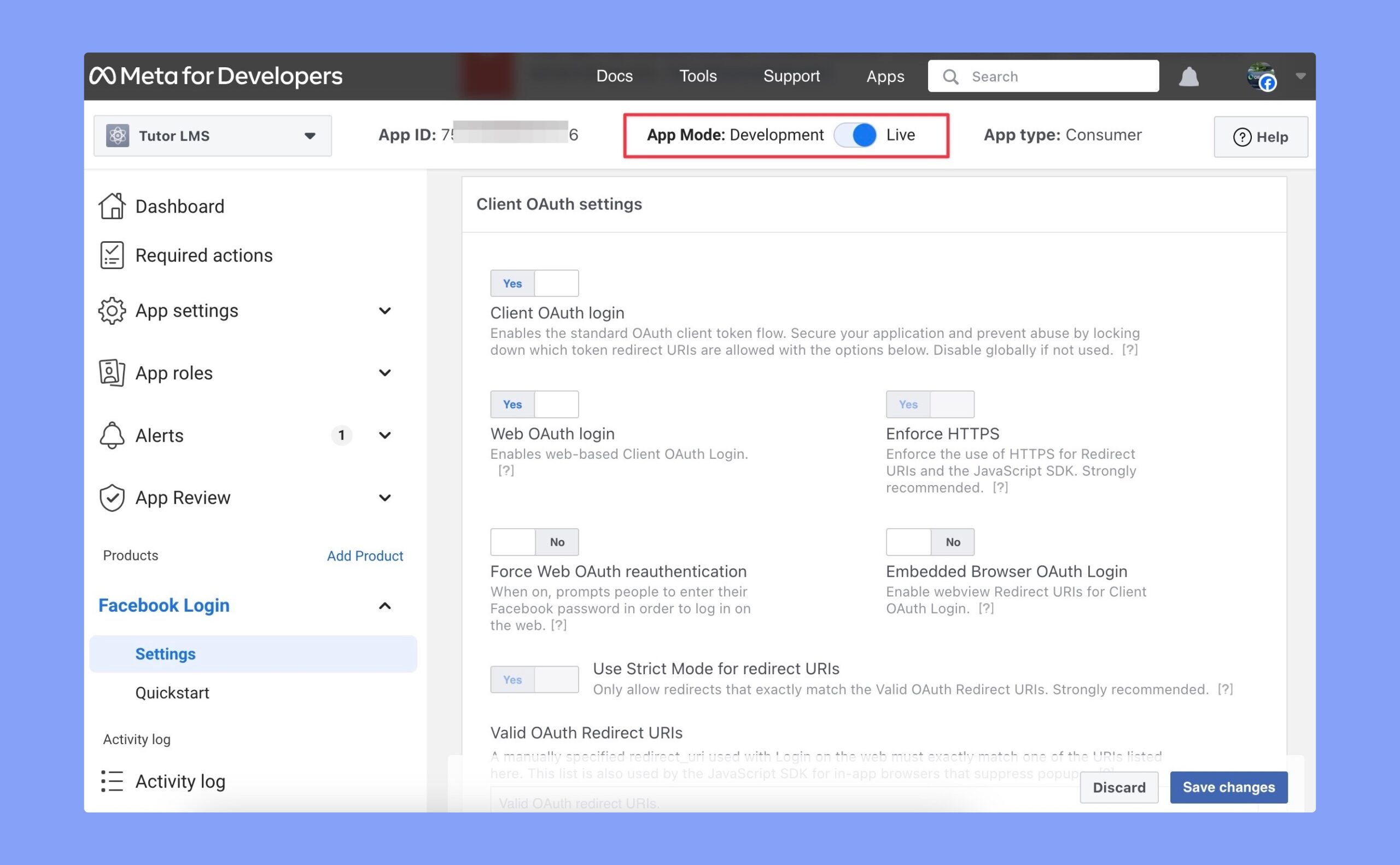
Step 10: Now, update the app status to live. There’s a toggle button on the top for that.
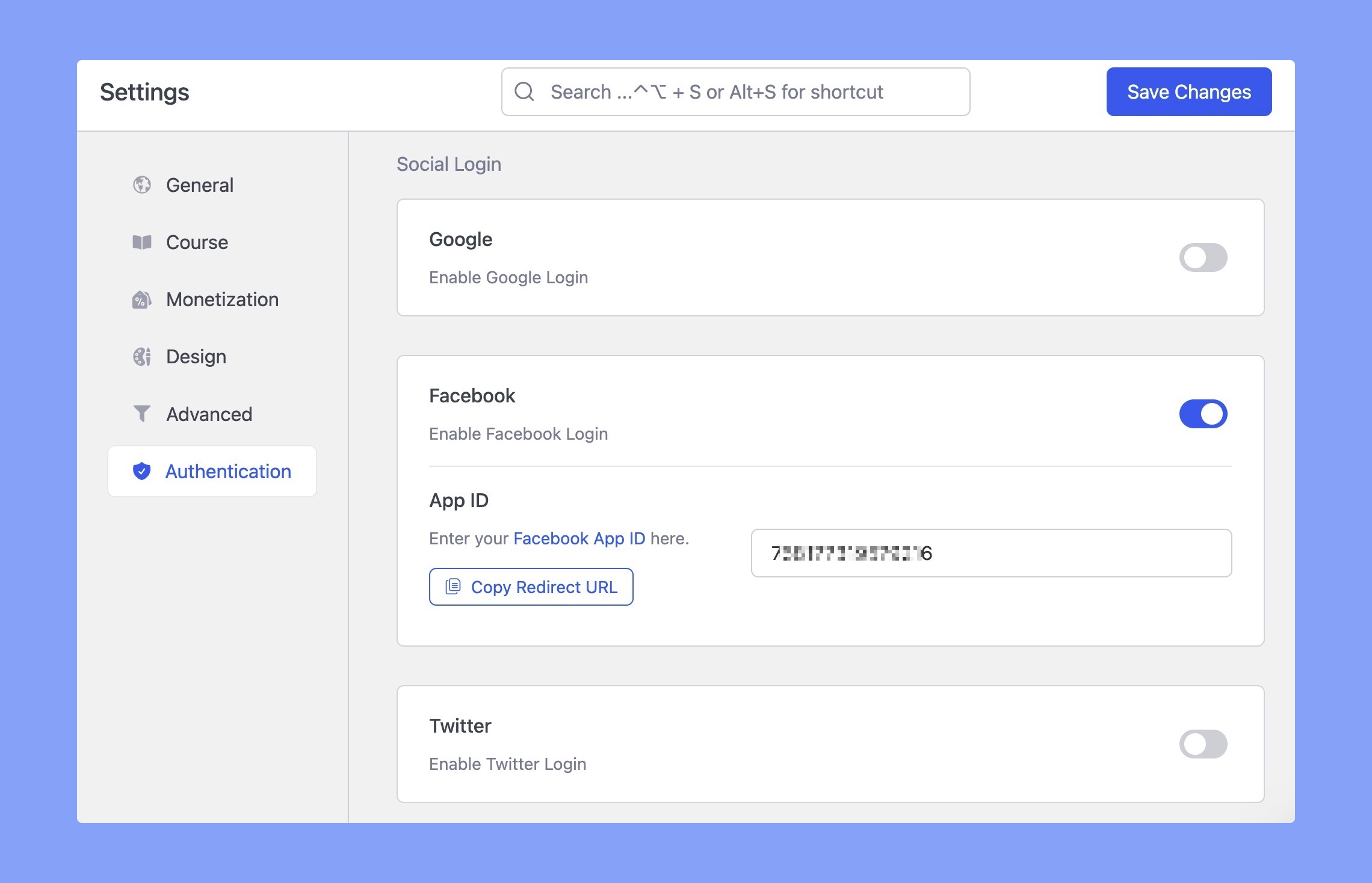
Step 11: Finally, go to Tutor LMS Pro > Settings > Authentication > Social Login. Scroll down to the Social Login section and paste the App ID that you have just copied into the Facebook > App ID field. Then click on the Save Changes button and that’s it!
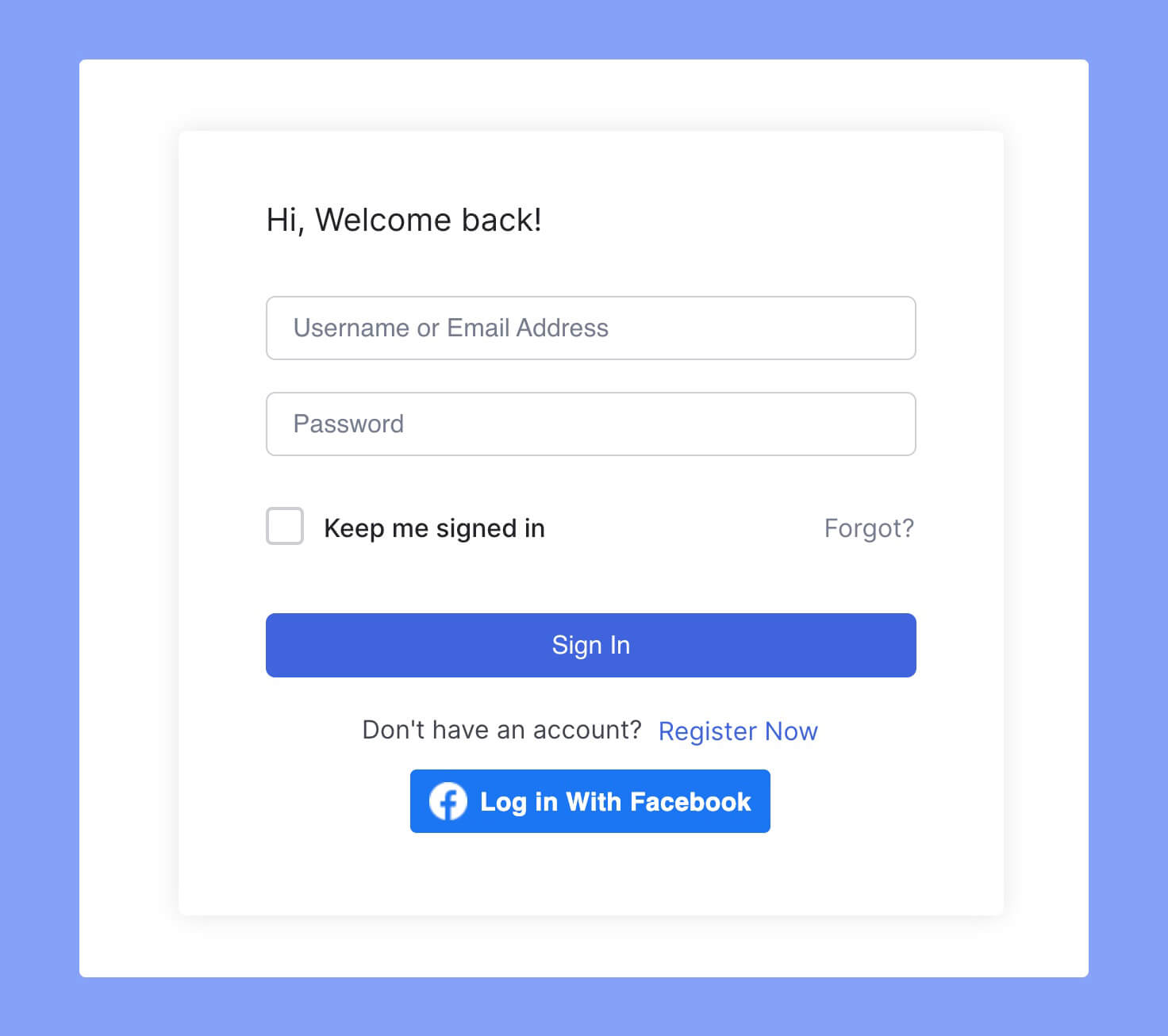
Now, the users can login to your website using Facebook. Here’s the frontend preview of the Facebook login on the Tutor LMS login screen.
Verify Your App from Facebook
In order to use Facebook app ID on your website, you must verify Your App from Facebook. Even though the verification application won’t take time to set up, it takes around a week to get verified.
To submit the verification application, you have to prepare the following things first:
- A completely developed Facebook app
- A 1024×1024 pixel compliant app icon image
- Send at least 1 successful API call
- Create a screen recording by using your app from a user’s perspective
- Make your app publicly available
- Create a test user and share the credentials
To know more about the full requirements, check the official requirements list on Facebook. If you have everything on hand, now you can submit your app for review. Facebook recently published a step-by-step guide to this review submission process. It may take around a week to verify your app.