Getting Started
Course Builder
Quiz Builder
AI Studio
Course Bundle
Student Learning Experience
Learner Dashboard
Instructor Dashboard
Native eCommerce
Subscriptions
Memberships
Gift Course
Tutor LMS Menus
Tutor LMS Settings
Tutor LMS Addons
Assignments
Course Preview
Course Prerequisites
Course Attachments
Content Drip
Content Bank
Certificate
Calendar
Email
Reports
Gradebook
H5P
Social Login
Notifications
Multi Instructors
Google Meet Integration
Google Classroom Integration
Zoom Integration
WPML Multilingual CMS
BuddyPress
Addons Overview
Enrollment
Certificate Builder
Third-Party Integrations
Integrations Overview
WooCommerce
WooCommerce Subscriptions
Paid Memberships Pro
Easy Digital Downloads
Kadence Memberships
BunnyNet
Loco Translate
Elementor Integration
Getting Started
Course Rating
Course Title
Course Author
Course Level
Course Social Share
Course Categories
Course Duration
Course Total Enrolled
Course Last Updated
Course Status
Course Thumbnail
Course Price
Course Enrolment Box
Course Purchase
Course Materials
Course Requirements
Course Tags
Course Target Audience
Course About
Course Description
Course Benefits
Course Curriculum
Course Instructors
Course Content
Course Reviews
Course Carousel
Course List
Course Wishlist
Bundle Title
Bundle Thumbnail
Bundle Categories
Bundle Overview
Bundle Tags
Bundle Author
Bundle Courses
Bundle Benefits
Elementor Templates for Tutor LMS Single Course Page
Divi Integration
Introduction
Create a Divi Template for Tutor LMS Course
Course About
Course Author
Course Benefits
Course Carousel
Course Categories
Course Content
Course Curriculum
Course Duration
Course Enrollment
Course Instructor
Course Last Update
Course Level
Course List
Course Materials
Course Price
Course Purchase
Course Rating
Course Requirement
Course Reviews
Course Share
Course Status
Course Tags
Course Target Audience
Course Thumbnail
Course Title
Course Total Enrollment
Course Wishlist
Tutorials
Enabling Q&A
Translating Tutor LMS
Instructor Signup
Student Signup
Guest Purchase
Importing Demo Course Data
Add Images in Quiz Questions
List of Tutor LMS Email Placeholders
Regenerate Tutor LMS Pages
How to Create reCAPTCHA Keys
Edit Lessons With Page Builder
Give Feedback as an Instructor
Editing Instructor Profile from Frontend
Limit one course per user
How to add Video Captions
Generate Tutor LMS Login Page
Get YouTube API Key
How to Get Google Client ID
How to Get a Facebook App ID
How to Get X(Twitter) API Key
How to Migrate From Zoom JWT App to Server-To-Server OAuth App
Make Sidebar Sticky for Course Details Page
How to Approve and Manage Course Reviews in Tutor LMS
How to Add Math Equations in Tutor LMS using LaTex
How to Sell Bundle Course as a Subscription
How to Embed PDF Documents in Tutor LMS Lessons
How to Make Passing a Quiz Mandatory to Access Next Course Content
How to Import and Export Tutor LMS Courses
Migration
Tutor LMS Shortcodes
Advanced Customization
Troubleshooting
How to Get X(Twitter) API Key
How to Get X(Twitter) API Key
To be able to use the Twitter Social login feature on your eLearning site, you need to go through the instructions below. Let’s get started.
Step 1: Create an App from Twitter Developer Portal
First, you need to go to the Twitter developer portal and create an app, from where you will get the API keys.
- Navigate to Twitter Developer Portal and log in/sign in to Twitter https://developer.twitter.com/en/portal/projects-and-apps
If you’re accessing this portal for the first time then you need to go through some verification from Twitter. Verify your account with a mobile number, if your account is already verified then just sign up for a free developer account.
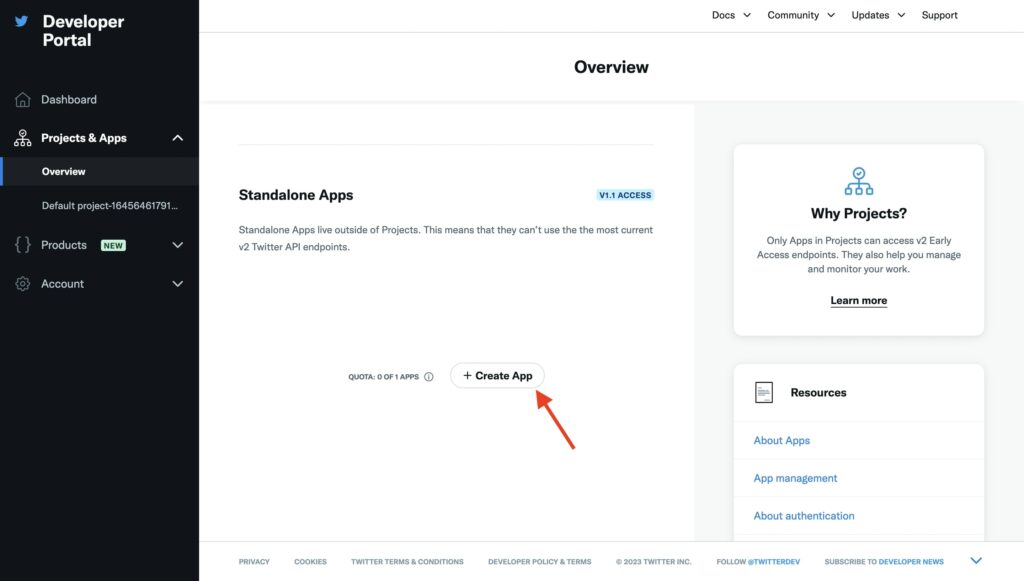
- Once you’ve set up the account you can create the app. Navigate to Projects and Apps and under Overview apps click on Create App.
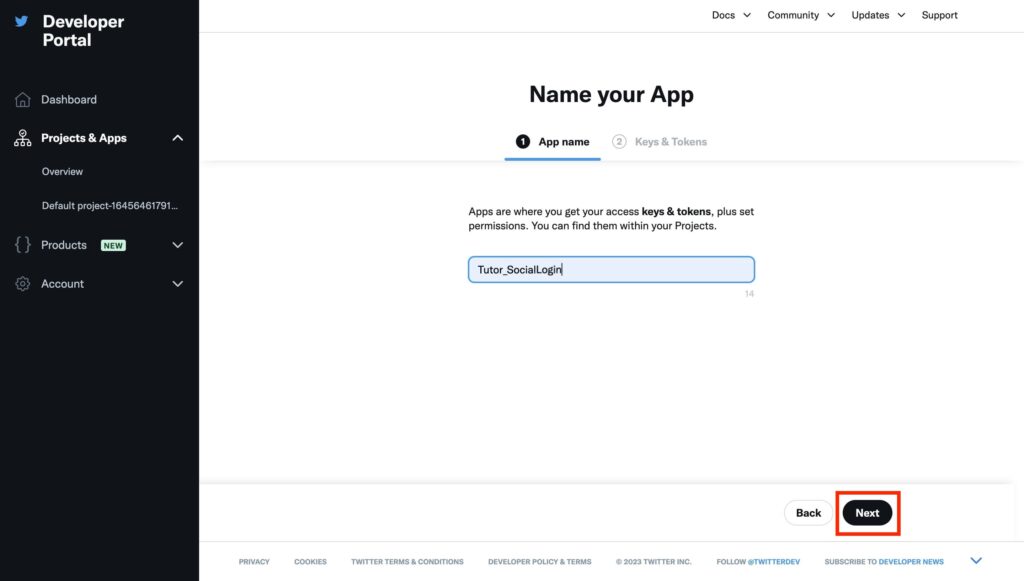
- Next name your app. Then click Next.
- From this tab, you will find the API Key and the API Secret Key.
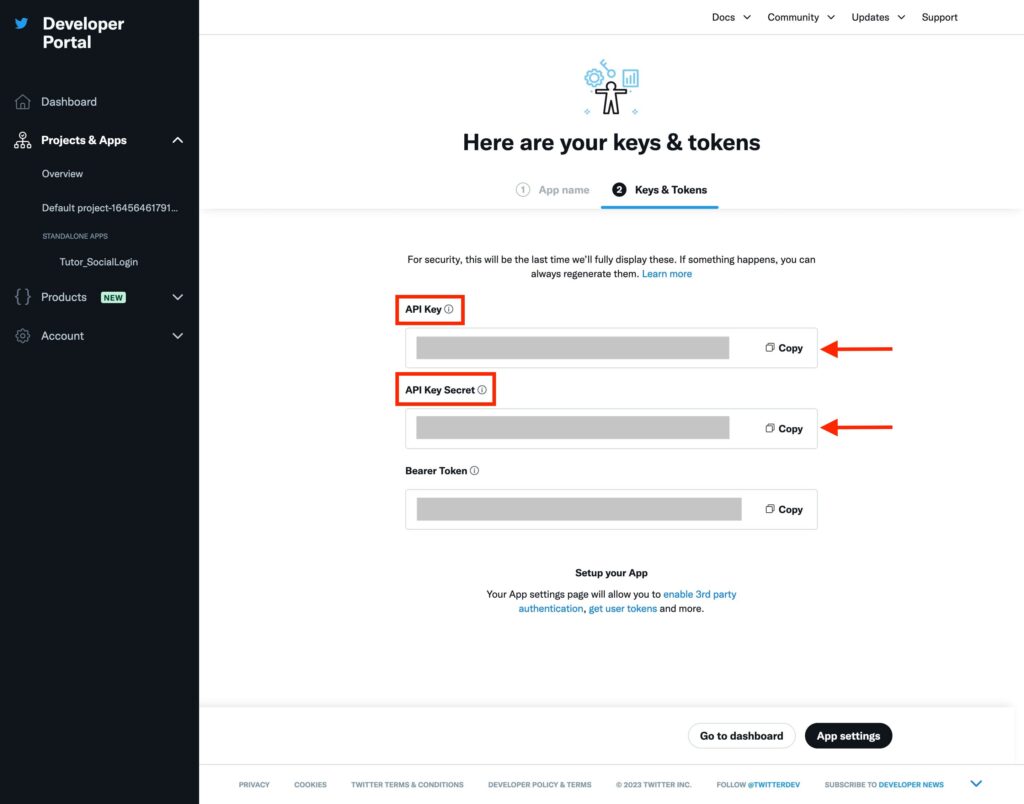
- Copy the first two marked keys: API Key and API Key Secret and head over to Tutor LMS.
Step 2: Setting up Tutor LMS side of things
- Once you have the two API keys navigate to Tutor LMS Pro > Settings > Authentication, scroll over to Social Logins, and under the Twitter option paste the API key and API secret key respectively.
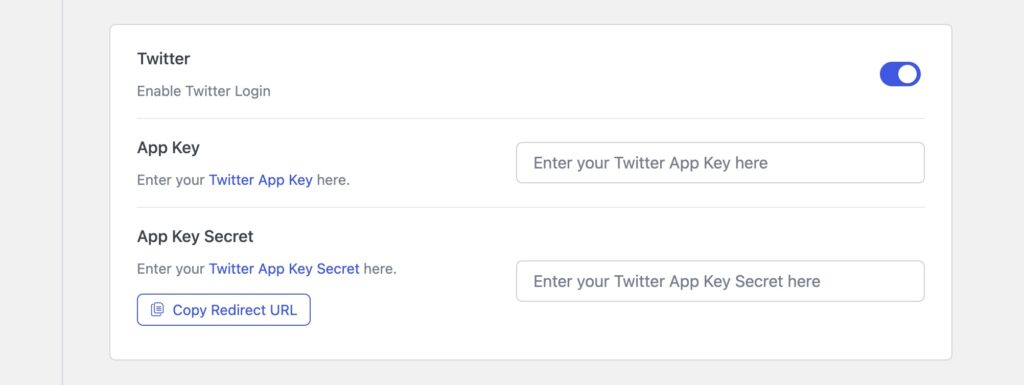
- Next, click on copy redirect URI and go back to the Twitter Developer page.
Step 3: Finishing up the App settings
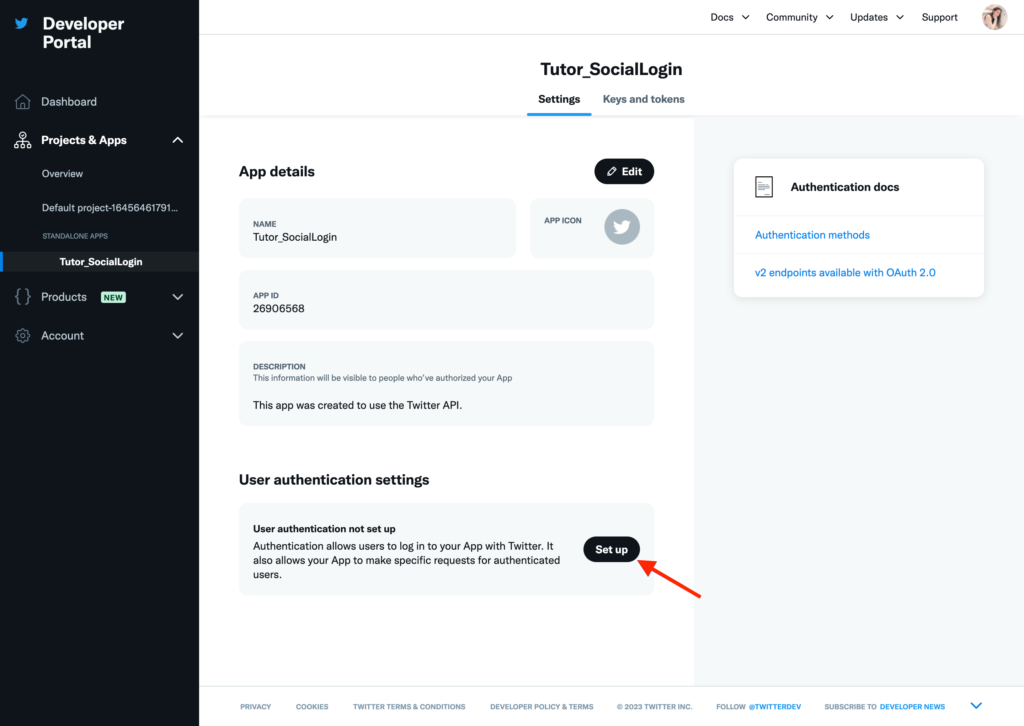
- On the developer page from Projects & Apps under Standalone Apps click on Set up to configure the authentication settings.
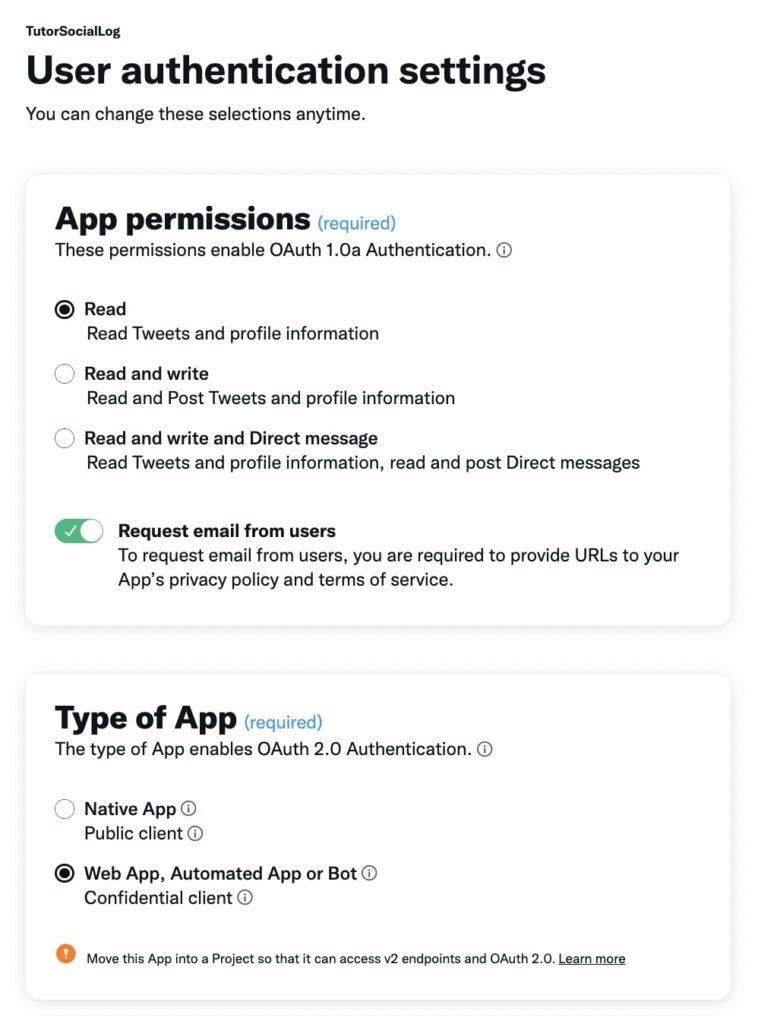
- In the User authentication settings set the App Permissions to Read and toggle on Request email from users.
- Set the Type of App to Web App
- Scroll down and configure the App info
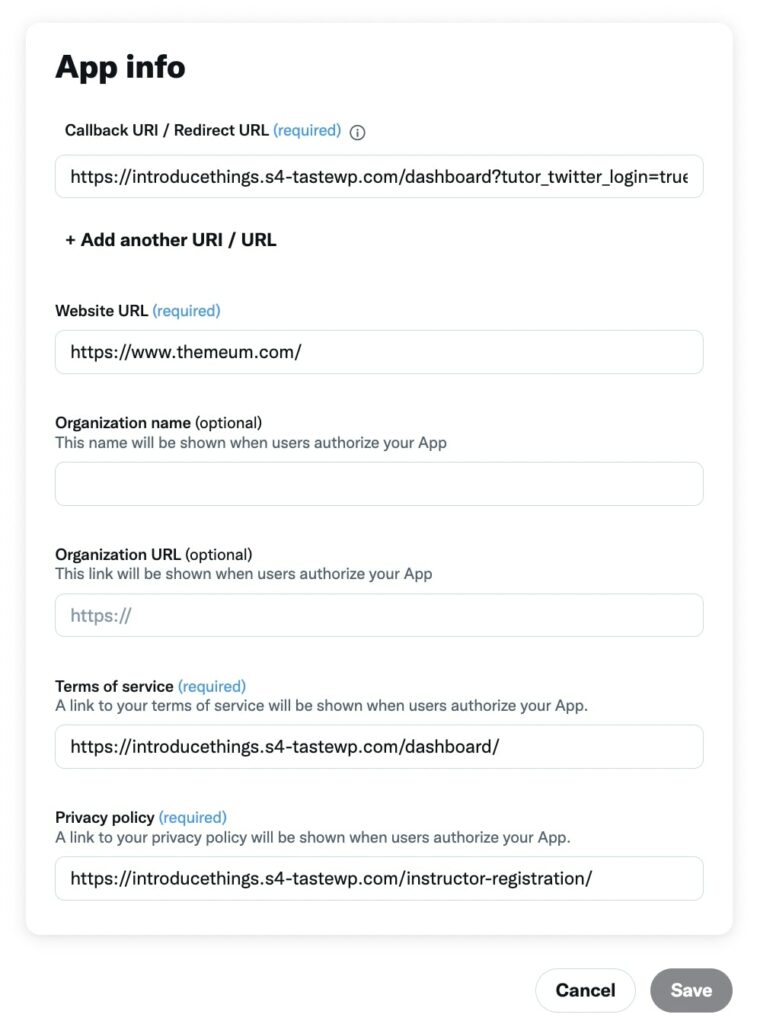
- In the Redirect URL text box paste the redirect URI that you copied from Tutor LMS.
- Input your Website URL followed by links to your Terms of Service and Privacy policy. Once you input all the links you will be able to hit save and that’s it you’re done.
Step 4: Seeing the Final Result
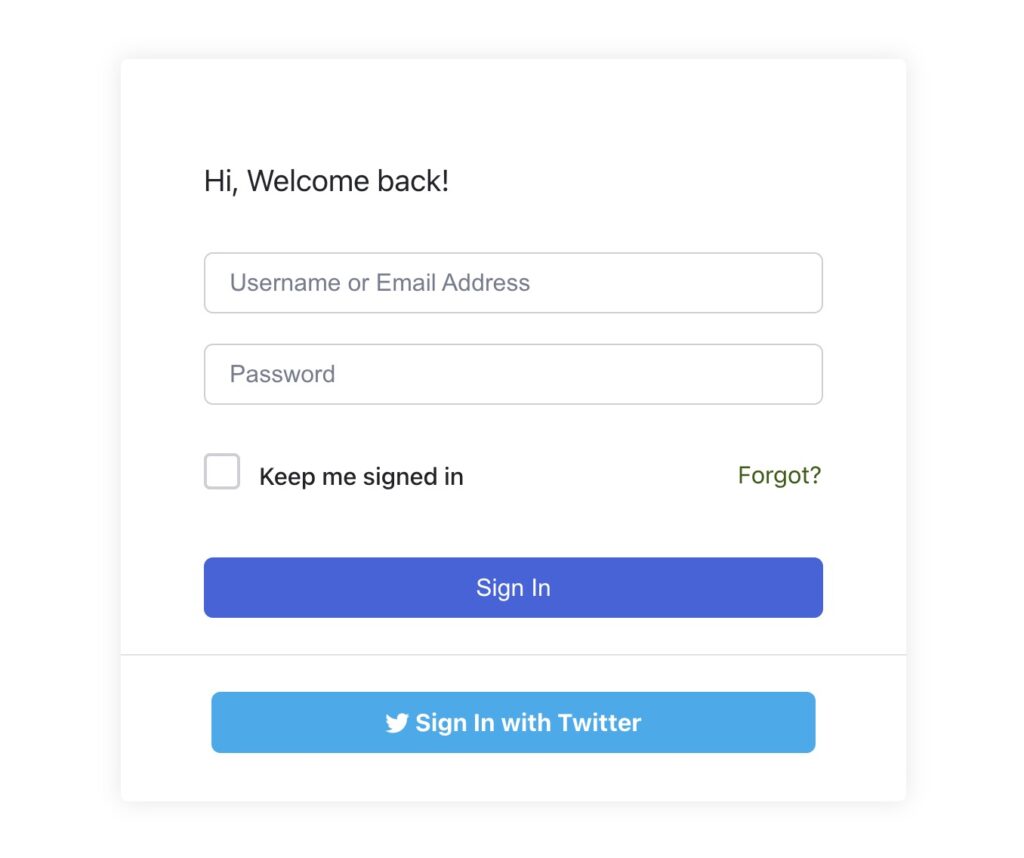
Now that you’re done with the setup go to the frontend of Tutor LMS and attempt a login. You will now see the new Sign in with Twitter button when logging in.