Subscriptions
The built-in Subscription feature allows you to sell your Tutor LMS courses using a subscription model, providing recurring revenue and predictable income. This allows students to access courses for a regular fee, offering them greater value and flexibility.
Key Features:
- Effortless Setup: Easily create and manage subscription plans for your courses.
- Flexible Pricing: Define billing periods and prices to suit your needs.
- Native Integration: The Subscription add-on is built into Tutor LMS Pro, eliminating the need for third-party subscription plugins.
With the Subscription feature, you can build a sustainable online learning business with a loyal subscriber base and predictable recurring revenue.
Enabling the Subscription Add-on
First, we need to enable the Subscription add-on, which allows you to create and manage subscription plans for your Tutor LMS courses.
(Note: The Subscription add-on is only available in the Pro version of Tutor LMS.)
To enable the Subscription add-on:
- Go to “Tutor LMS Pro > Add-ons” in your WordPress dashboard.
- Locate the “Subscriptions” add-on.
- Click the toggle switch to enable the add-on.
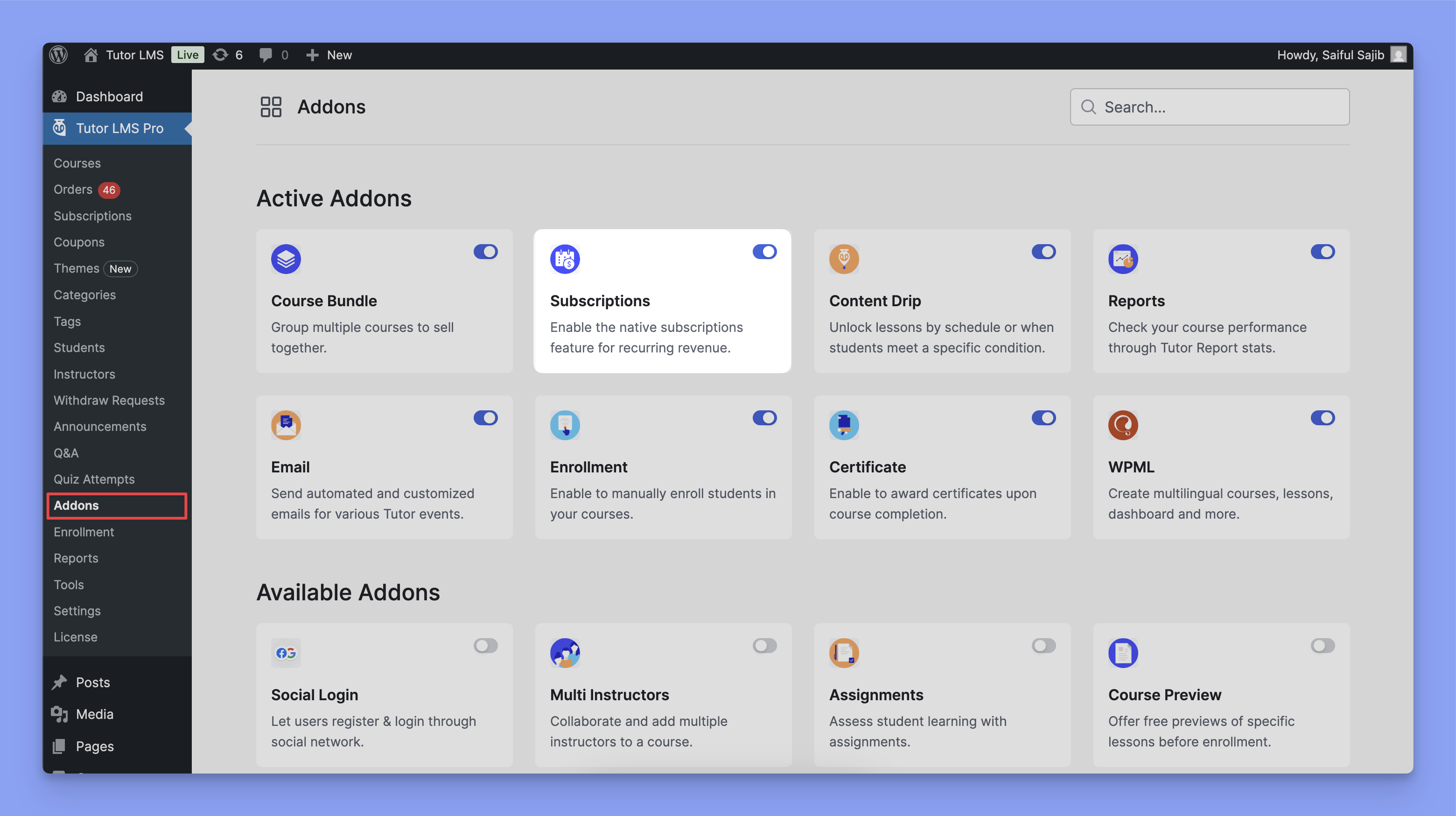
Once enabled, you can start creating subscription plans for your courses.
You need to enable Tutor LMS Native Payment as the eCommerce engine to use Native Subscriptions.
Creating a Subscription Plan
This section explains how to create a subscription plan for your courses in Tutor LMS.
To create a subscription plan:
- Go to “Tutor LMS > Courses” and either create a new course or edit an existing one.
- Navigate to the “Pricing Model” section. This is located in the “Course Basics” section of the Course Builder.
- Change the price model from “Free” to “Paid.”
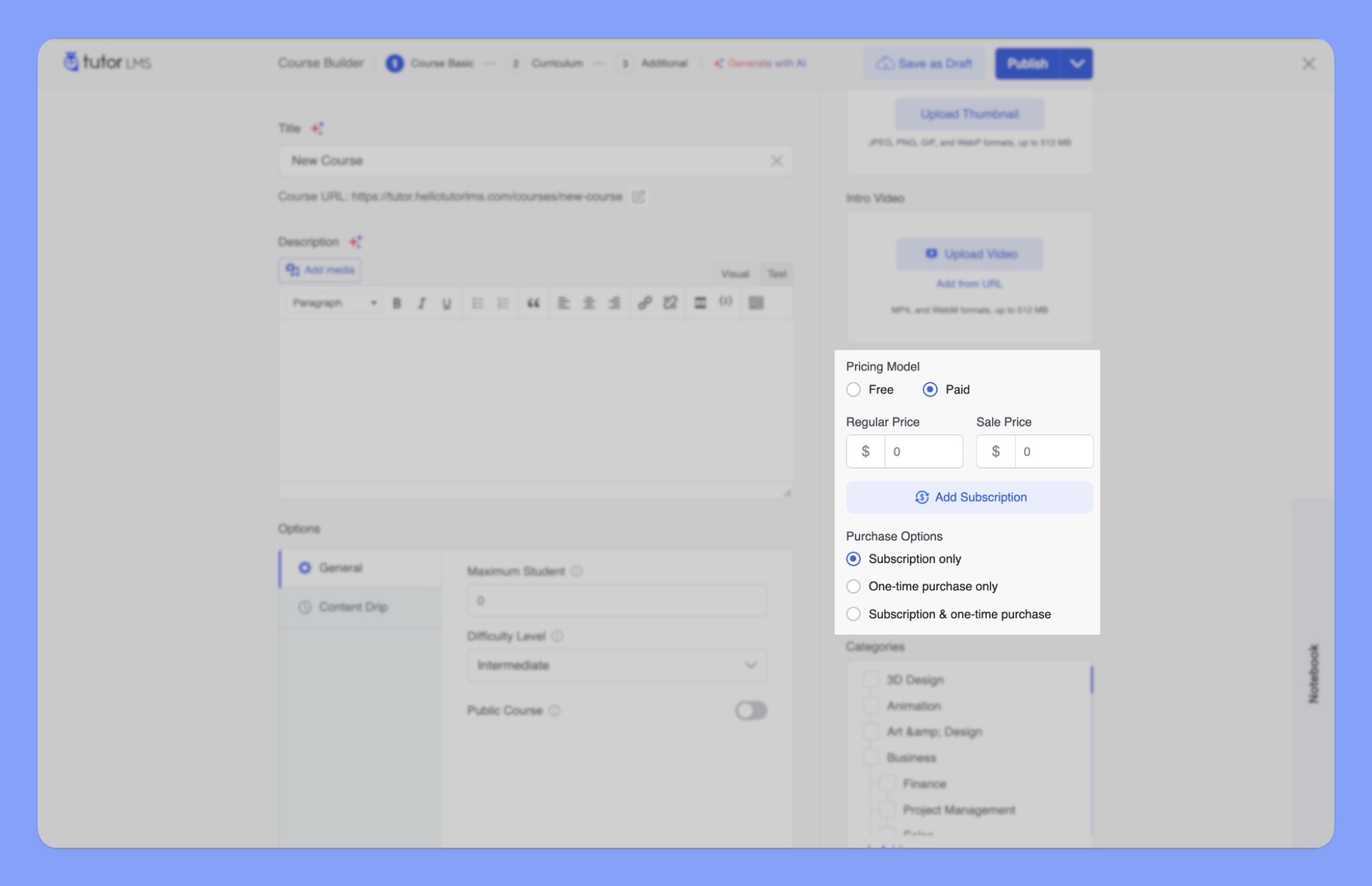
Note: Before configuring the purchase options, make sure to set a regular price for your course in the “Regular Price” field. This price will be used for the one-time purchase option and as a reference for the subscription plan pricing.
- Click “Add Subscription.” This opens the “Manage Subscription Plans” pop-up window.
- Enter a “Plan name” and set the recurring subscription “Price.”
- Select how often the subscription will renew (e.g., daily, weekly, monthly, yearly) from the “Billing Interval” dropdown menu.
- Specify the number of times the subscription will renew from the drop down menu(e.g., 12 for a 12-month subscription) in the “Billing Cycle” field. A value of “Until cancelled” indicates an ongoing subscription with no end date.
- (Optional) Enable “Charge Enrollment Fee.” This allows you to charge an initial fee in addition to the recurring subscription price.
- (Optional) Disable award certificate. If you don’t want to award certificates for courses included in this subscription plan, enable “Do not provide certificate” by checking the box next to it.
- (Optional) Enable “Mark as Featured.” This highlights the subscription plan if you have multiple plans available.
- (Optional) Set an “Offer Sale Price.” This allows you to offer a discounted price for the subscription. You can also schedule the sale price period.
- Click “Save” to finalize your subscription plan.
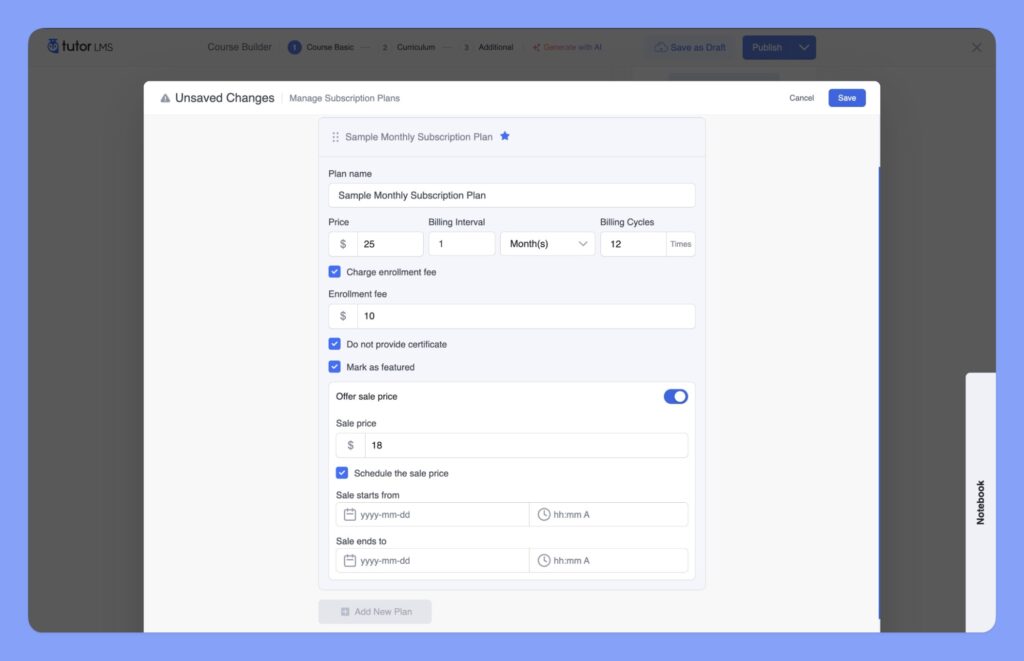
You can create multiple subscription plans with different pricing and features to cater to various student needs and preferences.
Configure Purchase Options
The “Purchase Options” section allows you to control how students can purchase your course. You can offer the course through subscription plans, a one-time purchase, or both.
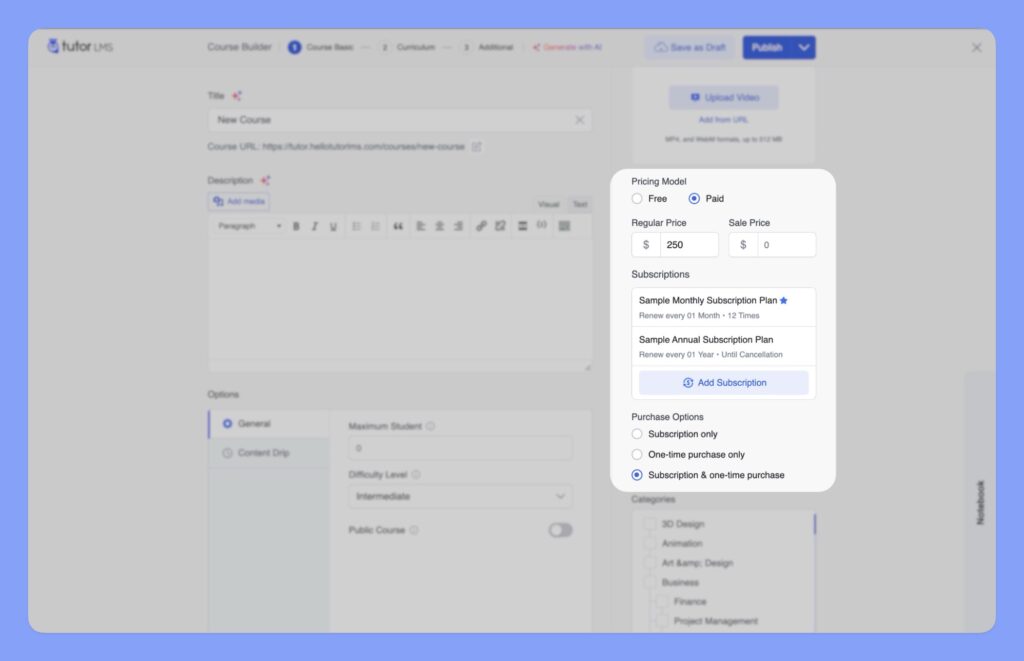
Available Options:
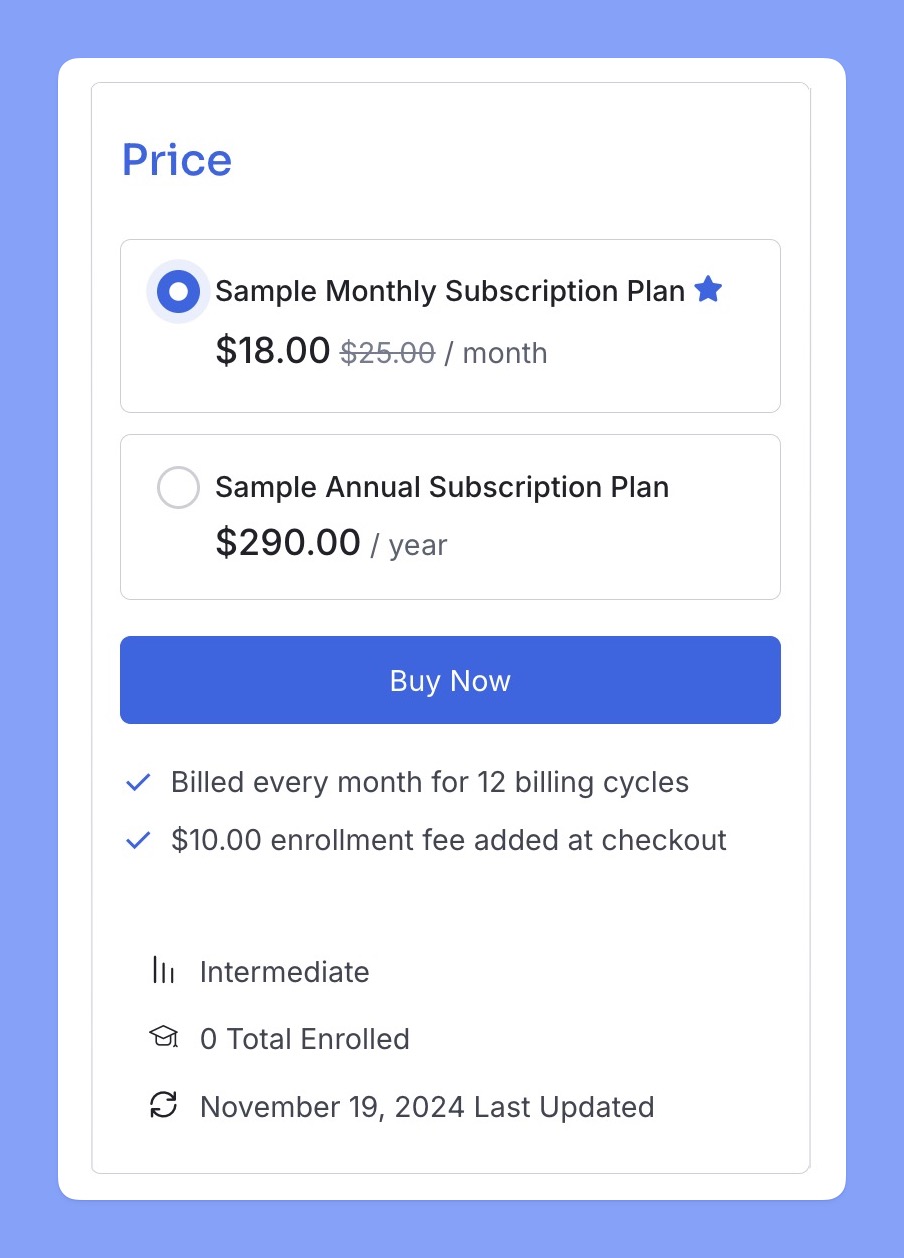
- Subscriptions only: The course can only be purchased through a subscription plan. Students will have access to the course for the duration of their subscription.
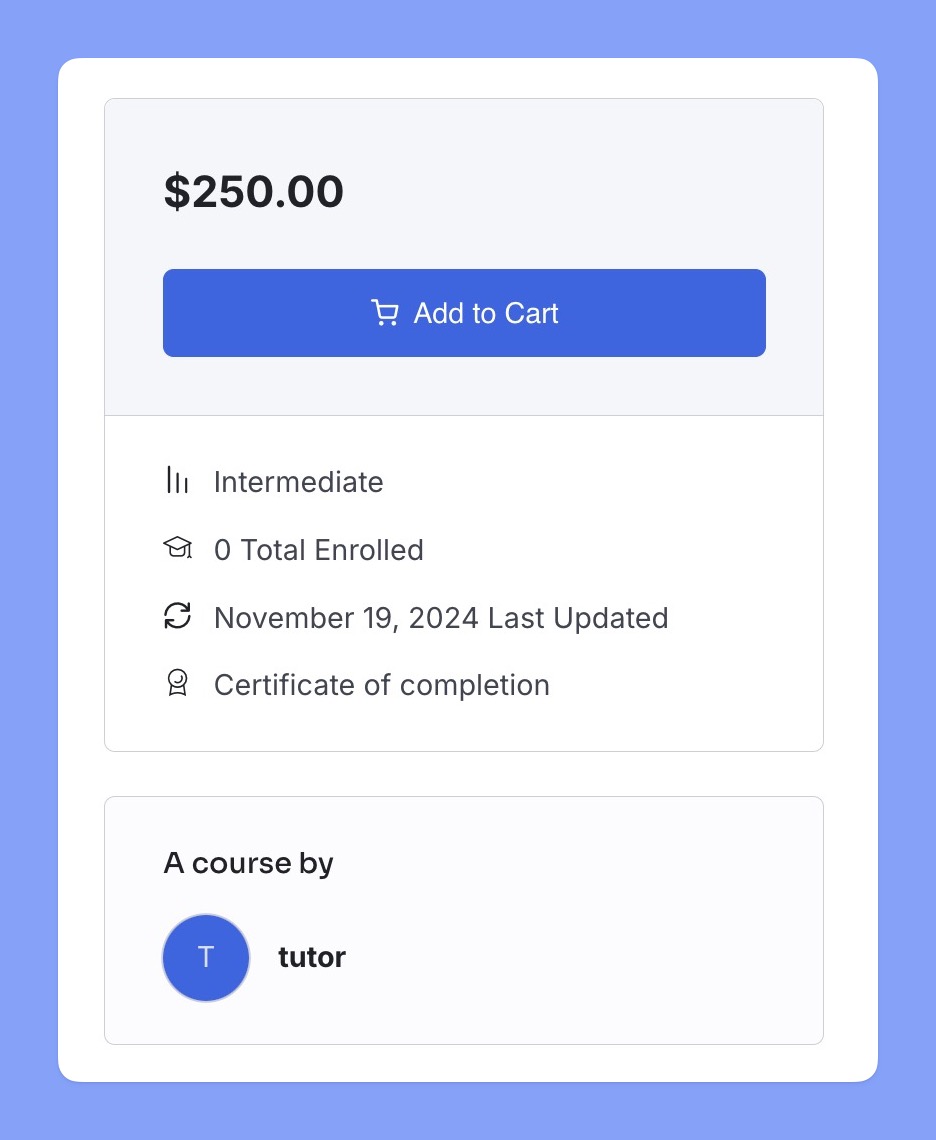
- One-time purchase only: The course can only be purchased with a one-time payment. Students will have lifetime access to the course after purchase.
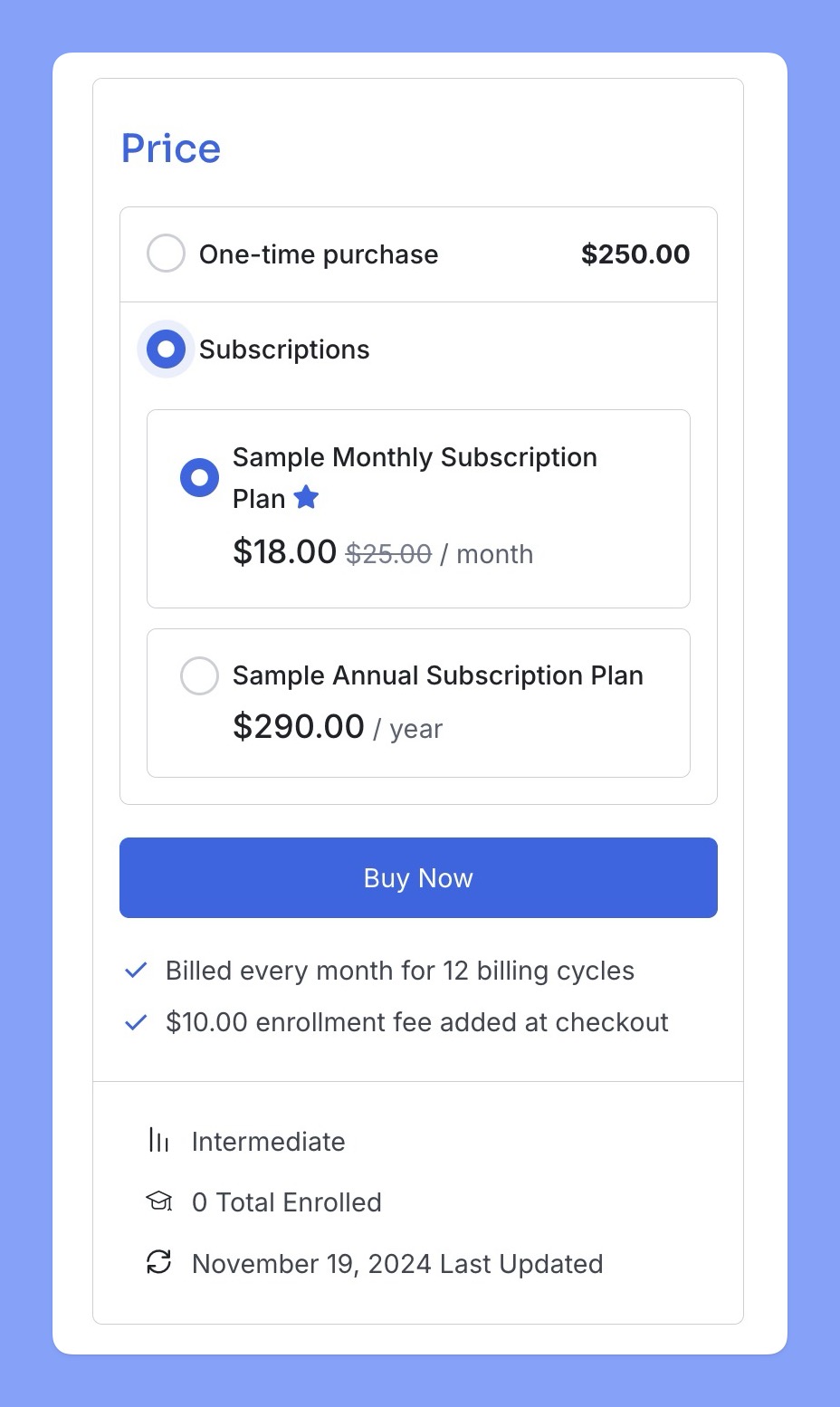
- Subscription & one-time purchase: The course can be purchased either through a subscription plan or with a one-time payment. This gives students the flexibility to choose the option that best suits their needs.
Managing Subscriptions
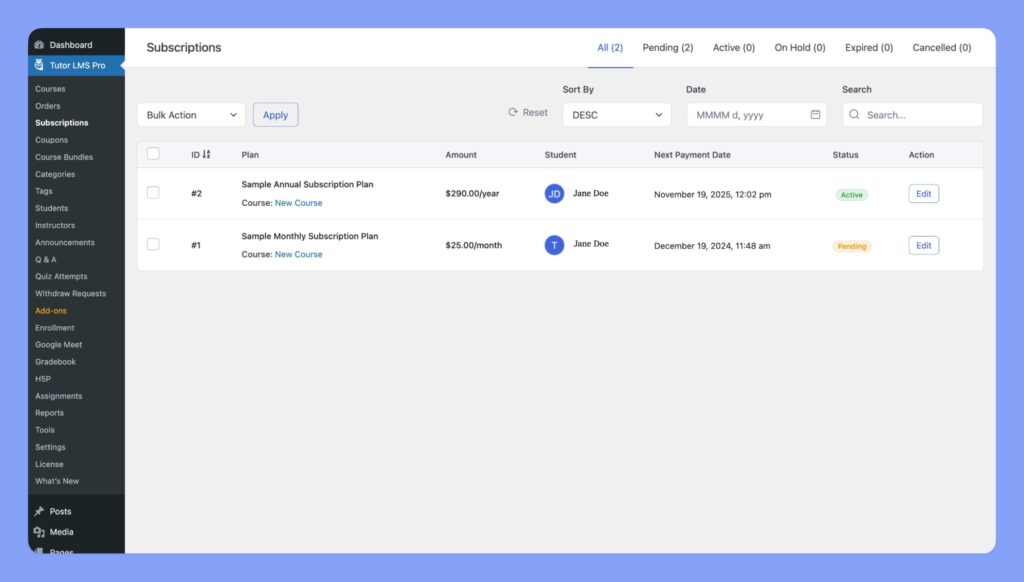
The “Subscriptions” section, located in “Tutor LMS Pro> Subscriptions,” provides an overview of all subscriptions purchased through your Tutor LMS platform. This section allows you to efficiently manage your subscriptions and track student enrollment through subscriptions.
Subscription Information
The Subscriptions page displays a list of all subscriptions, including details such as:
- ID: A unique identifier for each subscription.
- Plan: The name of the subscription plan.
- Amount: The recurring subscription amount.
- Student: The student who purchased the subscription.
- Next Payment Date: The date of the next recurring payment.
- Status: The current status of the subscription (e.g., Pending, Active, Expired).
- Actions: Available actions for managing the subscription (e.g., Edit).
Editing a Subscription
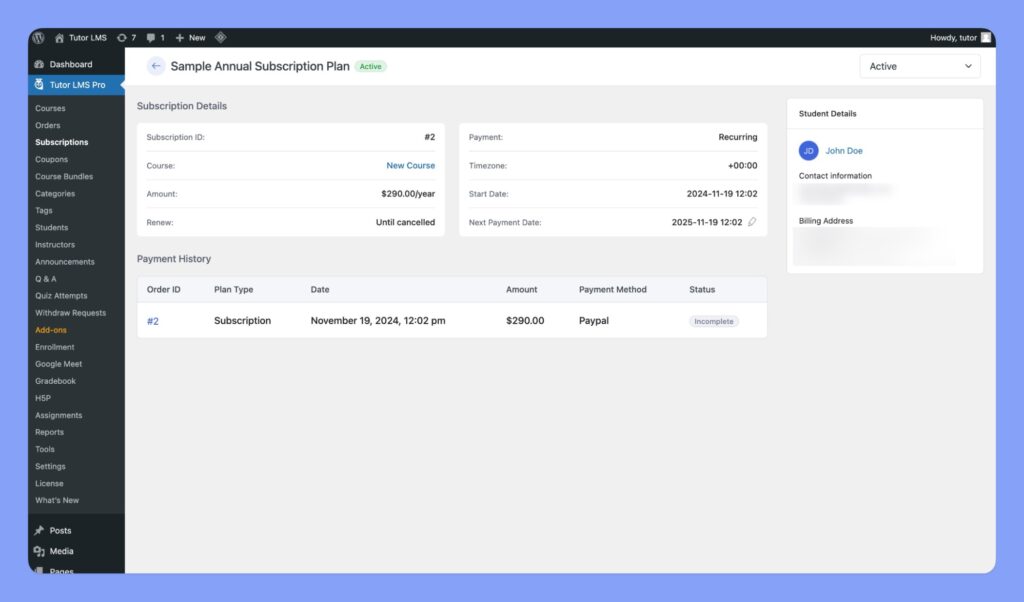
To edit a subscription, click the “Edit” button next to the subscription you wish to manage. This opens a new window with detailed information:
- Subscription Details: View the Subscription ID, Course enrolled in, recurring Amount, and renewal settings. You can also modify the “Next Payment Date” directly from this page.
- Student Details: View the student’s name, contact information, and billing address.
- Payment History: Review the Order ID, Plan Type, Date, Amount, Payment Method, and Status of each payment.
Changing Subscription Status
Most importantly, you can change the status of the subscription plan using the dropdown menu in the top right corner to:
- Pending: The subscription is awaiting payment or approval.
- Active: The subscription is active and the student has access to the course(s).
- On Hold: The subscription is temporarily suspended.
- Cancelled: The subscription has been canceled.
By effectively utilizing the “Subscriptions” section, you can maintain a clear record of your subscribers and ensure efficient management of your recurring revenue.