Taxes
To access Taxes, you need to enable Tutor LMS native eCommerce first. Navigate to Tutor LMS > Settings > Monetization > Select eCommerce Engine and select Native from the dropdown to enable Tutor LMS native eCommerce.
Once enabled, a new setting will appear under Monetization called Taxes.
Regional Tax Rates
You can add regional tax rates depending on the global region your eLearning site is catering to. When you select a country, you can vary the tax rates for different states or provinces.
Note: Please consult with your local tax authorities to ensure you are applying the correct tax rates to your customers.
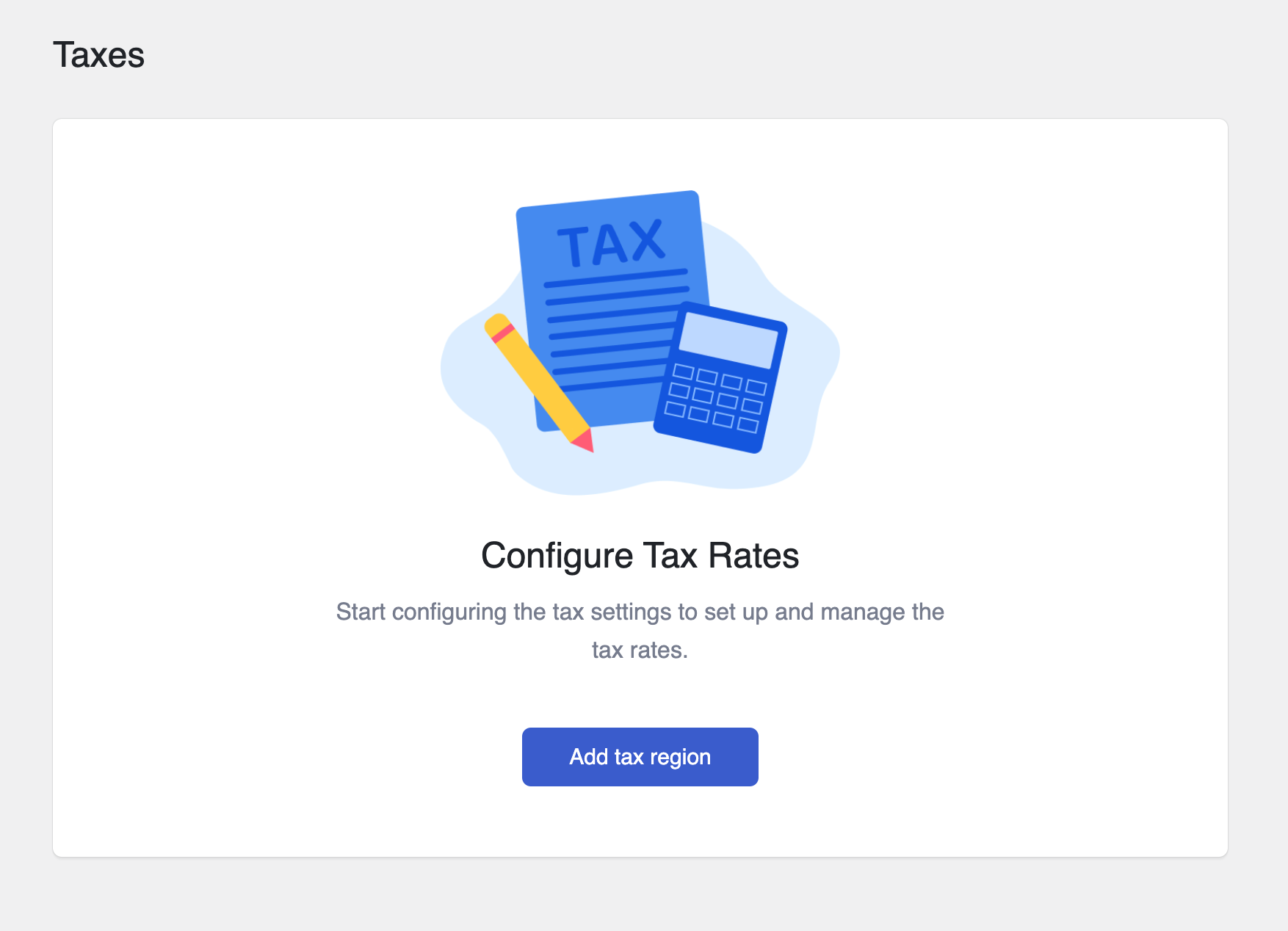
To add a region, you need to click on “Add tax region”. Then, either select a whole country or select individual provinces of that country.
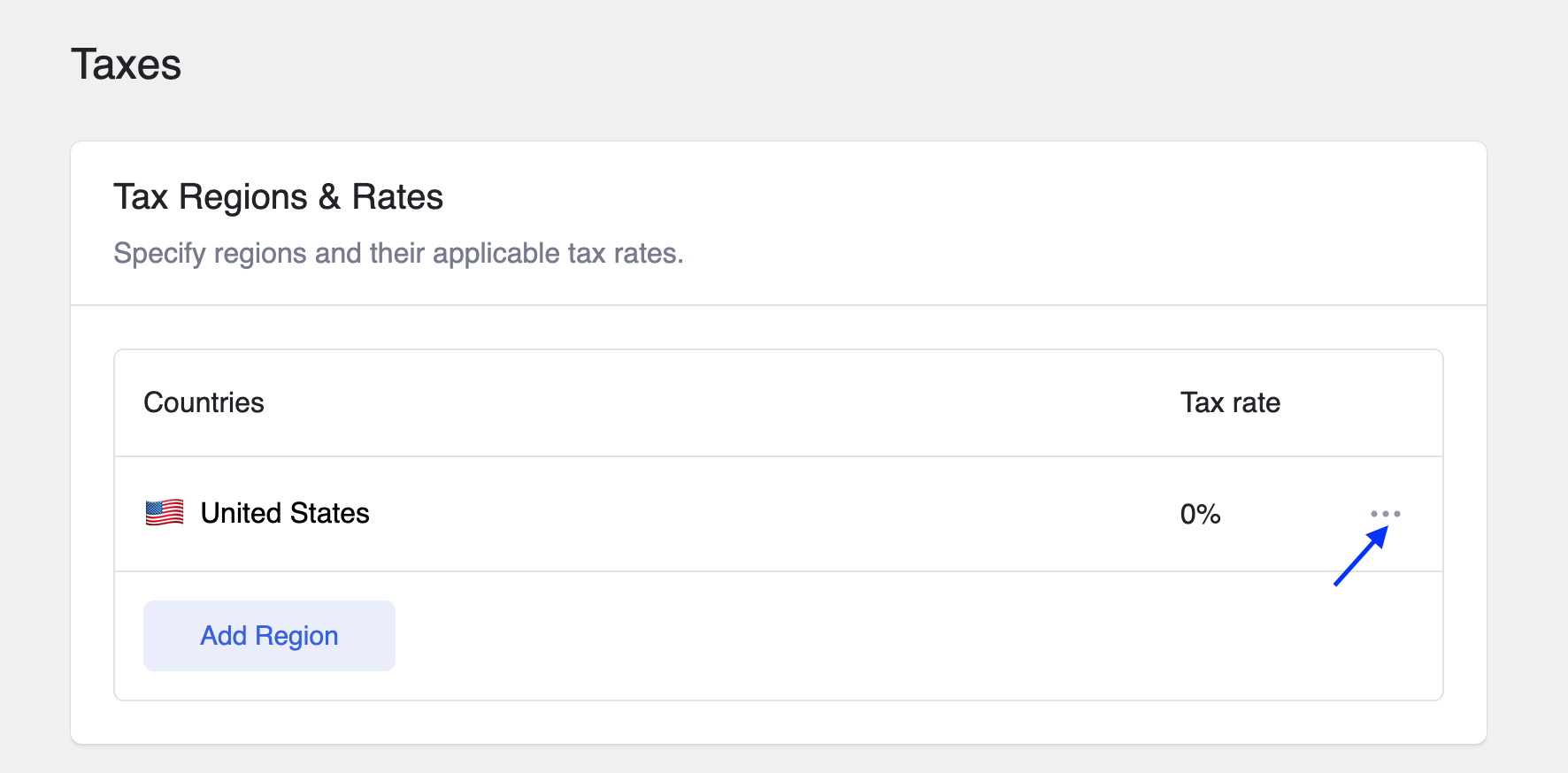
Once you add a country/province, you can then edit the tax percentage for it. Click on edit and enter the tax percentage in the textbox. By default, it’s set to 0%.
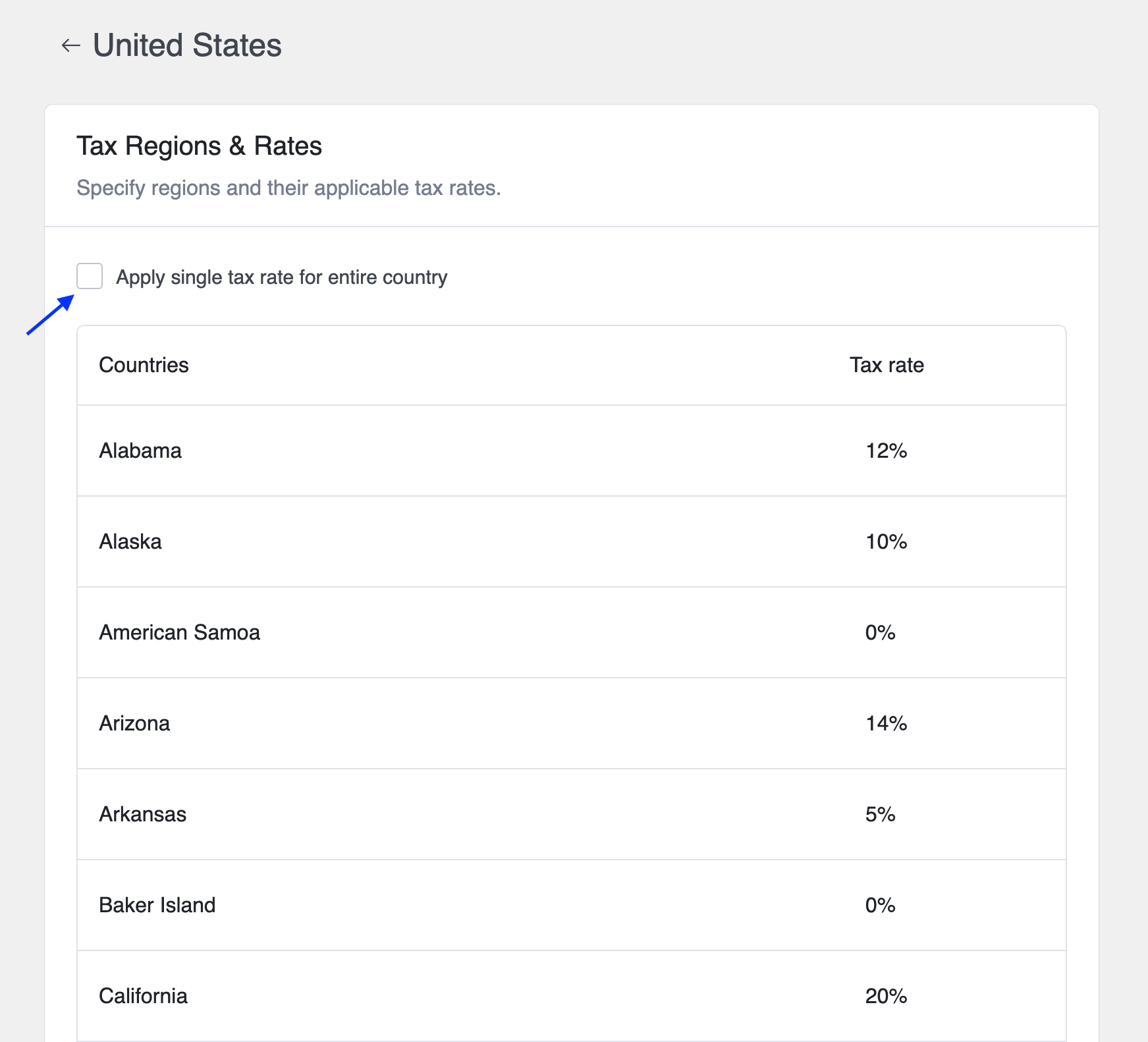
If you check the “Apply single tax rate for the entire country” box, then the tax will be set to that percentage for every province within that country.
If you are editing the tax for the whole country, you can either set a flat amount or untick the checkbox and configure the tax individually for each province.
Global Tax Settings
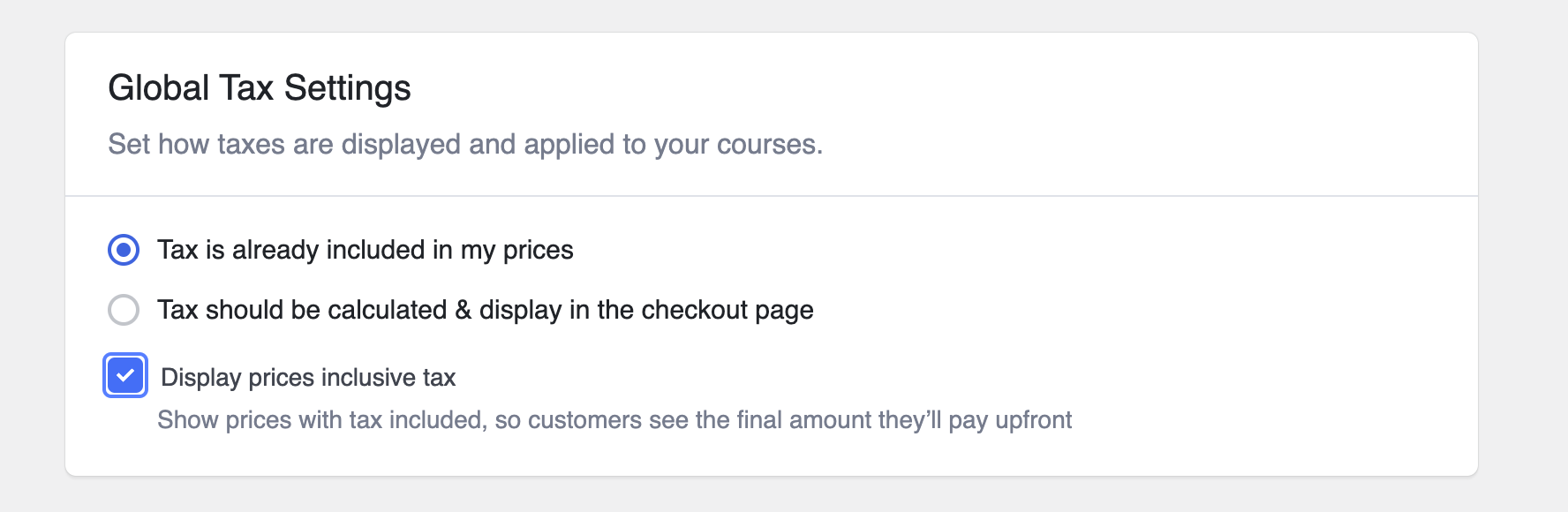
Configure this if you want tax to be included with your product prices. If you opt to display and calculate tax at the checkout page, you can also tick a checkbox to display the full price including tax.
- Tax is already included in my prices: Indicates that product prices already include taxes, providing customers with a clear, final price.
Note: When this option is enabled, ensure you have manually set the tax-inclusive price during course creation.
- Tax calculated and displayed on the checkout page: Tax will be shown on the checkout page.
- Display prices inclusive of tax: Show the total price after tax calculation at checkout.
Advanced Settings
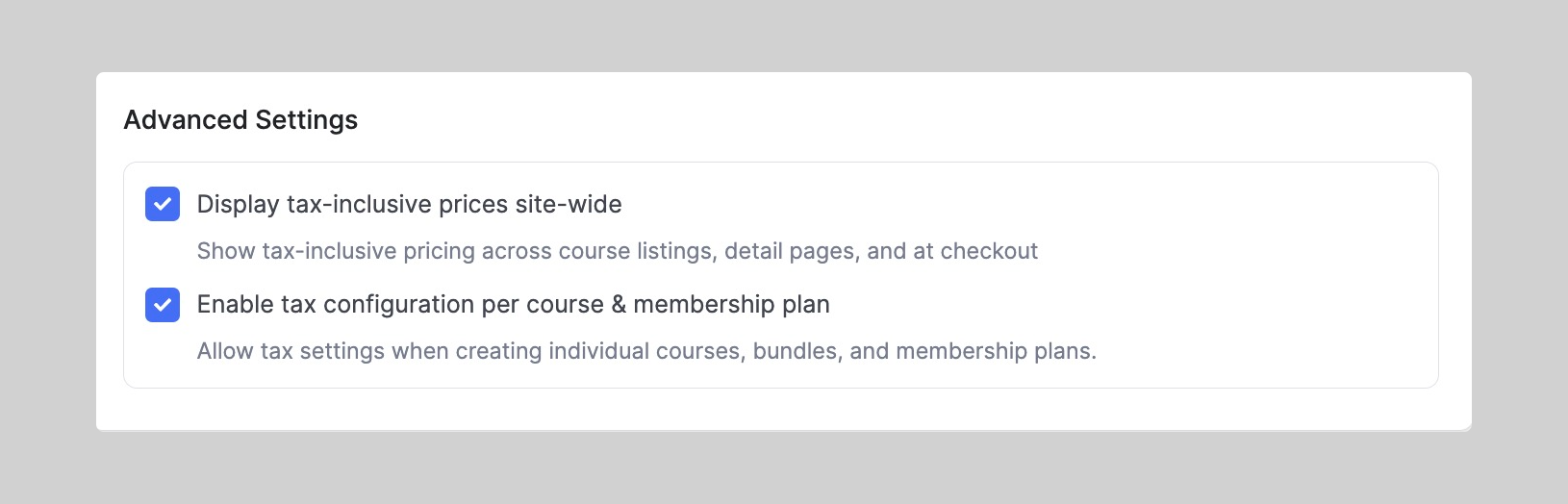
This section allows for greater flexibility in how taxes are applied and displayed across your site.
1. Display Tax-Inclusive Prices Site-wide
When enabled:
- Course prices will include tax on listings, course detail pages, and checkout.
- Helps maintain transparency for learners by showing the full price upfront.
Recommended for regions where it’s legally required to show tax-inclusive prices (e.g., EU, Australia).
2. Enable Tax Configuration per Course & Membership Plan
When enabled, you gain the ability to control tax settings individually while creating or editing Courses and Course Bundles. It allows you to define whether taxes should be collected per course and/or per subscription plan.
It is useful for platforms offering both taxable and tax-exempt courses or selling globally.
Applying Tax Settings in the Course Builder
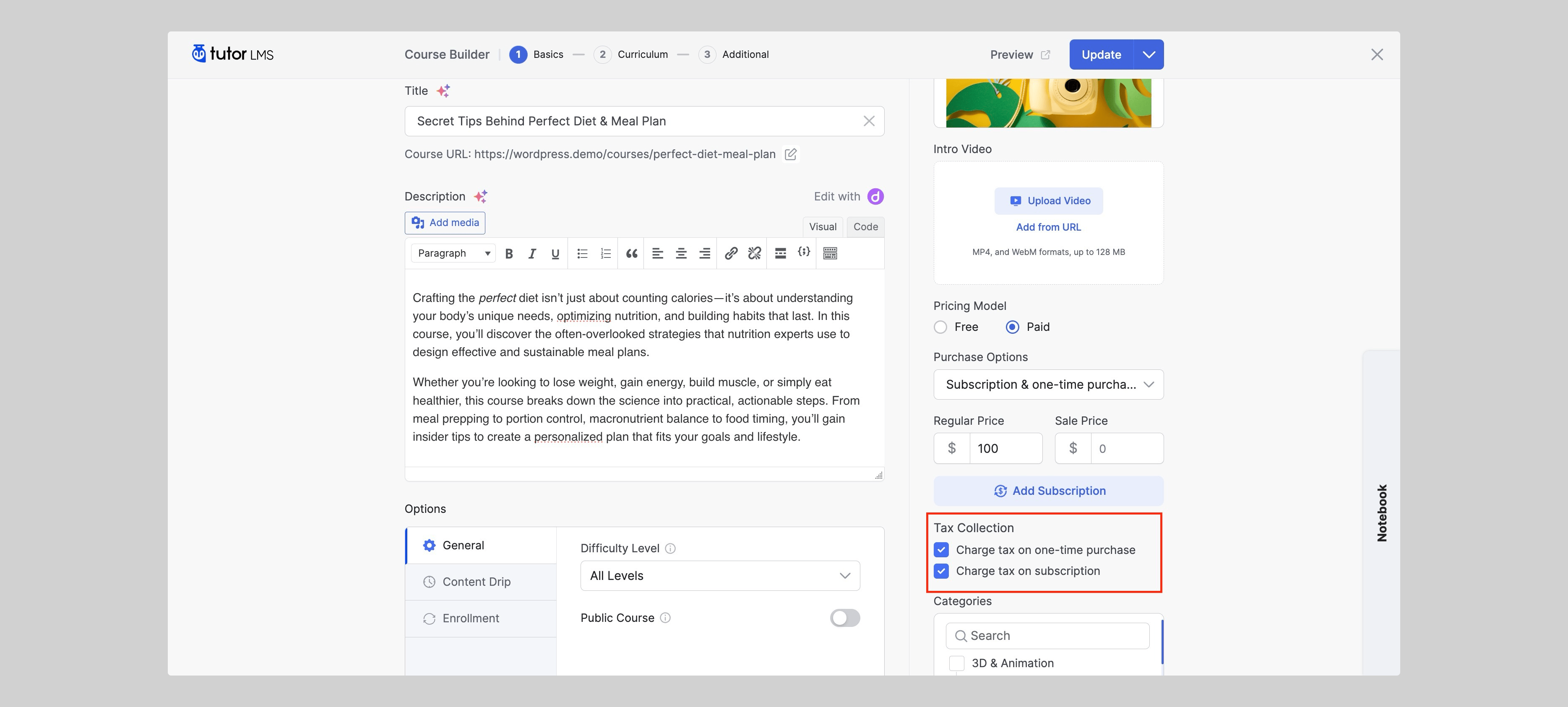
Once enabled, you’ll be able to control tax options for each course individually while creating or editing them.
- Navigate to Tutor LMS > Courses.
- Create a new course or edit an existing one.
- In the Course Builder, scroll to the Pricing section on the right panel.
- Under Tax Collection, you’ll see the options to charge tax on one-time purchase and/or subscriptions. The visibility of tax options depends on the selected pricing model and purchase options. If the course is set to Free, tax options will not appear.
- Tick or untick these boxes based on your local tax laws and preferences.
This lets you decide:
- Whether a single course purchase will have tax applied.
- Whether recurring subscription payments will include tax.