Advanced
This section of the Advanced Settings allows you to customize the extended capabilities of your Tutor LMS. It has two different sections: the first one is Course, and the second one is Options. Let’s explain both of these:
Course Builder Fields Visibility Control
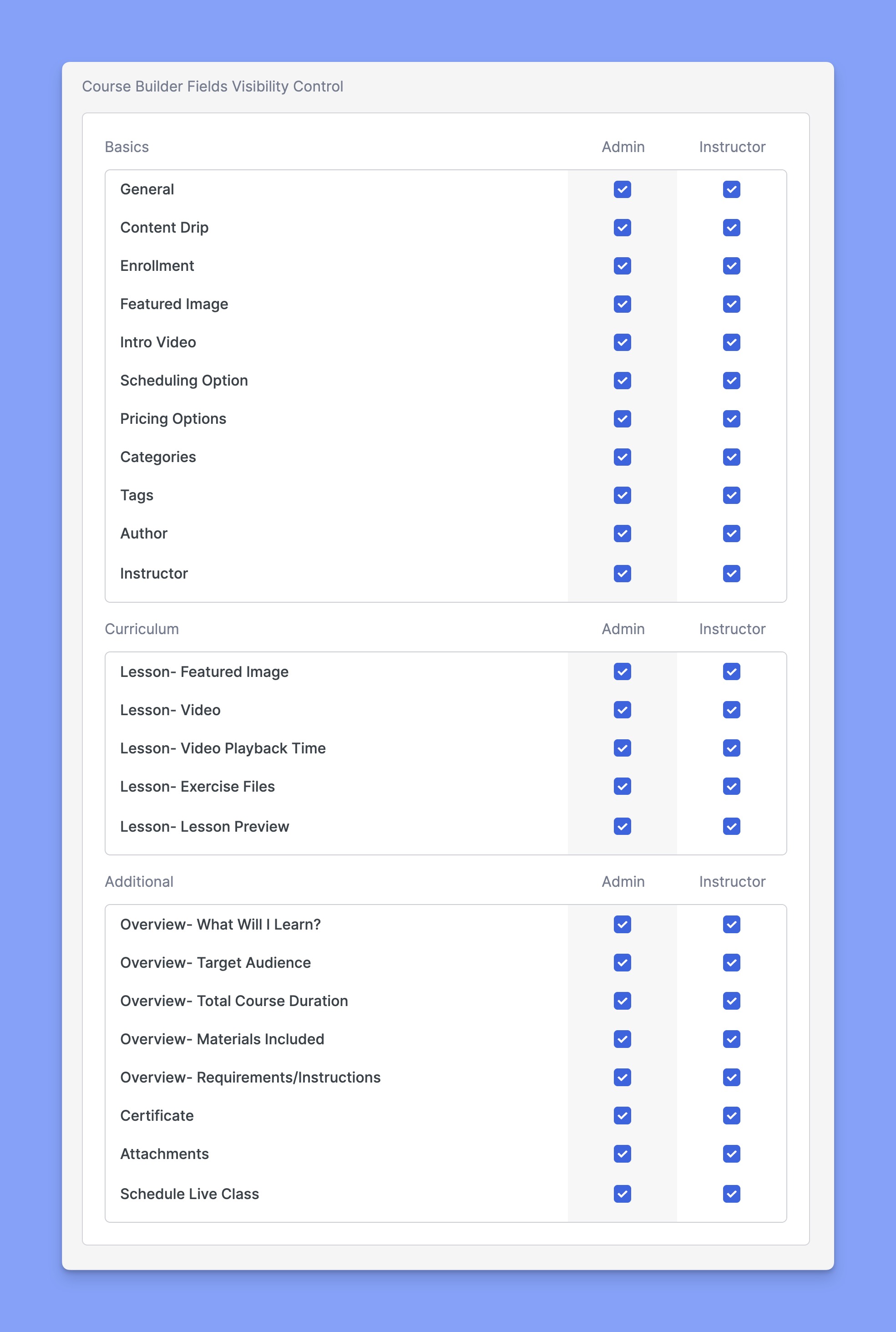
The Course Builder Fields Visibility Control section allows administrators to manage which fields are visible in the Course Builder interface for both Admins and Instructors.
The fields are grouped into three categories:
- Basics – General course settings like enrollment, pricing, media, etc.
- Curriculum – Lesson-specific settings such as video, preview, exercise files, etc.
- Additional – Course overview fields, attachments, certificates, and live class scheduling, etc.
Use the checkboxes to toggle the visibility of each field for Admins and Instructors. Any unchecked field will be hidden from the respective user’s Course Builder interface.
Course
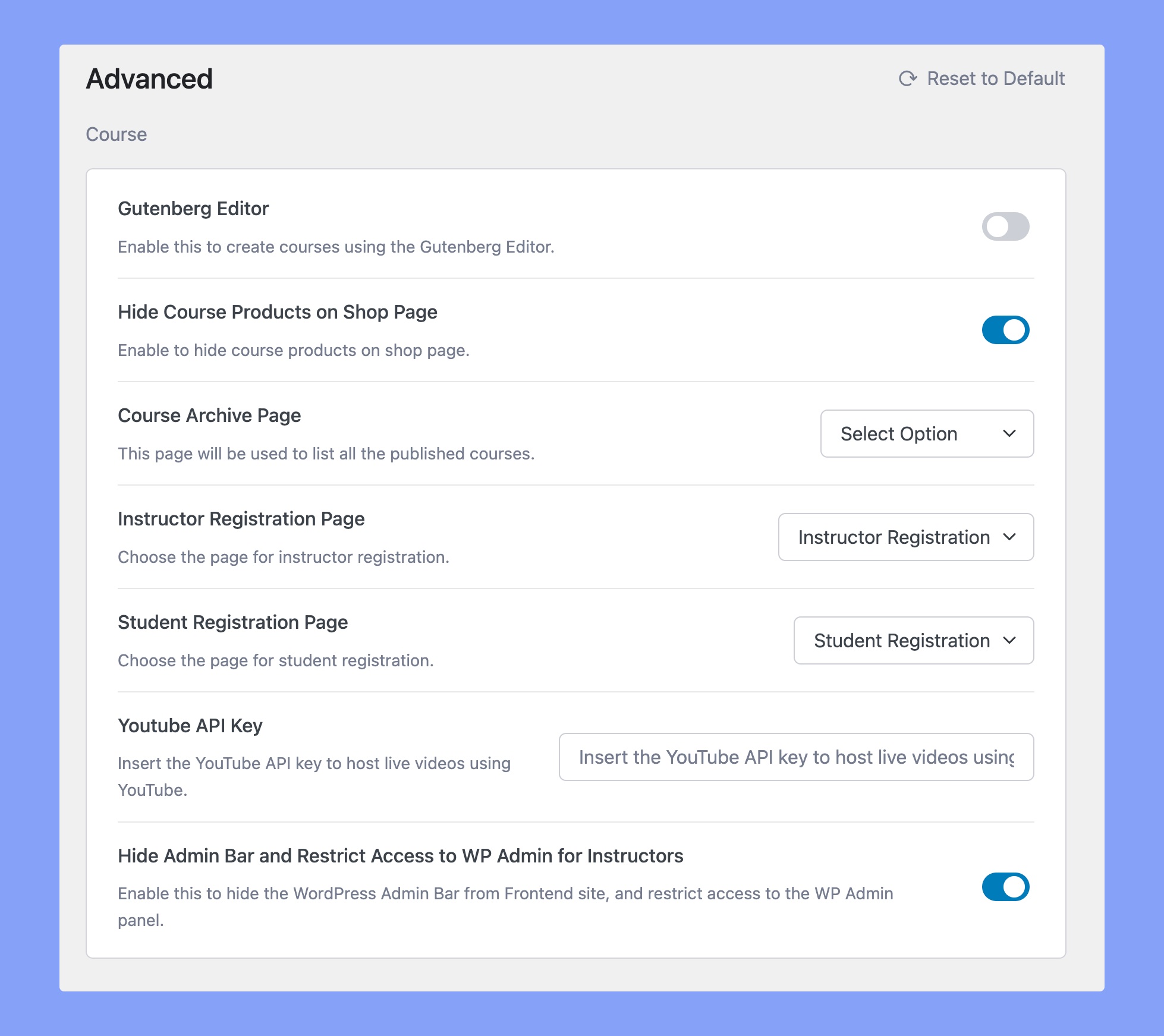
Gutenberg Editor: Enable this option so you can create your Courses using the Glutenberg Editor.
Hide Course Products on Shop Page: Hide Tutor Courses from the Shop Page and only show other WooCommerce Products to be sold from here.
You can visit this page through the URL YourTutorSite/shop. Note that YourTutorSite should be replaced with your site’s domain name.
Course Archive Page: This page will be used to list all the published courses.
Instructor Registration Page: Select the page that contains the Instructor Registration form using which new instructors can sign up.
Student Registration Page: Select the page that contains the Student Registration form using which new students can sign up.
YouTube API Key: Insert the YouTube API key to host Live Streaming Sessions using YouTube. You can generate the API key by following our YouTube API key documentation.
Hide Admin Bar and Restrict Access to WP Admin for Instructors: This option allows you to hide the WordPress Admin Bar entirely from the frontend for instructors while it remains visible to admins.
Base Permalink
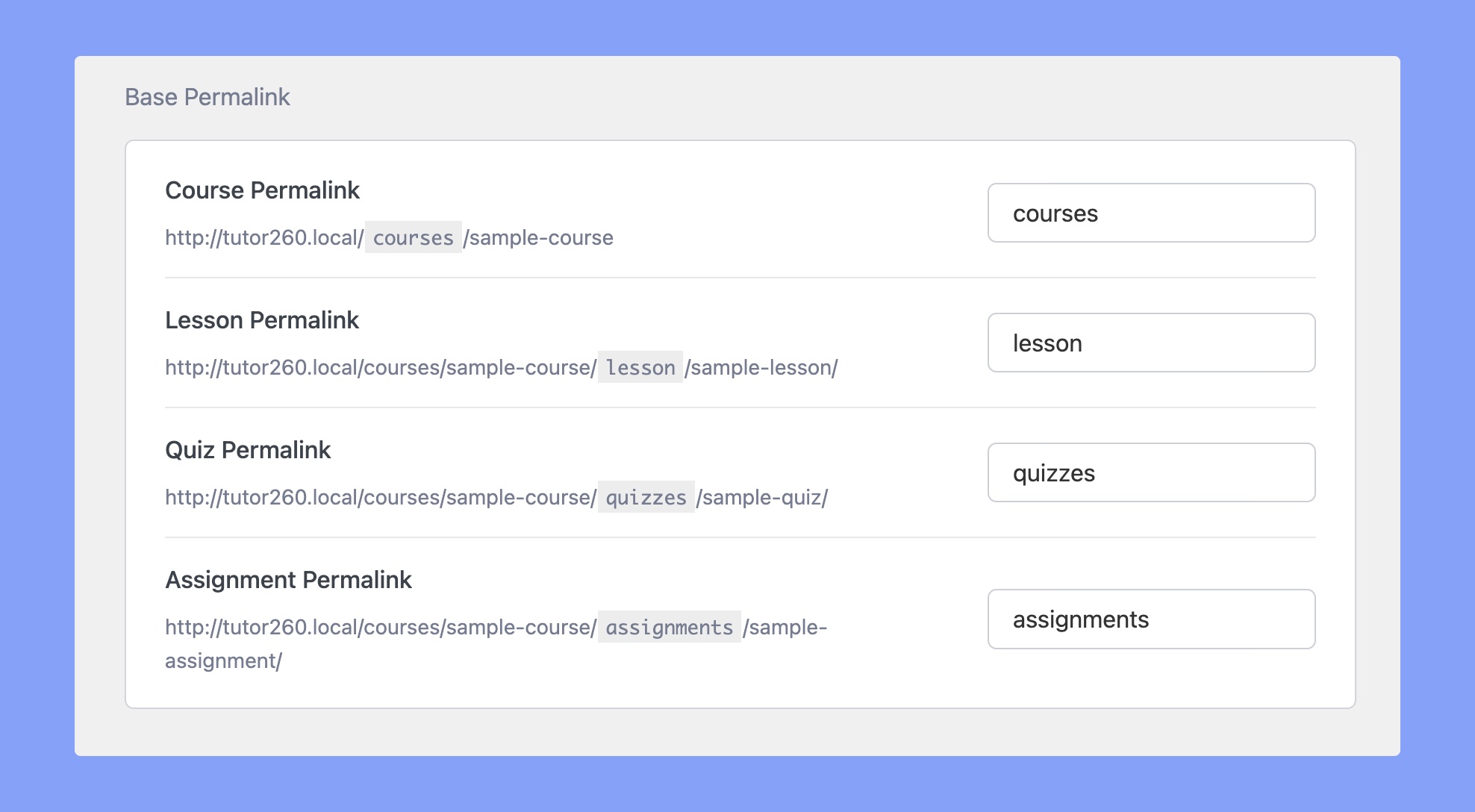
Course Permalink Base: Define the permalink base text for your courses. Example: YourTutorSite/courses/sample-course/. Changing the value there will update the “courses” part of your URL.
Lesson Permalink Base: Define the permalink base text for the URL of your lessons. Example: YourTutorSite/courses/sample-course/lesson/sample-lesson/
Quiz Permalink Base: Define the permalink base text for your quizzes. Example: YourTutorSite/courses/sample-course/quizzes/sample-quiz/. Changing the value there will update the “quiz” part of your URL.
Assignment Permalink Base: Define the permalink base text for the URL of your assignments. Example: YourTutorSite/courses/sample-course/assignments/sample-assignment/
Options
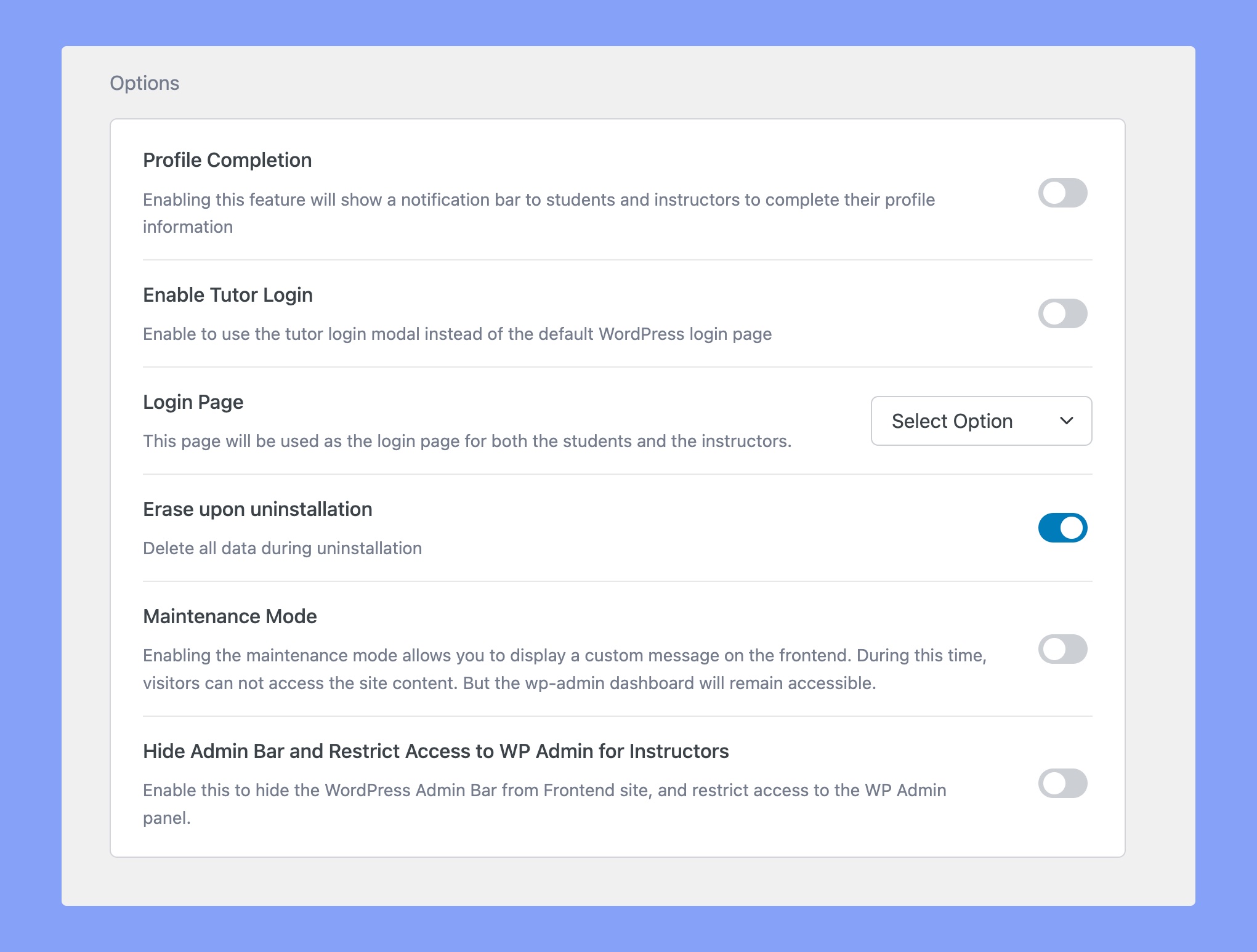
- Profile Completion: Enable this feature to show a notification bar to students and instructors, prompting them to complete their profile information.
- Enable Tutor Login: Enable this to make use of the Tutor Login modal instead of the default WordPress Login page.
- Login Page: Select the page that will be used as the Login page for both students and instructors.
- Erase upon Uninstallation: Enable this option to delete all data during uninstallation.
- Maintenance Mode: Enabling the maintenance mode allows you to display a custom message on the frontend. During this time, visitors cannot access the site content, but the WP Admin Dashboard will remain accessible.
The Profile Completion Module
The Profile Completion option encourages users to complete their account setup by displaying an interactive progress indicator on the frontend dashboard. It applies to both learners and instructors.
Incomplete profiles, particularly those missing profile pictures, biographies, or social links, can affect the overall credibility and appearance of the platform’s user directory.
Enabling Profile Completion
To activate the module:
- Navigate to Settings > Advanced.
- Locate the Options module.
- Toggle the Profile Completion feature to enable it.
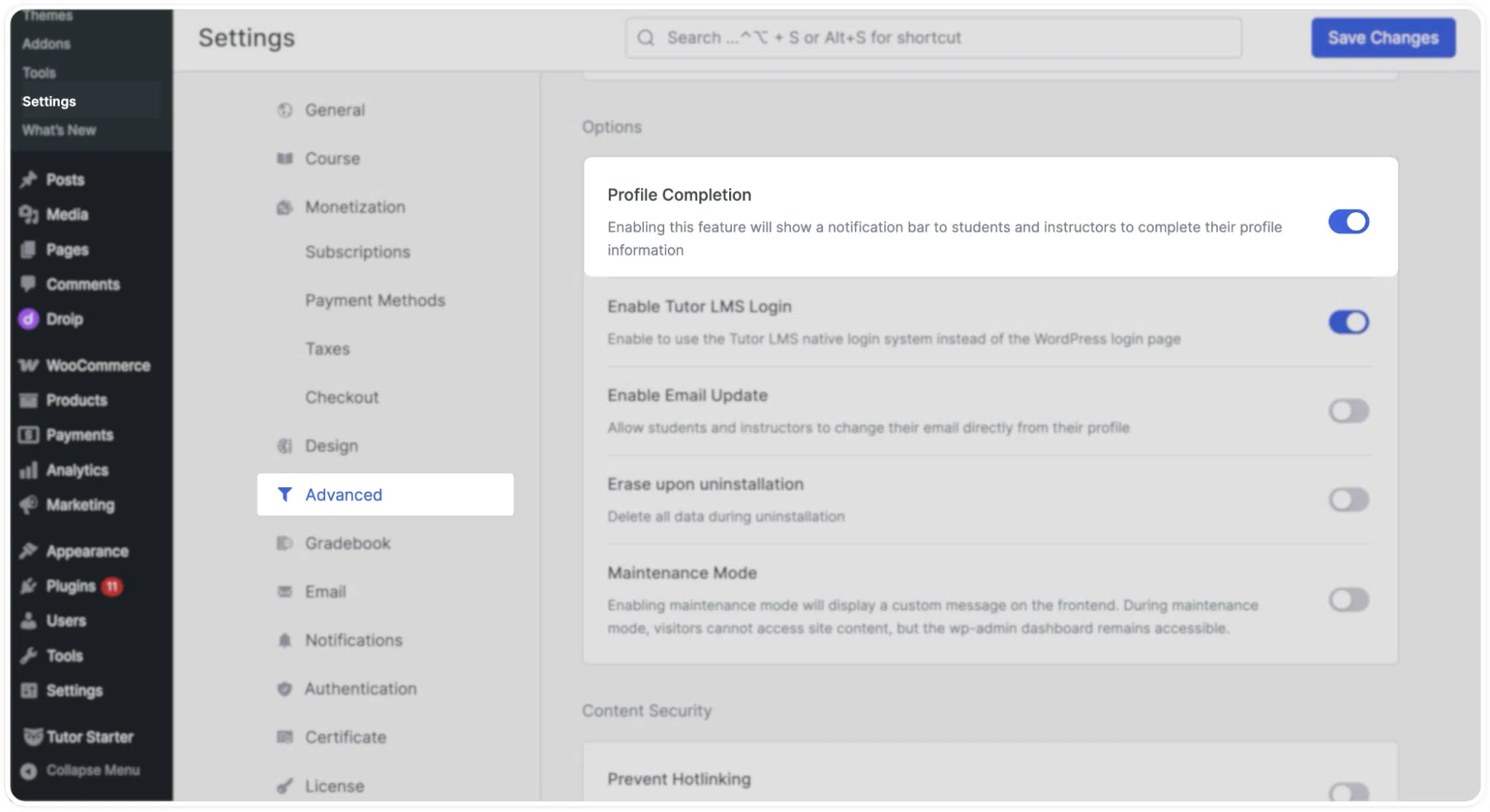
Once enabled, a progress ring and notification bar appear on the frontend dashboard for all users.
How It Works
When the feature is active, users see a progress ring on their dashboard displaying their current profile completion percentage. Alongside the ring, the module provides direct links to address any missing information.
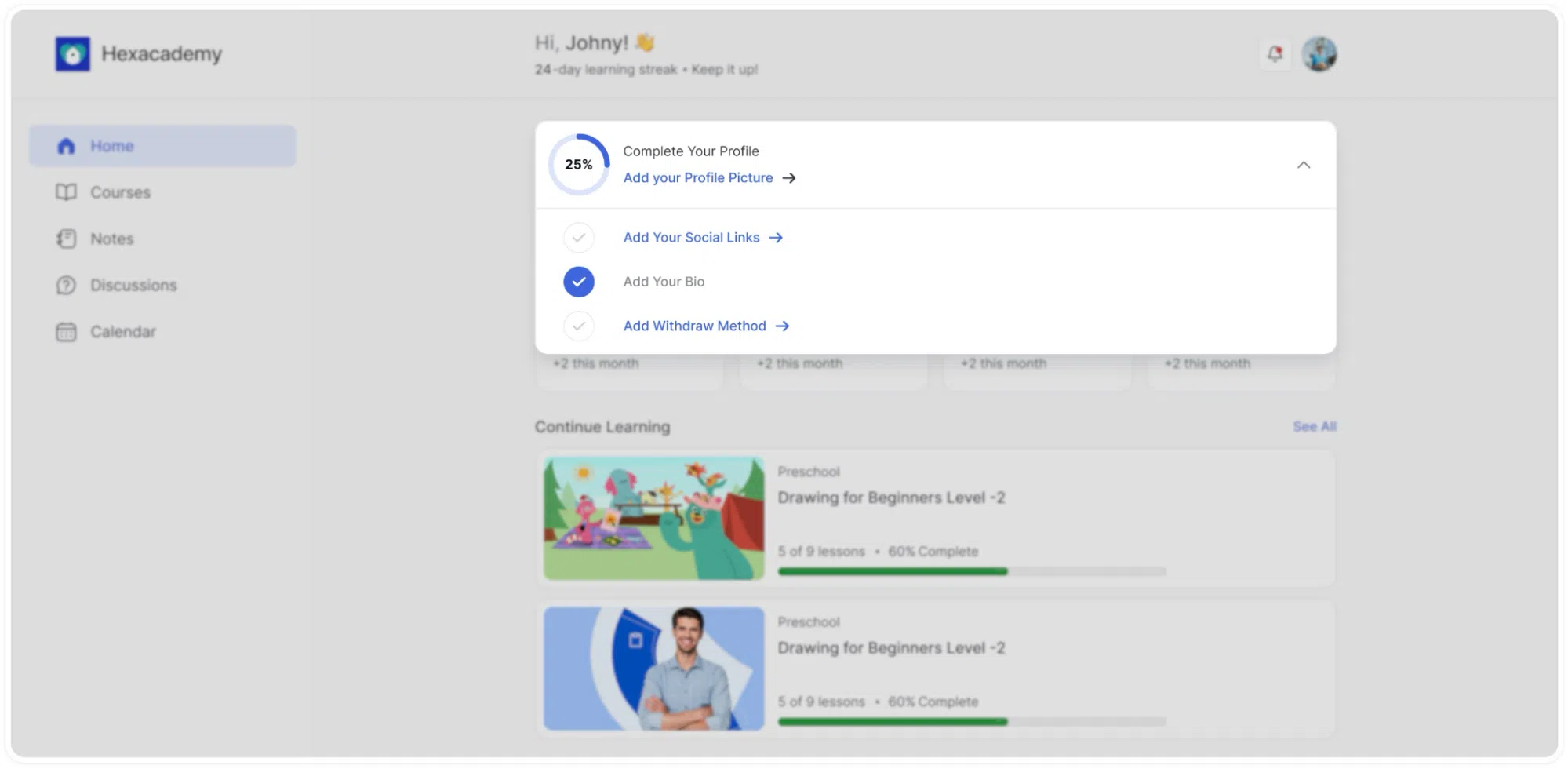
Users are prompted to complete the following:
- Upload a profile picture.
- Add social media links.
- Write a biography.
- Configure a preferred withdrawal method (applicable to instructors).
These prompts are displayed as an interactive checklist on the home screen. Users can click each item to navigate directly to the relevant settings page and fill in the required information.
This approach allows administrators to collect complete profile data passively, without relying on manual reminders or follow-up emails. It also helps verify instructor payout details early in the onboarding process.
Content Security
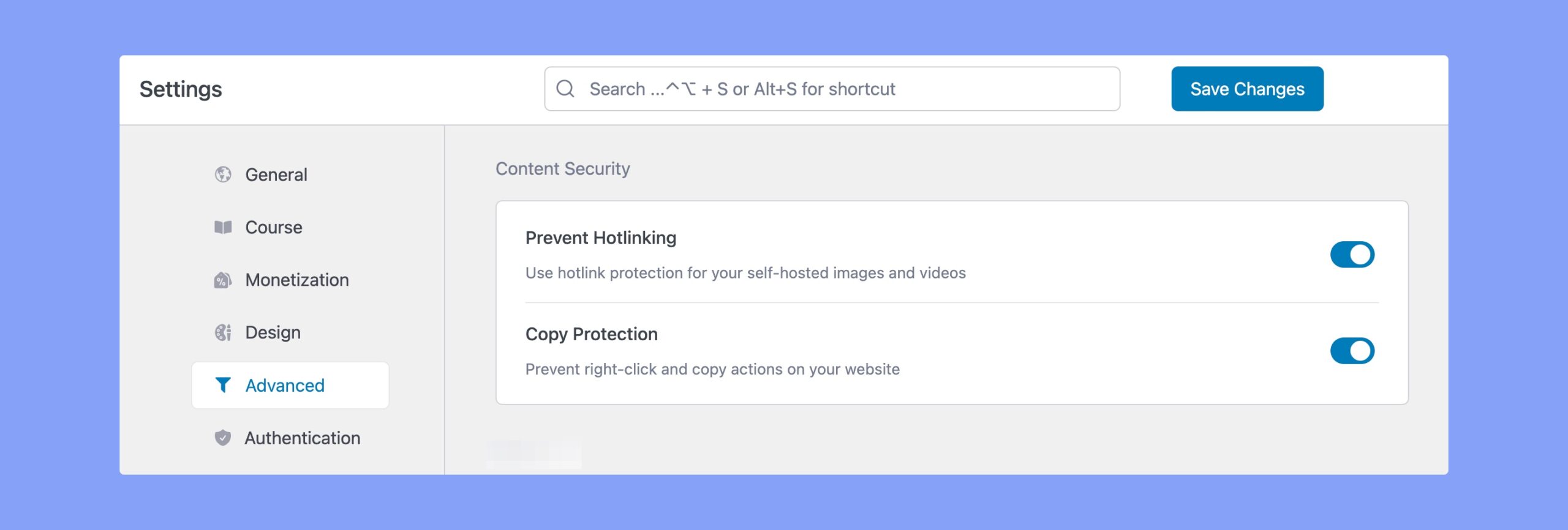
- Prevent Hotlinking: Enable this option to safeguard your content by blocking unauthorized sharing.
- Copy Protection: It will disable the right-click actions and keep your website content secure against unauthorized copying.
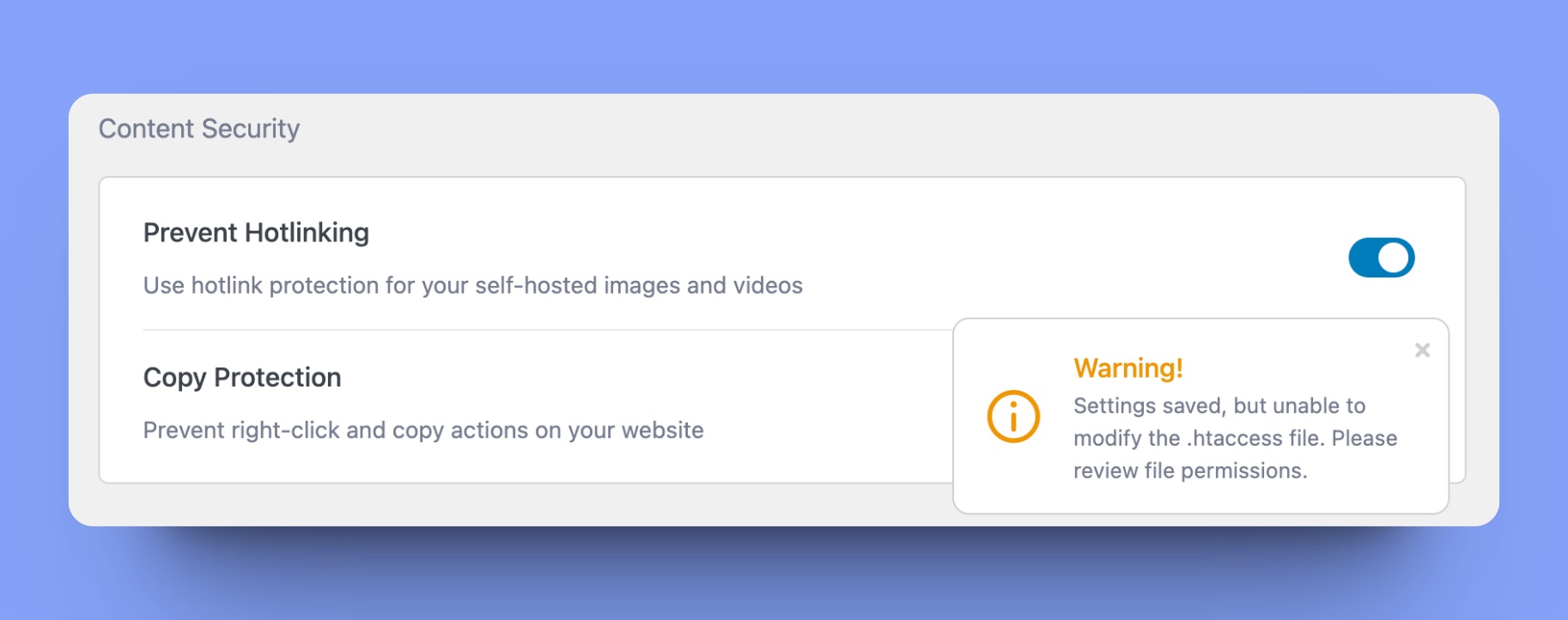
If you don’t have the write aceess to the .htacees file, you’ll get a warning message like following:
AI Studio
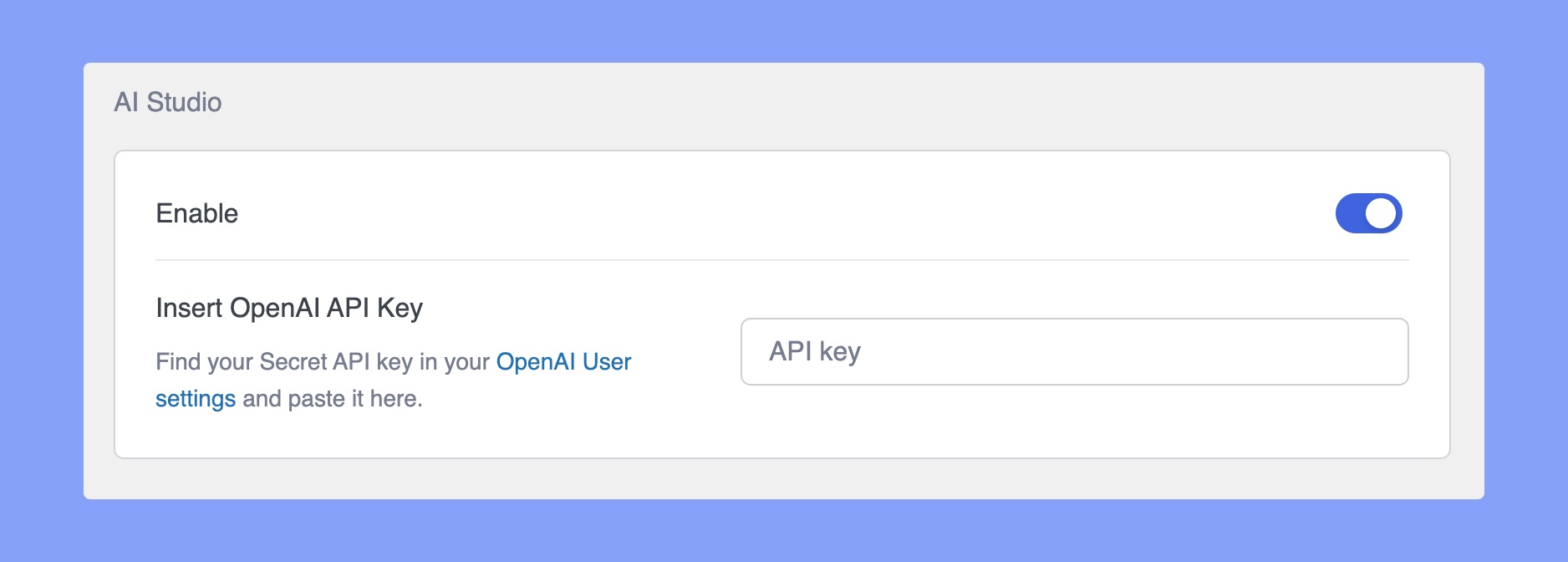
- Enable AI Studio: Turn on this option to use Tutor LMS AI Studio to generate courses along with lessons, quizzes, etc within Tutor LMS.
- Insert OpenAI API Key: Set your OpenAI API Key here to use Tutor LMS AI Studio uninterruptedly.