Klarna
Klarna
Klarna is a Swedish fintech company that provides a “Buy Now, Pay Later” (BNPL) payment service. Their tagline is ‘Order today and pay later’.
Klarna gives customers the flexibility to pay later. This process gives users enough time to pay for the product they want to buy but can’t pay for right now.
📝 Note: Klarna is available in limited countries and supports limited currencies.
So, before using Klarna, ensure that Klarna supports your desired payment methods in your country and that your currency is supported.
Adding Klarna as a Payment Option
Access the Payment Method
- Log in to your Tutor LMS Dashboard.
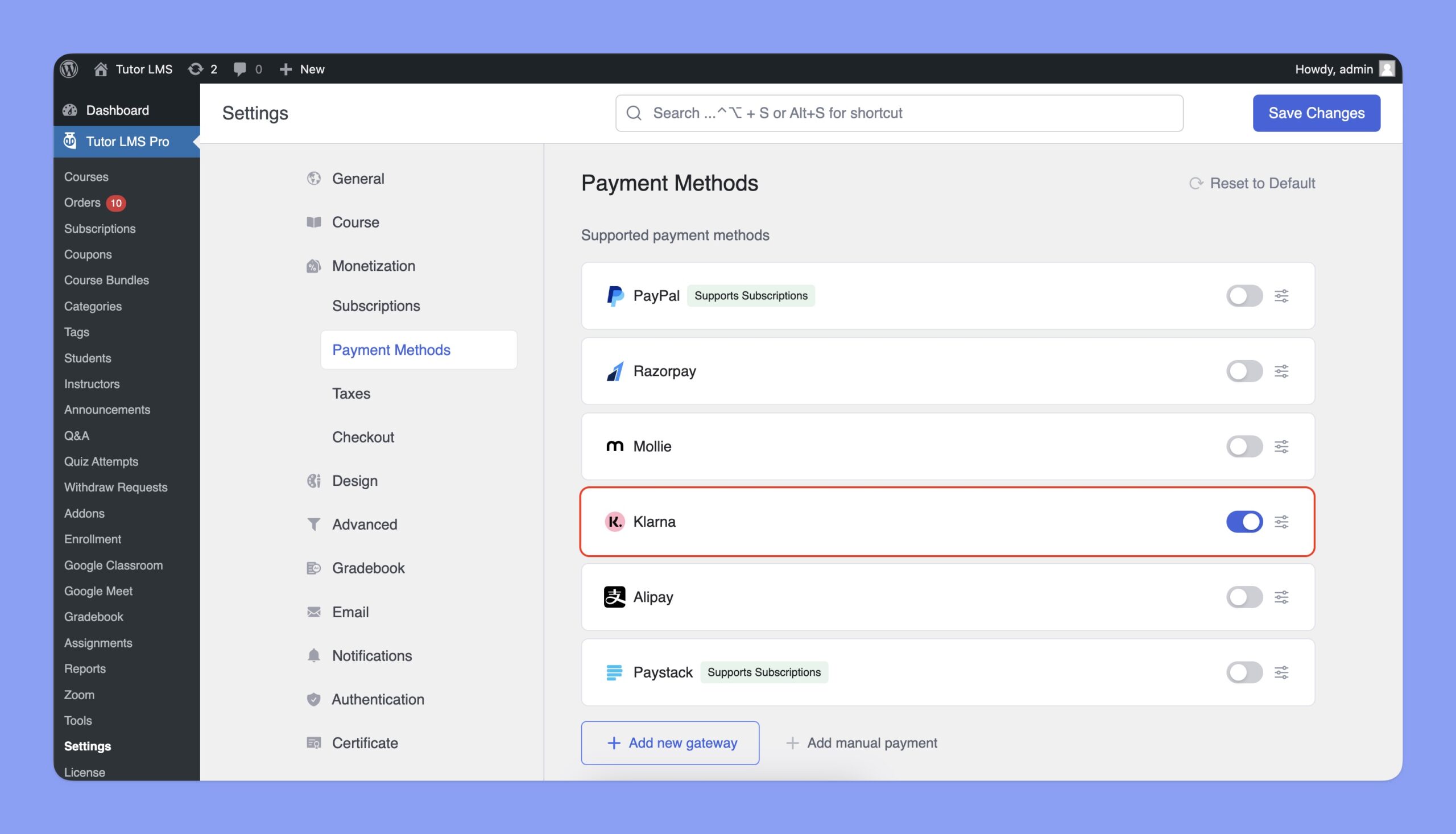
- Navigate to Settings > Monetization > Payment Methods.
Add Klarna
- Click the Add new gateway button.
- From the list of available payment methods, select Klarna and click the Install button.
Once installed, Klarna will appear as one of your payment options.
Note: You’ll need an active subscription to Tutor LMS Pro to use Klarna.
Configuring Klarna Integration
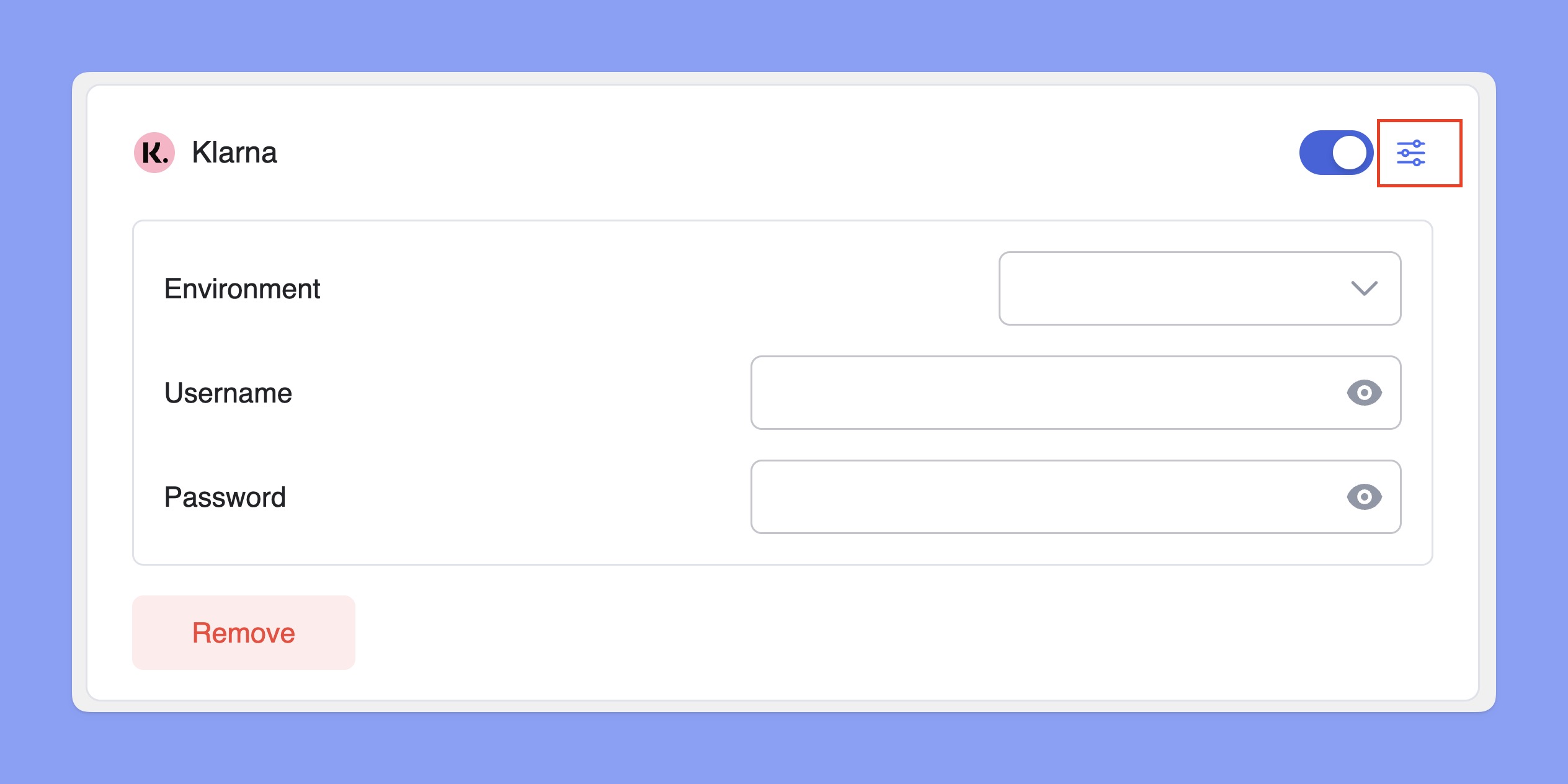
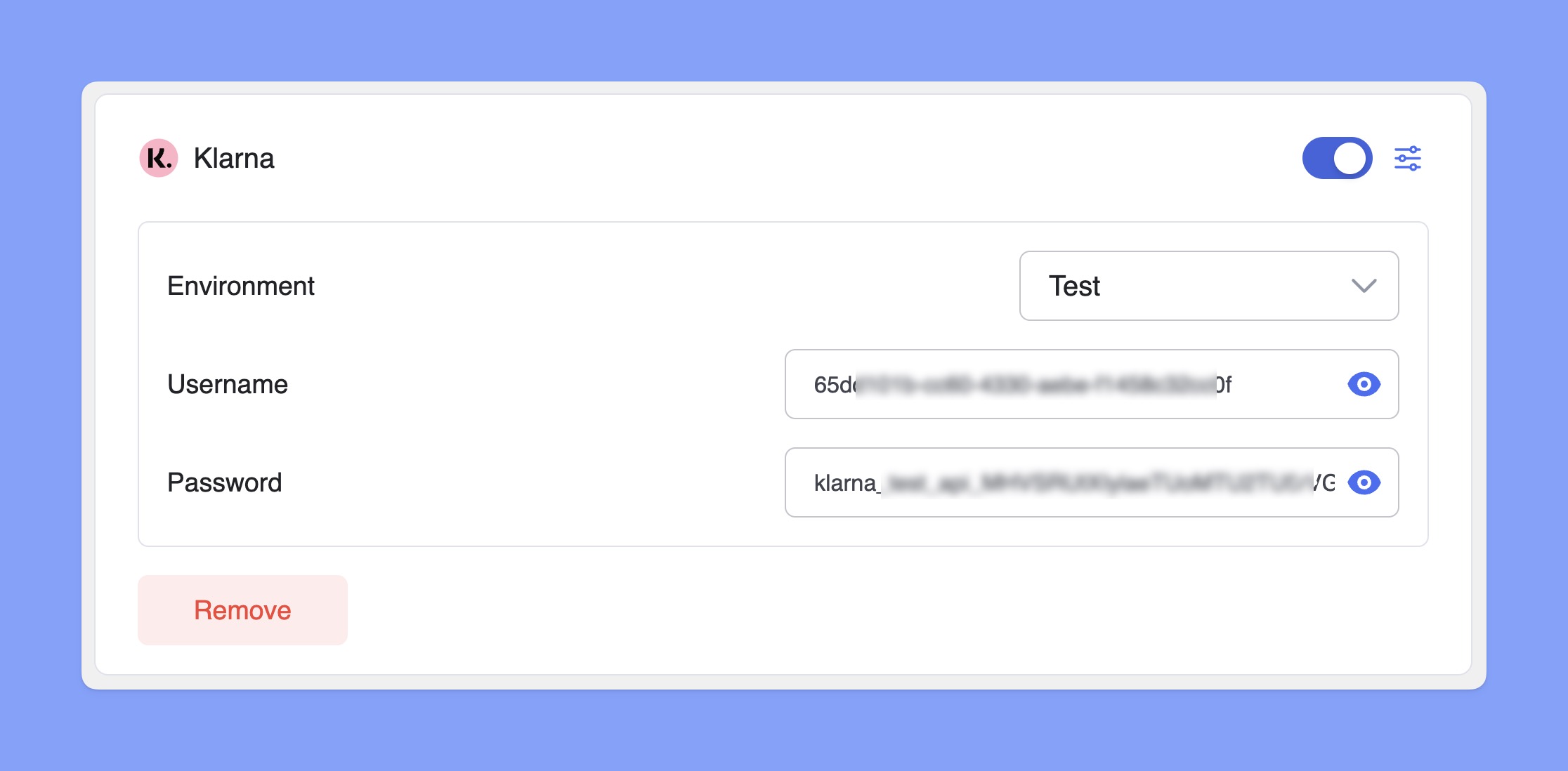
In the Payment Methods section, toggle the switch to enable Klarna for checkout. Then, click the Setup icon next to Klarna to expand the settings. Here, you can select the Environment and enter your Klarna Username and Password.
How to Get Klarna Username and Password?
You’ll need the Klarna Username and Password to integrate Klarna with Tutor LMS. Here are the steps to generate that:
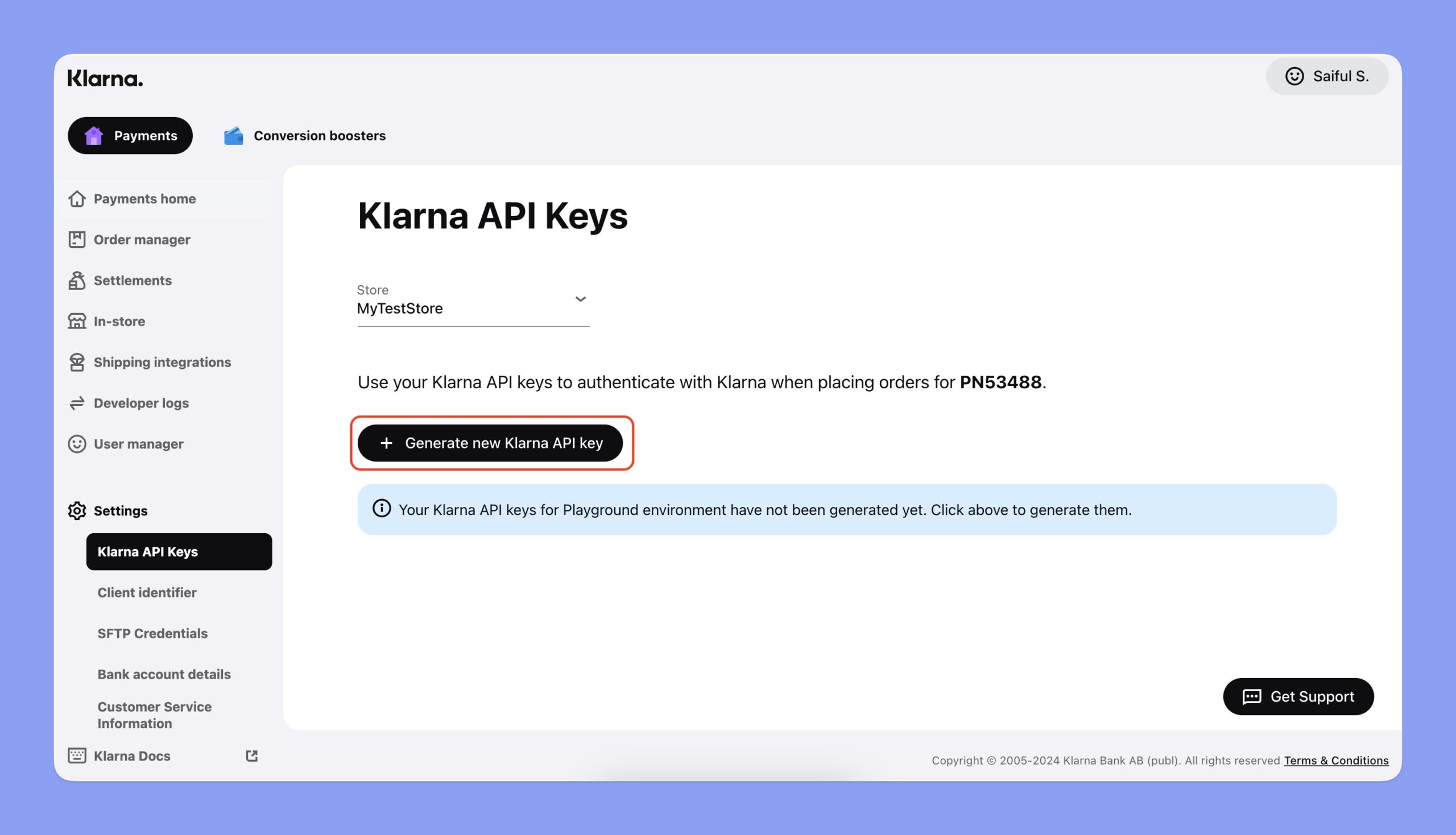
- Step 1: Login to your Klarna Merchant Portal.
- Step 2: Navigate to Settings > Klarna API Keys and click the Generate new Klarna API key button.
- Step 3: Download the Klarna Username and Password from the window.
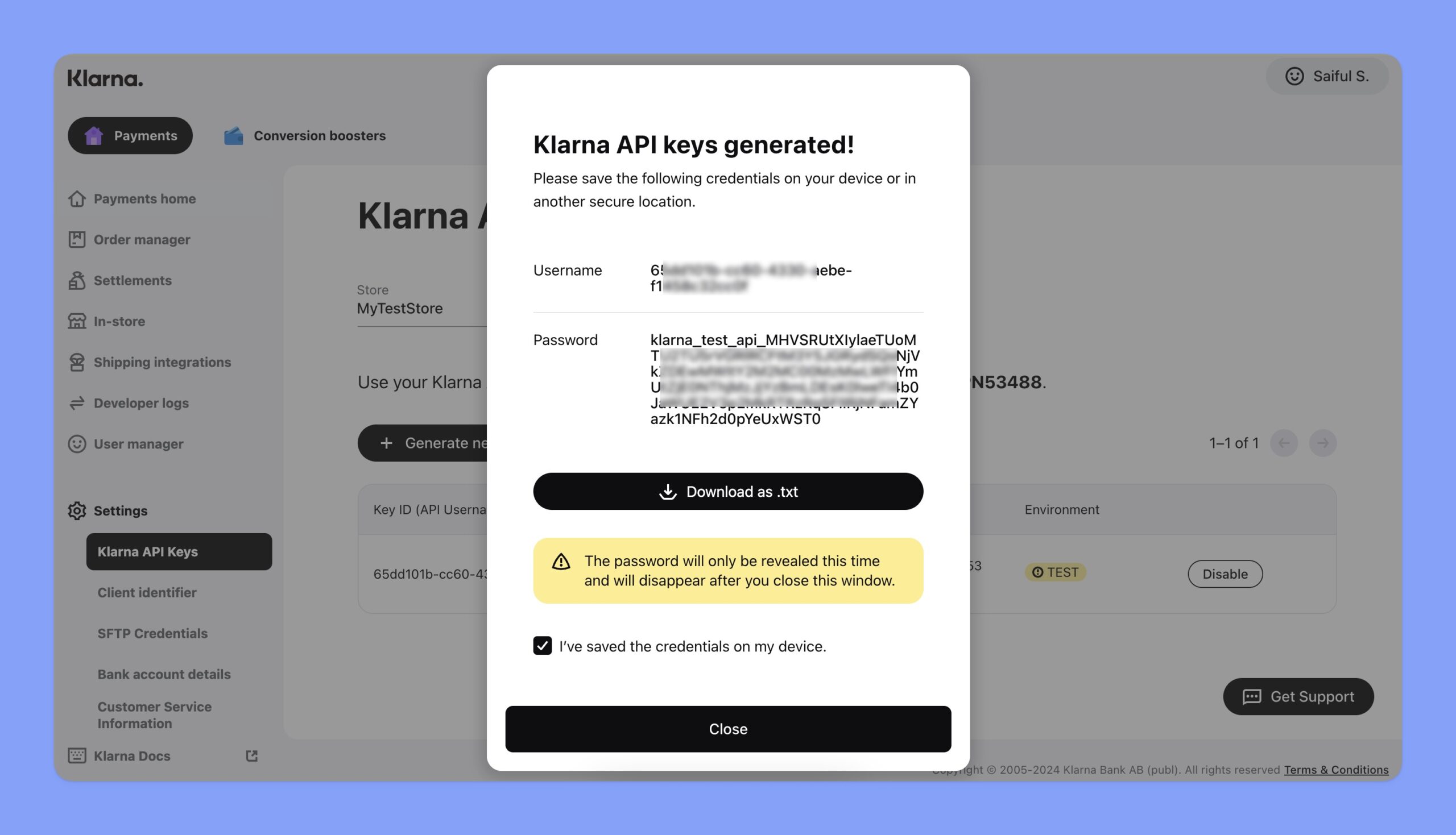
Note: You must download the Username and Password to close this window.
Configuring Klarna Settings in Tutor LMS
Now, navigate to the Klarna configuration section and follow the steps below:
- Choose between Test or Live Environment, depending on whether you want to process real transactions or run test payments.
- Paste the Klarna Username and Password in the input field.
- Click Save Changes to finalize your Klarna integration.
That’s how you can seamlessly integrate Klarna into your Tutor LMS platform and offer diverse payment options to your students.