Manage Certificates
The Certificate section allows instructors to assign certificate templates to individual courses. When a student completes a course, the platform automatically generates and delivers the assigned certificate. Certificate management is only available after the required system configuration has been completed by a site administrator.
Prerequisite
The following must be configured by a site administrator before the Certificate section becomes available in the instructor dashboard:
- Install the Certificate Builder Extension:
The Tutor LMS Certificate Builder must be downloaded, installed, and activated. This extension is only required if you intend to create custom certificate designs using the drag-and-drop builder. If it is not installed, the Create Certificate button and the All Certificates tab will not appear, but the Certificate Settings tab remains accessible.
- Enable the Certificate Add-on:
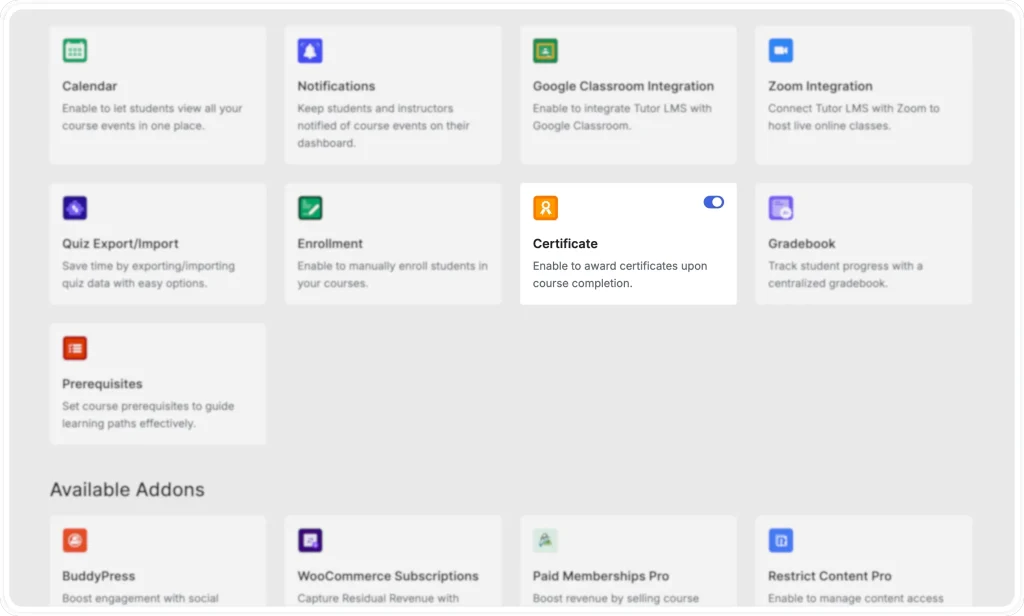
The Certificate add-on must first be enabled by a site administrator. This is done from WP Admin > Tutor LMS Pro > Add-ons. Locating the Certificate add-on in the list and activating it makes the Certificate settings panel accessible. Without this step, the Certificate section will not appear at all.
Note: For a full walkthrough of the certificate system in Tutor LMS, refer to the Tutor LMS Certificate Documentation.
Creating a Certificate (Instructor Dashboard)
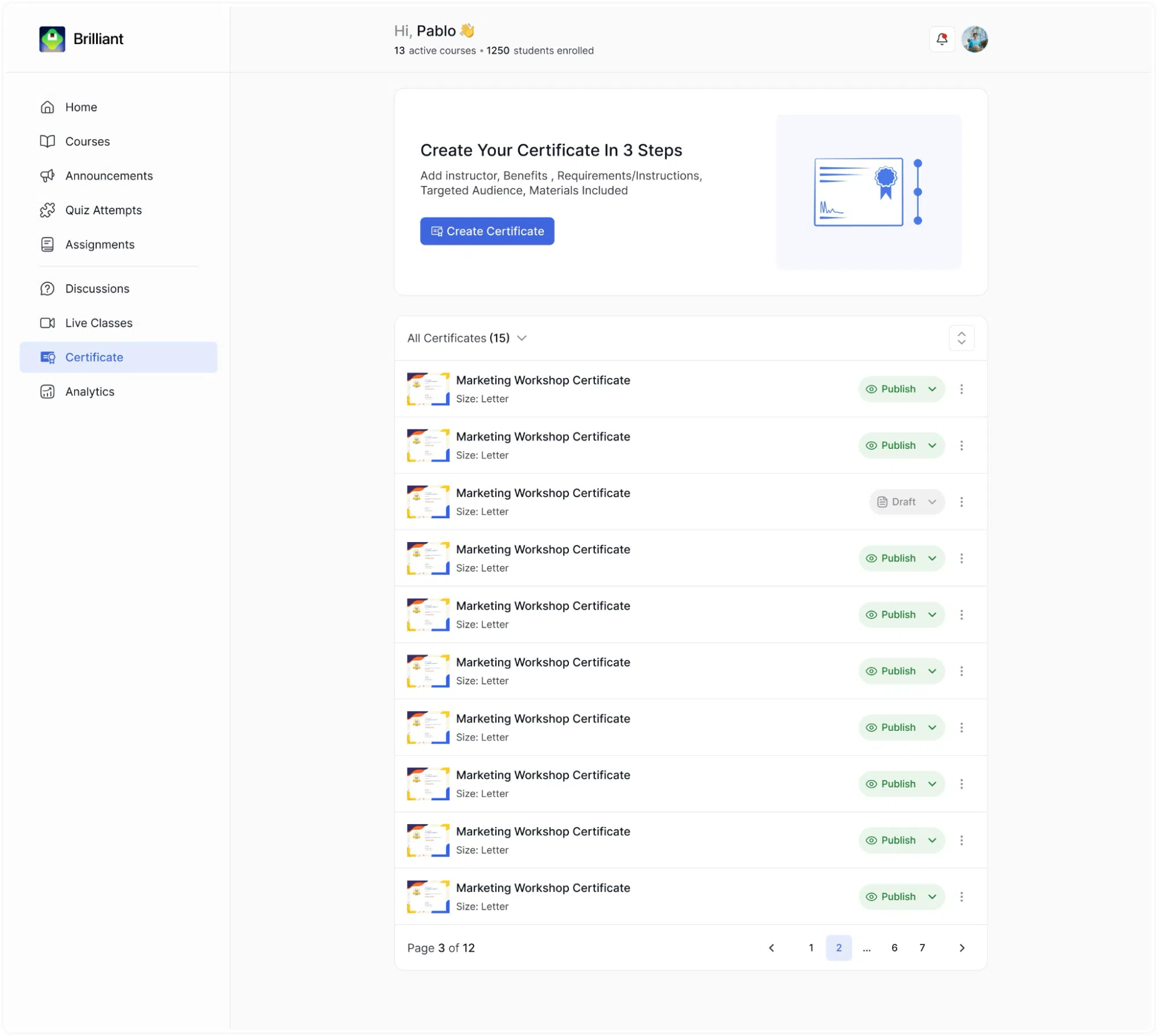
At the top of the Certificate page, click the Create Certificate button. Clicking it opens the certificate builder, which walks you through the steps required to design and configure a new certificate template.
The Certificate List
Below the Create Certificate button, a list of all your existing certificate templates is displayed. Each entry in the list shows:
- A small preview thumbnail of the certificate design on the left.
- The template name.
- The paper size of the certificate (e.g., Size: Letter).
- A status badge on the right indicating whether the template is currently Draft or Published.
- A ⋯ (three-dot) menu for additional actions on each template. Clicking the menu reveals the options to Edit, Duplicate, or Delete the certificate
A filter dropdown above the list shows the total number of certificates you have and can be used to filter by status.
Certificates in Draft status are not yet assigned to any courses. Certificates in Published status are active and can be awarded to students who complete the courses they are linked to.