Introduction
Introduction
After you install the Divi theme you need to configure some settings to use the Tutor LMS Divi Integration.
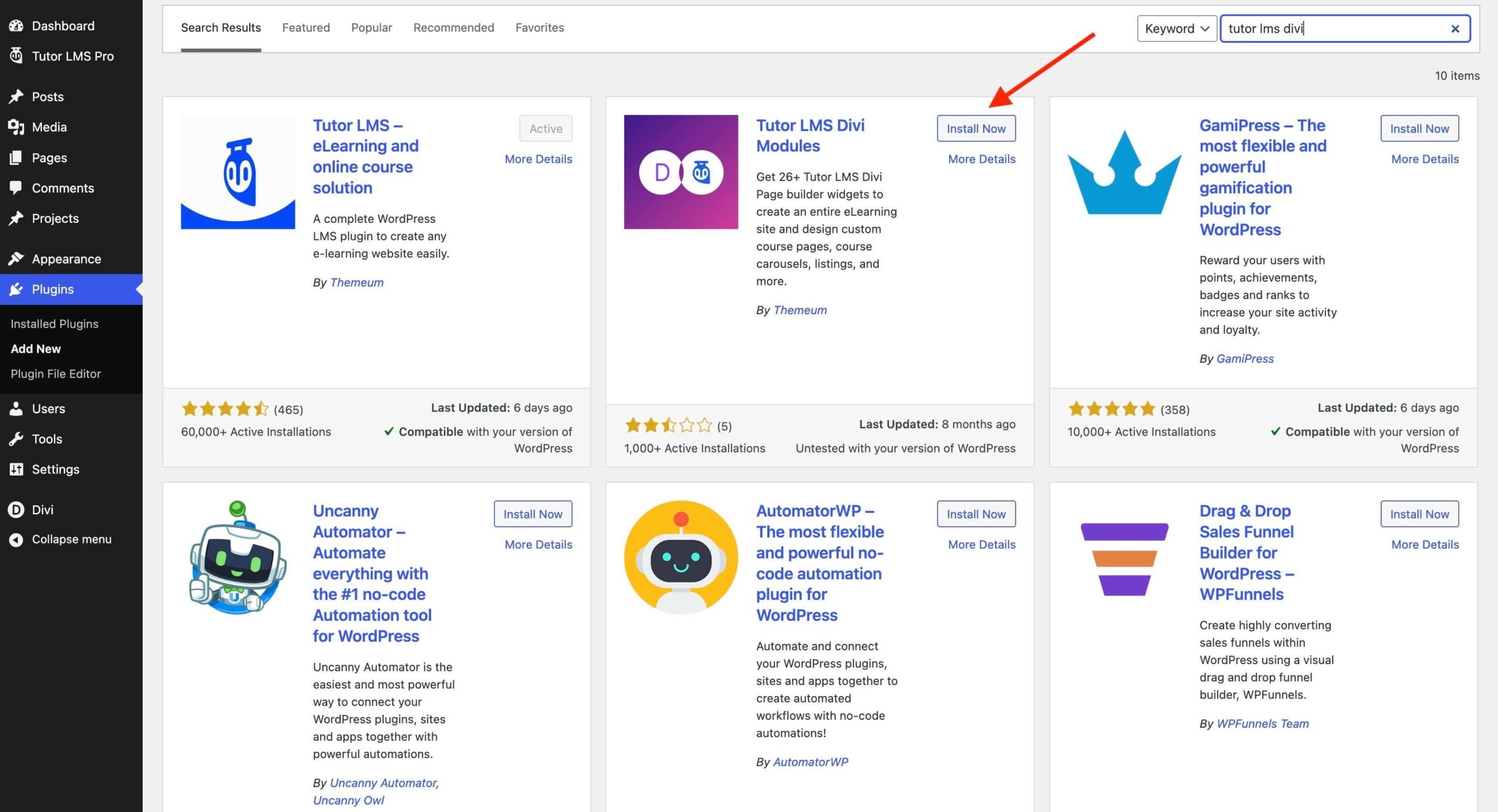
First up, you need to get the Tutor LMS Divi Modules plugin. Navigate to WP Admin > Plugins > Add new and search for Tutor LMS Divi Modules. Install and Activate to use the Tutor LMS modules within Divi.
Next head to Divi to configure a few settings to enable Course and Lesson editing with the Divi Builder.
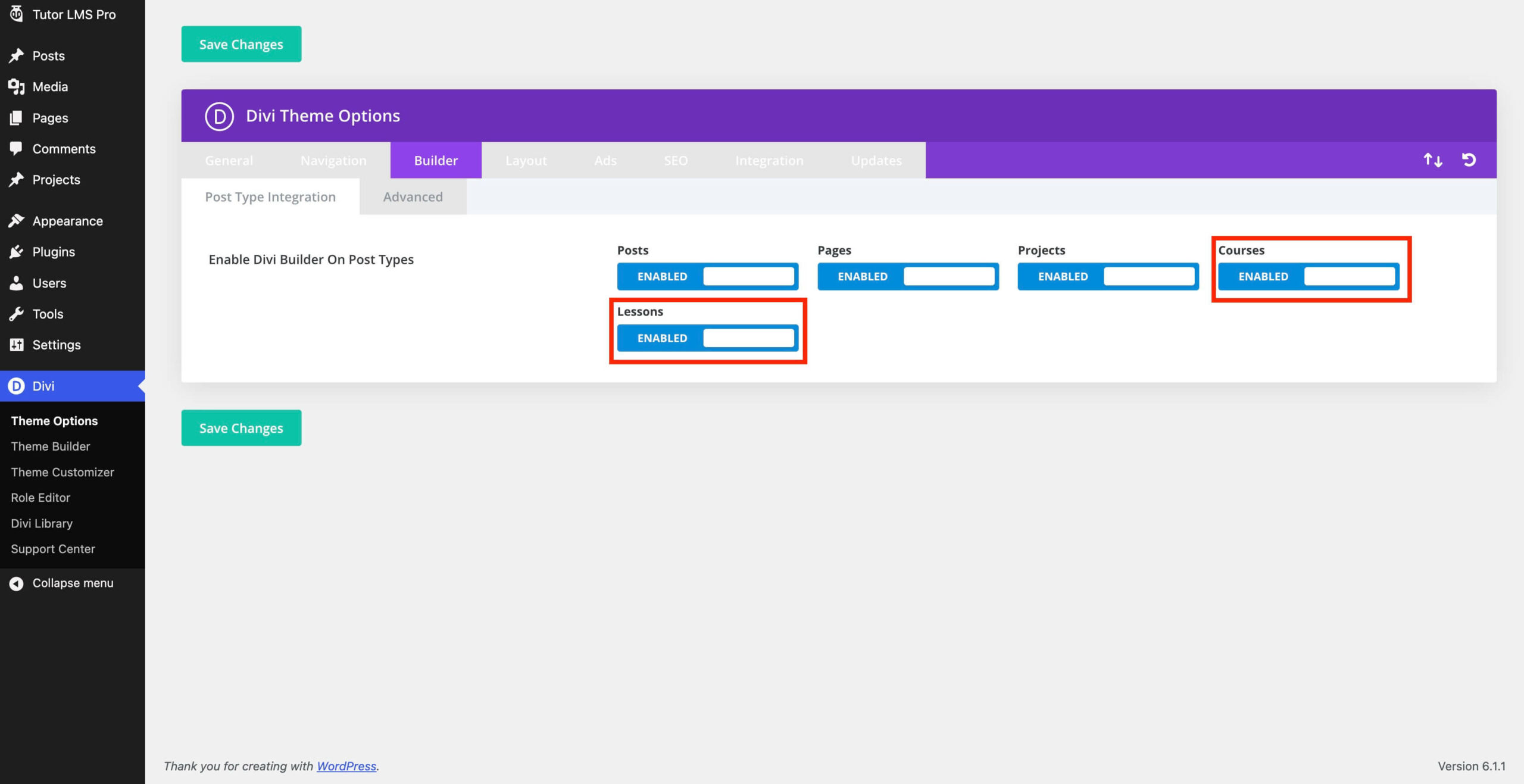
Navigate to Divi → Theme Options → Builder
There you will find the option to enable Divi compatibility for “Courses” and “Lessons”. Toggle to enable these options.
You should now be able to select edit with Divi builder and customize the existing contents using the Divi editor.
Import the Template JSON file from the Plugin
Currently, if you are editing an existing single course page using the Divi builder you will find some missing elements. To properly edit the existing contents, you need to import the JSON file “layout.json” using the import option found in the Divi editor.
This file can be found natively in the Tutor LMS Divi Modules plugin folder or from GitHub. To find it natively navigate to:
wp-content → plugins → tutor-lms-divi-modules → pre-built-templates
There you will find
- layout.json
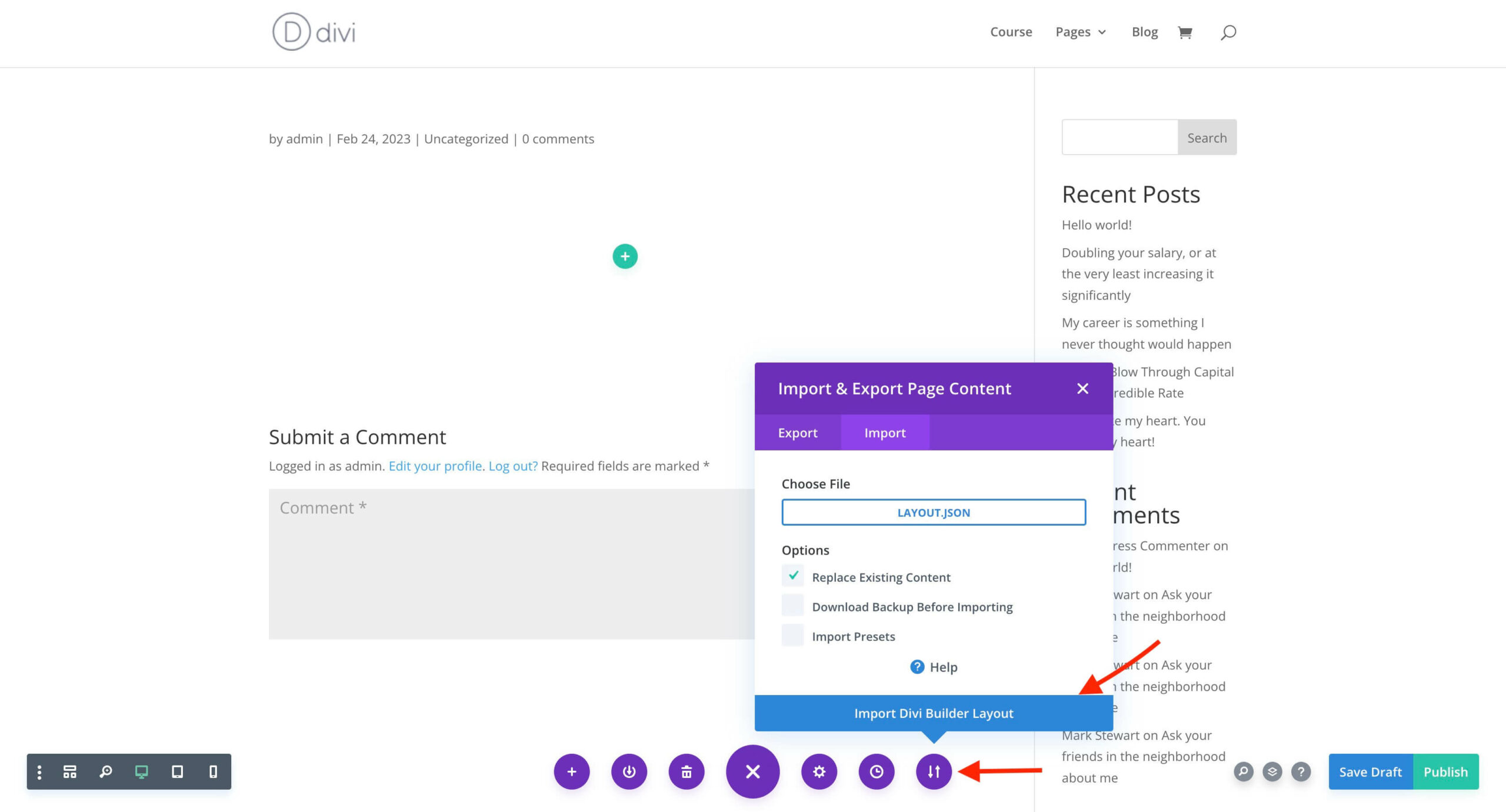
To import the layout.json file with the Divi Builder, click on the portability button found on the Divi Builder as shown in the screenshot below. After that chose the layout.json file and import it into Divi.