Importing Demo Course Data
Importing Demo Course Data
You can import demo data to see what a full-fledged Tutor LMS powered site looks like and easily get a better idea of how the Tutor LMS plugin works.
The file mentioned below will add Courses, Topics, Lessons, and Quizzes to your site. It also contains links to YouTube Videos and Images from a remote location.
Steps to import demo data
At first, you need to download the demo course file data. Then extract the Zip file and get the XML file from there. You can download the file from here:
Then, visit the Admin Dashboard of your Tutor LMS installed website and navigate to Tools > Import.
Navigate to Tools > Import. Find WordPress from the list. If you have installed the WordPress Importing plugin, then you will see the option named “Run Importer“. In case you don’t have it installed, do the followings.
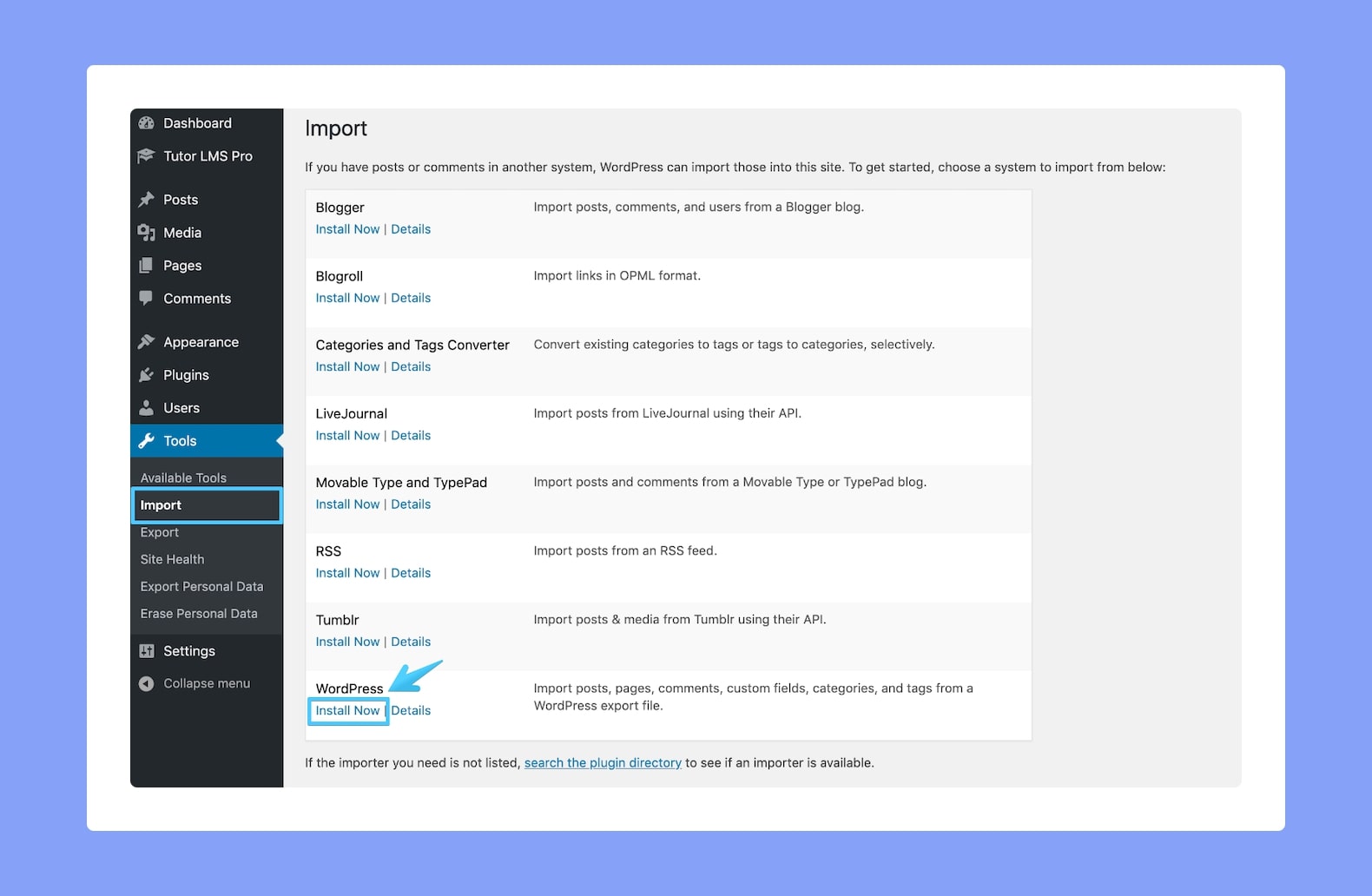
Find WordPress from this list. If you have installed the WordPress Importing Plugin, then you will see the option named Run Importer. In case you don’t have it installed, simply click on Install Now.
Once it’s installed, you’ll be able to see the Run Importer option so click on that. Then, click on Choose File to upload the XML file you previously downloaded. Lastly, click on Upload File and Import to continue.
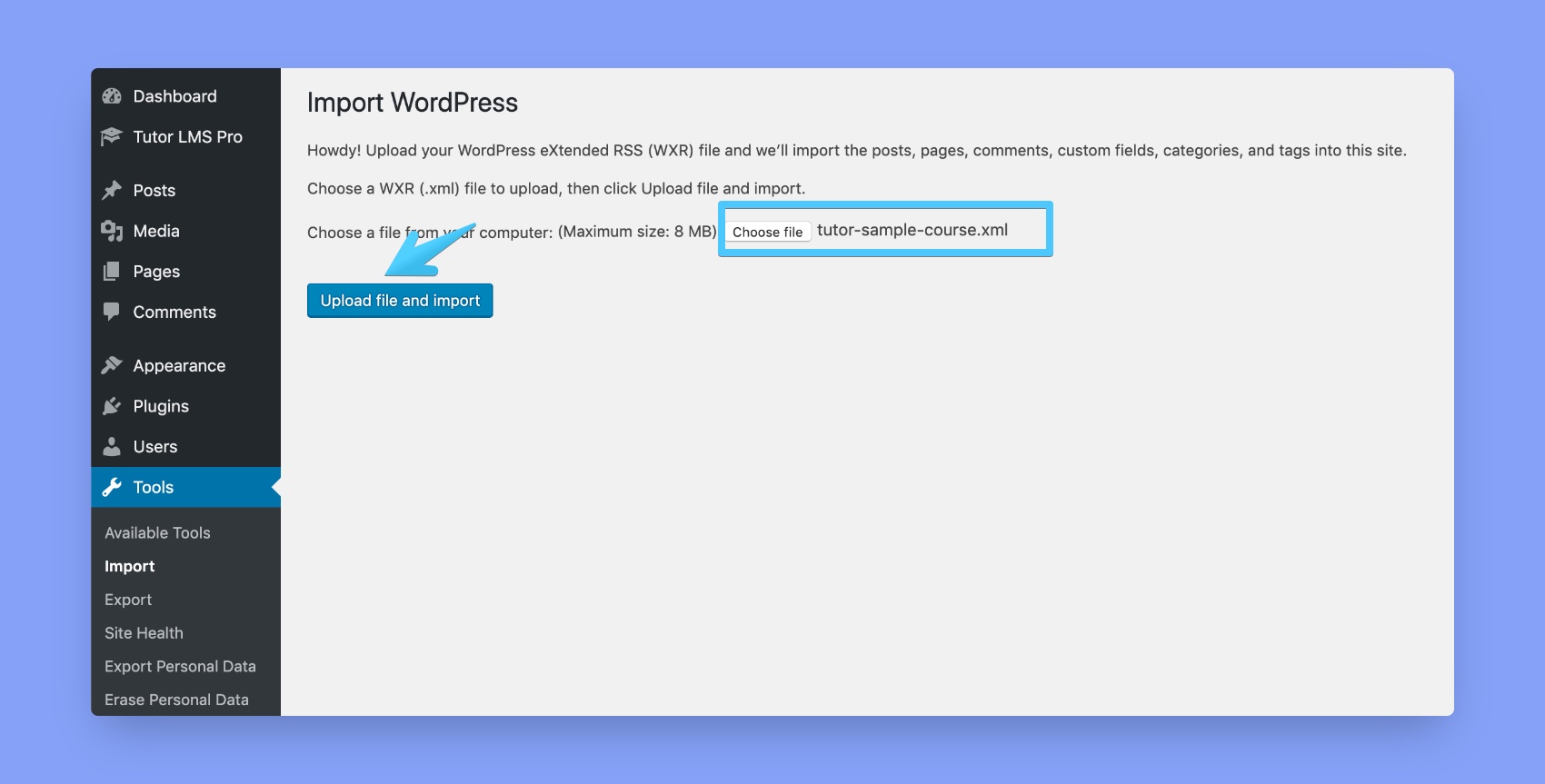
The system will ask you to select the users for the contents. You can select your existing users or keep them as they are.
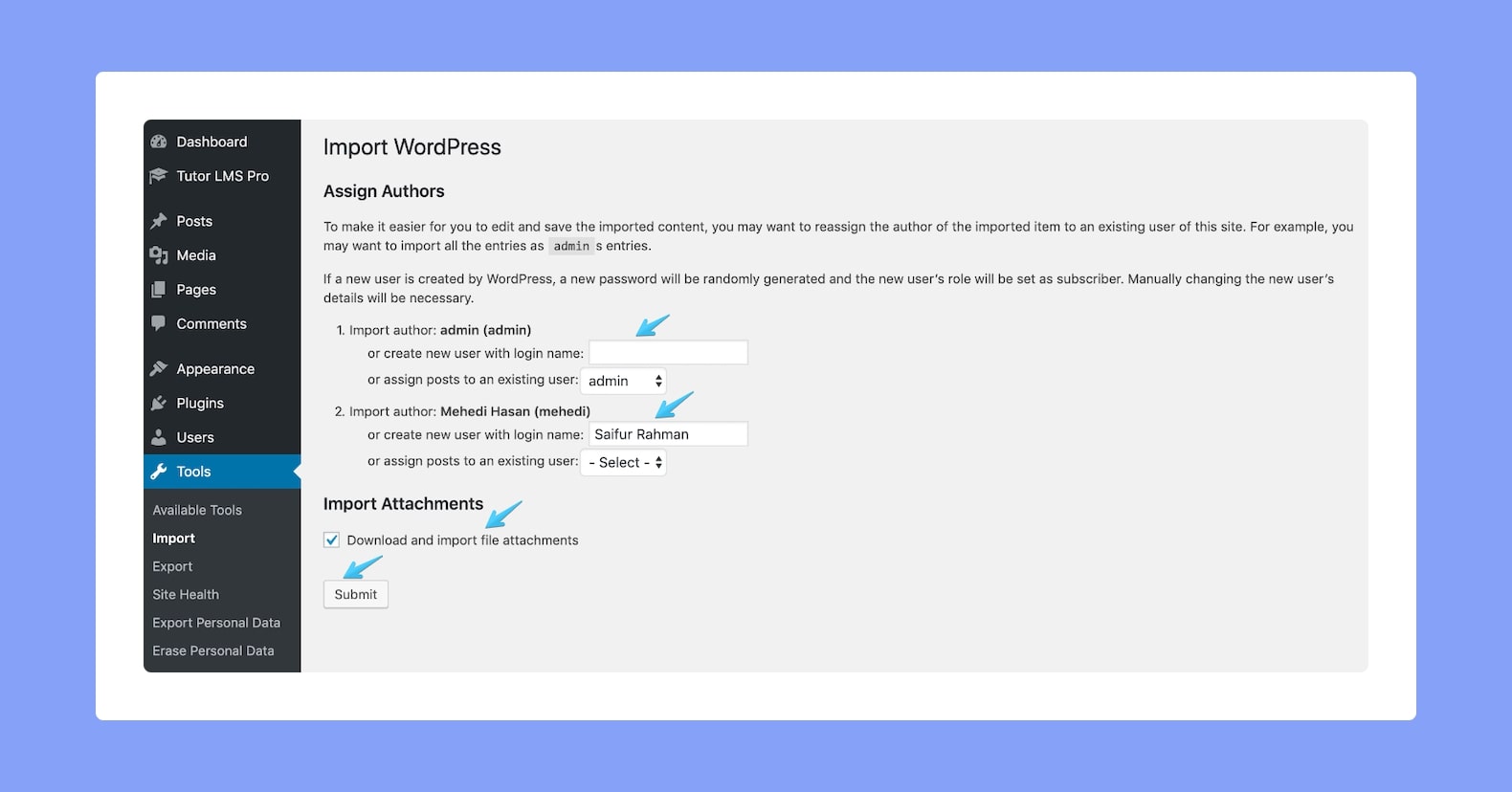
Next, the system will ask you to select the users for the content. You can select your existing users or keep them as they are. Also, don’t forget to select the Import Attachments option.
Finally, click on Submit and you’re done.
Troubleshooting
The entire process may require a few minutes so it is advised to wait for a while. We encourage you to not interrupt the process.
You are encouraged to import demo data only after you have installed and activated both Tutor LMS and WooCommerce plugins. Otherwise, it may not work properly.