Multiple Choice
Multiple Choice
The Multiple Choice question type is a versatile and commonly used format in quizzes and assessments. This type allows you to present learners with a question and multiple answer options, from which they must choose the correct one. Multiple Choice questions can have either a single correct answer or multiple correct answers, depending on the configuration.
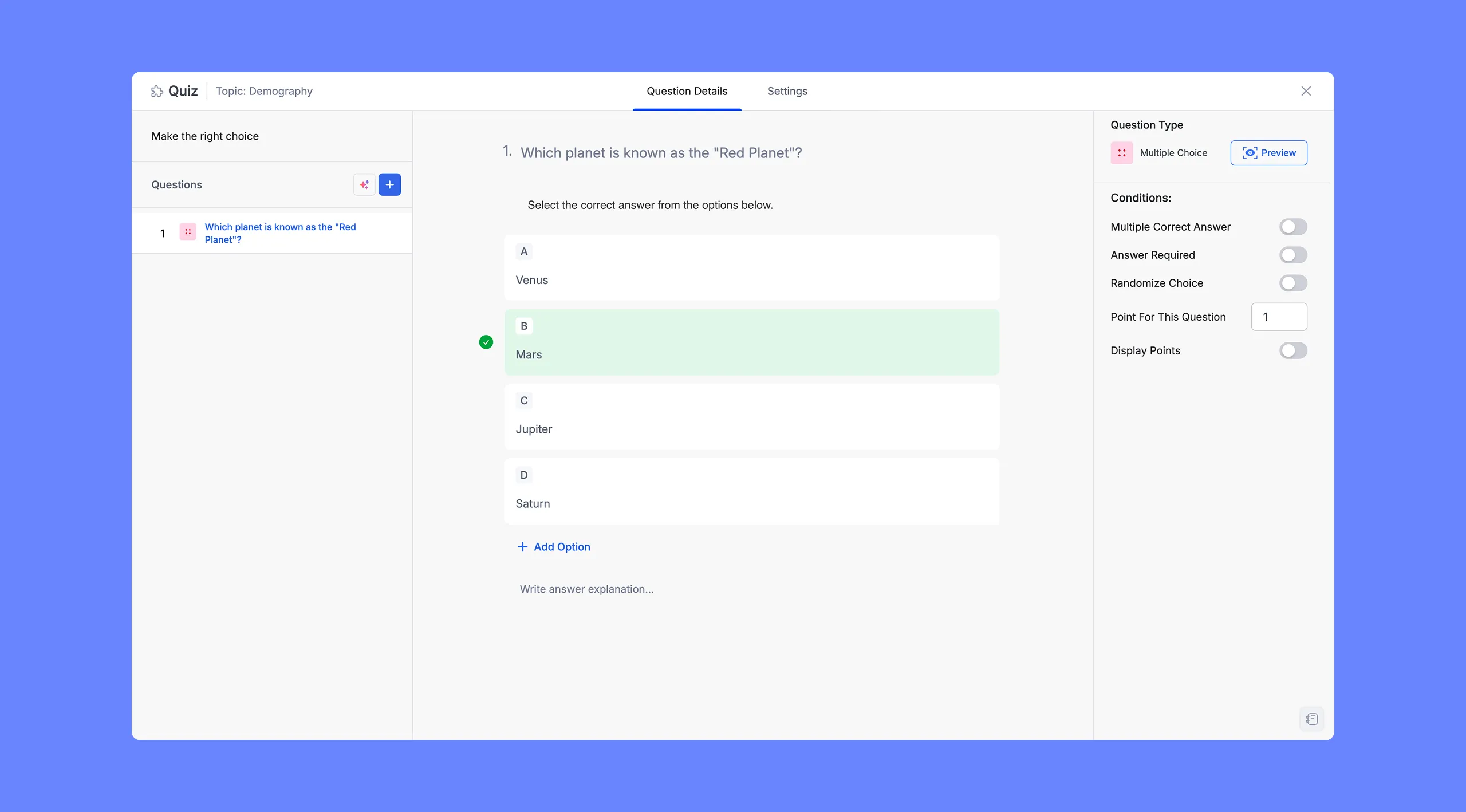
Begin by navigating to the quiz or question editor. Select the Multiple Choice question type from the list of available question formats.
In the Question field, enter your question clearly and concisely. Then, add answer options by clicking the + Add Option button. You can also include images with the answers. For optimal visibility, ensure the image resolution is 700×430 pixels.
Finally, indicate the correct answer by selecting the checkbox next to the appropriate option. Enable the Multiple Correct Answer toggle on the right side to add multiple correct answers. Then, you can choose multiple correct answers from the left side.