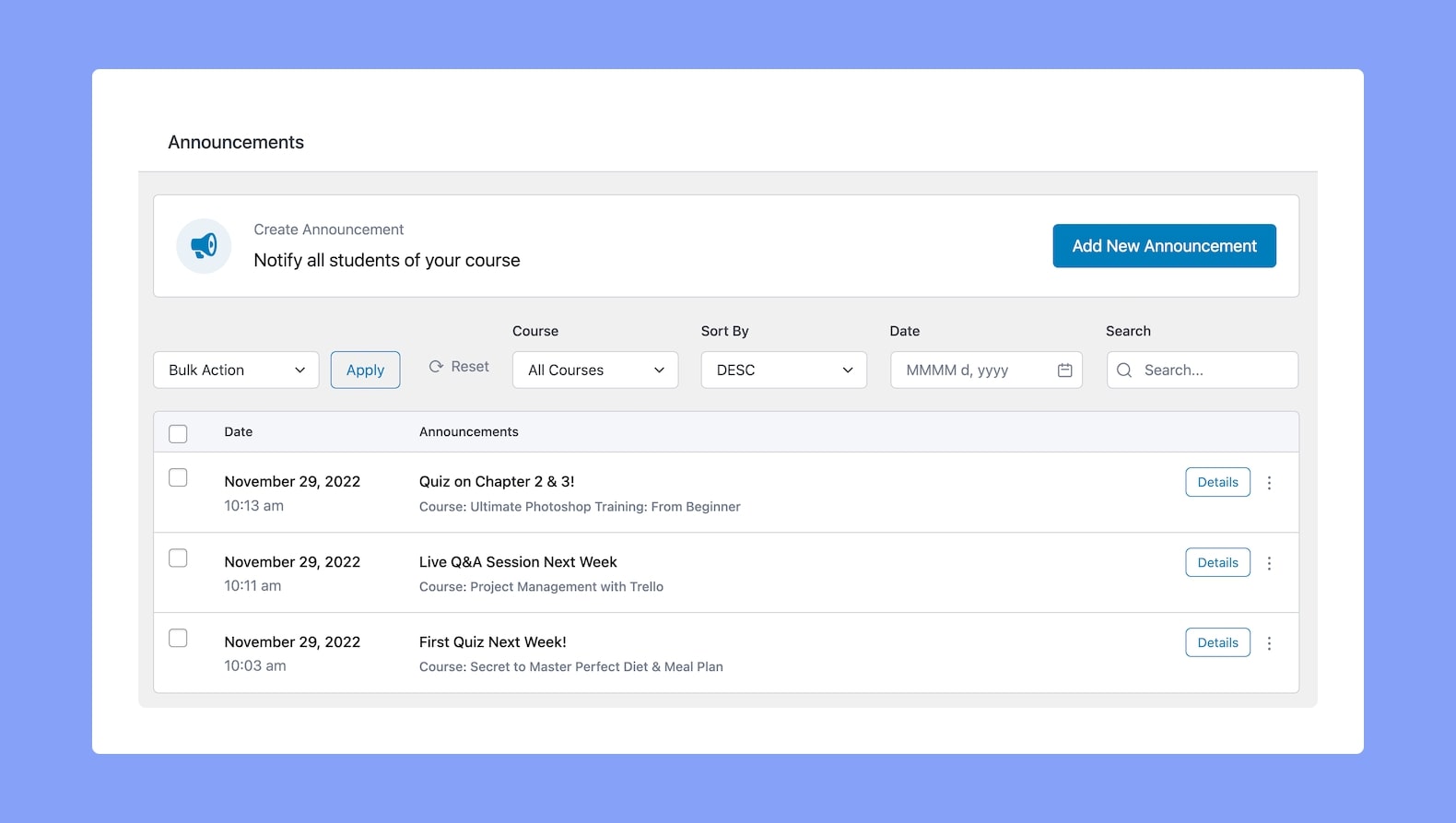
From the Tutor LMS Announcements menu, you can create, view, manage, or delete any of your announcements. This is an automatically enabled feature and is very useful for Instructors as it lets them easily announce important information so that their students are all notified in one go.
Tip: In case you don’t want to use this feature, you can easily hide the Announcement tab from the Course Details Page by going to WP Admin > Tutor LMS > Design and disabling Announcements under the Page Features section. This won’t remove the menu or existing announcements from the backend, so you can re-enable it anytime.
Add New Announcement
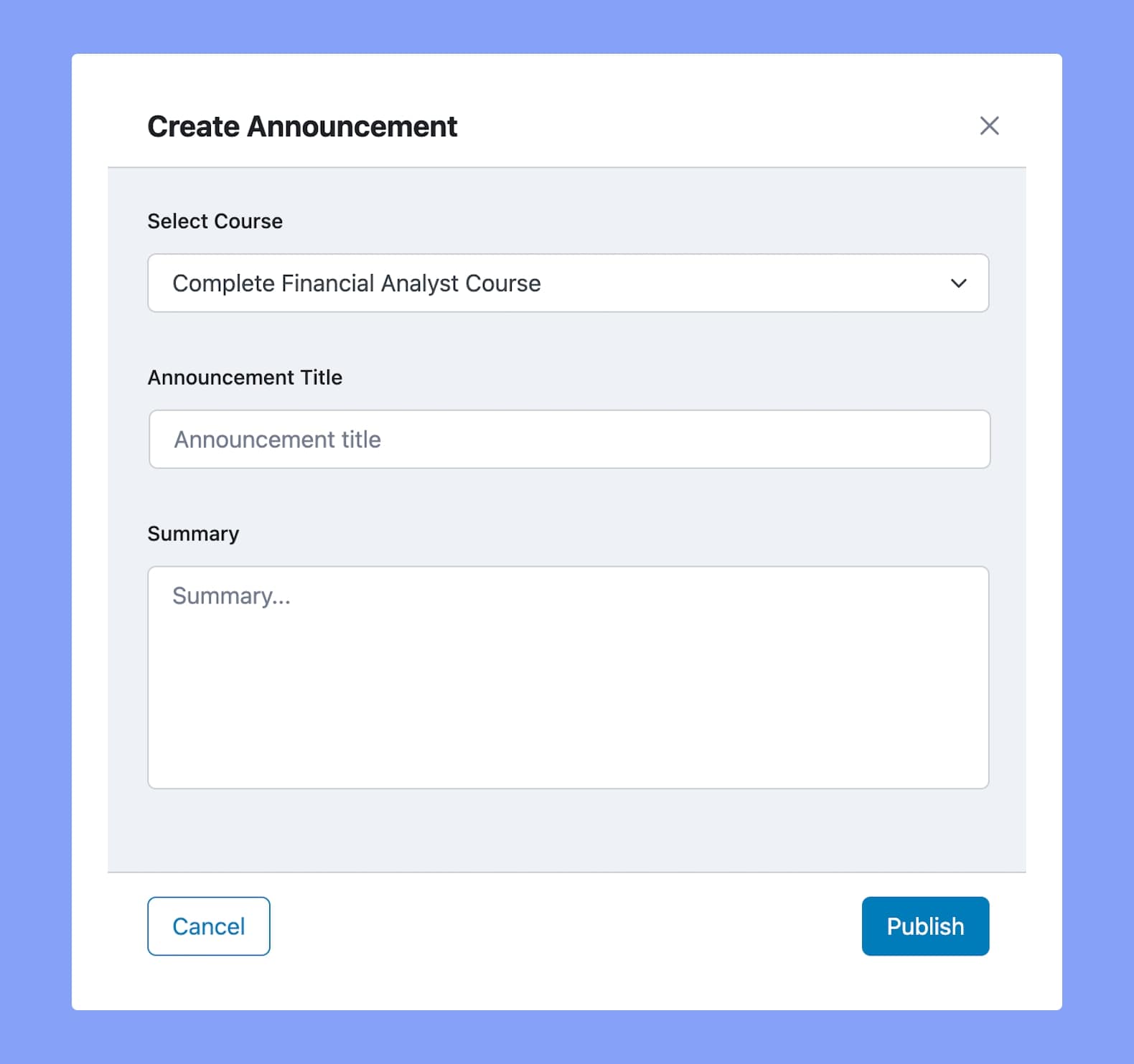
To create a new announcement, click on the Add New Announcement button. On the pop-up window do the following:
Select the relevant Course from the dropdown list,
Set an Announcement Title,
Then, add your announcement details inside the Summary field.
And finally, click on Publish and you should see it appear on the Announcement list below.
Students will be able to see these on the Course Overview Page under the Announcements Tab.
Announcements List
This list contains the Date the announcement was created, the Announcements column which shows the Announcement and its Course title, a Details button, and lastly, an action menu.
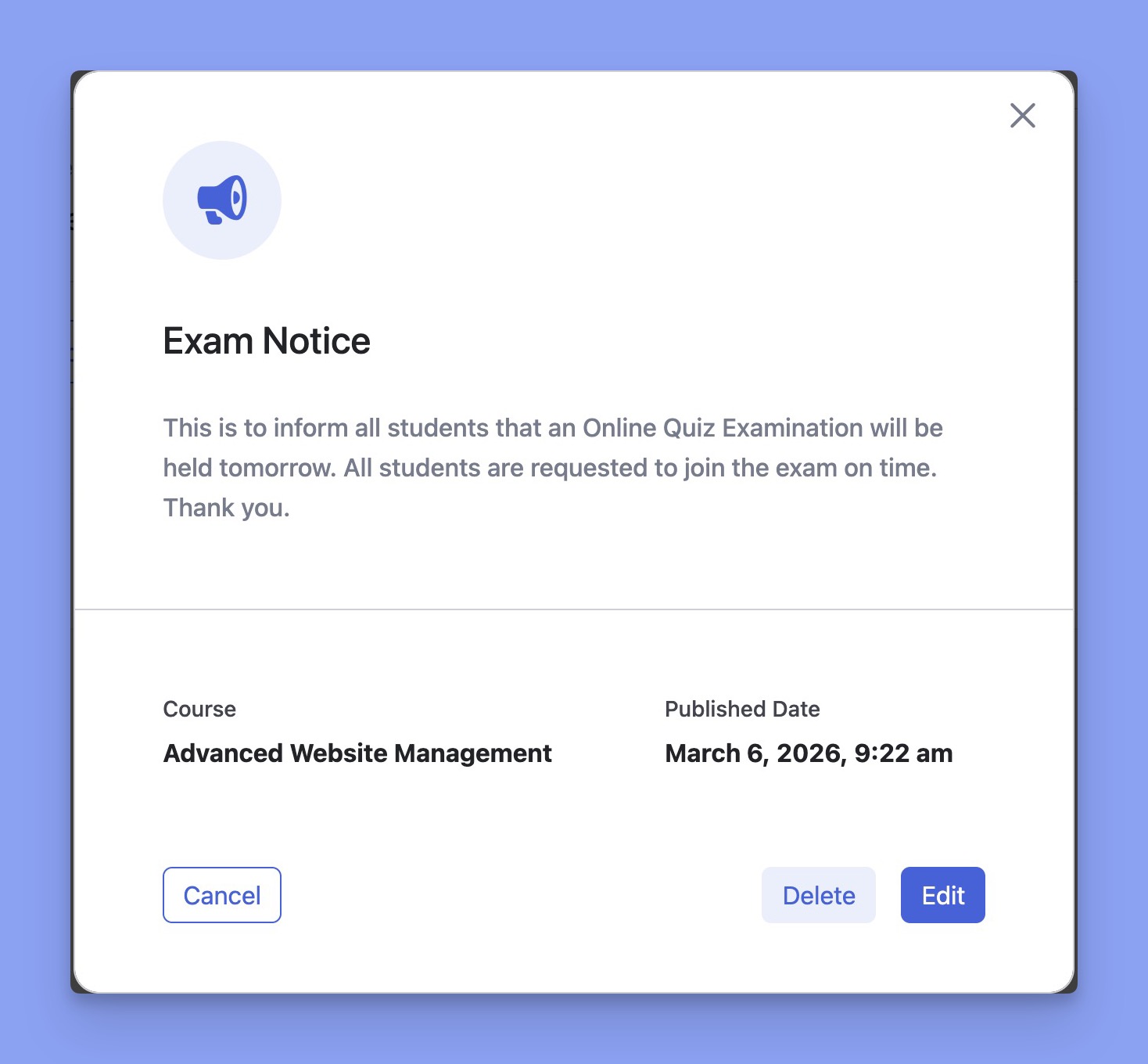
Clicking on the Details button will display a new pop-up window with all the announcement details and on the bottom right corner.
You can also Delete or Edit the announcement from here.
Clicking on the Edit button will transform this pop-up into an editable form where you can update the announcement.
Clicking on the Delete button will display a new pop-up that asks if you’re sure you want to delete it. You can either cancel or go ahead with this action.
You can also use the vertical ellipsis icon (︙) to open the action menu and edit or delete the Announcements from there as well.



 HALLOWEEN SALEHALLOWEEN SALEHALLOWEEN