Quiz Attempts
Here, you can view, manage and most importantly, give feedback on all of the Quiz Attempts submitted by the students.
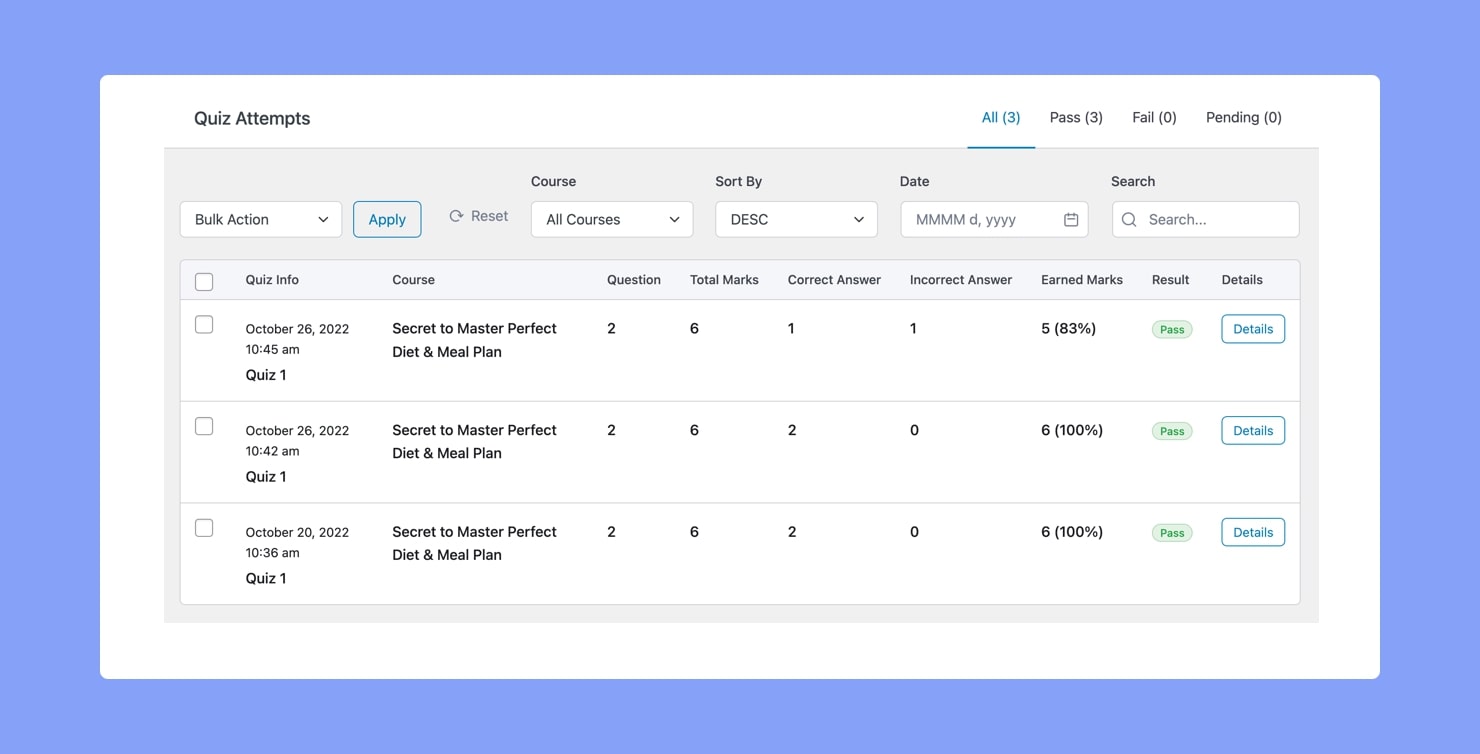
In this view, situated at the top are tabs that separate them into four lists which are All, Passed, Failed, and Pending.
Followed by this, we have the Bulk Action feature and also options to Filter by course or date, Search, and Sort.
Next up is the Quiz Attempts List. This list includes the following information:
- Quiz Info: The Quiz Title & Quiz Attempt Submission Time
- Course: Course Title
- Question: Number of questions in the quiz
- Total Marks: Total marks of the quiz
- Correct Answer: Number of correct answers
- Incorrect Answer: Number of incorrect answers
- Earned Marks: Marks earned in this quiz
- Result: The quiz result which is either a pass or a fail
Quiz Details Page
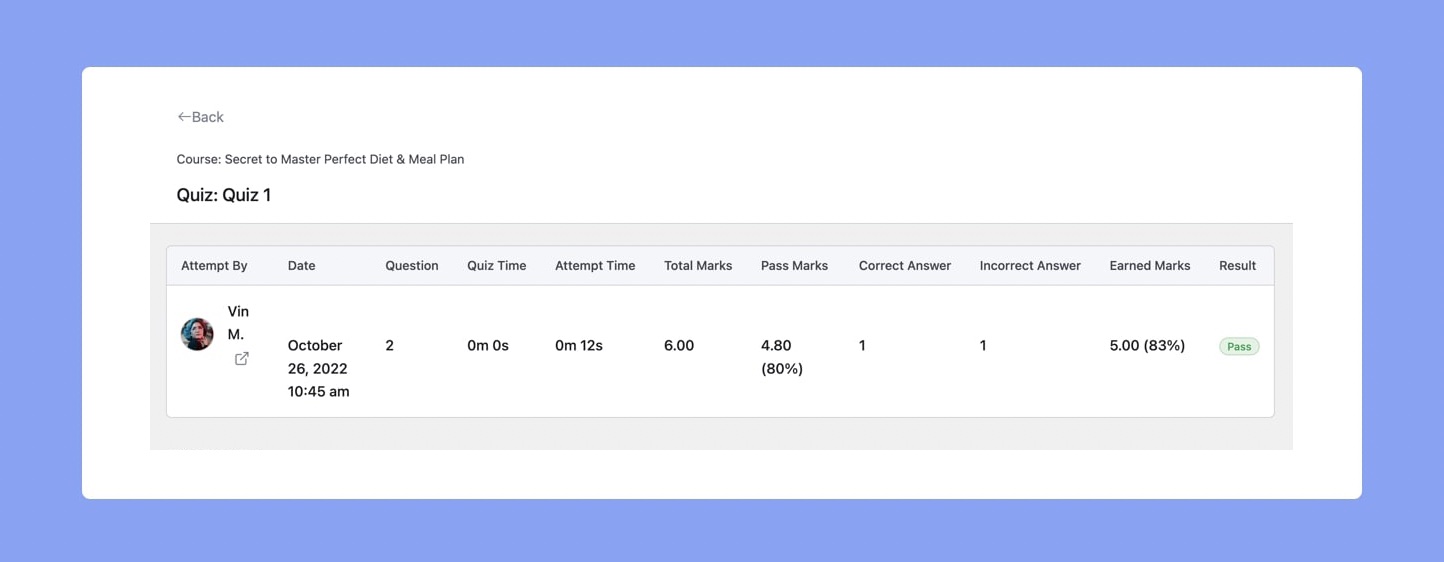
To see more info or give feedback on a Quiz Attempt, click on the Details Button that is beside the quiz attempt in question. This should take you to the Quiz Attempt Details Page where you’ll first find information like:
- Attempt By: Name of the student who attempted the quiz
- Date: Date the attempt was made
- Question: Number of questions
- Quiz Time: Time limit of the quiz
- Attempt Time: The time taken to submit the quiz
- Total Marks: Total marks of the quiz
- Pass Marks: Minimum marks to be attained to pass the quiz.
- Correct Answer: Number of correct answers
- Incorrect Answer: Number of incorrect answers
- Earned Marks: The marks obtained in the quiz
- Result: The quiz result which is either a Pass or a Fail
Quiz Overview
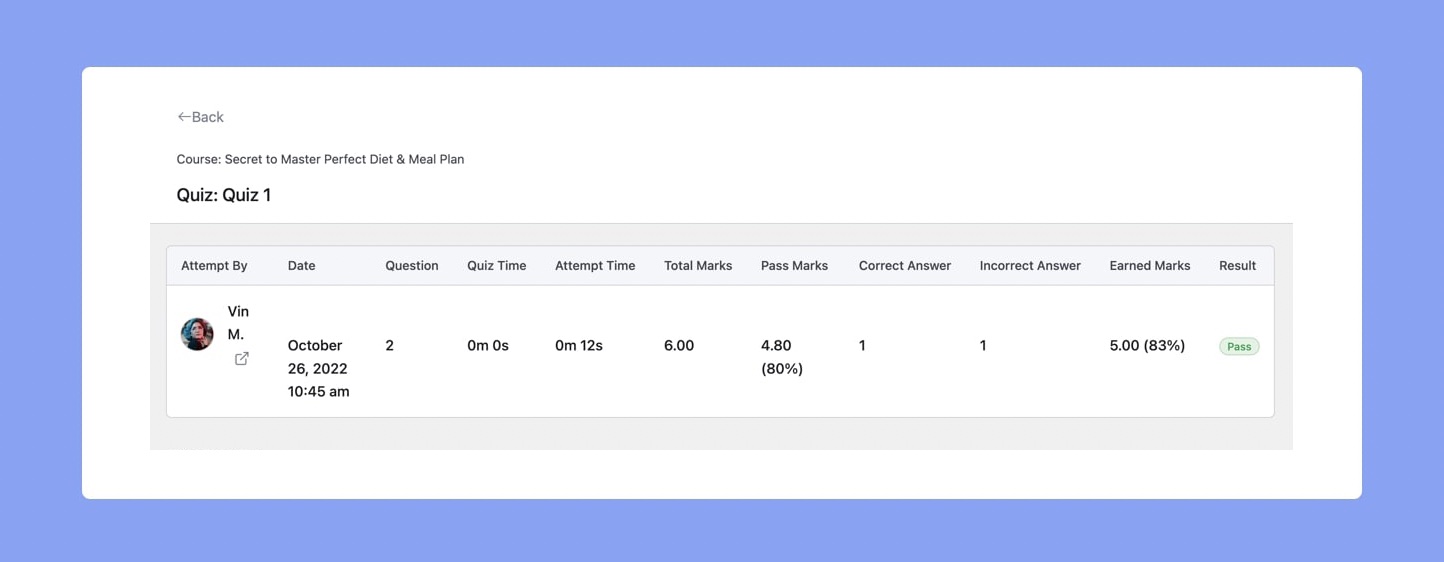
Following this is the Quiz Overview which lists all the questions in the quiz and consists of columns like:
- No: Question Number
- Type: Question Type
- Question: Question Title
- Given Answer: Answer given by the student
- Correct Answer: Correct Answer set by the instructor
- Answer: Result of the answer which is either Correct or Incorrect
- Review: Instructors can use the Right and Wrong Buttons under this column to reaffirm whether the student’s answer is Correct or Incorrect.
Instructor Feedback
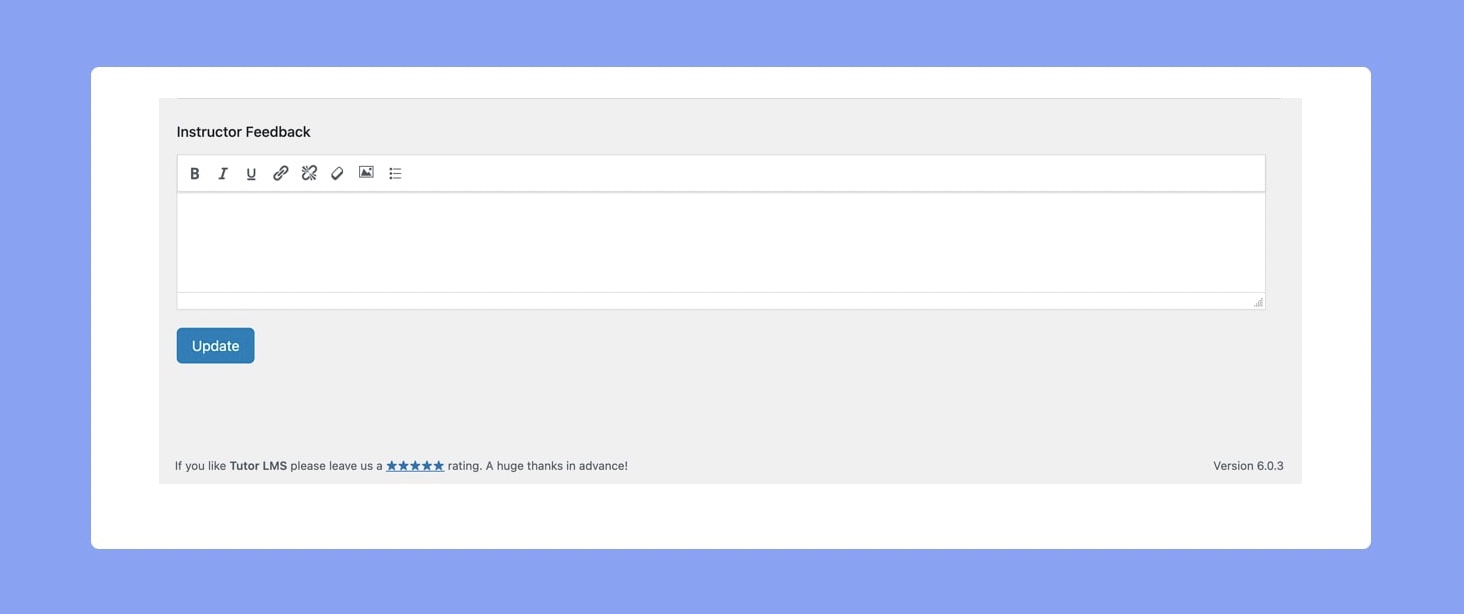
Lastly, we have the Instructor Feedback field, which the instructor can use to add any extra remarks or helpful advice for the student. This text box has buttons to format the text, add links, and also insert images.