The Tools menu is your administrative control center for site maintenance, backups, external integrations, and data recovery. Instead of installing separate utility plugins to check PHP limits or reset broken pages, you can handle system-level tasks directly from Tutor LMS Pro > Tools (or Tutor LMS > Tools in the free version).
Tool Tab
Primary Outcome for Site Admins
Typical Use Case
Status
Inspect WordPress and server configurations on one screen.
Checking PHP memory limits or cURL status before contacting support.
Import/Export
Move or back up courses, bundles, media, and global settings.
Cloning a course catalog from a staging site to a live production site.
Tutor Pages
Verify and regenerate required front-end Tutor LMS pages.
Restoring a deleted Cart, Checkout, or Dashboard Page.
Rest API
Generate API keys and secrets with role-based access levels.
Connecting a custom mobile app or external reporting dashboard.
Settings Log
Track, export, restore, or reset Tutor LMS settings history.
Rolling back to an earlier configuration after an accidental change.
WooCommerce Migration
Transfer WooCommerce sales records into Native eCommerce.
Switching to Tutor LMS Native eCommerce while keeping past orders and coupons.
Status
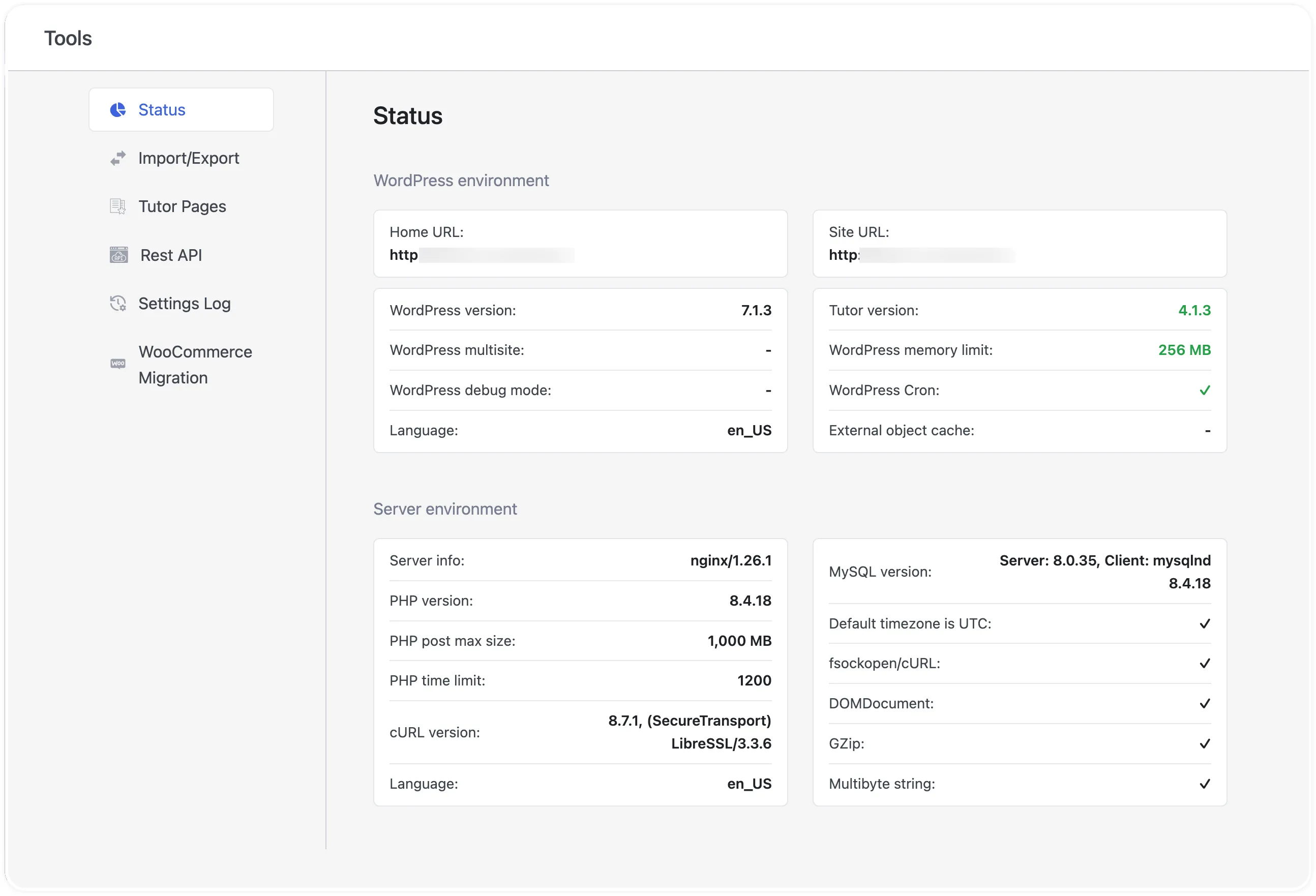
The Status tab gives you a real-time overview of your site’s backend configuration. You can use this screen to verify system requirements before updating plugins or share environment details with technical support when troubleshooting server limits.
The screen is divided into two diagnostic panels:
WordPress environment: Displays your Home URL, Site URL, WordPress version, Tutor version, WordPress multisite status, WordPress memory limit, WordPress debug mode, WordPress Cron status, Language, and External object cache status.
Server environment: Displays your web Server info (such as nginx or Apache), MySQL version, PHP version, Default timezone is UTC check, PHP post max size, fsockopen/cURL support, PHP time limit, DOMDocument status, cURL version, GZip status, server Language, and Multibyte string support.
Import/Export
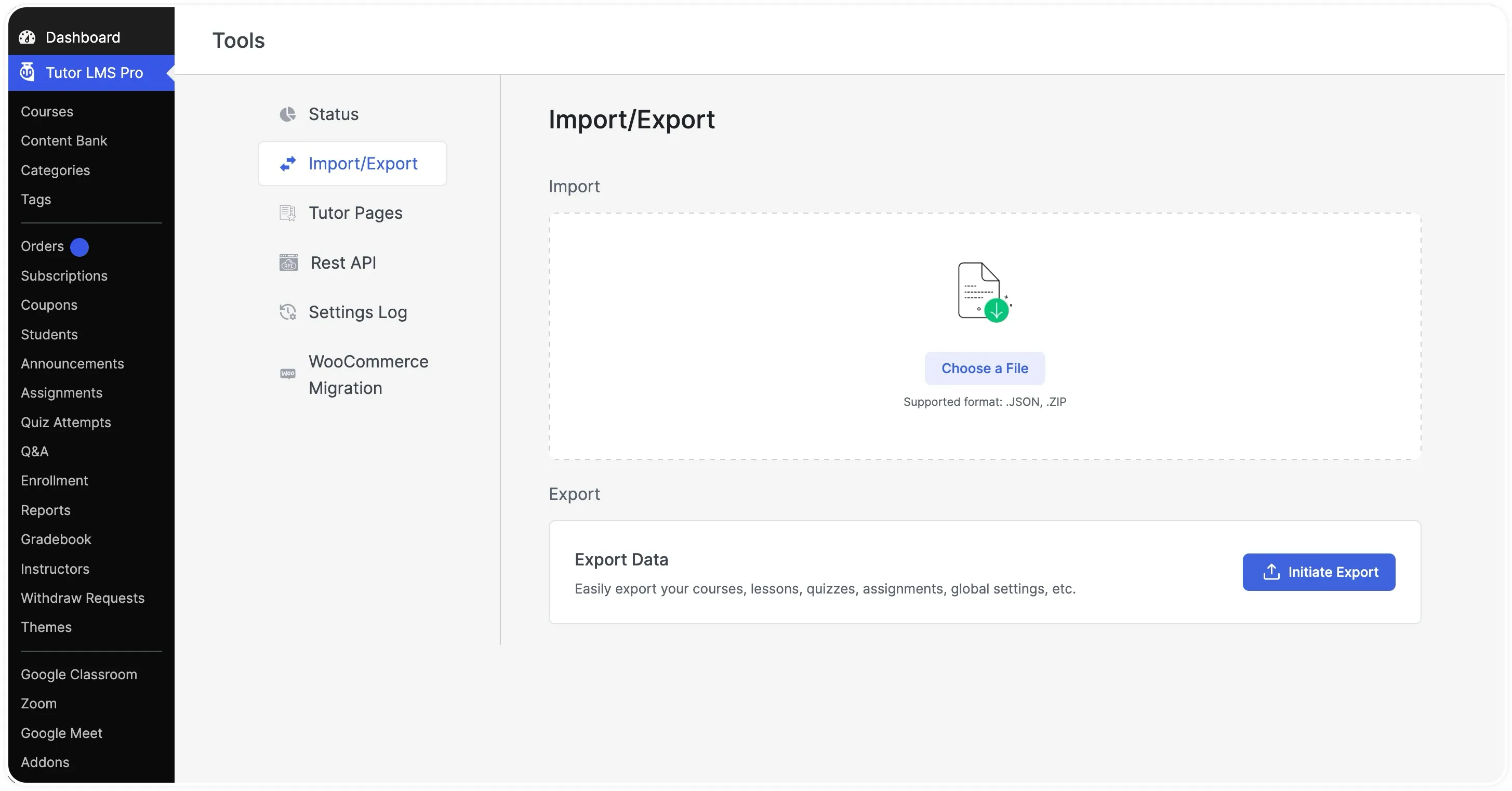
The Import/Export tab (available in Tutor LMS Pro) lets you migrate or back up your eLearning content between WordPress sites without manual rebuilding. From this tab, you can package and transfer:
All or selected courses and Course Bundles.
Specific course content, including lessons, quizzes, assignments, and media files.
Global Tutor LMS plugin settings and configurations.
The interface consists of two sections:
Export: Displays the Export Data card (Easily export your courses, lessons, quizzes, assignments, global settings, etc.) with an Initiate Export button to select individual items for download.Tutor Pages
Import: Provides a drag-and-drop upload area with a Choose a File button that accepts .JSON and .ZIP files.
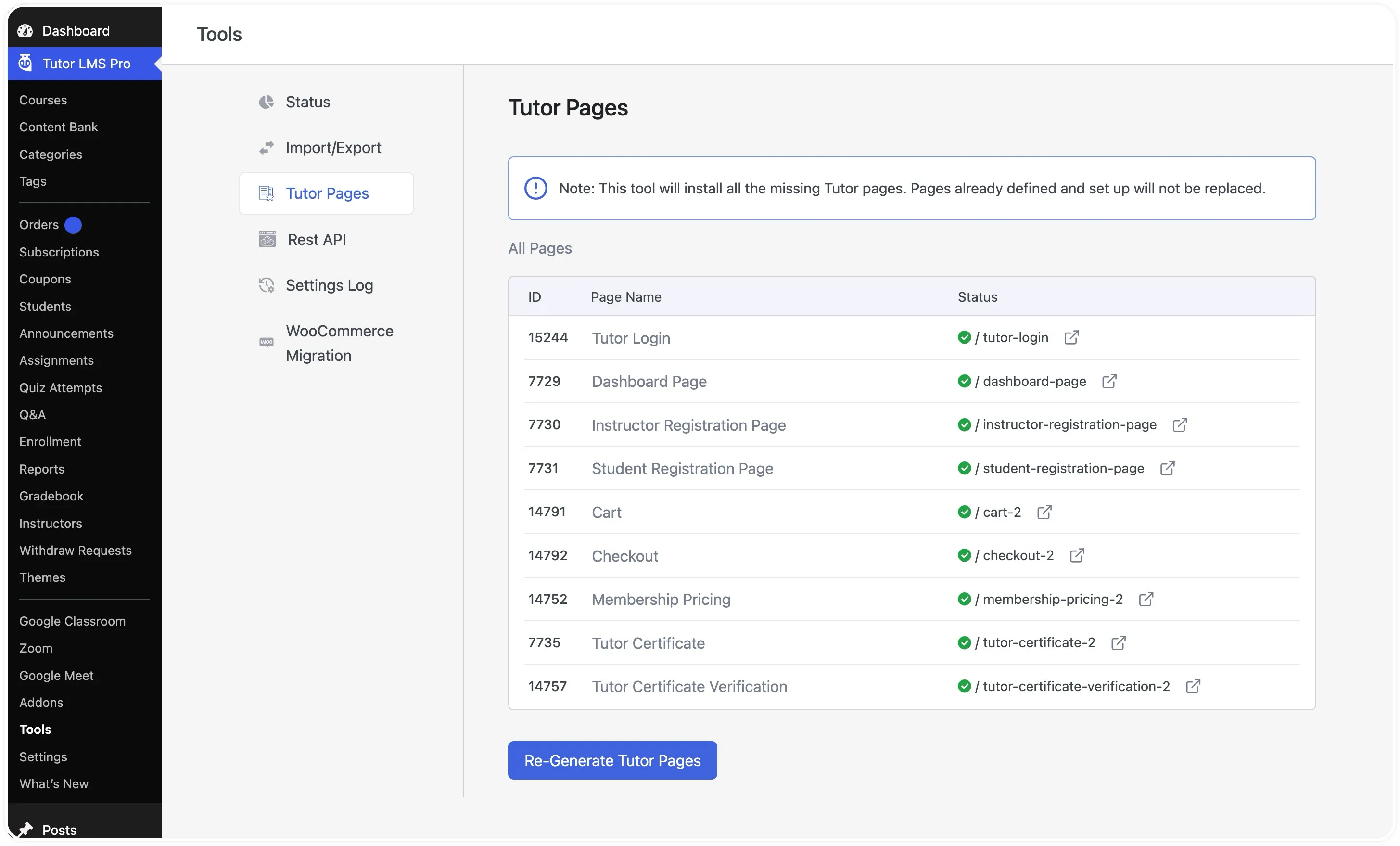
Tutor LMS relies on a set of dedicated WordPress pages to render frontend interfaces such as the learner dashboard, login screen, registration forms, and checkout flow. The Tutor Pages tab lists every required system page in the All Pages table across three columns: ID, Page Name, and Status.
If a page is accidentally deleted or missing after a site migration, you can recreate it using the Re-Generate Tutor Pages button. As noted in the top info banner, running this tool only installs missing pages and leaves your existing, configured pages untouched.
Note: This tool will install all the missing Tutor pages. Pages already defined and set up will not be replaced.
Regenerating Missing Tutor Pages
Go to Tutor LMS > Tools (or Tutor LMS Pro > Tools) and click the Tutor Pages tab.
Click the Re-Generate Tutor Pages button at the bottom of the table.
Rest API
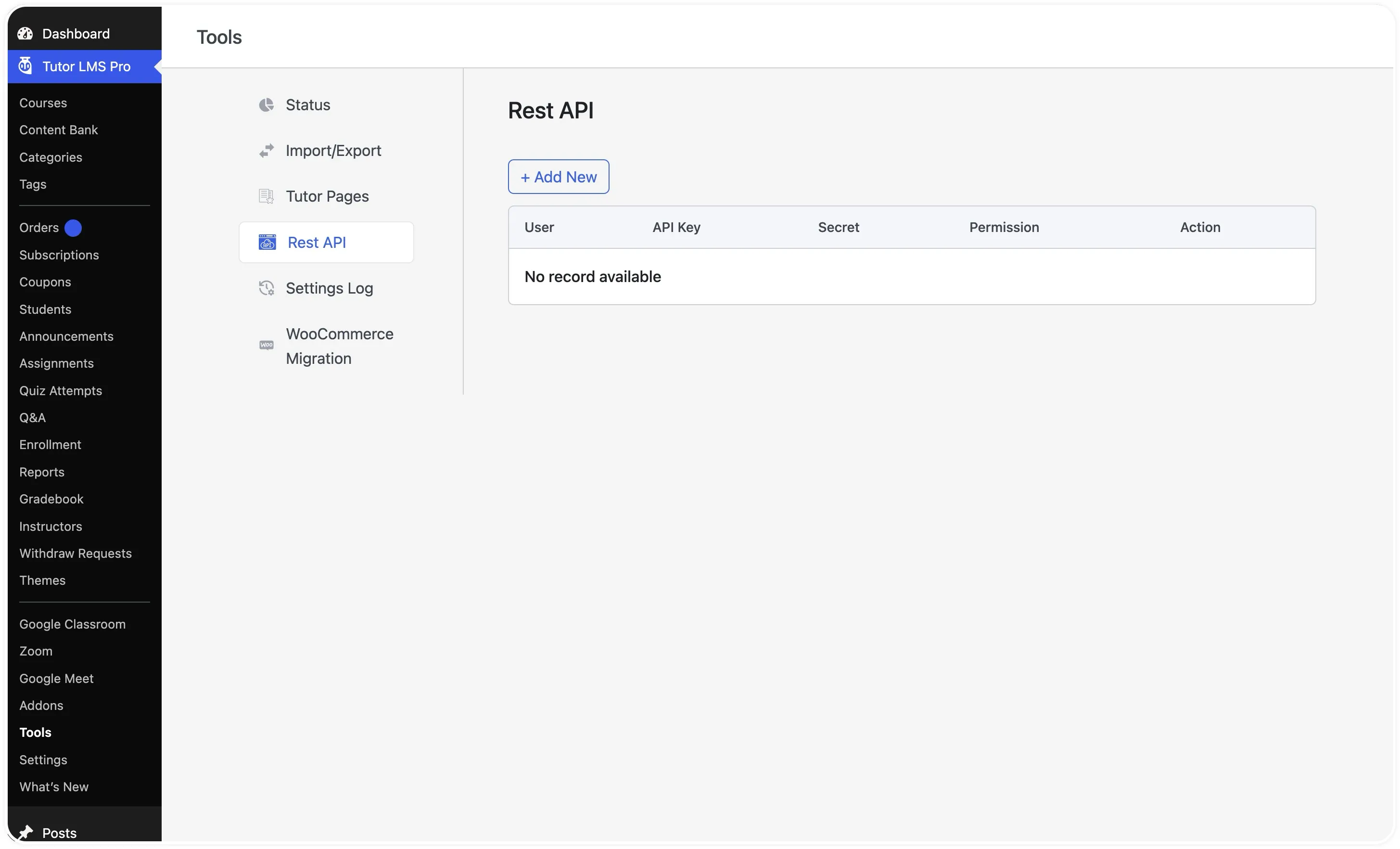
The Rest API tab allows you to generate and manage authentication credentials for external applications, mobile apps, or custom webhooks. Each credential pair consists of an API Key and a Secret tied to a specific WordPress user and permission scope.
How to Generate a REST API Key and Secret
Go to Tutor LMS Pro > Tools > Rest API.
Click the + Add New button at the top left of the table.
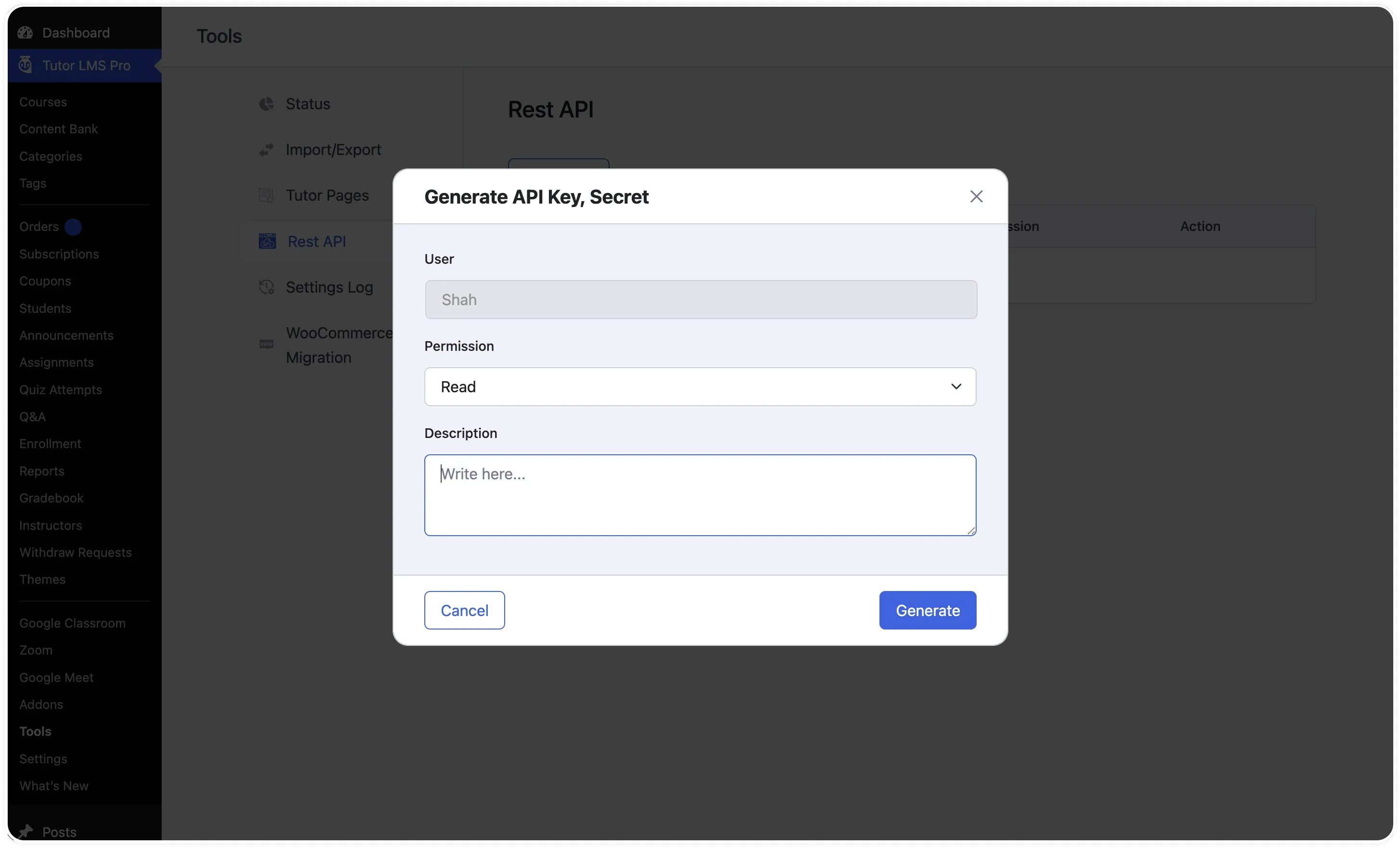
Verify the User field in the Generate API Key, Secret pop-up modal, which defaults to your active administrator account.
Click the Permission dropdown and select the access level for this integration: Read, Write, Read/Write, Delete, or All.
(Optional) Enter a short note in the Description field (Write here…) so you can identify which app or developer uses this key.
Click Generate.
How to Copy, Edit, or Revoke an API Key
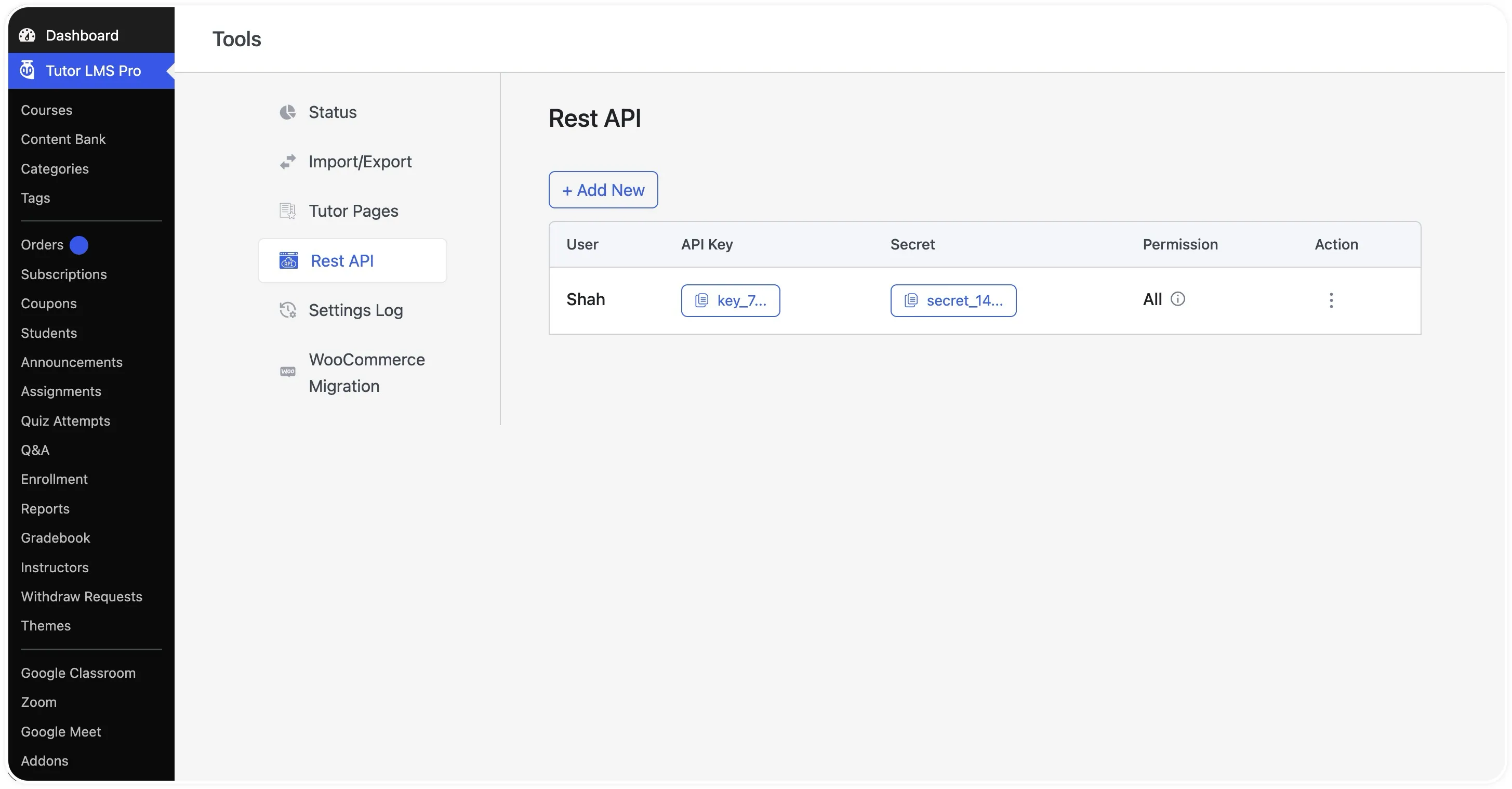
Once generated, your credentials appear as a row in the Rest API table under the User, API Key, Secret, Permission, and Action columns.
Click the API Key button (key_…) or Secret button (secret_…) to copy the credential string directly to your clipboard.
Hover over the info icon (i) next to the Permission value to view the key’s description.
Click the three-dot menu icon (⋮) in the Action column to open the management menu.
Select Edit to change the key’s permission level or description, or select Revoke to permanently delete the key and cut off API access.
Settings Log
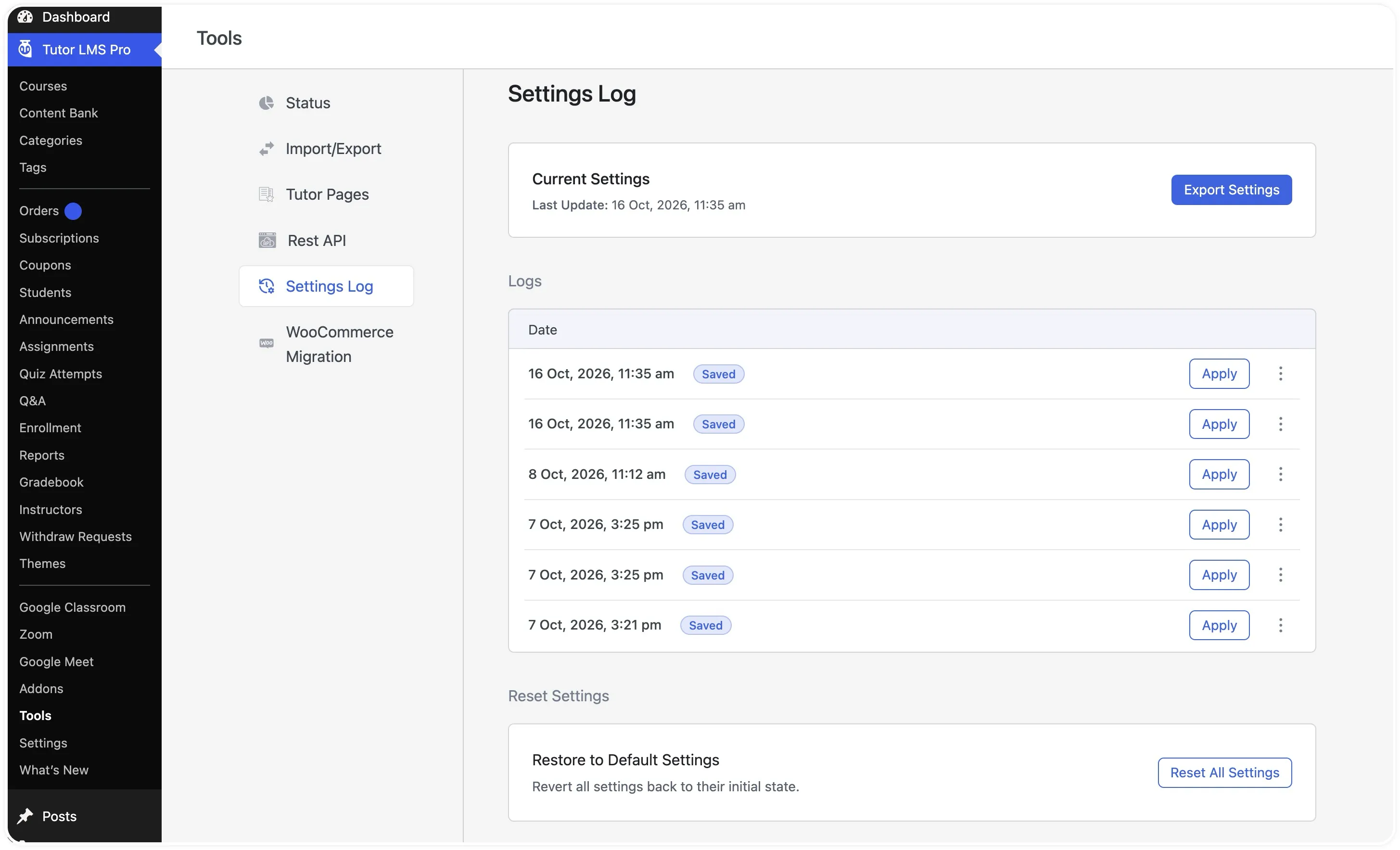
The Settings Log tab serves as a configuration backup and recovery center. Every time an administrator saves changes in the Tutor LMS settings menu, Tutor LMS records a timestamped snapshot and stores up to the last 10 saved versions.
The Settings Log screen includes three distinct controls:
Current Settings: Shows the Last Update timestamp of your active configuration alongside an Export Settings button for downloading a standalone .JSON backup of your current settings without exporting course data.
Settings History Table: Lists each saved snapshot by date and time (marked with a Saved badge), an Apply button to roll back to that state, and a three-dot menu (⋮) to download or delete a specific snapshot.
Reset Settings: Features the Restore to Default Settings card (Revert all settings back to their initial state.) and a Reset All Settings button to return Tutor LMS to its factory-default configuration.
WooCommerce Migration
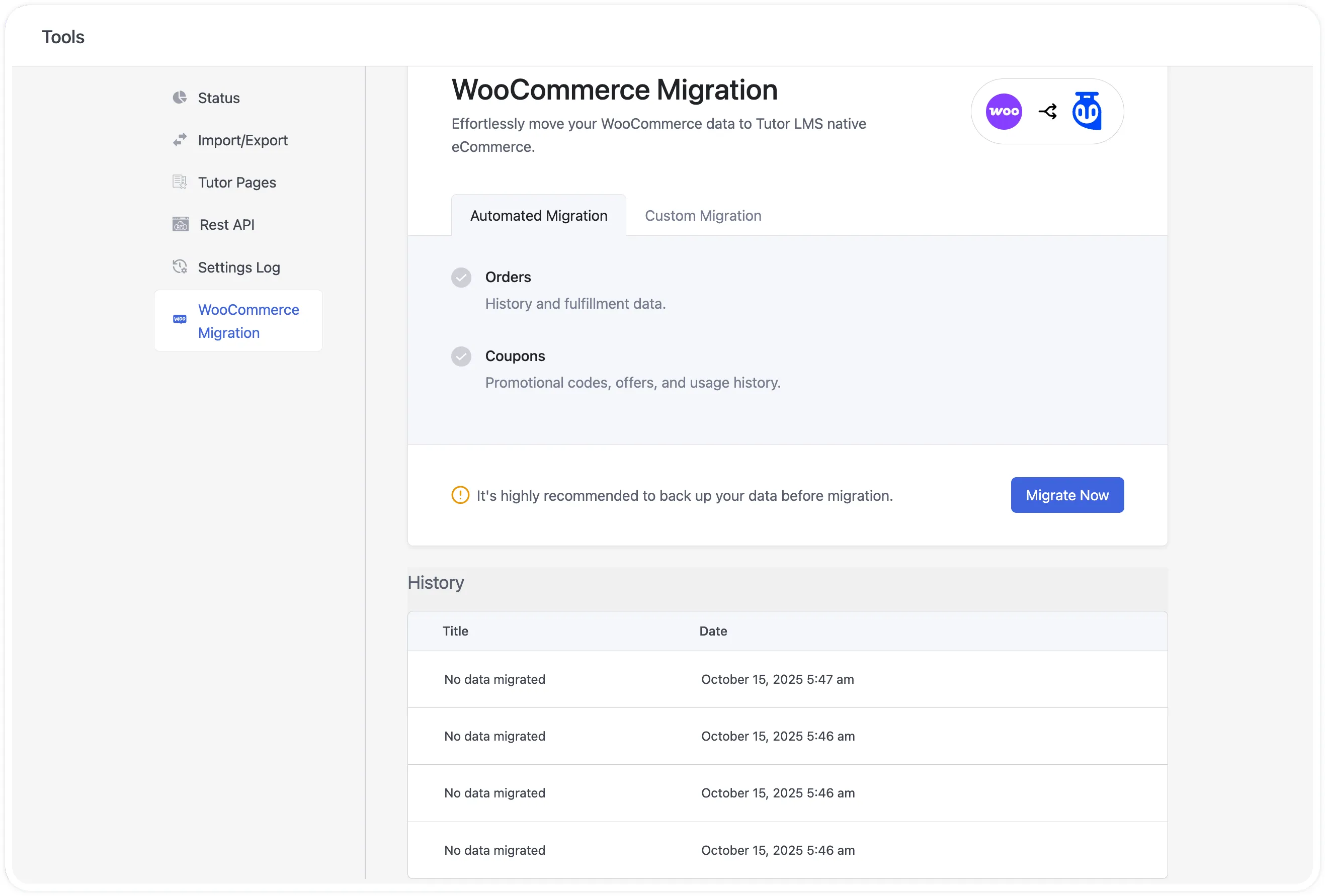
The WooCommerce Migration tab lets you move your historical store data from WooCommerce directly into Tutor LMS Native eCommerce. This tab appears when the free Tutor LMS Migration Tool plugin is installed and activated alongside Tutor LMS.
The migration utility supports transferring three core eCommerce data types:
Orders: Historical course sales and fulfillment records.
Coupons: Promotional discount codes, configurations, and usage history.
Subscriptions: Active and past recurring payment records (requires WooCommerce Subscriptions).
Inside the WooCommerce Migration tab, you can choose between two migration modes:
Automated Migration: Transfers all Orders, Coupons, and Subscriptions in a single operation when you click Migrate Now and confirm with Yes, Let’s Start.
Custom Migration: Lets you check boxes for specific data types (Orders, Coupons, or Subscriptions) before clicking Migrate Now.



 HALLOWEEN SALEHALLOWEEN SALEHALLOWEEN