Course Preview
Course Preview
Using the Course Preview addon you will be able to make certain lessons in your courses accessible for unenrolled or unregistered users so that they can get a sneak peek of your course.
This feature helps attract prospective students because it lets them see some of the actual course content and is a great way for students to judge if the course is right for them or not.
To use this feature, visit WP Admin > Tutor LMS Pro > Addons and enable Course Preview.
How to Use Course Preview
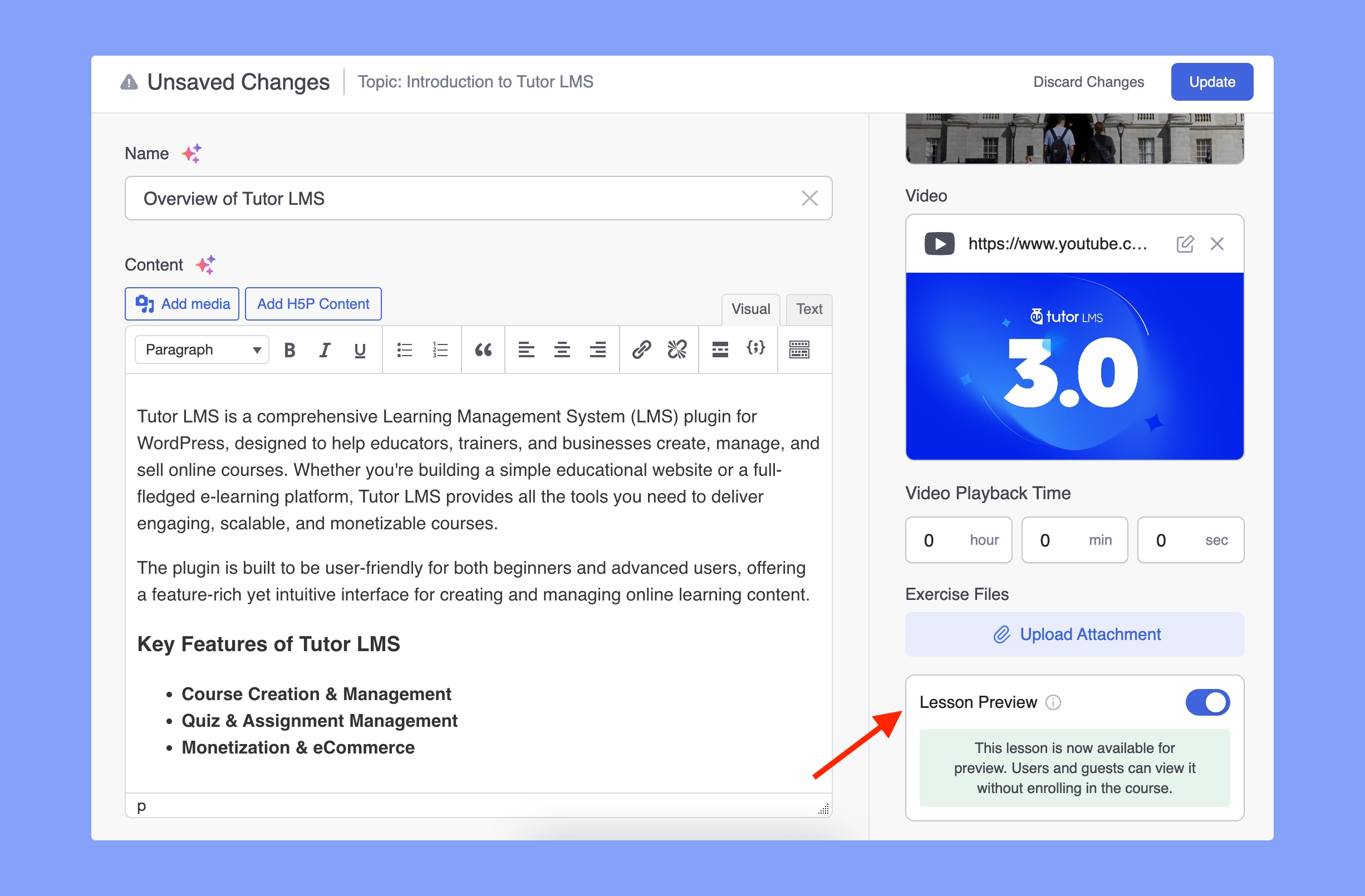
After you’ve enabled this addon, visit any course in edit mode and then edit a lesson. On the right sidebar, you’ll get the Lesson Preview option. Enable it using the toggle button and click on Update Lesson.
You can do this for multiple lessons of your choice in the same way. Save your changes to the course by clicking on Update and you’re done!
Course Preview in Action
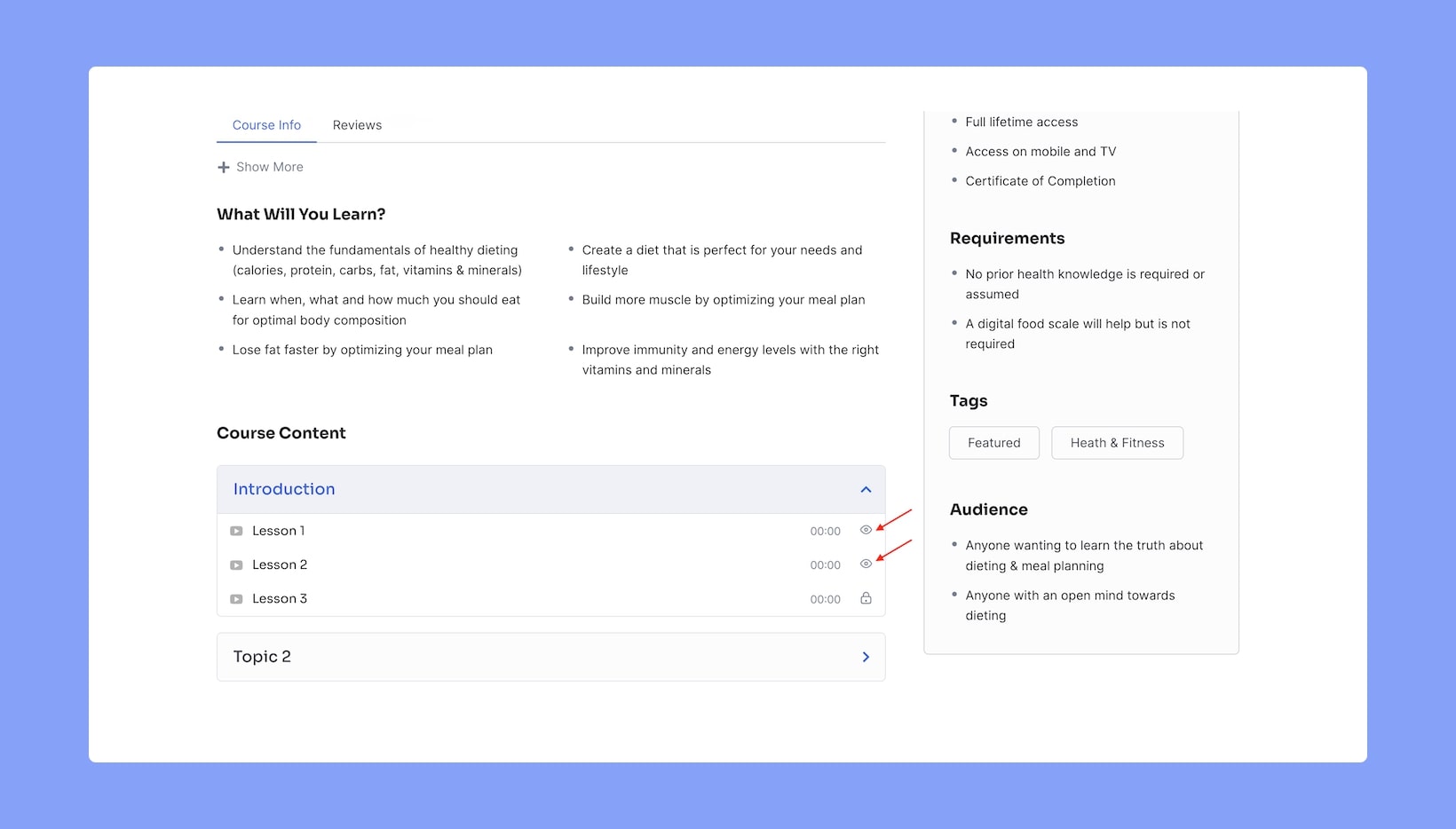
Unenrolled students and unregistered users will be able to see the Course Preview when they visit this course’s overview page. Under the Course Content section, previewable content is represented by an eye icon placed on the right, while other content is represented by lock icons.
Clicking on the previewable content will take them to the course journey page where they can experience the lessons in full, just like if they were an enrolled student, with the only exception being that they won’t be able to view any of the locked content.