Courses
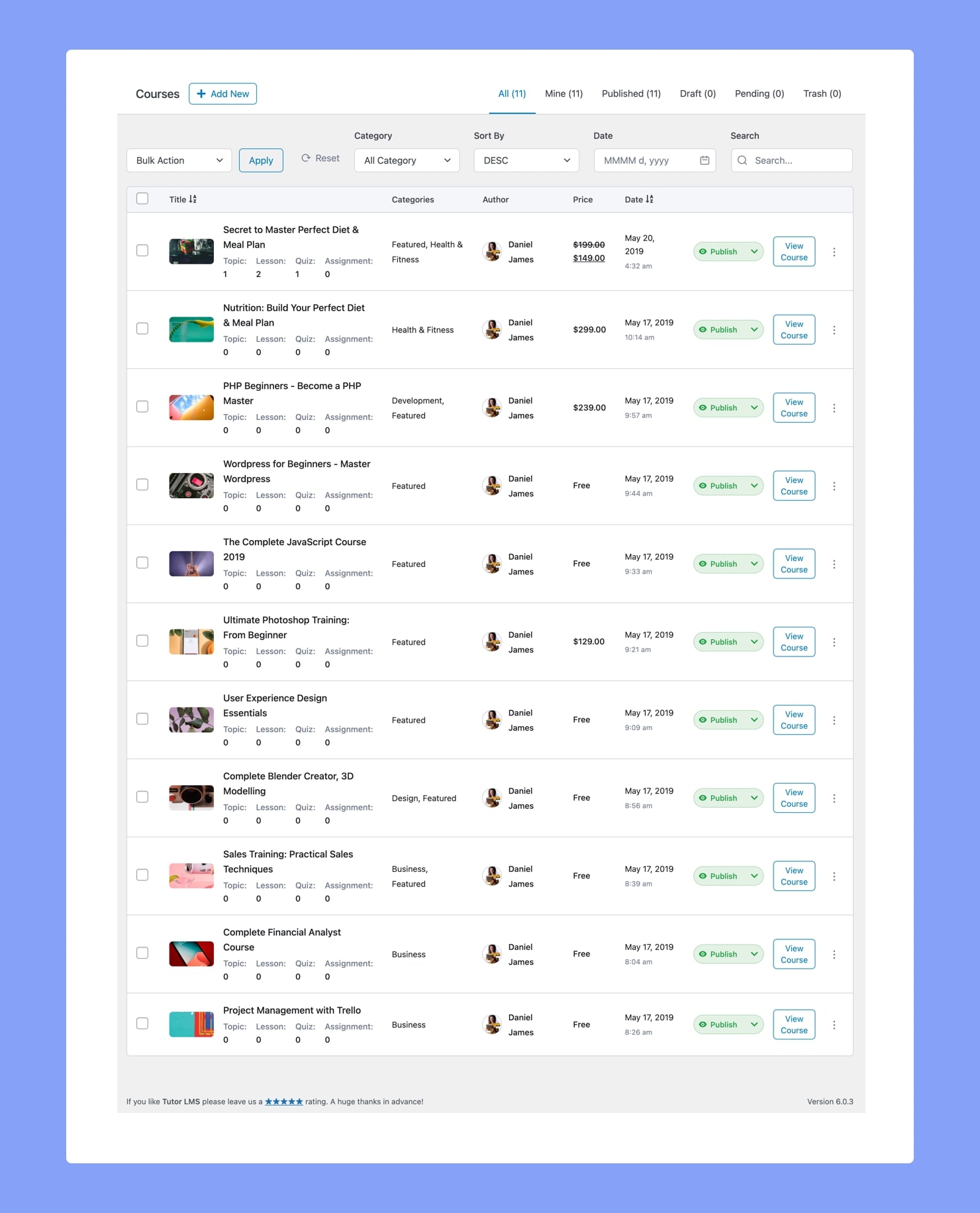
From the Course Menu, you can maintain all Tutor LMS Courses as well as add new ones using the Backend Course Builder of Tutor LMS.
Add New Course
On the top left, you’ll find the +Add New button which will take you to the Backend Course Builder, where you can create a new course. To learn more about this, visit its dedicated documentation page.
Course List
On the top right, you’ll find the various Course listing options in the form of tabs like All, Mine, Published, Draft, etc. This simplifies the task of finding particular courses.
Next up are columns for the Course Title (with Thumbnail), Categories, Author (with their Profile Images), Price, and Date. From here, you can access all of your courses along with their details, manage them, and delete them as well.
Course Status
Followed by these, you will find a column containing labels specifying the course’s status. If you want to change the status of the course, you can simply click on this label as it’s a drop-down list. Status options include:
- Published: Published state means that the course is live and will be visible to students.
- Pending: The Pending state is when the course is awaiting approval by the admin to be published.
- Trash: When a course is in Trash, it means the course has been deleted but not permanently.
- Draft: When a course is in Draft, it means the course has not yet been published.
- Private: When a course is Private, it means the course will not be visible to anyone but the admin.
More Options
Next to each course is a View Course button, which will take you to the Course’s Details Page. Beside this button, is a vertical ellipsis icon (︙), and clicking on it will give you the following options:
- Edit: Takes you to the backend editing panel i.e., Backend Course Builder.
- Duplicate: Duplicates a course to create an exact copy. Handy when you want to create a course that is very similar to a pre-existing course.
- Delete Permanently: Deletes a course permanently.
Below each course’s Title, you’ll also see a list detailing the number of Topics, Lessons, Quizzes, and Assignments the course has.
Bulk Action
To perform an action on multiple courses in one go, you can use the Bulk Action feature located towards the top-left. Simply select the courses you want by checking off the tick boxes on the left, and then from the Bulk Action drop-down list choose the action you want and click Apply.
Sort & Filter
Lastly, the list of courses can also be Filtered by Category, Date, or Search and Sorted in ascending or descending order.