Home Screen
Home Screen
Upon login, learners are presented with a clean overview containing the following elements:
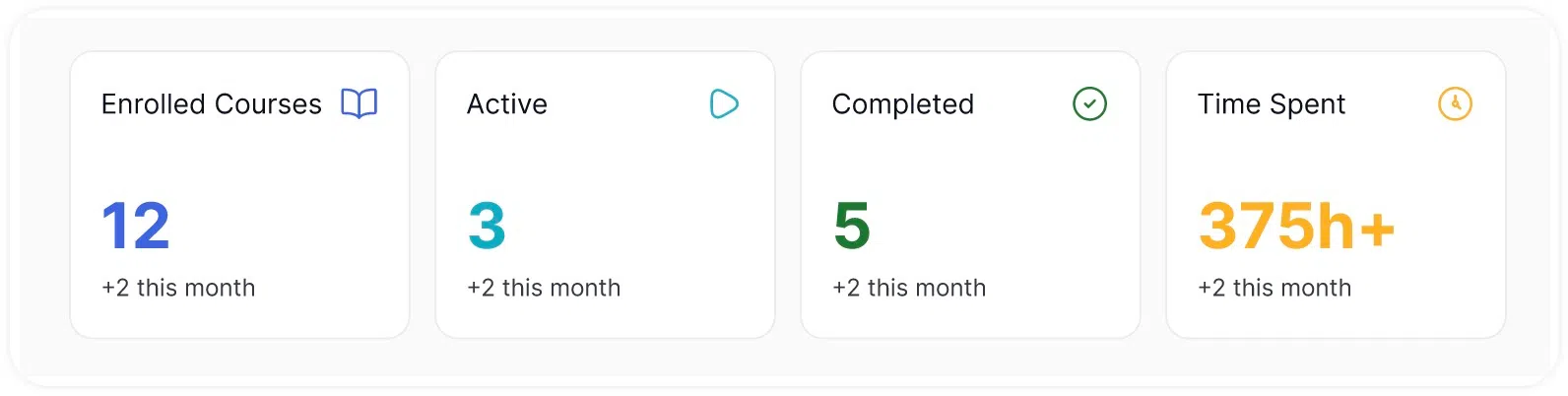
Metric Cards
At the top of the home screen, a set of metric cards displays a summary of the learner’s current activity. These cards include:
- Enrolled Courses – The total number of courses the learner has enrolled in.
- Active Courses – Programs currently in progress.
- Completed Courses – Modules the learner has finished.
- Time Spent – The cumulative time spent across all courses.
These metrics are updated in real time and provide learners with an at-a-glance overview of their progress.
Dynamic Notifications and Milestones
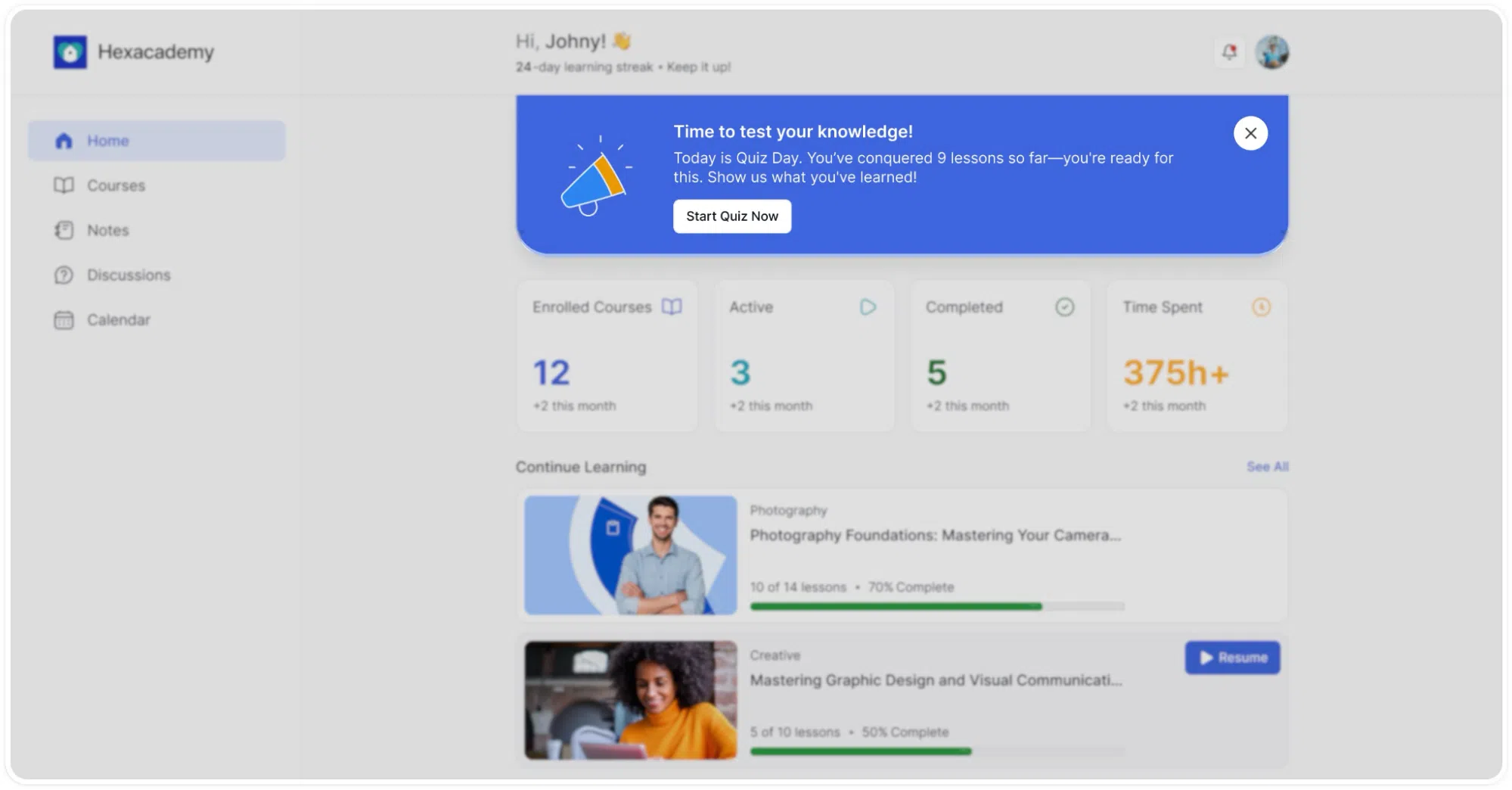
The top section of the dashboard acts as an intelligent communication system. It automatically surfaces relevant alerts to drive user action.
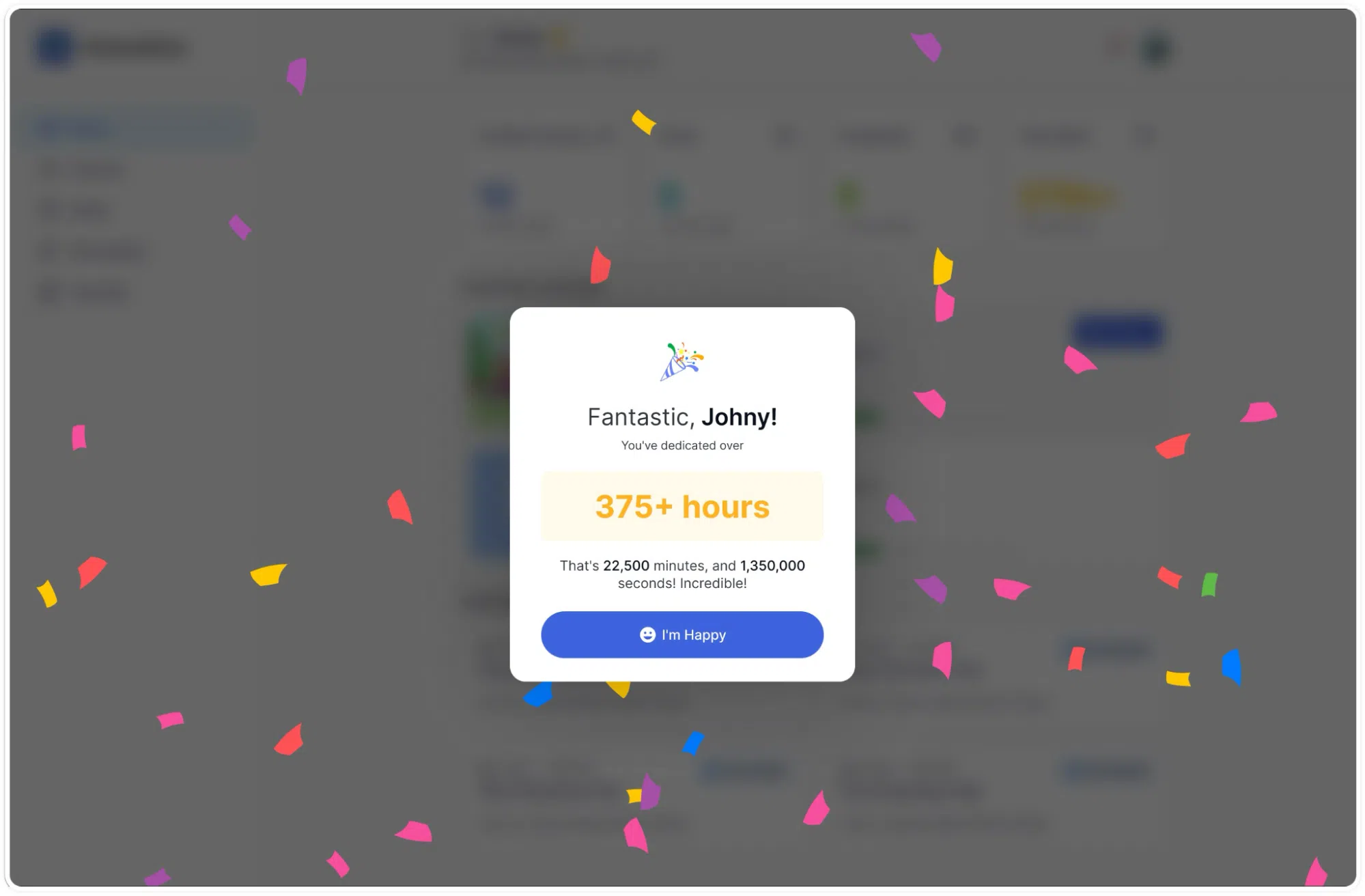
- Assessment Alerts: The system triggers prominent banners when an evaluation is due. For instance, a “Time to test your knowledge!” pop-up appears directly on the dashboard, providing a direct link to start pending quizzes.
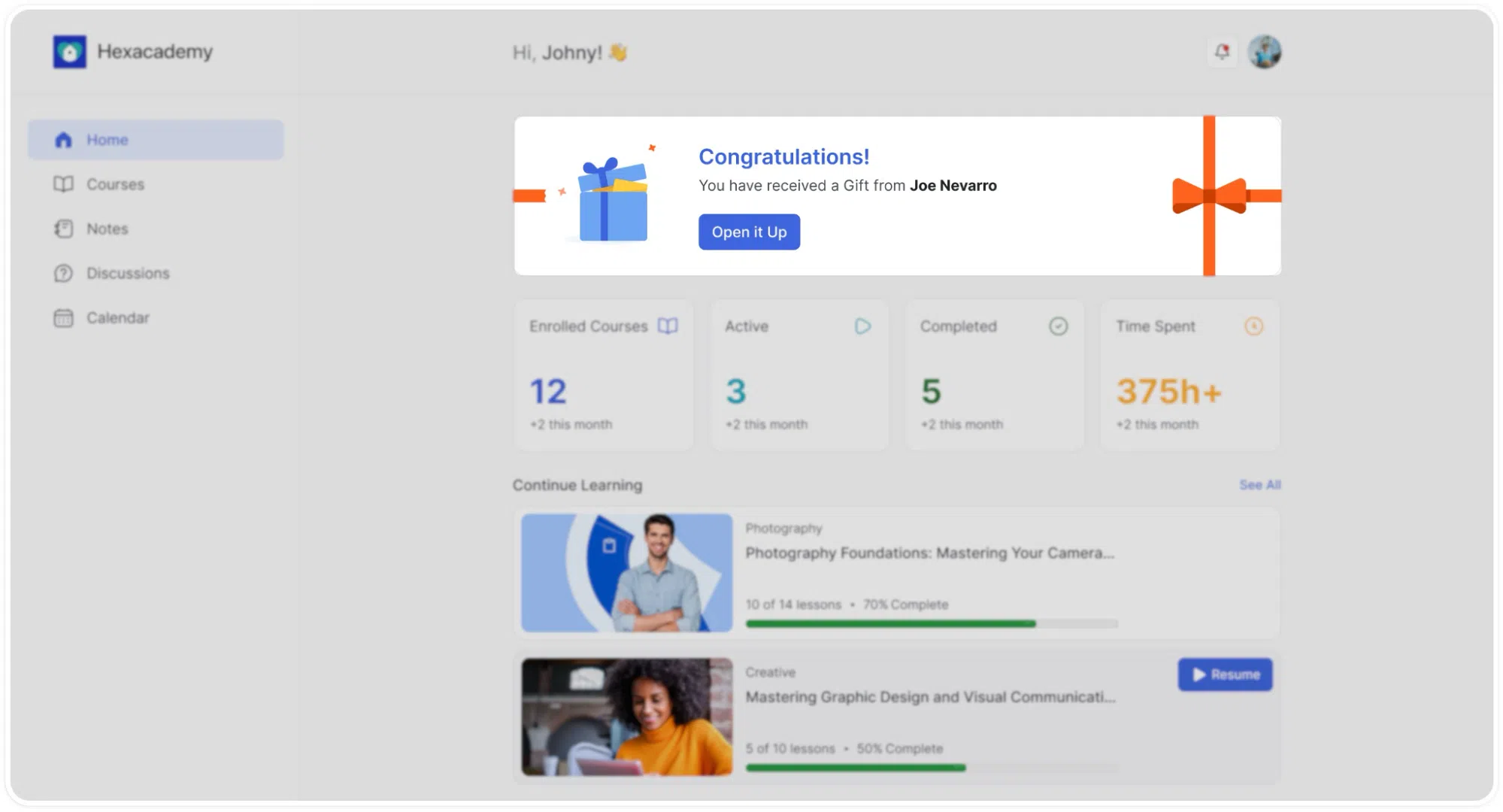
- Gift Redemptions: Users receive immediate visual notifications when another member sends them a course. A celebratory banner prompts them to open the gift and add the new material to their library.
- Streak Tracking: A subtle tracker monitors daily logins, actively encouraging users to maintain their learning streaks and build consistent habits
Continue Learning
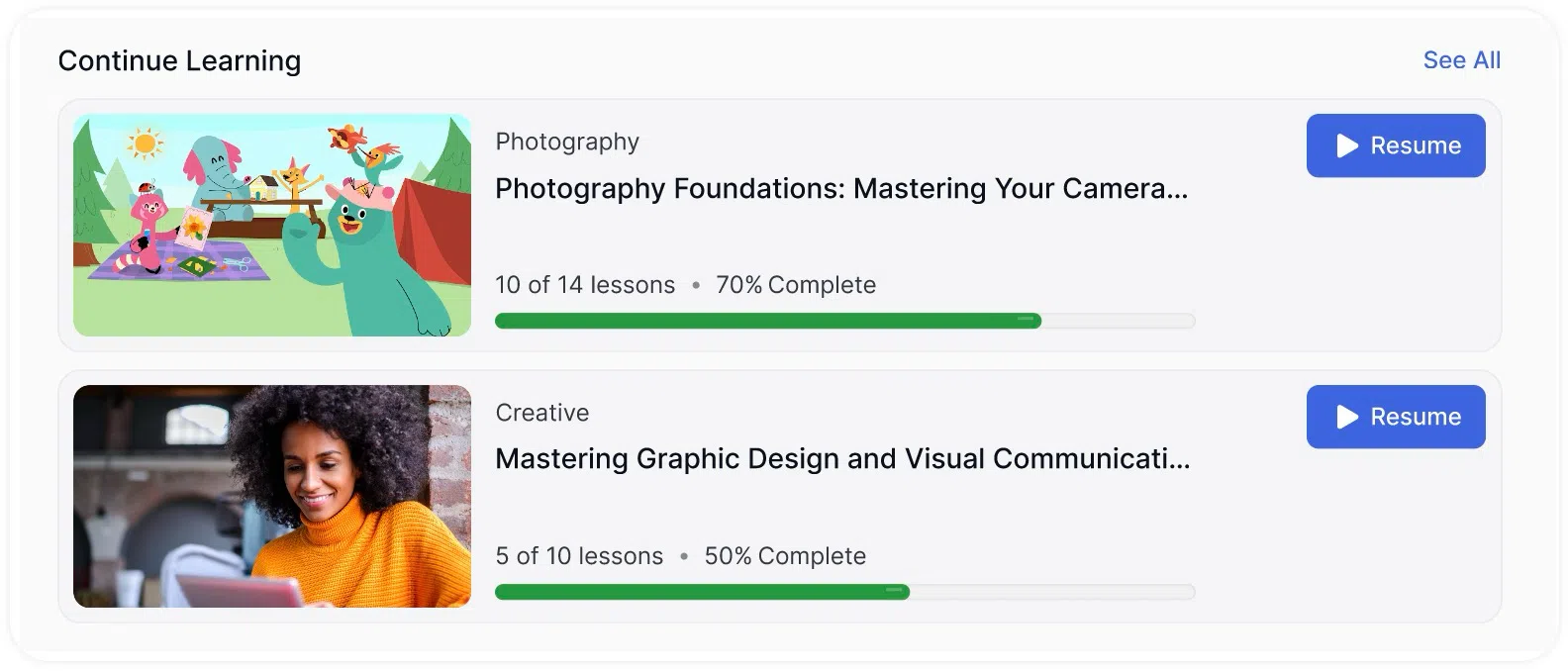
The Continue Learning section lists all courses the learner currently has in progress. Each course entry includes:
- A visual progress bar indicating completion percentage.
- A quick- start/resume button that takes the learner directly to where they left off.
This eliminates the need to navigate through menus or course catalogs to resume an active course.
Continue Learning Section: Shows currently active courses with visual progress bars and one-click resume buttons.
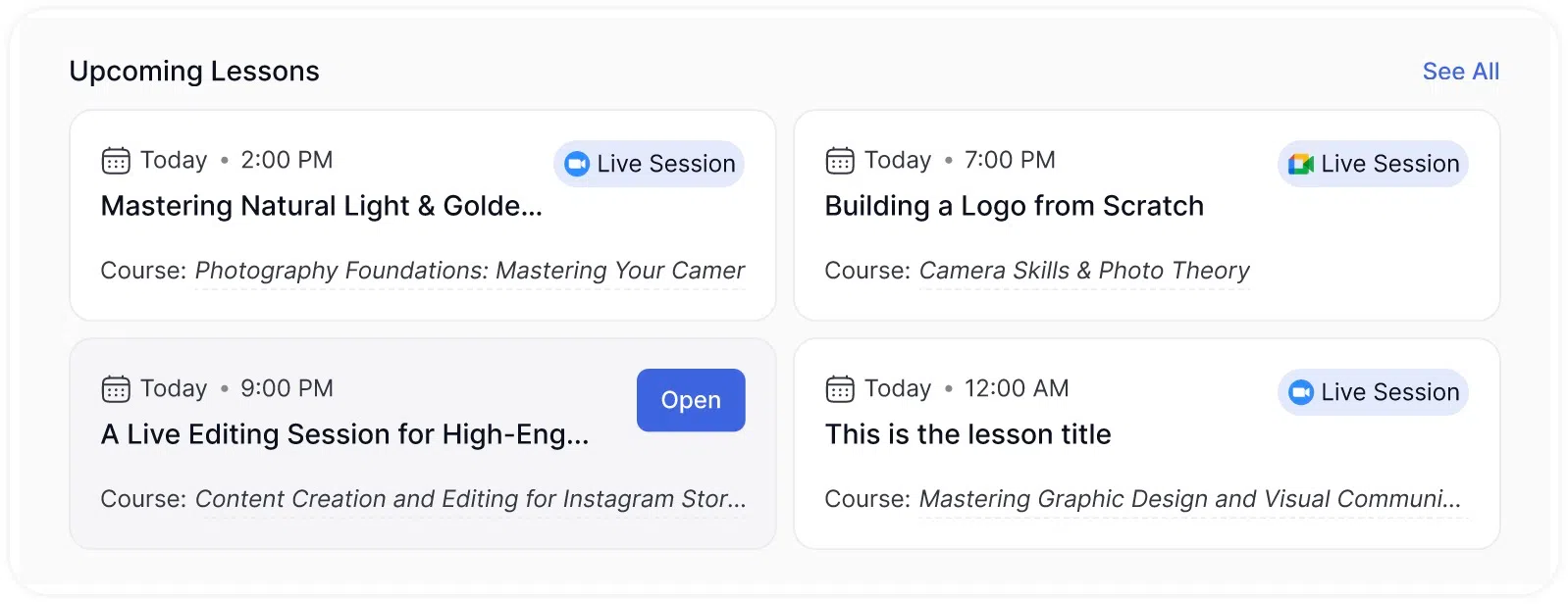
Upcoming Lessons
The Upcoming Lessons grid displays all scheduled live sessions and future events in a card-based layout. Each card includes relevant session details such as date, time, and course association. This gives learners a clear view of their upcoming academic schedule directly from the home screen.