Make your move from LifterLMS to Tutor LMS stress-free with our Tutor LMS Migration Tool plugin! It will not only transfer course data but also lessons, quizzes, assignments, etc, in just a few clicks.
Before starting the migration process, it is strongly advised to create a backup of your site and conduct the initial migration on a staging site. It ensures that the final migration process won’t break anything in your live site.
Prerequisites
You’ll need the following plugins to migrate courses and other relevant data from LifterLMS to Tutor LMS.
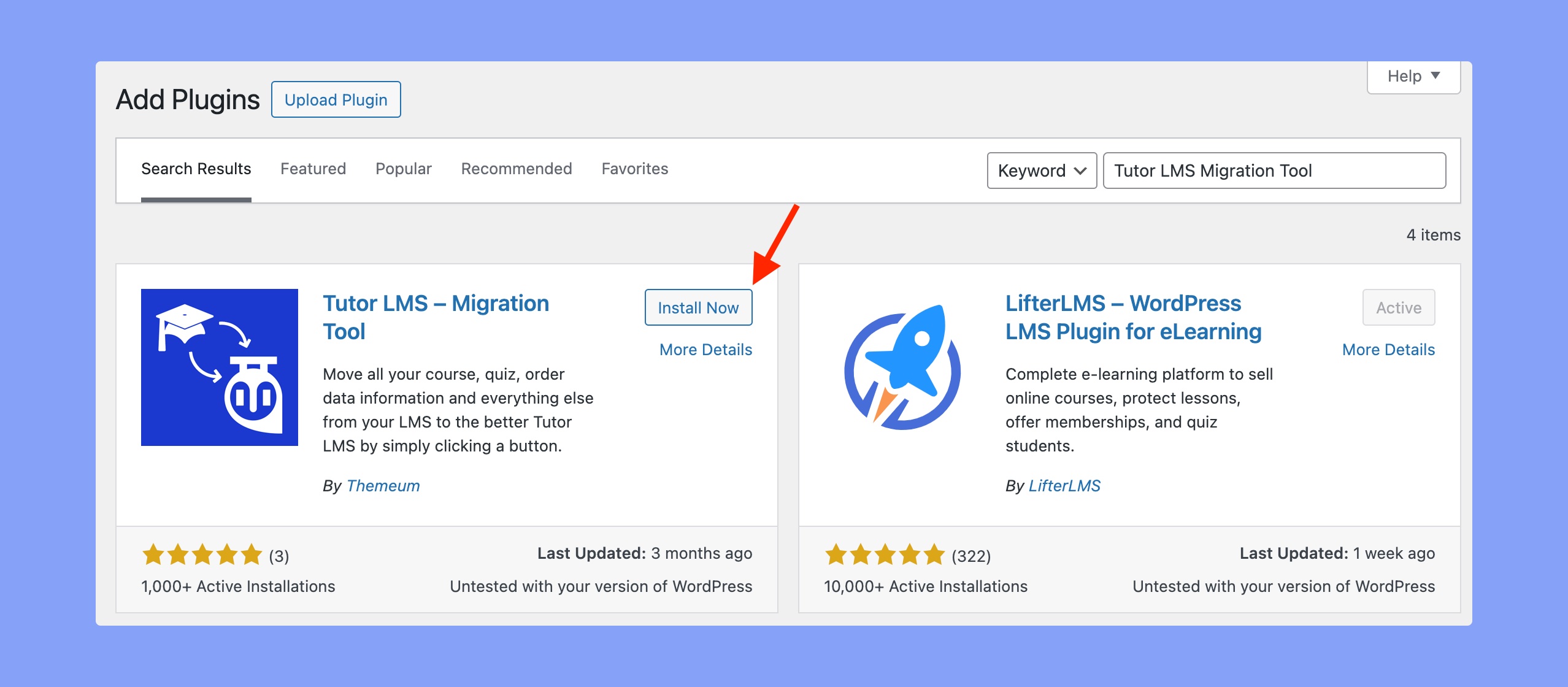
Along with the Tutor LMS and LifterLMS, you have to install the Tutor LMS Migration Tool. To do so, navigate to WP Admin > Plugins > Add New Plugin and search for Tutor LMS Migration Tool. Then, install and activate that plugin.
Here’s the latest version of Tutor LMS – Migration Tool plugin:
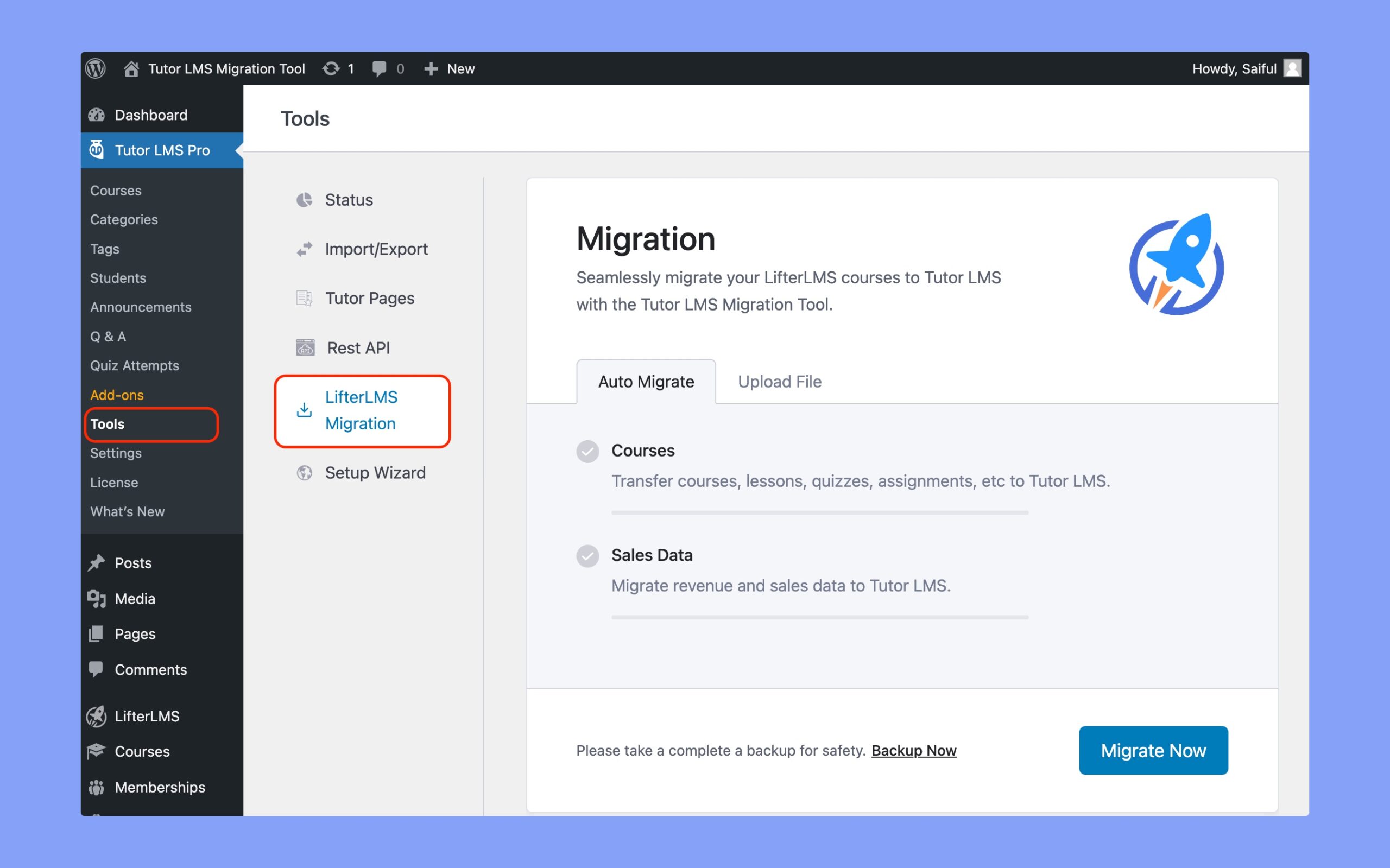
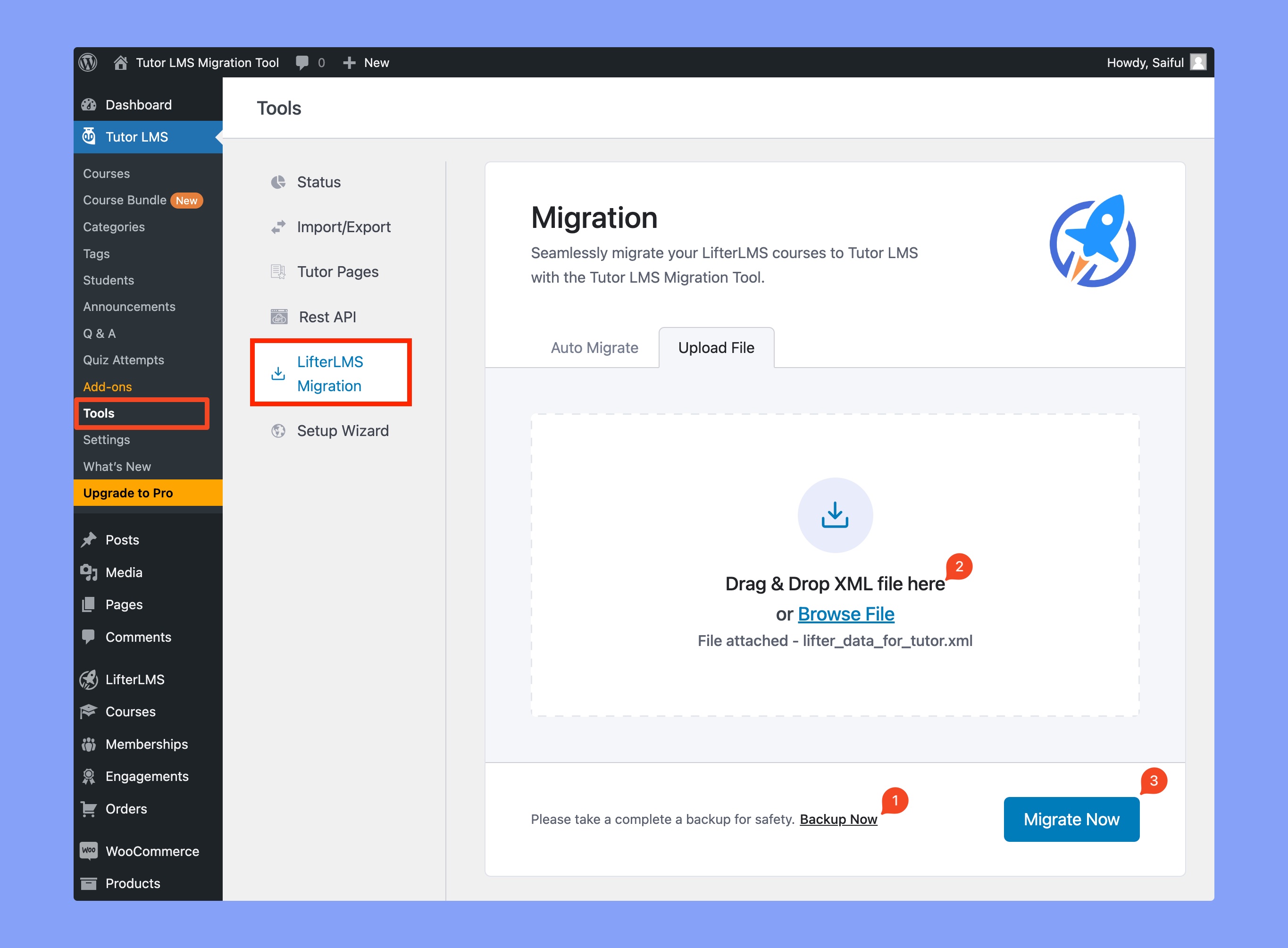
You can access the Tutor LMS Migration Tool from WP Admin > Tutor LMS > Tools > LifterLMS Migration. Within this section, you’ll find all the migration settings. Simply click the “Migrate Now” button, and your course and relevant data will be automatically migrated to Tutor LMS.
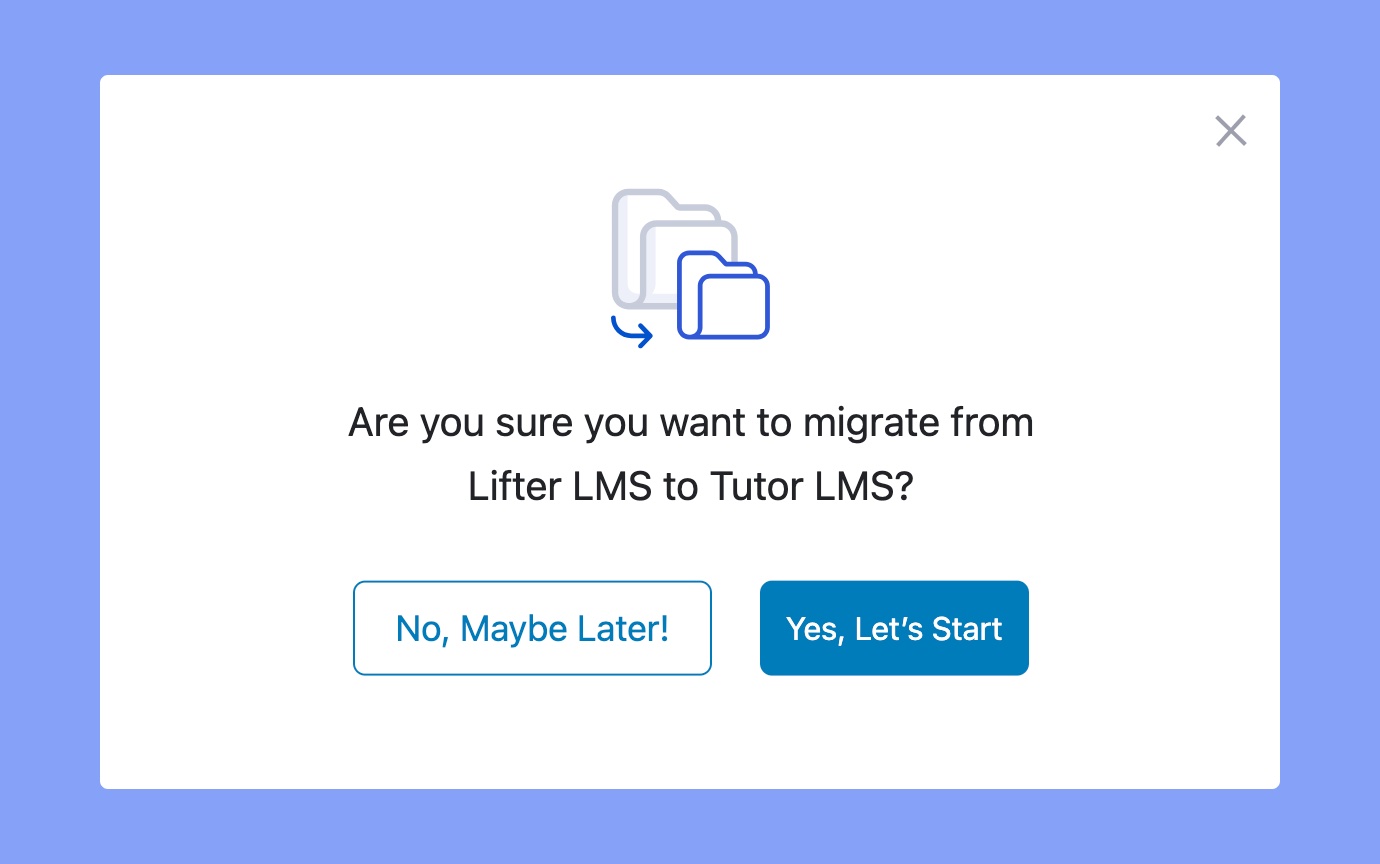
Once you click on the “Migrate Now” button, you’ll be asked to confirm the migration. So, click on the “Yes, Let’s Start” button to continue the process.
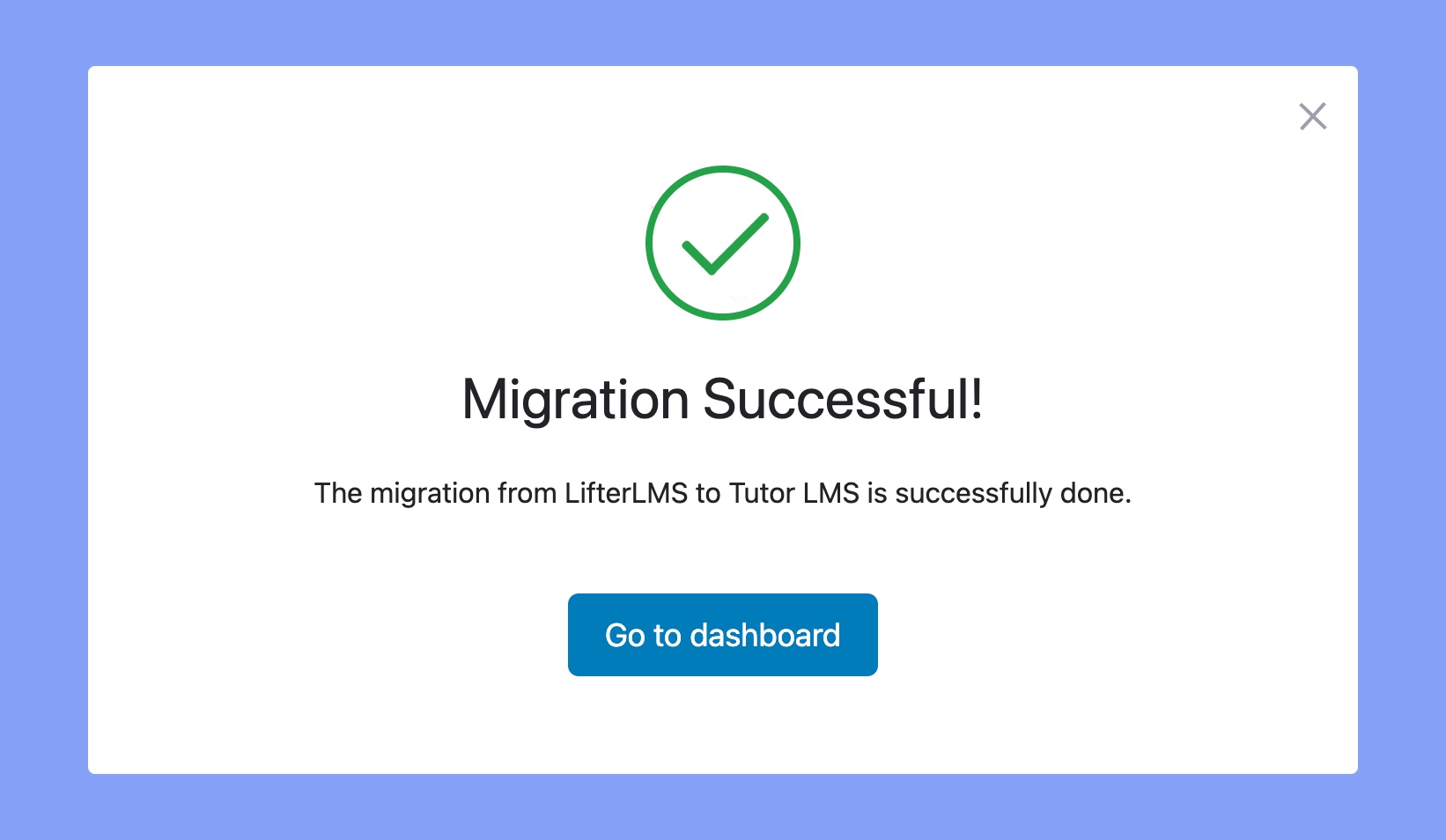
After that, you’ll be able to see the real-time progress of the migration. You will get a “Migration Successful” pop-up message once the migration is completed!
Let’s explore the types of data that our Tutor LMS Migration Tool will transfer from LifterLMS to Tutor LMS:
Courses: All of the LifterLMS course data will be transferred to Tutor LMS. It includes courses, lessons, quizzes, assignments, etc.
Users: All students and instructors will be transferred to Tutor LMS.
Order Data: It will effortlessly transfer all the order data associated with the LifterLMS course data.
Course Enrollment: All your current students will remain enrolled in the migrated courses on Tutor LMS.
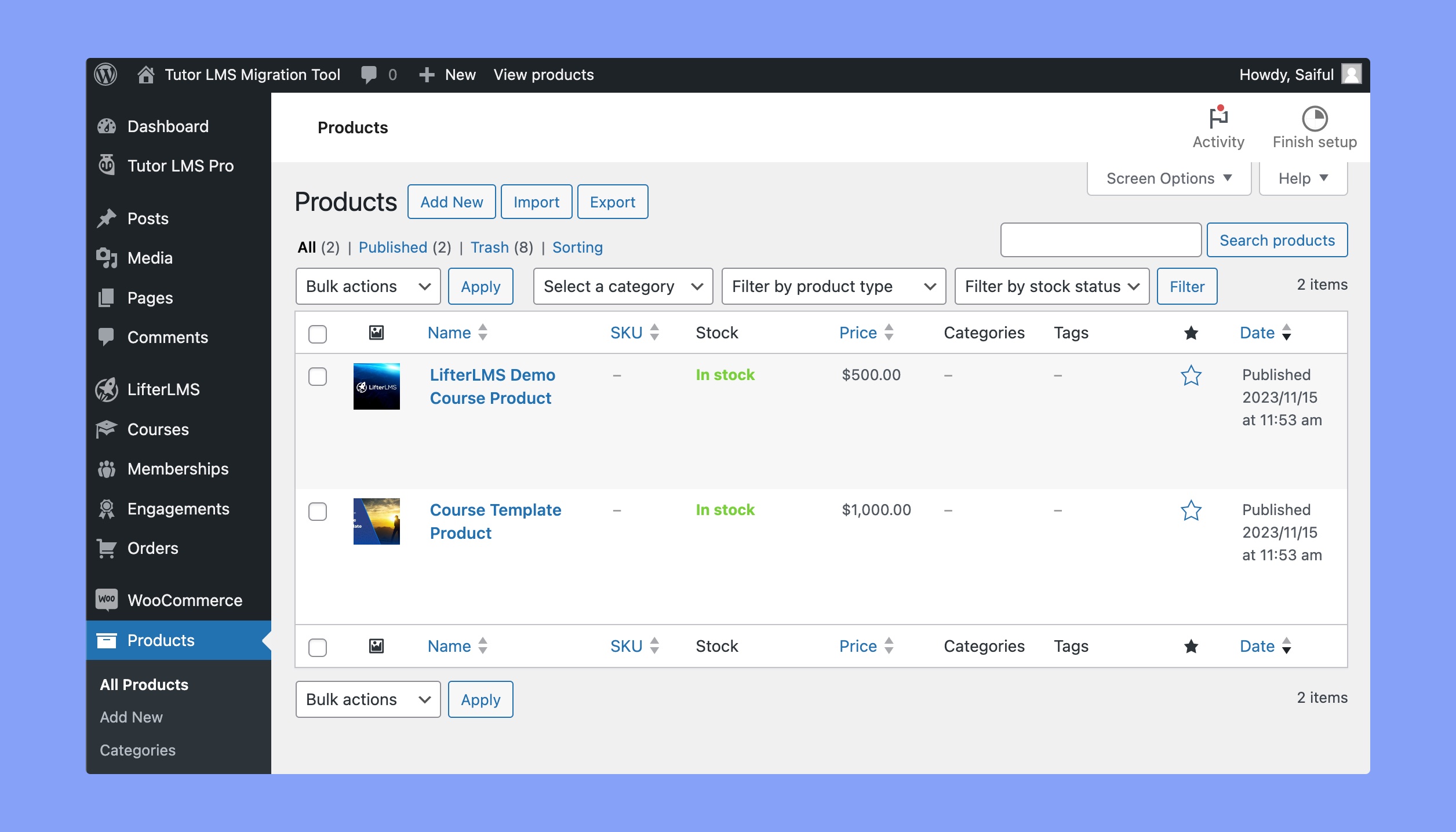
eCommerce Products: The LifterLMS eCommerce products will be migrated to WooCommerce products on Tutor LMS.
Note:After migrating your courses to Tutor LMS, all existing Lifter LMS courses will be deleted.
Migrating eCommerce Data
Tutor LMS Migration Tool transfers all of your eCommerce products and sales data. In LifterLMS migration, Tutor LMS transfers all of these data on WooCommerce.
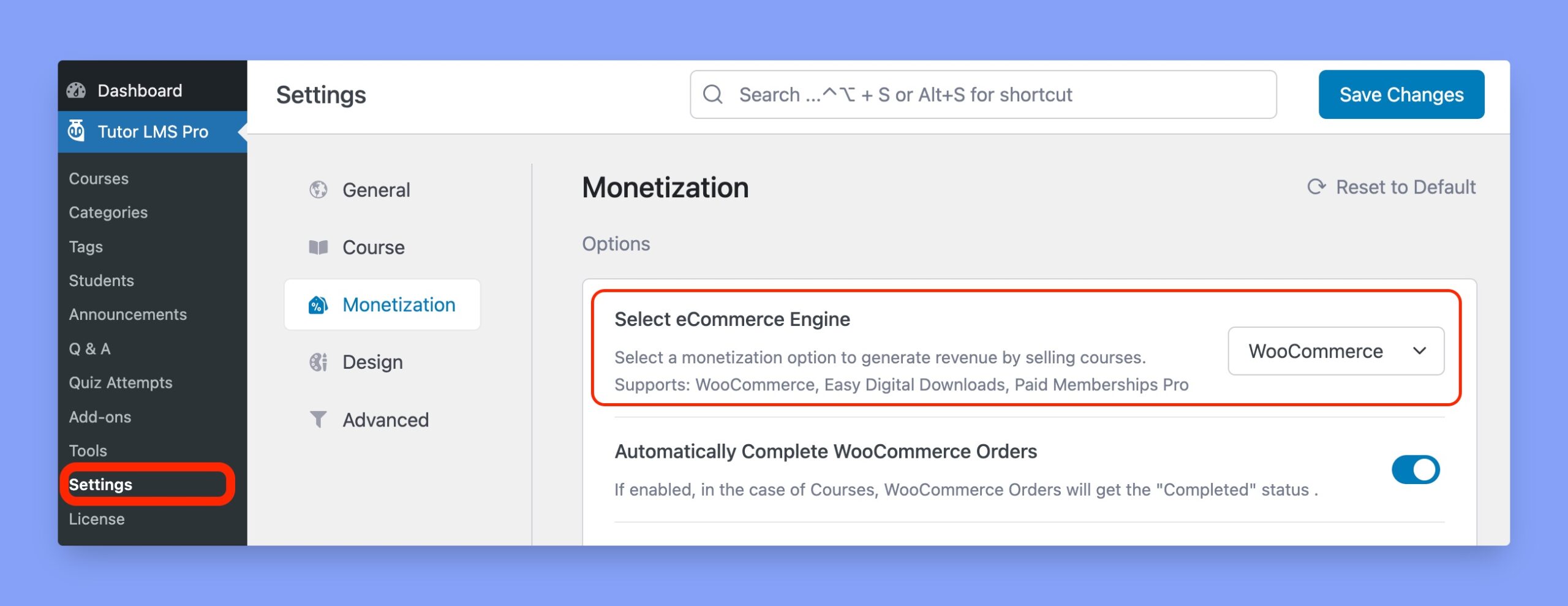
⚠️ Note: You must enable WooCommerce monetization before initiating the migration process. Otherwise, all of your paid courses will be converted into a free ones.
You must follow the steps below to ensure a smooth eCommerce data migration:
1. LifterLMS Access Plan pricing becomes the course price on Tutor LMS. 2. If multiple Access Plans exist for a LifterLMS course, the Migration Tool will select the first plan as the course price.
Migrate LifterLMS Data Manually
Follow the steps below to migrate LifterLMS data to Tutor LMS manually:
If you don’t have the backup file, create one using the “Backup Now” option.
Attach the XML backup file.
Click on the “Migrate Now” button.
By the way, if you migrate LifterLMS data manually, only courses, lessons, and quizzes will be transferred.
It’s strongly recommended to use the Auto Migration feature for a thorough course transfer without losing any potential data.
Verify the Migration
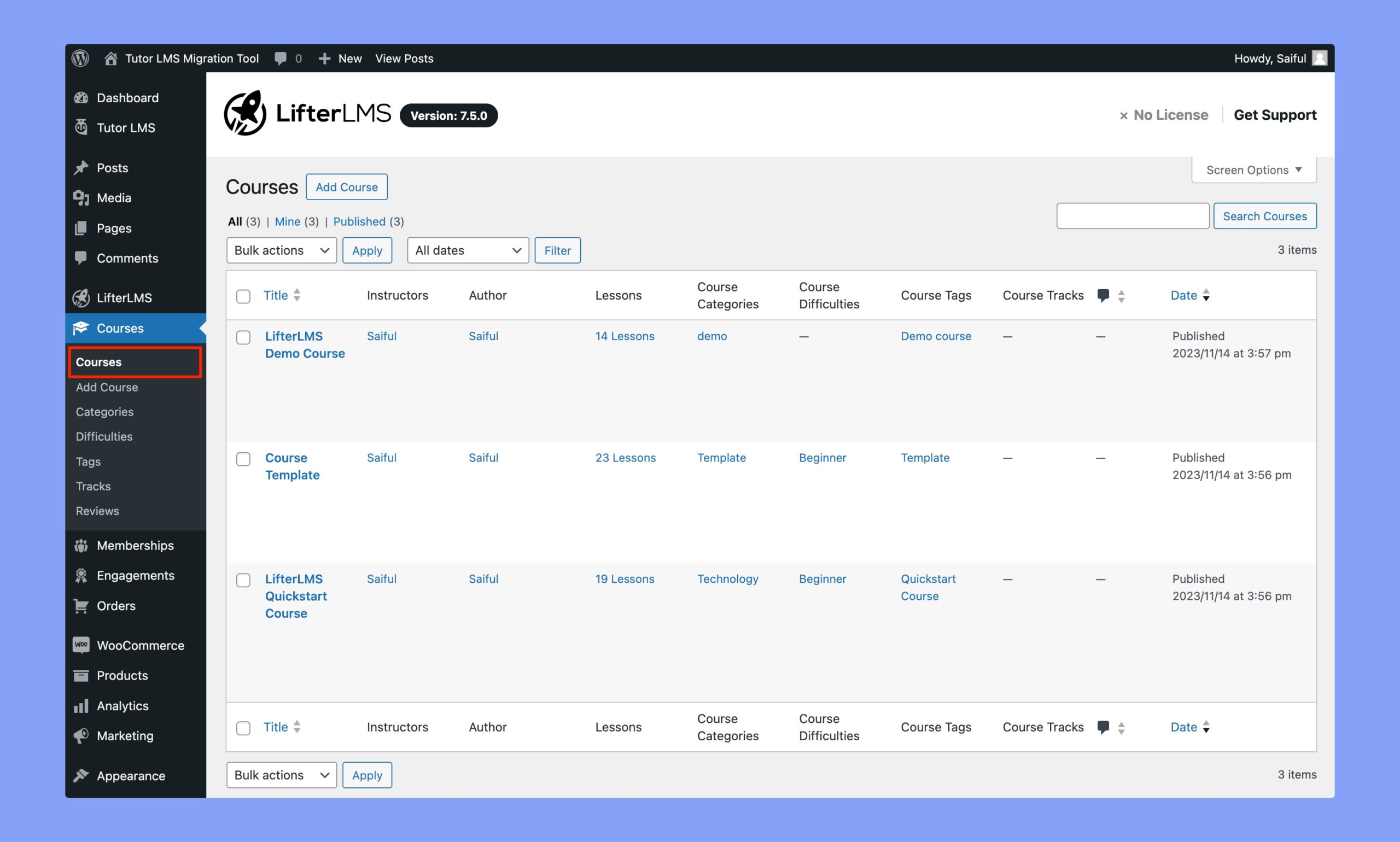
In the following section, we’ll verify the seamless transfer of all LifterLMS courses to Tutor LMS. Prior to migration, here is a list of courses on LifterLMS.
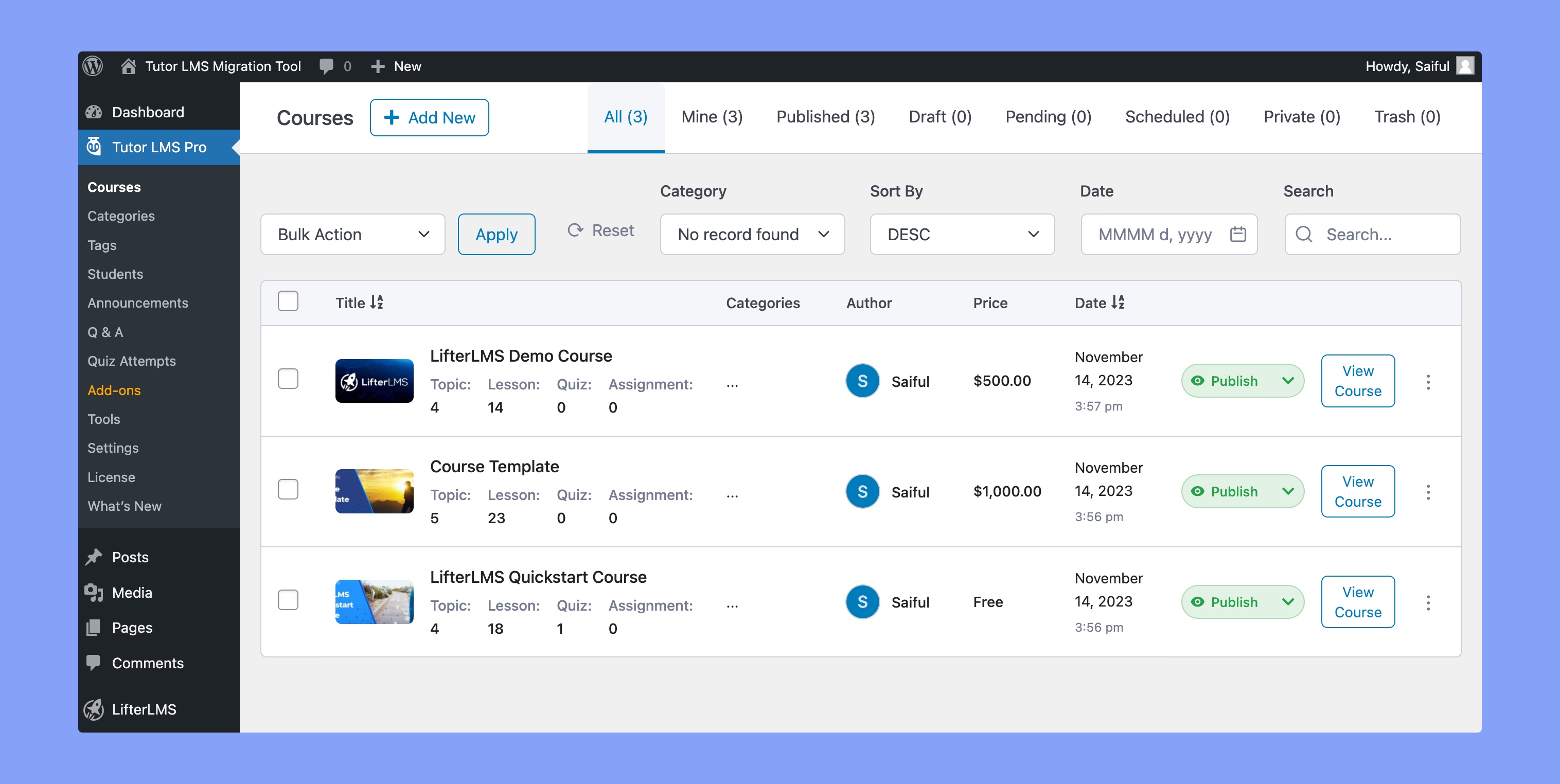
After the migration, the courses have been successfully transferred to Tutor LMS.
As we can see, all of the LifterLMS courses have been migrated to Tutor LMS successfully. Besides, the course products have also been added as WooCommerce products.



 HALLOWEEN SALEHALLOWEEN SALEHALLOWEEN