Pin
Pin
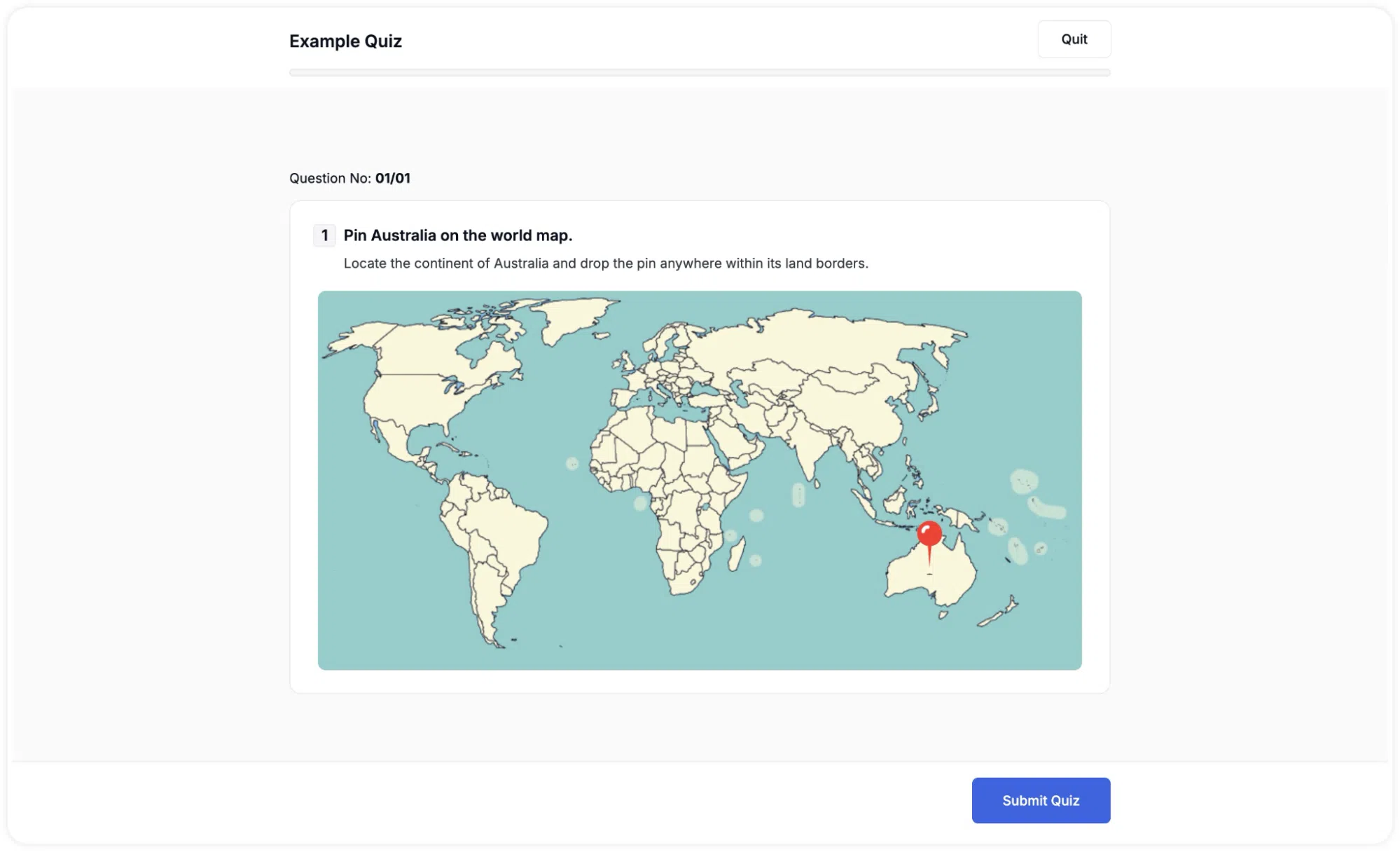
The Pin question shows the student an image, typically a map, diagram, or illustration, and asks them to click on it to place a pin at a specific location. You define an acceptable region in advance, and the student’s pin placement is graded based on whether it falls within that region.
This question type is ideal for geography and spatial reasoning tasks — for example, “Pin Australia on the world map,” or “Mark the location of the heart on this anatomical diagram.”
How to Set It Up
- Select Pin as the question type.
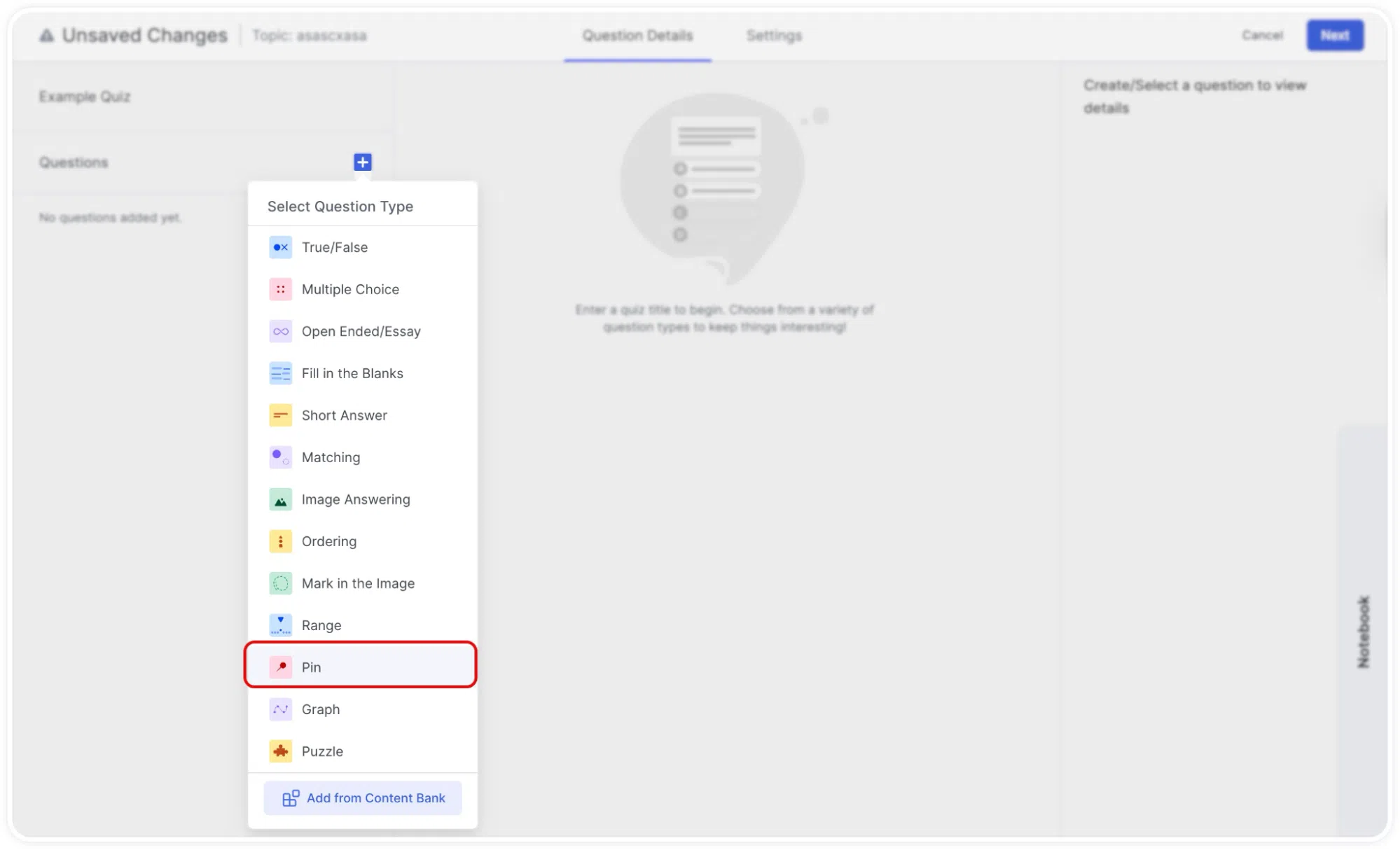
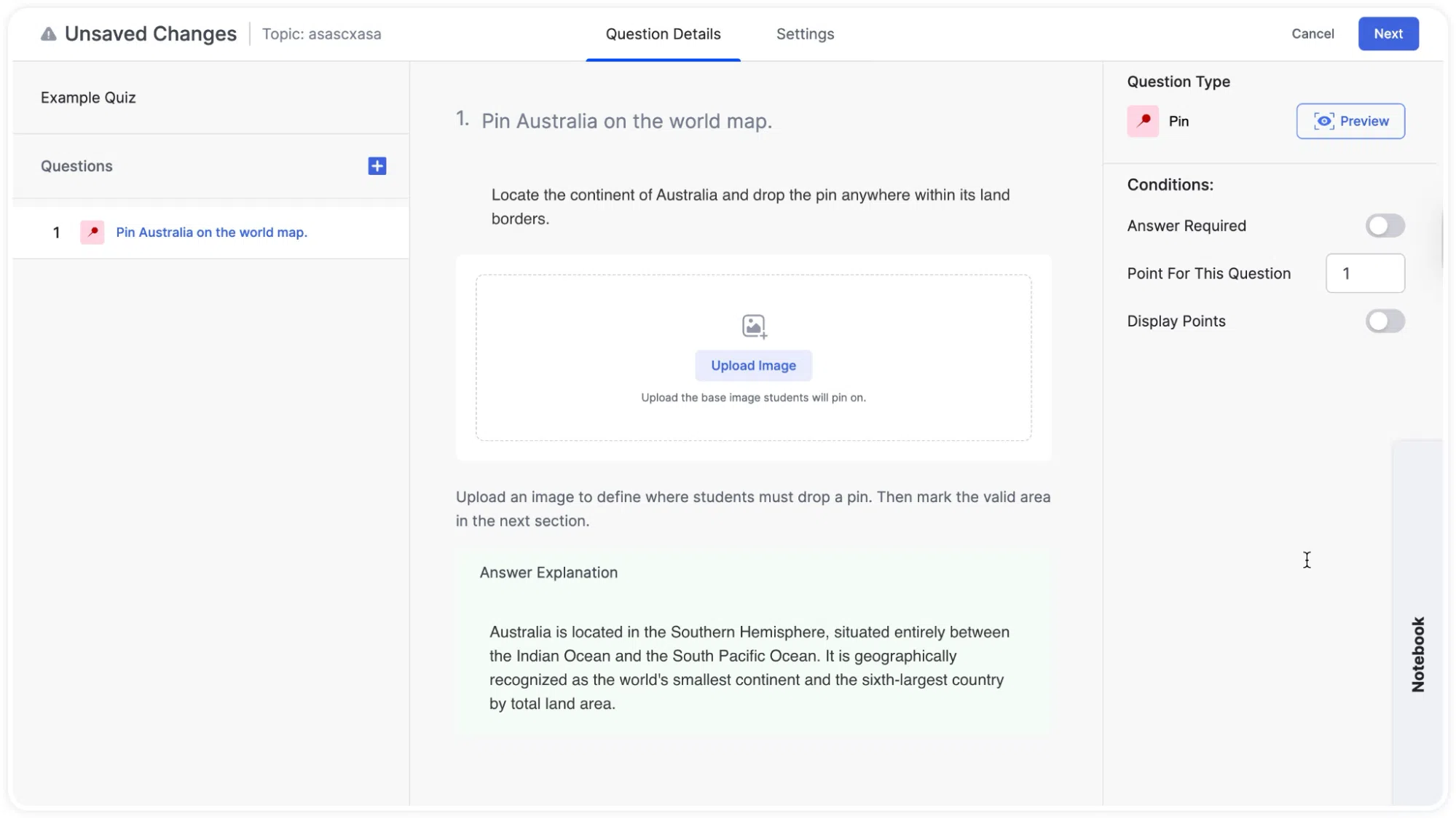
- Type your question in the question field. For example: “Pin Australia on the world map.”
- An optional description field is available below the question text if you want to give students additional context.
- An upload image area will appear below the question. Click it to upload your image from the media library. Choose a clear image where a specific element can be identified.
- Scroll down to the Mark the correct area section. Click and drag on the image to draw a region that defines the correct answer area. For example, if asking students to pin Australia, draw around the continent. When you are done, a message will confirm: “Pin area saved. Students will be graded against this region.”
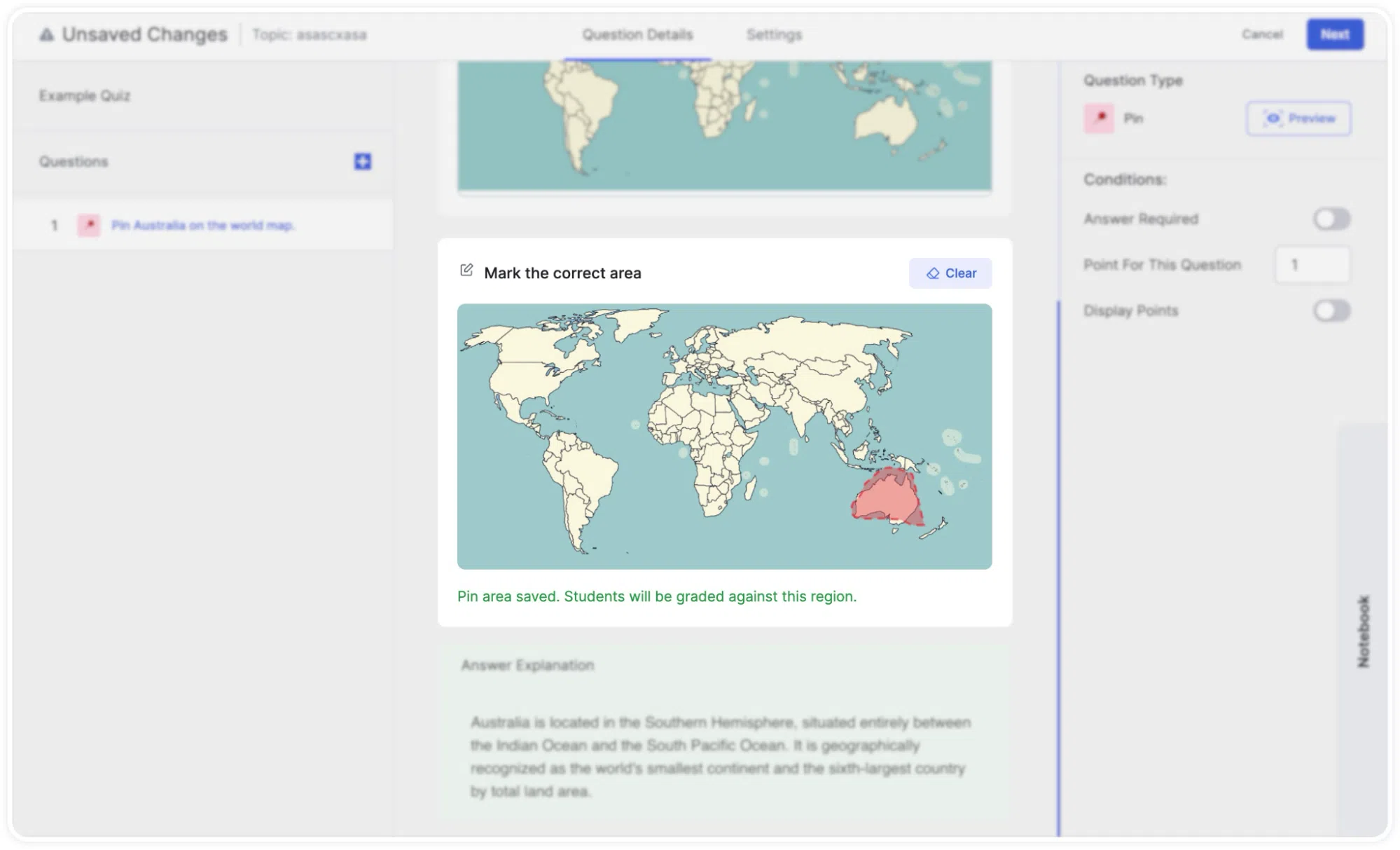
- Click Clear if you need to redo the correct area selection.
- Optionally, add an Answer Explanation for students to see after submitting.
Tip: Draw your correct area generously enough to account for natural variation in where someone might click. A pin placed on the edge of a country or region is still a valid answer, so make your region slightly larger than the exact target. For very small targets, consider whether the Pin question type is appropriate, or use a lower precision expectation.
Pin Quiz Question: Learner POV
The image is shown in full, and the student clicks anywhere on it to place a pin. The pin appears at their click location. They can reposition it before moving on. After submission, the result shows whether their pin fell within the correct region.