How to Approve and Manage Course Reviews in Tutor LMS
Course reviews in Tutor LMS play a crucial role in the overall quality of your eLearning environment. By default, each learner is prompted to review a course upon completion, where they can rate it between 1 to 5 stars and leave a comment.
However, you can have control over which reviews are published through the course review management feature.
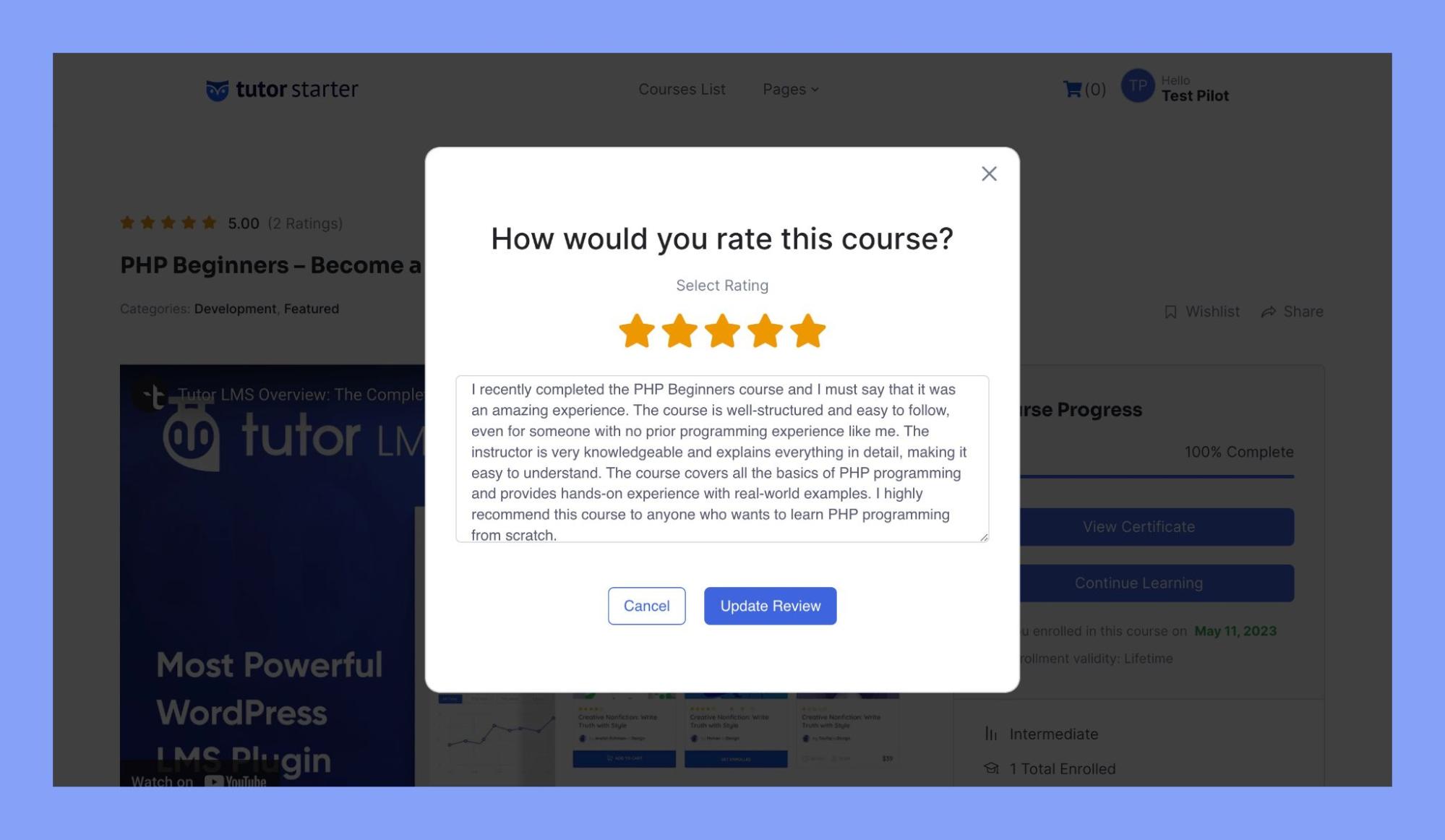
Step 1: Login to Your Tutor LMS Dashboard
Begin by logging into your WordPress account and navigating to your Tutor LMS dashboard.
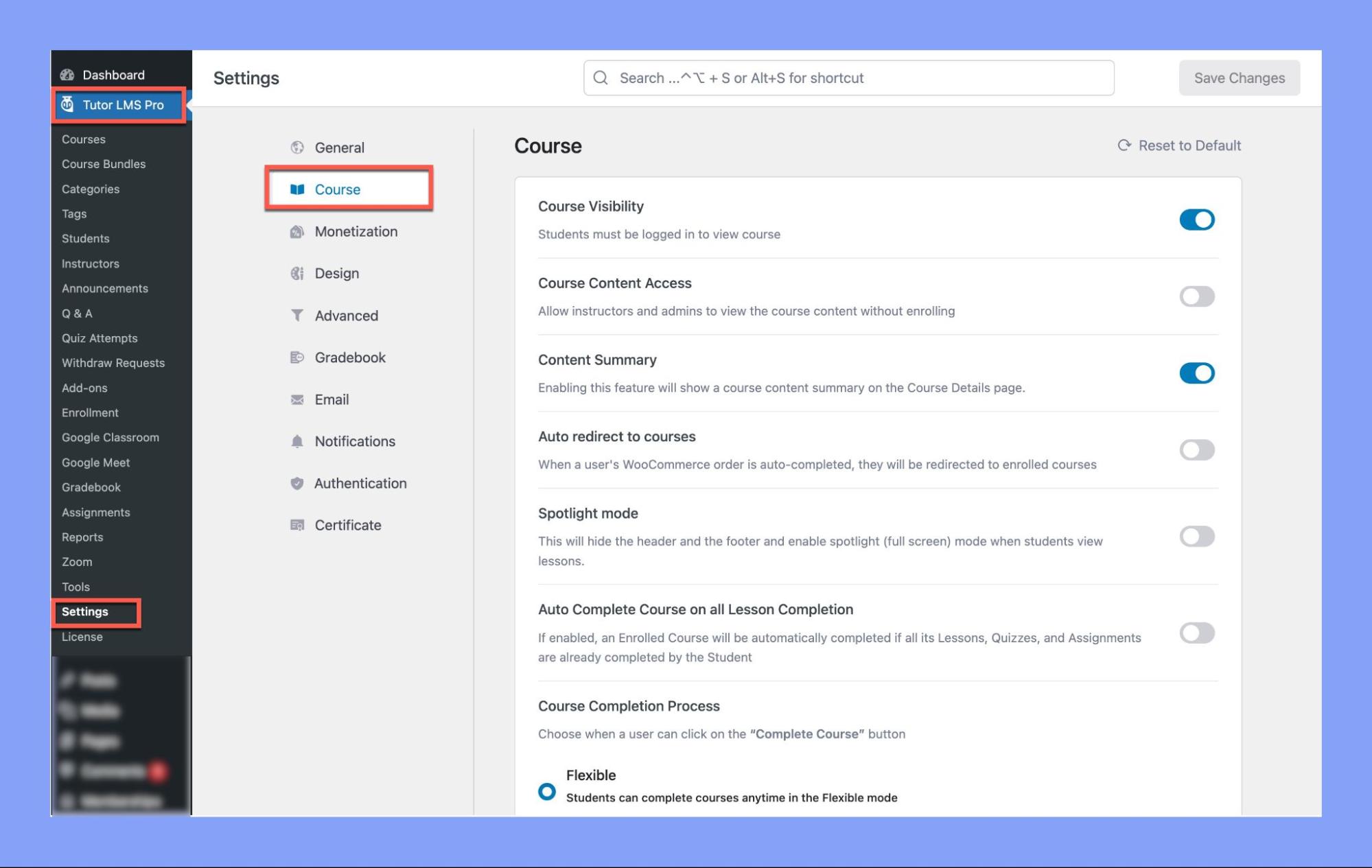
Step 2: Access the Course Settings
Head over to the settings section. Here’s how:
- On your WordPress dashboard, locate Tutor LMS Pro on the side menu.
- Hover over Tutor LMS Pro and click on Settings.
- Inside settings, click on Course.
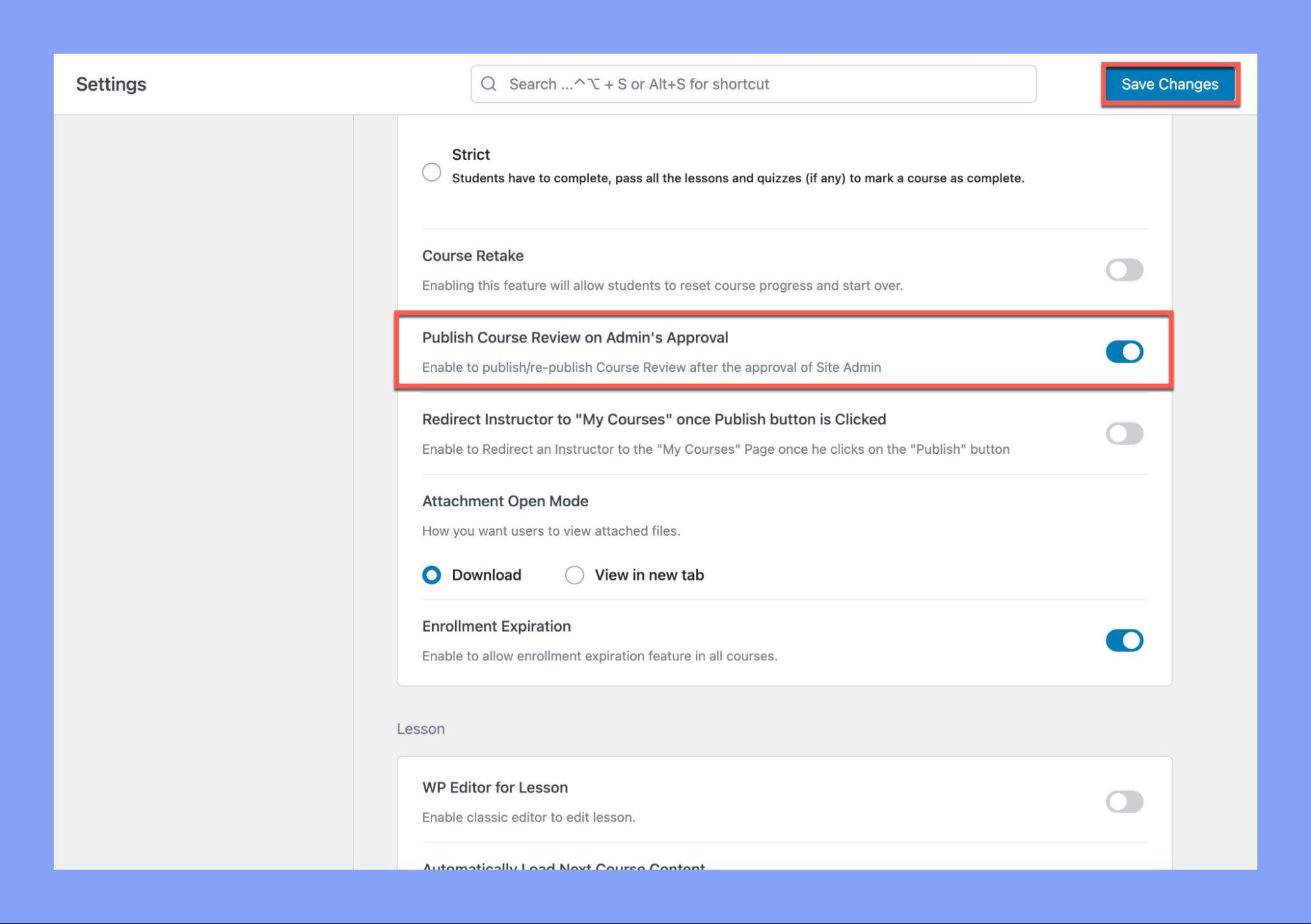
Step 3: Enable “Publish Course Review on Admin’s Approval”
- In the Course section, scroll down until you see the Publish Course Review on Admin’s Approval option.
- Enable this feature by clicking on the button beside it.
- Don’t forget to save the changes!
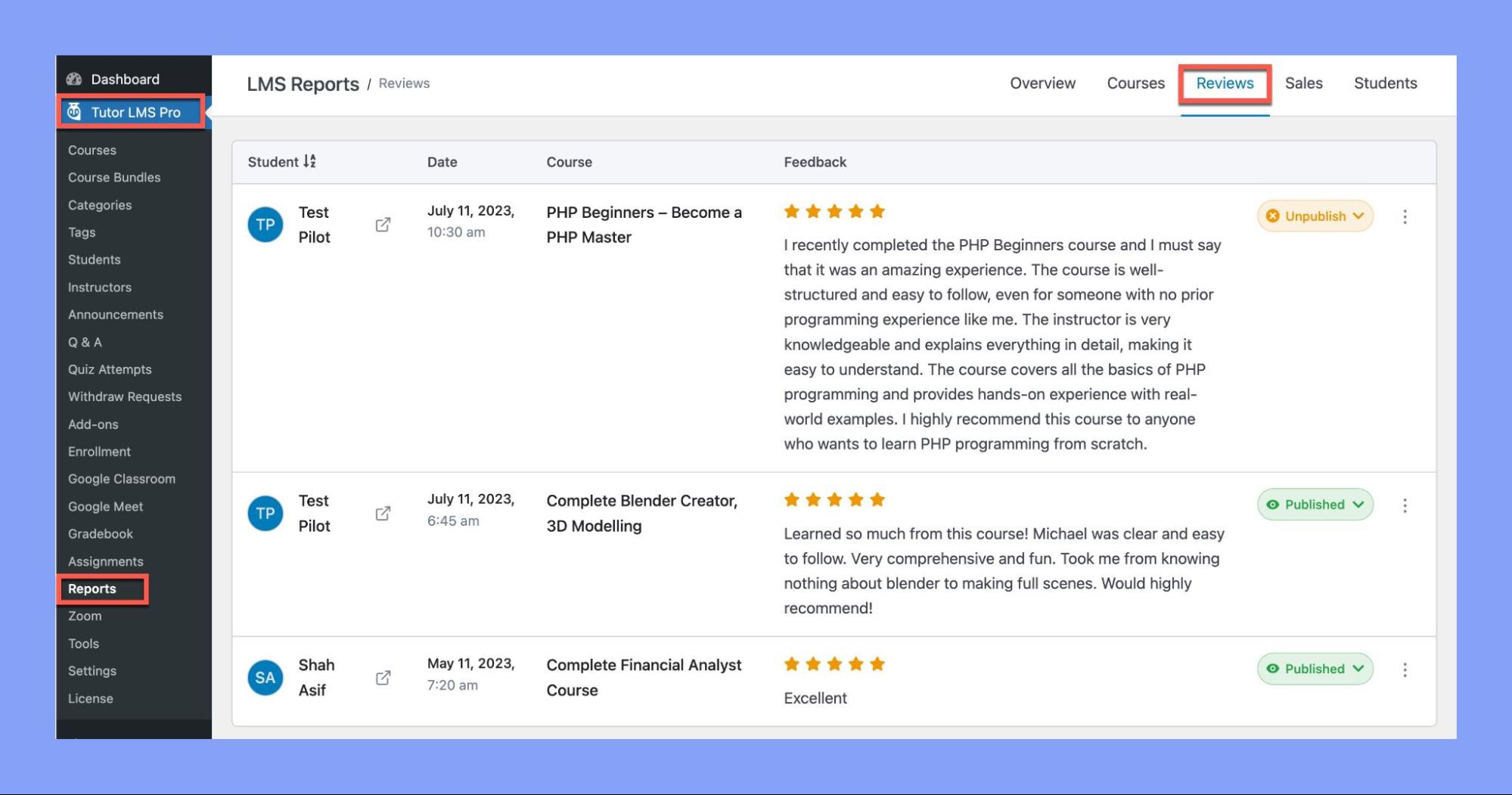
Step 4: Managing Course Reviews
Now that you have activated the “Publish Course Review on Admin’s Approval” option, you can start managing your course reviews.
- Head over to your WordPress dashboard and locate Tutor LMS on the side menu.
- Hover over Tutor LMS and click on Reports.
From the menu, click on Reviews. This will take you to a screen where you can see all the course reviews left by customers.
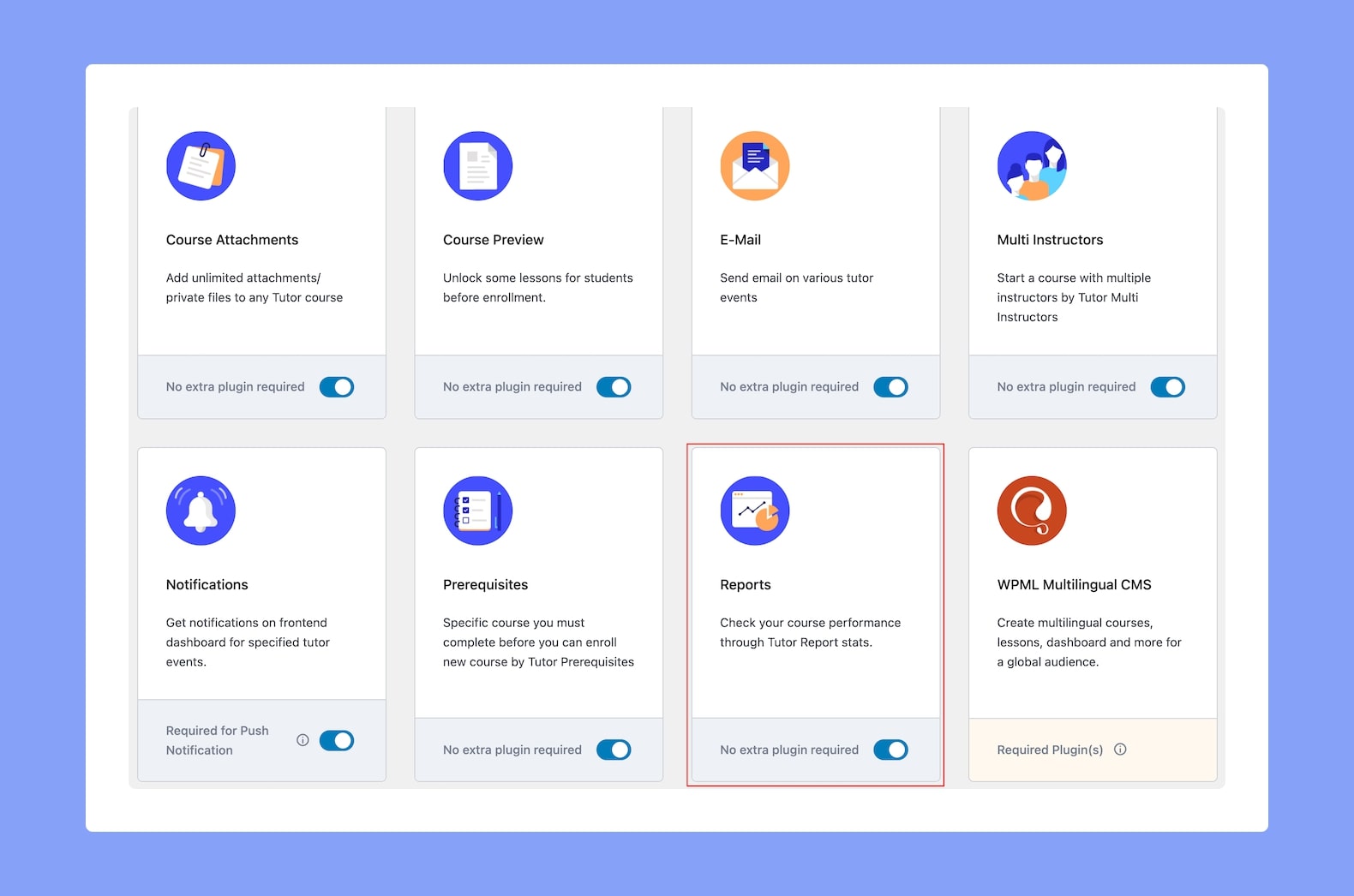
To enable the Reports addon, go to Tutor LMS Pro > Add-ons and toggle the button beside the Reports addon.
Now, let’s look at the management options you have:
Publish or Unpublish Reviews
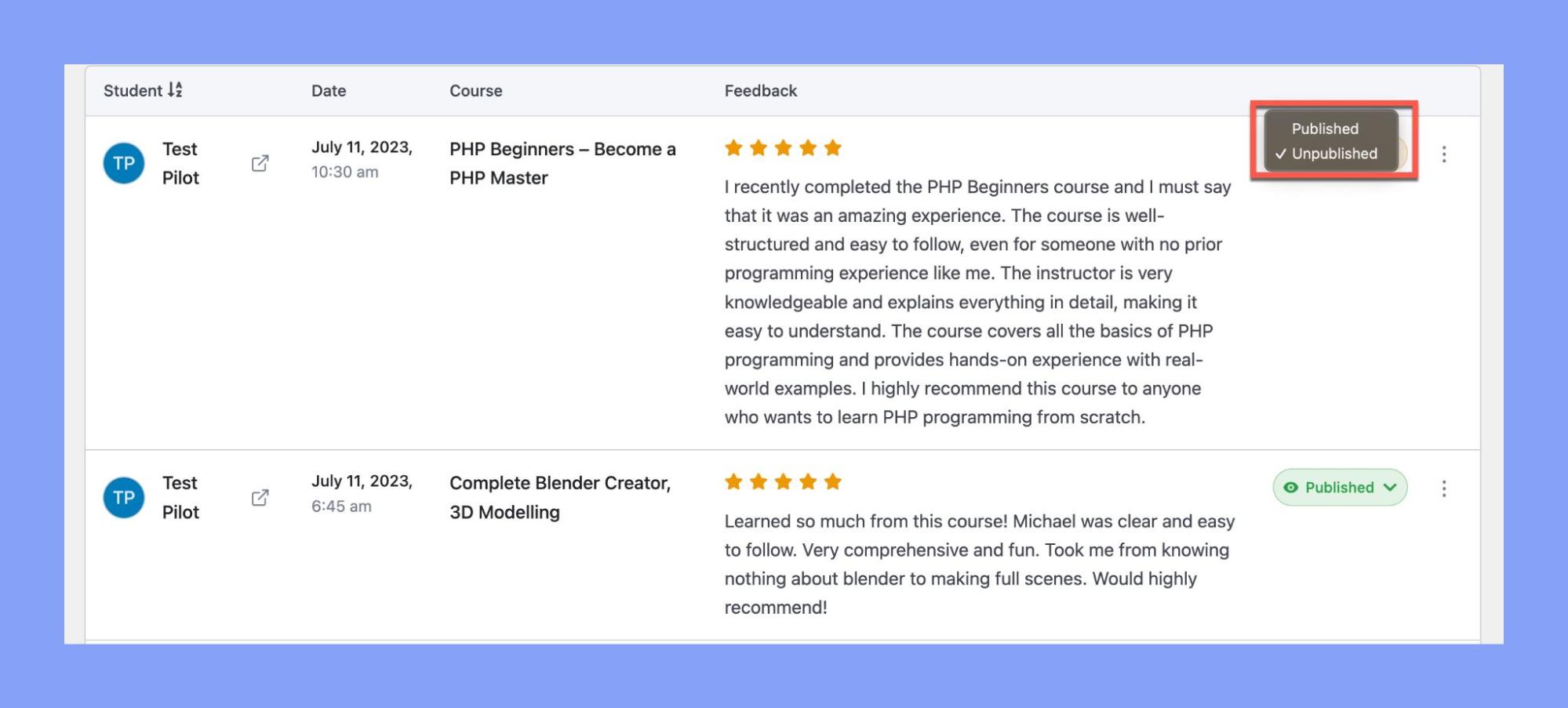
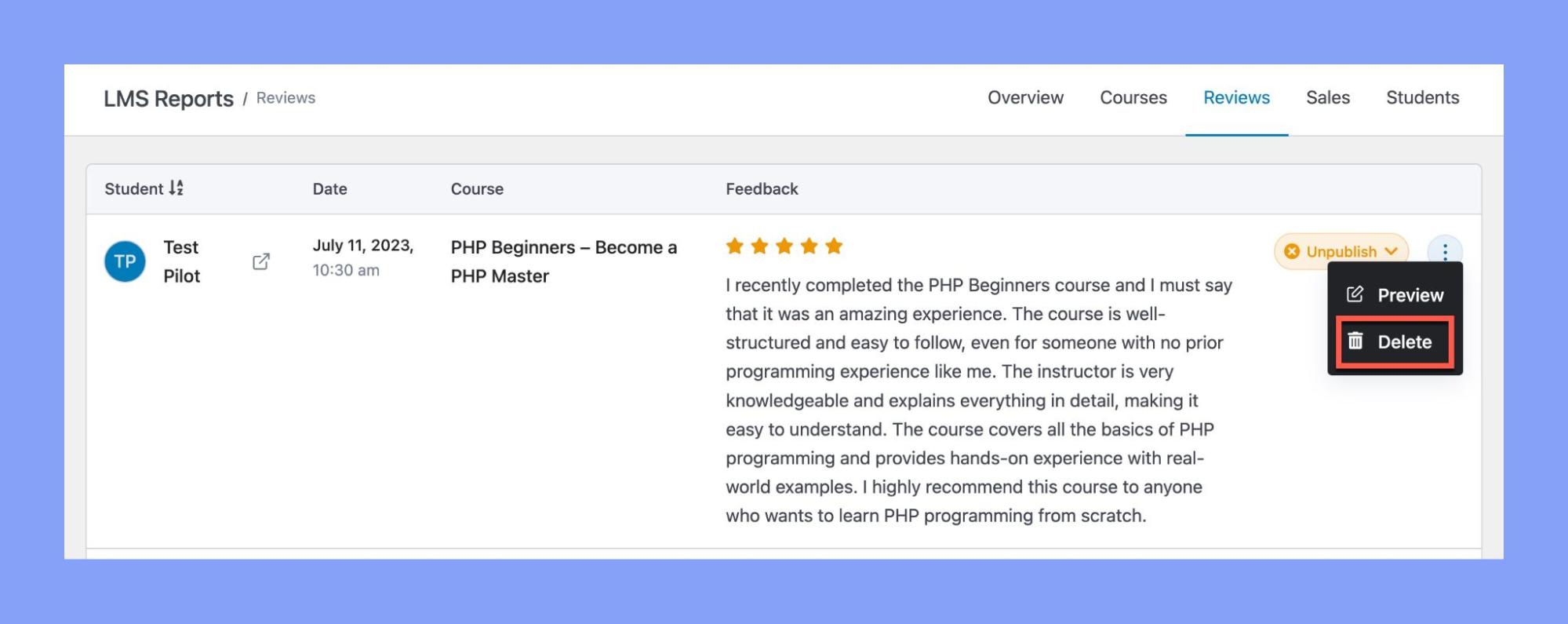
- To publish a review, click on the “Change Couse Review Status” button to the right and select the Publish button. This will make the review visible to the public.
- If you wish to hide a review from public view, simply click on the Unpublish button.
Preview Reviews
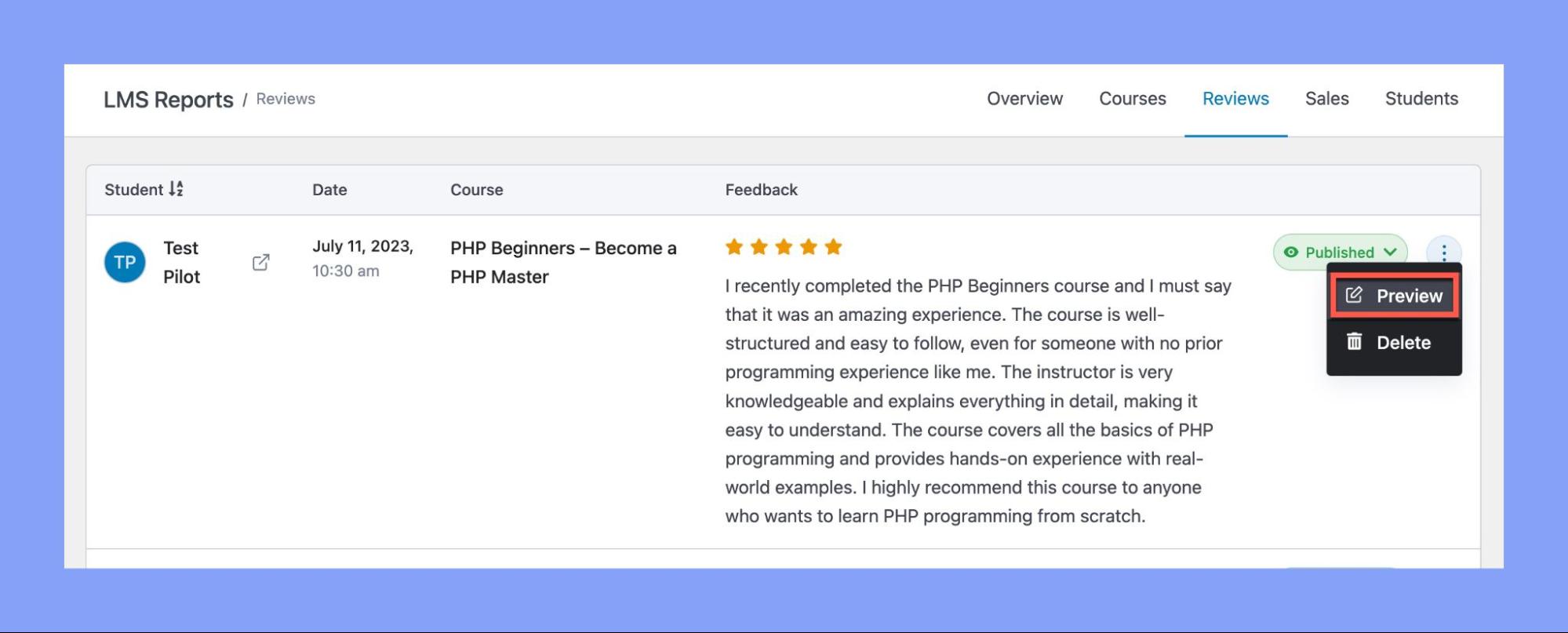
- To see how a review would look like to learners, you can click on the Preview button.
- To do so, make sure to change the comment status to Published.
- Next, click on the kebab menu button located on the right side of the comment and select Preview.
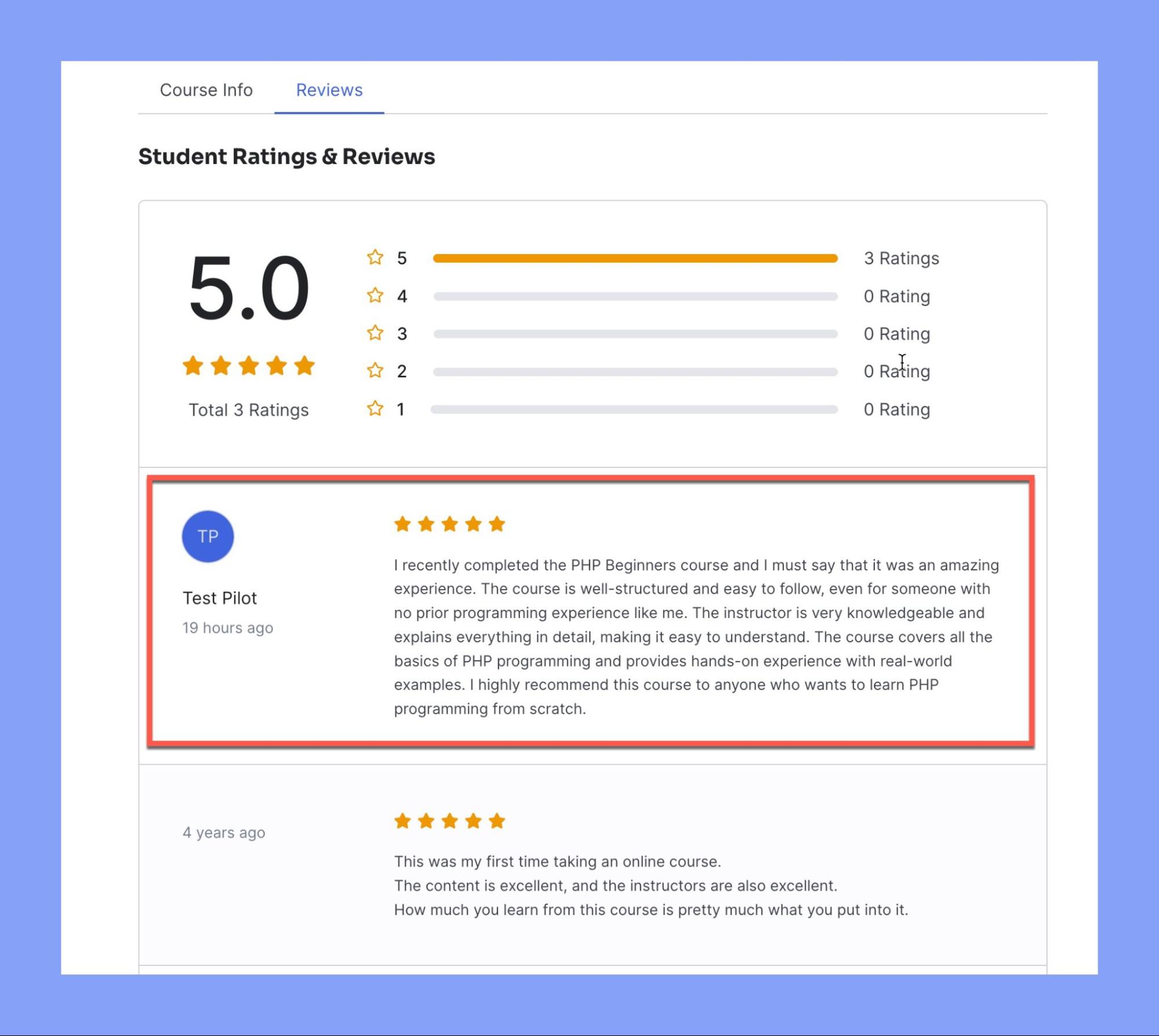
- You will then be redirected to the course homepage, where you can select Reviews to preview the comment.
Delete Reviews
- If you wish to completely remove a review, you can do so by clicking on the Delete button. Remember, this action can’t be undone.
That’s it! You’ve now learned to effectively manage your course reviews in Tutor LMS. Regularly review and manage your feedback to ensure a high-quality learning environment for your students.