BuddyPress Integration
BuddyPress is the most famous social media plugin for WordPress. It adds peer-to-peer messaging, following, notifications, groups, and many other common social media features within your WordPress site.
System Requirements
To use this addon without issues make sure you have the following plugins installed and activated:
- Tutor LMS plugin version 3.1.0 or later
- Tutor LMS Pro plugin version 3.1.0 or later
- BuddyPress Plugin version 14.0.0 or later
Necessary BuddyPress Component
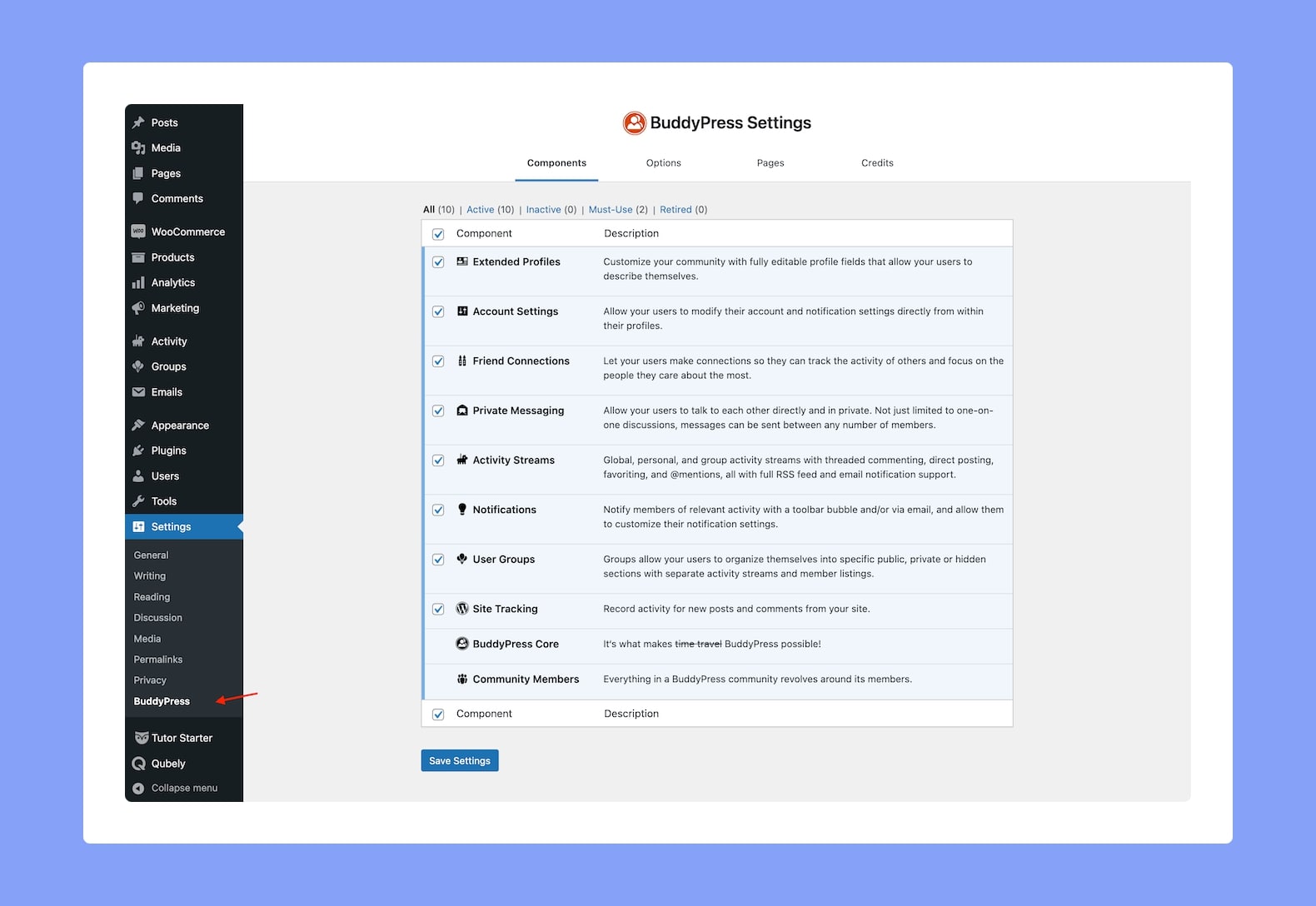
For the Tutor LMS BuddyPress Integration to work properly, you need to first enable all of the necessary BuddyPress components. You can do this from WP Admin > Settings > BuddyPress > Components.
Here, Private Messaging and User Groups are two core components of BuddyPress that you must enable for this integration. The rest you can enable according to your needs. Options include:
- Private Messaging
- User Groups
- Friend Connections
- Activity Streams
- Notifications
- And more!
Enable the Addon From Tutor LMS
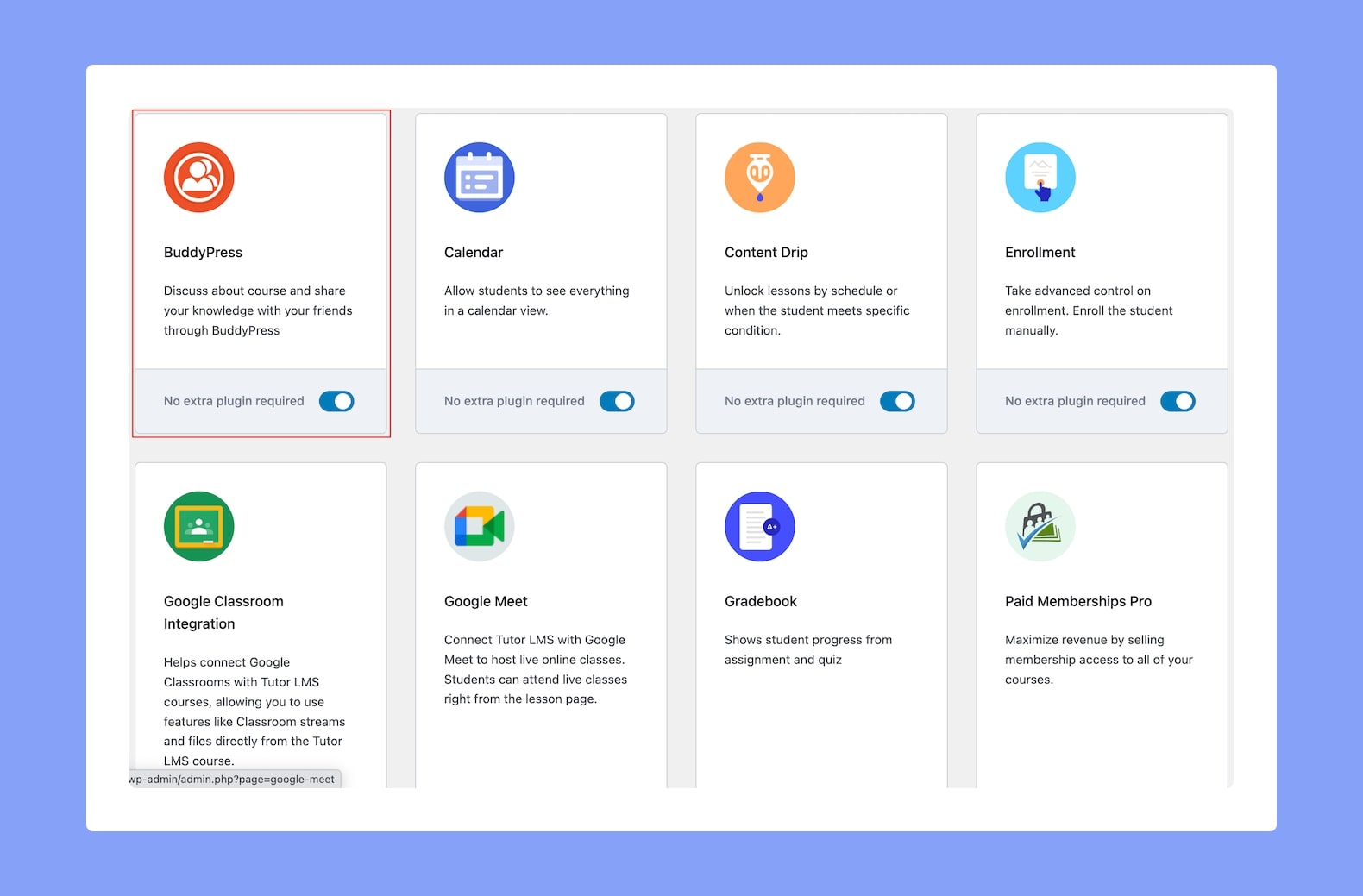
Next, to use this feature, you need to enable the BuddyPress Integration Addon from WP Admin > Tutor LMS Pro > Addons.
Link a BuddyPress Group To a Course
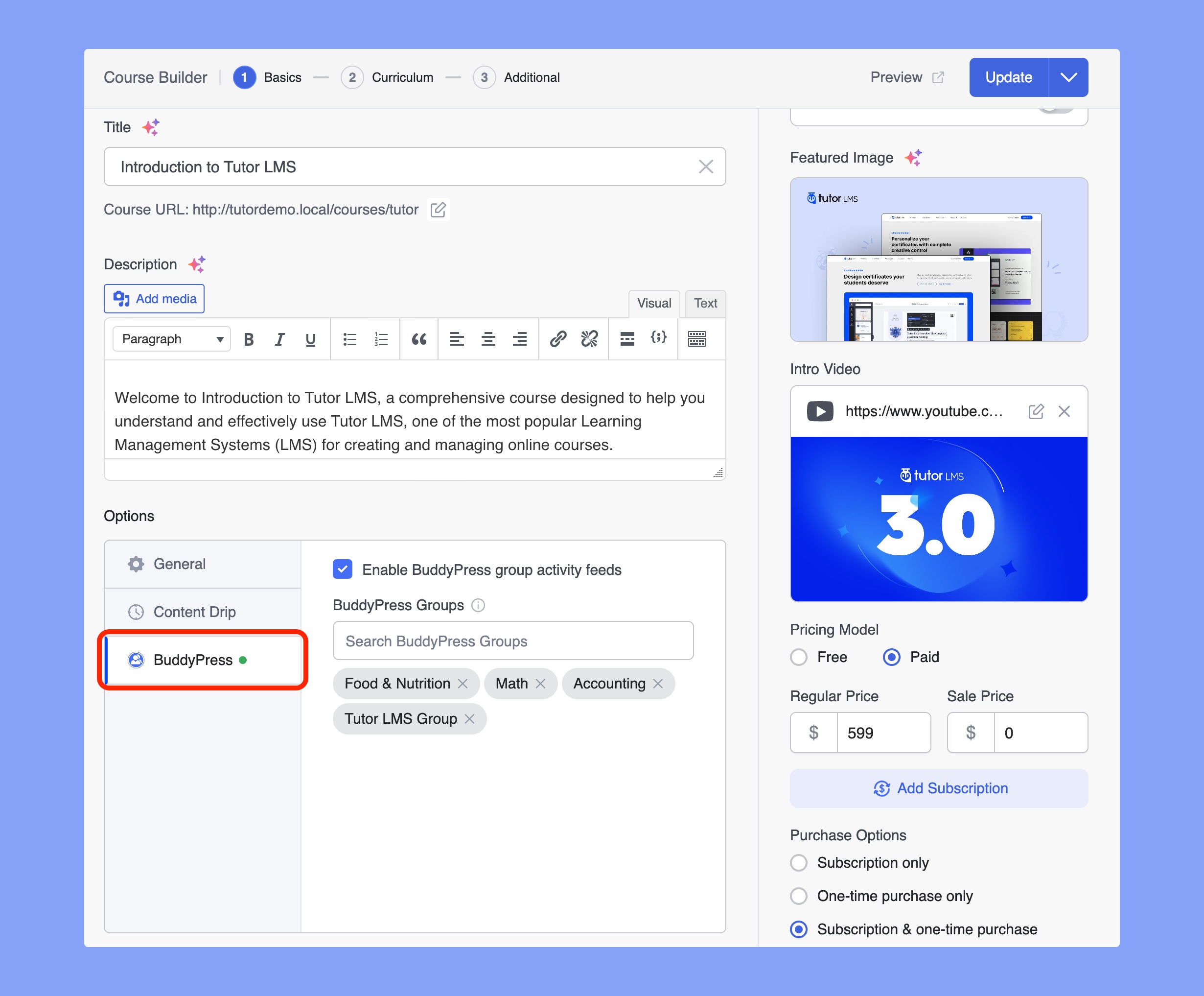
After enabling the Tutor LMS BuddyPress Addon, you will be able to link your Courses to a BuddyPress Group. While creating or editing a course, scroll down to the Course Options section where you’ll find a new tab called BuddyPress.
Enable the BuddyPress group activity feed. Then, define the group you want to bind it to on the next field. You need to create this group beforehand from WP Admin > Groups > Add New. You can learn the group creation process from here.
Course Activity Settings
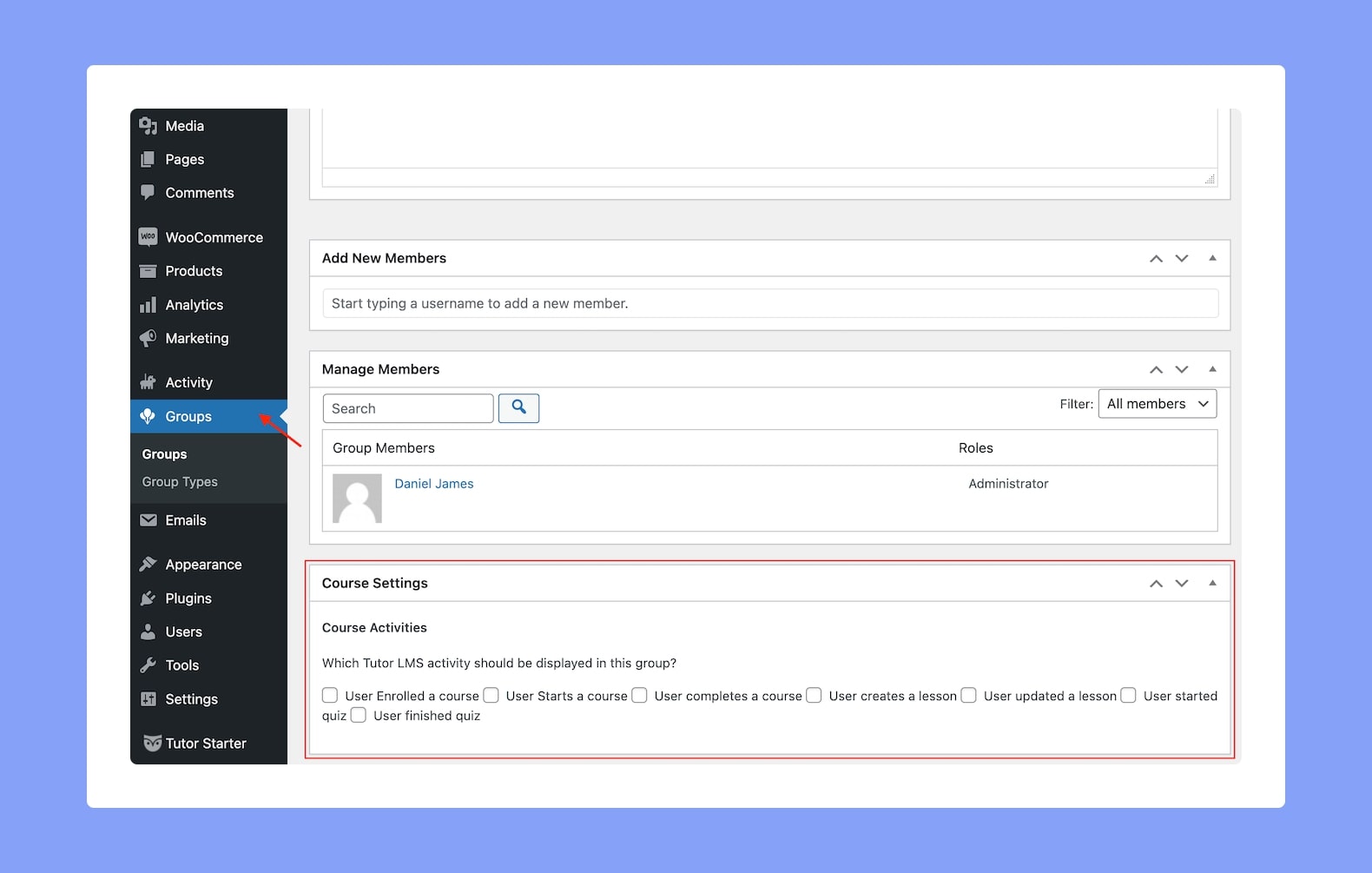
You can also configure which activity details you want to show in the BuddyPress Group’s Activity Tab on the frontend. To do this, go to WP Admin > Groups and open the group you connected to your Tutor LMS course.
Here, scroll down to the Course Activity section where you’ll find the following activity options:
- User Enrolled a Course: When a user enrolls for a course.
- User Starts a Course: When a user starts the specific Tutor LMS course.
- User completes a course: When a user hits the complete button for the course.
- User Creates a Lesson: When a user with the set permissions from settings creates a course.
- User Updates a Lesson: When a user updates a course lesson.
- User Started Quiz: When a user starts a quiz from this course.
- User Finished Quiz: When a user finishes a quiz from this course.
Frontend View
That’s all you need to do to integrate your BuddyPress group with a specific Tutor LMS course. On the frontend, a user will be able to see the details of the group such as the activity of the members, course groups that they have been added to, etc.