Tutor LMS Pro License
To get all the benefits of the premium plugin in your future endeavors, you need to activate the license of the Tutor LMS plugin. Please note that license activation is required to
- Get future updates of the Tutor LMS Pro plugin
- Get the latest bug fixes
- Stay secure with the latest security patches
- Compatibility with the latest WordPress and PHP versions
After you have installed the Tutor LMS Pro plugin, navigate to the license activation page.
Go to the following page (Tutor LMS Pro → Settings → License) to find the license activation page. There, you will need to input your license key to activate the pro version of Tutor LMS.
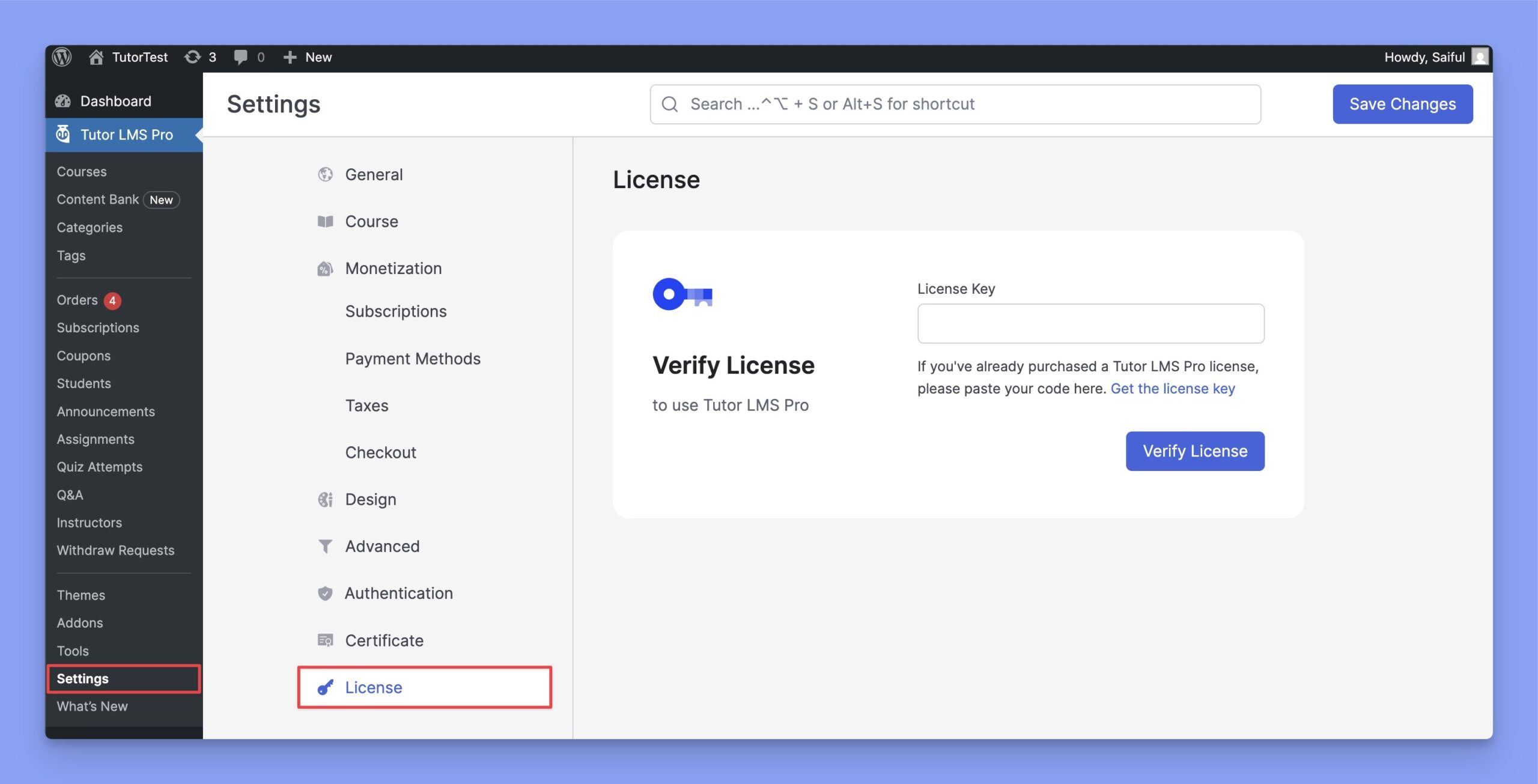
Get License
You will also find your license key for the plugin on your “Licenses” page.
This Subscriptions page lists all your purchased plans, payment history, and previously generated licenses from the Licenses tab.
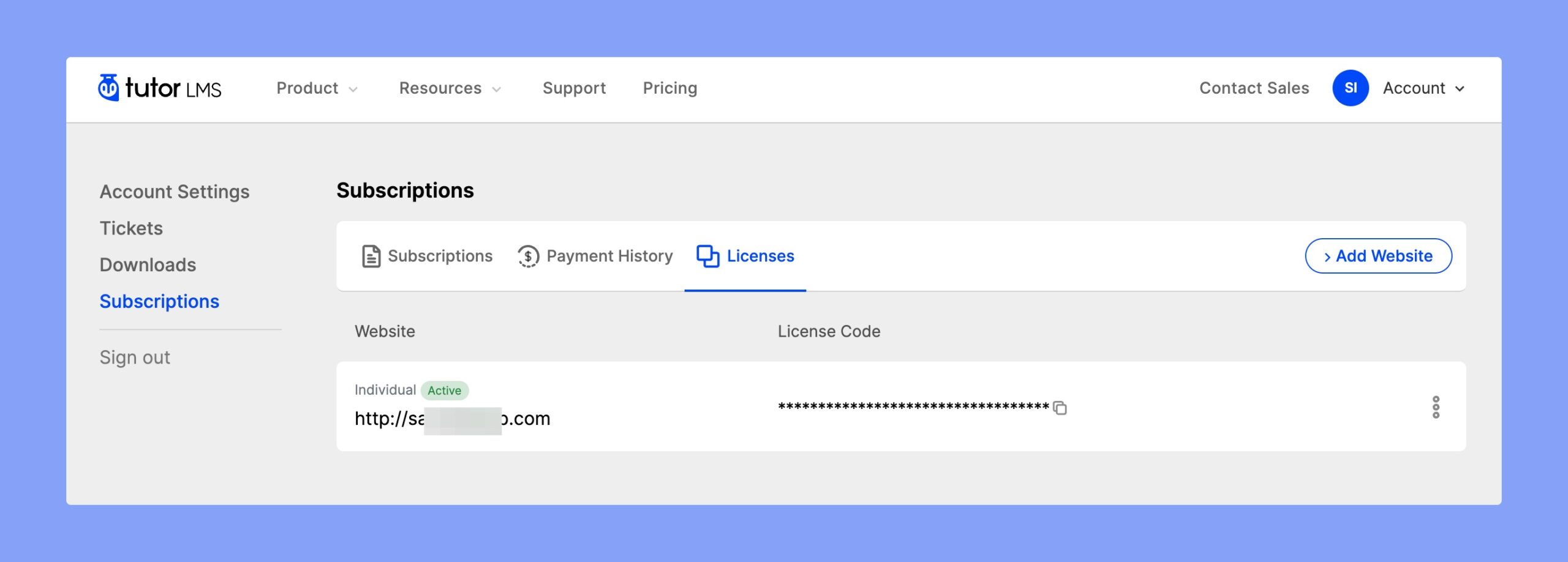
Note: You must log in with your credentials to generate a Tutor LMS license for your website.
Add your Website
This button allows you to add a new website to your plan and then generate a license key for that website.
To add a new website to your list, simply click “Add Website” and then input your website URL.
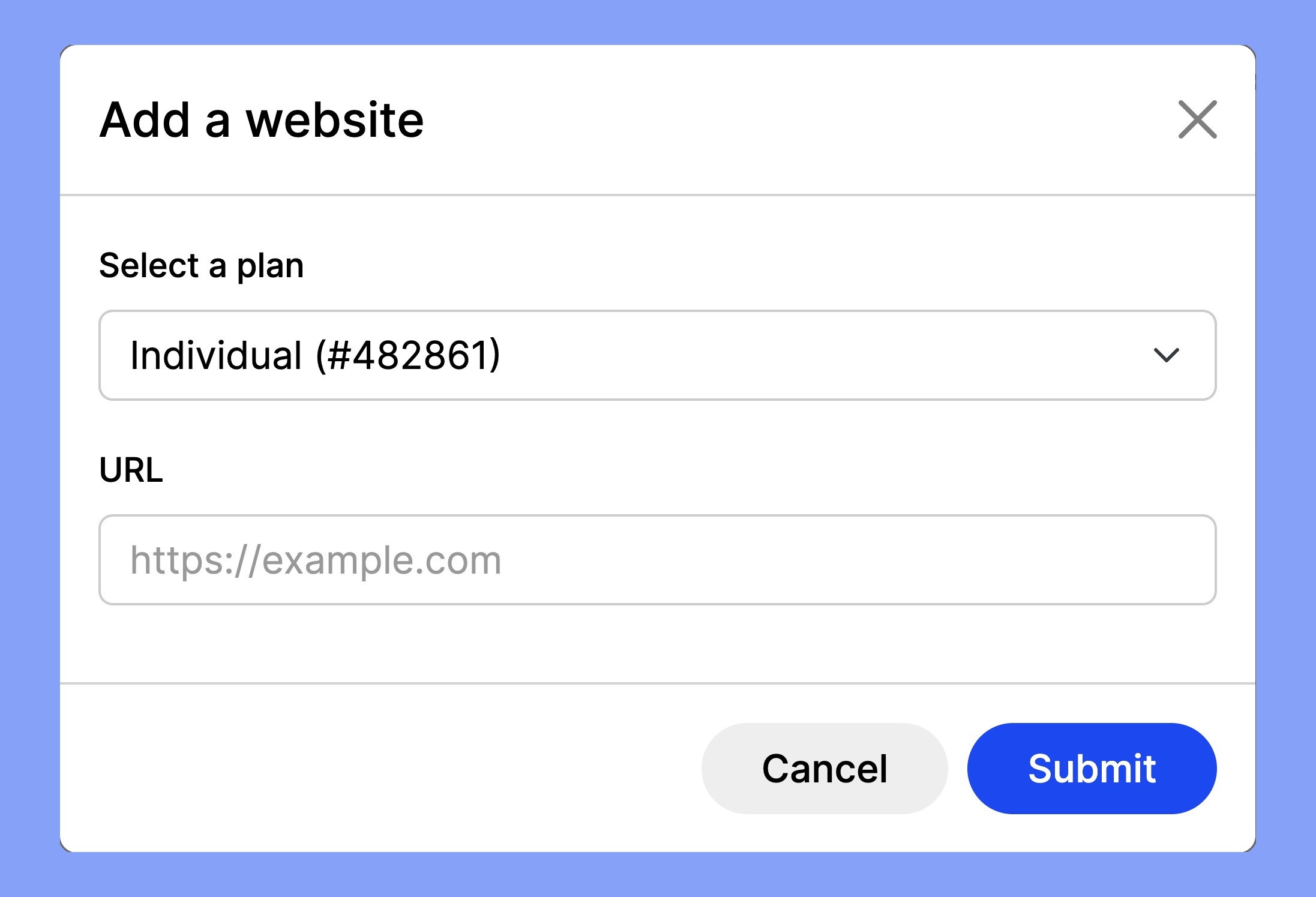
Please do not manually type in the URL, as it might lead to mistypes, in which case the license will not work, copy and paste directly from the browser address bar.
Click on the Submit button to save your entry, and it will be added to your list of websites. From the list, you can then copy your newly generated license key by clicking the copy icon.
Activate your License Key
After you have copied your License Key, head to your website’s WP Admin panel, and then navigate to Tutor LMS Pro → Settings → License, and then paste the key in the appropriate input field. Finally, click on “Verify License” to activate your Pro plugin.
You will be redirected to the Tutor LMS website to connect your License Key. If you are not logged in, please log in first.
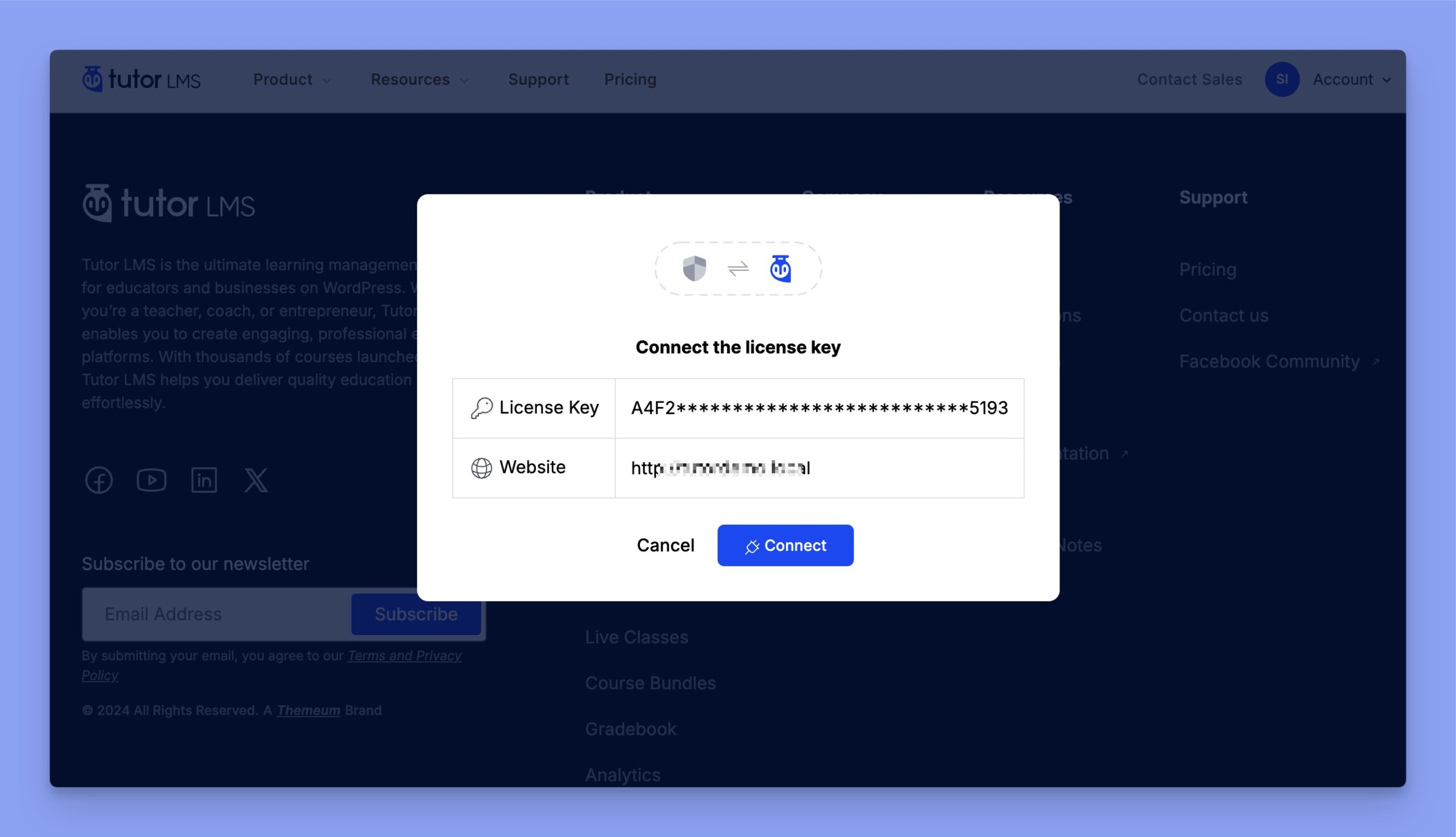
Finally, click the “Connect” button to activate your License Key automatically.
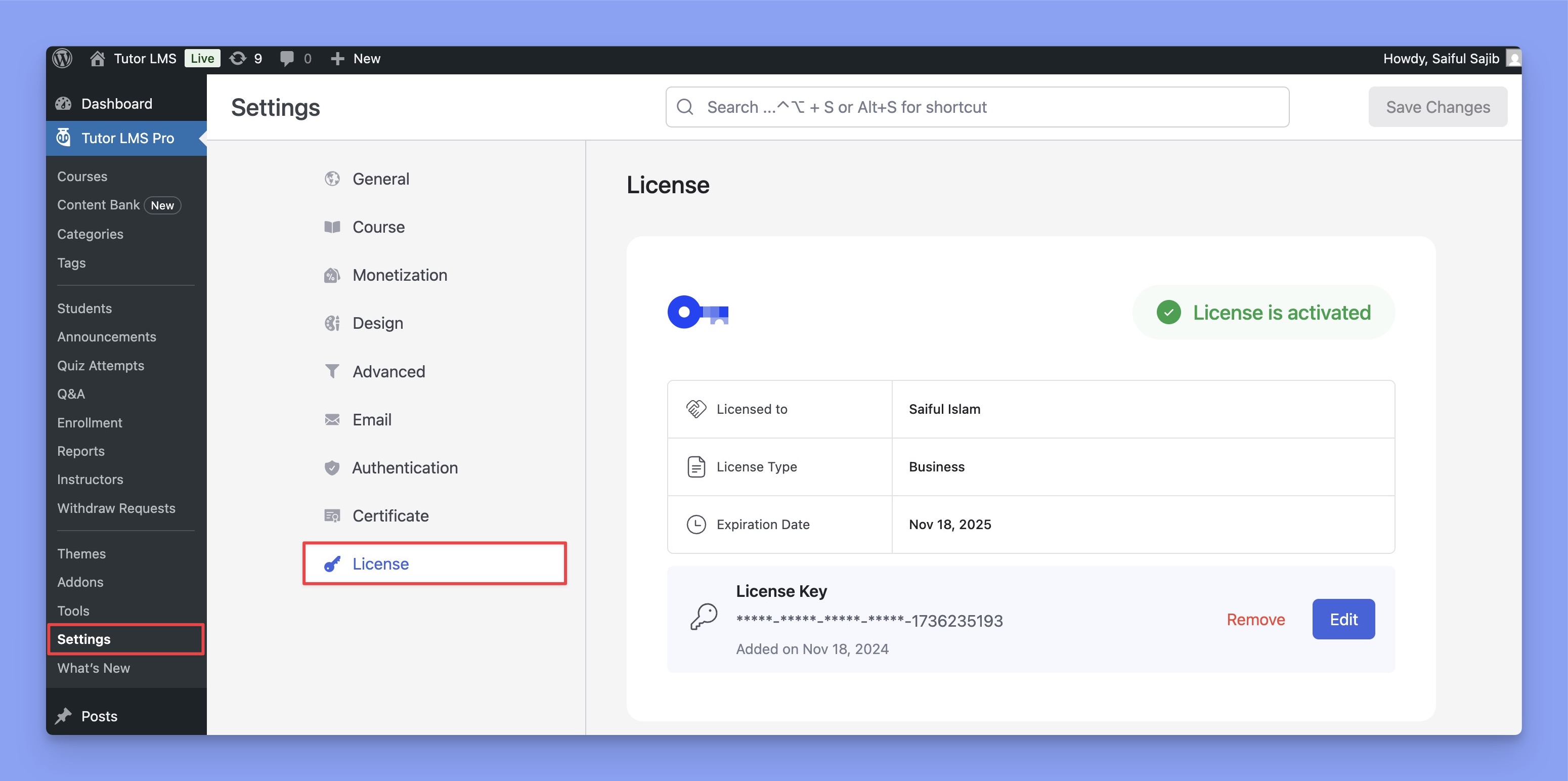
Congratulations! Now, you can avail all the premium features the pro plugin has to offer.
Downloads
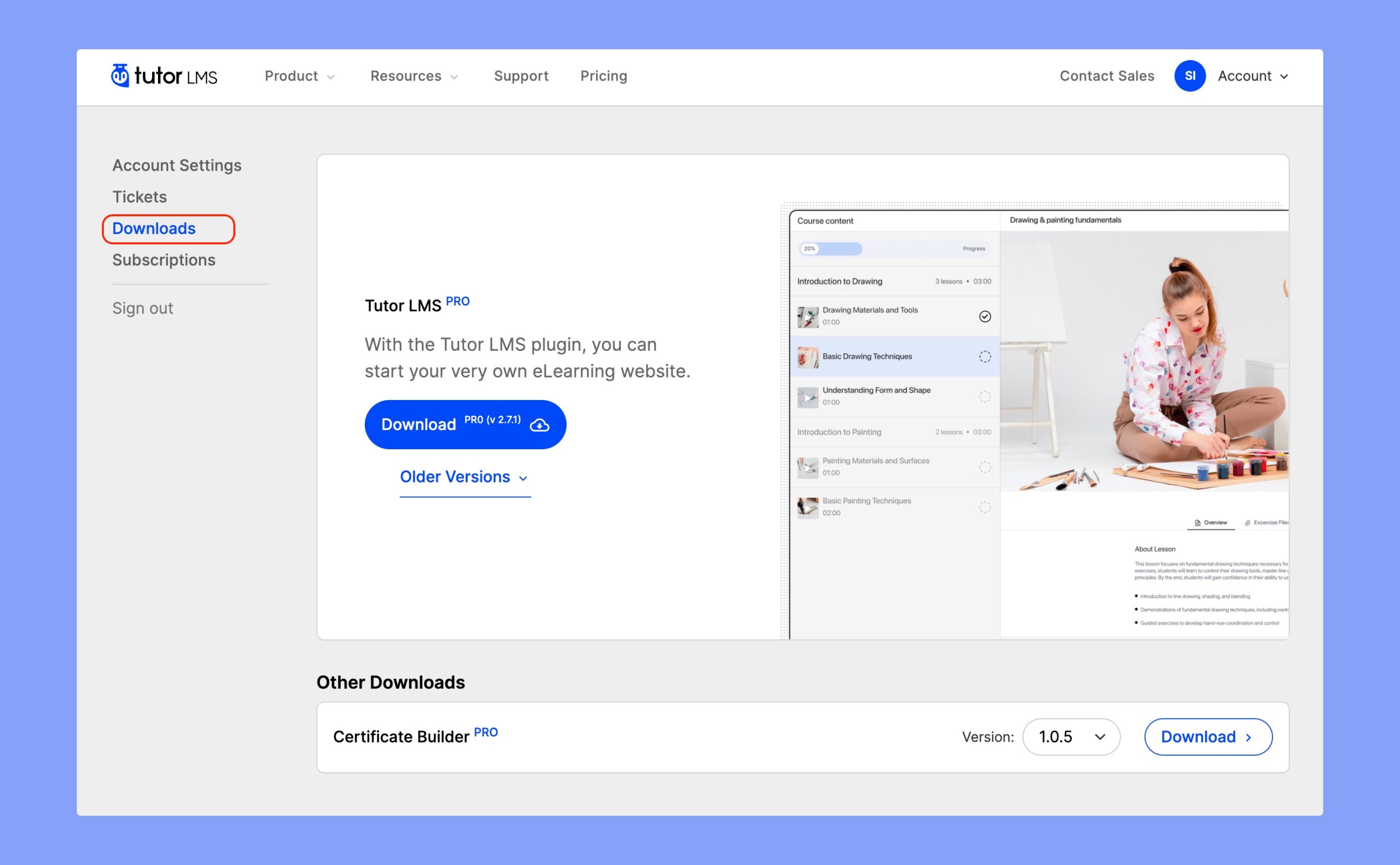
You can download the Tutor LMS Pro from the Downloads page. You can also download previous versions from this page if you need to perform a rollback.
Troubleshooting and FAQ
- I can’t activate my key. What should I do?
There are a few reasons that can cause errors while activating your products. You may either mistype your website’s URL or license key. Otherwise, your Tutor LMS Pro will be activated without any issues.
- What happens after the license expires?
After your license expires, you will stop receiving future updates. This includes automatic updates containing new features, security fixes, and improvements to the product. However, you will still be able to use the plugin as you did before without any disruption to your site.