Fill in the Blanks
Fill in the Blanks
The “Fill in the Blanks” question type in Tutor LMS lets instructors create quiz questions where learners complete sentences by filling in missing words or phrases.
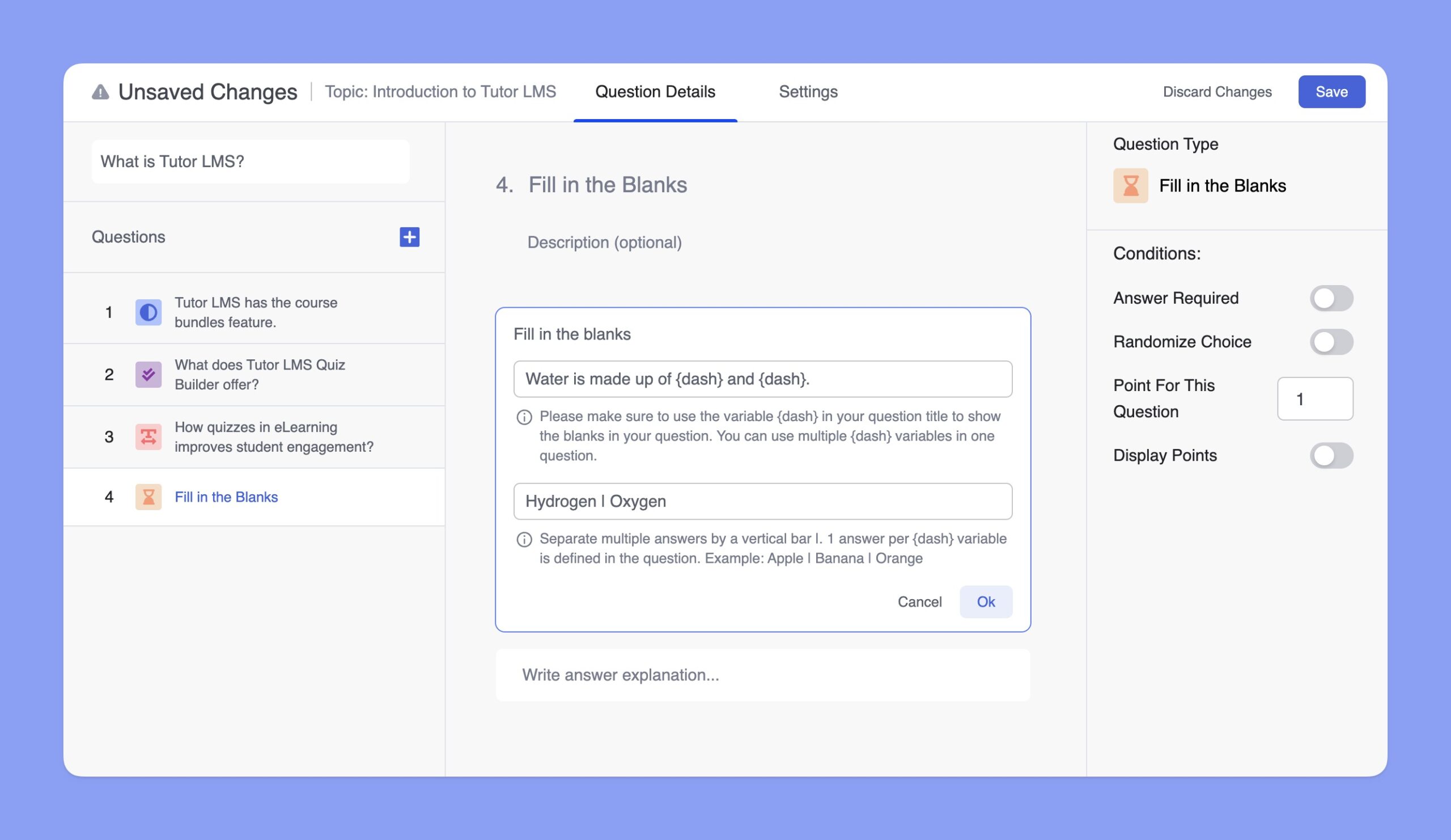
To create this quiz, you have to select the Fill in the Blanks quiz type. There, you can add the title and description of the quiz. Up next, you have to add the question and its answers.
To indicate a blank space where the learner needs to input an answer, the instructor must use the variable {dash}. Below the title field, there is a Correct Answer(s) input box. This is where the correct answers for the blanks are specified.
If there is only one blank in the question, the correct answer is simply written as is. However, if there are multiple blanks, the answers must be listed in the same order as the blanks appear in the question. These answers are separated by a vertical bar (|).
Here’s a sample question: “Water is made up of {dash} and {dash}.” The correct answers are Hydrogen and Oxygen. So, you should enter the answers as “Hydrogen | Oxygen” to mark them correctly.
An optional Answer Explanation section allows instructors to provide detailed feedback or context after the quiz is submitted, enhancing the learning experience. This tool is intuitive and effective for testing knowledge and reinforcing learning.
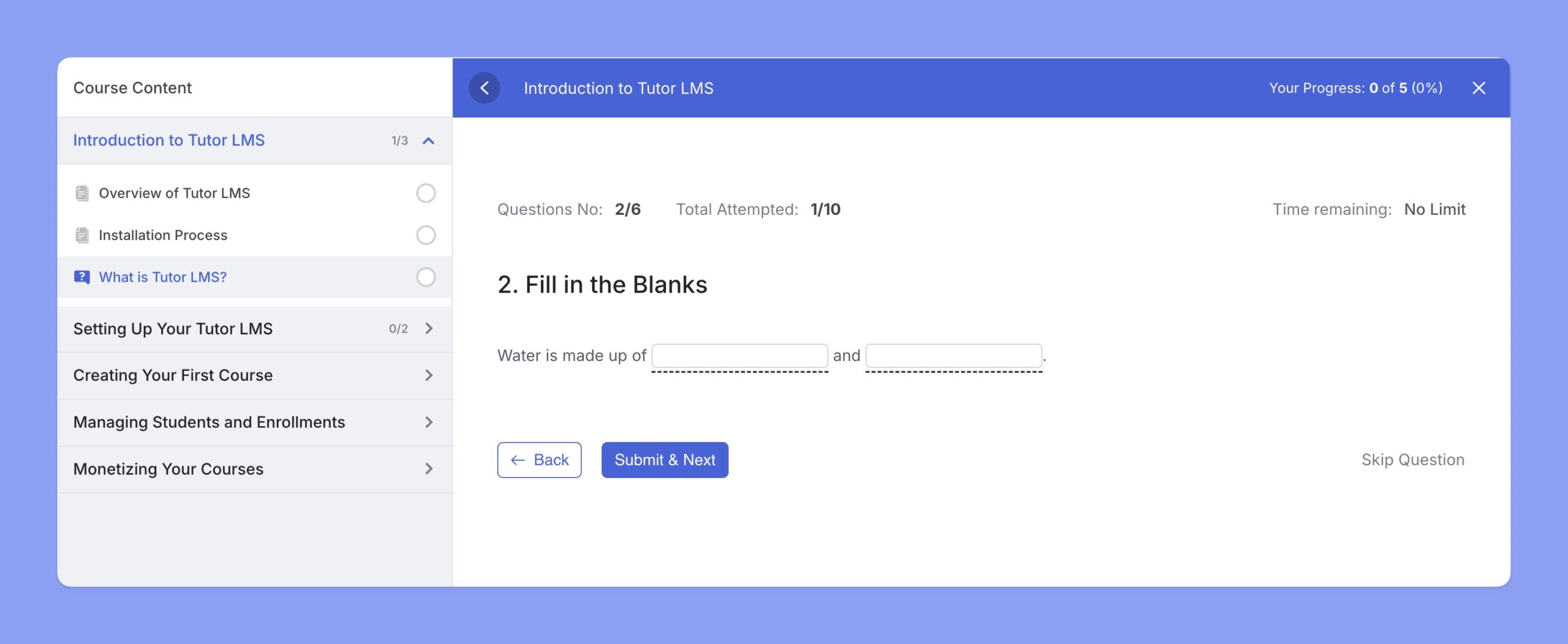
Here’s a preview of this fill in the blanks quiz in the students’ frontend: