How to Add Math Equations in Tutor LMS using LaTex
How to Add Math Equations in Tutor LMS using LaTex
LaTeX is known for its precision and versatility in handling mathematical notation. It is a valuable tool for students, researchers, educators, and professionals related to the mathematics field.
To assist them, Tutor LMS has introduced built-in LaTeX support in the lesson and quiz editors. In the following section, we’ll present the overall process of adding mathematical equations on Tutor LMS using LaTeX.
Prerequisites
You must install and activate the following plugins to write mathematical equations in your Tutor LMS courses.
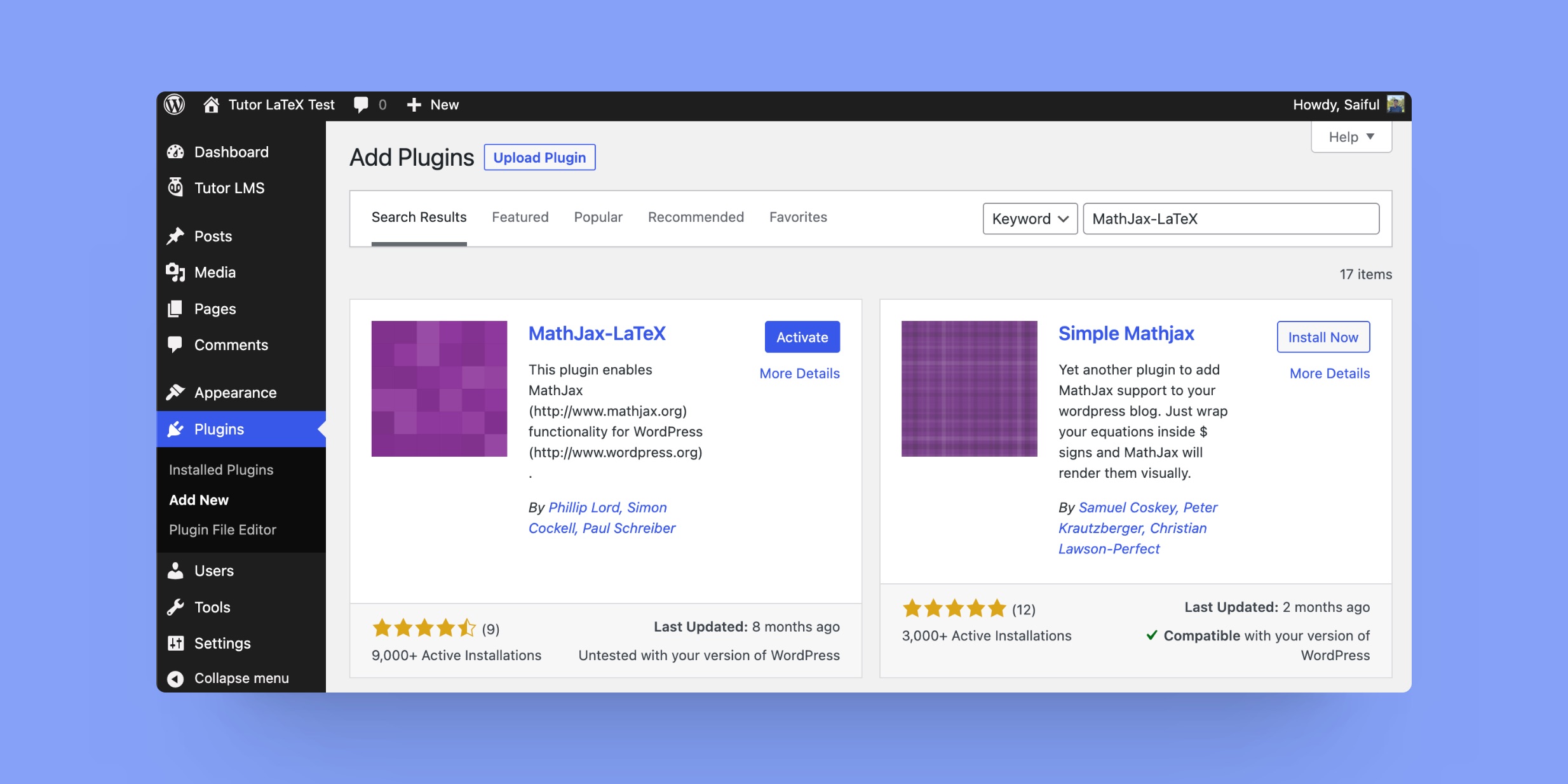
Add a Math Equation using LaTeX
Tutor LMS has built-in LaTeX support for lesson and quiz editors. To write math equations, go to the course builder of a course. Create a lesson and input your LaTeX equation in the Lesson Content section.
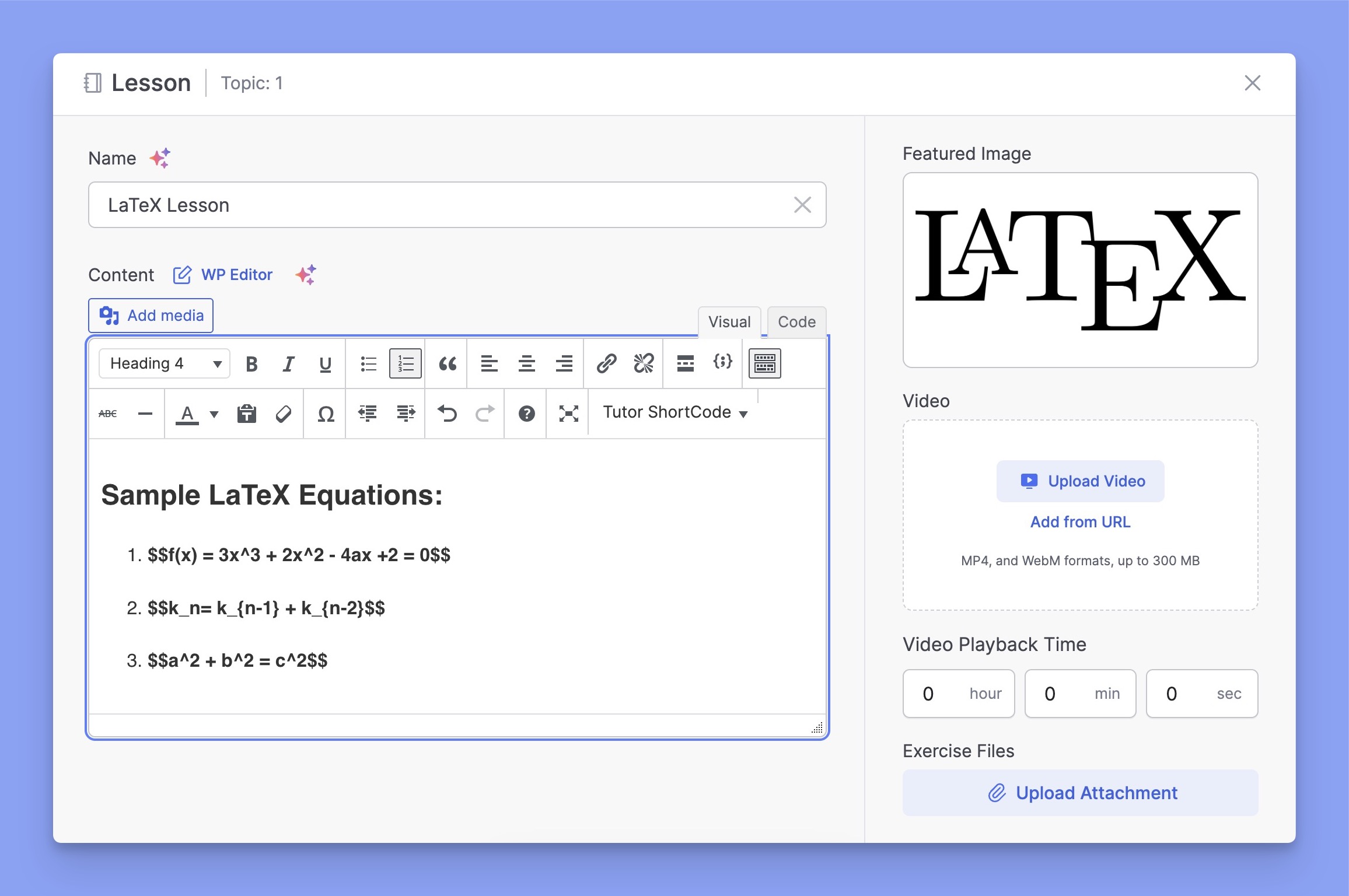
After adding the equations, update the lesson or quiz and check the output.
Here’s the final output in the lesson section:

Troubleshooting
If you are facing issues with the LaTeX equations, you can resolve them by enabling the “Force Load” option. Go to WP Dashboard > Settings > MathJax-LaTeX and enable the Force Load option from there.
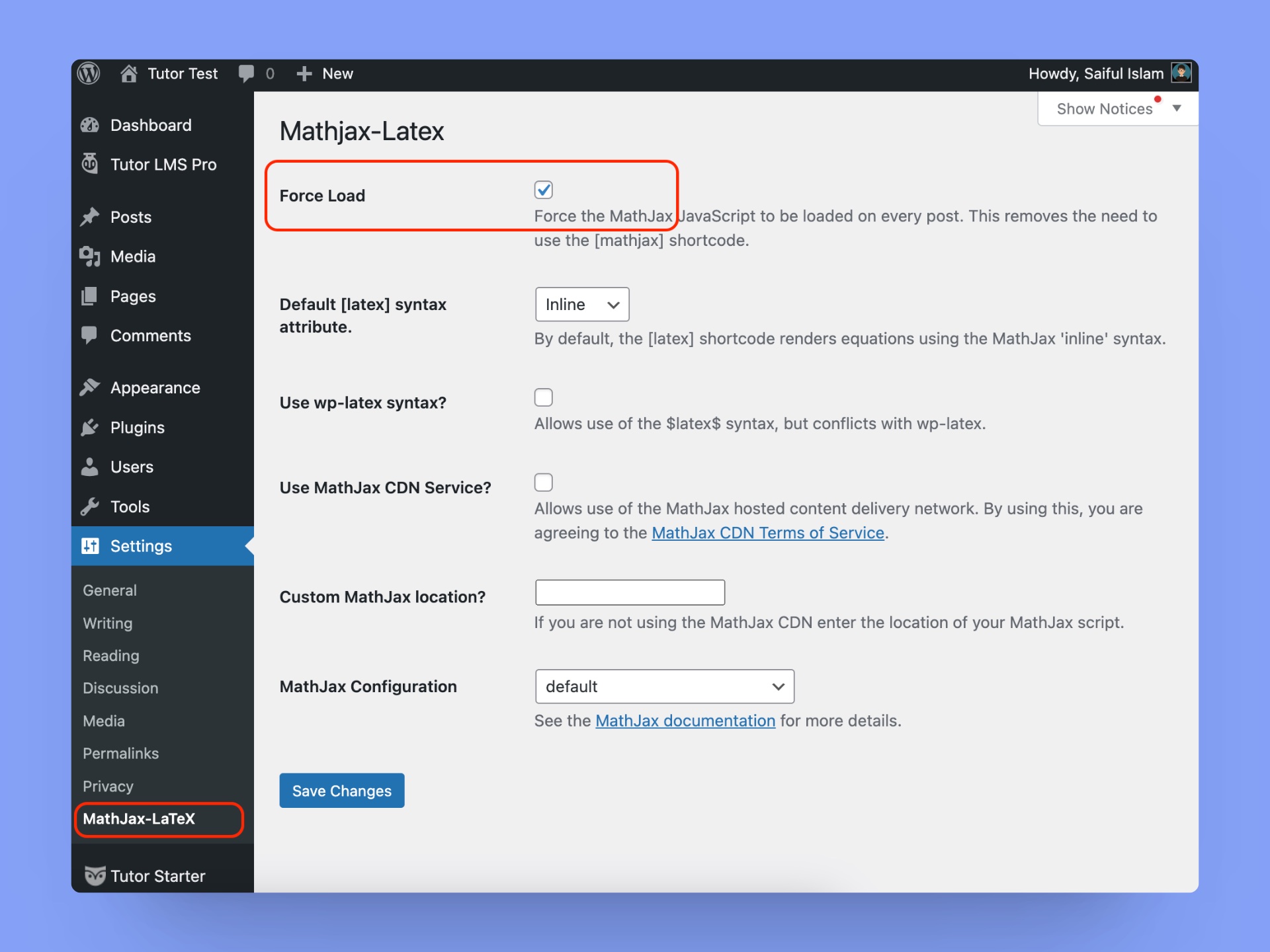
Then click on the Save Changes button below and reload your lesson or quiz page with the LaTeX equation.