Overview
Overview
The Instructor Dashboard in Tutor LMS 4.0 introduces a redesigned interface tailored for operational efficiency and clarity. The Instructor Dashboard has been completely redesigned from the ground up. The entire experience of managing your courses, tracking your earnings, and staying connected with your students has been rethought to be faster, clearer, and more intuitive than ever before.
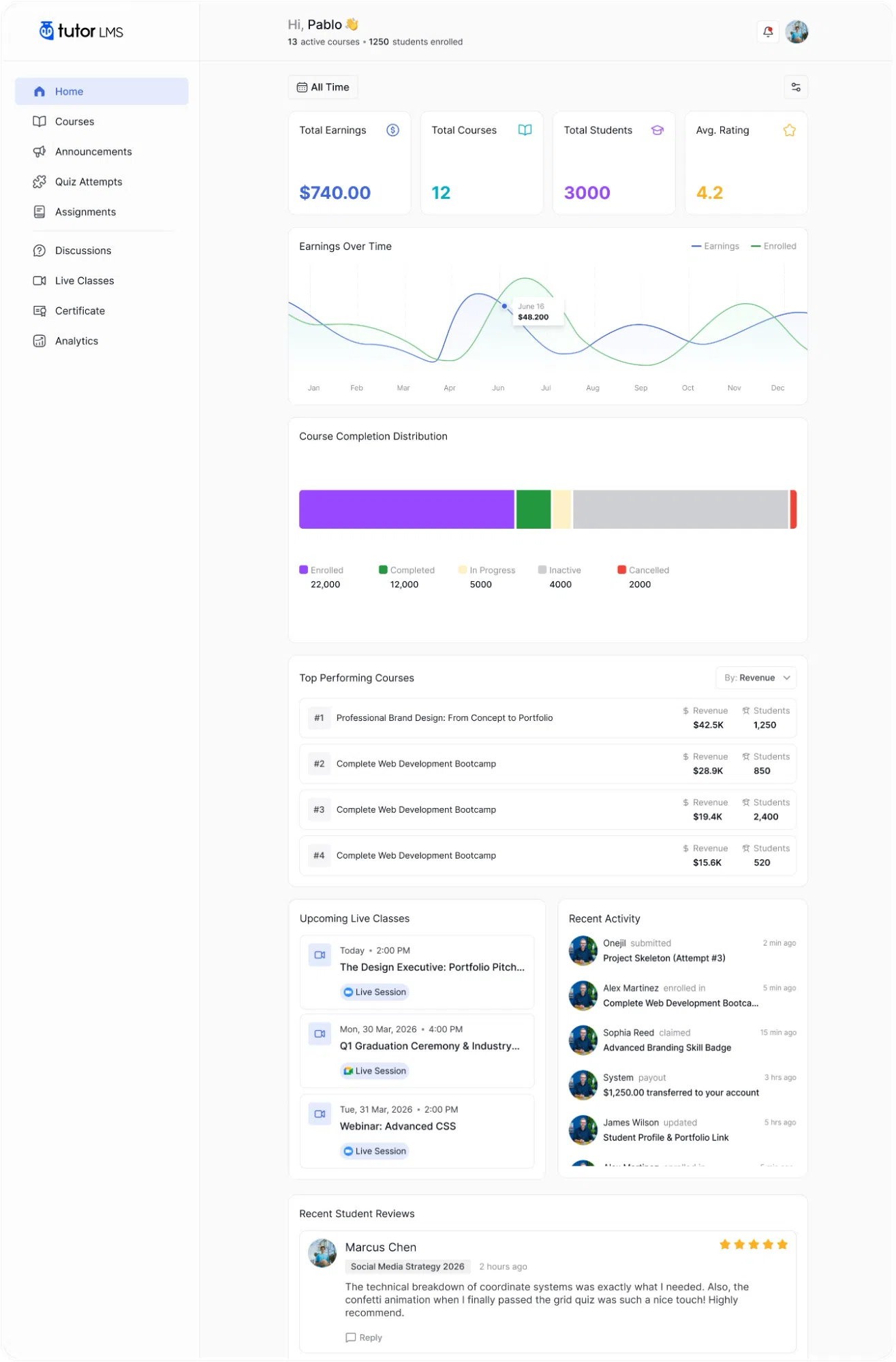
The Modern Instructor Dashboard is the default interface for all new Tutor LMS 4.0 installations. No additional configuration is required to activate it.
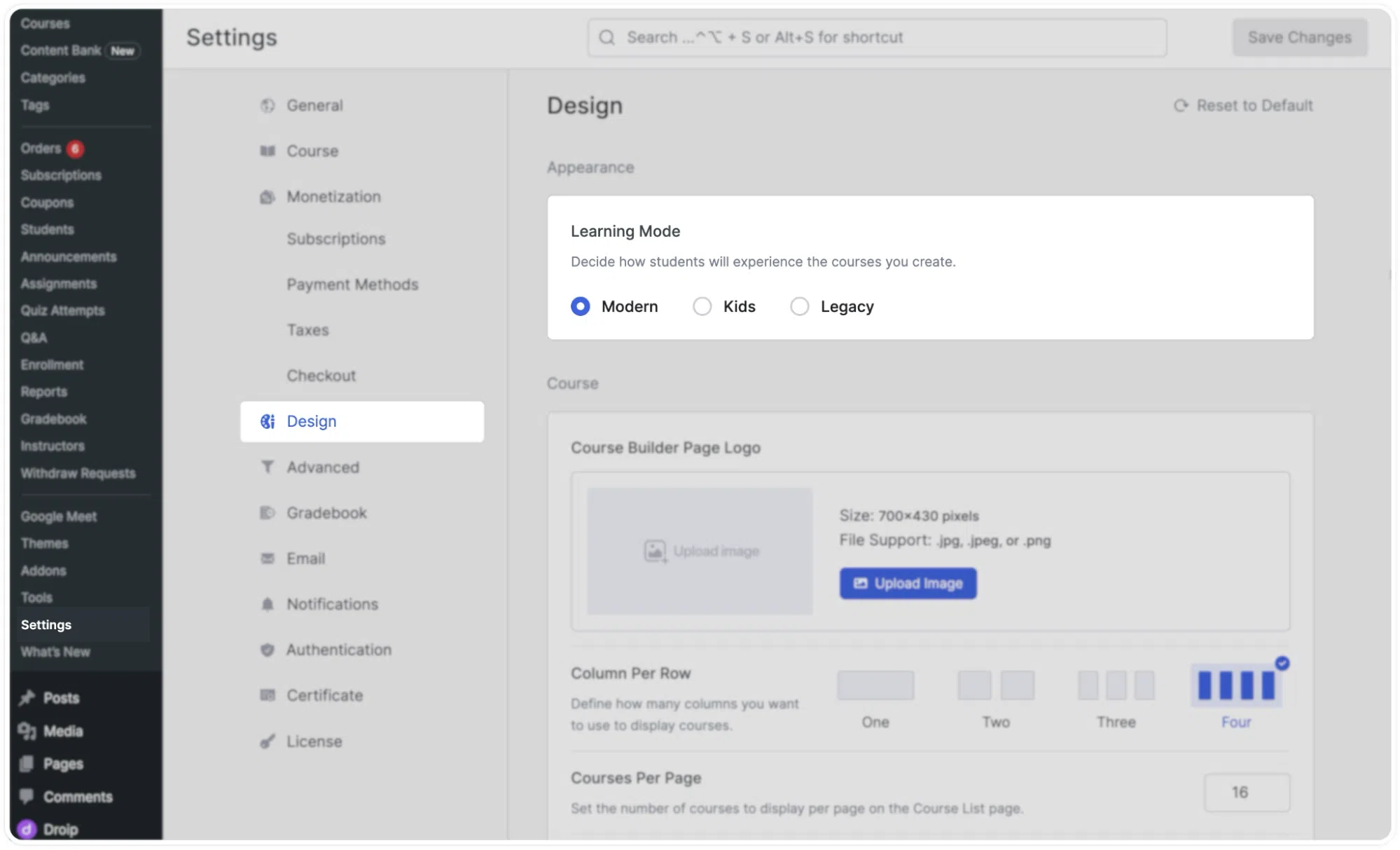
Site administrators can change the dashboard mode at any time by navigating to Settings > Design > Learning Mode in the WordPress backend. The available options are:
- Modern: The redesigned 4.0 interface (default)
- Kids: A visually engaging layout designed for younger learners
- Legacy: The previous Tutor LMS 3.0 dashboard interface
Select the preferred mode and save your changes to apply the updated interface across the platform.