Puzzle
Puzzle
The Puzzle question divides an image into scrambled pieces, and the student must drag and drop the pieces back into their correct positions to reconstruct the original image. You supply the image and choose how many pieces it is divided into, which determines the difficulty.
This question type adds an engaging, interactive element to a quiz. It works well for visual recognition and sequential ordering tasks — for example, reconstructing a world map, reassembling a diagram, or identifying an image by fitting its parts together.
How to Set It Up
- Select Puzzle as the question type.
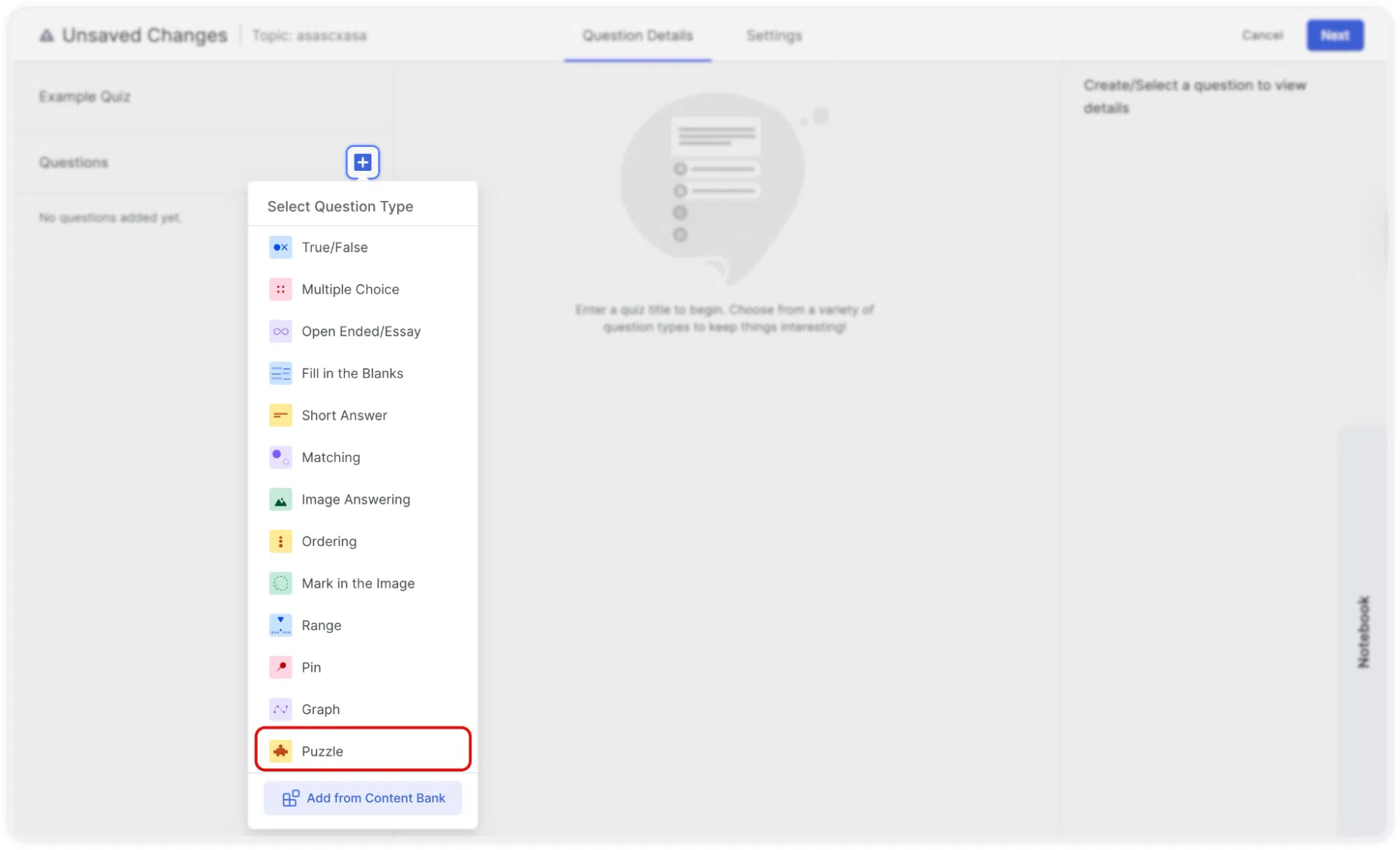
- Type your question in the question field. For example: “Solve the puzzle by aligning the world map in the accurate order.”
- An upload image area is displayed. Click on it to upload your image from the WordPress media library. Choose an image that is visually distinct enough that students can identify where each piece belongs.
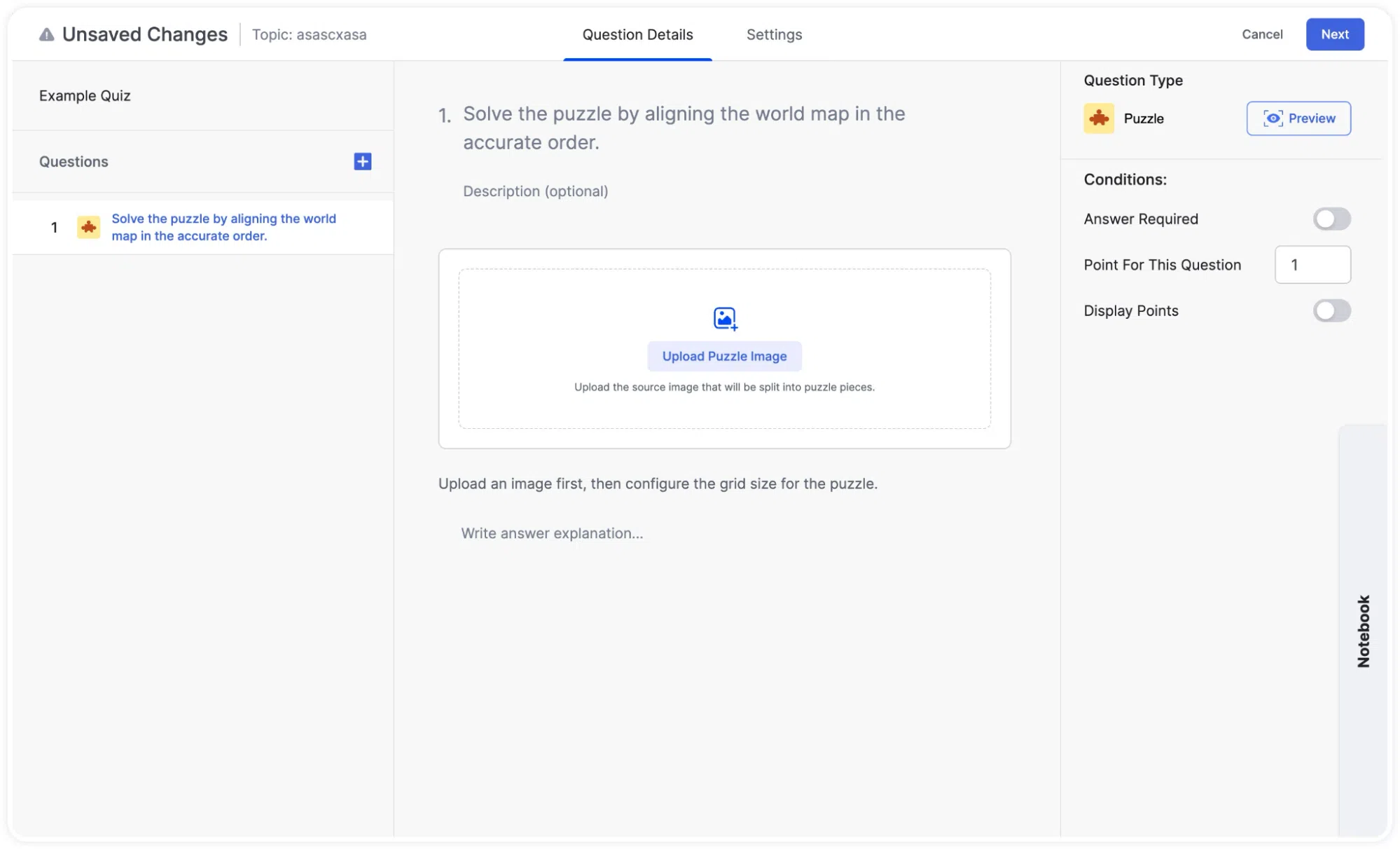
- After uploading, you can hover over the image to reveal Replace Image and Remove options if you want to change it.
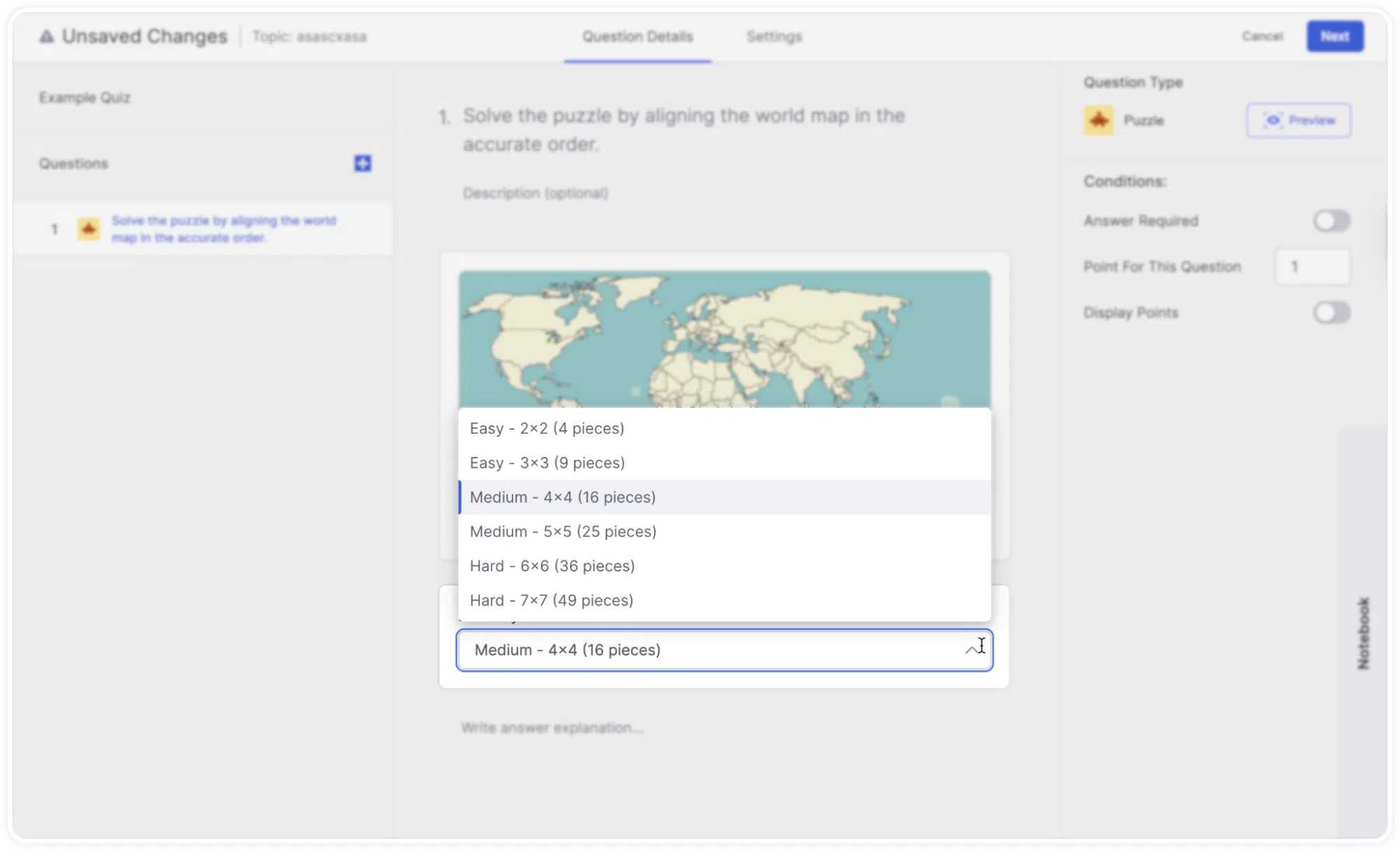
- Set the Difficulty Level using the dropdown menu to determine how many pieces the image will be cut into. Options range from Easy (2×2 – 4 pieces) to Medium (4×4 – 16 pieces) up to Hard (7×7 – 49 pieces).
- Optionally, add an Answer Explanation.
- Click Preview on the right panel to see what the puzzle looks like from the student’s perspective before saving.
Tip: Choose your image and difficulty level based on your students’ age and the purpose of the quiz. A clean, high-contrast image with distinct regions (like a labeled map or a diagram with clear sections) works much better than a photograph with subtle variations. For younger students or introductory courses, use Easy or Medium. Reserve Hard for advanced learners or when the puzzle itself is a meaningful part of the learning exercise.
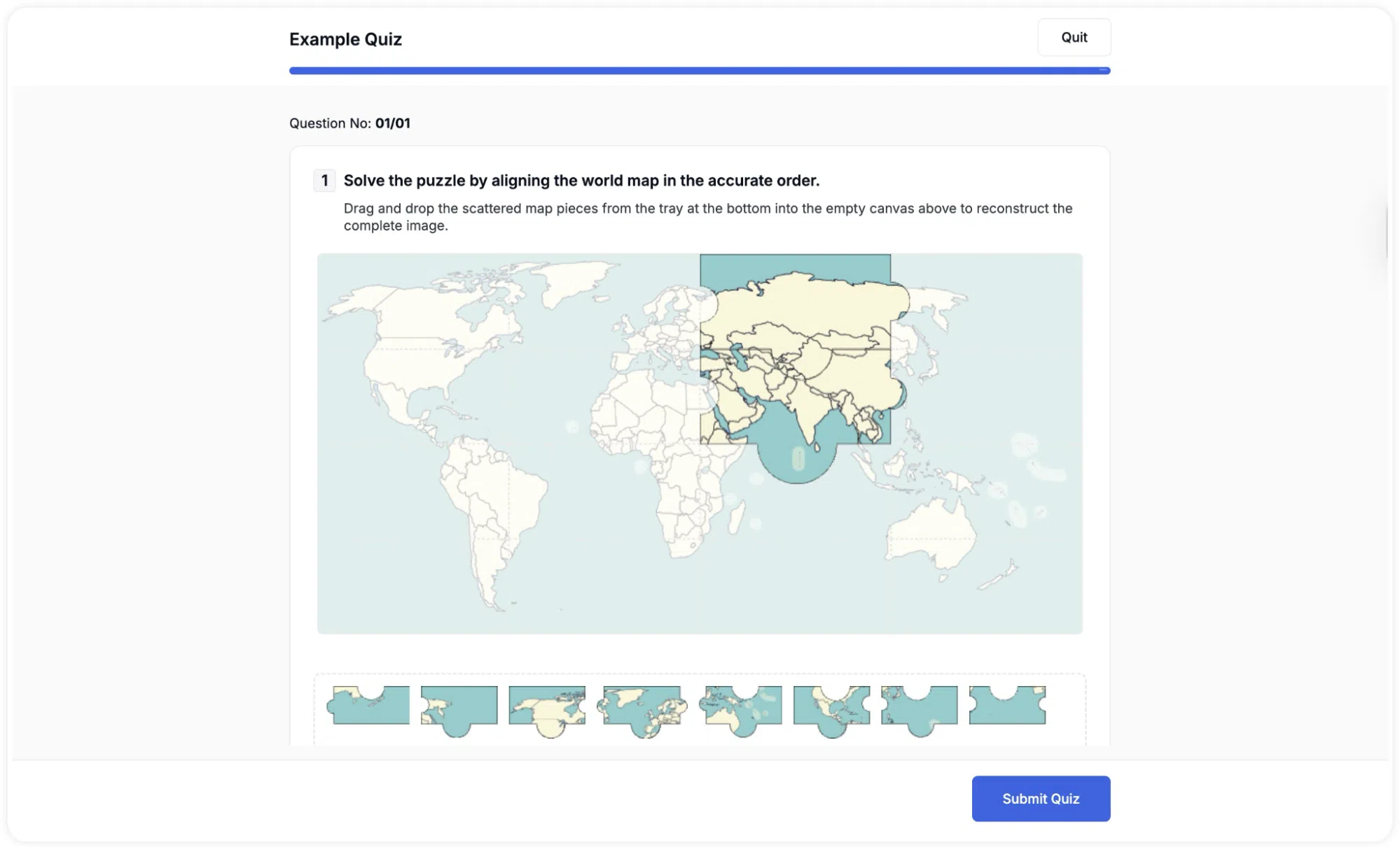
Puzzel Quiz Question: Learner POV
A puzzle board is shown at the top, initially displaying the image with missing pieces. A tray of scrambled puzzle pieces appears below the board. Students drag pieces from the tray and drop them into the correct position on the board. The puzzle is graded based on how many pieces are placed correctly. A progress indicator is visible at the bottom of the screen while the student works.