Regenerate Pages
Regenerate Pages
Similar to any other plugins in WordPress, Tutor LMS requires a few pages to run and manage all its functionalities. Deleting (or somehow loosing) any of these pages would cause your site to crash. So you need a tool for troubleshooting Tutor LMS default pages.
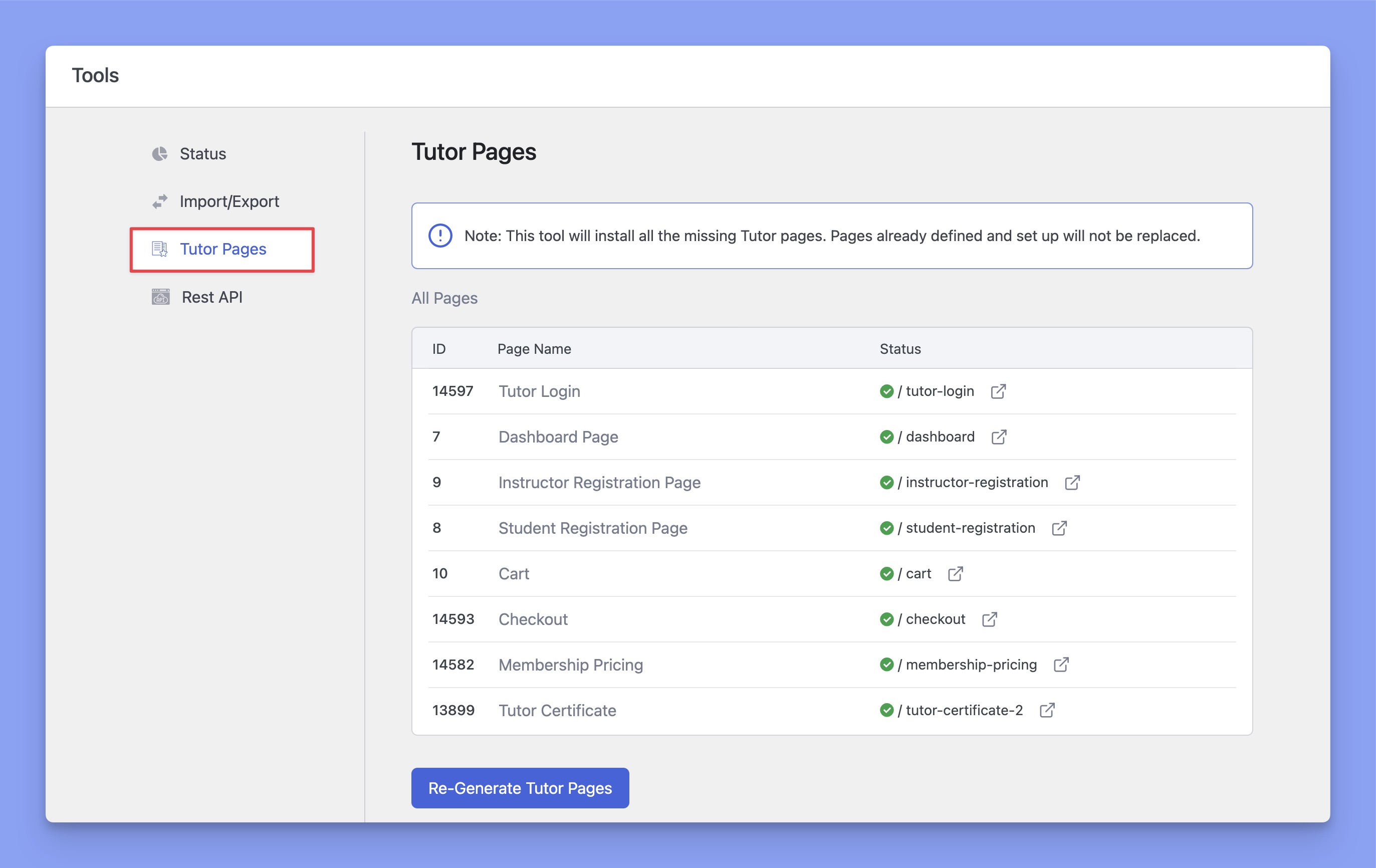
Hence, you are provided with a built-in tool for troubleshooting these pages. To visit this tool, go to WP Admin > Tutor LMS > Tools > Tutor Pages.
Here, you will be able to see a list of the pages available as well as their status. You can also re-generate your missing pages by clicking on Re-Generate Tutor Pages. This will only install the missing pages but won’t replace the pages that already exist.
If your problem still persists, you may just perform the basic troubleshooting actions or contact support by creating a support ticket (only for pro subscribers).