True/False
True/False
The True/False question type allows you to create simple and direct questions where learners choose between two options: True or False. This question type is ideal for testing basic understanding or verifying factual knowledge.
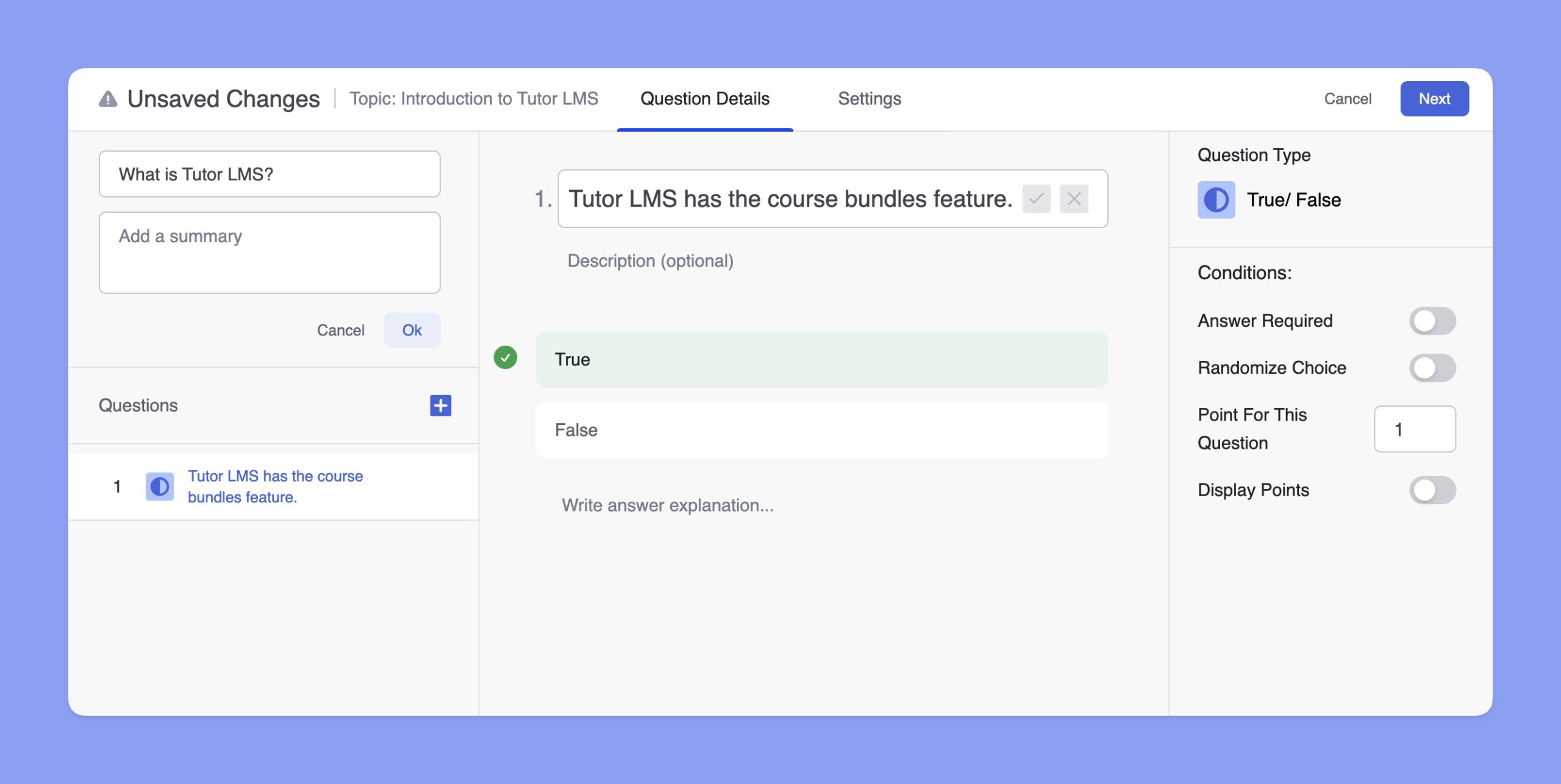
To add a True/False type question, navigate to the quiz editor and select the True/False question type from the options. Then, add the question and a description to the Question field. However, the description is optional here. After entering the question, specify whether the statement is True or False.
Later, you’ll get the Answer Explanation section. Here, you can provide a concise yet informative explanation to help learners understand the correct answers and the reasoning behind them.
Students can access the explanation from the Quiz Details page only after they’ve attended the quiz. Here’s the frontend preview of the quiz explanation:
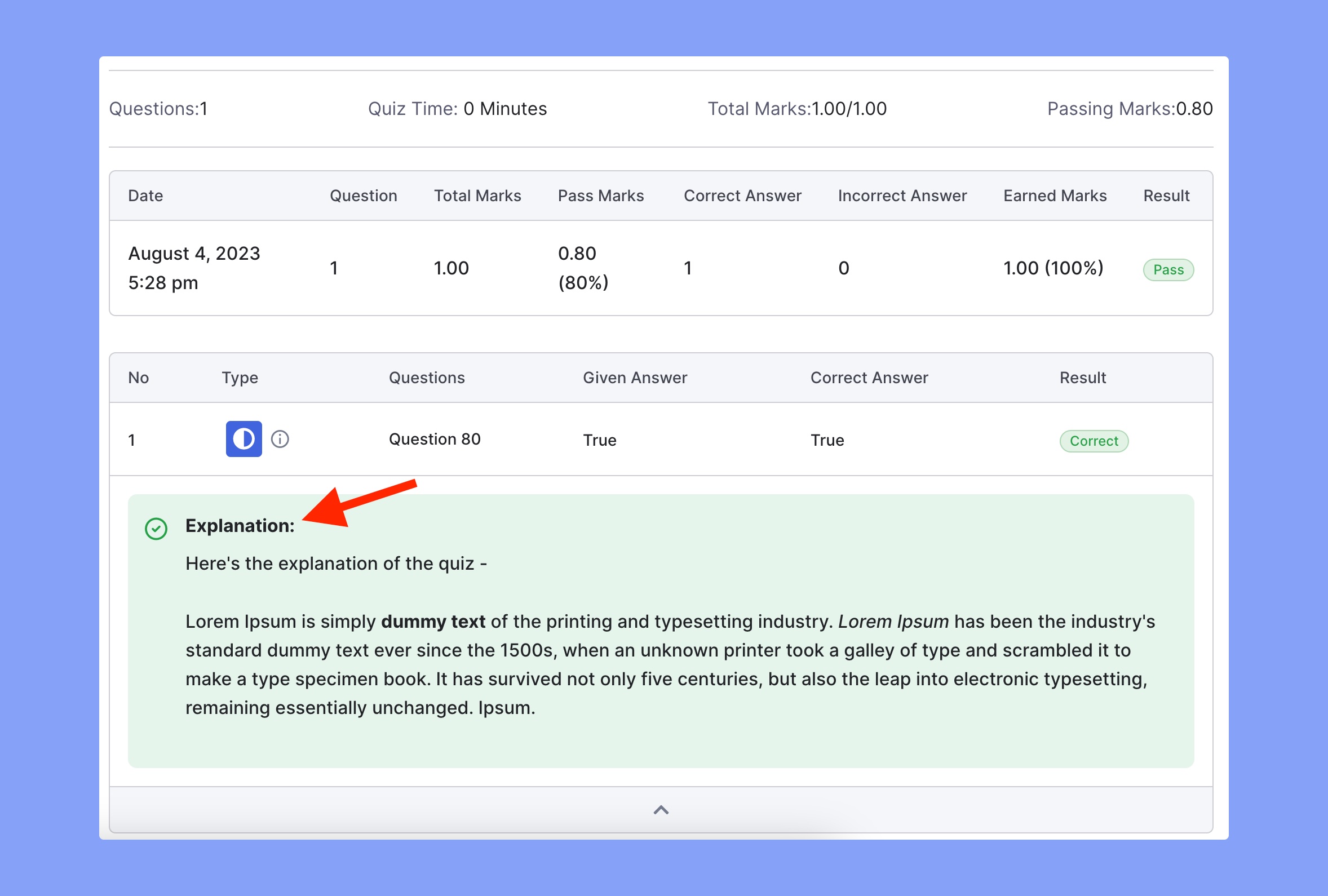
📝 Note: If you have Quiz Details disabled, then you won’t be able to see the Answer Explanation.
Customizing Question Settings
The True/False question type includes additional conditions that allow you to fine-tune the learner experience:
- Answer Required: Enable this question as mandatory by using this toggle button.
- Randomize Choice: Toggle this option if you want the order of True and False to appear randomly for each learner.
- Point For This Question: Assign a specific point value to this question. The default is typically set to 1 point.
- Display Points: Choose whether or not to show the point value to the learners.