Using CartFlows Landing Page With Tutor LMS & WooCommerce
Using CartFlows Landing Page With Tutor LMS & WooCommerce
CartFlow’s WooCommerce Checkout & Funnel Builder is a WordPress Plugin that you can use to improve your Sales Flows, WooCommerce checkout conversions, and more.
In this tutorial, we’re going to be discussing how you can set this up to use with Tutor LMS. So without further ado, let’s get right into it!
Prerequisites
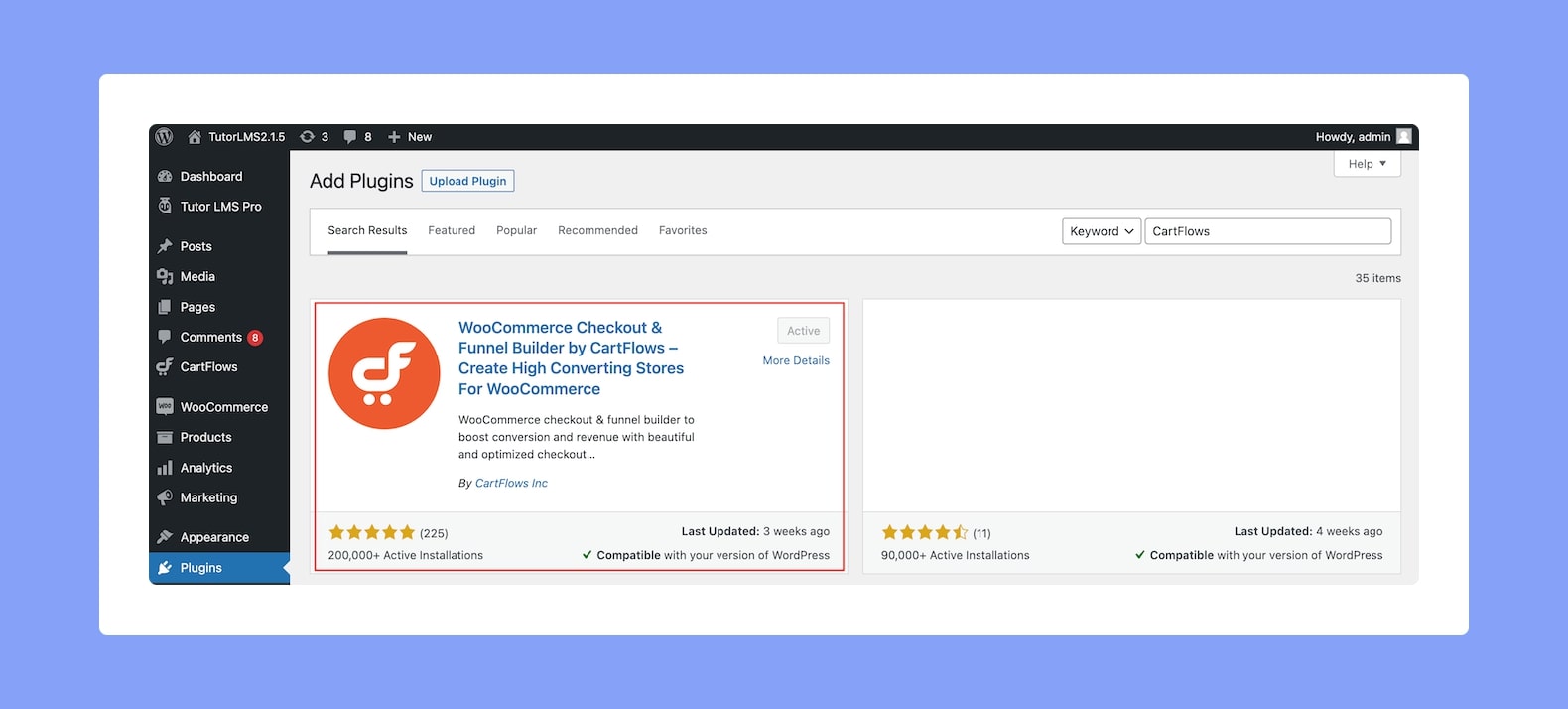
First and foremost, make sure you have the following plugins installed and activated:
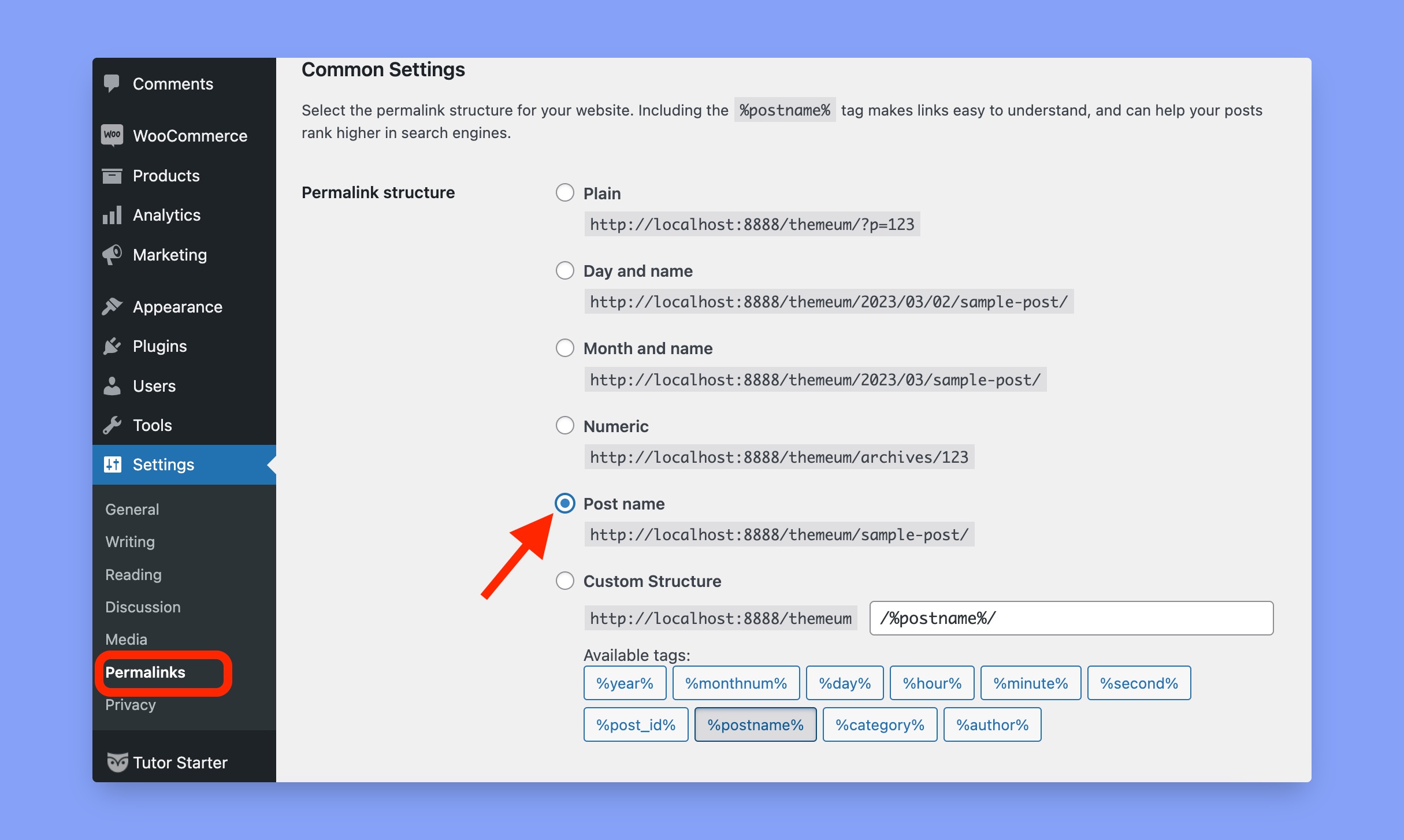
Next, visit WP Admin > Settings > Permalinks and make sure that the Permalink Structure is set to Post Name.
Configuring Plugins
Next, make sure the following configurations have been activated:
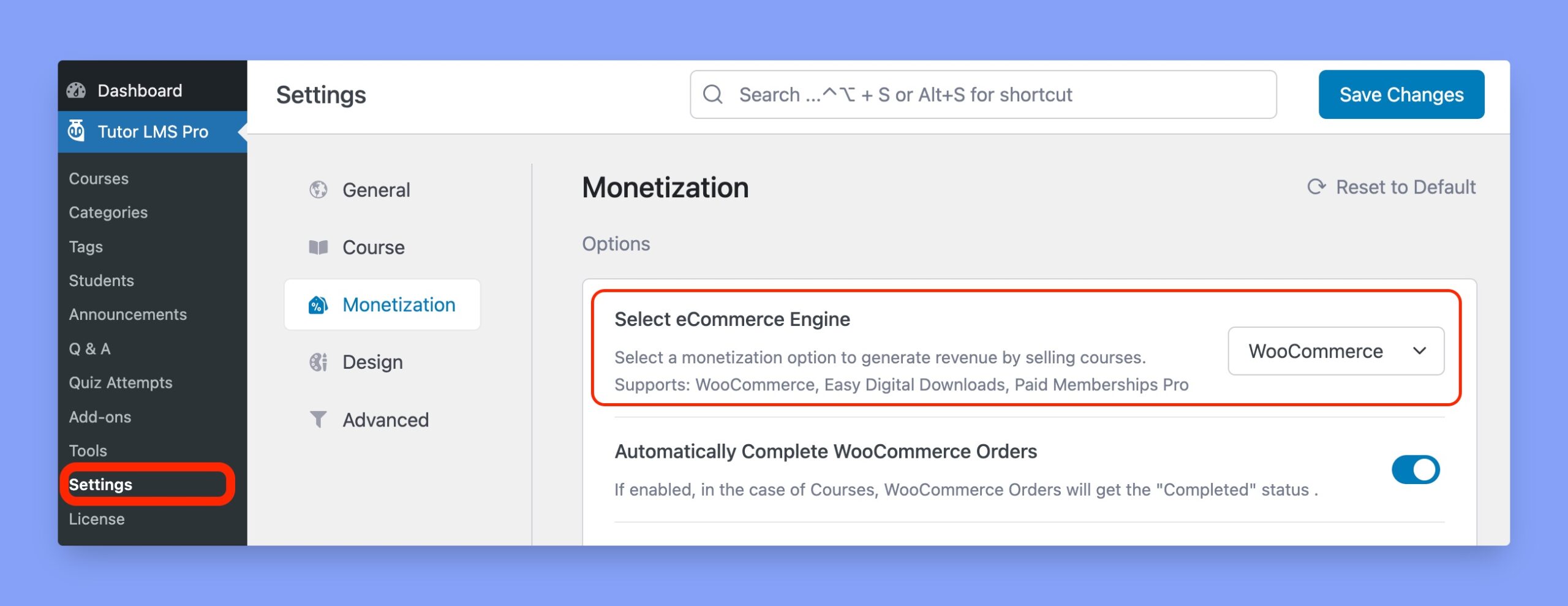
- Enable WooCommerce as your eCommerce Engine from WP Admin > Tutor LMS > Settings > Monetization.
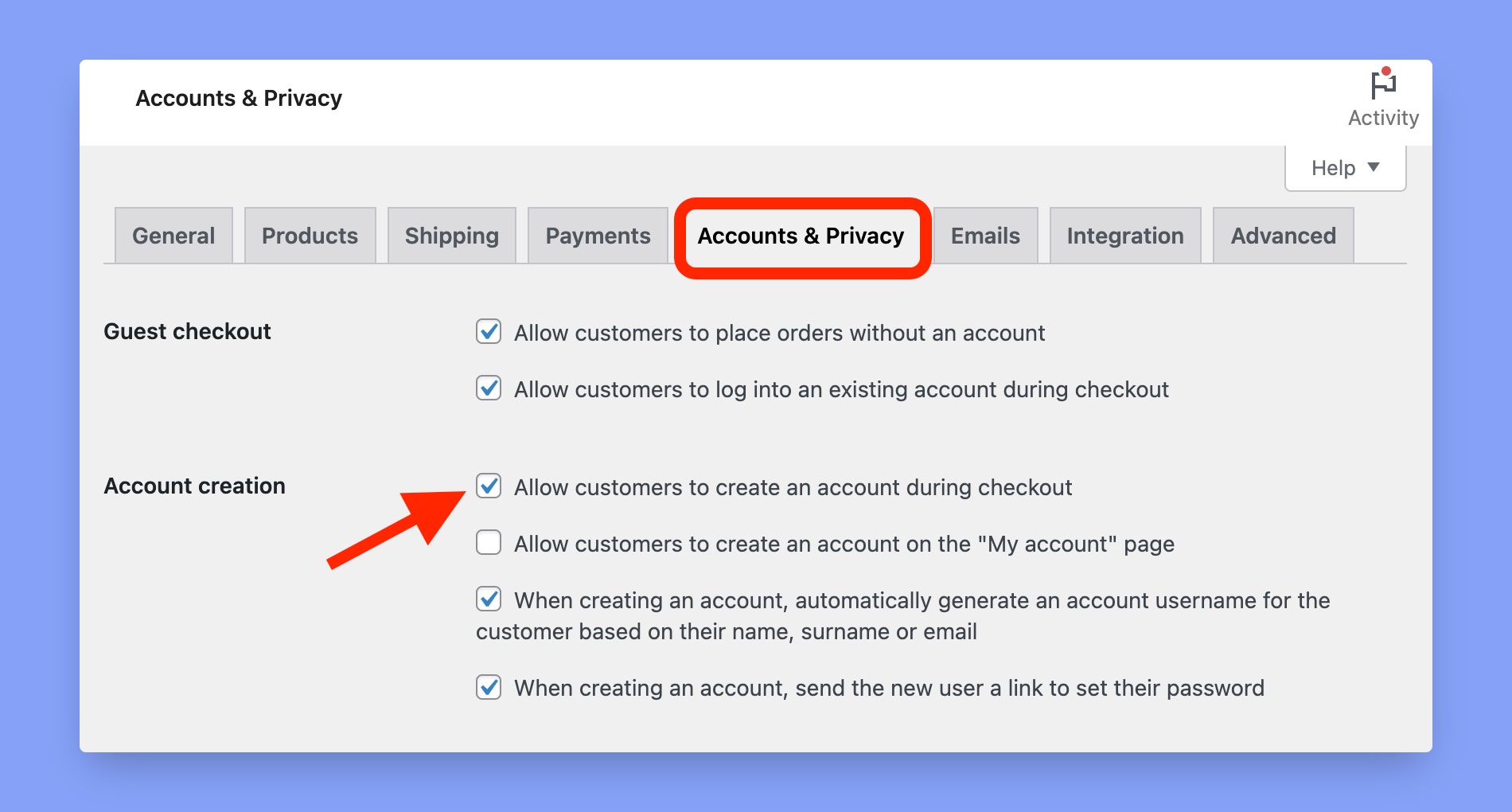
2. Enable Allow customers to create an account during checkout from WP-Admin > WooCommerce > Settings > Accounts & Privacy.
Creating a Paid Course
If you are already selling courses using WooCommerce then you can skip this section.
- Tutor LMS uses WooCommerce products to complete the payment for courses. So, start by creating a product from WooCommerce, and don’t forget to check the box For Tutor. A detailed guide on this process can be found in our WooCommerce documentation.
- Next, create a new Course by going to WP Admin > Tutor LMS > Course > Add New. Here, under the Add Product section select the product you just made. Once you’re done building your Course, hit Publish.
Using the CartFlows Pages
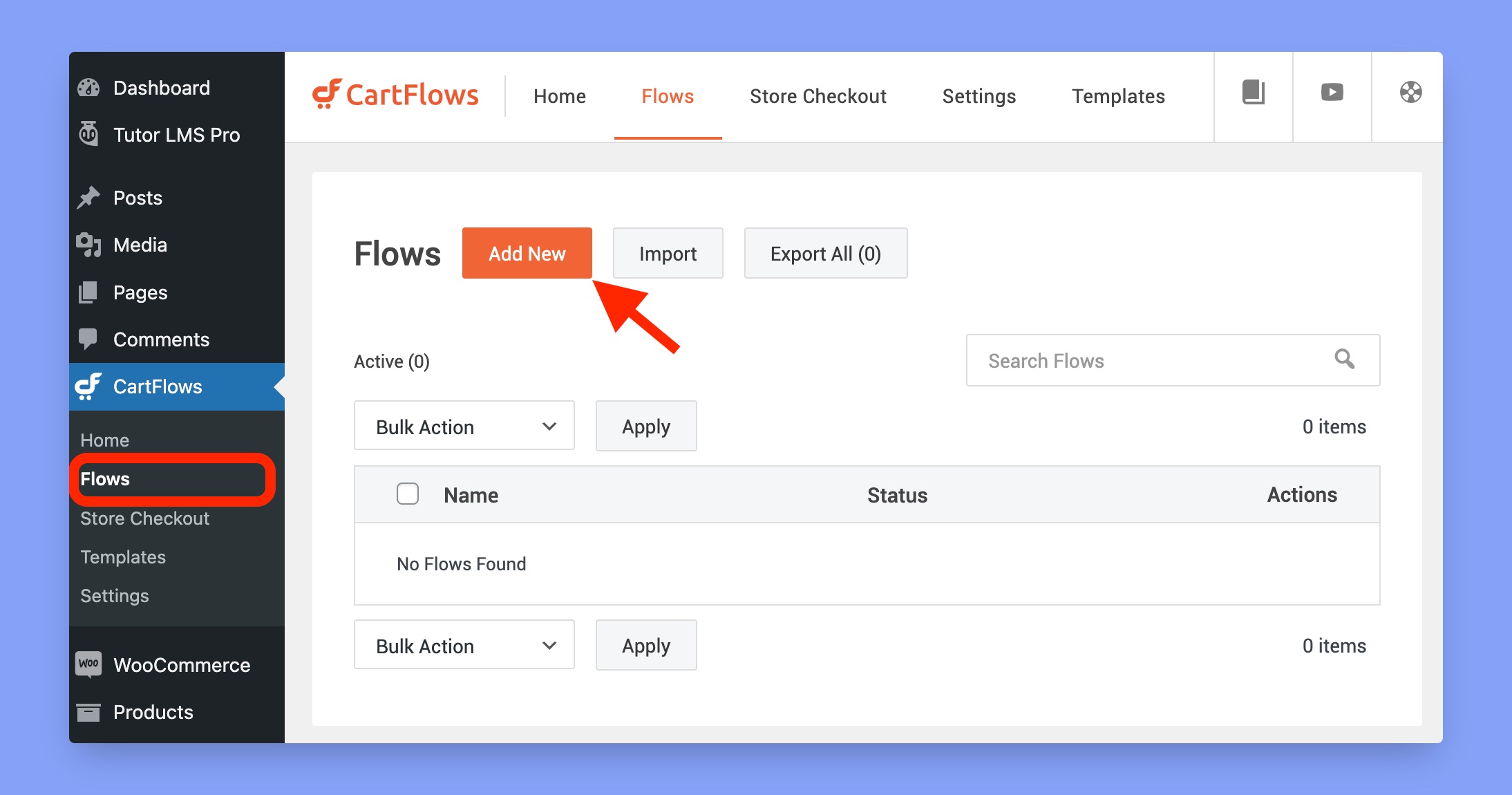
Now it’s time to use and set up the CartFlow Pages.
- Go to CartFlows > Flows > Add New. Then, either Start From Scratch or import a Template. Next, give the flow a name and update it.
- Adjust the landing page content using your preferred page builder or editor. You can also adjust the landing page URLs and titles to match your product as well.
- Save the landing pages when you’re done.
- Don’t forget to select the WooCommerce Product for your Course from the Product tab.
- Finally, copy the landing page link and place it on your menu or anywhere you like to make it more easily accessible.
Video Tutorial
For more understanding, watch the entire process in this video tutorial here: